

WooCommerce Website Scraper Email
Pricing
from $1.99 / 1,000 results
WooCommerce Website Scraper Email
WooCommerce website email scraper that pulls contact emails from store pages, so you can reach store owners without copying addresses by hand.
Pricing
from $1.99 / 1,000 results
Rating
0.0
(0)
Developer

B2B Lead Generation
Maintained by CommunityActor stats
0
Bookmarked
8
Total users
2
Monthly active users
5 months ago
Last modified
Categories
Share
WooCommerce Website Scraper (Email)
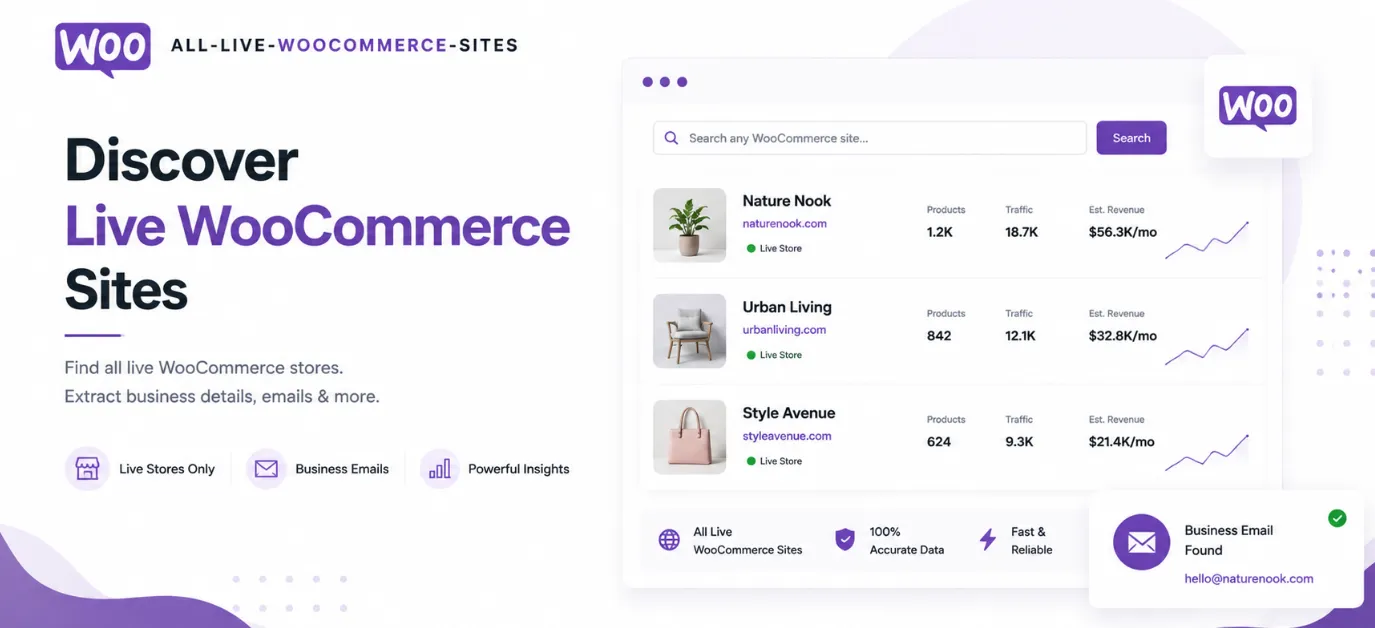
What you can do
- Find leads by keyword — search for stores containing any word (e.g.
fashion,sport,organic) - Filter by country — target specific markets (United States, Canada, United Kingdom, etc.)
- Filter by ZIP code — focus on specific regions or cities
- Filter by company size — narrow by employee count (1, 10, 100, 1000, 10000, 100000)
- Filter by revenue — target companies within a revenue range (USD)
- Export results — download as JSON, CSV, or Excel from the Apify dataset
Use cases
- B2B sales outreach — find WooCommerce store owners matching your ideal customer profile
- Email marketing — build targeted lists of store contacts in specific industries or regions
- Agency prospecting — identify WooCommerce shops to pitch your services to
- Market research — analyze store distribution across countries, verticals, and sizes
- Supplier discovery — find potential wholesale partners in specific categories
- Competitor analysis — explore stores in your vertical with similar revenue ranges
Input
All filters are optional — combine any number of them. Leave all empty to return all available stores up to your maxItems limit.
Search & Filter
| Parameter | Type | Description |
|---|---|---|
companySearch | string list | One or more keywords to search company names. Results match any keyword (OR logic). Partial, case-insensitive match. |
country | string list | One or more country names (e.g. United States, Canada). Results match any country entered. |
zipCode | string list | One or more ZIP / postal codes. Results match any code entered. |
Range Filters
| Parameter | Type | Description |
|---|---|---|
minEmployees | integer | Minimum employee count. Stored as bucketed values: 1, 10, 100, 1000, 10000, 100000. |
maxEmployees | integer | Maximum employee count. |
minRevenueUSD | number | Minimum annual sales revenue in USD. |
maxRevenueUSD | number | Maximum annual sales revenue in USD. |
Output
| Parameter | Type | Default | Description |
|---|---|---|---|
maxItems | integer | 100 | Maximum number of records to return (up to 100,000). |
sortBy | select | — | Sort results by: Company, Country, Employees, Sales Revenue USD, or Zip. |
sortOrder | select | asc | Sort direction: ascending or descending. |
Example input
Output data
Each record represents one WooCommerce store. Results are pushed to the Apify dataset and can be exported as JSON, CSV, or Excel.
Output fields
| Field | Description |
|---|---|
Domain | Store website domain |
Company | Company / store name |
Vertical | Industry category |
Employees | Employee count (bucketed: 1, 10, 100, 1000, 10000, 100000) |
Sales Revenue USD | Annual revenue in USD |
City | City |
State | State or province |
Zip | ZIP / postal code |
Country | ISO 2-letter country code (e.g. US, GB, CA) |
Emails | Contact email addresses (semicolon-separated if multiple) |
Telephones | Phone numbers |
Twitter | Twitter / X profile URL |
Facebook | Facebook page URL |
LinkedIn | LinkedIn company page URL |
Instagram | Instagram profile URL |
Pinterest | Pinterest profile URL |
Youtube | YouTube channel URL |
TikTok | TikTok profile URL |
Social | Social media follower count |
Popular cities & ZIP codes
Use these as reference when filtering. Enter the city name in the ZIP field or use the ZIP code directly.
United States
| City | ZIP Codes |
|---|---|
| New York City | 10001, 10003, 10010, 10011, 10013, 10014, 10016, 10017, 10018, 10019, 10022, 10023, 10036 |
| Los Angeles | 90065, 90069 |
| San Francisco | 94102, 94103, 94104, 94105, 94111 |
| Chicago | 60654 |
| Austin | 78704 |
| Boston | 02109 |
| Seattle | 98122 |
| Washington DC | 20002, 20006, 20036 |
| San Diego | 92101, 92123 |
| Sacramento | 95814, 95833, 95834 |
| Phoenix | 85008 |
| Philadelphia | 19103 |
| Atlanta | 30080 |
| Orlando | 32835 |
| Palo Alto | 94304 |
| Mountain View | 94043 |
| Menlo Park | 94025 |
| Redwood City | 94065 |
| Redmond | 98052 |
| Sunnyvale | 94085 |
| Newport Beach | 92660 |
| Costa Mesa | 92626 |
| Beverly Hills | — |
| Alexandria | 22314 |
| Fairfax | 22030 |
| Reston | 20190 |
| Sarasota | 34236 |
| Boca Raton | — |
| Albuquerque | — |
| Aliso Viejo | 92656 |
United Kingdom
| City | ZIP / Postcode |
|---|---|
| London | EC1N, EC1V, EC2A, EC4A, SW1P, SW1Y, W1D, W1W, WC1N, WC2H |
| Greater London | EC1V, SE1, SW8, W1W |
| Manchester | M1, M3 |
| Birmingham | B2 |
| Edinburgh | EH3 |
| Glasgow | G2 |
| Liverpool | L2 |
| Bristol | — |
| Cardiff | — |
| Leeds | — |
| Lancaster | LA1 |
| Newport | NP20 |
| Wilmslow | SK9 |
Canada
| City | ZIP / Postal Code |
|---|---|
| Toronto | M5V |
| Vancouver | V6J |
| Ottawa | K1A |
| Montreal | H4T |
| Fredericton | E3A |
Australia
| City | ZIP Code |
|---|---|
| Sydney | 2000, 2001, 2002, 2010 |
| Melbourne | 3000, 3006, 3051, 3149, 3189 |
| Brisbane | 4000, 4006 |
| Perth | 6000 |
| Canberra | — |
Other popular cities worldwide
| City | Country |
|---|---|
| London | UK |
| Berlin | Germany |
| Amsterdam | Netherlands |
| Paris | France |
| Barcelona | Spain |
| Sydney | Australia |
| Toronto | Canada |
| Tokyo | Japan |
| Singapore | Singapore |
| Dubai | UAE |
| Mumbai | India |
| Bangalore | India |
| São Paulo | Brazil |
| Mexico City | Mexico |
| Seoul | South Korea |
| Hong Kong | Hong Kong |
FAQ
Why did I get fewer results than my maxItems limit?
Only records matching your filters are returned. Broaden your filters to get more results.
What are the employee count values?
Employee counts are grouped into ranges such as:
1, 10, 100, 1000, 10000, 100000
How do I search multiple countries?
Enter each country name on a separate line in the Country field.
Can I search without any filters?
Yes. Leave all filters empty and set maxItems to the number of records you want.
How current is the data?
Data is continuously maintained and updated to provide high-quality store information.
Integrations
Connect WooCommerce Website Scraper (Email) with other apps using Apify integrations, including Make, Zapier, Slack, Google Sheets, and more. Use webhooks to trigger actions when results are ready.


