

AliExpress Scraper for Dropshipping - Exact Sales & Prices
Pricing
from $1.50 / 1,000 products
AliExpress Scraper for Dropshipping - Exact Sales & Prices
Find winning AliExpress products by keyword: exact sales count (not '10,000+'), price, original price, discount, rating, Choice badge and delivery days. Rating and order-count filters run before saving, so skipped products are not billed. $3 per 1,000 products.
Pricing
from $1.50 / 1,000 products
Rating
0.0
(0)
Developer

Badr Bouargan
Maintained by CommunityActor stats
0
Bookmarked
2
Total users
1
Monthly active users
2 days ago
Last modified
Categories
Features
Share
AliExpress Scraper for Dropshipping – Exact Sales, Prices & Delivery
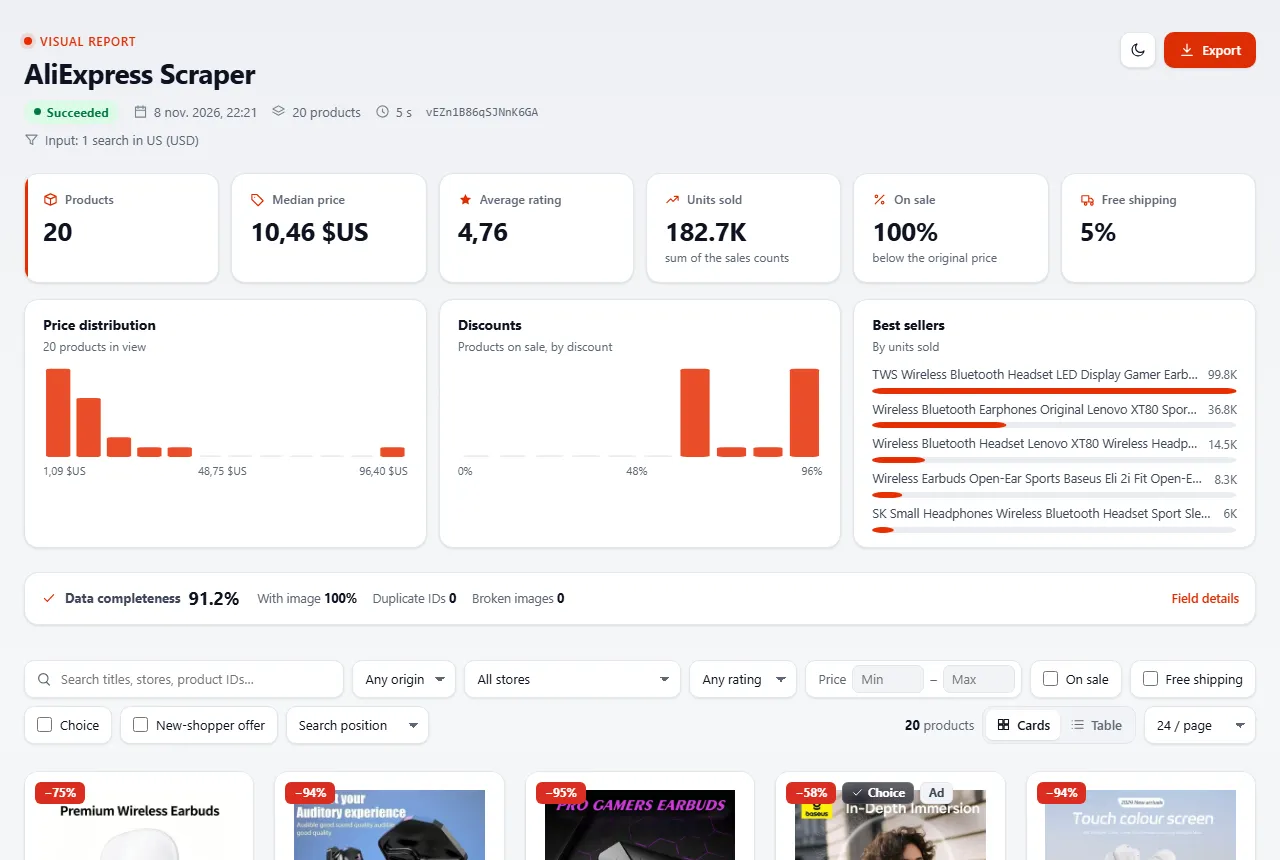
Type a product idea, pick the country you sell to, and get every matching AliExpress product with its price, discount, exact number of sales, rating, ship-from warehouse and delivery days.
The problem it solves. AliExpress rounds its sales figures ("10,000+ sold"), changes prices and delivery times with the Deliver to country, and mixes sponsored listings and unrelated suggestions into results. Comparing products by hand in a browser is slow and misleading. This Actor turns a search into a clean table where products can be ranked by real demand, real landed price and real delivery time, for your market.
Who it is for. Dropshippers and Shopify / WooCommerce / TikTok Shop sellers looking for winning products; importers and resellers in Morocco, Egypt, Nigeria, Saudi Arabia, the UAE and Europe who source from AliExpress; price-monitoring and market-research teams; developers and AI agents that need AliExpress search data through an API.
What you get, per product: title, url, price, originalPrice, discountPercent, currency, soldCount (exact) and soldText, rating, isChoice, isAd, shipsFrom, deliveryDaysMin / deliveryDaysMax, estimated delivery dates, freeShipping, storeName (when shown), categoryId, images, searchResultTotal, position, country, scrapedAt. Full example below.
Start in 3 steps
- Open AliExpress Scraper on Apify Store and click Try for free.
- Type one or more Search terms (for example
wireless earbuds), pick Deliver to (your market: the currency and language follow), optionally sort by Best selling. - Click Start, then export the products as Excel, CSV or JSON, or send them to Google Sheets.
No AliExpress account, login or cookies needed.
Why choose this Actor
- Exact sales, not rounded labels. You get
soldCount: 155346next to the site labelsoldText: "100K+ sold", so products can be ranked by actual demand. - 63 deliver-to markets, 44 currencies. Including Morocco (MAD), Egypt (EGP), Nigeria (NGN), South Africa (ZAR), Saudi Arabia (SAR), the UAE (AED), Qatar, Kuwait, Turkey, Europe, the Americas and Asia. Products, prices, VAT, warehouses and delivery times are the ones a shopper there sees.
- Fast-delivery stock. Filter on Ships from (US, Spain, France, Germany, Poland, Saudi Arabia, UAE…) and read the delivery window of every product.
- Filters that are never billed. Minimum rating, Minimum orders and Include sponsored products are applied before saving: skipped products cost nothing. Duplicates, unrelated "suggestions" and failed searches are free too.
- Niche saturation at a glance.
searchResultTotaltells you how crowded a search term is in your market. - One simple price. One event per product saved plus a tiny $0.00005 start fee per run, proxies included (residential fallback in your market when AliExpress refuses a page, at no extra cost to you).
How much it costs
Pay per product saved. Platform usage and proxies are included.
| Event | Free plan | Starter | Scale | Business |
|---|---|---|---|---|
| Product | $0.003 | $0.0024 | $0.00195 | $0.0015 |
| Per 1,000 products | $3.00 | $2.40 | $1.95 | $1.50 |
Worked examples on the Free plan: 50 products = $0.15 · 1,000 products = $3.00 · 10,000 products = $30.00. On the Business plan, 1,000 products = $1.50.
Never billed: duplicates, products removed by your rating / orders / ads filters, unrelated suggestions AliExpress adds when a search has no real match, and searches that fail. Set Maximum cost per run when you start the Actor and it stops cleanly at that amount.
Use cases
- Dropshipping product research: sort by best selling, keep 4.8★+ products with 1,000+ real sales, then check delivery days and the ship-from warehouse.
- Sourcing for an African or Middle-East shop: set Deliver to Morocco, Egypt, Nigeria, Saudi Arabia or the UAE and read prices in MAD, EGP, NGN, SAR or AED with the delivery time to that country.
- AliExpress-to-marketplace arbitrage: compare AliExpress cost with selling prices on local marketplaces, for example with Jumia Scraper (8 African countries) or Marjane Mall Scraper (Morocco).
- Price and trend monitoring: schedule the same searches daily and watch prices, discounts and sales counts move.
- Market research: compare
searchResultTotalbetween terms to find crowded and empty niches, in any of 63 markets.
Input examples
Quick start
Best sellers under a price ceiling
Several products at once, French market in euros
Number of products is the total for the run, shared evenly between your search terms. Use Products per search term if you want a fixed number for each term.
Morocco, prices in dirhams
Stock already in the US, for fast delivery
Only proven products (rating 4.8+ and 1,000+ real sales, no sponsored listings)
A category or a search you already filtered on AliExpress
Input parameters
| Field | Type | Description |
|---|---|---|
keywords | array | Search terms, one per line. searchQueries, query and search are accepted too. |
startUrls | array | AliExpress search or category URLs. Filters already in the URL are kept. |
maxResults | integer | Total products for the run (default 50). 0 = no limit: everything AliExpress shows, about 3,600 per term. |
country | string | Deliver-to market, one of 63 (default US). |
currency | string | Currency of all prices. Empty = the currency of the country. |
language | string | Language of titles. Empty = the language of the country. |
sort | string | relevance, orders (best selling), price_asc, price_desc. |
filters | array | free_shipping, four_star_plus, choice, big_sale, ships_from_local. |
priceMin / priceMax | integer | Price range in the selected currency. |
shipFrom | string | Only products shipped from this country (CN, US, ES, FR, DE, PL…). |
categoryId | string | Keep one category (copy a categoryId from a previous run). |
minRating | string | Keep products rated at least this, e.g. 4.5. Others are skipped and not billed. |
minOrders | integer | Keep products with at least this many real sales. Others are skipped and not billed. |
includeAds | boolean | Keep sponsored listings (flagged isAd). Default true. |
deduplicate | boolean | A product found by several terms is saved and billed once. Default true. |
maxResultsPerKeyword | integer | Fixed number of products per term instead of sharing maxResults. |
Output example
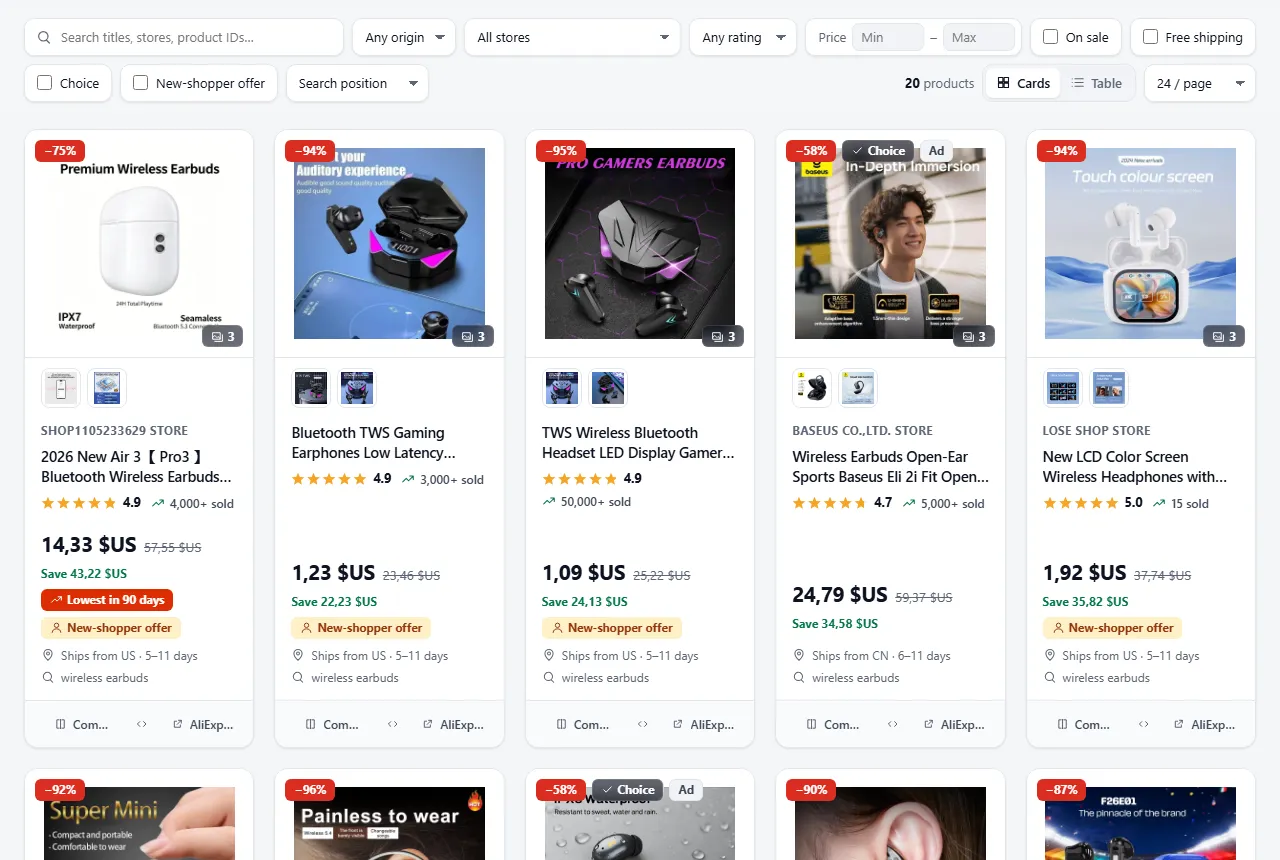
Screenshots from a real platform run.
One row per product. This is a real row from a run (keywords: ["phone holder"], sort: "orders"):
What each field tells you
- Demand:
soldCount(exact),soldText(label shown on the site),rating,searchResultTotal(how crowded the term is in your market),position. - Price:
price,originalPrice,discountPercent,currency,taxRate(VAT included in European prices).isFreeGiftmarks "free with any purchase" listings, which have no price of their own.isNewShopperPriceistruewhen the card shows a new-shopper (Welcome Deal) offer such as "New shoppers save $4.12": that extra saving is for first-time AliExpress buyers only.lowestPriceDaysis N when the card shows AliExpress' "Lowest price in N days" tag (empty otherwise). The Deals dataset view puts these next to the price, original price and discount. - Delivery:
shipsFrom(warehouse country),deliveryDaysMin/deliveryDaysMax, estimated delivery dates,freeShipping(no minimum) andfreeShippingCondition(e.g. "Free shipping over €10"). - Listing:
isChoice,isAd,storeNameandcompanyName(when AliExpress shows them),categoryId/categoryPath,listedAt,attributes,sellingPoints, images. - Where it came from:
searchKeywordorsearchUrl,page,country,language.
Every run also saves a RUN_SUMMARY (products per search, AliExpress result totals, skipped rows, amount charged) and FAILED_INPUTS (searches that gave nothing, with the reason). Neither is billed.
Visual report
Every run also saves a visual report: one HTML page that shows your products as a product catalogue instead of rows.
- Product cards: photo, store, title, star rating, units sold ("4,000+ sold"), price, original price struck through, discount badge, "Save $x", Choice and Ad badges, "Lowest in N days" and new-shopper offer badges, free shipping, ships-from country, delivery days and the search that found it.
- Photo gallery: up to 3 photos per product (the card's main photo first). Click a photo to view it in full size, with a thumbnail strip, arrows, keyboard (← → Esc) and swipe on mobile. The dataset still lists every photo in
images. - Live progress: while the run is going, the report shows a progress bar (searches done / total), the products saved so far and refreshes itself every 30 seconds.
- Data quality: a panel shows how often the key fields (title, price, rating, units sold, store, ships from, delivery days) are filled, and how many products have a photo.
- Compare: tick up to 4 products and open a side-by-side table (price, discount, rating, units sold, delivery days, ships from, store…); the best value of each row is highlighted.
- Key figures and charts: median price, average rating, units sold, share on sale and with free shipping; price distribution, discounts and best sellers. They follow your filters.
- Search, filters and sorting: search titles, stores and product IDs; filter by search term, ships-from country, store, rating, price range, on sale, free shipping or Choice; sort by sales, price, discount, rating or delivery time. Card or table view.
- Export: download the filtered products as JSON or CSV, or the full dataset as JSON, CSV or Excel.
- Searches that gave nothing are listed at the top, grouped by reason (they are not billed), with notes on products skipped by your filters.
How to open it: in the run, go to the Output tab and choose Visual report (or open the REPORT record of the key-value store).
Photos are shown straight from AliExpress in your browser; nothing is re-hosted. Prices are shown in each product's own currency. The report holds the first 2,000 products of a run; the full dataset is one click away. Saving the report is never billed and can never make a run fail.
Use it from code, Make, Zapier or AI agents
Python
JavaScript
AI agents (MCP): add https://mcp.apify.com/?tools=badr_xba/aliexpress-scraper to Claude, ChatGPT or Cursor, then ask for example "find the 50 best-selling yoga mats on AliExpress France under €15".
No-code: results can go straight to Google Sheets, Make, Zapier, n8n or a webhook through Apify integrations, and an Apify Schedule reruns the same searches every day.
Limits
- Reads search and category results only. Product pages, variants, stock per variant and reviews are not collected; product URLs pasted in the input are listed in FAILED_INPUTS and never billed.
- About 3,600 products per search term (AliExpress stops after 60 pages of 60). Use more specific terms, filters or price ranges to go further.
- Prices are the ones AliExpress shows to a logged-out visitor in the chosen market; logged-in or "new shopper" prices may differ.
storeName/companyNameare filled only when AliExpress shows them in the results.- AliExpress reorders results between requests, so two runs of the same search can list products in a different order.
FAQ
Is the sales count really exact?
AliExpress rounds the number on the page ("4,000+ sold") but the real count is in the search data. You get both: soldCount (exact) and soldText (label).
Can I see prices in dirhams, Egyptian pounds or naira? Yes. Pick Deliver to Morocco, Egypt or Nigeria and the currency follows (MAD, EGP, NGN), or choose any of the 44 currencies yourself.
How many products can I get? About 3,600 per search term. To go further, add more specific terms or use filters and price ranges.
Why are prices different from what I see on AliExpress? Prices follow the Deliver to country and currency you choose, and AliExpress often shows lower "new shopper" prices to visitors. The Actor returns the price AliExpress shows to a logged-out visitor in that market.
What happens with a search that has no results? Nothing is billed. AliExpress fills empty searches with unrelated suggestions; the Actor recognises them, skips them and explains why in FAILED_INPUTS.
Can I get variants, stock per variant or reviews? Not in this version (see Limits).
Do I need an AliExpress account or cookies? No. Nothing to log in to, nothing to configure.
Is it legal to scrape AliExpress? The Actor scrapes only publicly available data (the search pages a logged-out visitor sees) and collects no personal data. You are responsible for complying with AliExpress's terms and with the data-protection law that applies to you.
Support
Something missing or wrong? Open an issue on the Actor's Issues tab, with the run link if you can.
Feedback and reviews
If this Actor saved you time, a short review on its Store page helps other users find it. If something did not work as expected, please open an issue on the Issues tab with your run ID: we read every issue.


