

IMAP Mail Intelligence – iCloud
Pricing
from $1.40 / 1,000 e-mail reads
IMAP Mail Intelligence – iCloud
Read your own mailbox READ-ONLY with an app-specific password (iCloud, Yahoo, Zoho, GMX, Fastmail, any IMAP) or import MBOX / EML: search, export, attachments, stats, duplicates, threads, phishing signs, AI summary with your key. Free demo.
Pricing
from $1.40 / 1,000 e-mail reads
Rating
0.0
(0)
Developer

Badr Bouargan
Maintained by CommunityActor stats
0
Bookmarked
2
Total users
1
Monthly active users
2 days ago
Last modified
Categories
Features
Share
IMAP Mail Intelligence – iCloud, Yahoo & Any IMAP (Read-Only)
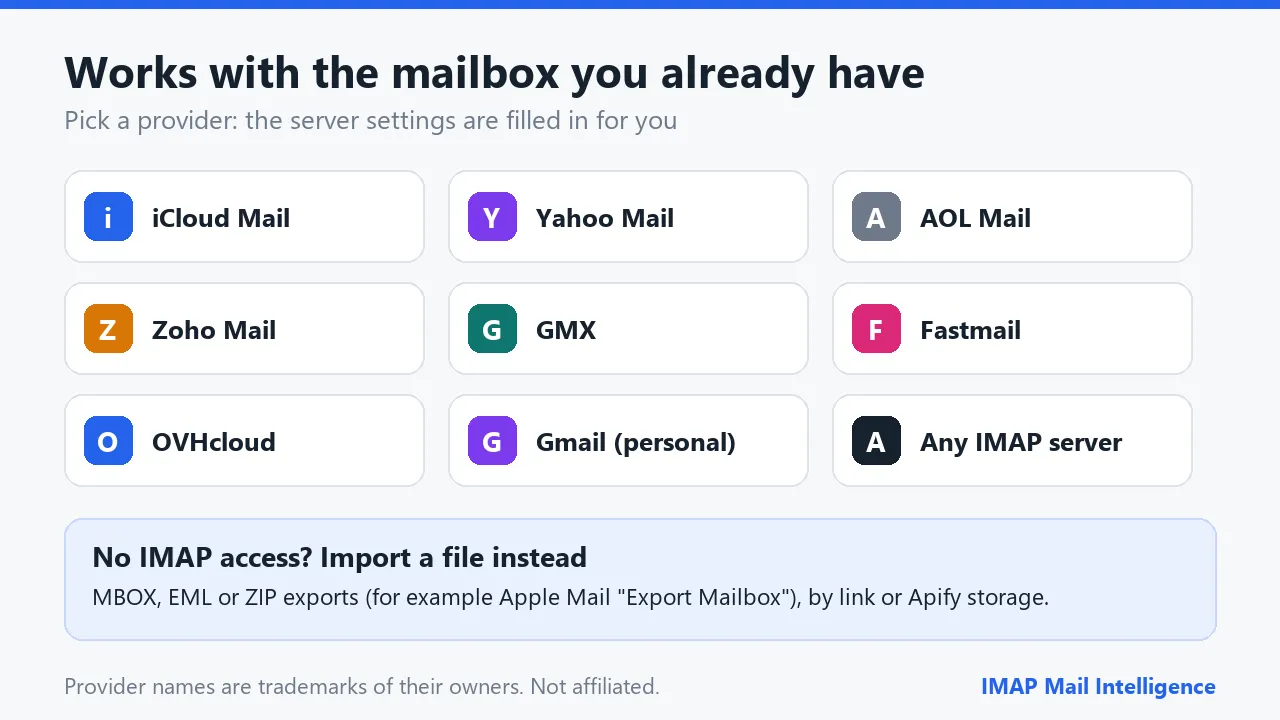
Turn your own mailbox into clean, searchable data – read-only. Connect iCloud Mail, Yahoo, AOL, Zoho, GMX, Fastmail, OVHcloud, Gmail (personal) or any IMAP server with an app-specific password, or import an MBOX / EML / ZIP export. Get one row per e-mail with its text, attachments, category, conversation, duplicate check and phishing warning signs, plus a mailbox report – and, if you want, an AI summary with your own OpenAI, Anthropic or Gemini key.
Try it first for free: run it with an empty input and you get a demo on a fictional mailbox (14 invented
e-mails, clearly marked demo: true) in a few seconds – no account, nothing charged.
Not affiliated with Apple, Google, Microsoft, Yahoo, AOL, Zoho, GMX, Fastmail or OVHcloud. Provider names are used only to describe compatibility. No logo of these companies is used.
Why it is safe to use
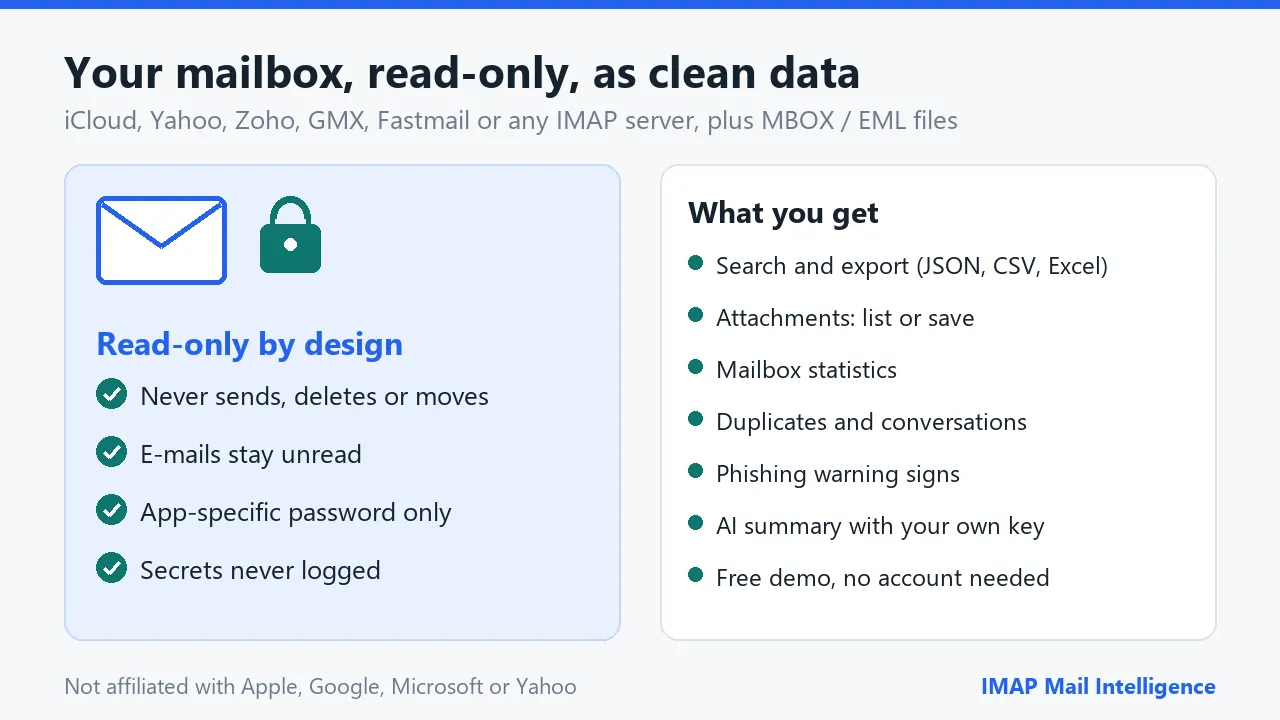
- Read-only by design. Folders are opened with IMAP
EXAMINE(read-only) and messages are fetched withBODY.PEEK, so nothing is marked as read. A built-in guard refuses every command that could change your mailbox (STORE,COPY,MOVE,EXPUNGE,APPEND,DELETE…) before it is sent. The Actor never sends, deletes, moves, flags or forwards an e-mail. - App-specific password only – never your main password. You create it at your provider and can revoke it in one click when you are done.
- Secrets stay secret. The app-specific password and your AI key go into secret input fields (stored encrypted by Apify). They are removed from every log line, result row, file and error message.
- E-mails are treated as untrusted content. HTML is never rendered, links are never opened, attachments are never opened or run. Your data stays in your own Apify storage; nothing is sent anywhere else (except to your own AI provider, only if you turn AI on).
What you get
| Feature | What it does | Charged? |
|---|---|---|
| Read & search | Folders, date range, sender, recipient, subject, keywords, unread only, with attachments only (server-side IMAP search when possible, then checked locally) | per e-mail read |
| Export | Dataset (JSON, CSV, Excel, API) + a spreadsheet-safe EMAILS_CSV file | included |
| Attachments | Name, type, size, SHA-256 for every file; optional saving to your key-value store with per-file and per-run size limits | file saved |
| Mailbox report | Top senders and domains, e-mails per month / weekday / hour, categories, attachments, duplicates | once per run |
| Duplicates | Same Message-ID or same content in several folders (reported only, never deleted) | free |
| Conversations | Threads from References / In-Reply-To, then subject + shared participant | free |
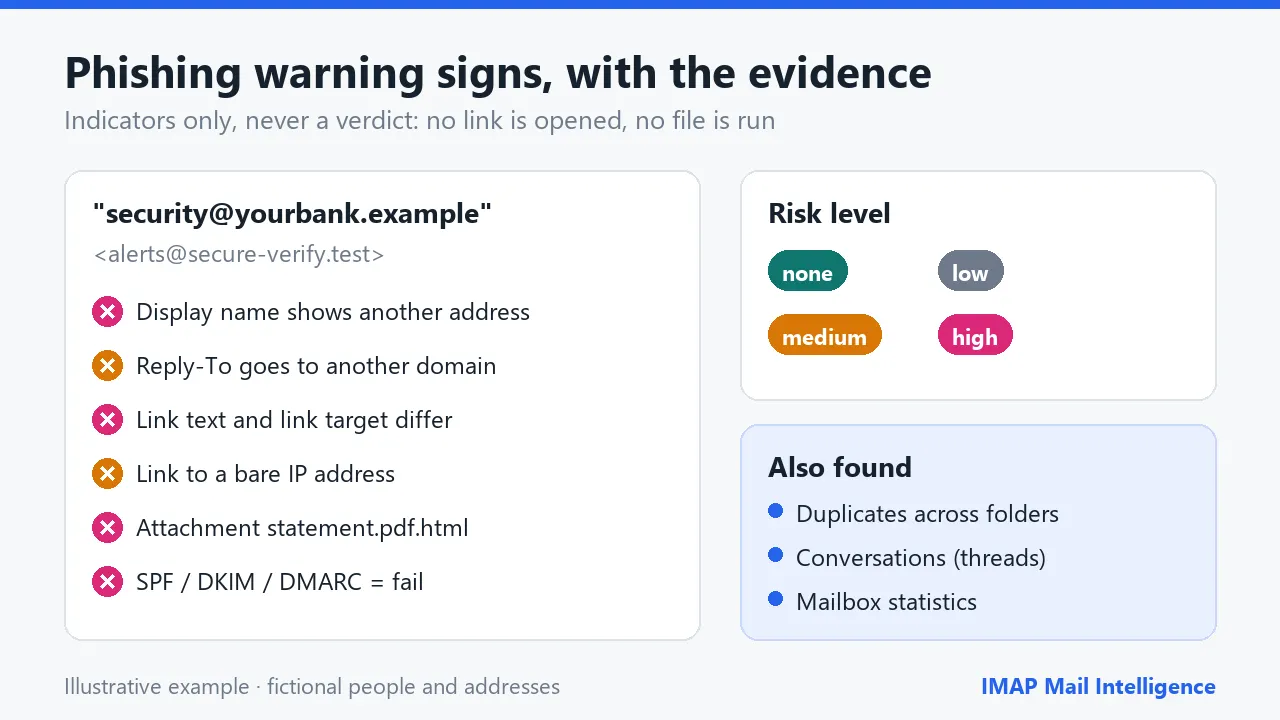
| Phishing warning signs | Display name vs address, Reply-To mismatch, link text vs real link, links to IP addresses, risky / double extensions (invoice.pdf.exe), SPF / DKIM / DMARC fail. Indicators only, never a verdict | free |
| Category (rules) | Business, Personal, Invoices, Orders, Support, Marketing, Important, Other | free |
| AI summary + category | With your own OpenAI / Anthropic / Gemini key (optional, off by default) | per e-mail analysed |
| Demo mode | Fictional sample mailbox, no account | never |
Supported providers
| Provider | Server (filled in for you) | What you need |
|---|---|---|
| iCloud Mail | imap.mail.me.com:993 (SSL) | Two-factor authentication + an app-specific password from account.apple.com |
| Yahoo Mail / AOL Mail | imap.mail.yahoo.com / imap.aol.com :993 | An app password from the account security page |
| Zoho Mail | imap.zoho.com or imap.zoho.eu :993 | IMAP enabled; app-specific password if 2FA is on |
| GMX | imap.gmx.com or imap.gmx.net :993 | IMAP enabled in GMX settings |
| Fastmail | imap.fastmail.com:993 | An app password with IMAP access |
| OVHcloud (MX Plan) | ssl0.ovh.net:993 | Your mailbox password for that address |
| Gmail | imap.gmail.com:993 | Requires 2-Step Verification and a Google app password. Does not work for Google Workspace accounts whose administrator blocks app passwords, nor for accounts with Advanced Protection (Google also says app passwords are not recommended) |
| Any other IMAP server | your server, port 993 (SSL) or 143 (STARTTLS) | Credentials for that mailbox |
| Outlook.com / Hotmail / Live | – | Not supported: Microsoft no longer accepts passwords or app passwords over IMAP (modern sign-in required since September 2024) |
Unencrypted IMAP is never used.
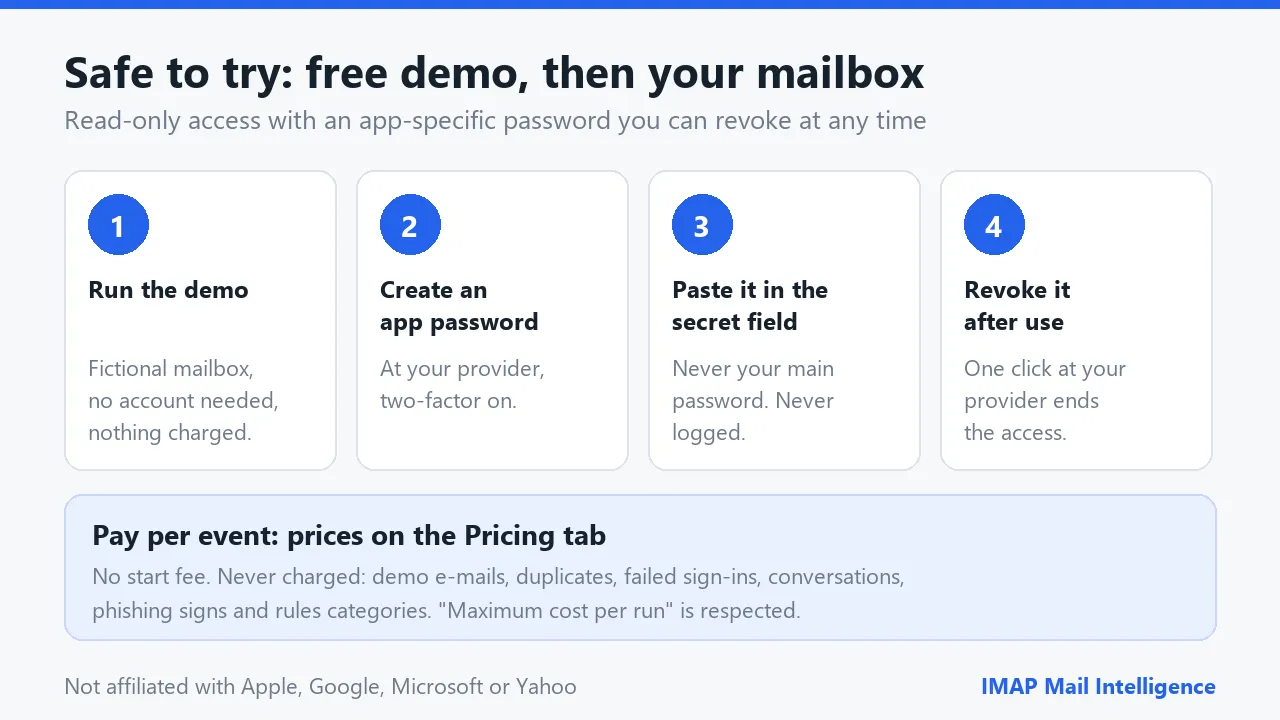
iCloud in 4 steps
- Make sure two-factor authentication is on for your Apple Account.
- Go to account.apple.com → Sign-In and Security → App-Specific Passwords and create one (name it for example "Apify mail").
- In this Actor choose iCloud Mail, type your iCloud address, and paste the app-specific password into the secret field "App-specific password".
- When you no longer need it, revoke it at the same place. (Changing your Apple Account password also revokes all app-specific passwords.)
Input examples
Demo (no account):
Last month's invoices from iCloud, read-only:
Import an Apple Mail export (Mailbox → Export Mailbox, then zip the .mbox folder):
or a record of your own Apify key-value store: "importKeyValueStoreRecord": "my-store/EXPORT".
Output
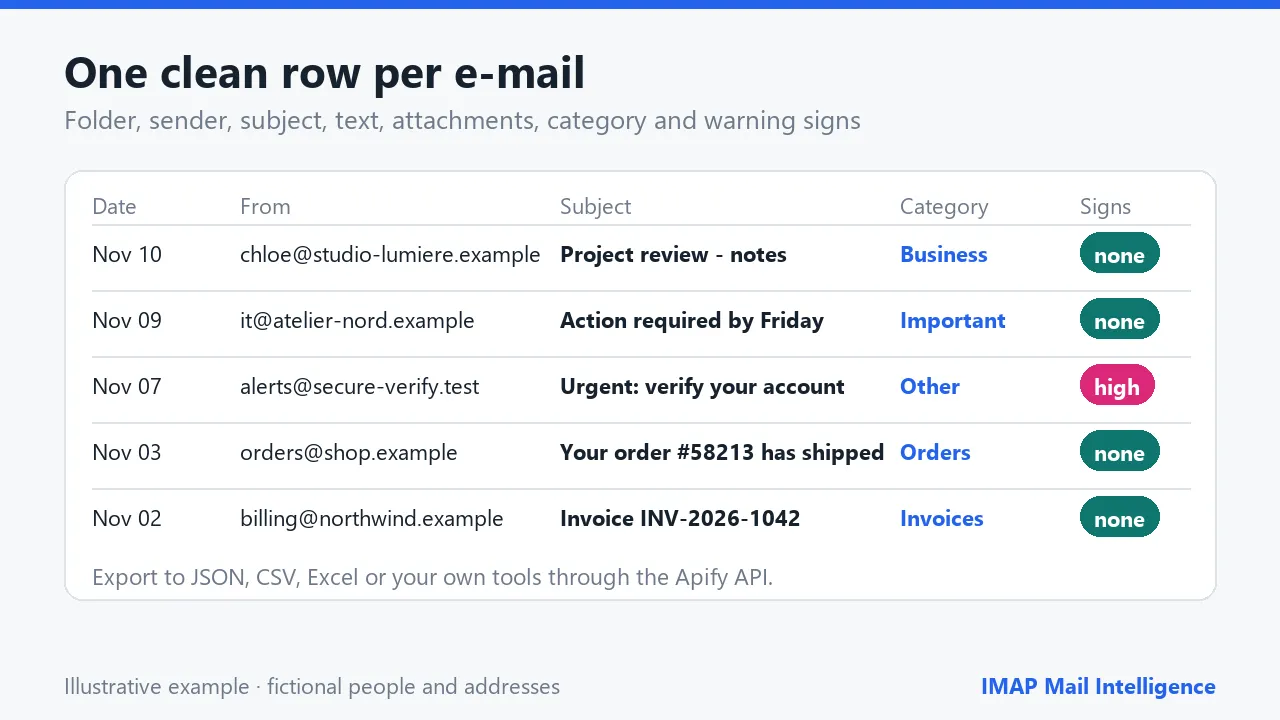
One dataset row per e-mail (type: "email"), for example:
Other rows: attachment, ai-analysis, thread, duplicate-group, mailbox-report. Ready-made views: E-mails,
Phishing indicators, Attachments, AI summaries, Conversations and duplicates. Files in the key-value store:
MAILBOX_REPORT, EMAILS_CSV, FOLDERS, RUN_SUMMARY, FAILED_INPUTS, and saved attachments (att-…).
Optional AI – with your own key
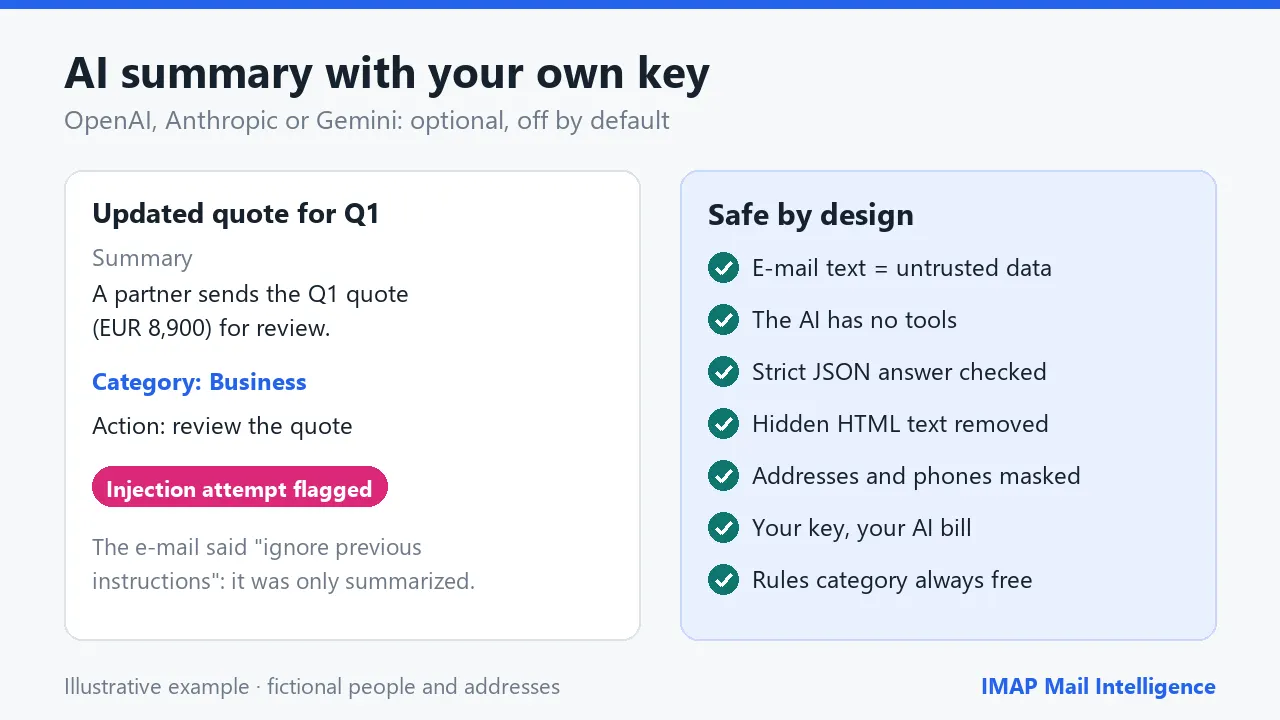
Choose OpenAI, Anthropic or Gemini and paste your API key in the secret field. Each analysed e-mail gets a short summary, a category, key points, action items and an injection flag. The AI cost is billed by your AI provider.
E-mail content can contain hidden instructions ("ignore previous instructions…"). This Actor is built so that they cannot do anything:
- the e-mail is sent as data inside a clearly delimited block, after removing hidden HTML text and invisible characters; addresses and phone numbers are masked by default;
- the AI has no tools – it can only answer with a small JSON object, which is checked strictly (any extra field, wrong value or free text is rejected and the rules category is kept);
- the answer is only stored as text in your results: it never triggers an action, never changes billing or the phishing signs; and the Actor itself is read-only;
- e-mails that look like injection attempts are flagged (
aiPossiblePromptInjection).
There is no shared or managed AI key: without your key, no AI call is made.
Pricing
Pay per event – the current prices are on the Pricing tab. There is no start fee.
- Charged: each unique e-mail read, each attachment file saved, each e-mail analysed by AI (your key), one mailbox report per run.
- Never charged: demo e-mails, duplicates, conversations, duplicate groups, phishing signs, rules categories, failed sign-ins and other failed inputs.
- Your Maximum cost per run is respected: the run stops cleanly and keeps every row already delivered.
When something goes wrong
The run still ends SUCCEEDED with a clear status message, and FAILED_INPUTS lists each problem with a stable
code: AUTH_MISSING, AUTH_FAILED, SERVER_UNREACHABLE, TLS_ERROR, TIMEOUT, FOLDER_NOT_FOUND (with the list of
your folders), PROVIDER_NOT_SUPPORTED, IMPORT_TOO_LARGE, AI_KEY_INVALID… Turn on failRunOnError if you
prefer a FAILED run (for scheduled monitoring). The run also stops cleanly before its timeout.
How long does it take?
The demo takes a few seconds. A real mailbox depends on your provider's server and the size of the e-mails; start with the default 50 e-mails, then raise Maximum e-mails. Default memory: 256 MB.
Limits and honest notes
- Only mailboxes you own or are authorised to read. Use it in line with your provider's terms and the privacy rights of the people in your e-mails.
- Statistics cover the e-mails read in the run (after your filters and limits), not your whole mailbox.
- Phishing signs are heuristics: a legitimate newsletter can show some of them, and a phishing e-mail can show none. They are never a malware or phishing verdict; no file is scanned.
- The "registrable domain" check uses a short list of common two-level suffixes (co.uk, com.au…), not the full Public Suffix List.
- Very large e-mails (above Maximum e-mail size) are read with their headers only.
- IMAP and MBOX/EML only for now. Contacts, calendars and full backups are not included.
FAQ
Will my e-mails be marked as read? No. The Actor uses BODY.PEEK and read-only folders; isRead shows the state
on the server, unchanged.
Can it delete or send e-mails? No. There is no code for it, and a guard blocks every write command before it reaches the server.
Where are my e-mails stored? Only in the dataset and key-value store of your own run on Apify. Set a data retention period in your Apify settings if you want them deleted automatically.
How do I remove the access? Revoke the app-specific password at your provider, and clear the secret fields from saved inputs or tasks on Apify.
Not affiliated with Apple, Google, Microsoft, Yahoo, AOL, Zoho, GMX, Fastmail or OVHcloud.


