

On-Page SEO Audit & SEO Checker: Meta, Schema
Pricing
from $2.00 / 1,000 page auditeds
On-Page SEO Audit & SEO Checker: Meta, Schema
Run a classic on-page SEO audit and SEO checker on public HTML pages. Check titles, meta descriptions, headings, canonical tags, JSON-LD schema, image alt text and internal links. Each page gets a 0–100 score and improvements, plus a short site summary. Fast HTTP crawl, no browser and no proxy.
Pricing
from $2.00 / 1,000 page auditeds
Rating
0.0
(0)
Developer

Web Audit Lab
Maintained by CommunityActor stats
0
Bookmarked
2
Total users
1
Monthly active users
7 days ago
Last modified
Categories
Features
Share
What this Actor does
The On-Page SEO Audit & SEO Checker: Meta, Schema is an on-page SEO audit and SEO checker for public HTML pages. Give it a list of URLs. Each run fetches the HTML over HTTP (no browser, no proxy), reads the title, meta tags, headings, canonical link, JSON-LD schema, image alt text and internal links, then writes a 0–100 score and a list of improvements per page. At the end it adds a short site summary with the average score and the most common issues.
This is a technical on-page audit, not a keyword-ranking tool and not an AI-search (GEO/AEO) audit.
Who it is for
- SEO specialists who want a quick checklist on a set of public pages
- Developers shipping a site who need structured title, meta and schema findings
- Agents that call the Actor through the Apify API or MCP
Features
- Audits a list of public http(s) HTML pages in one run
- Checks title length, meta description length, H1 count, canonical URL, viewport, html lang, HTTPS, JSON-LD types, image alt text, internal links and content length
- Transparent 0–100 score (weights are listed below) with actionable improvements
- Site summary with average, min and max score and the most frequent issues
- Skips non-HTML URLs and non-HTML responses
- Respects robots.txt; default memory is 512 MB; no proxy and no LLM
How to use
- Paste the public page URLs you want to audit (home page, a few key landing pages, a blog post).
- Run the Actor.
- Open the Page audits dataset view. Filter
kind=pagefor page rows andkind=summaryfor the overview.
Screenshots
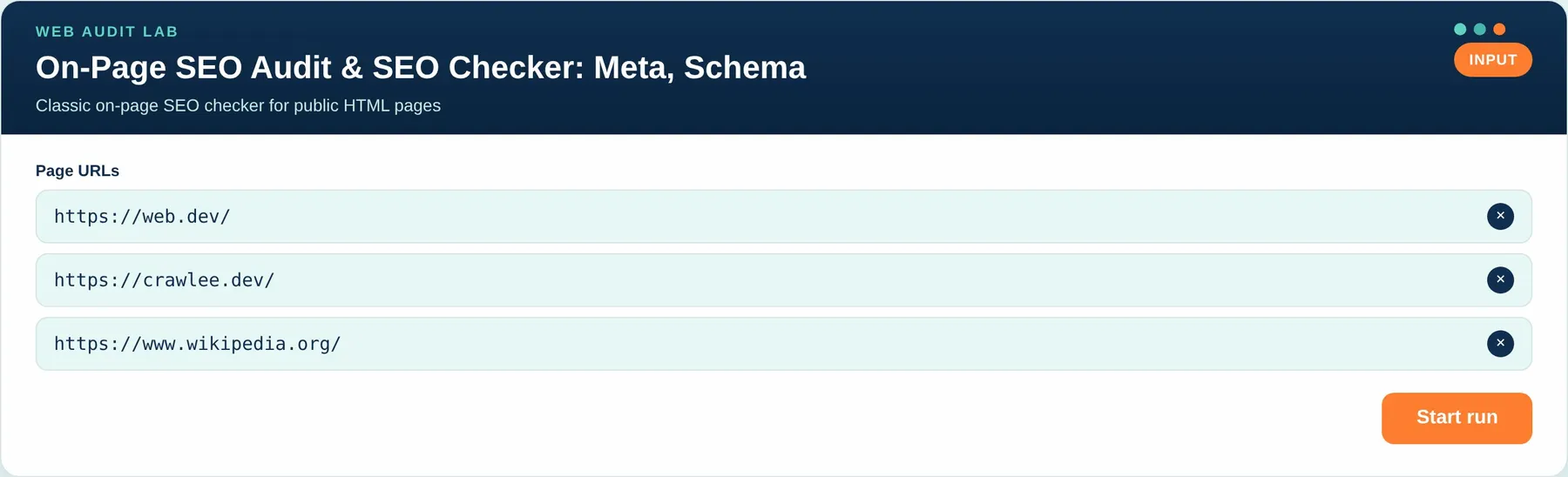
Input — a prefilled Try run, styled in the Web Audit Lab palette:
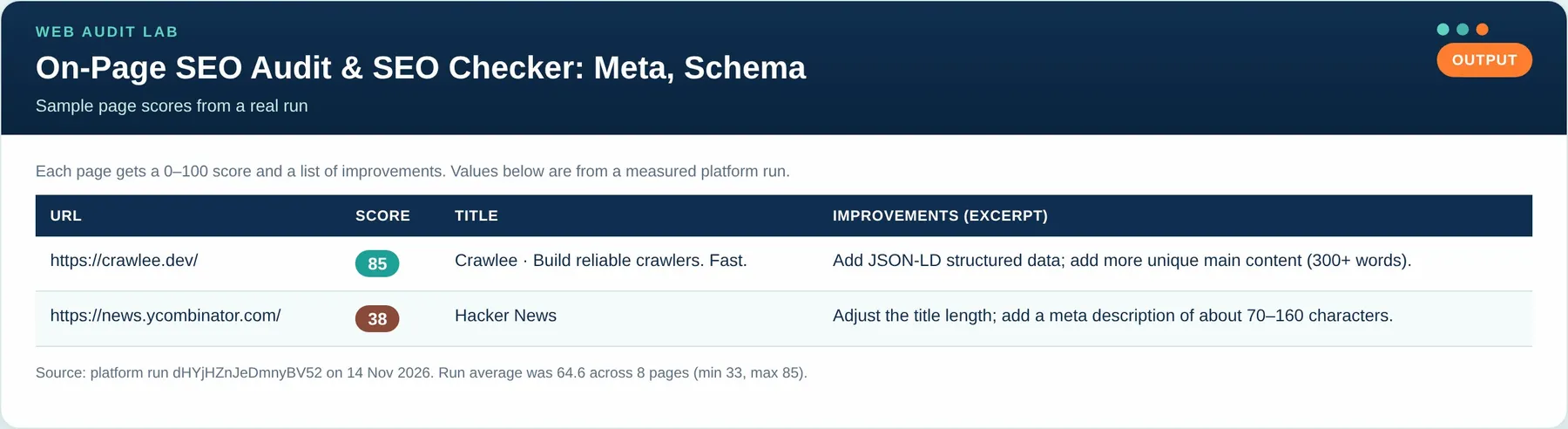
Output — sample dataset from a real platform run:
Input
| Field | Type | Default | Description |
|---|---|---|---|
startUrls | array of URLs | prefilled examples | Public http(s) HTML pages. Each URL is fetched once. Non-HTML resources are skipped. |
Example input:
Output examples
Each page is one dataset item. A later platform test records measured values in store-draft/sample-output.json. Shape:
The last item is a summary:
Scoring
The page score is the sum of these checks (maximum 100):
| Check | Points | Pass rule |
|---|---|---|
| Title | 15 | Present and 30–65 characters (8 points if present but too short or long) |
| Meta description | 15 | Present and 70–160 characters (8 points if present but too short or long) |
| H1 | 10 | Exactly one H1 (5 points if more than one) |
| Canonical | 10 | Absolute URL (5 points if relative) |
| Viewport | 5 | Viewport meta tag present |
| Language | 5 | html lang present |
| HTTPS | 5 | The page URL uses https |
| Schema | 10 | JSON-LD with an @type (5 points if JSON-LD is present but has no type) |
| Image alt text | 10 | Share of images that have a non-empty alt (full points if the page has no images) |
| Internal links | 5 | At least one same-site link |
| Content length | 10 | 300+ visible words (5 points for 100–299) |
Open Graph tags do not add points, but a missing og:title and og:description is listed as an improvement.
Pricing
This Actor uses pay-per-event pricing. You pay for finished work, not for a vague compute bundle:
| Event | When it is charged | Price |
|---|---|---|
| Page audited (primary) | Each HTML page that is successfully fetched and audited | $2.00 per 1,000 pages ($0.002 each) |
| Site summary | Once per run, after the page scores are summarized | $0.005 |
| Actor start | Automatically when the run starts (once at 512 MB or 1 GB) | $0.00005 (Apify default; the first 5 seconds of compute are covered) |
Failed or skipped (non-HTML) pages are not charged as page audits. A 10-page audit costs $0.02 + $0.005 + $0.00005 = $0.02505 at these event prices.
Set a maximum cost per run in the Console or API if you want a hard spending cap. You can export results as JSON, CSV or Excel, run the Actor via the Apify API, schedule it, or attach a webhook.
Privacy
The Actor only reads public HTML. It does not log in, does not use a proxy, and does not collect emails, phone numbers or other personal data as a goal of the audit.
Limitations
- JavaScript-rendered pages are not executed (no browser). If important tags are injected only by JavaScript, they will be missing.
- The Actor does not check keyword rankings, backlinks, Core Web Vitals or AI-search / llms.txt readiness.
- Non-HTML files and responses are skipped.
- robots.txt may block a URL; that page is marked skipped or failed with the crawler message.
Troubleshooting
- Skipped non-HTML: the URL or Content-Type was not HTML (for example a PDF or Markdown file).
- Low score on a modern site: some sites inject title, canonical or schema with JavaScript. This Actor only sees the original HTML.
- Blocked or failed pages: check robots.txt and that the URL is publicly reachable without a login.
- Costs: each audited page is one dataset item, plus one summary row. Measured costs are recorded after platform test runs.
FAQ
Is this the same as the AI Search Readiness Auditor? No. That tool focuses on GEO/AEO and llms.txt. This one is a classic on-page SEO checklist.
Do I need a proxy or API key? No.
Can I run a bulk SEO audit or check meta tags for many URLs at once? Yes. Paste as many public URLs as you need into startUrls; each URL is audited once and charged as one page. The Actor does not crawl beyond the URLs you give it, so the cost stays predictable.
Can I run a weekly SEO check automatically? Yes. Save the input as a task and add an Apify schedule, or call the Actor from the Apify API, n8n, Make or Zapier.
Does this check Core Web Vitals or page speed? No. Use the Lighthouse PageSpeed Audit: Core Web Vitals for lab Lighthouse metrics.
Does this check llms.txt or AI crawlers? No. Use the SEO, GEO & AEO Audit: AI Search Readiness Checker for AI search readiness.
Related Actors
Other tools from the same developer that fit the same workflows:
- SEO, GEO & AEO Audit: AI Search Readiness Checker — Website audit for AI search readiness: SEO, GEO, AEO, robots.txt and an llms.txt checker.
- Lighthouse PageSpeed Audit: Core Web Vitals — Lab Lighthouse PageSpeed audit in real Chrome for Core Web Vitals and category scores. Does not call the PageSpeed Insights API.
- Tech Stack Detector: Website Technology Lookup — BuiltWith and Wappalyzer alternative: detect CMS, JavaScript frameworks, analytics and CDN from public HTML.
- Website Change Monitor & Changelog Checker — Website change monitor and changelog checker with a short line diff.
- Greenhouse Scraper: Lever & Ashby Job Scraper — Greenhouse scraper and job scraper for official Lever and Ashby board APIs.
Changelog
- 2026-11-15 — Discoverability and visual update: sharper Store titles, README input and output screenshots, and clearer example inputs where needed.
- 2026-11-14 — First public release on Apify Store with pay-per-event pricing.
Development
Local: npm install && npm test && npm run start:dev. Default platform configuration uses 512 MB and no proxy.


