

Tech Stack Detector: Website Technology Lookup
Pricing
from $3.00 / 1,000 url checkeds
Tech Stack Detector: Website Technology Lookup
Website tech stack detector and technology lookup for CMS, JavaScript frameworks, analytics, CDN and ecommerce tools on public pages. It uses original fingerprint rules on HTML, headers and script URLs. Fast HTTP crawl, no browser and no proxy.
Pricing
from $3.00 / 1,000 url checkeds
Rating
0.0
(0)
Developer

Web Audit Lab
Maintained by CommunityActor stats
0
Bookmarked
2
Total users
1
Monthly active users
7 days ago
Last modified
Categories
Features
Share
What this Actor does
The Tech Stack Detector: Website Technology Lookup is a website technology detector for public pages. It lists the visible CMS, JavaScript frameworks, analytics, CDN and ecommerce tools it can identify. Give it a list of URLs. Each run fetches the HTML over HTTP (no browser, no proxy), reads response headers, script and stylesheet URLs, meta generator tags and a few well-known DOM markers, then matches them against original fingerprint rules written for this Actor.
It reports CMS platforms, JavaScript frameworks, analytics and tag managers, CDN and hosting hints, ecommerce and payment scripts, chat widgets and similar tools, each with a confidence level and short evidence (for example a header name or a script host). This is a BuiltWith- or Wappalyzer-style lookup from the public HTTP response. It does not use Wappalyzer, BuiltWith, or any other protected fingerprint database, and it does not collect emails, phone numbers or other personal data.
This is a technical detection helper for public pages, not a full security audit and not a guaranteed complete inventory of every library a site might load after JavaScript execution.
Who it is for
- Developers and agencies who want a structured first look at a site's public stack
- SEO and GEO practitioners who need to know whether a page is WordPress, Next.js, Shopify or something else
- Lead-generation and prospecting workflows that start from a list of domains or URLs
- Agents that call the Actor through the Apify API or MCP
Features
- Checks a list of public http(s) HTML pages in one run
- Original fingerprint rules for common CMS, frameworks, analytics, CDN, hosting, ecommerce, payments, chat and consent tools
- Evidence snippets for every detection (headers, script URLs, generator tags or DOM markers)
- Confidence scored as high, medium or low
- Run summary with the technologies seen most often
- Skips non-HTML URLs and non-HTML responses
- Respects robots.txt; default memory is 512 MB; no proxy and no LLM
How to use
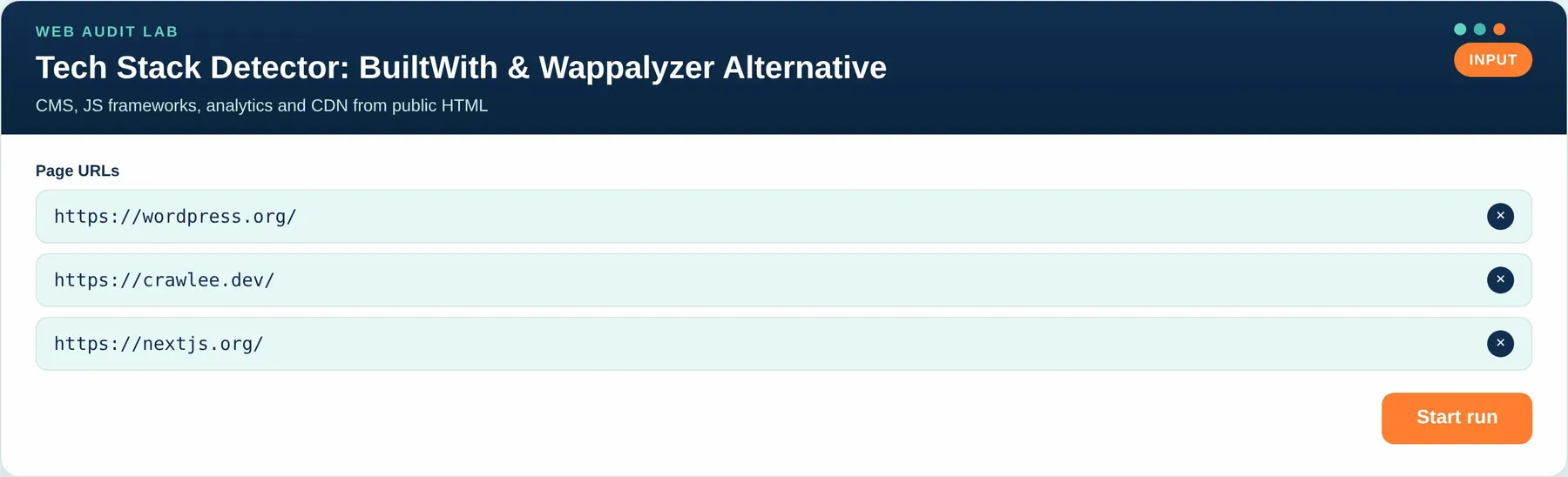
- Paste the public page URLs you want to inspect (a home page is usually enough; add a product or blog URL if you want a second look).
- Run the Actor.
- Open the Tech stack detections dataset view. Filter
kind=pagefor page rows andkind=summaryfor the overview.
Screenshots
Input — a prefilled Try run, styled in the Web Audit Lab palette:
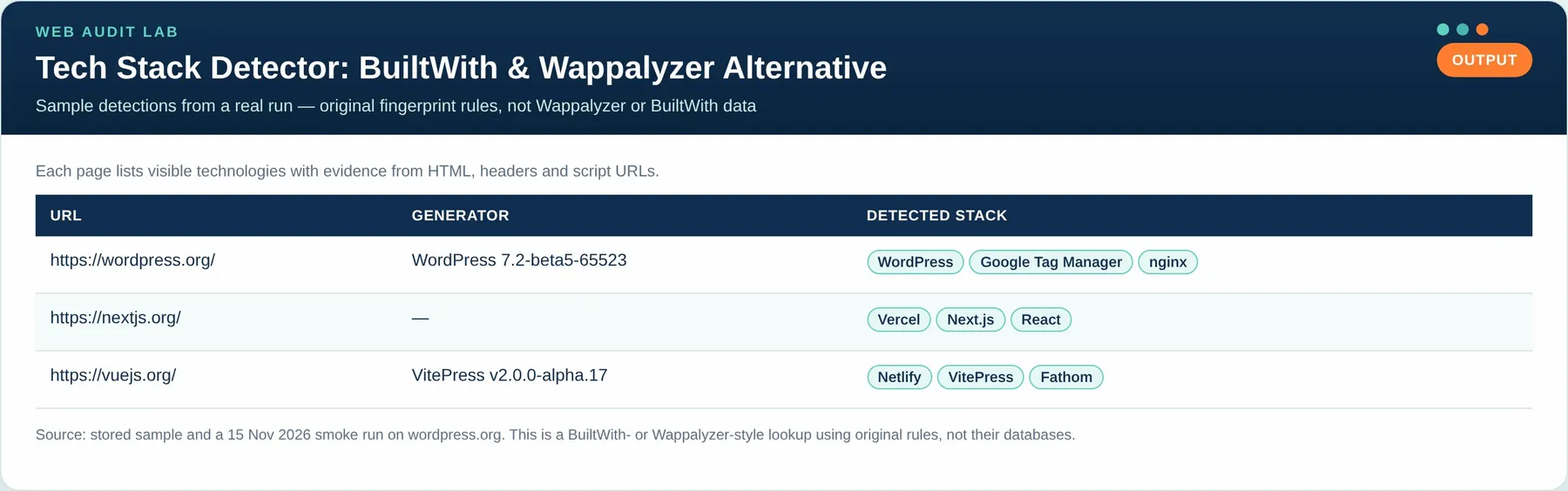
Output — sample dataset from a real platform run:
Input
| Field | Type | Default | Description |
|---|---|---|---|
startUrls | array of URLs | prefilled examples | Public http(s) HTML pages. Each URL is fetched once. Non-HTML resources are skipped. |
Example input:
Output examples
Each page is one dataset item. A later platform test records measured values in store-draft/sample-output.json. Shape:
The last item is a summary:
How detection works
The Actor only looks at what the public HTTP response already exposes: headers such as server, cf-ray or x-vercel-id, Set-Cookie names (never values), script and stylesheet URLs, the meta generator tag, HTML comments, and a short list of DOM flags (#__next, data-wf-site, /wp-content/ paths, and similar). Each rule has a threshold; weak single signals are not reported. Tailwind CSS, for example, is only reported when a Tailwind CDN or stylesheet URL is present, not from utility class names alone. Client-side-only libraries that never appear in the HTML or headers will be missed — that is expected for a no-browser crawler.
Limitations
- JavaScript-rendered-only tags are not executed, so some analytics or chat widgets may be missed
- Header-based CDN detection reflects the edge that served the response, which can include more than one vendor
- Fingerprints are a curated original set, not an exhaustive catalogue
- Public pages only; login walls and non-HTML resources are out of scope
Troubleshooting
- No technologies on a simple page: many sites (including example.com) only reveal a CDN or nothing at all. That is a valid result.
- Non-HTML skipped: URLs or responses that are not
text/html(PDF, images, JSON,robots.txt) are skipped, not marked as failed. - robots.txt: the crawler respects robots.txt and will skip disallowed paths.
- Blocked or timed-out sites: the row is marked
failedwith the error message. There is no proxy in this Actor. - Memory and cost: the default is 512 MB. A typical run is a short HTTP fetch per URL.
Pricing
This Actor uses pay-per-event pricing. You pay for finished work, not for a vague compute bundle:
| Event | When it is charged | Price |
|---|---|---|
| URL checked (primary) | Each HTML page that is successfully inspected | $3.00 per 1,000 pages ($0.003 each) |
| Actor start | Automatically when the run starts (once at 512 MB or 1 GB) | $0.00005 (Apify default; the first 5 seconds of compute are covered) |
Failed or skipped (non-HTML) pages are not charged. Ten successful checks cost $0.03 + $0.00005 = $0.03005 at these event prices.
Set a maximum cost per run in the Console or API if you want a hard spending cap. You can export results as JSON, CSV or Excel, run the Actor via the Apify API, schedule it, or attach a webhook.
FAQ
Does this use a third-party technology database? No. It uses original fingerprint rules on the public HTML and headers and does not call any external lookup service.
Why does a simple page show few or no technologies? Many sites only expose a CDN or nothing in the first HTML response. Client-side-only tags are missed because this Actor does not run a browser. That is a valid result.
Can I detect the tech stack of many websites at once? Yes. Add every website URL to startUrls; each URL is checked once from its public HTML and headers. Export the dataset as CSV or Excel to compare sites side by side, for example for lead lists or competitor research.
Do I need an API key? No.
Related Actors
Other tools from the same developer that fit the same workflows:
- SEO, GEO & AEO Audit: AI Search Readiness Checker — Website audit for AI search readiness: SEO, GEO, AEO, robots.txt and an llms.txt checker.
- On-Page SEO Audit & SEO Checker: Meta, Schema — Classic on-page SEO audit and SEO checker with a 0–100 score for titles, meta, headings and JSON-LD.
- Lighthouse PageSpeed Audit: Core Web Vitals — Lab Lighthouse PageSpeed audit in real Chrome for Core Web Vitals and category scores. Does not call the PageSpeed Insights API.
- Website Change Monitor & Changelog Checker — Website change monitor and changelog checker with a short line diff.
- Greenhouse Scraper: Lever & Ashby Job Scraper — Greenhouse scraper and job scraper for official Lever and Ashby board APIs.
Changelog
- 2026-11-15 — Discoverability and visual update: sharper Store titles, README input and output screenshots, and clearer example inputs where needed.
- 2026-11-14 — First public release on Apify Store with pay-per-event pricing.


