
Google Ads Transparency Center Scraper & API avatar

Google Ads Transparency Center Scraper & API

Pricing

from $0.99 / 1,000 complete results

Go to Apify Store
Google Ads Transparency Center Scraper & API

Google Ads Transparency Center Scraper & API

Extract published and removed ads from Google Ads Transparency Center, including creatives, advertisers, spend, impressions, targeting, and political statistics. Export JSON, CSV, and Excel.

Pricing

from $0.99 / 1,000 complete results

Rating

0.0

(0)

Developer

ClearPath

ClearPath

Maintained by Community

Actor stats

0

Bookmarked

35

Total users

20

Monthly active users

4 days ago

Last modified

Share

Google Ads Transparency Center Scraper | Google Ads Library API & Monitoring (2026)
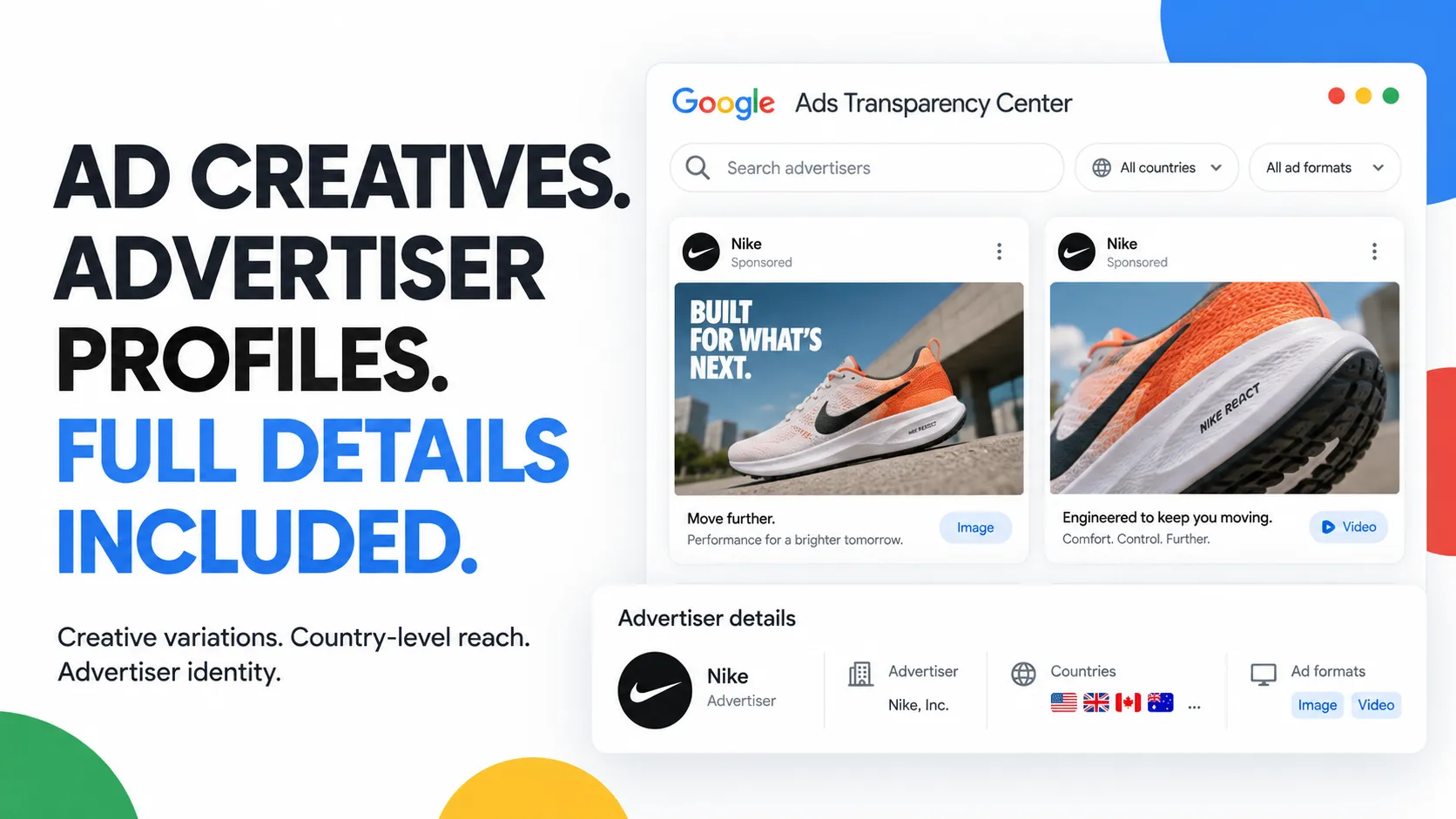
Ad creatives. Advertiser profiles. Full details included. Creative variations, country-level reach and advertiser identity.

From Clearpath, creators of SpyFu Intelligence and the Store Leads and Email Finder tools, with 170,000+ combined runs across Store Leads and Email Finder.

Why choose this actor?

  • Get the details without a separate upgrade. Published ads include creative variations, advertiser profiles and geographic detail by default. Compare formats, activity dates, advertiser identity and country-level reach together, with no separate charge for adding those details.
  • Research every matching advertiser. A brand name can match several advertising accounts. All-match search includes them together; search by name or domain, then narrow by country, platform, format or date. Set your result limit, or use 0 to collect without an actor-imposed result cap, within your run budget.
  • Go further with removed ads and political spending. Separate modes export Google's Europe-wide removed-ad feed with policy decisions, or aggregate political spending by advertiser, geography and date. Choose one mode per run.

Research an advertiser

Try a brand with full ad details

{
"operation": "published_ads",
"searchQuery": "Nike",
"advertiserMatchMode": "all",
"maxResults": 20
}

Open actor input, replace Nike with your brand or competitor, and start with up to 20 ads across matching advertisers. Full detail collection is already included. Export JSON to preserve creative variations and geographic breakdowns.

Reach, targeting and political spending depend on what Google publishes for the selected region and ad type. Commercial ad budgets, clicks and conversions are not promised. Rows with incomplete detail collection are marked and are not charged.

Clearpath · Advertising & Business Research
 Google Ads
You are here
 SpyFu
Keywords & ad history
 Store Leads
Store contacts
 Email Finder
Scored work emails

Copy to your AI assistant

clearpath/google-ads-transparency-scraper on Apify. Exports published, removed, and political Google ad transparency records. Call ApifyClient("TOKEN").actor("clearpath/google-ads-transparency-scraper").call(run_input={...}), then client.dataset(run["defaultDatasetId"]).list_items().items. Choose exactly one operation per run. Full spec: GET https://api.apify.com/v2/acts/clearpath~google-ads-transparency-scraper/builds/default (Bearer TOKEN) → inputSchema, actorDefinition.storages.dataset, readme. Token: https://console.apify.com/account/integrations To reach the maintainers, add feedback="<what you needed and did not get>" to any run, including one that worked: a missing field or option, a wrong or empty result, or which actor you are switching to or from and why. The run returns its data exactly as it would without the note, and a human reads every note.

How to scrape Google Ads Transparency Center data

  1. Open Google Ads Transparency Scraper on the Input tab.
  2. Choose published ads, removed ads, or political statistics.
  3. Add a search query and optional filters, then set maxResults.
  4. Start the run and open Dataset to download JSON, CSV, Excel, HTML, XML, or RSS.

Search every matching Nike advertiser

{
"operation": "published_ads",
"searchQuery": "Nike",
"queryType": "auto",
"advertiserMatchMode": "all",
"maxResults": 100,
"topic": "all",
"regions": [],
"platforms": [],
"adFormat": "all"
}

Run a Google political ads search by advertiser ID

{
"operation": "published_ads",
"searchQuery": "AR13196022309535612929",
"queryType": "advertiser_id",
"advertiserMatchMode": "all",
"maxResults": 100,
"topic": "political",
"regions": ["US"],
"platforms": [],
"adFormat": "all",
"sort": "most_recent"
}

Export US political advertising statistics

{
"operation": "political_statistics",
"regions": ["US"]
}

Review ads removed in Europe

{
"operation": "removed_ads",
"maxResults": 100
}
ParameterTypeDefaultDescription
operationstringpublished adsSelect published ads, removed ads, or political statistics.
searchQuerystring or nullnullEnter an advertiser name, domain, AR advertiser ID, or explicit candidate name.
queryTypestringautoSelect automatic, name, domain, advertiser ID, or candidate matching. Candidate matching also needs the political topic and a supported political region.
advertiserMatchModestringallResolve every matching advertiser or select the strongest match.
maxResultsinteger100Maximum ad rows. Set 0 for unlimited.
topicstringallSelect all ads or political ads.
regionsstring arrayemptyChoose from all 244 website regions. Empty means worldwide for published ads.
platformsstring arrayemptyFilter Google Search, YouTube, Shopping, Maps, or Play.
adFormatstringallSelect all, text, image, or video ads.
dateFromdate or nullnullEarliest shown date in YYYY-MM-DD format.
dateTodate or nullnullLatest shown date in YYYY-MM-DD format.
impressionRangesstring arrayemptySelect one or more of the 11 website impression buckets.
spendRangesstring arrayemptySelect one or more of 153 currency-specific spend buckets.
sortstringdefaultUse default, newest, oldest, spend high/low, or impressions high/low.

Political ads and statistics support AR, AU, BR, CL, IN, IL, MX, NZ, ZA, TW, GB, and US. Political statistics require exactly one supported region.

Removed ads accept only operation and maxResults. Conflicting filters fail validation instead of being ignored.

Automatic query detection treats an AR value followed by 20 digits as an advertiser ID. A hostname or URL is normalized to a domain. Other text resolves as an advertiser name. Candidate matching is explicit only: set queryType to candidate, topic to political, and select at least one of the supported political regions listed above.

The default all-match mode resolves every matching advertiser without silent truncation. Use best-match mode when you want one strongest creative-count match. Political statistics support only one resolved advertiser.

What data can you extract from Google Ads Transparency Center?

The default dataset has typed views for published ads, removed ads, and political statistics. Every record includes recordType, enrichmentStatus, completeness, unmappedFields, and raw.

The examples below come from successful runs. Repeated arrays are shortened after one complete item and state how many same-shape items remain. Raw source bodies use a clear retention marker because the complete objects are too large for a README, but the dataset stores the full values.

Published Google ad output

{
"recordType": "published_ad",
"enrichmentStatus": "complete",
"advertiserId": "AR13196022309535612929",
"advertiserName": "MARKETFUEL SUBSCRIPTION SERVICES",
"creativeId": "CR11522903995353923585",
"formatCode": 1,
"format": "TEXT",
"firstShown": "2026-03-12T06:39:23.816284Z",
"lastShown": "2026-08-03T19:19:15.518807Z",
"servedDays": 144,
"matchedDomain": null,
"transparencyUrl": "https://adstransparency.google.com/advertiser/AR13196022309535612929/creative/CR11522903995353923585",
"reportedByUser": false,
"politicalRegions": ["US"],
"advertiserUnverified": false,
"impressions": {"lower":400000,"upper":450000},
"spend": {"lower":[{"currency":"USD","units":3000,"nanos":0,"amount":"3000"}],"upper":[{"currency":"USD","units":3500,"nanos":0,"amount":"3500"}]},
"renderings": [{"scriptUrl":null,"iframeUrl":null,"htmlSnippet":"<img src=\"https://tpc.googlesyndication.com/archive/simgad/8358979474923857597\" height=\"209\" width=\"348\">","mediaUrl":"https://tpc.googlesyndication.com/archive/simgad/8358979474923857597","previewUrl":"https://tpc.googlesyndication.com/archive/simgad/8358979474923857597","policyState":null,"isVariation":true,"variationType":null},"[2 more items retained in the dataset]"],
"servedCountries": ["PT","[47 more items retained in the dataset]"],
"targeting": {"ages":{"included":[],"excluded":[]},"genders":{"included":[],"excluded":[]},"geographies":{"included":[{"criterionId":2840,"name":"United States","fullName":"United States","featureType":{"code":2,"name":"COUNTRY"},"containerCriterionIds":[],"phasingOut":false,"reach":316000000,"countryCodes":["US"],"mapsSuggestStringMatch":null,"bounds":null,"polygons":[],"center":null,"ofacRegion":false,"requiresEuPoliticalDeclaration":false}],"excluded":[]},"usage":{"demographics":{"included":true,"excluded":false},"geography":{"included":true,"excluded":false},"contextual":{"included":true,"excluded":false},"topicOfInterest":null,"advertiserList":null}},
"countryImpressions": [{"geoTarget":{"criterionId":2724,"name":"Spain","fullName":"Spain","featureType":{"code":2,"name":"COUNTRY"},"containerCriterionIds":[],"phasingOut":false,"reach":47600000,"countryCodes":["ES"],"mapsSuggestStringMatch":null,"bounds":null,"polygons":[],"center":null,"ofacRegion":false,"requiresEuPoliticalDeclaration":true},"impressions":{"lower":null,"upper":1000},"firstShown":"2026-03-12","lastShown":"2026-08-01","dataAvailableFrom":null,"firstShownAfterEpoch":"2026-03-12","platforms":[{"surface":{"code":3,"name":"SEARCH"},"impressions":{"lower":null,"upper":1000}},"[1 more items retained in the dataset]"]},"[47 more items retained in the dataset]"],
"eeaImpressions": {"geoTarget":null,"impressions":{"lower":2000,"upper":3000},"firstShown":"2026-03-11","lastShown":"2026-08-03","dataAvailableFrom":null,"firstShownAfterEpoch":"2026-03-11","platforms":[{"surface":{"code":3,"name":"SEARCH"},"impressions":{"lower":null,"upper":1000}},"[1 more items retained in the dataset]"]},
"usImpressions": {"geoTarget":null,"impressions":{"lower":400000,"upper":450000},"firstShown":"2026-03-11","lastShown":"2026-08-03","dataAvailableFrom":null,"firstShownAfterEpoch":null,"platforms":[]},
"categories": {"gcb":null,"googleProduct":null,"browseonomy":null,"defaultVertical":{"code":2,"name":"POLITICAL"},"source":{"code":1,"name":"GOOGLE_GENERATED"}},
"flags": {"servedConsecutively":false,"disablePolicyReporting":false,"containsSyntheticMedia":false,"googleGrantsAccount":false},
"reportedAt": null,
"endPayerName": null,
"advertiser": {"id":"AR13196022309535612929","name":"MARKETFUEL SUBSCRIPTION SERVICES","billingCountry":"US","nameHistory":[],"nameDetails":{"disclosed":"MARKETFUEL SUBSCRIPTION SERVICES","legal":"MARKETFUEL SUBSCRIPTION SERVICES","trademark":null,"disclosureNameType":null},"political":{"elections":[],"regulatoryIds":[{"type":{"code":3,"name":"US_EMPLOYER_IDENTIFICATION_NUMBER"},"id":"35-2563221","region":{"regionCode":{"code":1,"name":"US"},"geoCriteriaIds":[],"region":"US","state":null},"fecIdType":null,"districtInfo":null}],"region":{"regionCode":{"code":1,"name":"US"},"geoCriteriaIds":[2016,"[5 more items retained in the dataset]"],"region":"US","state":null},"transparencyReportUrl":null,"creativeCount":8733},"disclosureCountry":"US","reportTypes":[{"code":2,"name":"POLITICAL"},"[1 more items retained in the dataset]"],"unverified":false,"creativeCount":null,"impressions":null},
"completeness": {"listing":true,"creativeDetail":true,"advertiserDetail":true,"geoLookup":true,"missingSections":[],"failures":[]},
"unmappedFields": {},
"raw": {"listing":{"1":"AR13196022309535612929","2":"CR11522903995353923585","3":{"3":{"2":"<img src=\"https://tpc.googlesyndication.com/archive/simgad/8358979474923857597\" height=\"209\" width=\"348\">"},"5":true},"4":1,"6":{"1":"1773297563","2":816284000},"7":{"1":"1785784755","2":518807000},"8":"400000","9":"450000","10":{"1":[{"1":"USD","2":"3000"}]},"11":{"1":[{"1":"USD","2":"3500"}]},"12":"MARKETFUEL SUBSCRIPTION SERVICES","13":144,"15":["US"]},"creativeDetail":{"1":{"1":"AR13196022309535612929","2":"CR11522903995353923585","3":{"1":"1773297563","2":816284000},"4":{"1":"1785784755","2":518807000},"5":[{"3":{"2":"<img src=\"https://tpc.googlesyndication.com/archive/simgad/8358979474923857597\" height=\"209\" width=\"348\">"},"5":true},"[2 more same-shape items retained in the dataset]"],"6":144,"7":["PT","[47 more same-shape items retained in the dataset]"],"8":1,"9":"400000","10":"450000","11":{"1":[{"1":"USD","2":"3000"}]},"12":{"1":[{"1":"USD","2":"3500"}]},"13":{"3":{"1":["2840"]},"4":{"1":{"1":true,"2":false},"2":{"1":true,"2":false},"3":{"1":true,"2":false}}},"16":{"5":2,"6":1},"17":[{"1":2724,"3":"1000","4":20260312,"5":20260801,"7":20260312,"8":[{"1":3,"3":"1000"},"[1 more same-shape items retained in the dataset]"]},"[47 more same-shape items retained in the dataset]"],"19":{"2":"2000","3":"3000","4":20260311,"5":20260803,"7":20260311,"8":[{"1":3,"3":"1000"},"[1 more same-shape items retained in the dataset]"]},"22":{},"23":{"2":"400000","3":"450000","4":20260311,"5":20260803}}},"advertiserDetail":{"1":{"1":"AR13196022309535612929","2":"MARKETFUEL SUBSCRIPTION SERVICES","3":"US","9":{"1":"MARKETFUEL SUBSCRIPTION SERVICES","2":"MARKETFUEL SUBSCRIPTION SERVICES"},"10":{"2":[{"1":{"1":3},"2":"35-2563221","3":{"1":1,"3":"US"}}],"4":{"1":1,"2":[2016,"[5 more same-shape items retained in the dataset]"],"3":"US"},"6":"8733"},"11":"US","15":[2,"[1 more same-shape items retained in the dataset]"]}},"geoTargets":[{"1":[{"1":2016,"2":"American Samoa","3":"American Samoa","4":2,"6":false,"7":"25000","8":["AS"],"13":false,"14":false},"[47 more same-shape items retained in the dataset]"]}]}
}

Removed Google ad output

{
"recordType": "removed_ad",
"enrichmentStatus": "complete",
"creativeId": "CR01220055288007098369",
"policyDecisionAt": "2026-07-04T19:38:30.980026Z",
"policyViolations": [{"geoTarget":null,"shoppingPolicy":null,"googleAdsPolicy":null,"enforcementMeans":{"code":2,"name":"HUMAN_INVOLVED"},"decisionType":{"code":2,"name":"GOOGLE_INVESTIGATION"},"tfaarPolicy":{"code":1,"name":"ACCOUNT_SUSPENDED"}}],
"firstShown": "2026-07-04T07:00:00Z",
"lastShown": "2026-07-04T07:00:00Z",
"targeting": {"ages":{"included":[],"excluded":[]},"genders":{"included":[],"excluded":[]},"geographies":{"included":[],"excluded":[]},"usage":{"demographics":{"included":true,"excluded":false},"geography":null,"contextual":{"included":true,"excluded":true},"topicOfInterest":null,"advertiserList":null}},
"countryImpressions": [{"geoTarget":{"criterionId":2276,"name":"Germany","fullName":"Germany","featureType":{"code":2,"name":"COUNTRY"},"containerCriterionIds":[],"phasingOut":false,"reach":77600000,"countryCodes":["DE"],"mapsSuggestStringMatch":null,"bounds":null,"polygons":[],"center":null,"ofacRegion":false,"requiresEuPoliticalDeclaration":true},"impressions":{"lower":null,"upper":null},"firstShown":"2026-07-04","lastShown":"2026-07-04","dataAvailableFrom":"2026-10-02","firstShownAfterEpoch":"2026-07-04","platforms":[]}],
"eeaImpressions": {"geoTarget":null,"impressions":{"lower":null,"upper":null},"firstShown":"2026-07-04","lastShown":"2026-07-04","dataAvailableFrom":"2026-10-02","firstShownAfterEpoch":"2026-07-04","platforms":[]},
"completeness": {"listing":true,"removedDetail":true,"geoLookup":true,"missingSections":[],"failures":[]},
"unmappedFields": {},
"raw": {"listing":{"1":"CR01220055288007098369","2":{"2":{"1":"1783193910","2":980026220},"3":[{"8":2,"9":2,"10":1}]},"3":{"1":"1783148400"},"4":{"1":"1783148400"}},"removedDetail":{"1":{"1":"CR01220055288007098369","2":{"2":{"1":"1783193910","2":980026220},"3":[{"8":2,"9":2,"10":1}]},"3":{"4":{"1":{"1":true,"2":false},"3":{"1":true,"2":true}}},"4":{"1":"1783148400"},"5":{"1":"1783148400"},"6":[{"1":2276,"4":20260704,"5":20260704,"6":20261002,"7":20260704}],"7":{"4":20260704,"5":20260704,"6":20261002,"7":20260704}}},"geoTargets":[{"1":[{"1":2276,"2":"Germany","3":"Germany","4":2,"6":false,"7":"77600000","8":["DE"],"13":false,"14":true}]}]}
}

Google political ads statistics output

This US aggregate returned no targeting buckets, so that array is correctly empty. Other bucket families contain one complete item and a same-shape count marker.

{
"recordType": "political_statistics",
"enrichmentStatus": "complete",
"query": {"queryType":"auto","advertiserIds":[],"domain":null,"candidate":null,"matchedAdvertiserCount":null,"matchedAdvertisers":[]},
"adSpend": [{"currency":"USD","units":2495751800,"nanos":0,"amount":"2495751800"}],
"adCount": 920111,
"adFormatBuckets": [{"countFraction":0.2645854684923884,"spendFraction":0.047255588584205165,"format":{"code":2,"name":"IMAGE"}},"[2 more items retained in the dataset]"],
"targetingBuckets": [],
"advertiserBuckets": [{"spendFraction":0.0403566190050183,"advertiser":{"id":"AR12365610929977556993","name":"BIDEN FOR PRESIDENT","billingCountry":null,"nameHistory":[],"nameDetails":null,"political":null,"disclosureCountry":"US","reportTypes":[],"unverified":false,"creativeCount":null,"impressions":null}},"[99 more items retained in the dataset]"],
"geoBuckets": [{"countFraction":0.3076378828206597,"spendFraction":0.005432821711022769,"geoTarget":{"criterionId":21132,"name":"Alaska","fullName":"Alaska, United States","featureType":{"code":6,"name":"STATE"},"containerCriterionIds":[9207142,"[2 more items retained in the dataset]"],"phasingOut":false,"reach":547000,"countryCodes":["US"],"mapsSuggestStringMatch":null,"bounds":null,"polygons":[],"center":null,"ofacRegion":false,"requiresEuPoliticalDeclaration":false}},"[50 more items retained in the dataset]"],
"dailyBuckets": [{"countFraction":null,"spendFraction":7.09610158571408e-07,"date":"2018-08-30"},"[2986 more items retained in the dataset]"],
"roundingBuckets": [{"currency":"USD","units":100,"nanos":0,"amount":"100"}],
"completeness": {"statistics":true,"geoLookup":true,"missingSections":[],"failures":[]},
"unmappedFields": {},
"raw": {"statistics":{"1":{"1":{"1":[{"1":"USD","2":"2495751800"}]},"2":"920111","3":[{"1":0.2645854684923884,"2":0.047255588584205165,"3":2},"[2 more same-shape items retained in the dataset]"],"5":[{"2":0.0403566190050183,"3":{"1":"AR12365610929977556993","2":"BIDEN FOR PRESIDENT","11":"US"}},"[99 more same-shape items retained in the dataset]"],"6":[{"1":0.3076378828206597,"2":0.005432821711022769,"3":21132},"[50 more same-shape items retained in the dataset]"],"7":[{"2":7.09610158571408e-07,"3":20180830},"[2986 more same-shape items retained in the dataset]"],"8":[{"1":"USD","2":"100"}]}},"geoTargets":[{"1":[{"1":21132,"2":"Alaska","3":"Alaska, United States","4":6,"5":[9207142,"[2 more same-shape items retained in the dataset]"],"6":false,"7":"547000","8":["US"],"13":false,"14":false},"[50 more same-shape items retained in the dataset]"]}]}
}

The OUTPUT key-value-store record summarizes matched, emitted, complete, incomplete, and charged counts plus effective filters. QUERY_RESOLUTION contains the resolved advertiser set. RAW_PAGE_MANIFEST links every full source listing collection stored during the run.

Track competitor creative changes weekly

Save one task per advertiser using best-match mode and schedule it every Monday. Send completion webhooks to Google Sheets through Make, Zapier, or n8n, then compare creative ID, activity dates, format, and rendering fields.

Monitor active campaigns daily

Schedule daily runs for fast-moving campaign launches. Use date, platform, and format filters to keep each dataset focused, then alert Slack or email when new creative IDs appear.

Build a political ad database

Run published ads with the political topic for creative-level records. Run political statistics separately for aggregate spend, advertiser, geography, and daily buckets. Keep the datasets linked by advertiser ID and region.

Audit removed ads in Europe

Use removed ads for policy decision time, enforcement mechanism, decision type, policy classification, targeting, activity dates, and geographic impressions. Google exposes this as a separate Europe-wide collection without normal search filters.

How much does Google Ads Transparency scraping cost?

The price is exactly $0.99 per 1,000 complete results, or $0.00099 per complete row. The same price applies to every Apify tier.

Complete resultsCost
100$0.099
500$0.495
1,000$0.99

There is no free-tier result throttle. Setting maxResults to 0 means unlimited for both ad operations, subject to the run's charging budget.

A complete result charges one result-scraped event when it is stored. If creative, advertiser, or geographic enrichment remains unavailable, the Actor stores an explicit incomplete row without a charge. A valid empty statistics response produces no row and no charge.

Use the dataset with Google Sheets, Make, Zapier, n8n, webhooks, or the Apify API. JSON preserves nested fields best; CSV and Excel are convenient for normalized top-level analysis.

Use a daily schedule for launches, offers, or election-period monitoring. Use a weekly schedule for routine competitor creative reviews. Save stable configurations as Apify Tasks so recurring runs use the same advertiser, region, format, and date rules.

Apify's official scheduling walkthrough:

What is the Google Ads Transparency Center, also called the Google Ads library?

It is Google's searchable repository for ads and verified advertisers across Google properties. This Actor adds structured export, complete enrichment, three record types, repeatable inputs, and automation.

How do I search for a specific advertiser?

Enter an advertiser name, domain, or direct AR advertiser ID. Name searches may match several accounts; use all-match mode for exhaustive results or best-match mode for one strongest match.

Can I see competitors' Google ads with Transparency Center?

Yes. Search the competitor's name or domain, then collect creative formats, rendering references, activity dates, countries, platforms, and advertiser details. Do not treat long-running ads as proof of performance because conversion data is not provided.

What ad details does Google Ads Transparency Center show?

Availability depends on record type and region. The Actor preserves creative renderings, dates, impressions, spend, targeting, geographic and platform breakdowns, payer/category flags, advertiser identity, political metadata, policy decisions, and raw values when returned.

How do I use Ads Transparency Center by URL?

Paste a domain such as nike.com into the search query. Select domain matching, or keep automatic detection and let the Actor normalize the hostname.

Can I filter ads by country or date?

Yes for published ads. Select one or more regions, then set the start and end dates. Political data accepts only the 12 political-enabled regions listed above.

Does Google Ads Transparency Center have an API?

Google provides the website but does not offer this Actor's stable export contract. This Google Ads Transparency Center API alternative supplies validated inputs, structured schemas, enrichment status, raw-field retention, scheduling, and dataset exports.

Does the Google Ads library include YouTube ads?

Yes. Select YouTube under platforms, or leave the platform list empty to include every Google surface returned for the query.

Can I export Google Ads Transparency Center data?

Yes. Download JSON, CSV, Excel, HTML, XML, or RSS from the run's Dataset tab. You can also read the dataset and output summary through the Apify API.

Can I monitor competitors' Google ads every week?

Yes. Save the input as a Task, schedule it weekly, and send a webhook to your comparison workflow. Daily schedules are better for active launches.

Do I need a Google Ads account or advertiser cookies?

No. You provide public search criteria and run the Actor on Apify. Nothing else is needed.

Why is an incomplete row in my dataset?

The listing was available, but a detail section remained unavailable after recovery attempts. Check the missing sections and failure list. The row was not charged.

What are the limitations of this data?

Commercial ads do not necessarily expose performance, clicks, conversions, bids, keywords, audience settings, or spend. Political transparency fields vary by region. The Actor returns what the source makes available and marks absence explicitly.

How can I report a bug or request a custom workflow?

Use the Actor's Issues tab with a run ID and sanitized input. For a custom integration, include the desired operation, fields, schedule, and destination.

Use the Actor only for purposes allowed by Google and applicable law. You are responsible for GDPR, CCPA, election law, advertising rules, database rights, personal-data handling, and regional requirements.

Support

  • Bugs: use the Issues tab and include a run ID
  • Feature requests: use the Issues tab or email
  • Email: max@mapa.slmail.me

Export Google Ads Transparency Center, Google Ads library, competitor, removed-ad, and political advertising data as structured records on Apify.