

Apple Podcast Directory & RSS Contacts Scraper
Pricing
from $1.00 / 1,000 podcast results
Apple Podcast Directory & RSS Contacts Scraper
Search Apple podcasts or read public RSS feeds. Export show metadata, published owner contacts with source details, and recent episode data.
Pricing
from $1.00 / 1,000 podcast results
Rating
0.0
(0)
Developer

Cliqto Media
Maintained by CommunityActor stats
0
Bookmarked
3
Total users
2
Monthly active users
16 days ago
Last modified
Categories
Share
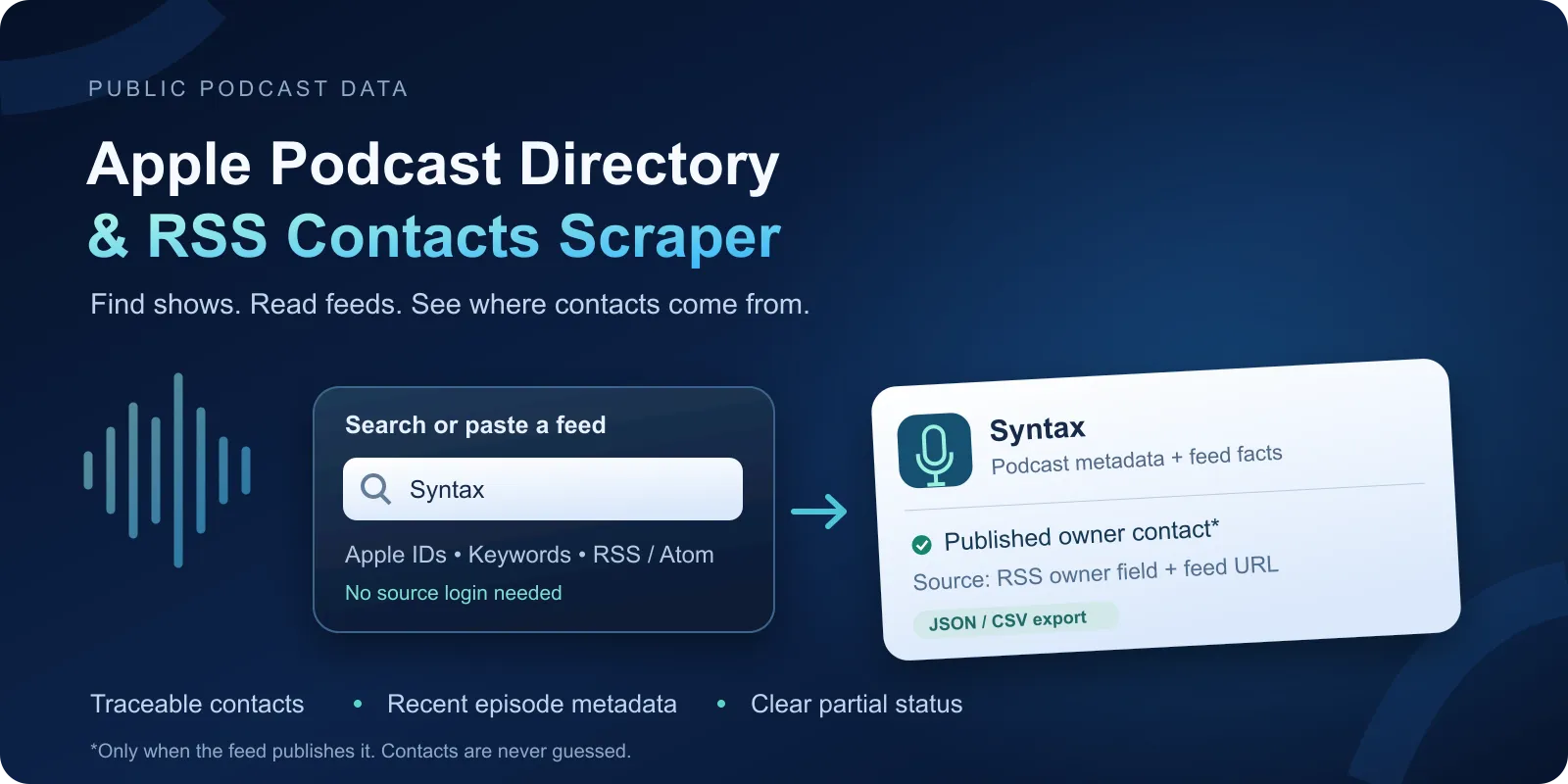
Export Apple podcast directory metadata and public RSS contacts with the feed field and URL behind each contact. Search by keyword, use an Apple ID, or supply a public RSS/Atom feed. A contact can be missing. This Actor does not guess emails.
On this page: Quick start · Use cases · Input · Output · Pricing · Limits · API and export · Troubleshooting · FAQ · Support
What it does
The Actor reads public Apple/iTunes catalog data and public RSS 2.0 or Atom feeds. It saves one row per unique podcast candidate. It can return title, author, feed URL, dates, categories, published owner contacts, and recent episode metadata. Each contact has a source field and feed URL.
It is a good fit for podcast research, a small directory export, and checking the source of an outreach list. It does not send messages. A public email is not proof of consent to contact its owner.
It does not collect Spotify data, reviews, charts, audience size, phone numbers, or social contacts. It does not crawl websites or download audio, video, images, transcripts, or enclosure files. It does not read private or paid feeds. This is an independent tool, not an Apple product.
Quick start
- Open Input. The new form suggests Apple podcast ID
1253186678(Syntax). - Leave the suggested ID for a small first run, or replace it with your source.
- Start the Actor. Open Results to see the Dataset.
- Read
status,partial, and the contact source fields before using a row.
The same small API input is:
The form suggestion is a prefill, not an API default. API input {} does not select a demo podcast. It returns invalid-input accounting without source requests. The US country, 50-result limits, and other runtime defaults still apply to omitted options.
Use cases
| Job | Input | Fields to use |
|---|---|---|
| Find shows about a topic | searchQueries, country | applePodcastId, title, matchedQueries |
| Check a known show | applePodcastIds or applePodcastUrls | feedUrl, status, latestEpisodeDate |
| Check a public RSS contact | feedUrls | ownerEmail, contactEmail, contactSourceField, contactSourceUrl |
| Build a recent-show shortlist | activeOnly, activityWindowDays | active, activeAsOf, frequency |
| Review recent episodes | includeEpisodes, maxEpisodesPerPodcast | episodes, episodesReturned, truncationReasons |
For a small topic search:
For direct feeds, use {"feedUrls":["https://feed.syntax.fm/rss"]}. Source URLs can move over time.
Input reference
All fields are optional by name, but at least one source list must contain a valid entry. There are no nested option objects. Array item rules are shown below. An empty source list adds no work. Invalid entries get safe accounting; other valid entries can still run.
| Field | Type | Runtime default | New-form prefill | Values and effect |
|---|---|---|---|---|
searchQueries | string[] | [] | none | Up to 20 strings, 1–256 characters each. Spaces and Unicode are normalized; repeated queries are merged. |
applePodcastIds | string[] | [] | ["1253186678"] | Up to 100 decimal strings, 1–12 digits each. Leading zeros are normalized. |
applePodcastUrls | string[] | [] | none | Up to 100 HTTPS podcasts.apple.com URLs with an id path. Pages are not fetched; the ID is read from the URL. |
feedUrls | string[] | [] | none | Up to 100 public HTTP/HTTPS strings, at most 2,048 characters each. Ports 80/443 only. No passwords or token-like query parameters. |
country | string | "us" | none | Form choices: us, gb, ca, au, de, fr, es, it, nl, br, in, jp. API accepts any two-letter code; source coverage varies. |
maxPodcastsPerQuery | integer | 50 | none | Integer 1–100. Bound requested for each Apple search; not a page count. |
maxPodcasts | integer | 50 | none | Integer 1–100. Global candidate limit after input identity deduplication; it is not a guaranteed number of rows. |
includeEpisodes | boolean | false | none | Boolean. Include episode metadata inside each show row. |
maxEpisodesPerPodcast | integer | 5 | none | Integer 1–10. Used only when includeEpisodes is true. |
activityWindowDays | integer | 90 | none | Integer 1–365. Compare the newest valid feed date with this day window. |
requireOwnerEmail | boolean | false | none | Boolean. Keep only rows with an explicit valid itunes owner email; editor/webmaster email does not pass. |
activeOnly | boolean | false | none | Boolean. Keep only rows whose calculated active value is true. Unknown and stale rows are filtered. |
Sources can be combined. Apple IDs and URLs for the same ID are merged. A direct feed with the same normalized URL as an Apple feed can merge with it. Titles are not identity keys. Different URLs that redirect to the same feed can remain separate rows. Filters run after reading the feed; they do not avoid source work or the start charge. If both filters are on, both must pass.
Empty strings, null source entries, wrong types, and out-of-range options add invalid-input accounting. The Actor does not silently turn an invalid source into the demo. Runtime normalization can trim valid text; the Input form applies its schema before a run starts.
Output reference
The default Dataset has one row per unique candidate, with episodes in an array when requested. A diagnostic row can exist without a useful feed result. A keyword search with no matches has no row. Open the Output links for Results and Run summary. The default key-value store also contains OUTPUT (links and status) and RUN_SUMMARY (counts, limits, retries, timing, charge and safe error codes).
Example result
This trimmed row is from the same Syntax Apple ID used in Quick start. Contact values are omitted from this example. The source feed published an owner contact when checked on October 9, 2026. Live values can change.
Podcast fields
Unknown text, dates, and facts use JSON null. Arrays can be empty. A measured zero is a number; it is not an unknown value. Diagnostic rows may have fewer facts. Times are UTC ISO strings. Descriptions are plain bounded text, with markup removed. Source descriptions can still contain encoded text. Metadata links are returned as facts and are not fetched.
| Field | Type | Meaning |
|---|---|---|
stableId | string | Stable Apple ID or feed hash; never a raw credential-bearing URL. |
status | string | Terminal product status. |
statusReason | string or null | Safe machine-readable status code. |
sourceKinds | array | Accepted source adapters used for the row. |
matchedQueries | array | Normalized Apple queries that matched the row. |
inputRefs | array | Opaque input references. |
applePodcastId | string or null | Apple collection ID. |
applePodcastUrl | string or null | Catalog URL returned by Apple; not fetched. |
feedUrl | string or null | Public feed URL read for this row. |
feedHost | string or null | Host-only feed diagnostic. |
feedFormat | string or null | rss or atom. |
title | string or null | Podcast title. |
author | string or null | Podcast author. |
publisher | string or null | Publisher fact when available. |
description | string or null | Plain show description when available. |
language | string or null | Feed language. |
storefrontCountry | string or null | Requested Apple storefront. |
categories | array | Show categories. |
artworkUrl | string or null | Metadata URL only; never downloaded. |
websiteUrl | string or null | Published metadata link only; never fetched. |
episodeCountReported | integer or null | Catalog-reported count. |
feedItemsObserved | integer or null | Mapped distinct feed items under bounds. |
episodesReturned | integer | Nested episodes returned. |
latestEpisodeDate | string or null | Newest valid feed date. |
appleLatestReleaseDate | string or null | Apple catalog release date. |
active | boolean or null | Calculated activity flag. |
activeAsOf | string or null | UTC clock used for activity calculation. |
activityWindowDays | integer or null | Activity rule window. |
frequency | string or null | Calculated frequency bucket. |
frequencyBasis | string or null | Rule used for the frequency calculation. |
medianGapDays | number or null | Calculated median gap. |
ownerName | string or null | Explicit feed owner name. |
ownerEmail | string or null | Explicit itunes owner email only. |
contactEmail | string or null | Explicit alternate feed contact. |
contactRole | string or null | owner, editor or webmaster. |
contactStatus | string or null | Explicit contact result. |
contactSourceField | string or null | Exact feed field that supplied the contact. |
contactSourceUrl | string or null | Feed URL supporting the contact. |
descriptionSource | string or null | apple, rss, atom or unknown. |
fieldProvenance | object | Field-level fact/calculation markers. |
episodes | array | Recent episode details kept inside the row. |
partial | boolean | Whether an explicit output bound reduced completeness. |
truncationReasons | array | Bound codes. |
warnings | array | Safe diagnostic codes. |
observedAt | string | UTC observation time. |
stableId uses an Apple ID when known, otherwise a SHA-256 hash of the normalized feed URL. Synthetic invalid/not-found rows use an input hash. inputRefs are opaque input references. Changing a feed URL can change a feed-only ID.
ownerEmail comes only from itunes:owner/itunes:email. contactEmail is an alternate from managingEditor or webMaster. Only the first valid contact by that order is returned, not a list of every email. An author name or email in a description is not a contact source. No social-link extraction is supported; websiteUrl is the feed's published site link. contactStatus is owner_present, alternate_present, absent, invalid, or unknown. Provenance is stored even when a row is partial. fieldProvenance maps fields to feed, Apple, calculated, source, or unknown markers.
frequency is daily, weekly, biweekly, monthly, irregular, or null. It uses median gaps from up to ten recent valid dates; at least three dates are needed. It is an estimate, not the publisher's schedule. active is true/false/null and is checked at activeAsOf. Future dates are ignored with a warning.
Nested episode fields
| Field | Type | Meaning |
|---|---|---|
episodeStableId | string | Hash of the GUID when present, otherwise a deterministic title/date fallback. |
title | string or null | At most 512 characters. |
description | string or null | Plain text, at most 1,000 characters. |
publishedAt, updatedAt | string or null | Valid source dates in UTC ISO format. |
guid | string or null | Source identifier, at most 512 characters; not fetched. |
permalink | string or null | Public HTTP/HTTPS link, not fetched. |
episodeNumber, seasonNumber | integer or null | Explicit feed values. |
episodeType | string or null | Explicit type, usually full, trailer, or bonus. |
durationSeconds | integer or null | Duration parsed from the feed, in seconds. |
enclosureType | string or null | Media type attribute only. |
enclosureLength | integer or null | Length attribute in bytes when within supported bounds. |
Enclosure URLs and media bytes are not returned. Episodes are sorted by valid date within the inspected feed window. Duplicate GUIDs are merged.
Status, empty and partial results
| Status | What happened | Result charge |
|---|---|---|
PODCAST_FOUND | Parsed feed with an explicit owner or alternate contact. | One result. |
NO_OWNER_CONTACT | Feed read, but no valid owner email; an alternate contact can exist. | One result. |
PARTIAL | Parsed feed data with an item, byte, text, episode or other bound. | One parsed feed result. |
NO_FEED | Catalog candidate has no usable feed. | No result event. |
NOT_FOUND | Specific Apple lookup has no record. | No result event. |
INVALID_INPUT | Invalid input entry; no request for that entry. | No result event. |
BLOCKED | Unsafe destination, authentication, access denial, or prohibited content. | No result event. |
TRANSIENT_ERROR | Timeout, rate limit or temporary error after bounded retries. | No result event. |
TECHNICAL_ERROR | Unsupported response, malformed XML or other technical failure. | No result event. |
A valid empty keyword search is counted as UPSTREAM_EMPTY in RUN_SUMMARY. Filters can produce an empty Dataset with filteredOut > 0. These differ from technical failures. Do not treat a successful platform status alone as proof of complete data. Check rows, status reasons, unprocessed candidates and the terminal summary.
Pricing
The applied price is USD 0.0132 per Actor start + USD 0.001 per parsed podcast result (USD 1 per 1,000 result events). Platform usage is included; it is not billed separately to buyers. Episodes have no separate event.
The standard apify-actor-start event is automatic. At the default 512 MB, it is charged once. Up to 1 GB it is charged once; larger memory allocations charge one start event per GB, rounded up. The Actor does not manually charge a second start.
| Scenario at 512 MB | Start events | Result events | Total charge |
|---|---|---|---|
| One parsed show | 1 | 1 | USD 0.0142 |
| Ten parsed shows | 1 | 10 | USD 0.0232 |
| 100 parsed shows in one run | 1 | 100 | USD 0.1132 |
| 1,000 parsed shows in ten 100-show runs | 10 | 1,000 | USD 1.132 |
| Valid zero-result search | 1 | 0 | USD 0.0132 |
| All shows filtered out | 1 | 0 | USD 0.0132 |
| Diagnostic-only failure after start | 1 | 0 | USD 0.0132 |
Only parsed-feed rows with PODCAST_FOUND, NO_OWNER_CONTACT, or PARTIAL trigger podcast-result. Technical, blocked, missing-feed, not-found and invalid rows are not charged as results. A partial or failed run can still charge for parsed results already saved and for its start. No-contact results are useful parsed rows and are charged. Repeated runs are new snapshots and are charged again; there is no unchanged-monitor discount or monitor mode.
Set a platform maximum cost per run that includes the start charge. A cap below the start price may prevent work. maxPodcasts bounds candidates, not total charge: result estimates alone exclude the start. A cost cap can stop a run early, so check RUN_SUMMARY.charge.stoppedAtLimit and unprocessed counts. Source changes can alter how many parsed results a search returns.
Limits
At most 20 queries, 100 IDs, 100 Apple URLs, 100 feed URLs, 100 results per query, and 100 unique candidates per run. There is no page cursor or whole-directory export. Reaching a catalog cap is recorded in the summary. Source search order can change.
The Actor inspects up to 50 feed items and may read the next item to detect truncation. Thus feedItemsObserved may show 51. Long feeds return useful PARTIAL metadata rather than a full archive. At most ten episodes are returned per show. Titles use up to 512 characters and show descriptions up to 2,000.
Feed limits include 2 MiB compressed, 8 MiB decompressed, 64 KiB field text, 10,000 XML nodes, depth 128 and three redirects. Every destination and redirect is checked against the public-address policy. DTD/XXE is rejected. Requests use at most two feed attempts or three Apple attempts, with fixed time bounds. Apple calls are serialized at 15 per minute; feed concurrency is four globally and two per initial host. Slow sources and source changes can cause partial or failed results.
Default run resources are 512 MB and 900 seconds. Internal source work stops within 840 seconds and sooner before a smaller platform timeout. A larger platform timeout does not extend that deadline. Cancellation saves accounting when possible. Invalid resource options produce a separate RESOURCE_ERROR summary.
API and export
Start this Actor with the Apify API, passing the same JSON as in Quick start. Read the run's default Dataset or the Results output link. Export JSON, CSV or Excel from Dataset; nested episodes and provenance are best kept as JSON. Use stableId to join show rows and observedAt to label each snapshot.
You can schedule the same input in Apify Console and read the new Dataset after each run. Each run is a fresh snapshot: this Actor has no only-new mode, persistent diff state, CRM action or outreach integration. Scheduling and webhooks are platform features; they are not created by this Actor.
Troubleshooting
- No owner email: check
contactStatusand the exact source field. The publisher may not include an owner email. An editor email does not passrequireOwnerEmail. - Empty Results: check
UPSTREAM_EMPTY,filteredOut, invalid entries and technical statuses in RUN_SUMMARY. Try a known Apple ID to separate search scope from a feed problem. - PARTIAL: read
truncationReasons. A long feed can provide valid show and contact metadata without a full archive. - BLOCKED: use a public feed URL without credentials. The Actor cannot read private addresses, authenticated feeds or unsafe redirects.
- Temporary failure: source rate limits and availability can change. Retry a small input later. Do not raise limits to work around a block.
- Missing dates or frequency: fewer than three distinct valid dates make frequency unknown. Activity is unknown when no valid date exists.
FAQ
Do I need an Apple or Spotify account?
No source account or API key is needed. Spotify is not supported. You need an Apify account to start a run.
Does every podcast have an email?
No. Only explicit public feed contact fields are read. The Actor does not infer emails, verify mailboxes, search websites, or promise current contacts.
Can I download audio or every episode?
No. The Actor reads bounded metadata only. Audio URLs are not returned. It does not provide a complete episode archive.
Will two runs return the same data?
Live catalogs and feeds can change. IDs and deduplication rules stay stable for the same sources; dates, order, contacts and activity can change. Each run has its own observation time.
Can I use a contact for outreach?
A public contact does not establish consent. Check the source, purpose and applicable rules before contacting anyone. The Actor does not send emails or fill forms.
Related Actors
RSS & Atom Feed Reader / Monitor reads feed items and tracks changes when your next step is item monitoring rather than podcast contact research.
Support
Open an issue in this Actor's Apify Store Issues tab. Include the run ID, input mode, country, and safe RUN_SUMMARY code. Never post tokens, cookies, raw feed bodies, private URLs, or full contact values.


