

Redfin & Realtor Listings Scraper (US): Sale, Sold & Rent
Pricing
from $0.38 / 1,000 saved listings
Redfin & Realtor Listings Scraper (US): Sale, Sold & Rent
Get US homes for sale, recently sold or for rent from Redfin or Realtor.com in one flat table: price, beds, baths, sq ft, address, ZIP, coordinates, listing date, photos and (on Realtor.com) the listing office. Search by city, ZIP or county. No login.
Pricing
from $0.38 / 1,000 saved listings
Rating
0.0
(0)
Developer

Cliqto Media
Maintained by CommunityActor stats
0
Bookmarked
2
Total users
1
Monthly active users
3 days ago
Last modified
Categories
Share
Redfin & Realtor Listings Scraper reads public US home listings from Realtor.com or Redfin for the cities, ZIP codes or counties you add. It returns one row per listing with price, beds, baths, square feet, address, ZIP, coordinates, listing date, photos and (on Realtor.com) the listing office name. You do not need a login or an API key.
It is for real estate investors, agents, analysts and proptech teams who need a clean table of homes for sale, recently sold or for rent. The smallest run is one city: Austin, TX with 10 listings finishes in about 5 seconds and costs about $0.007.
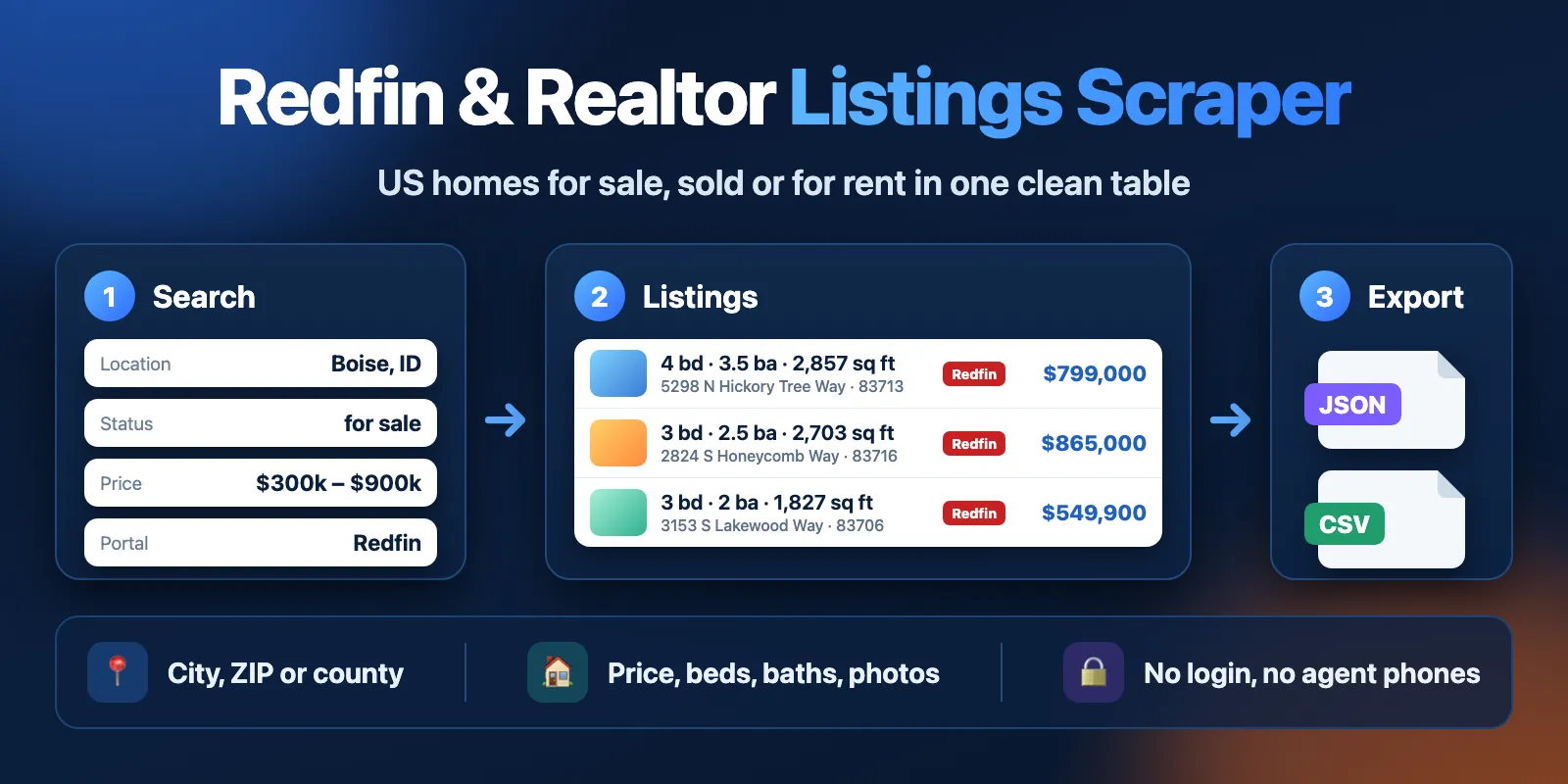
Table of contents
- What it does
- Quick start
- Use cases
- Input
- Output
- Pricing and limits
- API and integrations
- Use with AI agents (MCP)
- Troubleshooting
- FAQ
- Support
What it does
The Actor searches one portal for each location you add, reads the result pages and saves each listing to a Dataset. Both portals return the same columns, so you can join or compare the tables later. You choose:
- Locations (
locations): up to 20 places, for exampleAustin, TX, ZIP78704orTravis County, TX. For Redfin you can also paste a redfin.com city, county or neighborhood link. - Website (
source): Realtor.com (default) or Redfin. - Listing status (
status): for sale now, recently sold, or for rent. - Price range (
minPrice,maxPrice) in US dollars. For rentals this is the monthly rent. - Max listings (
maxItems): how many rows to save in total.
At the end the Actor writes a short summary to the Key-value store record RUN_SUMMARY: what it found for each location and why a location gave no rows.
Good fit
- Track asking prices, new listings and days on market in a city or ZIP code.
- Collect recent sales (sold price, sold date) for a price comparison.
- Build a rental list with monthly rent, beds and square feet.
- Get the same columns from Realtor.com and Redfin to check one against the other.
Not a fit / limits
- No agent names, phone numbers, e-mails or listing descriptions. Only the public name of the listing office, and only on Realtor.com.
- Only the United States. Only the two portals above; Zillow is not supported.
- One Realtor.com search returns at most 10,000 results. For a bigger area, split it into ZIP codes or cities.
- The data is what the portal shows at the time of the run. Some fields can be empty when the portal does not show them (see Output).
Quick start
- Open the Input tab.
- In Locations (
locations), keep the prefilledAustin, TXor add your own place, for example78704orMiami, FL. - Keep Website = Realtor.com and Listing status = For sale (the defaults), and Max listings = 10 (the prefill).
- Click Start.
- Open the Output tab. The Listings view shows address, price, beds, baths and the link for each home.
Expected result: 10 homes for sale in Austin, TX, with price, beds, baths, sq ft, address and photo links.
Use cases
| Buyer job | Input path | Output entity | Key fields | Next integration |
|---|---|---|---|---|
| New listings in a city | locations + status: for_sale | Listing | price, listedAt, daysOnMarket, url | Schedule + Google Sheets |
| Sales comps | status: sold + soldWithinDays | Sold listing | price, listPrice, soldAt, sqft | CSV export |
| Rental market check | status: for_rent + maxPrice | Rental | price (monthly rent), beds, sqft, buildingName | API / JSON |
| Portal check | same locations, run once with each source | Listing | mlsId, address, price | Join by mlsId or address |
Input
Input fields
| Field | Plain name | Type | Required | Default / prefill | Allowed values | Effect | Example | Recommendation |
|---|---|---|---|---|---|---|---|---|
locations | Locations | array of strings | yes | prefill ["Austin, TX"] | 1–20 items: City, ST, 5-digit ZIP, X County, ST; Redfin also takes a redfin.com link | Places to search | ["Austin, TX", "78704"] | Use the 2-letter state code. Repeated places are searched once. |
source | Website | string | no | default realtor | realtor, redfin | Which portal to read | "redfin" | Realtor.com gives the office name and up to 10,000 results per search. |
status | Listing status | string | no | default for_sale | for_sale, sold, for_rent | Which listings to get | "sold" | For rentals, the price is per month. |
maxItems | Max listings | integer | no | default 100, prefill 10 | 1–10,000 | Total rows for the whole run, shared by all locations | 500 | You pay per saved listing, so set what you need. |
minPrice | Min price (USD) | integer | no | none | 0–1,000,000,000 | Lowest price or monthly rent | 300000 | Listings without a price are left out when a price filter is set. |
maxPrice | Max price (USD) | integer | no | none | 1–1,000,000,000 | Highest price or monthly rent | 900000 | Must not be lower than minPrice. |
soldWithinDays | Sold within (days) | integer | no | default 90 | 1–1,095 | Only for sold: how far back to look | 30 | Ignored for other statuses. |
locations cannot be empty. With source: redfin, free text that is not a city, ZIP, county or Redfin URL (for example downtown) stops the run before any search with a message that shows the right format. With source: realtor, such text goes to the Realtor.com place search; if it finds nothing, the location gets not_found and still counts as one location search.
Interacting settings
| When | Input A | Input B | Effective behavior | Example | Cost/result effect |
|---|---|---|---|---|---|
| Several places | locations | maxItems | Each place first gets an equal share of maxItems. If a place has fewer homes, the rest goes to the other places. | 2 places, maxItems: 20 → 10 + 10 | Total rows never go above maxItems. |
| Price filter set | minPrice / maxPrice | status | For for_rent the range is monthly rent; for sold it is the sale price. | for_rent, maxPrice: 2500 | Homes without a price are left out. |
| Sold homes | status: sold | soldWithinDays | Only homes sold in the last N days. | soldWithinDays: 30 | Fewer days, fewer rows. |
Input examples
Homes for sale in a price range (Redfin)
Expected behavior: the Actor searches Boise and Nashville on Redfin and saves up to 10 homes from each place.
Expected output: listings with price, beds, baths, sqft, mlsId and url.
Limit or cost note: Redfin does not show the office name, so brokerName is empty.
Recent sales in a ZIP code (Realtor.com)
Expected behavior: homes sold in ZIP 78704 in the last 30 days.
Expected output: price (sale price), soldAt, listPrice, sqft.
Limit or cost note: some states do not show the sale price; then price is empty and listPrice keeps the last asking price.
Output
Output fields
| Field | Meaning | Type | Can be empty? | Example / enum | Notes |
|---|---|---|---|---|---|
id | Unique row ID: portal + property ID | string | no | realtor:8335975485 | Stable between runs |
source | Portal | string | no | realtor, redfin | |
propertyId | The portal's property ID | string | no | 8335975485 | |
listingId | The portal's listing ID | string | yes | 3001860367 | |
mlsId | MLS number of the listing | string | yes | 84517392 | Use it to match the same home on both portals |
url | Link to the listing page | string | no | https://www.realtor.com/... | |
status | Status you asked for | string | no | for_sale, sold, for_rent | |
sourceStatus | Status as the portal shows it | string | yes | Active, Closed (Redfin), for_sale, pending (Realtor.com) | |
address | Street address with unit | string | yes | 1704 Cherry Orchard Dr | |
city | City | string | yes | Austin | |
state | 2-letter state code | string | yes | TX | |
zip | ZIP code | string | yes | 78745 | |
lat, lng | Coordinates | number | yes | 30.201456, -97.803077 | |
price | Price in USD | number | yes | 315000 | For sale: asking price. Sold: sale price (empty where hidden). Rent: monthly rent, the lowest unit for buildings |
priceMin, priceMax | Price range | number | yes | 1055, 1600 | Only when the portal shows a range (buildings, new homes) |
listPrice | Asking price | number | yes | 315000 | For sold homes: the last asking price |
beds | Bedrooms | integer | yes | 3 | Smallest unit for buildings |
baths | Bathrooms | number | yes | 2.5 | A half bath counts as 0.5 |
sqft | Living area, sq ft | number | yes | 934 | |
lotSqft | Lot size, sq ft | number | yes | 7675 | |
yearBuilt | Year built | integer | yes | 1971 | |
propertyType | Home type | string | yes | single_family, condo, townhouse, multi_family, apartment, manufactured, co_op, farm, land, other | Same names for both portals |
listedAt | When the listing went on the portal | string (ISO) | yes | 2026-10-15T05:36:33.000Z | Redfin: estimated to the minute; empty when Redfin does not show the listing age |
soldAt | Sale date | string | yes | 2026-09-18 | Only sold homes |
daysOnMarket | Whole days on the market | integer | yes | 0 | Empty for sold homes |
photos | Full-size photo links | array | can be [] | ["https://ap.rdcpix.com/...jpg"] | |
photoCount | Number of photos | integer | yes | 13 | |
brokerName | Listing office name | string | yes | Houston Elite Properties LLC | Realtor.com only. No agent names, phones or e-mails |
buildingName | Building or community name | string | yes | Cascade Apartments | Mostly rentals |
searchLocation | Input place that found this row | string | no | Austin, TX | |
fetchedAt | When the row was saved | string (ISO) | no | 2026-10-15T05:57:50.503Z |
The Dataset has two views: Listings (main columns) and All fields.
Output entities and surfaces
| Situation | Where | Result shape | User action |
|---|---|---|---|
| Normal run | Dataset + RUN_SUMMARY | One row per listing; status complete | Open the Listings view or export |
| Place exists, but no homes match | RUN_SUMMARY | 0 rows; run SUCCEEDED, status no_results | Change the price range or status |
| Place not known to the portal | RUN_SUMMARY | 0 rows for that place; status not_found with the place name | Use City, ST, a ZIP or X County, ST |
| Stopped early | Dataset + RUN_SUMMARY | Rows saved so far; status partial, reason TIME_LIMIT or CHARGE_LIMIT | Give a longer timeout or a higher cost limit |
| Portal error | RUN_SUMMARY + run status | No rows: run FAILED with the reason. Some rows: status partial, reason SOURCE_ERROR | Try again later |
| Wrong input | Run status | FAILED with a message that shows the right format | Fix the input |
RUN_SUMMARY has one entry per place with status, items, totalOnSite (how many listings the portal reports), filteredOut and duplicates, plus warnings.
Output example
Input: the prefill (locations: ["Austin, TX"], maxItems: 10). One row, photo list shortened:
null means the portal does not show this value for this listing. Every row has all fields; the Actor does not drop columns.
Pricing and limits
Pricing unit
This Actor uses pay-per-event pricing. You pay for:
| Event | When | Price |
|---|---|---|
| Actor start | Once per run (one event per GB of memory, at least one) | $0.002 |
| Location searched | Once for each place searched, also when the portal does not know the place | $0.0005 |
| Saved listing | Once for each row in the Dataset | $0.00045 (Free plan) down to $0.00038 (Gold plan and above) |
Repeated listings and listings removed by your price filter are not charged. Places that are skipped because maxItems was already reached are not charged. A run with no rows still pays the start and the location searches. Platform usage is included in these prices.
Saved listing price by Apify plan: Free $0.00045, Bronze $0.00043, Silver $0.0004, Gold / Platinum / Diamond $0.00038.
Cost examples
Measured on real runs with the default 512 MB memory (Free plan prices):
| Scenario | Input scope | Rows | Time | Charge |
|---|---|---|---|---|
| Prefill | Realtor.com, Austin, TX, 10 listings | 10 | ~5 s | $0.0070 |
| Two cities | Redfin, Boise + Nashville, 20 listings | 20 | ~9 s | $0.0120 |
| Unknown places | Realtor.com, 20 places that do not exist | 0 | ~28 s | $0.0120 |
| Large county | Realtor.com, Los Angeles County, 10,000 listings | 9,550 | ~89 s | $4.30 (Gold: $3.63) |
To control cost, set Max listings. You can also set a maximum cost for the run in the run options; the Actor stops cleanly at that limit and keeps the rows it saved.
Limits
- Up to 20 places and 10,000 listings per run.
- Realtor.com returns at most 10,000 results for one search, and some of them repeat. A very large place gives about 9,500 unique rows. The run log tells you when you hit this limit; split the place into ZIP codes.
- Redfin city search uses the official city boundary from the US Census and saves only homes inside it. ZIP, county and redfin.com links work as Redfin defines them.
- Redfin does not show the office name, so
brokerNameis empty for Redfin. - In some regions Redfin does not show how long a home has been listed; then
listedAtanddaysOnMarketare empty. bathscounts a half bath as 0.5 (for example 2 full + 1 half = 2.5).- If the portal blocks or fails for two places in a row, the run stops and skips the rest, so you do not pay for a long run with no data. Try again later.
API and integrations
- API: start the Actor with the Apify API and the same JSON input. Read rows from the run's default Dataset.
- Export: download the Dataset as JSON, CSV, Excel or XML from the Output tab or the API.
- Scheduling: run the same input every day with an Apify schedule to collect new listings. Use
idto find rows you already have. - Integrations: send results to Google Sheets, Make, Zapier or a webhook with the standard Apify integrations.
Use with AI agents (MCP)
AI agents can run this Actor through the Apify MCP server. Server URL with only this Actor:
https://mcp.apify.com?tools=cliqtomedia/us-property-listings
Smallest useful input:
Key output fields:
price: asking price, sale price or monthly rent in USD.beds,baths,sqft: home size.address,city,state,zip: where the home is.url: link to the listing page.listedAt: when the home was listed.
A run with 10–100 listings usually finishes in 5–15 seconds and costs about $0.007–$0.05. Limits: up to 20 places and 10,000 listings per run; places must be City, ST, a 5-digit ZIP or X County, ST.
Troubleshooting
The run says "No such location"
Symptom: 0 rows and a not_found message with the place name.
Likely reason: the portal does not know the place, or the place is written as free text.
Check: the place format in RUN_SUMMARY → locations.
Action: use City, ST with the 2-letter state code, a 5-digit ZIP or X County, ST.
The run SUCCEEDED but has 0 rows
Symptom: status no_results.
Likely reason: the portal knows the place, but no home fits the status and price range.
Check: totalOnSite and filteredOut in RUN_SUMMARY.
Action: widen the price range or try another status.
I got fewer rows than Max listings
Symptom: fewer rows than maxItems, status complete.
Likely reason: the place has fewer listings that match, or (Realtor.com) the 10,000 results limit for one search.
Check: totalOnSite and warnings in RUN_SUMMARY.
Action: add more places or split a big place into ZIP codes.
The run stopped early
Symptom: status partial with reason TIME_LIMIT or CHARGE_LIMIT.
Likely reason: the run timeout or your maximum cost was reached.
Action: give the run a longer timeout or a higher cost limit. The rows already saved stay in the Dataset.
The run failed with a portal error
Symptom: FAILED, or partial with reason SOURCE_ERROR.
Likely reason: the portal blocked or did not answer.
Action: try again later. After two places in a row fail, the run stops on purpose.
FAQ
Do I need a Realtor.com or Redfin account?
No. The Actor reads public search results. You do not need a login, cookies or an API key.
Can I get agent phone numbers or e-mails?
No. The Actor does not collect agent names, phones, e-mails or listing descriptions. It gives only the public name of the listing office on Realtor.com.
Why is the sale price empty for some sold homes?
Some states do not make sale prices public, and the portal hides them. Then price is empty and listPrice shows the last asking price.
Why do Realtor.com and Redfin give different numbers for the same city?
Each portal has its own listings, area borders and order. Use mlsId or the address to match the same home on both portals.
How fresh is the data?
Each row is read live from the portal during your run. fetchedAt shows when the row was saved.
Support
For bugs, questions or feature requests, open an issue on the Issues tab of this Actor. Add the run ID, your input (without private data) and the error message. Never send tokens, cookies or billing data.


