

Facebook Search Scraper
Pricing
$2.00 / 1,000 search results
Facebook Search Scraper
Search public Facebook by keyword and get Pages, people, posts, videos, places and events as clean, ranked rows. Native Facebook search, multi-query, per-query limits. No Facebook login or cookies needed.
Pricing
$2.00 / 1,000 search results
Rating
0.0
(0)
Developer

Delowar Munna
Maintained by CommunityActor stats
0
Bookmarked
22
Total users
11
Monthly active users
9 days ago
Last modified
Categories
Share
Facebook Search Scraper — Pages, People, Posts, Videos, Places & Events
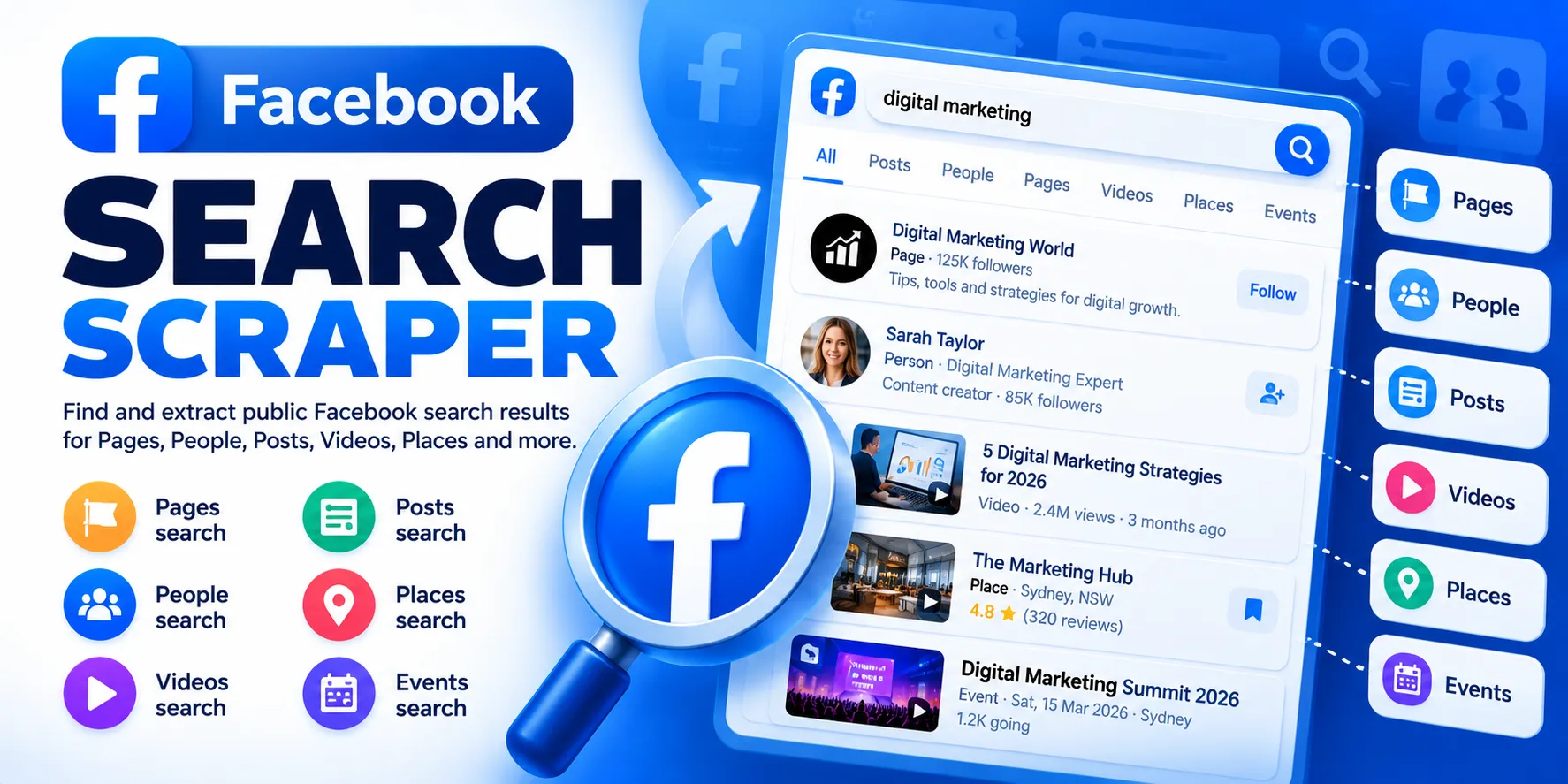
Start from a keyword, not a URL. Type what you are looking for — Canberra plumber, a brand, a topic, a person's name — choose what kind of result you want, and get public Facebook Pages, people, posts, videos, places or events back as clean, ranked rows you can export to JSON, CSV or Excel.
- 🔎 Native Facebook search — results come from Facebook's own search, not a Google
site:facebook.comworkaround - 🔓 No Facebook login, cookies, account or token — nothing to hand over, nothing to get banned
- 🧾 One typed row per result — every row says what it is (
rowType), which query found it, and where Facebook ranked it (position) - 📚 Many queries per run — up to 100, each with its own result limit
- 📍 City filter for Places and Events
- 🔗 Built to feed other Actors — Page URLs into a leads scraper, post URLs into a comments scraper
- 💸 Pay only for results delivered — searches, pagination, retries, duplicates and empty searches are never charged
What can I search?
| Search type | What you get | Typical fields |
|---|---|---|
pages | Business, brand and community Pages | name, URL, picture, verified, description |
people | Public profiles | name, URL, picture, "Lives in …" line, location |
posts | Public posts | text, author, post URL, date, reactions, comments, shares, image/video |
videos | Public videos and Reels (contentType: "reel") | title/text, author, URL, thumbnail, duration, date or Facebook's "17 Aug · 51K views" line |
places | Local businesses and places | name, URL, picture, description |
events | Public events | name, event URL, picture, "Online event" where shown |
top | Facebook's mixed "Top" results — mostly posts, plus Pages and videos | each row's rowType says which |
Groups search is not offered. Facebook returns no Groups results to a logged-out visitor (measured: an empty answer on every query tried), and we would rather not list an option that always comes back empty. If you already have Group URLs, a dedicated Groups scraper reads them directly.
Reels are returned by the videos search type and marked contentType: "reel" — there is no separate Reels search to choose.
Quick start
That's all that is required. Leave the proxy at its default (Apify Datacenter).
More examples
Several queries in one run — each query is searched on its own and gets its own maxResults:
Public posts about a topic (with engagement):
Videos and Reels:
People by name:
Places in one city (London's Facebook ID is 106078429431815):
Events in one city:
Input
| Field | Type | Default | What it does |
|---|---|---|---|
queries | array of strings | — (required) | Keywords or phrases. Any language. Up to 100 per run; blank and duplicate queries are skipped with a warning. |
searchType | pages · people · posts · videos · places · events · top | pages | Which Facebook search tab to read. |
maxResults | integer, 1–5000 | 100 | Maximum unique results per query (see below). |
locationUid | string (digits) | — | Facebook ID of a city. Applied to places and events only. |
maxConcurrency | integer, 1–10 | 3 | Queries searched in parallel. Pages of one query are always read in order. |
proxyConfiguration | proxy | Apify Datacenter | See Proxy policy. |
What does maxResults mean?
It is a limit per query, not per run. "queries": ["plumber", "electrician"] with "maxResults": 100 can return up to 200 rows — 100 for each query, if Facebook has that many.
Why might I get fewer results than I asked for?
Because Facebook stops sooner. Logged-out search has a depth limit that varies by query and by type. In our measurements (October 2026) Facebook ended its result lists at roughly:
- Pages: ~30 for a local query (
Canberra plumber) - People: ~140 for a local query
- Posts: ~55 for a topic (
AI automation) - Videos: ~95 for a topic
- Top: ~80 for a topic
When Facebook says its list has ended, the query stops with RESULTS_EXHAUSTED and you are charged only for what was delivered. These figures are a guide, not a promise — they change with the query and over time.
Does location filtering work?
Yes for places and events, using a city's Facebook ID — those are the two search types where Facebook offers a city filter to logged-out visitors. In our test, London's ID turned a worldwide pizza search into Wood Green, Wembley, Brixton and Borough Market results. The filter is Facebook's own and is approximate — the odd place from elsewhere in the country can still appear (one Birmingham pizzeria in 25 results).
- How do I find the ID? It is the number at the end of the city's Facebook page URL, e.g.
facebook.com/pages/London-United-Kingdom/106078429431815→106078429431815. - Can I type a city name instead? No. Facebook's city lookup refuses logged-out visitors ("Unauthorized logged out query"), so a name cannot be turned into an ID reliably. Rather than guess, the Actor ignores a free-text
locationfield and says so in the log. - Pages, People, Posts, Videos, Top? Facebook offers no logged-out location filter for these. If you set
locationUidwith one of them, the run continues without the filter and logs:Location filtering is not supported for searchType=pages. The location ID was ignored.It never pretends a filter was applied. Tip: put the place in the query itself (Canberra plumber) — that is how the examples above work.
Output
One row per search result. Every row has every column (null where a field does not apply), so CSV and spreadsheet exports line up even when a run mixes types.
Common fields
| Field | Meaning |
|---|---|
rowType | page, person, post, video, place, event (on top, a group can also appear) |
query | The query that found this row |
searchType | The search type you chose |
position | Facebook's ranking for this query: 1, 2, 3… Never re-ranked by us |
id | Facebook's ID for the result |
name | Page / person / place / event name, or a video's title |
url | Link to the result on Facebook |
profilePicture | Picture of the entity, or of the post's author |
isVerified | Facebook's verified badge, where Facebook shows one (null when not shown) |
searchSource | Always "facebook" — native Facebook search, never a web-search fallback |
inputIndex | Position of the query in your input list |
scrapedAt | When the row was collected |
Type-specific fields
| Field | Filled for |
|---|---|
subtitle | People (Lives in Canberra, Australian Capital Territory), events (Online event) |
location | People — the place from the "Lives in …" line, nothing inferred beyond it |
description | Pages and places — the description snippet Facebook shows in search |
text | Posts and videos |
textTruncated | true when Facebook itself cut the text short in the search result (video cards end in "…") |
postUrl, createdAt | Posts, and videos that are posts |
authorName, authorId, authorUrl | Posts and videos |
authorPlatform | Videos — facebook, or instagram for an Instagram video Facebook shows in its results |
contentType | Posts: text, photo, video, reel, link, share. Videos: video or reel |
reactionCount, commentCount, shareCount | Posts, and videos that are posts |
imageUrl, videoUrl, thumbnailUrl, durationSeconds | Posts and videos |
publishedText, viewCountText | Video cards — Facebook's own wording, e.g. 17 Aug and 51K views |
locationUid | The city ID you filtered by, if any |
Dates are never guessed. createdAt is filled from Facebook's exact timestamp, or from a complete date like 21 Apr 2024. A date shown without a year (17 Aug) or as 3 days ago stays in publishedText with createdAt: null.
Output views and sample records
The Console's Output tab offers four views of the same dataset. Below is one real record for each, taken from Apify runs on 6 October 2026 (Facebook CDN image links shortened to …).
Posts — table view
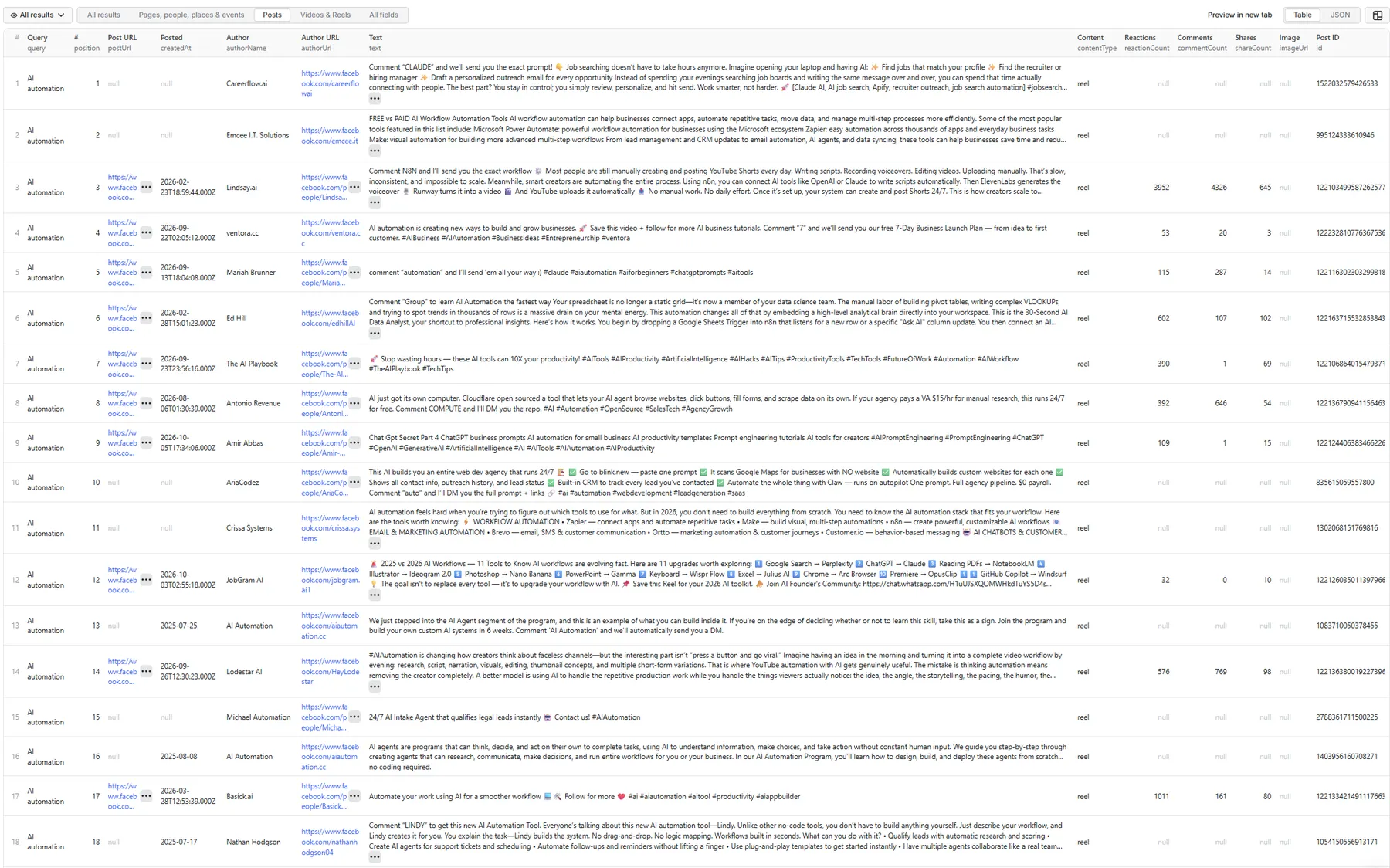
All results — every column on every row
A Reel that is also a post (searchType: "videos"), shown with all columns so you can see the full shape. Columns that don't apply to this row are null:
Pages, people, places & events
A Page (searchType: "pages", query Canberra plumber; empty columns omitted):
Posts
A post (searchType: "posts", query Sydney electrician; empty columns omitted). Posts search also returns posts made in public groups — the url then points into the group:
(The post text is shortened here; the dataset holds the full text.)
Videos & Reels
A video card (searchType: "videos", query AI automation; empty columns omitted). Cards carry Facebook's own date and view wording instead of reaction counts; createdAt stays null because "Jul 2" has no year:
(name and text shortened here; the dataset holds the full caption.)
Run summary and retries
Each run also writes, to its key-value store:
RUN_SUMMARY— per-query status (SUCCESS,NO_RESULTS,PARTIAL_RESULT,RATE_LIMITED,BLOCKED,TEMPORARY_FACEBOOK_ERROR,PROVIDER_ERROR), why each query stopped (LIMIT_REACHED,RESULTS_EXHAUSTED,CURSOR_REPEATED,NO_NEW_RESULTS,RATE_LIMITED,PARTIAL), results per type, duplicates skipped, and request counts.RETRY_INPUT— only when some queries failed: your input with just those queries, ready to run again.
One failed query never fails the run — the others carry on.
Do I need a Facebook login or cookies?
No. The Actor never asks for a Facebook username, password, cookies, session ID, access token or developer app. It reads what Facebook's search shows a logged-out visitor.
Are these native Facebook search results?
Yes. Every row comes from Facebook's own search — the same search Facebook's website runs — and carries searchSource: "facebook". There is no Google or Bing fallback; if one is ever added it will be a separate, clearly labelled mode.
Why are results different from what I see when logged in?
Logged-in Facebook personalises search: friends, groups you belong to, your location and history all change the ranking and what is visible. This Actor sees what a logged-out visitor sees — public content only, ranked for nobody in particular. Expect overlap with your own results, not an exact match. Results can also vary by region and over time.
💸 How is pricing calculated?
Pay per result. You are charged once per unique result delivered to your dataset (search-result event). You are not charged for:
- search requests, pagination or retries,
- a result Facebook repeats within the same query (delivered once, charged once),
- queries that fail or return nothing,
- the run summary and diagnostics.
There is no start fee: a run that finds nothing costs nothing in results. The same Page found by two different queries appears — and counts — once per query, because each query is its own search; the query field shows which.
Current prices are on the Actor's Pricing tab. This README deliberately doesn't quote figures, so it can never disagree with the live price.
If you set a spending limit on your run, the Actor stops when it is reached and keeps everything already delivered.
🔗 Coregent workflows — enrich what you discover
Search finds the URLs; other Coregent Actors read them in depth.
| Discover with this Actor | Then | To get |
|---|---|---|
pages → url | Facebook Pages & Business Leads Scraper | category, phone, email, website, address, followers |
posts → postUrl | Facebook Comments Scraper | the full comment thread, with replies |
Example: "Canberra plumber" → Pages → leads scraper → a contact list of local plumbers.
Can I schedule searches?
Yes. Save your input as a Task and add a Schedule in Apify Console — daily, weekly or any cron expression. Because every row carries query and position, repeated runs show how results and rankings move over time.
Can I call it through the API or MCP?
Yes — like any Apify Actor:
It is also available to AI agents through the Apify MCP server, and from the Apify SDKs for JavaScript and Python.
🚦 Proxy policy
Use Apify Datacenter proxy (the default) for normal runs.
Apify Residential proxy is not supported. The Actor fails at startup if apifyProxyGroups includes RESIDENTIAL. Reason: on pay-per-result Actors, residential bandwidth is billed to the Actor's developer rather than to your run, and search responses are large (a Videos page can be several MB), so a single run could cost more than its results earn.
If you genuinely need residential routing, supply your own provider under Custom proxy URLs in the proxy editor — that traffic goes through your own account and is used as given:
Limitations
- Public, logged-out results only. Private, friends-only and personalised content is not reachable, by design.
- Groups search is not supported — Facebook returns no Groups results logged out.
- Depth is Facebook's, not ours — see Why might I get fewer results.
- Location filtering works for
placesandeventsonly, by city ID only. - No date filter for posts. Facebook offers no logged-out date filter for post search, and filtering a partial result set locally would wrongly suggest a complete date search — so the Actor doesn't.
- Search snippets, not full profiles. Pages and places carry the name, picture and description snippet search shows — no category, phone, website or address. Use the Pages & Business Leads Scraper for those.
- Events carry name, picture and URL; Facebook's logged-out event results do not include the date or venue.
- Some people have no
url. Facebook serves some profiles in search with no link at all; theirurlisnullrather than a guessed link. - Video cards carry Facebook's shortened caption (
textTruncated: true) and its rounded view count as text (51K views). - Logged-out search quality varies. For some broad brand queries, logged-out Pages results favour small namesake Pages over the official brand Page. That is Facebook's ranking for a logged-out visitor; the Actor reports it as served.
Privacy and responsible use
This is an unofficial tool and is not affiliated with, endorsed by or sponsored by Meta or Facebook.
It collects only what Facebook shows publicly to a logged-out visitor. It does not log in, does not use cookies, and does not bypass any access control. Public search results can still include personal information — names, profile pictures, a "Lives in" line. You are responsible for having a lawful basis to collect and process that data (for example under GDPR or CCPA), for how you store and use it, and for complying with Facebook's terms where they apply to you. Result availability differs by region and changes over time.
Need something else?
Found a bug, or need a search type, field or filter that isn't here? Open an issue on the Actor's Issues tab — we read them.


