

Google Maps Popular Times Scraper
Pricing
from $2.50 / 1,000 place popular times lookups
Google Maps Popular Times Scraper
Extract Google Maps Popular Times for public places: hourly busyness for all 7 days, live busyness when available, typical visit duration, opening hours and canonical place IDs. Input Maps URLs, Place IDs, CIDs or data IDs. No Google login or API key.
Pricing
from $2.50 / 1,000 place popular times lookups
Rating
0.0
(0)
Developer

Delowar Munna
Maintained by CommunityActor stats
0
Bookmarked
2
Total users
1
Monthly active users
2 days ago
Last modified
Categories
Share
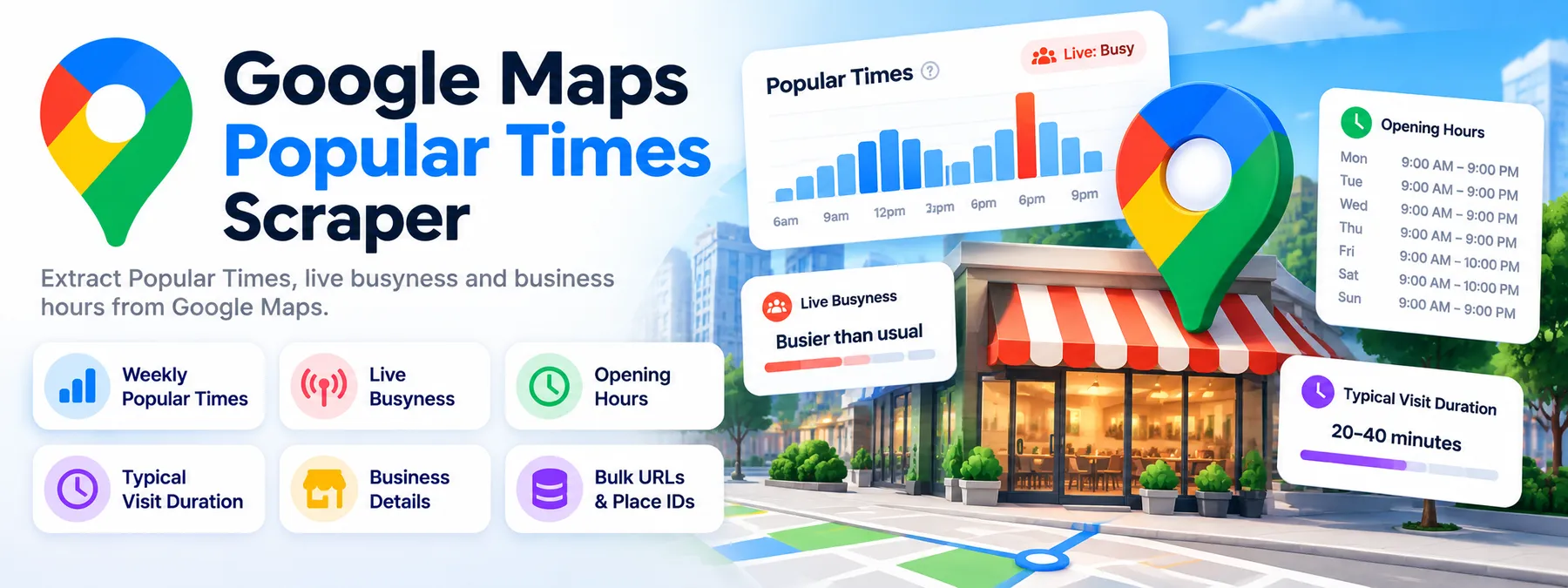
Busy Hours, Live Busyness & Visit Duration
Extract Google Maps Popular Times for public places. Get hourly busyness patterns for all 7 days, live busyness when Google shows it, typical visit duration, opening hours and canonical place identifiers. Export clean JSON, CSV or Excel.
No Google login, no Google Places API key and no cookies needed.
✨ What you get
One row per place (or one row per place × day × hour — your choice):
- 📊 Weekly Popular Times — Google's hour-by-hour popularity for Monday to Sunday
- 🔴 Live busyness for the current hour, when Google shows it ("Busier than usual", "As busy as it gets"), kept separate from the typical pattern
- ⏱️ Typical visit duration — Google's text plus parsed min/max minutes ("People typically spend 45 min to 2.5 hr here" → 45 / 150)
- 🕘 Opening hours in the place's local time, including split hours and hours past midnight
- 📈 Peak-hour metrics — peak day/hour, quietest observed day/hour, weekday vs weekend average, top 3 busy windows
- 📍 Place identity — Place ID, CID, data ID, name, category, address, rating, review count, coordinates, time zone and business status
- 🏷️ Honest coverage labels — a place with no Popular Times is reported as
NO_POPULAR_TIMES, not as an error and not as a silent gap
📥 Supported place inputs
| Input | Example |
|---|---|
| Google Maps place URL | https://www.google.com/maps/place/Kmart/data=!4m2!3m1!1s0x6b12afd4fffffe11:0xa145a1af6dc452af |
| Short share link | https://maps.app.goo.gl/… |
| Place ID | ChIJo8ZIgT6uEmsRYhbUtXBWzhg |
| CID | 1787461144199566946 |
| Data ID (feature ID) | 0x89c259946d150a4d:0xc0da14d18f1c4ac7 |
Mix and match freely. If the same place arrives twice (say as a URL and a Place ID), it is looked up and charged once. This Actor takes exact places; to find places by keyword first, use a Coregent Google Maps business scraper and pass its Place IDs here.
⚙️ Input examples
Minimal
Competitor benchmarking (Sydney retail, mixed ID types)
Every include… option is on by default, so a list of places is all you need. IDs of different types can be mixed in one run.
Hourly rows for spreadsheets, SQL and BI tools
Main options
| Field | Default | What it does |
|---|---|---|
placeUrls / placeIds / cids / dataIds | sample place | The places to look up. At least one is required. |
outputShape | PLACE | PLACE = one row per place with the week nested inside. HOURLY = one row per place × day × hour. |
includePopularTimes | true | Weekly histogram. |
includeLiveBusyness | true | Live reading for the current hour, when available. |
includeVisitDuration | true | Typical visit duration. |
includeOpeningHours | true | Weekly opening hours (and isOpenAtHour in HOURLY rows). |
includePlaceDetails | true | Category, address, rating, review count, business status. IDs, name, coordinates and time zone are always included. |
includeDerivedMetrics | true | Peak / quietest / averages / busy windows. |
proxyConfiguration | Apify Datacenter | See Proxy policy. |
📤 Output
Results land in two dataset tabs in Apify Console: Places (one row per place) and Hourly (one row per place × day × hour). Export either as JSON, CSV, Excel or HTML.
Places tab (outputShape: PLACE)
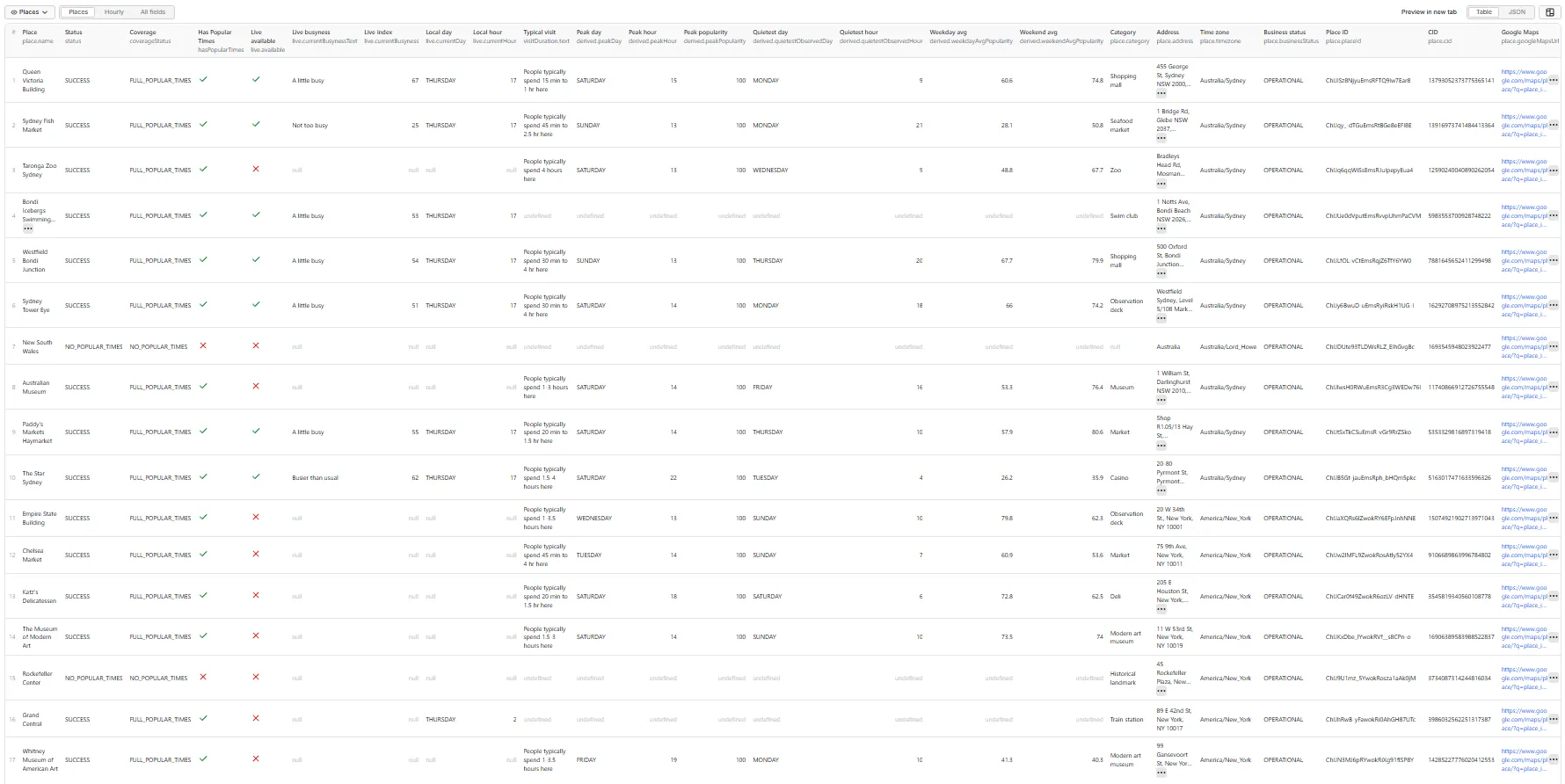
A real row, with all 7 days, scraped on a Thursday at 5 PM Sydney time. The live reading ("A little busy", 67) sits next to the usual value for that hour (80), not inside the weekly pattern. Hours after midnight stay under the day Google shows them, flagged overnight: true (see the FAQ).
Hourly tab (outputShape: HOURLY)
The current hour carries the live reading:
No-data example
A place Google shows no Popular Times for is a normal, successful lookup. When Google still shows a typical visit duration for such a place, visitDuration is filled.
Status and coverage values
status | Meaning | Charged |
|---|---|---|
SUCCESS | Lookup succeeded and Google showed Popular Times. | Yes |
NO_POPULAR_TIMES | Lookup succeeded; Google shows no Popular Times for this place. | Yes |
INVALID_PLACE | The input isn't a valid place URL / ID. | No |
PLACE_NOT_FOUND | Google has no place for this identifier. | No |
PLACE_UNAVAILABLE | Permanently closed, with no Popular Times. | No |
PARTIAL_RESULT | Google didn't show a panel for this place, so we couldn't check. Retryable. | No |
BLOCKED / RATE_LIMITED / TEMPORARY_GOOGLE_ERROR / PROVIDER_ERROR | Technical failure. Retryable. | No |
coverageStatus is one of FULL_POPULAR_TIMES, PARTIAL_POPULAR_TIMES, NO_POPULAR_TIMES, LIVE_ONLY, PLACE_NOT_FOUND or PLACE_UNAVAILABLE. A day with no bars counts as covered when the place is closed that day.
Every run also writes a RUN_SUMMARY record (places looked up, with Popular Times, with live busyness, with visit duration, failed, duplicates merged) and, when some places failed for a retryable reason, a RETRY_INPUT record you can paste straight into a new run.
❓ FAQ
What are Google Maps Popular Times? The "Popular times" chart Google shows for many places: how busy the place usually is, hour by hour, on each day of the week.
Are the values visitor counts? No. They are Google's relative popularity index for that place. 100 is the place's own busiest hour of the week; every other hour is relative to that.
Is 100 the same as 100% occupancy? No. It means "as busy as this place usually gets". It says nothing about capacity, and two places' values can't be compared as head counts.
What is live busyness? Google's reading for the current hour compared with what's typical, e.g. "Busier than usual". It is reported in live, never mixed into the weekly pattern.
Is live busyness always available? No. Google shows it only for some places and some hours (often not when the place is closed). live.available: false is a normal result.
Do I need a Google login or API key? No.
Are all 7 days included? Yes, whenever Google has them. Days the place is closed have no bars.
What time zone are the hours in? The place's local time, never the server's. place.timezone names it (e.g. Europe/Paris), and live.currentDay / live.currentHour are the place-local day and hour when the row was scraped.
How are hours after midnight handled? A bar's Friday-night 01:00 stays in Friday's list, with overnight: true, the way Google draws it, so a late night isn't split in two. Opening hours like "14:00–04:00" are kept as one interval.
Are opening hours included? Yes (includeOpeningHours), including split hours, closed days ([]) and 24-hour places ("00:00–24:00").
Is typical visit duration included? Yes, when Google shows it. The text is always kept; min/max minutes are filled only when the text parses unambiguously.
What if a place has no Popular Times? You get a row with status: NO_POPULAR_TIMES. That is the answer to your question, not a technical failure.
What is PLACE vs HOURLY output? PLACE gives one row per place with the week nested inside, which suits JSON and APIs. HOURLY gives one row per place × day × hour, which suits spreadsheets, SQL, BI tools and charts. A place is charged once either way; HOURLY costs a little more per place (see Pricing).
Some places came back BLOCKED or TEMPORARY_GOOGLE_ERROR. What should I do? Re-run them. Google sometimes throttles automated traffic for a few minutes. The Actor pauses and retries when that happens. If Google keeps blocking for several minutes, the run stops early rather than waiting, and the places it didn't reach come back as BLOCKED. Those places are not charged, and the run's RETRY_INPUT record already lists them: paste it into a new run, ideally 15–30 minutes later. For large or frequent runs, your own residential proxy cuts throttling the most (see Proxy policy).
How does pricing work? See Pricing.
Can I use it through the API or MCP? Yes. Like every Apify Actor, it can be run through the Apify API, the Apify clients, or as a tool through the Apify MCP server.
Can I schedule recurring live-busyness checks? Yes. Create an Apify schedule with the same input; each run records the live reading at that moment with a scrapedAt timestamp.
💰 Pricing
Pay per event — you pay only for results:
- One event per unique place whose lookup succeeded, with or without Popular Times. "No Popular Times" is itself a useful answer, so it counts.
- HOURLY output has its own per-place event, priced a little higher than PLACE because each place produces up to 168 rows. It is still charged once per place, however many hour rows it produces.
- Not charged: duplicate places, malformed inputs, places that couldn't be found or verified, technical failures and retries.
- There is no start fee, so an empty or fully-failed run costs nothing in events.
Live rates are on the Actor's Pricing tab in Apify Console. This README deliberately doesn't quote figures, because they can change.
The Actor respects the Maximum cost per run you set: it stops looking up new places once the limit is reached and writes the rest to RETRY_INPUT.
🚦 Proxy policy
Use Apify Datacenter proxy (default) or no proxy for normal runs.
Apify Residential proxy is not supported. The Actor fails at startup if apifyProxyGroups includes RESIDENTIAL. Reason: in pay-per-event Actors, residential bandwidth is billed to the developer, not the run user, so one bandwidth-heavy run could exceed the per-place event revenue.
Google throttles datacenter IPs more than home connections. For most runs that only means a few automatic retries. If you run thousands of places, or run often, and see many BLOCKED rows, use your own residential provider. Supply it in the proxy editor's Custom proxy URLs field. That traffic goes through your provider, not Apify, and is allowed:
🔗 Works well with
- Coregent Google Maps business / lead scrapers. Find places by keyword and location, then feed their Place IDs here.
- Google Maps Reviews Scraper. Reviews give the qualitative side; Popular Times gives the traffic pattern. Both use the same
placeId/cid/dataIdkeys.
⚖️ Compliance and data interpretation
- This is an unofficial tool. It is not affiliated with, endorsed by or sponsored by Google.
- It reads only publicly visible place information, without logging in.
- Popular Times and live busyness are Google-derived relative activity indicators. They are not verified customer counts, occupancy, revenue or sales volume.
- The data changes over time, and live readings change hour to hour.
- You are responsible for how you interpret and use the data, and for complying with applicable laws and Google's terms.
🛠️ Limitations
- Popular Times exists only for places Google has enough data on. Many small, new or private places have none (
NO_POPULAR_TIMES). - Live busyness is intermittent by nature.
- A long throttling wave stops the run early and leaves the remaining places
BLOCKED. They are free and listed inRETRY_INPUTfor a re-run. - Google's labels (
popularityText, live text, visit-duration text) are returned in English. - A permanently closed place without Popular Times is reported as
PLACE_UNAVAILABLE. - Keyword or area discovery isn't included; pass exact places.


