

Instagram Profile Scraper
Pricing
from $2.50 / 1,000 profile results
Instagram Profile Scraper
Scrape public Instagram profiles from usernames, @handles or profile URLs. Extract bio, follower/following counts, posts count, profile picture, verified/private status, category, bio links, business email, phone and other public profile metadata. Export clean JSON, CSV or Excel.
Pricing
from $2.50 / 1,000 profile results
Rating
0.0
(0)
Developer

Delowar Munna
Maintained by CommunityActor stats
0
Bookmarked
20
Total users
8
Monthly active users
2 days ago
Last modified
Categories
Share
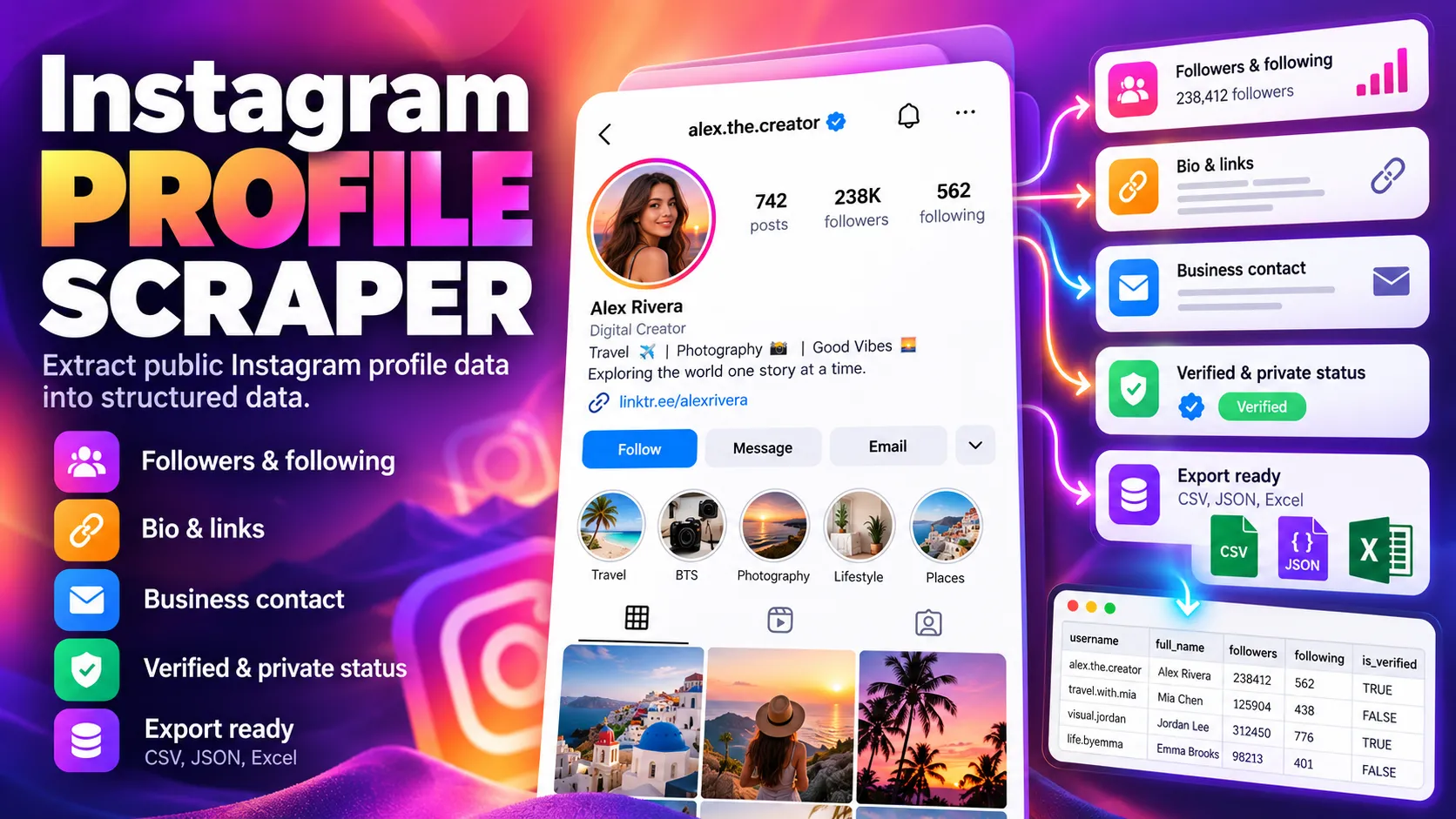
Scrape public Instagram profiles from usernames, @handles or profile URLs. Extract bio, follower/following counts, posts count, profile picture, verified/private status, category, bio links, business email, phone and other public profile metadata. Export clean JSON, CSV or Excel.
What this actor does
Instagram Profile Scraper takes a list of Instagram handles or profile URLs and returns one clean, structured row per profile:
- 👤 Identity: username, full name, stable numeric user ID, profile URL, HD profile picture, bio, pronouns
- 📊 Counts: followers, following, posts, highlight reels
- ✅ Flags: verified, private, business account, professional (creator) account, has Reels, Threads badge, recently joined
- 🏷️ Category: the business/creator category shown on the profile
- 🔗 Links: the website field plus every bio link, not just the first one
- 📇 Public business contact: business email, phone, address and preferred contact method, but only when Instagram itself shows them publicly
- 🧭 Related profiles: Instagram-suggested similar accounts, when Instagram exposes them
- 🖼️ Optional recent-posts preview: the latest few posts (URL, type, caption, timestamp, likes, comments, thumbnail)
Field availability: Instagram currently throttles anonymous traffic and errors on many business profiles. Those profiles are served by a fallback source, which returns identity, counts, flags, category, bio and links but not the posts count, highlight count, related profiles, recent posts or public email/phone. On a heavily throttled run, most rows look like the fallback sample below.
It is a profile metadata scraper, not a posts or Reels scraper. It's built for creator enrichment, lead enrichment, competitor tracking and as the profile layer in larger Instagram pipelines.
How it works
- Normalize inputs.
nasa,@nasa,instagram.com/nasa,m.instagram.com/nasa/?igsh=…all becomenasa. Tracking parameters are stripped and duplicate aliases are removed. - Fetch. Each profile comes from Instagram's public web profile endpoint over plain HTTP. No browser, no login.
- Fall back instead of waiting. A rate limit or login wall gets one retry on a fresh session/IP. If Instagram still refuses, the profile is fetched from an alternative source. When Instagram refuses many requests in a row, the run sends profiles to the alternative source first and keeps checking whether Instagram has recovered. Profiles that don't exist are never retried.
- Export. One row per profile. Inputs that can't be resolved get a free status row, so every input can be matched to an output.
Speed: 100 profiles in about 70 seconds at the default concurrency of 10 (measured on the Apify platform). Raise maxConcurrency (up to 20) for larger lists.
Input
| Field | Type | Default | Description |
|---|---|---|---|
profiles | string[] | required | Usernames, @handles, profile URLs or numeric user IDs (up to 1,000 per run) |
includeBusinessContact | bool | true | Public business email / phone / address shown by Instagram |
includeBioLinks | bool | true | All public bio links |
includeRelatedProfiles | bool | true | Instagram-suggested related accounts (listed, not scraped) |
includeRecentPosts | bool | false | Lightweight preview of the latest posts |
maxRecentPosts | int | 3 | Posts per profile in the preview (1–12) |
proxyConfiguration | object | Apify Proxy on | Proxy settings |
maxConcurrency | int | 10 | Profiles fetched in parallel |
maxRetries | int | 4 | Retries per profile on rate limits / login walls / temporary errors |
debugMode | bool | false | Verbose logging |
Example 1: Enrich a list of handles
Example 2: Lead enrichment with a recent-posts preview
Example 3: Bulk brand and creator lookup (used for the screenshot and samples below)
Example 4: Mixed valid and invalid inputs
Invalid and nonexistent entries don't stop the run; each gets its own free status row.
Output
One row per profile. Unavailable values are null, never guessed. Every row has the same columns, so CSV/Excel exports stay stable. The dataset has three tabs: Profiles, Business & contact and Status & errors.
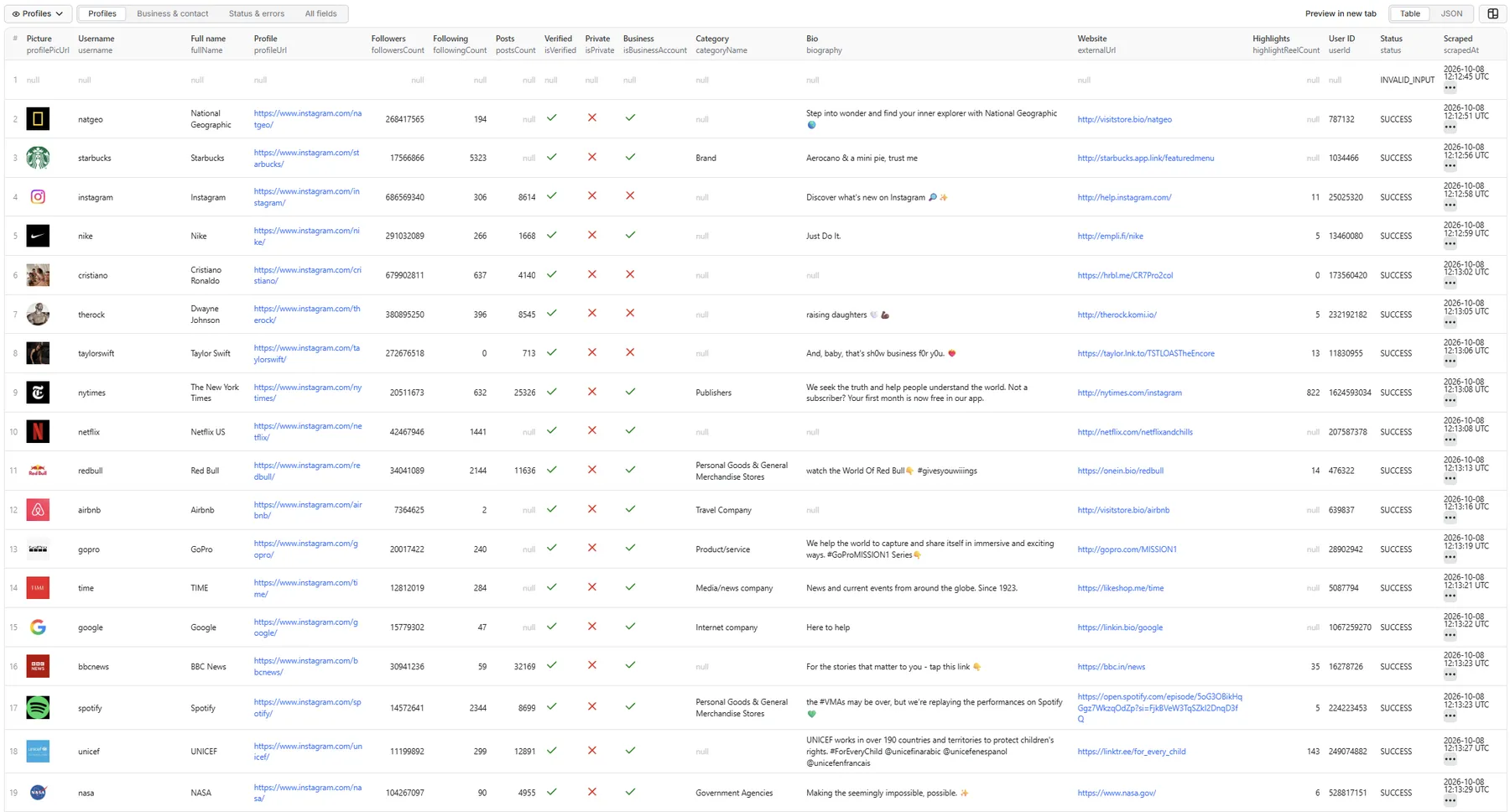
Profiles tab: sample record
Business & contact tab: sample record
Status & errors tab: sample records
Every input gets a row, so you can reconcile inputs with outputs. These rows are free. A deleted or renamed account is returned as PROFILE_NOT_FOUND, even when Instagram was throttling the request and the alternative source confirmed it:
Profile served by the fallback source: sample record
Instagram's own profile endpoint currently errors for many business accounts and throttles heavy anonymous traffic, so these profiles come from an alternative source. Identity, follower counts, flags, category, bio and links are returned. postsCount, highlightReelCount, related profiles, the recent-posts preview and public email/phone aren't available for them. These rows are SUCCESS and charged like any other profile.
Full record (all fields)
bioLinks and relatedProfiles are trimmed to two entries and image URLs are shortened; the real row for this profile has 5 bio links and 50 related profiles.
Status values
Every row has a status. Only SUCCESS rows are charged.
| Status | Meaning |
|---|---|
SUCCESS | Profile returned (private accounts included: their public metadata is still a result) |
PARTIAL_RESULT | Profile found, but core fields (user ID, follower or following count) are missing. Delivered free |
INVALID_INPUT | Not a valid username / profile URL (e.g. a post or Reel URL) |
PROFILE_NOT_FOUND | The username or ID does not exist (also when Instagram was throttling and the fallback source confirmed the account doesn't exist) |
PROFILE_UNAVAILABLE | Instagram returned an error for this profile instead of its data (e.g. restricted, or an Instagram-side error) |
RATE_LIMITED / LOGIN_WALL / BLOCKED | Instagram throttled or walled this profile and the fallback source couldn't return it either |
TEMPORARY_INSTAGRAM_ERROR / PROVIDER_ERROR | Instagram or network error persisted through retries |
Recent posts preview fields
postId, shortCode, postUrl, type (Image / Video / Sidecar / Reel), caption, timestamp, likesCount, commentsCount, thumbnailUrl.
Run summary
Each run writes a SUMMARY record to the key-value store with status counts, charged profiles, retries, profiles/minute, how many profiles came from the fallback source (and why), and availability rates (private, business, email, phone, bio links, related profiles).
Pricing
Pay per event, per successfully returned unique profile. You are not charged for invalid inputs, duplicate inputs, profiles that don't exist, partial results or error rows. There is no start fee. The per-profile rate can differ by Apify plan, so see the Pricing tab for the current rate on yours. This README deliberately doesn't quote figures.
The actor respects the spending limit you set for a run: when it's reached, the run stops cleanly and no further profiles are fetched.
🚦 Proxy policy
Use Apify Datacenter proxy (the default) or no proxy for normal runs. Both are supported: when Instagram throttles the proxy's IPs, profiles are served by the fallback source instead.
Apify Residential proxy is not supported. If apifyProxyGroups includes RESIDENTIAL, the run uses Apify Datacenter proxy instead and logs a warning; it doesn't fail. In pay-per-event actors, residential bandwidth is billed per GB to the developer, not the run user, so a single bandwidth-heavy run could cost more than the per-result revenue.
If you need residential routing, supply your own residential provider in the proxy editor's Custom proxy URLs field. That traffic goes through your provider, not Apify, and is unaffected:
Limitations
- Public data only. Private accounts return the metadata Instagram shows publicly (name, picture, counts, bio). Their posts are never accessed.
- Numeric user IDs are best-effort. Instagram often requires login to look up an ID, so these inputs can end as
LOGIN_WALL. Usernames and URLs are the reliable path. - Related profiles come from Instagram's own suggestions, typically up to ~50 per profile. Some profiles return none.
- Some profiles are served by a fallback source. Instagram's own profile endpoint currently errors for many business and creator accounts, and it throttles anonymous traffic on busy runs. In both cases the actor retrieves the profile from an alternative source, returning the same identity, follower/following, verified/private/business flags, category, bio and link fields, but without public email/phone, the posts count (
postsCountisnull), highlight count, related profiles or the recent-posts preview. If the fallback source reports that the account doesn't exist, the row is a freePROFILE_NOT_FOUND; if it fails for another reason, a freePROFILE_UNAVAILABLEorRATE_LIMITEDrow. On a heavily throttled run, most rows can come from the fallback source. - Business contact fields are Instagram's own public fields. Large brands rarely show a public email or phone, so expect these mostly from smaller businesses and creators. The actor doesn't search the web for emails or extract hidden contact details.
- Recent posts are a short preview from the profile response, capped at 12. Use a dedicated posts scraper for full content.
- Instagram limits anonymous traffic per IP. Throttled profiles go to the fallback source after one retry; a profile neither source can return ends as
RATE_LIMITED. Those rows are free.
Legal and privacy
This is an unofficial tool and is not affiliated with, endorsed by or sponsored by Instagram or Meta. It collects only publicly available profile metadata and doesn't log in, collect credentials or bypass private-account controls.
Public business contact fields can contain personal information. You are responsible for processing the data lawfully (e.g. GDPR/CCPA). Collect only what you need, and don't use profile data for unlawful discrimination, harassment or sensitive profiling.
Local development


