

LinkedIn Jobs Scraper – Jobs, Companies & Recruiters
Pricing
from $1.00 / 1,000 job results
LinkedIn Jobs Scraper – Jobs, Companies & Recruiters
Scrape LinkedIn jobs by keyword, location, or search URL. Get full job descriptions, company details, recruiter/job-poster data, salaries, applicant counts, and structured output. No LinkedIn login or cookies required.
Pricing
from $1.00 / 1,000 job results
Rating
0.0
(0)
Developer

Delowar Munna
Maintained by CommunityActor stats
0
Bookmarked
63
Total users
22
Monthly active users
5.8 hours
Issues response
2 months ago
Last modified
Categories
Share
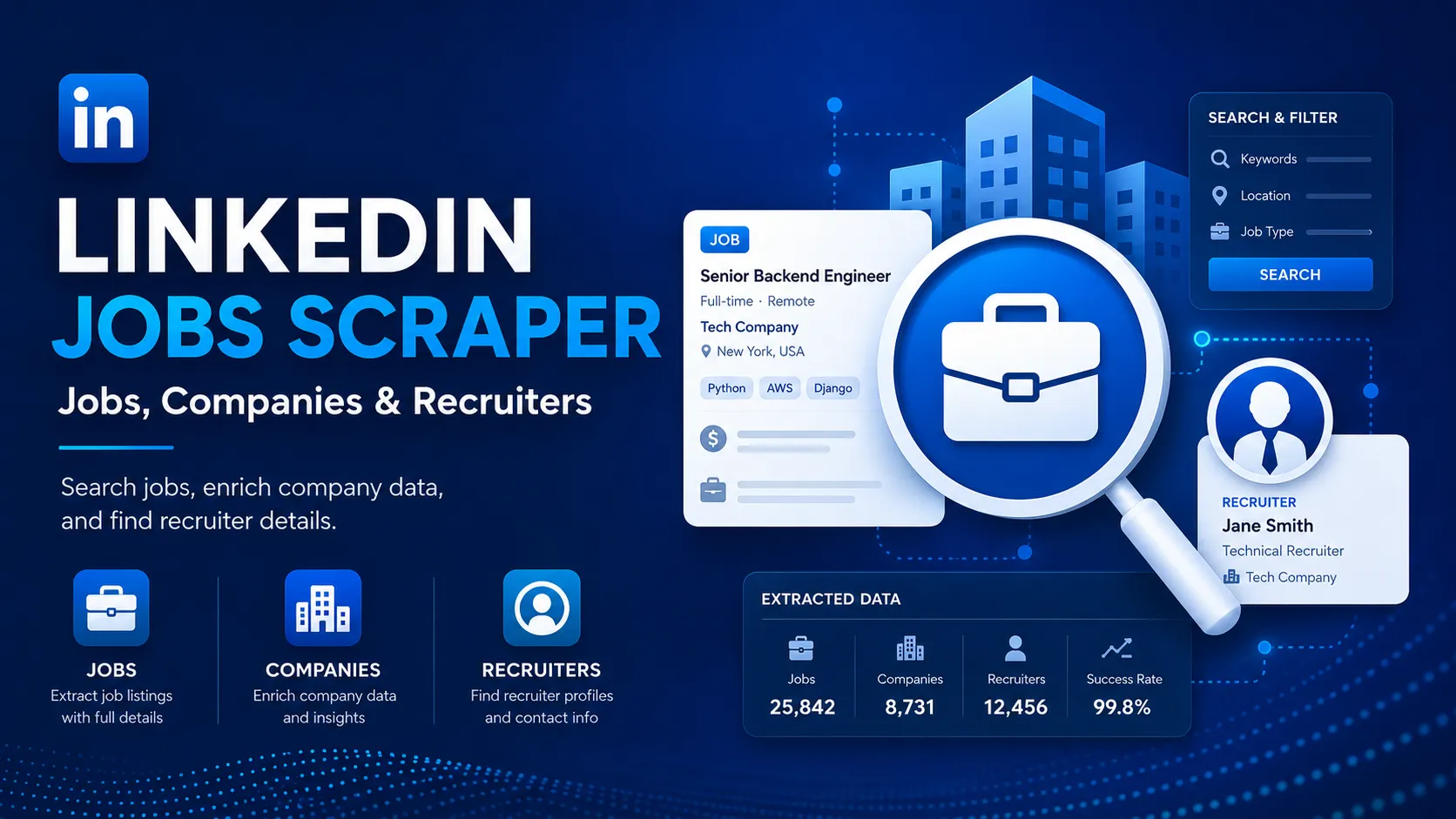
Scrape LinkedIn jobs by keyword, location, or search URL. Get full job descriptions, company details, recruiter/job-poster data, salaries, applicant counts, and structured output. No LinkedIn login or cookies required.
What does this actor do?
It searches LinkedIn Jobs the way you would — by keyword and location, or from a search URL you already built — and returns every result as a clean, structured record. For each job you get the full description, the employer, where it is, when it was posted, how many people have applied, the salary when LinkedIn publishes one, and the recruiter or job poster when one is shown publicly.
You never supply a LinkedIn username, password, cookie, li_at token, or session ID. The actor only reads pages that are public to anyone on the internet.
Why use this actor?
- Search the way you already do — keywords plus locations, or paste LinkedIn search URLs.
- Full job descriptions, not just the card preview.
- Company enrichment — website, domain, industry, size, employee count, headquarters, founding year.
- Recruiter / job-poster details when LinkedIn shows them publicly, at no extra charge.
- Automatic deduplication across every keyword and location in the run.
- Incremental scraping — pass the job IDs you already have and they are skipped before they cost anything.
- Every keyword x every location in a single run, with full traceability back to the search that found each job.
- No login, no cookies, no proxy setup required.
What data do you get?
| Group | Fields |
|---|---|
| Job | jobId, jobUrl, title, descriptionText, descriptionHtml, applyUrl, postedAt, listedAt |
| Employer | companyName, companyLinkedInUrl, companyId |
| Classification | location, workplaceType, employmentType, seniorityLevel, jobFunctions, industries |
| Demand | applicantCount, easyApply |
| Pay | salary.min, salary.max, salary.currency, salary.period, salary.text |
| Recruiter | recruiter.name, recruiter.title, recruiter.linkedinUrl, recruiter.profileImageUrl |
| Company (opt-in) | company.website, company.domain, company.industry, company.companySize, company.employeeCount, company.headquarters, company.companyType, company.foundedYear, company.description, company.logoUrl |
| Contact (opt-in) | emails |
| Traceability | searchMetadata.source, .keyword, .location, .searchUrl, .parentSearchId, .segment, .provider |
| Run | scrapedAt |
Fields LinkedIn does not publish are returned as null. Values are never invented.
How to search
Provide Search Keywords and optionally Locations. Every keyword is combined with every location, so 3 keywords x 2 locations runs 6 searches and merges the results with deduplication.
Using LinkedIn search URLs
Already built a search on LinkedIn? Paste the URL. Filters in the URL are preserved and enforced, tracking parameters are stripped, and duplicates are removed. You can also paste individual job URLs (linkedin.com/jobs/view/...) to scrape those postings directly.
Search URLs are enough on their own — leave Search Keywords and Locations empty and nothing is searched but your URLs. If you fill in both, both are searched: the keyword x location searches run alongside the URLs, and the run log lists every search before crawling starts.
Filters inside a URL are enforced, not just forwarded. LinkedIn treats its own f_* URL parameters as hints and regularly returns jobs that do not match them, so this actor reads each URL's filters back out and re-checks every scraped job against the URL it came from. f_TPR (posted within), f_WT (workplace), f_JT (employment type), f_E (experience level) and f_AL (Easy Apply) are all verified this way.
That makes each URL its own independent search, which is the way to run several different searches in one job:
The first URL returns only remote Canadian jobs, the second only on-site German contract jobs, and the results are merged and deduplicated across both. Filters you set in the input section still apply to every search; a URL that names the same filter wins for its own search.
Id-based URL parameters (f_C companies, f_I industries, f_F job functions) have no public id-to-name mapping, so they are forwarded to LinkedIn but cannot be re-checked. The run log warns when it sees one — use the equivalent input field for a filter that is guaranteed.
Filters
Standard: Posted Within, Workplace (remote / hybrid / on-site), Employment Type, Experience Level, Easy Apply, Under 10 Applicants, Sort By.
Workplace filtering is different from the rest — read this before using it
LinkedIn shows a job's workplace type (remote / hybrid / on-site) to logged-in users only. It is on no public page, so the only evidence available is what the posting itself says — and about half of postings say nothing. The actor reads that text carefully rather than keyword-matching it: "tooling for remote development environments", "hybrid cloud architecture" and "there is no option to work remotely" are not claims about how you would work, and none of them is treated as one. LinkedIn's own f_WT search parameter is no substitute: measured on a live "remote" search, the 20 jobs it returned were 4 remote, 6 hybrid, 2 on-site and 8 silent.
Keep Jobs That Don't State Their Workplace (off by default) decides what happens to those silent jobs when you set a Workplace filter:
| Result | |
|---|---|
| Off (default) | Only jobs that state a matching workplace are saved. Every result is confirmed — and you are not charged for jobs that might not match. Expect far fewer results. |
| On | Silent jobs are kept too. Many more results, but some will not match. |
The same live search, run both ways: the default returned 3 jobs, all genuinely remote; keeping the silent ones returned 8, none of them confirmed. RUN_SUMMARY.workplaceUnconfirmed reports how many jobs LinkedIn left unverifiable either way.
This affects the Workplace filter only. Employment Type and Experience Level come from LinkedIn's own job-criteria block, are stated on nearly every posting, and need no such switch.
Advanced: include/exclude companies, exclude job-title keywords, exclude locations, job functions, industries, salary range and currency, applicant range, company employee-count range, and exclude recruitment agencies.
LinkedIn does not always honour its own filter parameters, so every filter is re-checked against the scraped data before a job is saved. This applies both to filters you set here and to filters inside a pasted search URL — each search is judged against its own filters. See Limitations for which filters are best-effort.
Company enrichment
Enable Include Company Details to add employer data. Enrichment is charged once per unique company, not once per job — a company appearing in 50 jobs is charged once. Failed lookups are not charged and never remove the job.
Recruiter enrichment
Enable Include Recruiter Details (on by default) to capture the job poster or hiring-team member LinkedIn shows publicly: name, headline, profile URL, and photo. This costs nothing extra because it is read from the job page already being fetched.
Expect roughly 1 in 5 jobs to name a recruiter — measured at 16–20% across live runs. LinkedIn simply does not attach a public poster to most postings, so an empty recruiter field is that job's reality rather than a scraping failure. The actor reports what is public and never guesses.
Deduplication and incremental runs
Duplicates are removed by job ID, then job URL, then title + company + location. For scheduled runs, pass the IDs you already collected in Skip Job IDs — matching jobs are skipped before their page is fetched, so they cost you nothing.
Turning Remove Duplicate Jobs off keeps every copy, and each copy carries the full job detail — a duplicate is never a partial row.
Large search mode
Enable Expand Large Searches when a broad search hits LinkedIn's result ceiling. The actor splits it into smaller sub-searches, merges the results, and deduplicates globally. Your Maximum Jobs limit still applies to the whole run.
Example inputs
1. Simplest possible run
2. Lead generation — direct employers with company data
Skip staffing agencies, keep mid-sized companies, and pull employer details plus the job poster.
3. Daily monitoring — only jobs you haven't seen
Pass back the jobId values from yesterday's run. Matching jobs are skipped before their page is fetched, so repeats cost you nothing.
4. Scrape a search URL you already built
Example output
One dataset item per job. Every example below is a real record from a live run — nothing is illustrative. Fields LinkedIn does not publish come back null; values are never invented.
companySize is the employer's self-reported band; employeeCount is how many members LinkedIn actually lists. They legitimately differ — both are reported as published rather than reconciled.
Output views
The dataset ships five ready-made views. Switch between them with the tabs above the results table, or append ?view=<name> to the dataset API URL. Each sample below is the same real job seen through a different view.
Jobs overview
The fields most runs need — role, employer, location, recency, and how to apply.
Full job data
Every field, including the complete job description and the search trace — the same shape as the Example output above.
Company details
Employer data, populated when Include Company Details is enabled.
Recruiters
Job posters and hiring-team members shown publicly on the job page.
Search trace
Which search produced each job — essential when one run covers many keywords, locations, or URLs.
How complete is the data?
Measured on real runs — a 50-job run with company enrichment enabled, with workplaceType re-measured on a 100-job run in September 2026 once it stopped being inferred from the filter:
| Field | Populated | Why |
|---|---|---|
title, companyName, location, postedAt, jobUrl, applyUrl | 100% | Always available |
descriptionText, employmentType, seniorityLevel, jobFunctions, industries, applicantCount | 100% | Read from the job page |
company | 100% | When Include Company Details is on |
workplaceType | ~22% | Only when the posting itself states remote / hybrid / on-site — never assumed from the filter you searched with |
salary | ~20% | Most LinkedIn jobs publish no salary |
recruiter | ~16% | LinkedIn names a public job poster on a minority of postings |
emails | ~14% | Only when an address appears in the description |
The last four reflect what LinkedIn publishes, not extraction failures — where the value exists on the page, it is captured.
Pricing
This actor uses Apify's pay-per-event pricing:
| Event | When it is charged |
|---|---|
job-result | Once per unique job saved to the dataset. |
company-enrichment | Once per unique company successfully enriched — not once per job. |
Never charged: duplicates removed by deduplication, jobs removed by filters, jobs matched by Skip Job IDs / Skip URLs, failed extractions, failed company lookups, and recruiter data (which is bundled into the job result at no extra cost). If you switch Remove Duplicate Jobs off, every copy you asked to keep is a saved row and is charged as one.
There is no Actor-start fee — a run that returns nothing costs nothing.
This README deliberately quotes no figures: current rates are shown on the actor's Pricing tab, which is always the live source.
Free plan limitations
Nothing is switched off on the Apify Free plan. Every job field — including full descriptions, company details and recruiter data — is returned exactly as it is on a paid plan.
The single difference: when LinkedIn blocks part of a run, the actor can fall back to a paid backup data provider to recover those jobs, and that backup has a smaller budget on the Free plan. If it is ever reached the run continues normally with a status message, is never failed, and you are never charged for it. Paid plans get the larger budget because the backup provider bills us per request.
🚦 Proxy policy
Use Apify Datacenter proxy or no proxy for normal runs — both work reliably for LinkedIn's public job pages at this actor's conservative request rate.
Apify Residential proxy is not supported. The actor fails at startup if apifyProxyGroups includes RESIDENTIAL. Reason: in pay-per-event actors, residential bandwidth is billed to the developer rather than to you, so a single bandwidth-heavy run could exceed the per-result revenue.
If you genuinely need residential routing, supply your own provider via the proxy editor's Custom proxy URLs field — that traffic goes through your provider, not Apify, and is unaffected:
API example
Results are available from the run's dataset endpoint. Every run also writes a RUN_SUMMARY record to the default key-value store:
blockedRequests counts requests that failed for good. throttled429s counts requests LinkedIn rate-limited — these are normally retried successfully, so a small number here with blockedRequests: 0 means your results are complete. If throttling climbs above a few percent of requestsAttempted, the run logs a warning telling you to slow it down.
recruitersEnriched and companiesEnriched count what was delivered in your dataset, so they reconcile against the rows you receive. detailPagesVisited counts work done and is normally slightly higher than jobsSaved.
Performance
A 100-job run completes in about a minute. The figures above are from a real run: 100 jobs saved in 64 seconds, with 0 errors and 0 blocked requests.
The actor collects only a small margin beyond your Maximum Jobs limit, and widens that margin automatically when you set filters that can only be judged after the job page is read (workplace, employment type, experience level, salary, applicants, company size). So an unfiltered run does close to the minimum work needed, and a heavily filtered run fetches enough to still fill your limit.
Limitations
- Public data only. Anything LinkedIn hides behind a login is not available, by design.
- Recruiter data is sparse — about 1 in 5 jobs. Measured at 16–20% across live runs. LinkedIn only attaches a public job poster to some postings.
- Public emails are rarer still. Most employers route applications through LinkedIn instead of publishing an address, so
emailsis usually empty. Measured on recruitment-agency listings — the densest case — only about 1 in 3 contained one; on general roles it is far lower. Every address that does appear in a description is captured. - Applicant counts are best-effort. LinkedIn often renders a bucket such as "Over 200 applicants" instead of an exact figure. Jobs with no exact count are kept, so Under 10 Applicants, Min Applicants and Max Applicants are approximate.
- Salary is only as good as the posting. Most LinkedIn jobs publish no salary. Jobs without one are kept unless you enable Exclude Jobs Without Salary. Salary is never estimated.
postedAtcan be approximate. LinkedIn often shows a relative date ("2 weeks ago"), which resolves to a day, not an exact time.- Filter parameters are hints. LinkedIn does not reliably honour its own URL filter parameters, so every filter — yours or one inside a search URL you paste — is re-checked against the scraped data. Jobs missing the relevant field are kept rather than silently dropped, which is why a filter narrows results without guaranteeing every row states the value.
- Id-based URL parameters cannot be verified.
f_C(companies),f_I(industries) andf_F(job functions) identify their values by numeric id with no public id-to-name mapping, so they are passed to LinkedIn but cannot be re-checked here. The run log warns when it sees one; use the matching input field for a filter the actor can guarantee. workplaceTypereports only what the posting says. It is never inferred from the filter you searched with, so a remote-filtered run still leaves it empty on jobs whose page never states a work arrangement. LinkedIn publishes the real field to logged-in users only; see Workplace filtering for what that means for your results.- Recruitment-agency exclusion is a heuristic based on company naming patterns, plus the company's LinkedIn industry when company enrichment is enabled.
- Result ceiling. LinkedIn caps how deep any single search can page. Use Expand Large Searches for very broad queries.
FAQ
Do I need a LinkedIn account, cookies, or an li_at token?
No. The actor never asks for credentials and only reads publicly accessible pages.
Do I need to configure a proxy? No. Defaults work. See the Proxy policy for the one unsupported option.
Am I charged for duplicates or filtered-out jobs? No. You are charged only for unique jobs actually saved, plus company enrichment if you enable it. The one exception is deliberate: switch Remove Duplicate Jobs off and each kept copy is a saved row, charged like any other.
How do I run this daily without paying for the same jobs twice?
Collect jobId values from each run and pass them back in Skip Job IDs. Matching jobs are skipped before their page is fetched.
Why does a remote search return jobs that are not remote?
It should not any more — but the reason it can is worth knowing. LinkedIn does not publish workplace type on public job pages, and its own f_WT=2 parameter is loose: a live test returned 6 hybrid and 2 on-site jobs among 20. The actor rejects every job whose posting contradicts your filter, and by default also drops the ones that say nothing at all. Tick Keep Jobs That Don't State Their Workplace and those silent jobs come back — more results, less certainty.
Why is recruiter empty on so many jobs?
Because LinkedIn only shows a job poster on some postings — about 1 in 5 in practice. The actor reports what is public and does not fabricate the field.
Do I need a proxy, and which one? Defaults work. Apify Datacenter or no proxy both run reliably; Apify Residential is not supported (see Proxy policy).
What happens if LinkedIn blocks part of my run?
The actor retries, rotates sessions, and falls back to a backup data provider for any job page it still cannot read, so blocked pages are recovered rather than returned empty. blockedRequests in RUN_SUMMARY tells you whether this happened.
Can I get more than a few hundred results for one broad search? LinkedIn limits how deep a single search can page. Enable Expand Large Searches, or split your query into more specific keywords and locations.
Legal
You are responsible for complying with applicable laws, with LinkedIn's terms and policies, and with privacy and data-protection rules that apply to the data you collect, including how you store and use personal data such as recruiter names and public email addresses. This actor collects only publicly accessible information and does not access private, logged-in, or paywalled content.


