

LinkedIn Jobs Scraper + Recruiter & Hiring Signals
Pricing
from $1.00 / 1,000 job results
LinkedIn Jobs Scraper + Recruiter & Hiring Signals
Scrape public LinkedIn job listings by keyword, location, or URL into clean, CSV-ready rows with hiring-signal fields and visible recruiter indicators - no login, cookies, or Apify residential proxy.
Pricing
from $1.00 / 1,000 job results
Rating
0.0
(0)
Developer

Delowar Munna
Maintained by CommunityActor stats
0
Bookmarked
18
Total users
7
Monthly active users
12 days ago
Last modified
Categories
Share
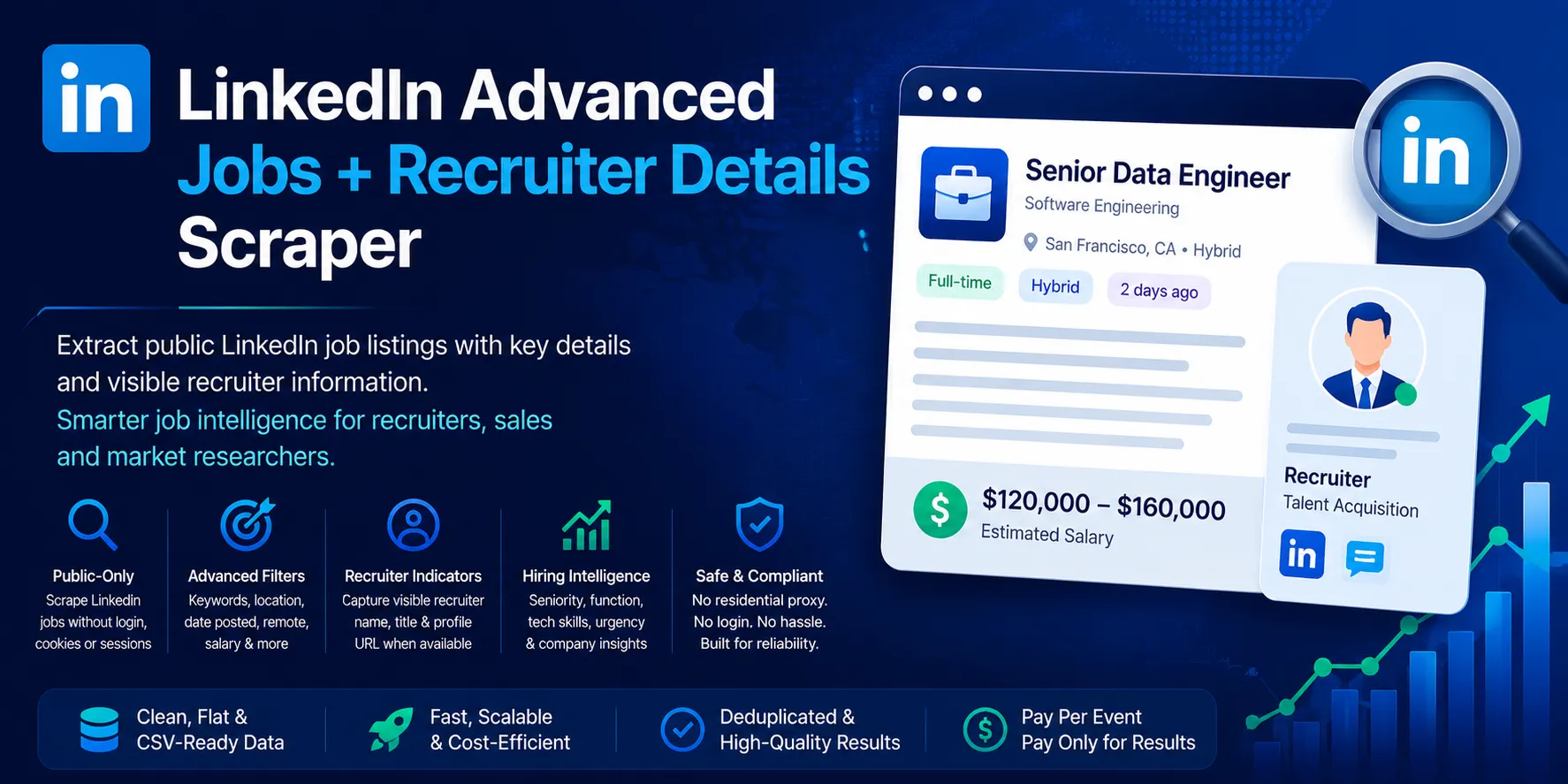
Turn public LinkedIn job listings into a ranked list of hiring companies. Search by keyword, location or company, or paste LinkedIn search, job or company URLs. You get one flat, deduplicated, spreadsheet-ready row per job, with:
- the full description;
- structured salary (min, max, currency and period);
- the posting date and applicant count;
- Easy Apply status;
- the hiring company profile (website, size, employee count, industry, headquarters, type, founding year, followers);
- the recruiter's name, title and profile link whenever LinkedIn shows them publicly;
- a transparent 0–100 hiring-signal score with reason tags.
Every run also produces a company hiring summary: one line per hiring company, with jobs found, roles, locations, salary range, visible recruiters and signal strength. That turns a job list into an account list.
You can filter by work arrangement, employment type, experience level, Easy Apply, applicant count, visible recruiter or visible salary. You pay nothing for the rows you filter out, and the actor keeps searching until your requested number of matching jobs is saved. The actor needs no LinkedIn login or cookies and never visits anyone's profile.
Built for B2B sales and lead-gen teams, staffing agencies, recruiters and talent-market analysts.
✨ Why this actor
| This actor | A typical LinkedIn jobs scraper | |
|---|---|---|
| Transparent 0–100 hiring-signal score + reason tags | ✅ | ❌ |
| Company hiring summary (one line per hiring company) | ✅ | ❌ |
| Tech-stack tags detected from each description | ✅ | ❌ |
| Only jobs with a visible recruiter filter | ✅ | ❌ |
| Only jobs with a visible salary filter | ✅ | ❌ |
Explicit recruiter_visibility state (visible / not_visible) | ✅ | ❌ |
| Keyword × location lists in one run, plus pasted search and single-job URLs | ✅ | Partial |
| Structured salary (min / max / currency / period) | ✅ | Varies |
| Company profile on every row, included in the price | ✅ | Varies |
| Rows saved as they are found: a timeout never loses finished work | ✅ | Varies |
| Honest filters: checked on each job page, not only requested from LinkedIn | ✅ | Varies |
| Fully flat, snake_case rows that import straight into Sheets or Excel | ✅ | Often nested |
| Duplicates and filtered-out rows are never charged | ✅ | Varies |
| No login, no cookies, no profile visits | ✅ | Varies |
🚀 Quick start
Provide at least one of keywords (with optional locations), companyUrls, or startUrls. Every other field has a sensible default.
Recipe 1: Daily recruiter-lead feed
New jobs from the last 24 hours that name a recruiter publicly. Schedule it daily.
Recipe 2: Salary-transparent roles for pay benchmarking
Recipe 3: Remote tech roles with the tech stack tagged
Recipe 4: Competitor hiring watch
Every senior engineering role two companies posted this week, with their company profiles:
Recipe 5: Daily feed of only new jobs (scheduled)
Pass the job IDs you already have in skipJobIds (for example, the job_id column of yesterday's dataset). They're skipped before any page is fetched and never charged.
Recipe 6: Specific jobs, a company, or a search you built on LinkedIn
📦 What data you get
One flat row per job, 50 fields. The availability column shows what to expect. "Detail" means the field is read from the job's public detail page, which is visited when Visit job detail pages (includeDescription) is on (the default).
The percentages come from our own sample runs on US and Australian searches (September 2026). They vary by market and role.
Job & posting
| Field | Description | Availability |
|---|---|---|
job_id, job_url | LinkedIn job ID and canonical job URL | Always |
title, location | Job title and location text | Always |
workplace_type, remote_signal | remote / hybrid / onsite / unknown, inferred from the title, location and description | Always (often unknown) |
employment_type | full_time, part_time, contract, temporary, internship, volunteer, other | Detail · ~100% |
seniority_level | entry, associate, mid, senior, director, executive. From LinkedIn's criteria, otherwise inferred from the title | ~60–70% |
job_function, industries | LinkedIn job function and industries (text) | Detail · ~100% |
posted_at | Posting date, YYYY-MM-DD. Exact from the search card; estimated from "2 weeks ago" text for single-job URLs | ~100% |
posted_date_text | Posting date as LinkedIn shows it ("18 hours ago") | ~100% |
applicants_count | Integer. "Over 200 applicants" → 200 (a lower bound). null for "Be among the first 25 applicants", where the real count is unknown | Detail · ~55–85% |
applicants_text | Applicant caption as shown | Detail · ~100% |
easy_apply | true = LinkedIn Easy Apply, false = applies on the company site | Detail · ~100% |
apply_url | Apply link. The LinkedIn job URL for Easy Apply jobs. LinkedIn hides external company apply URLs from logged-out visitors, so it is usually null for easy_apply: false jobs | Detail · Easy Apply jobs only |
description_text | Full plain-text description | Detail |
description_html | Sanitized HTML description. Opt-in via includeDescriptionHtml | Detail · opt-in |
Salary
| Field | Description | Availability |
|---|---|---|
salary_text | Salary exactly as found: LinkedIn's pay block, or a pay range stated in the description | ~50% of US / UK / Canada roles (~75% of US tech roles) |
salary_visible | true only when explicit pay text was found. Never estimated | Always |
salary_min, salary_max | Numbers. A single amount sets both | Same rows as salary_text |
salary_currency | ISO code (USD, AUD, CAD, GBP, EUR, …). A bare $ is resolved from the job's country. null when that's ambiguous | ~95% of salary rows |
salary_period | year, month, week, day or hour, when stated | ~40–60% of salary rows |
Company
| Field | Description | Availability |
|---|---|---|
company_name, company_linkedin_url | Hiring company and its LinkedIn page | Always |
company_logo_url | Company logo image URL | ~100% |
company_id | LinkedIn's numeric company ID | Company details · ~70–85% |
company_website | The company's own website | Company details · ~70–85% |
company_size | Self-reported size bracket, e.g. 1,001-5,000 employees | Company details · ~70–85% |
company_employee_count | Employees on LinkedIn (members who list the company) | Company details · ~70–85% |
company_industry | Company industry | Company details · ~70–85% |
company_headquarters | Headquarters, e.g. Houston, Texas | Company details · ~70–85% |
company_type | Public Company, Privately Held, Nonprofit, … | Company details · ~70–85% |
company_founded_year | Founding year | Company details · ~65% |
company_description | The company's "About" text | Company details · ~70–85% |
company_followers | LinkedIn followers | Company details · ~70–85% |
"Company details" fields come from the company's public LinkedIn page when Include company details (includeCompanyDetails) is on (the default). Each company is fetched once per run and reused across its jobs. The fields are null when the option is off or the company has no public page.
Recruiter (public job page only)
| Field | Description | Availability |
|---|---|---|
recruiter_name | Name of the job poster / hiring-team member shown on the public job page | Detail · ~10% of jobs (higher for staffing agencies and senior roles) |
recruiter_title | That person's public headline as shown on the job page | Same rows as recruiter_name |
recruiter_profile_url | Their LinkedIn profile link | Same rows as recruiter_name |
recruiter_visibility | visible or not_visible | Always |
Signals & provenance
| Field | Description |
|---|---|
tech_keywords | Technologies detected in the title + description (; -separated), e.g. python; aws; kafka |
hiring_signal_score, hiring_signal_label, reason_tags | See Hiring-signal score below |
source_url, input_type | The search or job URL that produced the row, and generated_search / search_url / job_url |
search_keyword, search_location | The keyword and location that produced the row (for keyword runs and pasted search URLs) |
scraped_at | ISO timestamp of extraction |
Sample row
Real output with long text shortened. The recruiter's name and profile are anonymized here:
🎯 Hiring-signal score
The score is a transparent, rule-based 0–100 value computed from each job's own fields: no AI and no external lookups. It rewards what makes a job worth acting on: fresh, low-competition, reachable (named recruiter) and concrete (pay, full detail). It's included when includeHiringSignals is on (the default). When it's off, the three signal fields are null.
| Signal | Points |
|---|---|
| Freshness: posted ≤ 1 day / ≤ 3 days / ≤ 7 days / ≤ 30 days | 20 / 15 / 10 / 5 |
| Competition: under 25 applicants / ≤ 100 / ≤ 200 / over 200 | 15 / 10 / 5 / 0 |
| Recruiter visible (+5 more when their title is shown) | 15 (+5) |
| Salary visible (+5 more when parsed into min/max) | 10 (+5) |
| Full description (over 300 characters) | 10 |
| Employment type or seniority known | 5 |
| Company profile attached | 5 |
| Director or executive role | 5 |
| Apply path known (Easy Apply or external) | 5 |
Labels: high (70–100) · medium (40–69) · low (0–39). In our sample runs, about 13% of jobs scored high, 76% medium and 11% low (54 jobs). Sort by hiring_signal_score to rank.
reason_tags (; -separated) explains each row:
| Tag | Meaning |
|---|---|
fresh_posting | Posted within 3 days |
recent_posting | Posted within 7 days |
low_competition | Under 25 applicants |
high_competition | Over 200 applicants |
recruiter_visible | A recruiter is named on the job page |
salary_visible | The pay is published |
complete_job_detail | A full description is present |
company_profile | The company profile is attached |
senior_role | Director or executive role |
easy_apply / external_apply | Applies on LinkedIn / on the company site |
remote_role / hybrid_role | Work arrangement |
tech_role | Technologies detected |
📊 Outputs: views & summaries
| Output | What it is |
|---|---|
All job fields (dataset view overview) | Every saved job, all 50 columns |
Recruiter leads (view recruiters) | Recruiter name, title and profile first, then company and job. Filter recruiter_visibility = visible (or run with includeRecruiterVisibleOnly) for recruiter-named jobs only |
Hiring signals (view signals) | Score, label and reason tags next to the job, applicants, salary and recruiter |
Company profiles (view companies) | The company profile columns for each job |
COMPANY_HIRING_SUMMARY (key-value store) | One entry per hiring company in this run (see below) |
RUN_SUMMARY (key-value store) | Run counters (see API & AI agents) |
Company hiring summary
COMPANY_HIRING_SUMMARY is a JSON array with one flat entry per company. It's sorted by jobs found, then by the highest hiring score, and it always matches the saved dataset.
| Field | Description |
|---|---|
company_name, company_linkedin_url, company_id, company_website, company_industry, company_size, company_employee_count, company_headquarters | Company identity and profile |
jobs_in_run | Saved jobs from this company |
role_categories | e.g. engineering; sales |
locations | Job locations (up to 25) |
remote_or_hybrid_jobs, recruiter_visible_jobs, salary_visible_jobs | Counts |
recruiter_names | Recruiters named on this company's job pages |
salary_min_lowest, salary_max_highest, salary_currency, salary_period | Pay range across its jobs. Only given when all of them use the same currency and pay period |
max_hiring_signal_score, avg_hiring_signal_score | Signal strength |
latest_posted_at | Most recent posting date |
job_ids | The saved job IDs (up to 25) |
It's written every 50 saved jobs, at the end of the run, and if the run is aborted.
⚙️ Inputs & filters
| Input | What it does |
|---|---|
keywords, locations | Every keyword is searched in every location (up to 50 of each) |
companyUrls | Only jobs from these companies (LinkedIn company page URLs). Combined with keywords × locations; without keywords, every job at those companies |
startUrls | LinkedIn job search URLs (their filters are kept), single job URLs (/jobs/view/{id}), and company pages (/company/{name}, meaning every open job there) |
maxResults | Maximum unique jobs saved (after filters) for the whole run (1–5,000) |
datePosted | any / past_24h / past_week / past_month |
workplaceTypes | Any of remote, hybrid, onsite |
employmentTypes | Any of full_time, part_time, contract, temporary, internship, volunteer, other |
experienceLevels | Any of internship, entry, associate, mid_senior, director, executive |
easyApplyOnly | Only LinkedIn Easy Apply jobs |
maxApplicants | Only jobs with at most this many applicants (0 = off) |
includeRecruiterVisibleOnly | Only jobs with a public recruiter name or profile link |
requireSalaryVisible | Only jobs with explicit salary text |
includeDescription | Visit each job's detail page (description, criteria, applicants, salary, apply info, recruiter). On by default |
includeDescriptionHtml | Also return description_html. Off by default |
includeCompanyDetails | Add the company profile columns. On by default |
Advanced: includeHiringSignals, deduplicate, skipJobIds, proxyConfiguration | Signal fields on/off; cross-input deduplication (recommended on); job IDs/URLs to skip (never fetched or charged); proxy |
How each filter is applied
LinkedIn's public (logged-out) search honours only some filters. We tested each one against real results (September 2026), and every filter is re-checked on the extracted job. You never get a job that merely "should" match.
| Filter | Narrowed by LinkedIn's search | Checked by the actor on each job |
|---|---|---|
datePosted | ✅ | ✅ (posting date) |
companyUrls / company startUrls | ✅ (one search per company) | — |
easyApplyOnly | ✅ | ✅ |
workplaceTypes | ❌ ignored by LinkedIn for guests | ✅ workplace wording in the title, location and description |
employmentTypes | ❌ ignored | ✅ LinkedIn's "Employment type" |
experienceLevels | ❌ ignored | ✅ LinkedIn's "Seniority level". When LinkedIn says "Not Applicable", the level implied by the job title is used |
maxApplicants, recruiter-only, salary-only | ❌ not a LinkedIn filter | ✅ |
For filters LinkedIn ignores, the actor reads more job pages than it saves. It keeps going until maxResults matching jobs are saved, the searches run out, or its safety budget of 15 job pages per requested result is used up. The budget is recorded as detail_budget_exhausted in RUN_SUMMARY. Filtered-out jobs are never saved or charged.
💰 Pricing
Pay per result. You pay for each unique job saved to your dataset, and nothing else.
One price on every Apify plan, with no tier differences:
| Results | Price |
|---|---|
| 100 | $0.10 |
| 1,000 | $1.00 |
| 10,000 | $10.00 |
- Event:
job-result, charged once per unique job that passed your filters and was saved. - Start fee: Apify's minimal actor-start event ($0.00005 per GB of memory), effectively zero.
- Never charged: duplicates, rows removed by your filters, jobs in
skipJobIds, rows missing a job ID or title, jobs whose detail page could not be loaded, and failed or blocked requests. - Company details: included in the result price.
- Spending cap: the actor respects your per-run spending limit. It stops collecting once the limit can't pay for more results.
🔌 API & AI agents
Run it from any language through the Apify API, and get results in one call:
- MCP: the actor is available through Apify's MCP server (
https://mcp.apify.com). Claude, ChatGPT, Cursor and other MCP clients can call it as a tool, with the input schema discovered automatically. - Integrations: schedule runs and push results to Google Sheets, Slack, Zapier, Make, n8n, webhooks and more from the Apify Console.
- Exports: JSON, CSV, Excel, XML, HTML. Every field is flat, so CSV columns map one-to-one.
Rows are written to the dataset as they are found, so if a run times out or is aborted you keep, and pay only for, everything saved up to that point. The RUN_SUMMARY and COMPANY_HIRING_SUMMARY records are refreshed every 50 saved jobs as well.
After each run a RUN_SUMMARY record is written to the key-value store, including results_saved, charged_events, duplicates_removed, filtered_out, skipped_by_skip_ids, detail_failed, detail_budget_exhausted, companies_enriched, blocked_requests, retry_count and runtime_seconds.
❓ FAQ
Do I need a LinkedIn account or cookies? No. The actor uses only LinkedIn's public, logged-out job pages.
Why are recruiter fields usually empty?
LinkedIn shows the job poster on the public page for only about 5–10% of jobs, more often for staffing agencies and senior roles. The actor never logs in or visits profiles, so when the poster isn't public the fields stay null and recruiter_visibility is not_visible.
Why is apply_url often empty?
For jobs that apply on the company's own site, LinkedIn hides the external URL from logged-out visitors. easy_apply: false still tells you the job applies off LinkedIn.
Why did I get fewer rows than maxResults?
The actor keeps searching until maxResults matching jobs are saved. It stops earlier only when:
- the searches run out (each LinkedIn search returns at most about 1,000 jobs); or
- very strict filters use up the safety budget of 15 job pages per requested result (
detail_budget_exhausted: trueinRUN_SUMMARY).
Broaden the keywords, locations or filters to get more.
How do I get only new jobs on a scheduled run?
Use datePosted: "past_24h" and pass the IDs you already have in skipJobIds. Skipped jobs are never fetched in detail, saved or charged.
Can I sort by newest?
LinkedIn's public search ignores the sort option for logged-out visitors (we tested it). Use datePosted (past_24h / past_week) together with skipJobIds for fresh-only feeds, and sort by posted_at in your spreadsheet.
Why do experience-level filters drop so many jobs? Many employers leave LinkedIn's seniority as "Not Applicable". The actor then falls back to the level implied by the job title ("Senior …", "Director of …"). Jobs where neither gives a level are dropped rather than guessed.
Is salary_min/salary_max ever estimated?
Never. Salary fields are filled only from pay text the employer published.
Can I export to CSV / Excel?
Yes. Every field is flat, so use the Apify export or call the dataset API with format=csv.
🚧 Limitations
- Public, logged-out data only. Member-only content is never accessed.
- LinkedIn returns at most about 1,000 results per search. Split broad searches into narrower keyword × location pairs for more coverage.
maxResultscaps saved unique rows across the whole run (1–5,000).- Work arrangement, employment type and experience level are not applied by LinkedIn's public search, so they're checked on each job page. That costs more page visits, not money: filtered-out jobs are free.
- Sort by newest isn't available (LinkedIn ignores it for logged-out visitors).
- Recruiter data is sparse by nature (see FAQ). External apply URLs are usually hidden from logged-out visitors.
- Detail-only fields need a detail-page visit, so they stay
nullwhenincludeDescriptionis off and no detail-dependent option is on.
⚖️ Responsible use
- The actor collects only job postings that employers published publicly.
- What we don't do: no login, no cookies, no visiting personal profiles, no guessed or enriched emails or phone numbers, and no profile photos.
- Rows can still contain personal data, such as a recruiter's name, headline and profile link as shown on a public job page. That data is protected by the GDPR and similar laws. Only collect and use it with a legitimate purpose, and follow LinkedIn's terms and the laws that apply to you.
🚦 Proxy
Apify Proxy (Datacenter) is used by default and works for typical runs. Apify Residential proxy is not supported, and the run stops at startup if it's selected. If you need residential routing, add your own provider's URLs under Custom proxy URLs (e.g. http://user:pass@proxy.example.com:8000).
📝 Changelog
1.1
- New fields:
posted_at(ISO date) andapplicants_count(integer);- structured salary:
salary_min,salary_max,salary_currency,salary_period; easy_apply,company_logo_url,recruiter_title;- provenance:
search_keyword,search_location; - opt-in
description_html.
- Salary detection now ignores company figures that aren't pay (funding rounds, perks such as "$6 dinners") and handles
A$,CA$,S$and similar prefixes. - Removed
is_filtered_out: it was alwaysfalse, because filtered rows are never saved. - Columns reordered into groups: identity, company, job, posting, description, salary, recruiter, signals.
RUN_SUMMARYnow correctly counts requests that failed after all retries.- Company details (
includeCompanyDetails, on by default):company_id,company_website,company_size,company_employee_count,company_industry,company_headquarters,company_type,company_founded_year,company_description,company_followers. - New inputs:
companyUrls; company pages instartUrls; multi-selectworkplaceTypes,employmentTypesandexperienceLevels;easyApplyOnly;maxApplicants;skipJobIds.remoteModestill works as an alias ofworkplaceTypes. - Rows are saved as they are found, so a timeout or abort keeps everything already saved.
- Filters no longer shrink results: the actor keeps searching until
maxResultsmatching jobs are saved, within a detail-page budget. - Hiring-signal score v2: freshness, applicant competition, recruiter reachability, pay transparency and detail completeness replace v1's mostly "field exists" points. New tags:
fresh_posting,low_competition,high_competition,company_profile,senior_role,easy_apply/external_apply,remote_role/hybrid_role.external_apply_urlis removed (it wrongly fired for Easy Apply jobs). v2 scores are not comparable with 1.0 scores. - New outputs: the
COMPANY_HIRING_SUMMARYrecord, and the dataset views Recruiter leads, Hiring signals and Company profiles. - Accuracy fixes:
- Jobs whose detail page fails to load are no longer saved half-empty or charged.
- "Remote/hybrid/on-site" is no longer assumed from the search filter (LinkedIn ignores it); it's always read from the job itself.
1.0
- Initial release.


