

Excel & CSV to JSON Converter - XLSX, XLS, All Sheets API
Pricing
from $8.97 / 1,000 files
Excel & CSV to JSON Converter - XLSX, XLS, All Sheets API
Convert Excel (XLSX, XLS) and CSV/TSV files from URLs to clean JSON: all or selected sheets, smart header detection, ISO dates, typed numbers, empty rows removed. For APIs, n8n, Make and ETL. $0.00897 per file + $0.00197 per 100 rows.
Pricing
from $8.97 / 1,000 files
Rating
0.0
(0)
Developer

DigiVibeTech
Maintained by CommunityActor stats
0
Bookmarked
2
Total users
1
Monthly active users
17 hours ago
Last modified
Categories
Share
Turn Excel (XLSX, XLS) and CSV/TSV files into clean JSON rows for APIs, n8n, Make, Zapier and ETL pipelines.
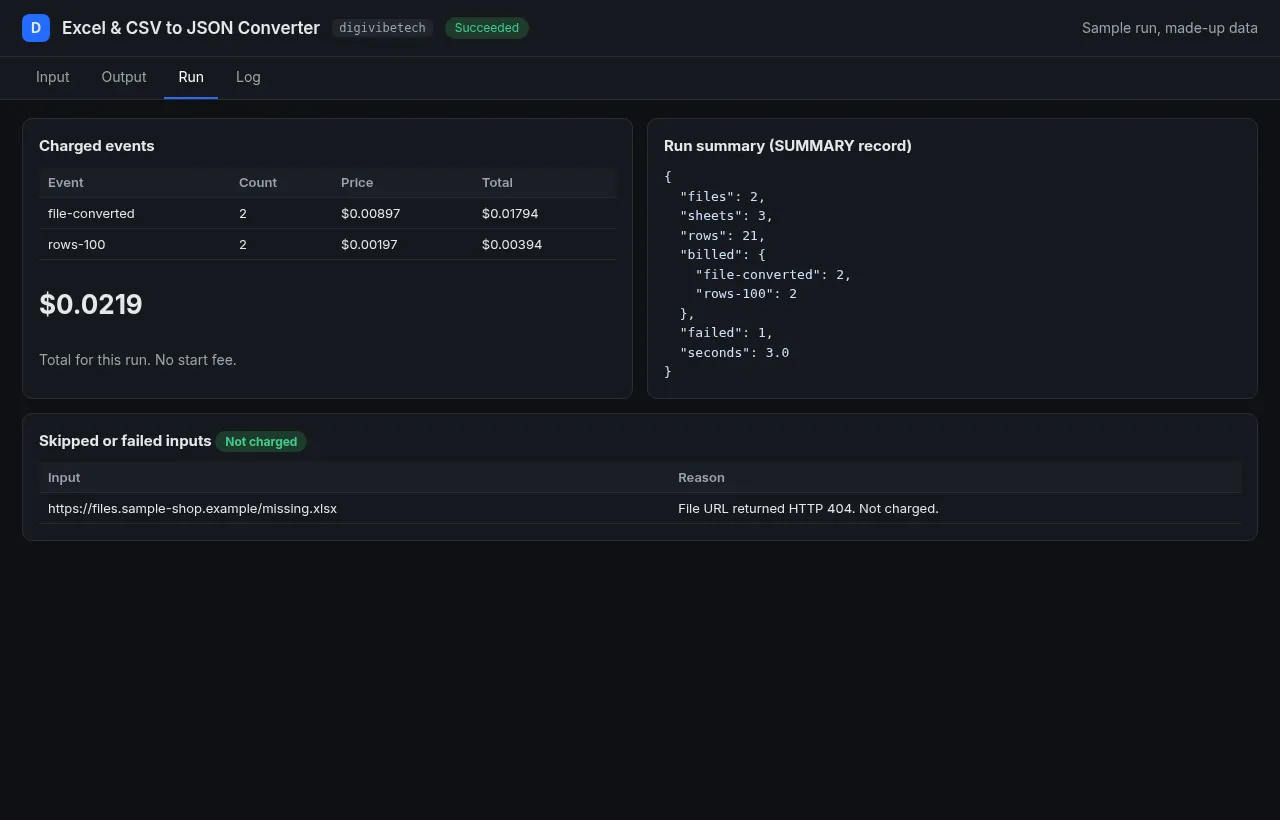
$0.00897 per file + $0.00197 per started 100 rows. No start fee; a 500-row file costs $0.0188. Files that fail are free.
Why this one
- Excel (XLSX and legacy XLS) and CSV/TSV in one actor. The most-used rival (Excel to JSON, 54 users, checked 28 Oct 2026) does not list CSV or TSV input.
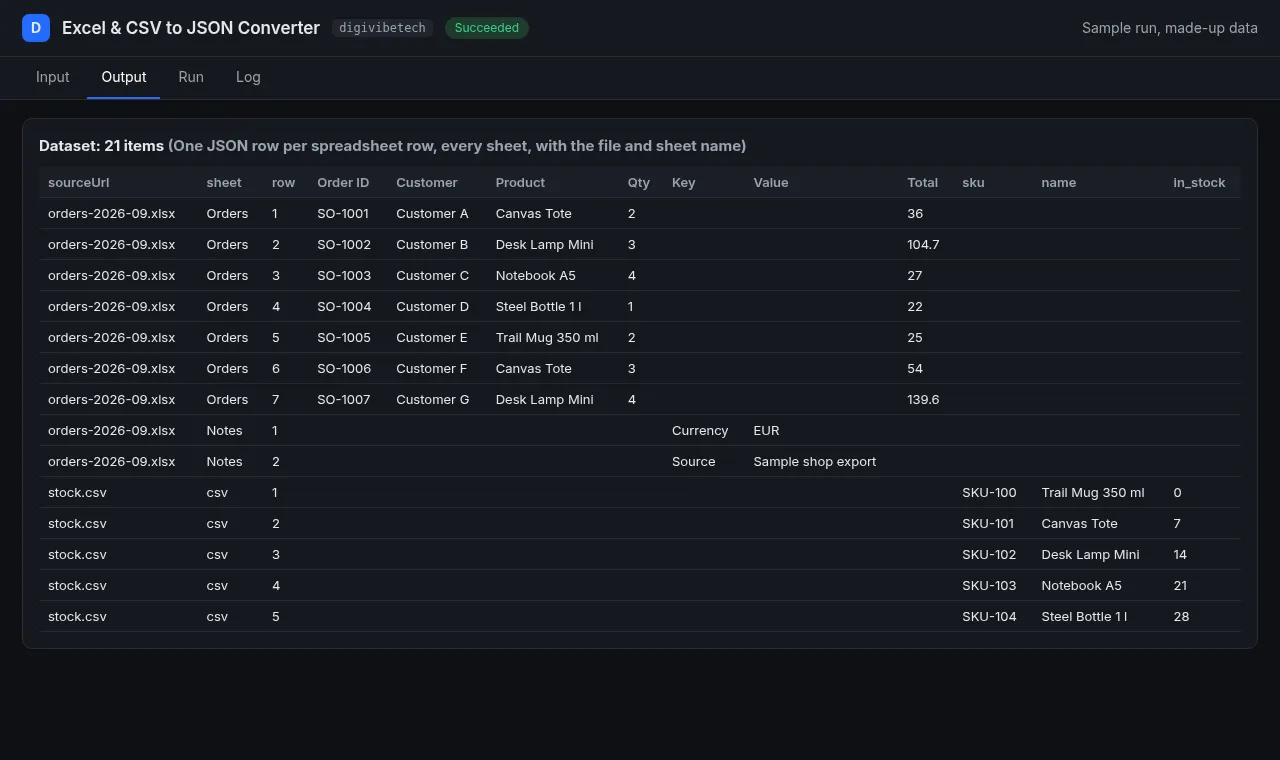
- Reads every sheet, finds the header row, detects delimiter and encoding, and writes dates as ISO strings.
- $0.00897 per file plus $0.00197 per started 100 rows, against $0.03 per file at that rival (checked 28 Oct 2026). Files that fail are free.
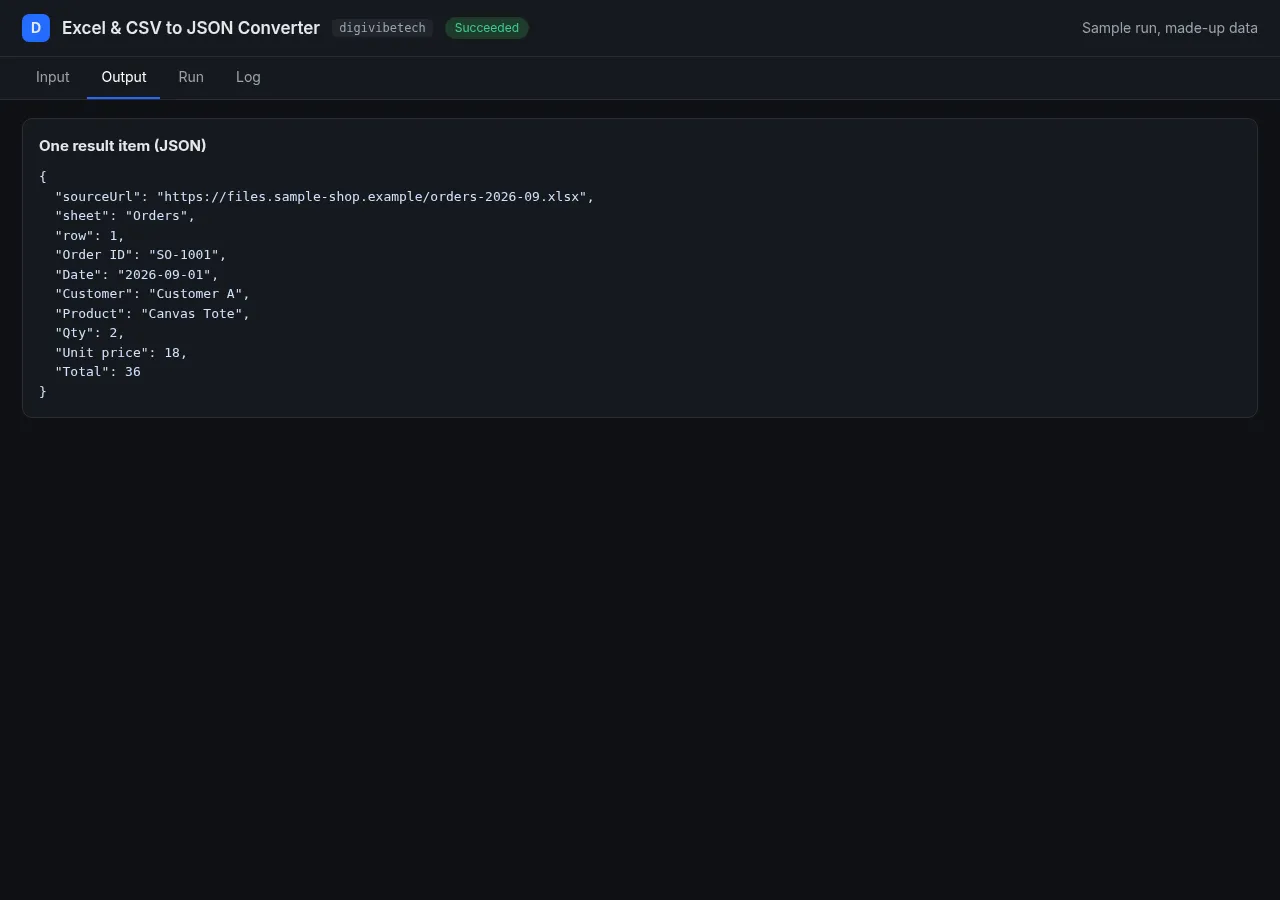
- Each row carries its file URL, sheet name and row number, so merged output stays traceable.
Screenshots
From a sample run with made-up data.
Quick start: example input, output and cost
Turn XLSX, XLS, CSV and TSV files into JSON rows: all sheets, header detection, ISO dates, typed numbers. $0.00897 per file plus $0.00197 per 100 rows.
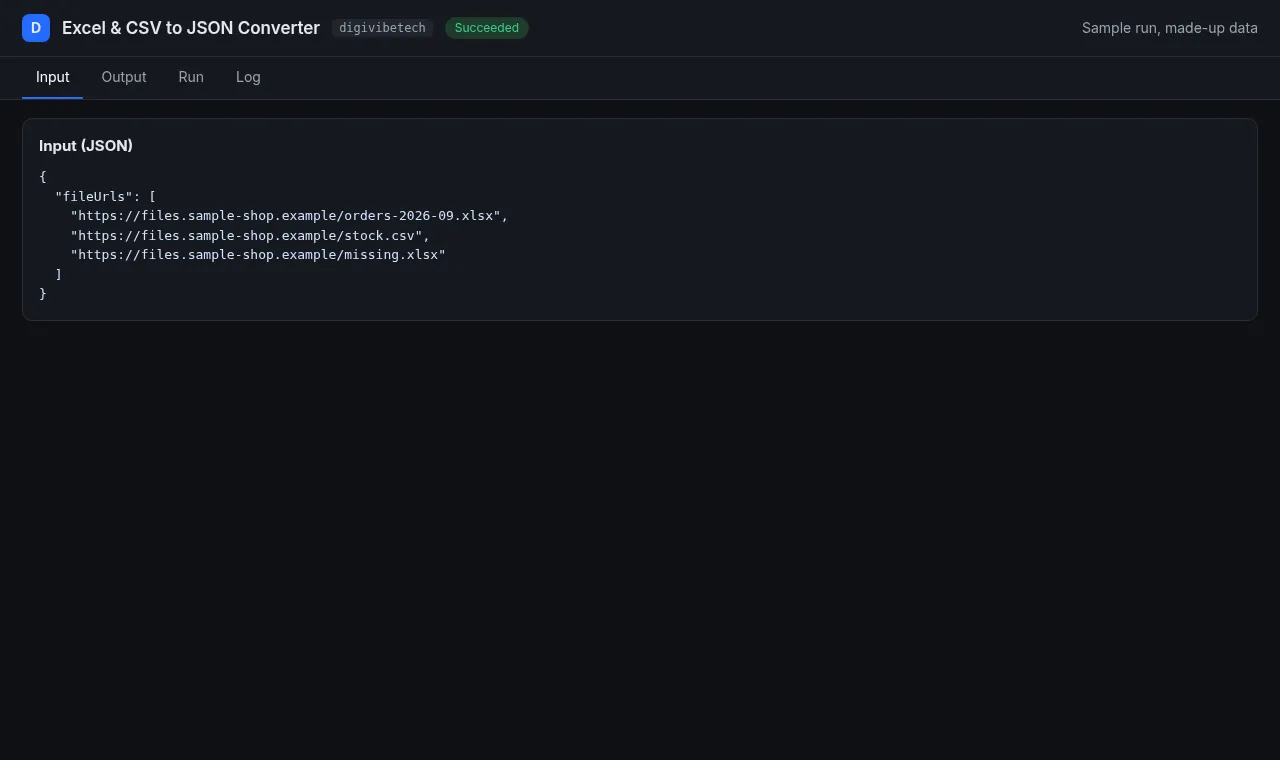
Example input
Cost example: One 5,000-row file = $0.00897 + 50 x $0.00197 = $0.1075.
Features
- All sheets or only the sheets you name.
- Header detection: title rows above the table are skipped, empty or duplicate column names get unique names.
- Dates as ISO 8601, numbers as numbers, empty cells as
null, empty rows dropped. - CSV: delimiter (
,;tab|) and encoding (UTF-8, Windows-1252) detected automatically. - Row mode (one dataset item per row, with
sourceUrl,sheet,row) or sheet mode (one item per sheet with arowsarray). - Per-file summary (sheets, columns, row counts) in the key-value store (
FILE-0000...).
Use it in n8n, Make or Zapier (no code)
This actor works with Apify's official integrations, so you can send results to Google Sheets, Slack, Notion, a CRM or any of thousands of other apps.
n8n: n8n.io
- In the Nodes panel, search Apify and install the verified node. Add your Apify API token.
- Choose Actors > Run actor and get dataset, Actor source Apify Store, Actor URL
https://apify.com/digivibetech/excel-csv-to-json-converter. - Paste the input below into Input JSON. Each result item becomes an n8n item.
Make: make.com
- Add the Apify > Run an Actor module, select this actor, turn on Run synchronously.
- Add Apify > Get Dataset Items and map the
defaultDatasetIdfrom step 1. - Connect any app (Google Sheets > Add a Row, Slack > Create a Message, ...).
Zapier: use the Apify app, action Run Actor (pick this actor, paste the input), then Fetch Dataset Items.
Example input
API (any language): POST https://api.apify.com/v2/acts/digivibetech~excel-csv-to-json-converter/run-sync-get-dataset-items with header Authorization: Bearer <APIFY_TOKEN> and the input above as the JSON body.
Limits and safety
Files up to 60 MB; maxRowsPerFile caps the output (and the cost). XLSX parsing is protected against zip bombs and XML attacks. Formulas are returned as their last saved value.
Responsible use
Only convert files you own or are allowed to use. Use direct download links. We follow robots.txt for every download, use an honest User-Agent (SheetConverter/1.0), and never log in or bypass protections, so links behind a login (or sites that disallow automated access) will not work.
| Event | Price |
|---|---|
| File converted | $0.00897 |
| Per started 100 rows output | $0.00197 |
Maintained by DigiVibeTech. Questions or bugs: use the Issues tab or digivibetech.com/support; we reply within 2–5 business days.


