

npm Package Metadata - Downloads, Deprecation & Deps
Pricing
$0.45 / 1,000 package fetcheds
npm Package Metadata - Downloads, Deprecation & Deps
npm package metadata from the official registry API: latest version, license, weekly downloads, deprecation, Node engine, types, size, deps. Paste package.json to audit a project. No author or maintainer fields. $0.00045 per package.
Pricing
$0.45 / 1,000 package fetcheds
Rating
0.0
(0)
Developer

DigiVibeTech
Maintained by CommunityActor stats
0
Bookmarked
2
Total users
1
Monthly active users
2 days ago
Last modified
Categories
Features
Share
npm Package Metadata — npm package metadata from the official registry API: latest version, license, weekly downloads, deprecation, Node engine, types, size, deps.
Try it free: press Start — the prefilled input runs a small real job (up to 20 × package fetched, about $0.009 in events). Apify's free plan includes monthly platform credit, so a first test costs you nothing. You can also set a maximum cost per run.
- What you get:
name,latest,license,weeklyDownloads,isDeprecated,nodeEngine - Who it's for: developers, security and open-source program offices
- Price: $0.00045 per package fetched
- Data source: Uses the official npm registry and downloads APIs; maintainer personal fields are not returned.
What is npm Package Metadata?
Look up npm packages in the official npm public registry API, or paste a package.json / package-lock.json and audit a project in one run (up to maxPackages packages, default 100, max 5000). For each package you get one clean record: latest version, license, weekly and monthly downloads, deprecation message, Node engines, bundled TypeScript types, unpacked size, file count, dependency maps and counts. For project files you also see whether your version is behind latest.
Price: $0.00045 per package returned (event package-fetched, charged once for each package saved to the dataset). There is no start fee. Packages that are not found, invalid names, skipped dependencies and errors are free. Billing stops at maxPackages, or earlier when your run's maximum cost would be exceeded; packages left over are listed in ERRORS and not charged.
✅ Why this one
- Project audit in one paste: drop in
package.jsonorpackage-lock.jsonand registry dependencies are checked up tomaxPackages(default 100) against the latest version.file:,link:,workspace:,npm:alias, git, GitHub and URL dependencies are skipped, listed inERRORSand not charged. - More than
npm view: downloads from the official npm downloads API, deprecation, Node engine, types, size and dependency counts come in one table, plus a PACKAGES.csv you can open in a spreadsheet. - No author or maintainer fields: the author and maintainer fields are not returned (only a maintainer count). Email patterns are removed from text and URLs, and phone patterns from descriptions, keywords and deprecation messages. Package names, scopes and homepage/repository URLs can include a publisher's username. Not a PII-free guarantee.
📸 Real-run screenshots
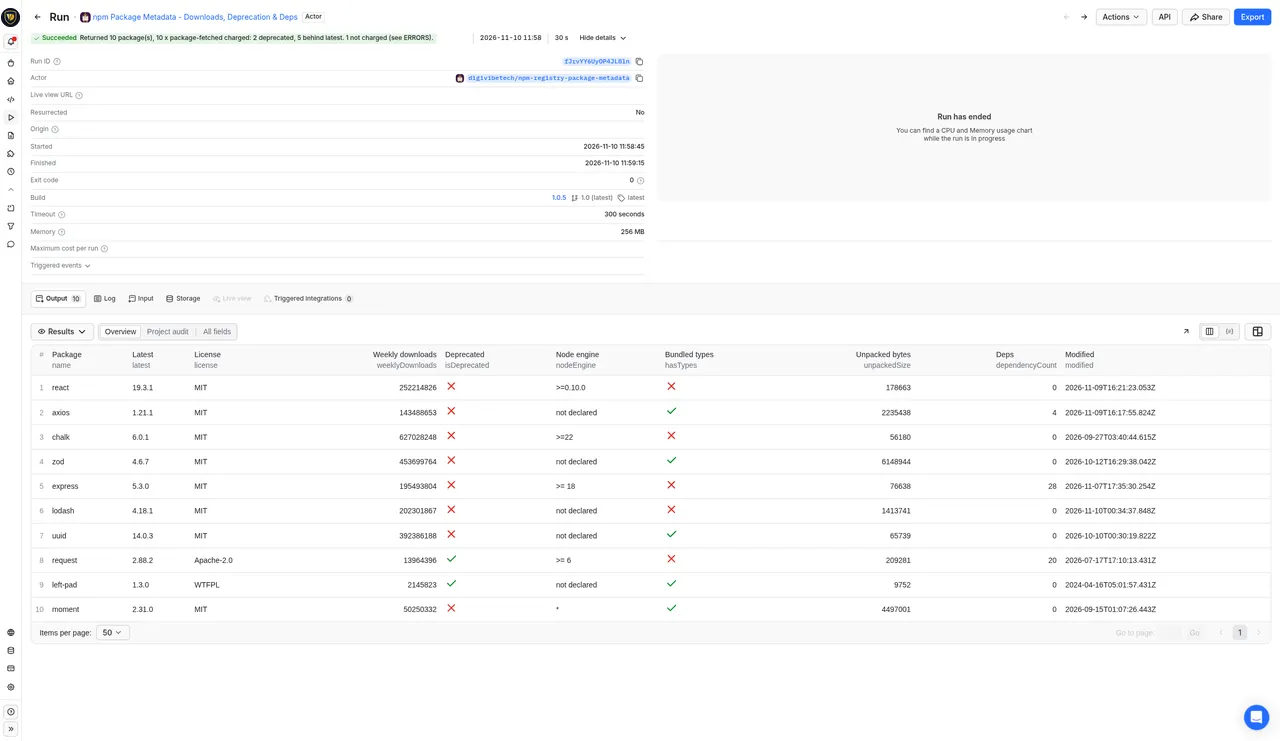
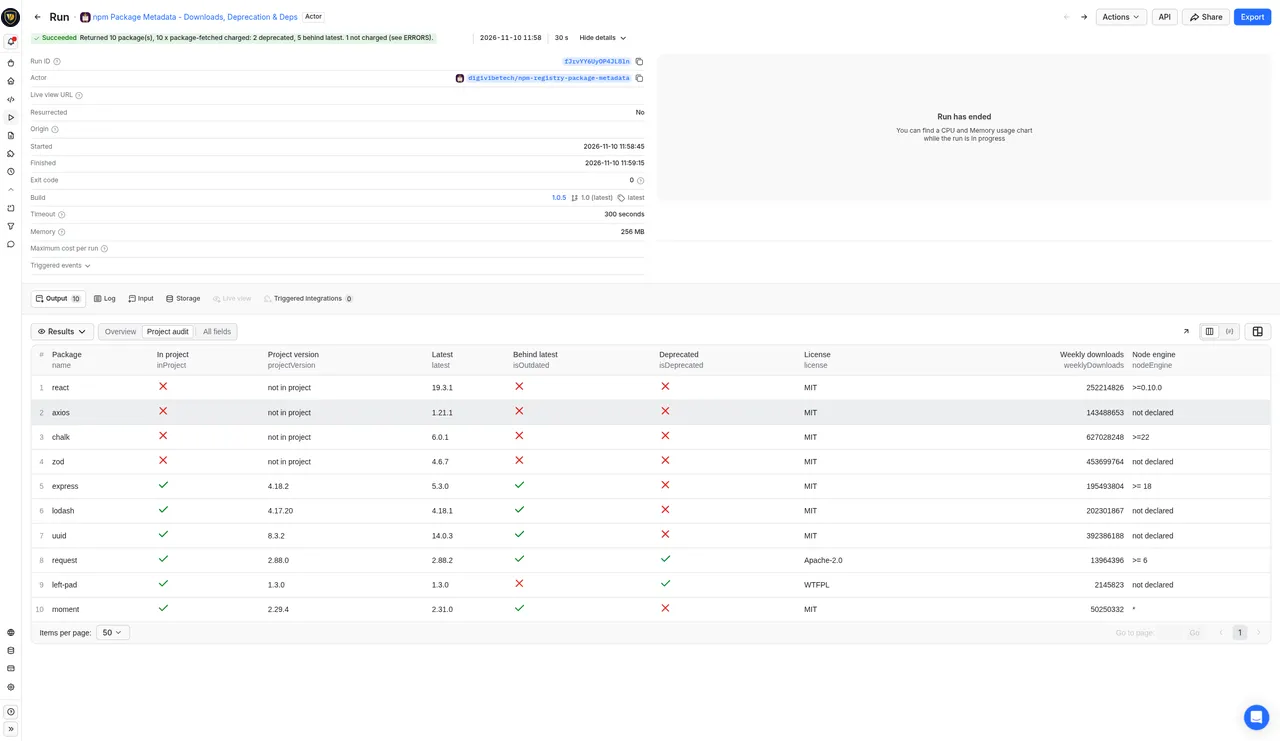
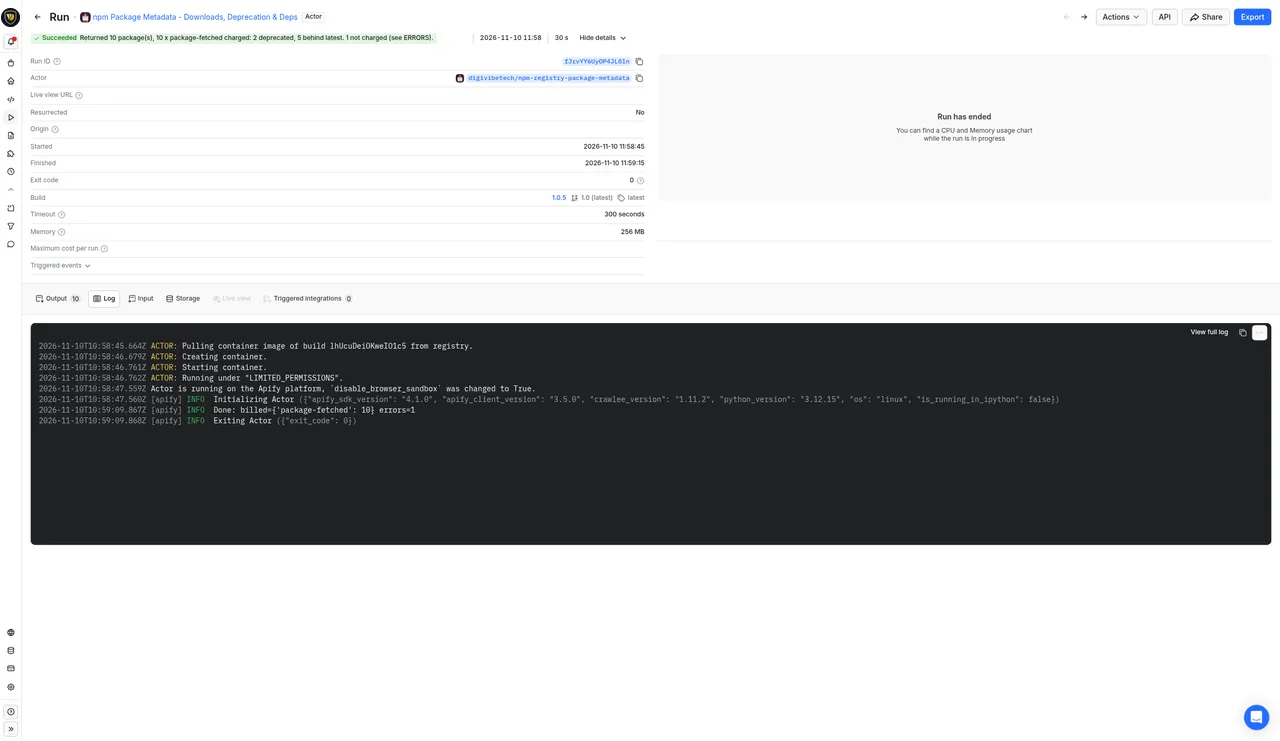
Apify Console views of a 10 November 2026 cloud run of the example input below.
⬇️ What data you get
One dataset item per result. Key fields:
| Field |
|---|
name |
latest |
license |
weeklyDownloads |
isDeprecated |
nodeEngine |
hasTypes |
unpackedSize |
dependencyCount |
modified |
🎯 Use cases
- Audit a package.json for deprecated or unlicensed dependencies
- Compare weekly downloads of alternative packages
- Track new versions of key packages
▶️ How to use
- Open the actor; the input is prefilled with a small real example.
- Replace it with your own input and set
maxVersionsListedto control the cost. - Press Start. Results appear in the Output tab (Overview view).
- Download JSON, CSV or Excel, call the results via API, or schedule the actor.
⚙️ Input
| Field | Description |
|---|---|
packages | Package names (express, @types/node, …). Required; it can hold just one name when you paste a project file |
packageJsonText | Optional: paste package.json or package-lock.json. A lockfile gives the installed version; for package.json the lowest version the range allows is used (^4.18.2 → 4.18.2) |
version | Optional: one exact version for every package. You get that version's fields; latest, versionCount, versionsListed, created and modified stay empty, isOutdated is false, and downloads are for the whole package |
includeDependencies | Include dependency maps and dependencyCount (default true) |
includeDownloads | Add weekly and monthly downloads (default true; no extra charge) |
maxVersionsListed | The N highest version numbers in versionsListed (default 50, max 500) |
maxPackages | Hard cap on billed packages (default 100, max 5000); packages over the cap go to ERRORS, not charged |
onlyNew + modifiedSince | Skip packages not modified after an ISO date or timestamp; skipped packages are not charged |
abbreviated | Prefer abbreviated packuments (smaller; no description, license, homepage, repository, keywords, maintainer count, types flag or created date) |
Example input
The pasted package.json lists express ^4.18.2, lodash 4.17.20 and uuid ^8.3.2 as dependencies, and request ^2.88.0, left-pad 1.3.0 and moment ^2.29.4 as devDependencies.
⬆️ Output
name, packageDescription, license, homepage, repository, keywords, distTags, latest, versionCount, versionsListed, created, modified, maintainerCount, deprecated, isDeprecated, engines, nodeEngine (not declared when the package sets no Node engine), hasTypes, unpackedSize, fileCount, dependencyCount, weeklyDownloads, monthlyDownloads, the dependency maps, and the project fields inProject, projectSpec, projectVersion, projectDependencyType, isOutdated, projectVersionDeprecated. Project fields are on every package: a package that is not in your pasted project file has inProject false, not in project in projectSpec, projectVersion and projectDependencyType, and isOutdated false. isOutdated is true only when your project version is older than latest; a range with no fixed version (such as 1.x or latest) shows no fixed version. projectVersionDeprecated is the deprecation message of your project version, or null. Also pinnedVersion, source, attribution and fetchedAt.
Key-value store: PACKAGES (CSV, one line per package), SUMMARY (billed, not found, invalid names, skipped, not processed, deprecated, behind latest, license mix) and ERRORS (inputs that were not charged, with the reason). The run's status message shows the number of packages returned and charged.
Example output
This is a real record for the example input above, fetched on 10 Nov 2026. The dependencies map is cut where marked, and keywords, distTags, devDependencies, peerDependencies, optionalDependencies, pinnedVersion and attribution are left out here.
PACKAGES.csv excerpt from the same fetch:
For this input, 10 packages are returned and charged. no-such-package-zz-xyz-123 goes to ERRORS and is not charged.
💵 Pricing and cost estimate
| Event | Price |
|---|---|
| Package fetched | $0.00045 |
Cost estimate
| Package fetcheds | Cost |
|---|---|
| 100 | $0.045 |
| 1,000 | $0.45 |
| 10,000 | $4.50 |
You pay only for these events: no subscription.
🔌 Integrations and API
Run it from n8n, Make, Zapier, Clay or any tool that can call an HTTP endpoint, connect a webhook to get notified when a run finishes, or let AI agents call it through the Apify MCP server (mcp.apify.com).
Run it and get the results in one call:
Python (pip install apify-client):
⚠️ Limits
- Uses registry.npmjs.org (packuments) and api.npmjs.org/downloads (point counts) only. Both are public npm APIs. It does not scrape www.npmjs.com and does not download tarballs.
- No vulnerability data: npm's terms do not allow passing npm security data on to others, so use
npm auditfor advisories. - "Behind latest" compares versions only. It does not say whether an upgrade is safe or breaking.
- Very large packuments above 12 MB (packages with thousands of versions, such as
typescript, about 16 MB on 10 Nov 2026) are reported inERRORSand not charged. Tryabbreviated: truefor those (about 9 MB fortypescript). - With a
versionpin, the registry's version endpoint is used, solatest, version counts and dates are left empty andisOutdatedis false. - Polite client: at most 1 request per second per host, honest User-Agent with a contact URL, robots.txt respected.
🛡️ Data source, privacy and legality
Uses the official npm registry and downloads APIs; maintainer personal fields are not returned.
Privacy and data retention
- What is stored: public package metadata only. Author and maintainer fields are not returned (only a count). Email patterns are removed from text fields and URLs, and phone patterns from description, keywords and deprecation messages; filtering is pattern-based, not a PII-free guarantee. Package names, scopes and homepage/repository URLs can contain a publisher's username. If you paste a project file, only dependency names and version ranges are used. The file itself is kept only in your run input.
- Where it is stored: in your own Apify run storage (dataset plus key-value store: PACKAGES, SUMMARY, ERRORS). Apify keeps it for your plan's data retention period, and you can delete it at any time. See Apify's privacy policy: https://apify.com/privacy-policy
- DigiVibeTech gets no copy of your results. Our general privacy policy: https://digivibetech.com/privacy/
- Package contents remain under each package's own license. Not affiliated with npm, Inc. or GitHub.
❓ FAQ
How much does npm Package Metadata cost?
$0.00045 per package fetched. See the cost estimate table above. There is no monthly fee.
Can I try it for free?
Yes. Press Start with the prefilled input: it runs a small real job (up to 20 × package fetched, about $0.009 in events). Apify's free plan includes monthly platform credit, which covers a first test.
Is it legal to use npm Package Metadata?
Uses the official npm registry and downloads APIs; maintainer personal fields are not returned. Use the results lawfully (terms of the source, GDPR where it applies). This is not legal advice.
Can I use it through the API or an MCP server?
Yes. Every run is available through the Apify API and the official client libraries, and AI agents can call the actor through the Apify MCP server. See Integrations and API above.
Something does not work. Where do I get help?
Open an issue on the Issues tab or use digivibetech.com/support. Include the run ID so we can reproduce it.
📝 Changelog
20 Nov 2026 — listing refresh
- README, listing text and input form restructured to the DigiVibeTech Apify quality standard v1. No feature or price change.
1.0 — builds 1.0.1 to 1.0.5
- First build 2026-10-14, latest build 2026-11-10 (5 successful builds).
🧩 More DigiVibeTech actors
- Bulk Image Converter & Compressor - WebP, AVIF, JPEG, PNG
- Bulk QR & Barcode Generator - PNG, SVG, Label PDFs
- PDF OCR to Markdown - Scanned PDF & Image to Text for RAG
- Bulk WHOIS & DNS Lookup - Domain Expiry, RDAP, SPF, DMARC
Maintained by DigiVibeTech. Questions or bugs: use the Issues tab or digivibetech.com/support; we reply within 2–5 business days.


