

Google SERP & SEO Scraper
Pricing
from $5.00 / 1,000 scraped search result pages
Google SERP & SEO Scraper
Scrape Google SERPs for organic rankings, paid ads, AI Overview, People Also Ask & keyword SEO metrics. Track competitors, domain traffic & ad spend. no proxies or CAPTCHAs. Perfect for SEO agencies, marketers & developers.
Pricing
from $5.00 / 1,000 scraped search result pages
Rating
5.0
(1)
Developer

Dxbear
Maintained by CommunityActor stats
2
Bookmarked
3
Total users
1
Monthly active users
18 days ago
Last modified
Categories
Share
🔍 Google SERP & SEO Scraper
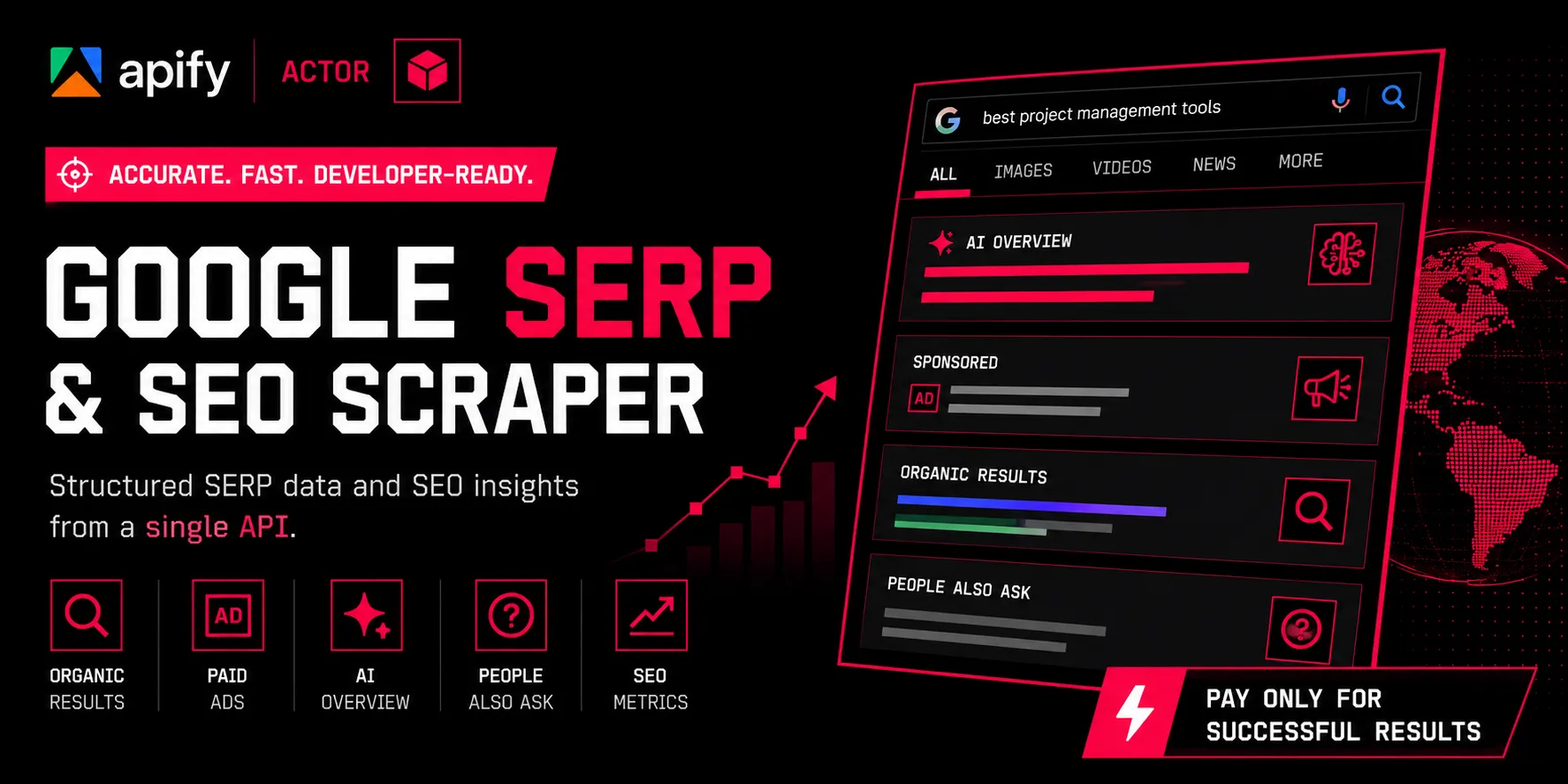
A reliable Google search results scraper and SEO data API for developers, marketers, and growth teams.
Google SERP tool handles web scraping Google search results for you. scrape organic rankings, paid ads, AI Overview, "People Also Ask," related searches, keyword difficulty scores, competitor rankings, domain traffic history, and advertiser intelligence, all returned as structured, ready-to-use JSON from a single API call.
Whether you're building a competitor keyword research tool, tracking rankings at scale, or just need clean SERP data without the infrastructure headache — no proxies to manage, no CAPTCHAs to solve, no HTML to parse. Just clean data.
🚀 What This Google SERP Scraper Does
Use this actor as your rank tracking API and SEO data API in one — every keyword you run returns a full SEO and SERP data package, no manual searching required:
| 📦 Data Point | 📝 What You Get |
|---|---|
| 🤖 AI Overview | Full text of Google's AI-generated answer box |
| 🏆 Organic Search Results | Ranked positions, titles, URLs, and snippets |
| 💰 Paid / Sponsored Ads | Scrape Google Ads copy, display URLs, and advertiser domains directly from live SERPs |
| ❓ People Also Ask (PAA) | Related questions Google surfaces for the query |
| 🔗 Related Searches | Suggested keyword variations at the bottom of the SERP |
| 📊 Keyword SEO Metrics | Keyword difficulty, click potential, domain diversity, top-100 breakdown |
| 🥇 Competitor Ranking Analysis | Built-in competitor keyword research tool data — who ranks where, position changes, estimated traffic value per competitor |
| 📈 Domain Traffic Insights | Historical organic/paid traffic, ad spend, and domain authority trends |
| 🗂️ Historical Ad Archive | Past ad creatives run against a keyword, with dates and advertiser domains |
| 📢 Active Advertiser Domains | Every domain currently bidding on a keyword |
Every field is documented in the .actor/dataset_schema.json, and every field gracefully handles missing data — so your pipeline never breaks on an empty AI Overview or a keyword with no paid ads.
📍 Note:
keyword_seo_metrics,serp_competitor_analysis,domain_traffic_insights,historical_paid_advertisements, andactive_advertiser_domains(the SEO/competitor intelligence fields) are currently available for 32 countries. Other supported countries still return full SERP data (organic, ads, AI Overview, PAA, related searches) — just without SEO metrics.
⚙️ How It Works
- Input your target keyword(s), along with optional location, language, and device settings
- The actor requests the live Google SERP and parses every feature block.
- Output lands in your Apify dataset — one structured item per keyword — ready to export or query via API
⚡ Getting Started
Ready to try this Google search results scraper? You'll be scraping your first SERP in under two minutes and Apify gives every new account $5 in free credits, so you can test it at zero cost.
- Create a free Apify account — you'll get $5 in credits automatically, no card required
- Open the actor at
apify.com/dxbear/Google-SERP-SEO-Scraper, or just hit Try for free - Go to the Input tab and fill in your query. Here's a working example:
- There are also
locationanduulefields for advanced geo-targeting. you can leave these empty for now, they're optional - Click Run That's it. Within seconds you'll have a full SEO data API response for your keyword — organic rankings, paid ads, AI Overview, and every other data point covered below — landing straight in your dataset.
🧾 Input Fields Explained
Every field you can configure on the Input tab, what it does, and when to use it:
| Field | Type | Required | What It Does |
|---|---|---|---|
🔍 query | string | ✅ Yes | Your search term — anything you'd type into Google (e.g. "best proxy"). This is the only required field. |
📱 device | select | Optional | Simulates Desktop or Mobile search results. Google serves different SERP layouts and features depending on device, so pick the one matching your target audience. Defaults to desktop. |
📄 page | integer (1–10) | Optional | Number of result pages to scrape. 1 returns just the first page; higher values page deeper into results for more organic listings. Defaults to 1. |
🌍 language | select | Optional | Two-letter language code (en, fr, de, es, etc.) that controls the language Google returns results in. Defaults to en (English). 27 languages are supported. |
🗺️ country | select | Optional | Two-letter country code that controls which country's Google index and localized results you're querying. Defaults to US. This actor supports 90+ countries for standard SERP scraping — see the full list in the actor's country selector. Note: SEO metrics (via includeSerpSeoData) are limited to 32 of these countries — see the note below the feature table. |
⏱️ timeFilter | select | Optional | Restricts results to a specific freshness window: past hour, day, week, month, or year. Leave empty ("") for Any time — the default — if you don't need to filter by recency. |
📍 uule | string | Optional | Google's UULE parameter for pinpoint geographic targeting (encodes an exact physical location, down to the city/neighborhood level). Use this if you need hyper-local results beyond what country alone provides. Leave blank if not needed. |
🏙️ location | string | Optional | A human-readable location name (e.g. "New York, NY") for localized results — a simpler alternative to uule when you don't have a pre-encoded UULE string. Leave blank if not needed. |
🗂️ returnRawHtml | boolean | Optional | When true, includes the raw, unparsed HTML of the Google SERP in the output — useful for debugging or building your own custom parser on top of this actor's results. Defaults to false. Adds significant payload size, so only enable it if you need it. |
📊 includeSerpSeoData | boolean | Optional | When true, adds keyword SEO metrics, competitor rankings, domain traffic history, ad archive, and active advertiser data to the output. ⚠️ Only available for 32 supported countries (see the note below the feature table) — results may be incomplete or unavailable elsewhere. Defaults to false. |
💡 Tip: The only field you must set is
query. Everything else has a sensible default, so you can start with a minimal input like{ "query": "best proxy" }and add fields as you need more control.
🌍 Supported SEO Data Countries (32)
- 🇺🇸
US— United States - 🇬🇧
UK— United Kingdom - 🇩🇪
DE— Germany - 🇫🇷
FR— France - 🇦🇷
AR— Argentina - 🇦🇹
AT— Austria - 🇦🇺
AU— Australia - 🇧🇪
BE— Belgium - 🇧🇷
BR— Brazil - 🇨🇦
CA— Canada - 🇨🇱
CL— Chile - 🇨🇿
CZ— Czech Republic - 🇩🇰
DK— Denmark - 🇫🇮
FI— Finland - 🇮🇳
IN— India - 🇮🇪
IE— Ireland - 🇮🇹
IT— Italy - 🇯🇵
JP— Japan - 🇲🇽
MX— Mexico - 🇳🇱
NL— Netherlands - 🇳🇿
NZ— New Zealand - 🇳🇴
NO— Norway - 🇵🇱
PL— Poland - 🇵🇹
PT— Portugal - 🇸🇬
SG— Singapore - 🇿🇦
ZA— South Africa - 🇪🇸
ES— Spain - 🇸🇪
SE— Sweden - 🇨🇭
CH— Switzerland - 🇹🇷
TR— Turkey - 🇺🇦
UA— Ukraine - 🇻🇪
VE— Venezuela
📤 Example Output
Once your run finishes, every keyword you scrape lands in your dataset as one structured item — clean JSON you can query, export, or pipe into your own tool. Raw HTML is excluded by default; it's only included if you enable the returnRawHtml input option.
Here's what a real run for the keyword "Email Marketing" produced:
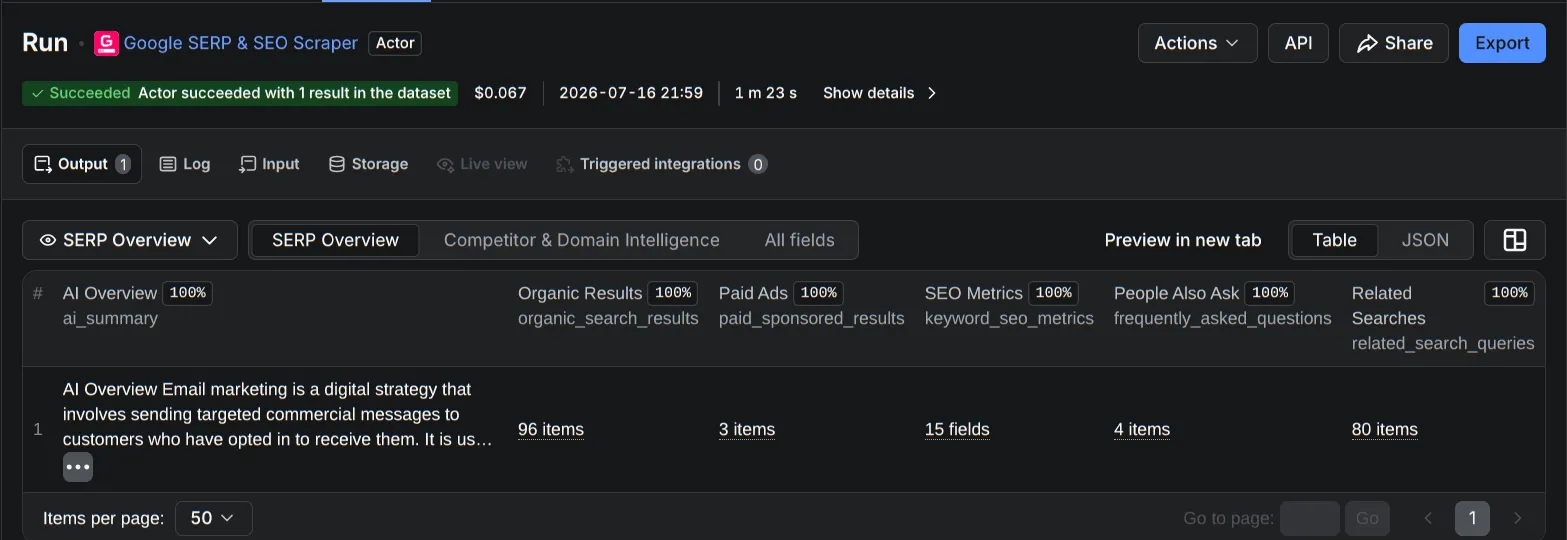
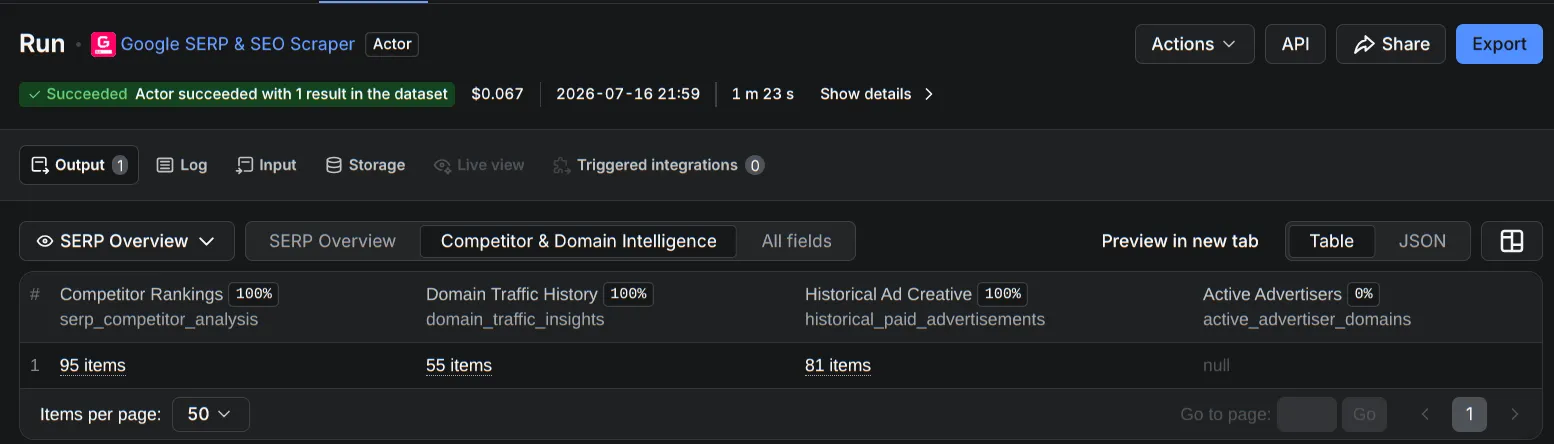
📝 Example data (trimmed)
AI Overview:
Email marketing is a digital strategy that involves sending targeted commercial messages to customers who have opted in to receive them...
Top organic results:
| Position | Title | URL |
|---|---|---|
| 1 | Email Marketing: Everything you need to know | mailchimp.com/marketing-glossary/email-marketing |
| 2 | What Is Email Marketing? Benefits + Best Practices | coursera.org/articles/email-marketing |
| 7 | Email marketing | en.wikipedia.org/wiki/Email_marketing |
Paid ads captured on the same SERP:
| Advertiser | Domain |
|---|---|
| Constant Contact | constantcontact.com |
| ActiveCampaign | activecampaign.com |
| Braze | braze.com |
Keyword SEO metrics:
| Metric | Value |
|---|---|
| Keyword difficulty | 32 / 100 |
| Max organic monthly clicks | 3,500 |
| Domain diversity | 0.53 |
People Also Ask:
- How do I start email marketing?
- What is the best free email marketing?
- What does email marketing do?
- Can I earn from email marketing?
💻 JSON output example
Results are available as JSON, JSONL, CSV, or Excel (XLSX) — or query the dataset directly via the Apify API.
📋 Output Fields Reference
Every field in the dataset, fully documented. All fields are nullable and default to an empty value if that SERP feature wasn't present on the page — so a missing AI Overview or an empty ad list will never break your pipeline.
🤖 ai_summary
| Field | Type | Description |
|---|---|---|
ai_summary | string | null | Raw text of Google's AI Overview / featured snippet block for the query, including embedded source labels. null if no AI Overview was present on the SERP. |
🏆 organic_search_results (array)
| Field | Type | Description |
|---|---|---|
name | string | null | Result title as displayed on the SERP. |
link | string | null | Destination URL of the result. |
text | string | null | Snippet/description text shown under the result. May contain truncation markers. |
position | integer | null | 1-indexed organic rank position on the page. |
💰 paid_sponsored_results (array)
| Field | Type | Description |
|---|---|---|
position | integer | null | Ad's rank position on the SERP. |
title | string | null | Ad headline text. |
displayUrl | string | null | Human-readable display URL shown in the ad. |
url | string | null | Actual destination/landing URL. |
domain | string | null | Advertiser's root domain. |
description | string | null | Ad body copy. |
null or an empty array when no ads were shown for this query/location/session.
❓ frequently_asked_questions (array) — "People Also Ask"
| Field | Type | Description |
|---|---|---|
position | integer | null | 1-indexed display order of the question in the PAA box. |
question | string | null | The full question text as shown by Google. |
🔗 related_search_queries (array)
| Field | Type | Description |
|---|---|---|
position | integer | null | 1-indexed display order. |
text | string | null | The suggested search phrase. |
link | string | null | Relative or absolute Google search URL for this related query. |
🌐 extracted_links / extracted_domains
| Field | Type | Description |
|---|---|---|
extracted_links | array<string> | null | Flat, deduplicated list of every outbound URL found across all SERP features on the page. |
extracted_domains | array<string> | null | Flat, deduplicated list of root domains parsed from extracted_links. |
🗂️ raw_html_content
| Field | Type | Description |
|---|---|---|
raw_html_content | string | null | Full raw HTML of the fetched SERP page — only populated if returnRawHtml was enabled on input. null by default to keep dataset size small. |
📊 keyword_seo_metrics (object)
⚠️ Only populated when
includeSerpSeoDatais enabled on input, and only for supported countries.
| Field | Type | Description |
|---|---|---|
keywordSEODifficulty | number | null (0–100) | Composite difficulty score estimating how hard it is to rank organically for this keyword. |
top100NumberOfHomepages | integer | null | Count of homepage URLs (root domain only) within the top 100 ranking results. |
top100GovEduMilDomains | integer | null | Count of .gov / .edu / .mil domains within the top 100 results. |
top100TitleContainsKeyword | integer | null | Count of top-100 results whose page title contains the exact keyword. |
top100UrlContainsKeyword | integer | null | Count of top-100 results whose URL contains the exact keyword. |
maxOrganicMonthlyClicks | number | null | Estimated maximum monthly organic clicks achievable for the #1 ranking position. |
maxOrganicMonthlyValue | number | null | Estimated USD value of maximum monthly organic traffic, based on CPC. |
top100DomainDiversity | number | null (0–1) | Ratio of unique domains to total results in the top 100 — higher means less domain concentration. |
top100Wiki / top100Facebook / top100Twitter / top100YouTube / top100Pinterest / top100Tumblr / top100LinkedIn | boolean | null | Whether a result from that platform appears in the top 100. |
🥇 serp_competitor_analysis (array)
| Field | Type | Description |
|---|---|---|
keyword | string | null | The keyword this ranking data applies to. |
domain | string | null | Root domain of the ranking competitor. |
url | string | null | Exact ranking URL. |
title | string | null | Page title of the ranking result. |
domainAppearances | integer | null | Number of times this domain appears anywhere in the tracked result set. |
position | integer | null | Current organic rank position. |
positionChange | integer | null | Change in rank position since the previous tracked check (positive = moved up). |
searchVolume | number | null | Estimated monthly search volume for the keyword. |
totalMonthlyClicks | number | null | Estimated total monthly clicks across all results for this keyword. |
totalHomepages | integer | null | Count of homepage-only URLs in the tracked result set. |
estimatedOrganicClicks | number | null | Estimated monthly organic clicks this specific result receives. |
estimatedClickValue | number | null | Estimated USD value per click (CPC-derived) for this position. |
rankingDifficulty | number | null (0–100) | Difficulty score for ranking at this position. |
dateSearched | string | null (date-time) | Timestamp this ranking snapshot was captured. May be a placeholder epoch value if unavailable. |
uri | string | null | Canonical URI, typically identical to url. |
📈 domain_traffic_insights (array)
| Field | Type | Description |
|---|---|---|
domain | string | null | The domain this traffic data applies to. |
domainStats | array | List of monthly traffic snapshots (see below). |
totalResults | integer | null | Total number of results recorded for this domain. |
Each domainStats entry contains:
| Field | Type | Description |
|---|---|---|
searchDate | object | null | { dateString, month, year } — the period this snapshot covers. |
averageOrganicRank | number | null | Domain's average organic ranking position that month. |
monthlyPaidClicks | number | null | Estimated monthly clicks from paid ads. |
averageAdRank | number | null | Domain's average paid ad position that month. |
totalOrganicResults | number | null | Total organic results the domain appeared in. |
monthlyBudget | number | null | Estimated monthly paid-ad spend in USD. |
monthlyOrganicValue | number | null | Estimated USD value of monthly organic traffic. |
totalAdsPurchased | number | null | Total number of ads purchased that month. |
monthlyOrganicClicks | number | null | Estimated monthly clicks from organic results. |
strength | number | null (0–100) | Composite domain authority/strength score. |
totalInverseRank | number | null | Aggregate inverse-rank metric (higher favors better average positions). |
hasData | boolean | null | Whether real data was found for this domain/period. |
🗃️ historical_paid_advertisements (array)
| Field | Type | Description |
|---|---|---|
keyword | string | null | The keyword this historical ad ran against. |
position | integer | null | Ad's rank position at capture time. |
totalAds | integer | null | Total number of ad extensions/sitelinks bundled with this ad. |
dateSearched | string | null (date-time) | When this ad creative was captured. |
title | string | null | Ad headline text. |
bodyHtml | string | null | Raw HTML markup of the ad body/extensions as rendered at capture time. |
displayUrl | string | null | Human-readable display URL shown in the ad. |
url | string | null | Actual destination/landing URL (may be a Google redirect wrapper). |
domain | string | null | Advertiser's root domain. Empty string if unresolvable (e.g. about:blank). |
searchVolume | number | null | Estimated monthly search volume at time of capture. |
keywordDifficulty | number | null (0–100) | Difficulty score at time of capture. |
countryCode | string | null | ISO country code the ad was captured in. |
costPerClick | number | null | Estimated CPC for this ad, where available. |
isNsfw | boolean | null | Whether the ad creative was flagged NSFW. |
📢 active_advertiser_domains (array)
| Field | Type | Description |
|---|---|---|
active_advertiser_domains | array<string> | null | Flat list of domains currently bidding on this keyword. May contain duplicates, which reflect ad frequency/weight rather than being a data error. |
Pricing
Google-SERP-SEO-Scraper uses simple, pay-per-result pricing. There are no subscriptions and no hidden fees — you only pay for what you scrape.
| Pricing | Free | Starter | Scale | Business |
|---|---|---|---|---|
| Discount tier | No discount | Bronze discount | Silver discount | Gold discount |
| Scraped search result page (per 1,000) | $5.00 | $5.00 | $5.00 | $5.00 |
| Full SEO data (per run) | $0.015 | $0.013 | $0.012 | $0.010 |
| Actor start (per run) | $0.001 | $0.0008 | $0.0007 | $0.0006 |
| Platform usage | Free ✅ | Free ✅ | Free ✅ | Free ✅ |
How the pricing works
Scraped search result page — $5.00 / 1,000 pages This is the core cost. You pay per search result page scraped, billed at a rate of $5.00 per 1,000 pages (i.e. $0.005 per page). Your discount tier doesn't change this rate — it's the same across all plans.
Full SEO data — charged once per run, not per page This is a flat, one-time fee applied once per Actor run, regardless of how many pages you scrape in that run. Whether you scrape 1 page or 10 pages in a single run, you only pay this fee one time — it does not multiply per page. The rate drops as your discount tier increases (from $0.015 down to $0.010).
Actor start — charged once per run Same principle as above: a small, flat fee for starting the Actor, charged once per run no matter how many pages are processed in that run.
Platform usage — always free Unlike most Actors on the platform, you are not charged for compute, memory, or platform usage. This is fully included at no extra cost across every tier — so your total cost is just the sum of the page-scraping fee plus the one-time per-run fees above.
Example
If you run the Actor once and scrape 10 pages on the Free tier:
- Scraped pages: 10 × $0.005 = $0.05
- Full SEO data (one-time, per run): $0.015
- Actor start (one-time, per run): $0.001
- Platform usage: $0.00
- Total: $0.066
Note that scraping 1 page instead of 10 in that same run would still only cost $0.015 for SEO data and $0.001 for Actor start — those two fees don't scale with page count.
🔑 SEO & Keyword Research Use Cases
- Google SERP scraper for rank tracking and position monitoring
- Keyword research API for search volume, difficulty, and click-value estimation
- Competitor SEO analysis to reverse-engineer who's ranking and why
- PPC & Google Ads intelligence to monitor competitor ad spend and creative
- Content strategy research using "People Also Ask" and related search data
🔌 API & Integrations
This actor isn't limited to the Apify Console — every feature is available programmatically, so you can plug it into your own app, automation, or AI agent.
🌐 Apify API
Every actor on Apify runs behind a full REST API. Authenticate with a Bearer token and call it directly:
This runs the actor and returns the dataset items directly in the response — ideal for short runs (under 5 minutes). For longer jobs, run asynchronously and poll the run status, or attach a webhook to get notified on completion.
📚 Resources:
🤖 MCP (Model Context Protocol) — Use This Actor as an AI Agent Tool
This actor can be exposed directly to AI agents and LLM-powered assistants (Claude, Cursor, VS Code, and any MCP-compatible client) via Apify's hosted MCP server. Once connected, your AI agent can discover this actor, understand its input schema automatically, run it, and read the results — no manual API wiring required.
Connect at mcp.apify.com using your Apify API token, then point any MCP client at it.
📚 Resources:
🔗 n8n Automation
Run this actor as a step in your n8n workflows — no code required. The official Apify node supports Run Actor, Run Task, and Get Dataset Items operations, and can feed results straight into Google Sheets, databases, Slack, or 1,000+ other n8n-connected apps.
📚 Resources:
🧠 AI Agents & LLM Workflows
Beyond MCP, this actor's structured JSON output is built to be consumed directly by LLM pipelines and custom AI agents — feed the dataset into a RAG pipeline, use it as a tool call in a LangChain/LangGraph agent, or wire it into your own agent framework via the standard Apify API.
📚 Resources:
💬 Support
Questions, feature requests, or bug reports — reach out any time:
Built for SEO teams, marketers, and developers who need real Google data — not guesswork. ⭐ If this actor saves you time, consider leaving a rating on the Apify Store.


