

AI Review Insights – Sentiment, Pros & Cons, Feature Requests
Under maintenancePricing
Pay per event
AI Review Insights – Sentiment, Pros & Cons, Feature Requests
Under maintenanceTurn reviews into AI insights (Gemini or OpenAI, your own key): sentiment per review, top pros & cons, themes, feature requests and a summary per product, in any language. Works with any Apify review dataset (G2, Trustpilot, Walmart, Amazon, Mercado Libre) or JSON.
Pricing
Pay per event
Rating
0.0
(0)
Developer

René Del Valle Rodríguez
Maintained by CommunityActor stats
0
Bookmarked
2
Total users
1
Monthly active users
3 days ago
Last modified
Categories
Share
Scraping reviews is easy. Reading 2,000 of them isn't. Point this Actor at a dataset of reviews (from my scrapers, someone else's, or your own JSON) and it gives you sentiment per review plus one summary per product: top pros and cons with how often they come up, themes, feature requests and real quotes. It runs on your own Gemini or OpenAI key.
If you'd rather see it in action first, I recorded a short video tutorial:
What you get
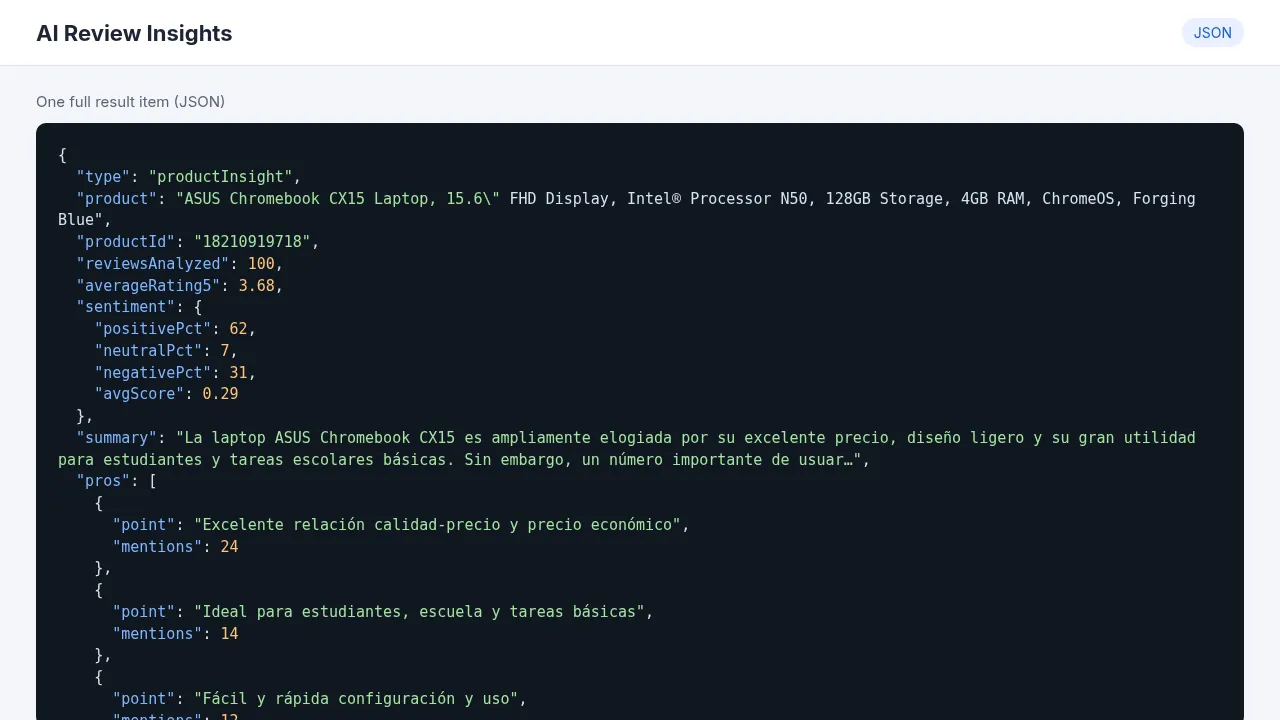
One productInsight row per product. This real example comes from 100 Walmart reviews, with Output language set to Spanish:
| Field | Example |
|---|---|
product, reviewsAnalyzed, averageRating5 | ASUS Chromebook CX15…, 100, 3.68 |
sentiment | {"positivePct": 62, "neutralPct": 7, "negativePct": 31, "avgScore": 0.29} |
pros | [{"point": "Excelente relación calidad-precio y precio económico", "mentions": 24}, …] |
cons | [{"point": "Problemas de durabilidad y fallas tempranas", "mentions": 8}, …] |
themes, featureRequests | [{"theme": "Precio y valor", "sentiment": "positive", "mentions": 24}, …] |
notableQuotes | ["Great laptop for the price! It works well, is easy to use…", …] |
summary | A short paragraph you can paste into a report |
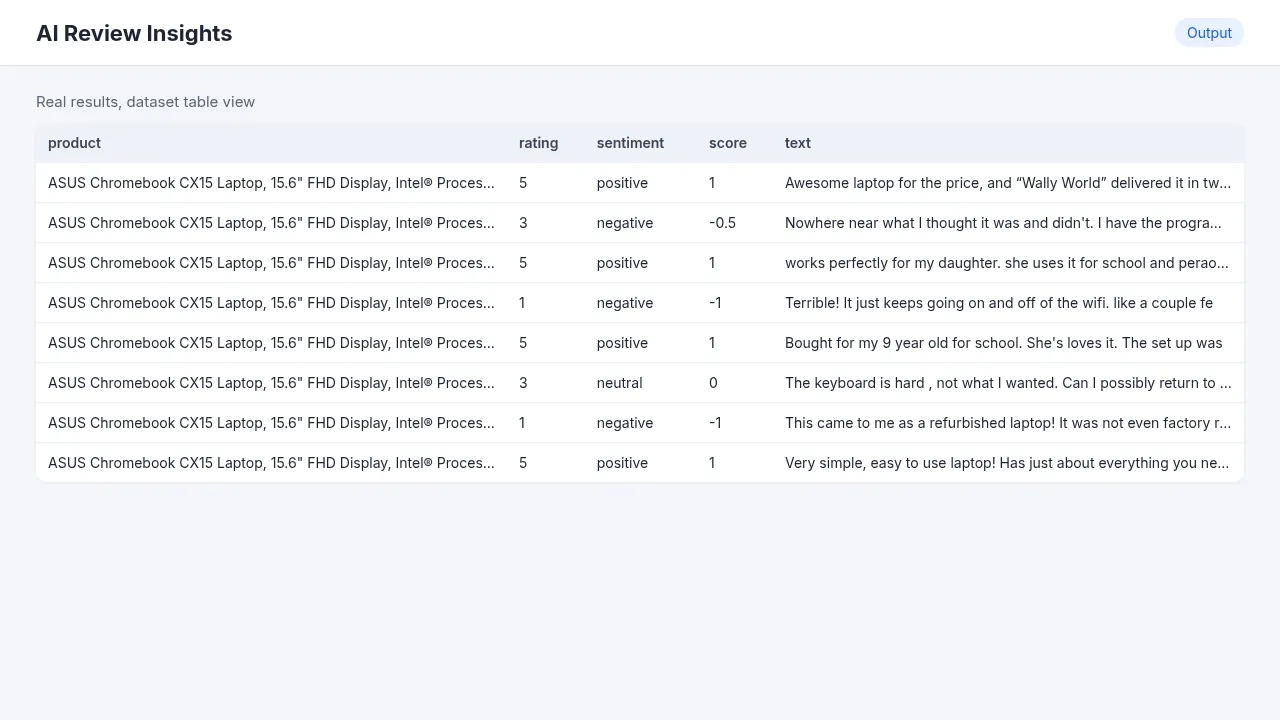
One reviewSentiment row per review (with Output sentiment per review on): product, reviewId, rating, sentiment, score (-1 to 1), topics and the review text.
How much it costs
Two parts:
- Apify: there's no per-result fee right now. You only pay the platform usage of the run. In my tests, 200 reviews used about $0.006 of Apify credit, so the free $5 monthly plan covers a lot of runs.
- Your AI provider: you pay them directly at their price, because the key is yours. Gemini's free tier covers small runs. The default models (
gemini-3.1-flash-liteorgpt-4.1-mini) are the cheap, fast ones.
How to use it
- Run any review scraper first, like Walmart Reviews or TrustRadius Reviews, and note its dataset.
- Open this Actor and pick that dataset in Apify dataset IDs with reviews. You can also paste public JSON URLs, or paste reviews straight into Reviews (inline).
- Choose AI provider and paste your key in Your AI API key. A free Gemini key takes a minute at aistudio.google.com/apikey.
- Set Output language (English, Spanish, Portuguese…). It doesn't need to match the language of the reviews.
- Click Start. Product insights and per-review rows show up in the Output tab.
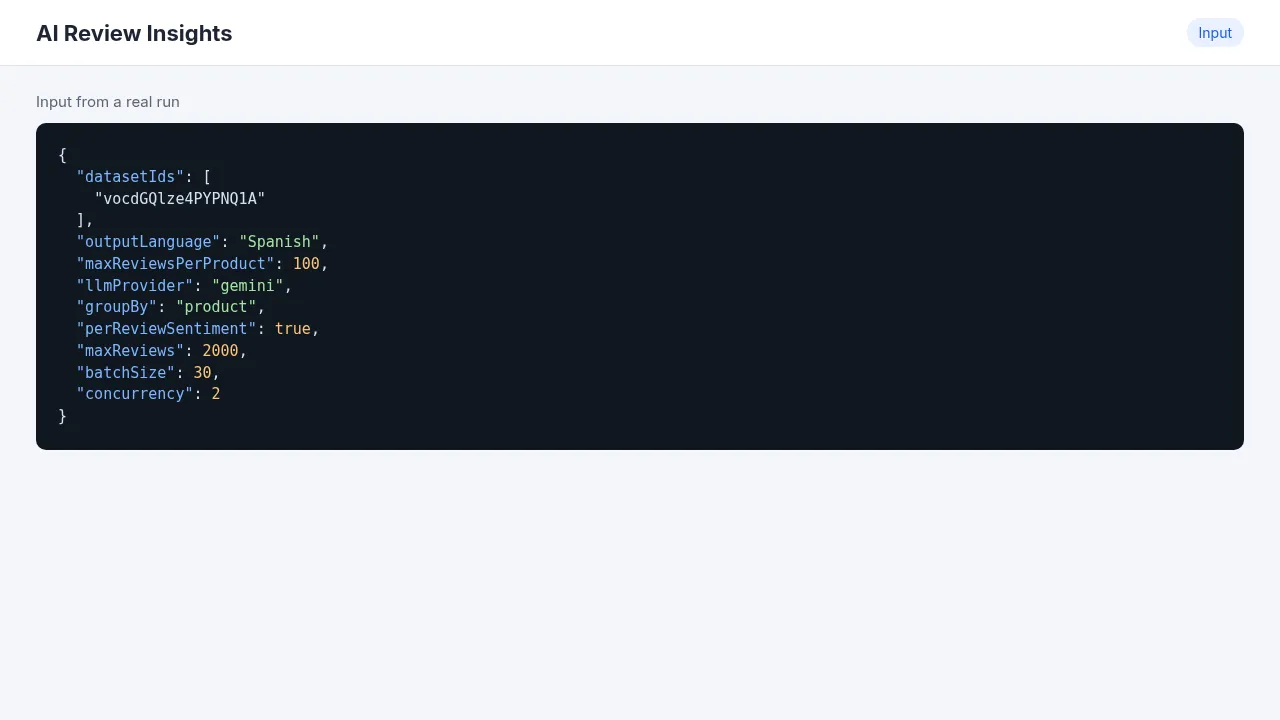
Input example
Output example (product insight)
Works with
It reads the common review fields automatically (text, rating, productName/product), so it works with datasets from my scrapers (Walmart, TrustRadius, Mercado Libre) and from other review scrapers in the Store, like Trustpilot, G2, Capterra, Amazon and Google Maps. Set Group insights by to none for one summary across everything.
Use cases
- A one-page "what customers think" report per product or competitor.
- Finding the top 5 complaints and feature requests across hundreds of reviews.
- Tagging every review with sentiment and topics for a dashboard.
Integrations
- Chain it after a scraper with an Apify webhook or in Make, Zapier or n8n: run the scraper, then run this Actor with its dataset ID.
- API:
- AI agents: add it to Apify MCP.
Limits
- Free-tier AI keys have per-minute limits. The Actor sends about 30 reviews per request (Reviews per AI request) and retries 429 errors with back-off, so big runs just take longer. Keep Parallel AI requests at 1–2 on free keys.
- Max reviews per product (500) and Max reviews in total (2,000) cap how much gets sent to the AI.
FAQ
Where does my data go? Only to the AI provider you choose, with your key. The key is a secret input, stored encrypted and never written to the output or logs.
Can I analyze Spanish reviews and get English insights? Yes, set Output language.
Is it legal? The Actor only processes data you give it. Make sure you're allowed to use the reviews you analyze.


