

Walmart Reviews Scraper – Products & Ratings
Pricing
from $0.40 / 1,000 results
Walmart Reviews Scraper – Products & Ratings
Scrapes Walmart reviews (rating, text, date, verified purchase, helpful votes) plus product price, availability, rating breakdown and Walmart's AI summary. Unofficial Walmart reviews API. US$0.40 per 1,000 results. Optional AI insights (own Gemini/OpenAI key): US$0.20/1k reviews.
Pricing
from $0.40 / 1,000 results
Rating
0.0
(0)
Developer

René Del Valle Rodríguez
Maintained by CommunityActor stats
0
Bookmarked
1
Total users
1
Monthly active users
15 days ago
Last modified
Categories
Features
Share
Pull Walmart product reviews (rating, text, date, verified purchase, helpful votes) together with the product itself: price, availability, rating breakdown, and the review summary Walmart generates for each product. I use it to check what buyers really think before picking a product to sell or compare.
If you'd rather see it in action first, I recorded a short video tutorial:
What you get
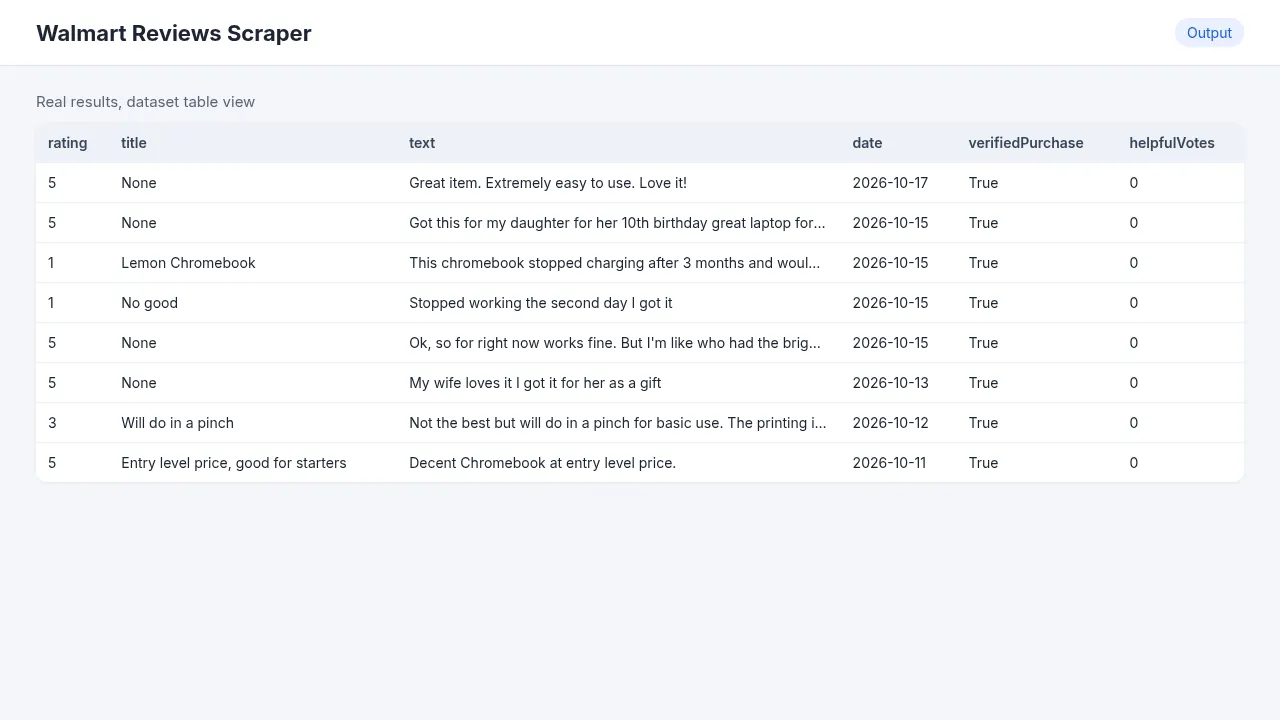
Review rows (type: "review"):
| Field | Real example |
|---|---|
rating | 5 |
text | "Great item. Extremely easy to use. Love it!" |
date | 2026-10-17 |
verifiedPurchase | true |
helpfulVotes / unhelpfulVotes | 0 / 0 |
photoCount, sellerName, fulfilledBy | 0, "Walmart.com", "Walmart" |
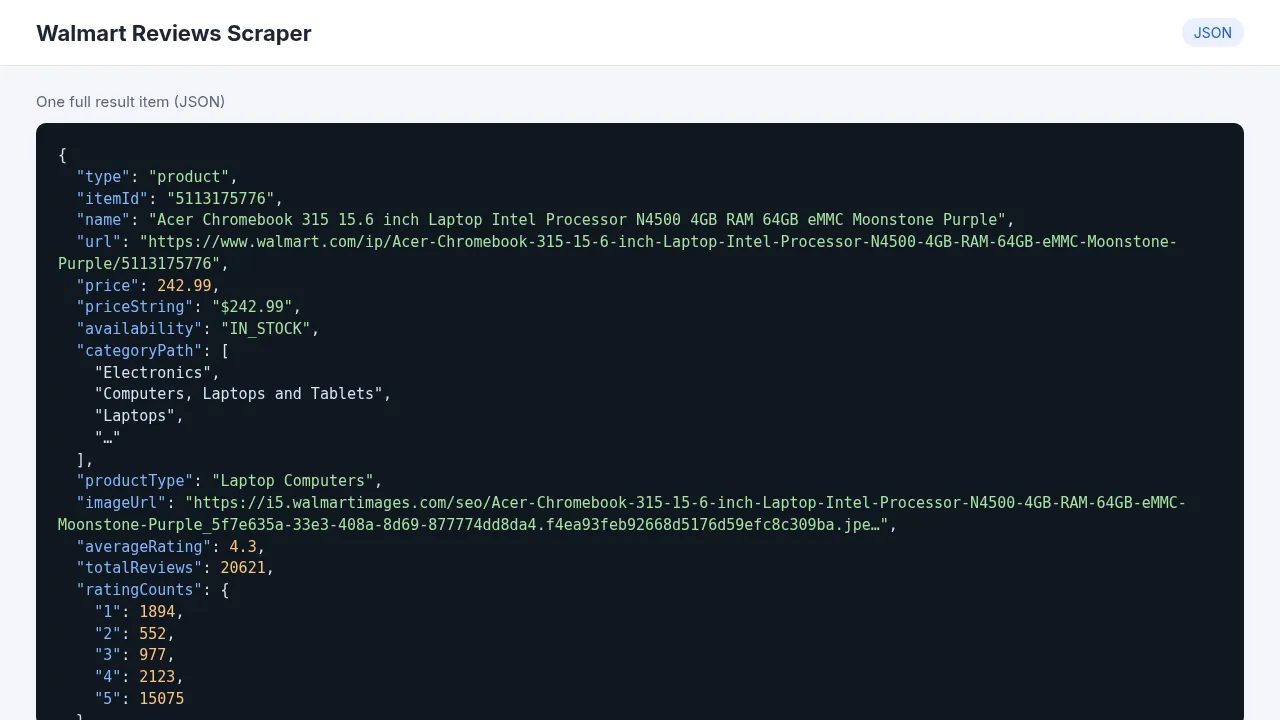
Product row (type: "product", one per product): name, price (242.99), availability (IN_STOCK), categoryPath, averageRating (4.3), totalReviews (20621), ratingCounts per star, recommendedPercentage (83), and Walmart's own summary of the reviews in reviewsSummary and aspectSummaries. For example: "Customers are pleased with the laptop's affordable price, considering it a great value…".
How much it costs
$0.40 per 1,000 results ($0.0004 each). Each review is one result, and so is each product row.
| Example | Results | Cost |
|---|---|---|
| 1 product, 100 reviews | 101 | $0.04 |
| 10 products × 200 reviews | 2,010 | $0.80 |
| 50 products × 500 reviews | 25,050 | $10.02 |
Apify's free plan includes $5 of credit a month, which is about 12,500 results. The optional AI insights add $0.20 per 1,000 reviews analyzed, and the tokens go on your own key. A real run with 20 reviews plus AI insights took 22 seconds.
How to use it
- Create a free Apify account and open this Actor.
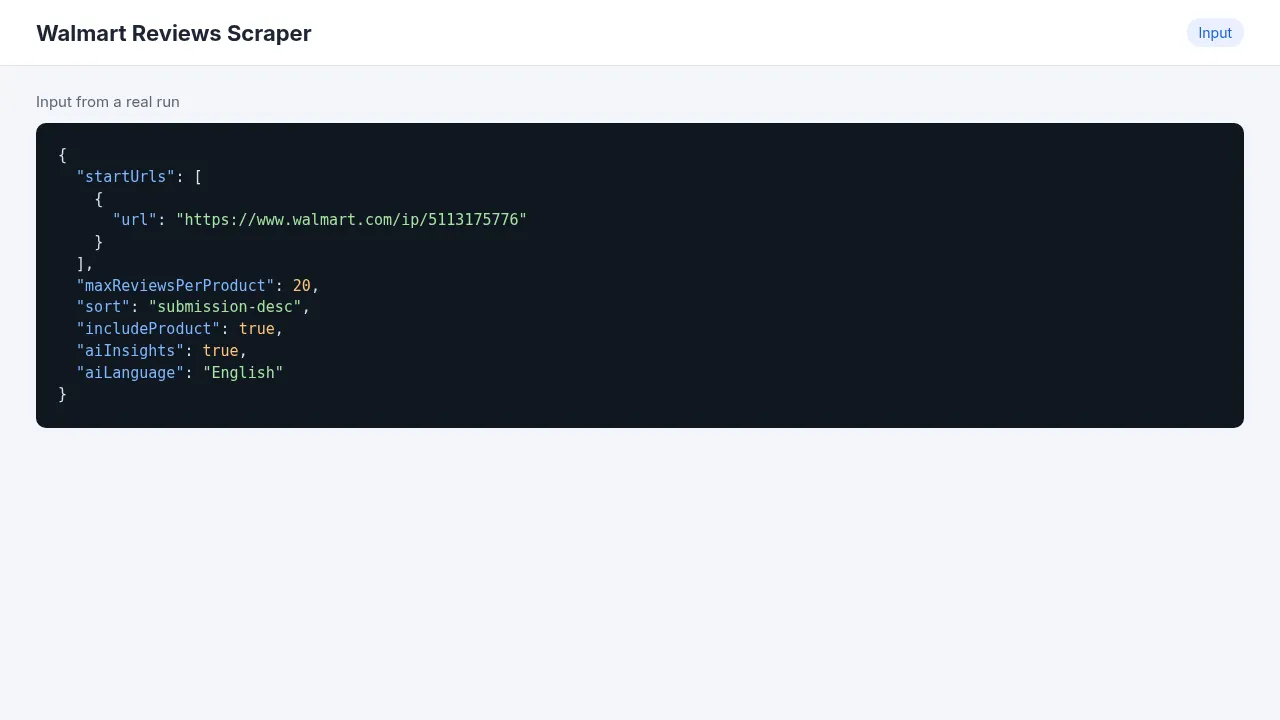
- Paste product pages into Walmart product URLs, e.g.
https://www.walmart.com/ip/5113175776, or put the numbers in Item IDs. - Set Max reviews per product. Use 0 if you only want the product row.
- Choose the order in Sort: newest, most relevant, most helpful, highest or lowest rating.
- Click Start, then download the results from the Output tab as CSV, Excel or JSON.
Input example
Output example (product row)
AI insights (optional)
Walmart's summary is short. If you want more, turn on AI insights per product and add a Gemini or OpenAI key in AI API key. You get one ai-insight row per product with sentiment percentages, top pros and cons with mention counts, themes, feature requests and notable quotes, in the language set in AI output language.
Use cases
- Product research before sourcing: read the 1 and 2-star reviews of the top sellers in a category.
- Comparing two or three similar products on what people actually say.
- Watching ratings and complaints week to week with a schedule.
- Feeding real customer language into ads and product descriptions.
Integrations
- Google Sheets, Make, Zapier, n8n: official Apify app, "Run Actor" (
ener90/walmart-products-reviews), then "Get dataset items". - Slack or webhook when a run finishes.
- API:
- AI agents: add it to Apify MCP.
Limitations
- Walmart.com (US) only. A US residential proxy is set by default because Walmart blocks datacenter IPs.
- Reviews come 10 per page, so very large limits take longer.
- A bad URL or ID doesn't fail the run. It becomes a
type: "error"row with the reason, and that row counts as one result.
FAQ
Do I need a Walmart account? No.
Is the review summary written by this Actor? No. reviewsSummary and aspectSummaries are Walmart's own and come free with the product row. The ai-insight row is the optional one that uses your key.
Is it legal? It collects public product and review data. Check Walmart's terms for your use case.
More from me
- TrustRadius Reviews Scraper
- AI Review Insights
- Mercado Libre Reviews & Preguntas: the same idea for Latin America.


