

TrustRadius Reviews Scraper – Software Reviews
Pricing
Pay per event
TrustRadius Reviews Scraper – Software Reviews
Scrape B2B software reviews from TrustRadius: rating, pros, cons, use cases, likelihood to recommend, date, plus product rating. No reviewer names. TrustRadius only (G2/Capterra not supported).
Pricing
Pay per event
Rating
0.0
(0)
Developer

René Del Valle Rodríguez
Maintained by CommunityActor stats
0
Bookmarked
2
Total users
1
Monthly active users
15 days ago
Last modified
Categories
Features
Share
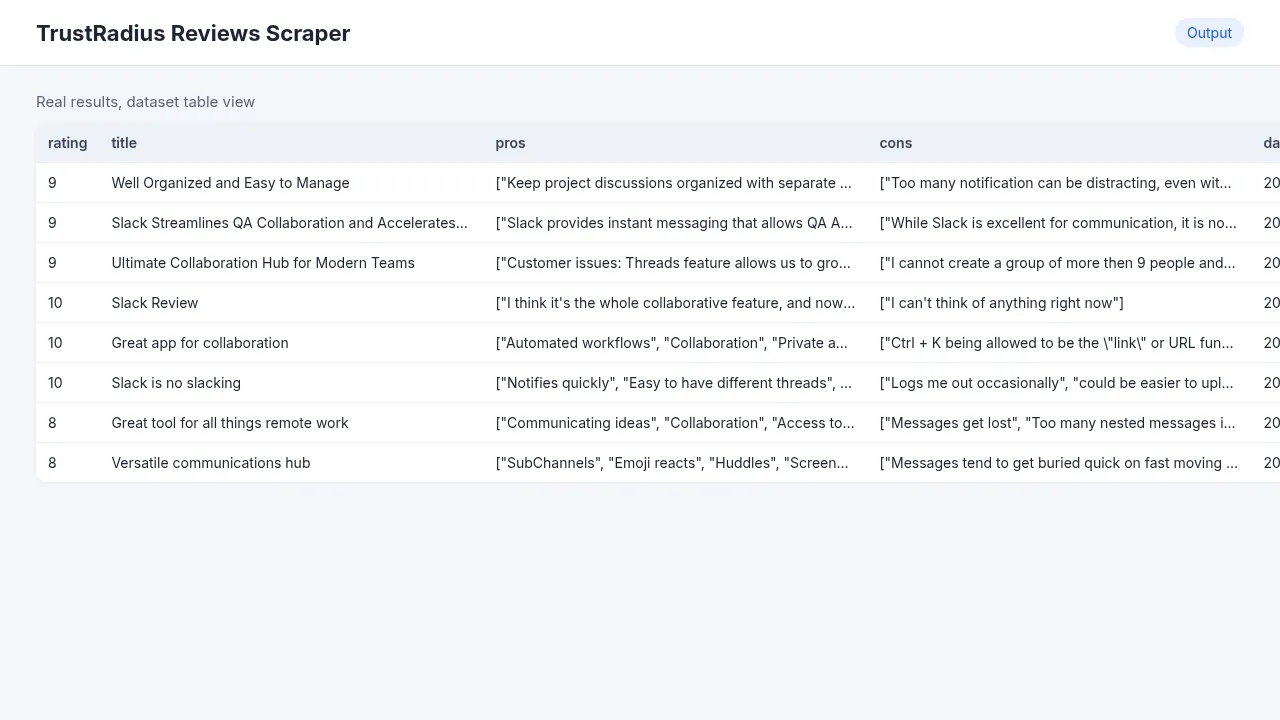
Get B2B software reviews from TrustRadius in a clean table: rating, title, pros, cons, use cases, likelihood to recommend and date, plus the product's overall rating. TrustRadius reviews are long and detailed, which makes them some of the most useful for competitor research. They're also a pain to copy by hand, so I built this.
If you'd rather see it in action first, I recorded a short video tutorial:
Reviewer names are never collected.
What you get
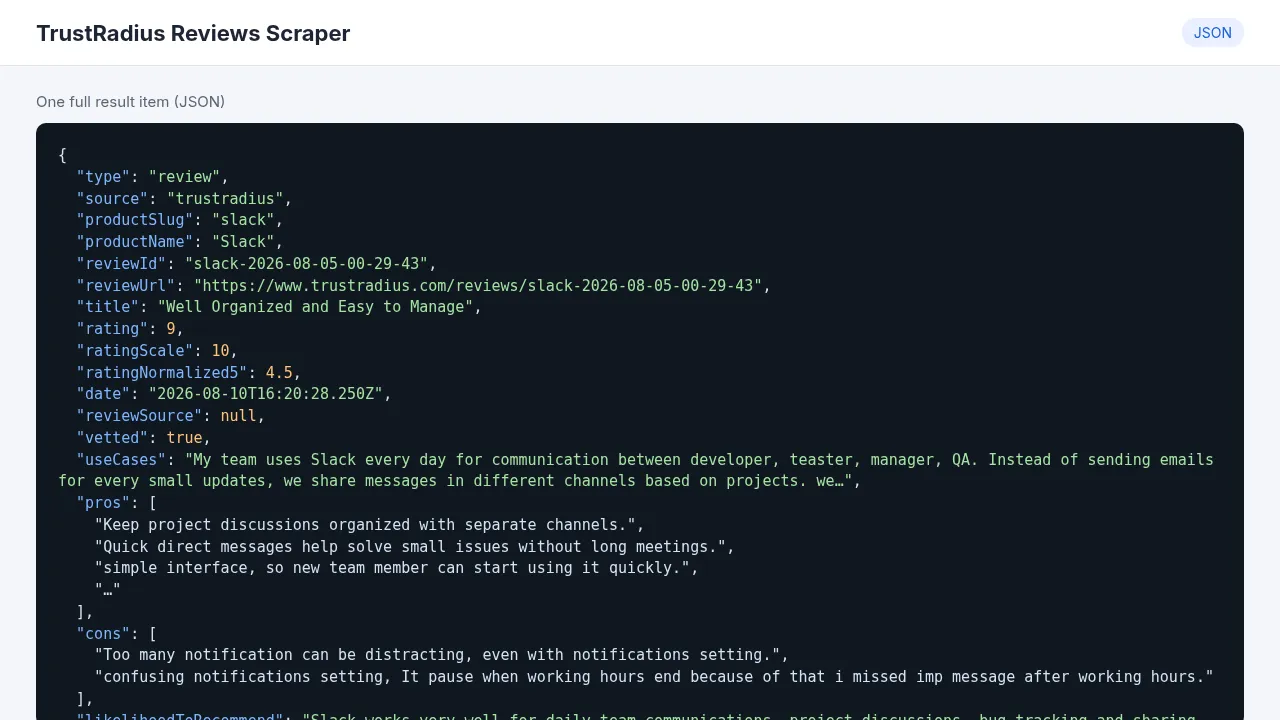
| Field | Real example | Notes |
|---|---|---|
productName, productSlug | Slack, slack | |
title | "Well Organized and Easy to Manage" | |
rating, ratingScale, ratingNormalized5 | 9, 10, 4.5 | TrustRadius rates out of 10. The normalized value is out of 5 |
pros, cons | ["Keep project discussions organized with separate channels.", …] | Lists, one point per item |
useCases | "My team uses Slack every day for communication…" | How the reviewer actually uses it |
likelihoodToRecommend | "Slack works very well for daily team communications…" | |
date, vetted, reviewUrl | 2026-08-10, true, link | |
reviewerRole, reviewerExperience | Only with Include reviewer role & experience |
With Include product info row on, each product also gets one type: "product" row with ratingValue and reviewCount.
How much it costs
$1.50 per 1,000 reviews ($0.0015 each). Product rows and AI summary rows are free.
| Example | Reviews | Cost |
|---|---|---|
| One product, a quick look | 50 | $0.08 |
| 10 competitors × 50 reviews | 500 | $0.75 |
| 20 products × 100 reviews | 2,000 | $3.00 |
Apify's free plan includes $5 of credit a month, which covers about 3,000 reviews. The optional AI summary adds $0.20 per 1,000 reviews analyzed, and the tokens go on your own AI key. A real run with 10 Slack reviews and the AI summary took 30 seconds.
How to use it
- Create a free Apify account and open this Actor.
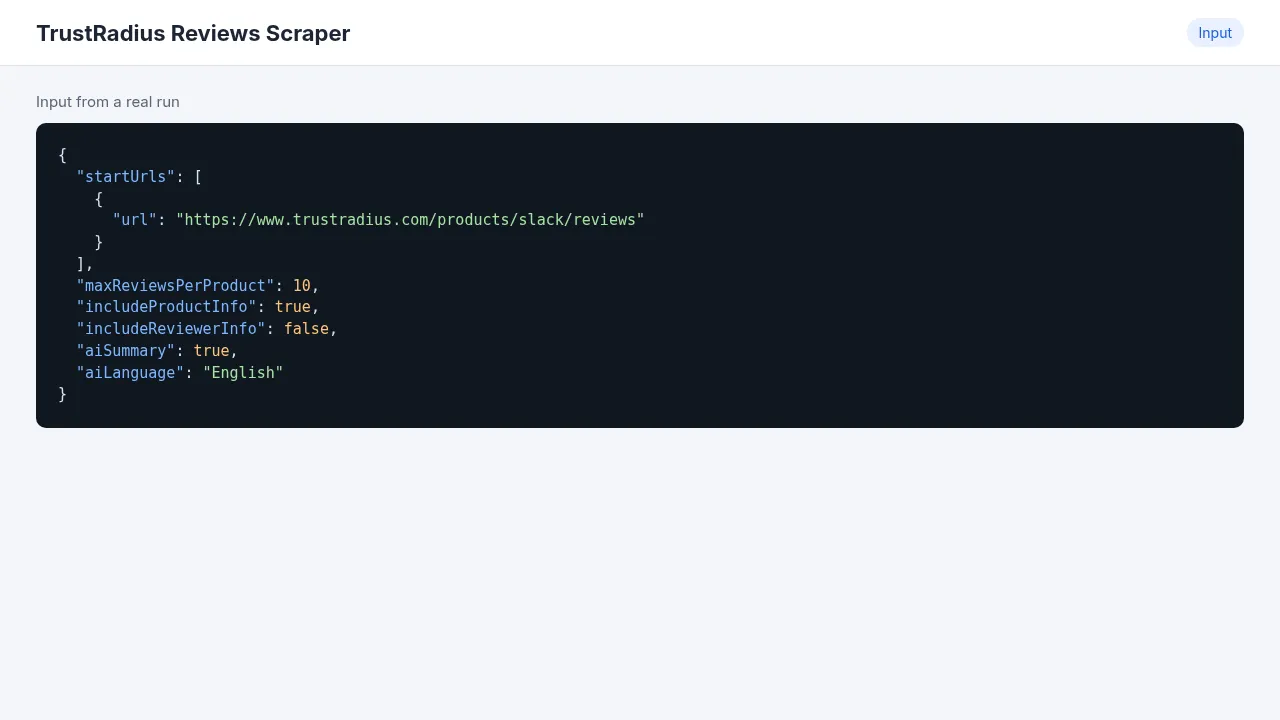
- Paste one or more product review pages into TrustRadius product URLs, e.g.
https://www.trustradius.com/products/slack/reviews. You can type slugs likehubspot-crmin Product slugs instead. - Set Max reviews per product. Reviews come newest first, 10 per page.
- Optional: turn on Include reviewer role & experience for job role, company size and years of experience.
- Click Start. Results show up in the Output tab, where you can download them as CSV, Excel or JSON.
Input example
Output example
AI summary (optional)
Turn on AI summary per product and add your key in AI API key. It works with Gemini, OpenAI, or any OpenAI-compatible endpoint (OpenRouter, xAI, Groq) through AI base URL and AI model. You get one extra row per product with overall sentiment, the most repeated pros and cons, themes, feature requests and a few quotes. Set AI output language if you want it in another language.
Use cases
- Battle cards: what customers like and dislike about each competitor, in their own words.
- Product roadmap input: recurring complaints and feature requests across your category.
- Content and SEO: real pros/cons for comparison pages.
- Tracking how sentiment about a tool changes over time with a monthly schedule.
Integrations
- Google Sheets, Make, Zapier, n8n: use the official Apify app, "Run Actor" (
ener90/software-reviews-scraper), then "Get dataset items". - Slack or webhook when a run finishes, from the Integrations tab.
- API:
- AI agents: add it to Apify MCP and ask "what do TrustRadius reviewers complain about in HubSpot CRM?".
Limitations
- TrustRadius is behind Cloudflare, so the Actor uses residential proxies by default. Keep them on.
- Only public reviews are collected. Reviewer names are left out on purpose.
- A bad URL doesn't fail the run. It shows up as a
type: "error"row with the reason, and the rest keeps going.
FAQ
Do I need a TrustRadius account? No.
Can I get only recent reviews? Reviews come newest first, so a low Max reviews per product gives you the latest ones.
Is it legal? It only collects publicly visible review content and no personal names. Check TrustRadius' terms for your use case.
More from me
- Walmart Reviews Scraper
- Product Hunt Scraper
- AI Review Insights: summarize reviews from any source.


