

Arbeitsagentur Scraper
Pricing
from $0.67 / 1,000 results
Arbeitsagentur Scraper
Arbeitsagentur Scraper scrapes structured job listings from the German Bundesagentur fur Arbeit job portal by keyword and location, or from pasted search-result URLs in bulk. Output: title, company, category, dates, work modes, URL. Export JSON, CSV or Excel, or use the API.
Pricing
from $0.67 / 1,000 results
Rating
0.0
(0)
Developer

Fast Data API
Maintained by CommunityActor stats
0
Bookmarked
2
Total users
1
Monthly active users
10 days ago
Last modified
Categories
Features
Share
Arbeitsagentur Scraper — Jobs, Employers, Pay, Locations and Details
Arbeitsagentur Scraper extracts job listings from arbeitsagentur.de, the official job board of the German Federal Employment Agency: job title, employer, full description, occupation category, contract type, pay information, work schedule, locations with coordinates and the application link. Every response is structured JSON — ready to pass directly to an LLM, index into a vector store, or feed a recruiting or labour-market analytics pipeline. No arbeitsagentur.de account or cookies needed. Start with one city search, then scale to every region you hire in.
What data can I extract with Arbeitsagentur Scraper?
Using this Arbeitsagentur job listing API, you will be able to extract the following arbeitsagentur.de job data:
| 💼 Job title | 🏢 Employer | 📝 Full description | 🗂️ Occupation category |
|---|---|---|---|
| 🏷️ Listing type (job, apprenticeship, internship, self-employed) | 📄 Contract duration | 💶 Pay type, pay model and amount (if given) | 🕒 Work modes (full-time, part-time, shifts, home office) |
| 📍 Locations with postal code, region and coordinates | 🏠 Remote-work option | 📅 Published, updated and start dates | 🔗 Job page and application link |
| 🤝 Posting partner (name and website) | ♿ Disability-friendly flag | 🔄 Career-change-friendly flag | 🏭 Temporary-agency and private-placement flags |
| 🆔 Reference number | 🧾 Search and detail source data | 🔎 The search or start URL each job came from | 🕓 Scrape time |
How to use Arbeitsagentur Scraper
Recruiters, job-market analysts and HR-tech builders get a clean table of German job listings, with full details, from one run.
Copy to your AI assistant:
Arbeitsagentur Scraper MCP Server: use these Actors from ChatGPT, Claude or Cursor
Point your AI assistant at the Apify MCP server and it can read arbeitsagentur.de on its own: job listings with full descriptions, employers, pay information and locations. No glue code, no scraping logic in your prompts.
Step by step
- Create a free Apify account.
- Open Arbeitsagentur Scraper in the Apify Store.
- Paste arbeitsagentur.de search-result URLs, or type a keyword and a location and pick your filters.
- Click Start (or send your API request).
- Download or stream your results in JSON, CSV or Excel.
How to scale Arbeitsagentur Scraper to bulk
Paste as many search-result URLs into Search Result URLs as you need; each URL is one input with its own job limit, and three inputs are searched at the same time. Copy the URL from your browser after setting filters on the jobsuche page, and every filter in it is kept. For a recurring jobsuche scraper feed, schedule the run daily with "Published Within: Today" to collect only new listings, or loop API calls with different keyword and location pairs to scrape arbeitsagentur jobs region by region. Each finished run is an arbeitsagentur jobs export you can download as CSV or Excel.
✨ Features
Arbeitsagentur Scraper fetches clean, structured job listings from arbeitsagentur.de. It's ideal for hiring-demand tracking, job aggregation, employer research and salary benchmarking where pay is published. As an arbeitsagentur.de scraper it covers the whole German market, from apprenticeships to senior roles: a jobbörse scraper and German job board scraper in one form.
It extracts, per job:
- Job title and employer – the listing headline and the hiring company
- Full description – the complete job text from the detail page
- Occupation category – the main occupation plus every related one
- Contract and schedule – contract duration, full-time, part-time, shift and home-office signals
- Pay – pay type, pay model and amount when the employer publishes one
- Locations – city, postal code, region, country and coordinates for each workplace
- Application link and posting partner – where to apply and which partner board placed the listing
⚡ Starts with a direct connection and switches to a proxy only when the site blocks a request, so most runs need no proxy at all.
Use cases 💡
- Recruiter — find every Pflegefachkraft opening within 25 km of a clinic each morning.
- Labour-market analyst — count listings per occupation and region for a monthly report.
- Job-board operator — import job listings in Germany, with descriptions, into your own board.
- Sales team — spot employers hiring heavily in a city and pitch HR services.
- AI-agent builder — feed arbeitsagentur job data into a RAG index for a job-matching assistant.
Building an AI agent? Connect Arbeitsagentur Scraper over MCP and let it call the actor on its own.
Why choose this actor?
- Many searches at once. A recorded run returned 12 jobs from 3 start URLs in 4.8 seconds, and 150 software-developer jobs around Berlin in 9.8 seconds, each with its full detail page.
- The details behind each listing. A recorded Hamburg cook listing came back with its full description, contract type, a full-time work mode, the employer's postal code with coordinates, the application link and the partner board that placed it.
- 20 inputs, one form. Start URLs, keyword, location, radius and 11 filters (listing type, publish date, start date, schedule, contract, remote, career change, disability, agency, external and temporary-work postings) plus limit and speed settings.
⬇️ Input
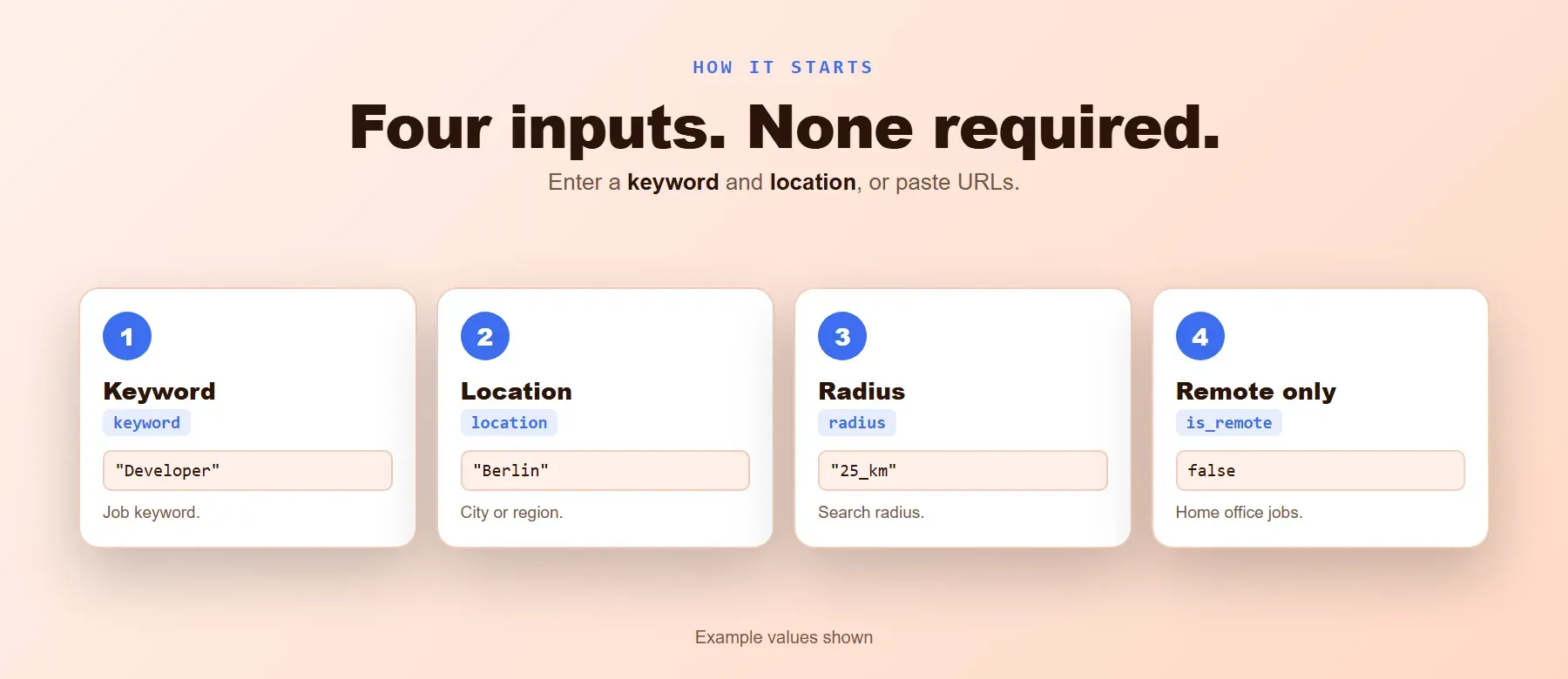
Arbeitsagentur Scraper takes a list of arbeitsagentur.de search-result URLs, or a keyword and location with filters. No field is required; with nothing set it searches the whole job board.
| Parameter | Required | Type | Description | Example value |
|---|---|---|---|---|
startUrls | No | array | arbeitsagentur.de search-result URLs, one input each. When set, they take priority over the search fields (Location still overrides). | ["https://www.arbeitsagentur.de/jobsuche/suche?was=Koch&wo=Hamburg"] |
keyword | No | string | Job title, skill or free text. | "Softwareentwickler" |
location | No | string | City, postal code or region; also overrides the location inside start URLs. | "Berlin" |
radius | No | string | Distance around the location: 10_km, 15_km, 25_km, 50_km, 100_km, 200_km. Default 25_km. | "25_km" |
employment_type | No | string | job, education (apprenticeship / dual study), early_career (internship / trainee / working student), self_employed. Default job. | "job" |
publication_date | No | string | Published within: today, yesterday, last_1_week, last_2_weeks, last_4_weeks. | "last_1_week" |
beginning_date | No | array | Start date: immediately and/or months 2026-10 to 2027-12. | ["immediately"] |
is_remote | No | boolean | Only home-office friendly listings. Default false. | false |
work_schedule | No | array | full_time, part_time, shift_night_weekend. | ["full_time"] |
fixed_term | No | array | fixed_term, unlimited, not_specified. | ["unlimited"] |
is_suitable_for_career_change | No | boolean | Only listings marked for career changers. Default false. | false |
disabled_only_jobs | No | boolean | Only listings marked suitable for applicants with disabilities. Default false. | false |
include_agency_jobs | No | boolean | Include private recruitment-agency postings. Default false (direct employers only). | false |
exclude_external_jobs | No | boolean | Drop listings from external job boards. Default false. | false |
exclude_temporary_work | No | boolean | Drop temporary-work agency listings. Default false. | false |
limit | No | integer | Max jobs saved per input (per start URL or for the built search), 1-500,000. Default 10. | 20 |
maxRetries | No | integer | Retries per failed request on the residential proxy, 1-10. Default 3. | 3 |
maxConcurrency | No | integer | Detail pages fetched in parallel, 1-20. Default 5. | 5 |
maxScanned | No | integer | Stop paging one search after this many listings, 100-200,000. Default 50000. | 50000 |
proxyConfiguration | No | object | Proxy to start on. Default: no proxy, with automatic fallback. | {"useApifyProxy": false} |
Free plan limits
Users on the Apify free plan can fetch up to 20 jobs per run (all start URLs and searches together) and 200 jobs per month. When the limit is reached, the run finishes successfully with a status message explaining the limit. Upgrade to any paid Apify plan to remove these limits.
Example input
⬆️ Output
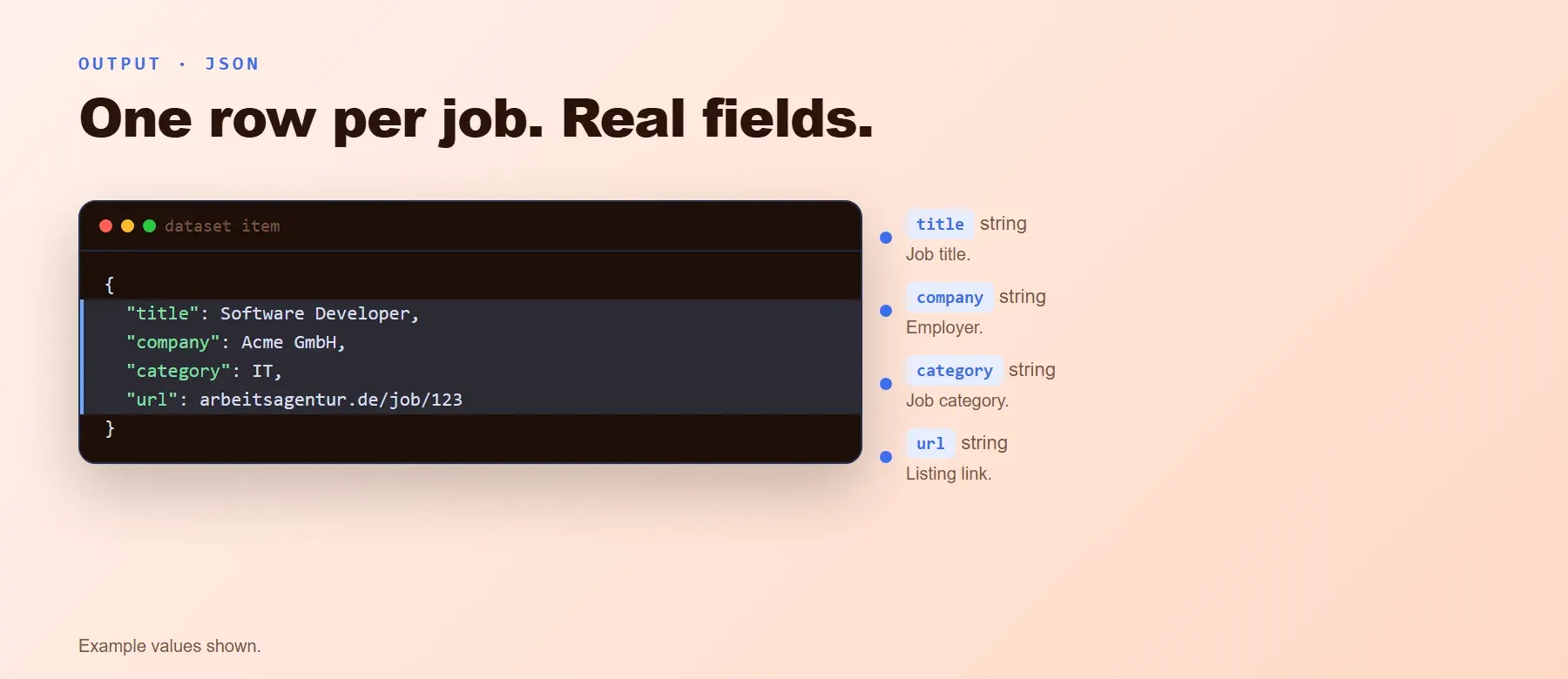
Every job is one typed, normalized JSON item with the same schema on every run, written to the dataset as soon as its details are loaded. Export as JSON (default), CSV or Excel; five dataset views (Overview, Compensation & Schedule, Locations, Source & Provenance, Flags & Accessibility) group the fields. If a job's detail page cannot be loaded, the row is saved from search data alone without the description and the detail-only flags.
Example output
The sourceData.search and sourceData.detail objects are shortened here; in real rows they repeat the dates, pay, contract, schedule, remote-work and location blocks as each source shows them.
How does it work?
Arbeitsagentur Scraper reads the same public job pages any visitor of arbeitsagentur.de can open, with plain HTTP requests and no browser. It starts with a direct connection; if the site blocks a request it switches to a datacenter proxy, then to a residential proxy that it keeps for the rest of the run, retrying failed requests there. Each search is paged in date order, every listing gets its full detail page, and each job is saved as soon as it is ready, so you can watch the table fill. It returns only publicly visible data — no account, login or cookies. The output schema is normalized and stays the same even when the site changes its pages.
How do you integrate Arbeitsagentur Scraper into your stack?
It works with what you already use: the REST API from any language, MCP for AI agents, and no-code tools like n8n and Make.
Using Arbeitsagentur Scraper with the Apify API
Works in Go, Ruby, Node.js, cURL — any language that can make an HTTP request.
MCP integration for AI agents
Add the Apify MCP server with this Actor preloaded:
This registers Arbeitsagentur Scraper as a tool your agent can call directly. Ask it for "the newest nursing jobs in Munich" and it runs the search and reads the JSON back. It works in Claude Code, Cursor, Windsurf and any other MCP-compatible client.
No-code tools (n8n, Make, LangChain)
- n8n: use the Apify node's "Run an Actor" operation with this Actor, or the HTTP Request node pointed at the run-sync-get-dataset-items endpoint with your token.
- Make: add the Apify app's "Run an Actor" module, then "Get Dataset Items" to pass each job to the next step, for example a Google Sheet.
- LangChain: install
langchain-apifyand load the Actor withApifyActorsTool("fastdataapi/arbeitsagentur-scraper-bundesagentur-fur-arbeit").
Is it legal to scrape arbeitsagentur.de data?
Scraping publicly available job listings is generally legal, as long as you collect only public data and respect applicable law. Arbeitsagentur Scraper returns only publicly available data — what any visitor sees on arbeitsagentur.de without logging in. Listings can name contact people or include phone numbers in their description; under GDPR, scraping public data is generally permissible, but storing and using it must comply with local data-protection law. Consult legal counsel if your use case involves bulk storage of personal data.
Frequently asked questions
What fields does Arbeitsagentur Scraper return?
The job title, employer, full description, locations with coordinates and the application link are the main fields, plus contract, schedule, pay, dates and flags. See the data fields section for the full list.
Does Arbeitsagentur Scraper require an arbeitsagentur.de account or login?
No. Only public job listings are extracted, and no credentials or cookies are needed.
How fast does Arbeitsagentur Scraper run?
A recorded run saved 150 jobs with full details in 9.8 seconds; 3 start URLs with 4 jobs each took 4.8 seconds. Data is fetched live on every run, not from a cache.
What happens if a job has expired or doesn't exist?
Listings that no longer appear in search results are simply not returned. If a listing's detail page cannot be loaded, the job is still saved from its search-result data, without the description and the detail-only flags, so check for a missing description in your code. A search with no matches ends with zero rows and a status message.
Can I scrape multiple arbeitsagentur.de searches at once?
Yes. Put every search-result URL into Search Result URLs; each one is an input with its own job limit, three run at the same time, and duplicate jobs across inputs are saved once.
Does Arbeitsagentur Scraper work with Claude, ChatGPT, and other AI agent tools?
Yes — Arbeitsagentur Scraper is available as an MCP tool. Register it in Claude Code, Cursor or Windsurf with claude mcp add --transport http apify "https://mcp.apify.com?tools=fastdataapi/arbeitsagentur-scraper-bundesagentur-fur-arbeit". Any agent that can call an HTTP endpoint can use the REST API directly.
Does Arbeitsagentur Scraper return data in a format LLMs can use directly?
Yes. Every job is typed, normalized JSON with consistent field names, with no HTML parsing and no selectors. Pass it straight to an LLM, index it into a vector store, or feed it to an agent tool, with no transformation step.
What happens when arbeitsagentur.de changes its layout or updates its anti-bot system?
The actor is maintained. When arbeitsagentur.de changes, the actor is updated, and your calls keep returning the same JSON schema with no changes on your end.
Can I use Arbeitsagentur Scraper without managing proxies or browser infrastructure?
Yes. Proxy switching runs on the actor's side: it starts direct and moves to a datacenter, then a residential proxy only when a request is blocked. You send one request and get structured JSON back, with no proxy accounts and no headless browser.
Which arbeitsagentur.de job fields work best for AI training data and RAG indexing?
For RAG, the full description, job title, employer and occupation categories carry the most text. For training data, the work modes, contract duration, pay type, remote-work flag, dates and coordinates are ready-to-use features. All fields are typed strings, numbers, booleans and small objects, with no normalization needed.
Related scrapers
| Scraper | What it extracts |
|---|---|
| Bundesagentur Fur Arbeit Scraper | Flat one-row-per-job records from the same job board, with salary ranges and application emails |
| LinkedIn Jobs Scraper | Job postings from LinkedIn |
| Dice Job Scraper | Tech job listings from Dice |
| ATS Jobs API | Job postings from company applicant-tracking systems |
| Glassdoor Reviews Scraper | Employer reviews from Glassdoor |
Your feedback
Found a bug or missing a field? Let us know through the Issues tab on this Actor's page. Every report is read, and fixes ship to the actor so your runs keep working.


