

LinkedIn Jobs Scraper
Pricing
from $1.09 / 1,000 results
LinkedIn Jobs Scraper
LinkedIn Jobs Scraper — Extract LinkedIn job listings including job titles, company names, locations, salary details, employment types, experience levels, descriptions, posting dates, and job URLs. Useful for recruitment research, job market analysis, hiring insights, and lead generation.
Pricing
from $1.09 / 1,000 results
Rating
0.0
(0)
Developer

Social Data API
Maintained by CommunityActor stats
0
Bookmarked
8
Total users
3
Monthly active users
8 days ago
Last modified
Categories
Share
LinkedIn Jobs Scraper — Titles, Salaries, Descriptions and Applicants
LinkedIn Jobs Scraper collects public LinkedIn job postings: job title, company, location, salary, applicant count, employment type, experience level and the full description. Every response is structured JSON — ready to pass directly to an LLM, index into a vector store, or feed a hiring-intelligence pipeline. No LinkedIn account or login needed: list companies by name, link or ID, or run a keyword and location search, then narrow results by date posted, job type and experience level. Start with one company, then track hiring across every account you sell to.
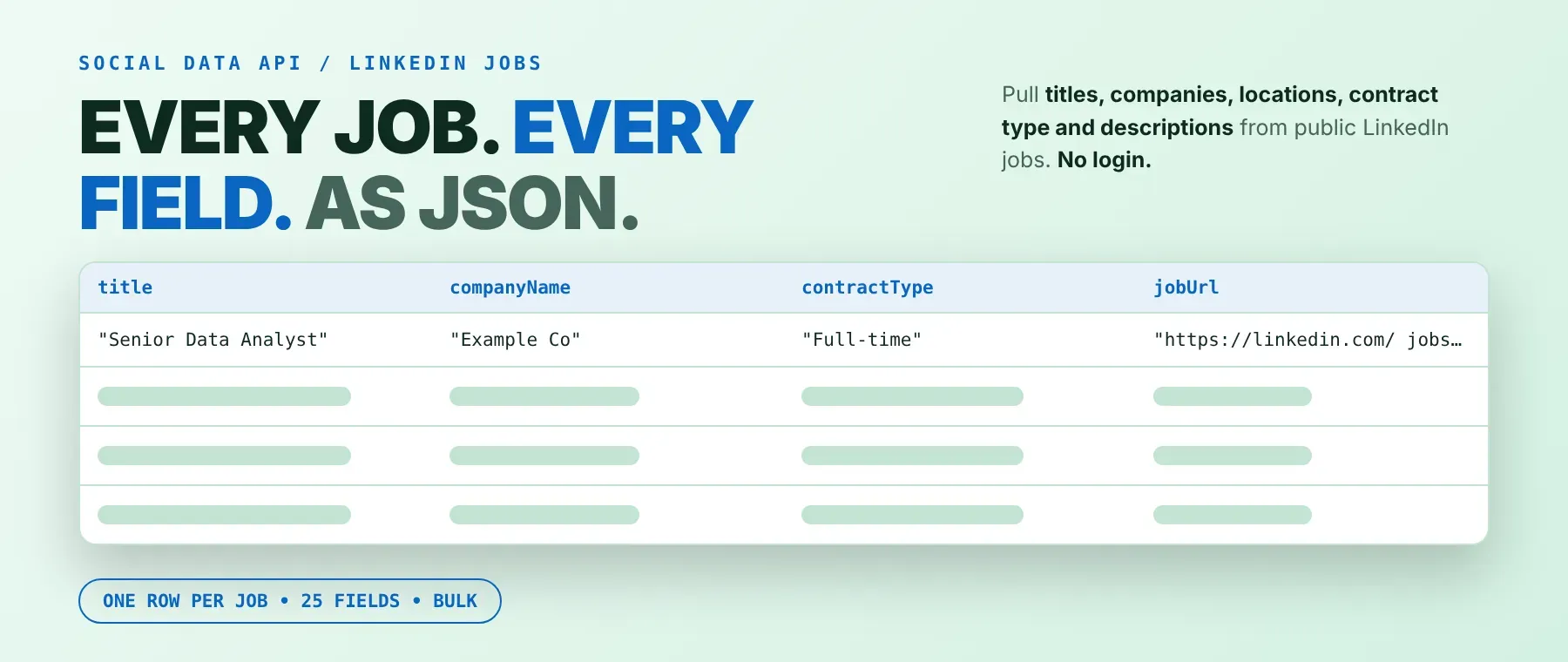
What data can I extract with LinkedIn Jobs Scraper?
Using this LinkedIn Jobs API, you will be able to extract the following LinkedIn job posting data:
| 🆔 Job ID | 📝 Job title | 🏢 Company name | 📍 Location |
|---|---|---|---|
| 💰 Salary (when posted) | 📅 Date posted | 🕒 Posted (relative time) | 👥 Applicant count |
| 📊 How to read the applicant count | 💬 Applicant line (as shown on LinkedIn) | 💼 Employment type | 🎓 Experience level |
| 🏷️ Job function (rarely filled in) | 🏭 Industry | 🎁 Benefits mentioned | 🔘 Apply type (Easy Apply or company site) |
| 🚪 Apply link (when public) | 🔗 Job page link | 🏢 Company page link | 🆔 Company ID |
| 👤 Job poster name | 🔗 Job poster profile | 📄 Description (text) | 🧾 Description (HTML) |
| ⏱️ Saved at (UTC) |
How to use LinkedIn Jobs Scraper
Recruiters, sales teams and job-market researchers use it to pull a clean, structured feed of LinkedIn job postings from one run, without writing a single line of scraping code.
Copy to your AI assistant:
LinkedIn Jobs Scraper MCP Server: use these Actors from ChatGPT, Claude or Cursor
Point your AI assistant at Apify's MCP server with this Actor already loaded as a tool, and it can run it on its own, searching LinkedIn job postings mid-conversation without any glue code in your prompts.
Step by step
- Create a free Apify account.
- Open this Actor in the Apify Store.
- Enter the LinkedIn companies you want (name, link or ID), or a keyword and location.
- Click Start (or send your API request).
- Download or stream your results in JSON, CSV or Excel.
How to scale LinkedIn Jobs Scraper to bulk
List every company you want to track in the companies field, one per line — all of them are searched in the same run, each capped by its own maximum-jobs limit. For ongoing monitoring, schedule the same run daily or weekly with the date-posted filter set to past 24 hours or past week so only new postings keep coming in, or trigger runs from your own code with the Apify API and loop over a longer company list across several calls.
✨ Features
LinkedIn Jobs Scraper fetches clean, structured job postings from LinkedIn. It's ideal for hiring-signal tracking for sales, recruiting research, job-market analysis, and running a linkedin company jobs scraper against a whole target-account list, building a LinkedIn job search by company into your own tools.
It extracts, per job posting:
- Job title and company – the role and who's hiring, with a link to the company's LinkedIn page
- Salary – LinkedIn's own pay range when posted, or one found written in the description
- Applicant count – how many people applied, and whether that number is exact, "over" or "fewer than"
- Employment type and experience level – checked against the posting's own criteria, not LinkedIn's unreliable public search filters
- Full description – as plain text and as HTML, plus any benefits mentioned in it
- Apply details – Easy Apply or company website, with the apply link when LinkedIn shows one publicly
⚡ Jobs save to the dataset the moment each posting is read, so the output table fills while the run is still going.
Use cases 💡
- Sales team — use it as a linkedin hiring data scraper to see who's hiring this week.
- Recruiter — track competitors' open roles and how many people apply to each.
- Market analyst — run it as a linkedin salary data scraper across companies and cities.
- Job board builder — run a daily keyword search with date posted set to the past 24 hours.
- AI agent builder — feed postings into a vector store with a linkedin job description scraper.
Building an AI agent? Connect LinkedIn Jobs Scraper over MCP and let it call the actor on its own.
Why choose this actor?
- Jobs saved the moment they're read. A recorded run on one company ("Google", up to 8 jobs) saved all 8 in about 4.5 seconds, and a keyword and location search ("Data Analyst" in Berlin, up to 5 jobs) saved all 5 in about 4.3 seconds — in both runs, every row landed in the dataset within half a second of the next.
- One company name, three ways in. A name, a LinkedIn company link or a numeric company ID are all accepted in the same list, and an unmatched name automatically falls back to a keyword search scoped to that company so a typo doesn't return zero jobs.
- 25 fields per job, checked against the posting itself. Employment type and experience level are matched against each job's own criteria rather than LinkedIn's public search filters, so this linkedin job listings extractor only returns jobs that really are full-time and entry level when you ask for "Full-time, Entry level".
⬇️ Input
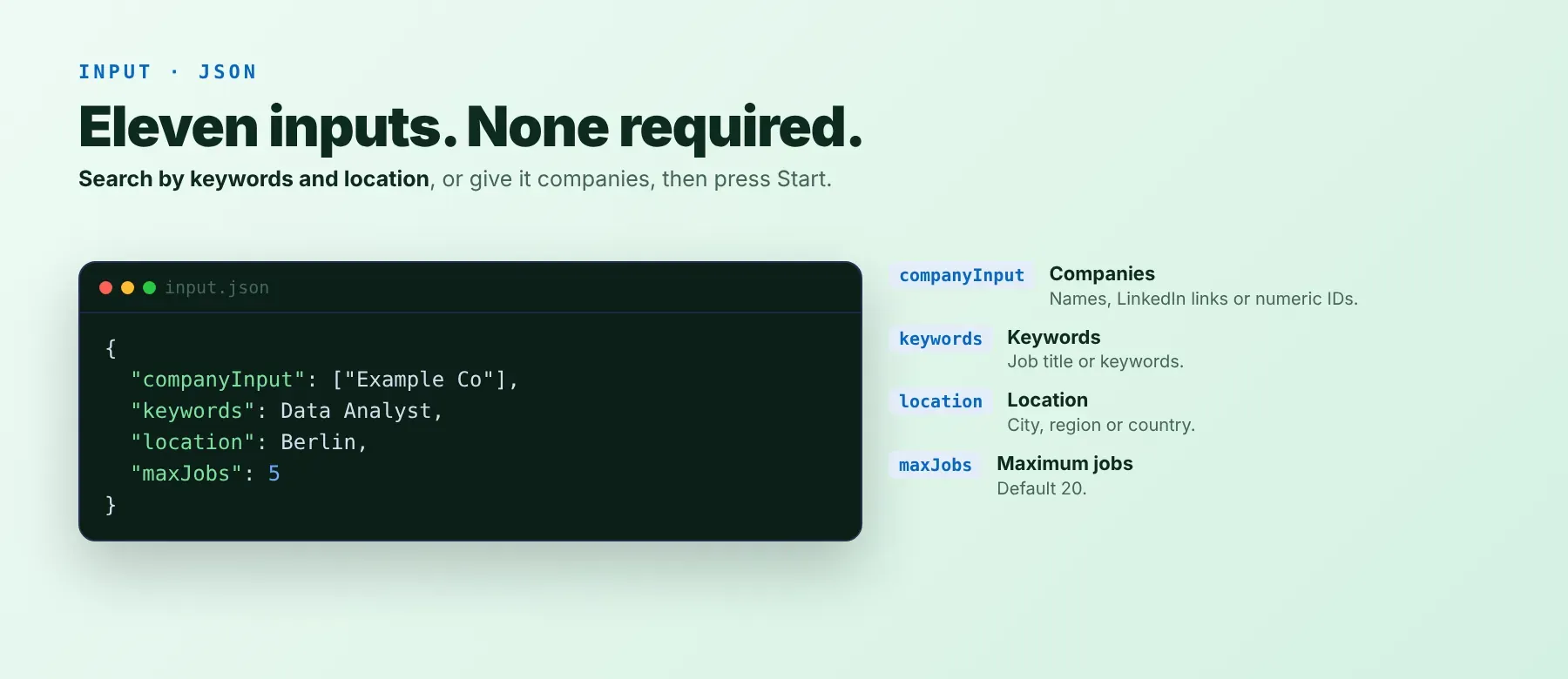
Give it one or more companies (by name, LinkedIn link or numeric ID) in the companies field, or leave it empty and set the job keywords and location fields instead. No field is required — an empty run falls back to the default keyword search.
| Parameter | Required | Type | Description | Example |
|---|---|---|---|---|
companyInput | No | Array | Company names, LinkedIn company links or numeric IDs, one per line; empty runs a keyword and location search instead | ["Google", "1035"] |
keywords | No | String | Job title or keywords; narrows a company's jobs, or is the whole search with no company (default Software Engineer) | "Data Analyst" |
location | No | String | Where the jobs are based (default United States) | "Berlin" |
geoId | No | String | Optional numeric LinkedIn region ID | "101282230" |
maxJobs | No | Integer | Max jobs saved per company, or for the whole search, 1-1000 (default 20) | 15 |
sortOrder | No | String | "" LinkedIn's order, "relevance", or "date" for most recent first | "date" |
publishedAt | No | String | "" any time, "r86400" past 24 hours, "r604800" past week, "r2592000" past month | "r604800" |
workType | No | String | "" any, "1" on-site, "2" remote, "3" hybrid (LinkedIn doesn't apply this to public searches) | "" |
contractType | No | String | "" any, "F" full-time, "P" part-time, "C" contract, "T" temporary, "I" internship, "V" volunteer | "F" |
experienceLevel | No | String | "" any, "1" internship, "2" entry level, "3" associate, "4" mid-senior, "5" director, "6" executive | "2" |
proxyConfiguration | No | Object | Apify Proxy settings | {"useApifyProxy": false} |
Free plan limits
Users on the Apify free plan can fetch up to 20 jobs per run (all companies or the search together) and 200 jobs per month. When the limit is reached, the run finishes successfully with a status message explaining the limit. Upgrade to any paid Apify plan to remove these limits.
Example input
⬆️ Output
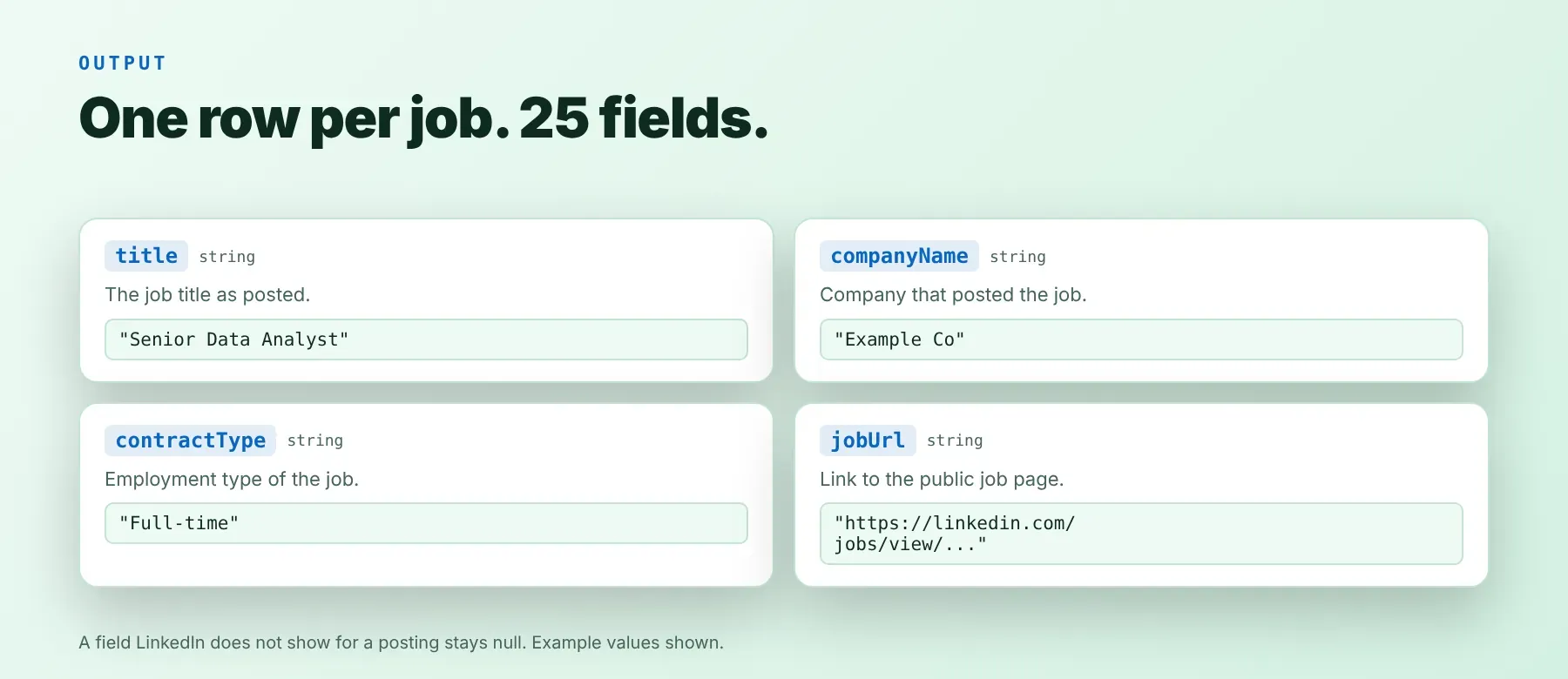
Every job posting is one typed, normalized JSON item with the same field names on every run — nothing is skipped silently, and a field LinkedIn doesn't show for a posting stays null. Export LinkedIn jobs to CSV, Excel or JSON (the default) straight from the Console or the API. A real row from the example input above, description shortened:
Example output
How does it work?
This actor is built to scrape LinkedIn job postings the same way a signed-out visitor's browser would: it reads the same public job-search and job-detail pages the LinkedIn site loads — plain HTTP requests, no browser. Requests go through rotating proxies, and the run automatically retries and switches to a residential proxy when LinkedIn blocks a request, so a block on one request doesn't fail the job or the run. Only publicly visible data is returned: what anyone can see on a LinkedIn job page or in LinkedIn's public job search without an account. The output schema is normalized and stays the same shape even when LinkedIn redesigns its pages, so your integration doesn't need to change when LinkedIn does. When a single search would otherwise hit LinkedIn's own result cap, the run keeps searching further on its own so your maximum-jobs setting is still respected.
How do you integrate LinkedIn Jobs Scraper into your stack?
Think of it as a linkedin job postings api you can call from any stack: a REST API from any language, MCP for AI agents, and no-code automation tools.
Using LinkedIn Jobs Scraper with the Apify API
Once this Actor is live in your account, any language that can send an HTTP request can call it — POST your input JSON to its run-sync-get-dataset-items endpoint with your Apify API token, then read the job rows straight back from the response body. The same call works from Python, Go, Ruby, Node.js or plain cURL; the official apify-client package wraps it for Python and JavaScript if you prefer a typed client over raw HTTP.
Works in Go, Ruby, Node.js, cURL — any language that can make an HTTP request.
MCP integration for AI agents
This registers Apify's MCP server with LinkedIn Jobs Scraper already added as a tool your agent can call directly: it runs it for a company list or a keyword search without you writing any scraping logic or input-schema glue code. Compatible with Claude Code, Cursor and Windsurf, and any other MCP client that supports Streamable HTTP servers.
No-code tools (n8n, Make, LangChain)
In n8n, use the Apify node's "Run an Actor" action with this Actor and your input JSON, or an HTTP Request node pointed at the run-sync endpoint with your API token. In Make, the Apify app's "Run an Actor" module followed by "Get Dataset Items" gives you the same job rows inside a scenario. In LangChain, langchain-apify's ApifyDatasetLoader loads a finished run's dataset straight into documents you can hand to a chain or a retriever.
Is it legal to scrape LinkedIn jobs?
Scraping publicly available data is generally lawful in most jurisdictions, although LinkedIn's own User Agreement restricts automated access to its site. LinkedIn Jobs Scraper returns only job pages that any visitor can open without signing in — nothing behind a login wall. Job poster names and profile links, where a posting shows one, can count as personal data under GDPR and similar laws, so storing and using them needs a lawful basis under your local data-protection rules. Consult legal counsel if your use case involves bulk storage of personal data.
Frequently asked questions
What fields does LinkedIn Jobs Scraper return?
Job title, company name, location, salary and the full job description are the top fields — see the data fields section for the complete list, including applicant counts, employment type, experience level and apply details.
Does LinkedIn Jobs Scraper require a LinkedIn account or login?
No. Only public job posting data is extracted, and no LinkedIn credentials are needed at any point.
How fast does LinkedIn Jobs Scraper run?
A recorded run searching one company ("Google", up to 8 jobs) saved all 8 jobs in about 4.5 seconds, and a keyword and location search ("Data Analyst" in Berlin, up to 5 jobs) saved all 5 in about 4.3 seconds. Every run reads live data — nothing is cached.
What happens if a job is no longer listed or a company doesn't match?
A job that LinkedIn no longer lists is skipped without being charged, and named in the run's log. A company name that doesn't match a LinkedIn company falls back automatically to a keyword search scoped to that company name; if that still finds nothing, the company is named in the log and the run's status message while the rest of the run carries on.
Can I scrape multiple LinkedIn companies or searches at once?
Yes. List every company you want in the companies field, one per line — all of them run in the same job, each capped by its own maximum-jobs limit, so a single run can cover an entire list of target accounts.
Does LinkedIn Jobs Scraper work with Claude, ChatGPT and other AI agent tools?
Yes — it's reachable through Apify's MCP server. Run claude mcp add --transport http apify "https://mcp.apify.com?tools=socialdataapi/linkedin-jobs-scraper" to register it as a tool in Claude Code, Cursor or Windsurf. Any agent that can call an HTTP endpoint can also use the REST API directly.
Does LinkedIn Jobs Scraper return data in a format LLMs can use directly?
Yes. Every job posting comes back as typed, normalized JSON with consistent field names and no HTML parsing required for the plain-text fields. Pass it straight to an LLM, index it into a vector store, or feed it to an agent tool with no transformation step.
What happens when LinkedIn changes its layout or anti-bot system?
The actor is actively maintained. When LinkedIn changes how its pages work, the actor is updated to match — your calls keep returning the same JSON schema with no changes needed on your end.
Can I use LinkedIn Jobs Scraper without managing proxies or browser infrastructure?
Yes. Proxy rotation runs on the actor's side — plain HTTP requests, retried and switched to a residential proxy automatically when LinkedIn blocks one. You send one request and get structured job data back, with no proxy accounts or browser setup to maintain.
Which LinkedIn job fields work best for AI training data and RAG indexing?
For RAG indexing, the full job description, job title and company name carry the most context. For structured training data, the applicant count, employment type, experience level and salary are the most consistent fields across postings. All fields come back as typed primitives — strings, integers, booleans — so no normalization is required.
Your feedback
Found a bug or missing a field? Let us know through the Actor's feedback channel so it can be fixed. Every report is read, and fixes ship as LinkedIn's own pages keep changing.


