
Target Store Locator Scraper
Pricing
from $0.67 / 1,000 results
Target Store Locator Scraper
Target Store Locator Scraper finds Target stores near a ZIP code, city, state or URL: address, phone, hours, distance, drive-up and other services, store size, rating, reviews and photos. Export JSON, CSV or Excel, or use the API.
Pricing
from $0.67 / 1,000 results
Rating
0.0
(0)
Developer

Fast Data API
Maintained by CommunityActor stats
0
Bookmarked
2
Total users
1
Monthly active users
8 days ago
Last modified
Categories
Features
Share
Target Store Locator Scraper — Nearby Stores, Hours, Services and Ratings
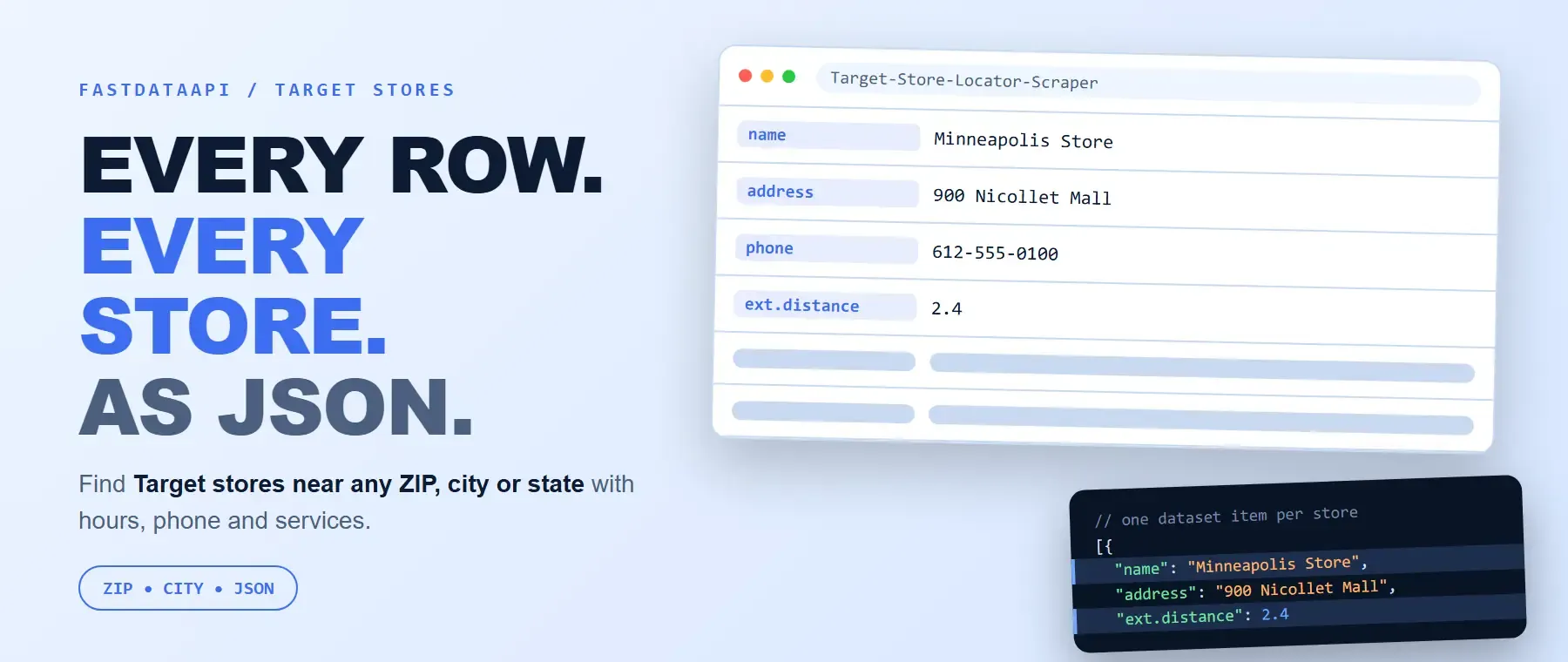
Target Store Locator Scraper finds Target stores near any ZIP code, city, state or Target.com link. For each store you get the address, phone number, distance, open/closed status, daily opening hours, store format and size, services such as Drive Up, and — matched from the store's own Google Maps listing — rating, review count and photos. Every response is structured JSON, ready to feed a store-locator page, a logistics tool or an LLM. No Target account or cookies needed.
What data can I extract with Target Store Locator Scraper?
Using this Target Store Locator API, you will be able to extract the following data for every nearby Target store:
| 🆔 Store ID | 🏷️ Store name | 🔗 Store URL | 🗂️ Store format |
|---|---|---|---|
| 📍 Address | 📞 Phone | 📏 Distance (miles) | 🟢 Open/closed status |
| 📅 Daily opening hours (14 days) | 🌍 Timezone | 🚗 Services (e.g. Drive Up) | 📐 Building area (sqft) |
| 🧭 Latitude/longitude | ✅ Verified flag | 📝 Description | 🗺️ In-store floor-map images |
| ⭐ Rating | 🗣️ Review count | 🖼️ Photos | 💲 Price level (not published for Target) |
How to use Target Store Locator Scraper
Built for store-locator pages, logistics and field-ops tools, and local-SEO or market-research teams that need Target's own store list without scraping a map widget by hand.
Copy to your AI assistant:
Target Store Locator Scraper MCP Server: use this Actor from ChatGPT, Claude or Cursor
Point your AI assistant at this actor and it can look up nearby Target stores on its own — no glue code.
Step by step
- Create a free Apify account.
- Open Target Store Locator Scraper in the Apify Store.
- Paste ZIP codes, cities, states or Target.com URLs, one per line.
- Click Start.
- Download or stream your results in JSON, CSV or Excel.
How to scale Target Store Locator Scraper to bulk
Put as many ZIP/city/state entries and URLs as you need into the two lists, one per line. Each entry returns up to Max stores per input on its own (a single store URL always returns one row), several entries run at the same time, and each entry's stores are saved as soon as they are ready.
✨ Features
- Beyond the 20-store cap — Target's own "Find a store" panel stops at 20 results; this actor keeps paging with
cursorto return every store in a state or a wide radius. - Services and store size — Drive Up (and other) services and the store's building area, which Target's public store list does not show by default.
- Ratings Target doesn't publish — rating, review count and photos matched from each store's own Google Maps listing (never mixed up with a different branch).
- Three ways in — a location (ZIP/city/state), a specific store link, or a whole state's directory.
Use cases 💡
- Store-locator widgets — power your own "find a store" page with live Target data.
- Field ops / logistics — build a list of nearby stores with hours and services for routing or scheduling.
- Local SEO / market research — map Target's footprint, store formats and ratings by region.
- AI agents — let an agent answer "where's the nearest Target with Drive Up" from structured JSON.
Why choose this actor?
No login, no browser, no map-widget scraping. Structured JSON with every field Target's own panel shows plus services, store size and Google ratings it doesn't.
⬇️ Input
| Field | Type | Default | Description |
|---|---|---|---|
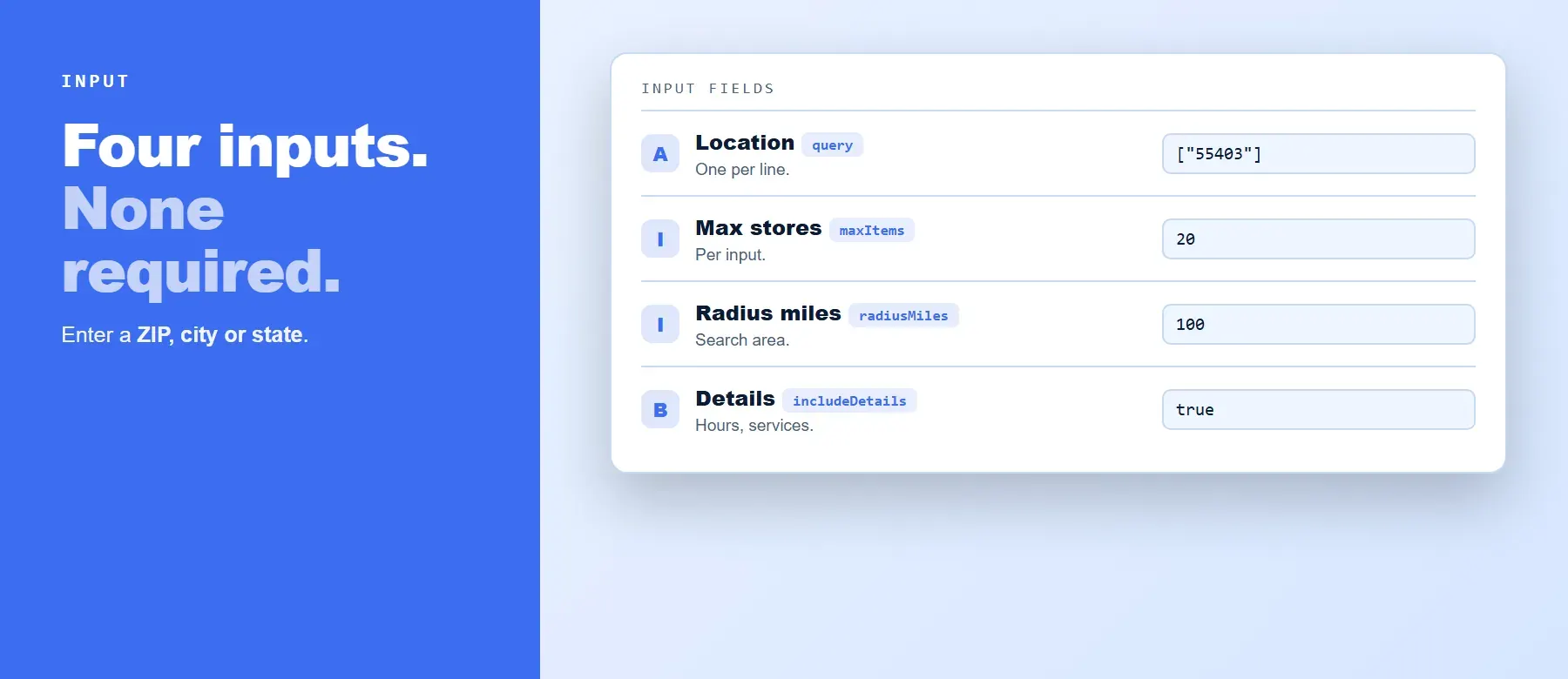
query | array | — | ZIP code, city, "city, ST" or state, one per line |
url | array | — | target.com store / find-stores / store-directory URLs, one per line |
maxItems | integer | 20 | Stores per entry (1–2000) |
includeDetails | boolean | true | URL, coordinates, services, store size, floor-map images |
includeGoogle | boolean | true | Rating, review count, photos |
radiusMiles | integer | 100 | Search radius in miles (1–5000) |
cursor | string | — | Continue a previous run's list beyond maxItems |
useCache | boolean | true | Reuse a store's data when needed by more than one entry |
proxyConfiguration | object | no proxy | Optional starting proxy |
At least one of query or url is required.
Free plan limits
Free plan: up to 20 stores per run (all inputs together) and 200 per month; paid plans have no limit.
Example input
⬆️ Output
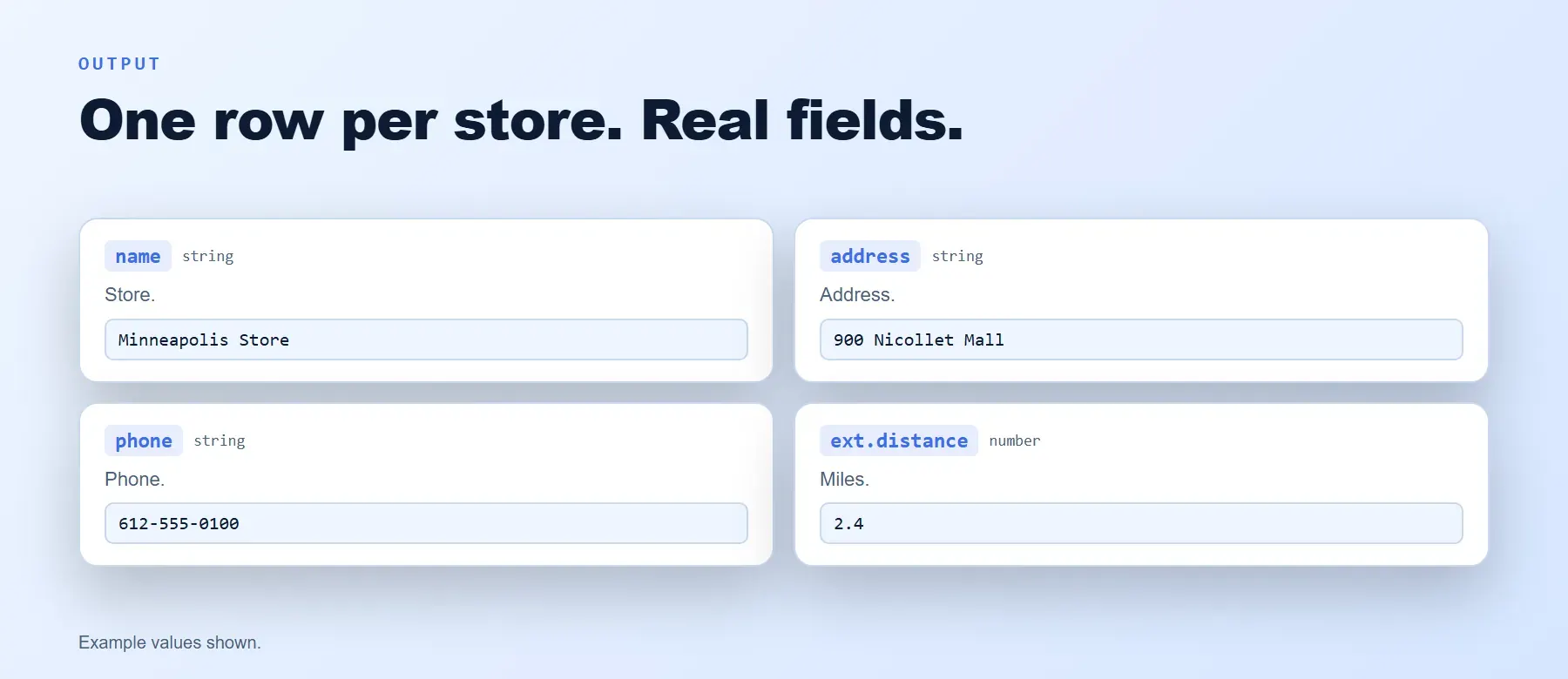
One row per store, with an overview view (ID, name, address, phone, distance, status, rating, reviews, URL) and a
details view (format, description, services, drive-up, building area, hours, timezone, coordinates, photos).
Example output
How does it work?
The actor reads the same public store-locator data any visitor's browser receives, plus the store's own public Google Maps listing for rating, reviews and photos. It connects directly and switches to a proxy by itself only when a request is refused.
How do you integrate Target Store Locator Scraper into your stack?
Using Target Store Locator Scraper with the Apify API
MCP integration for AI agents
No-code tools (n8n, Make, LangChain)
Call the actor through Apify's HTTP API or official integrations from any no-code or low-code platform that can make an HTTP request.
Is it legal to scrape Target data?
This actor reads the same public store information Target shows any visitor and a store's own public Google Maps listing. It does not access private accounts or log in. You are responsible for using the data in line with the sites' terms and applicable law.
Frequently asked questions
What fields does Target Store Locator Scraper return?
Store ID, name, URL, format, address, phone, distance, open/closed status, 14 days of hours, timezone, services (e.g. Drive Up), building area, coordinates, description, floor-map images, rating, review count and photos.
Does Target Store Locator Scraper require a Target account or login?
No. It reads public data only.
What happens if a location or store doesn't exist?
That input returns no rows and the run log explains why; every other input still runs.
Why did I get fewer stores than Max stores per input?
That ZIP/city/state has fewer Target stores within the search radius than the limit — increase radiusMiles or
use a url to that state's store directory for every store in it.
Can I look up more than one location at once?
Yes — put as many ZIP/city/state entries and URLs as you need in the two lists, one per line.
Does Target Store Locator Scraper work with Claude, ChatGPT and other AI agent tools?
Yes, through Apify's MCP server (see above) or the API.
What happens when Target changes its site?
The actor is maintained against Target's current public store-locator data; if a field stops being returned it
comes back as null rather than a wrong value.
Can I use Target Store Locator Scraper without managing proxies?
Yes — it connects directly and only switches to Apify's own proxy pool by itself when needed; nothing to configure.
Your feedback
Found a bug or missing field? Let us know through the actor's Issues tab on Apify Store.


