

Y Combinator Scraper
Pricing
from $1.50 / 1,000 results
Y Combinator Scraper
Y Combinator Scraper scrapes companies, founders and open jobs from the Y Combinator directory: batch, industry, stage, team size, socials and jobs, from any filtered directory URL.
Pricing
from $1.50 / 1,000 results
Rating
0.0
(0)
Developer

Fast Data API
Maintained by CommunityActor stats
0
Bookmarked
2
Total users
1
Monthly active users
2 days ago
Last modified
Categories
Features
Share
Y Combinator Scraper — Companies, Founders, Socials and Open Jobs
Y Combinator Scraper extracts startup records from the Y Combinator company directory for any filtered search URL you paste, or for the whole directory. Each company comes with its descriptions, batch, industry, stage, team size, website, social links, YC partner, founders with bios, and open jobs with salary and equity. Every response is structured JSON — ready to pass directly to an LLM, index into a vector store, or feed a deal-sourcing pipeline. No YC account or cookies needed. Start with one batch, then pull every batch you follow.
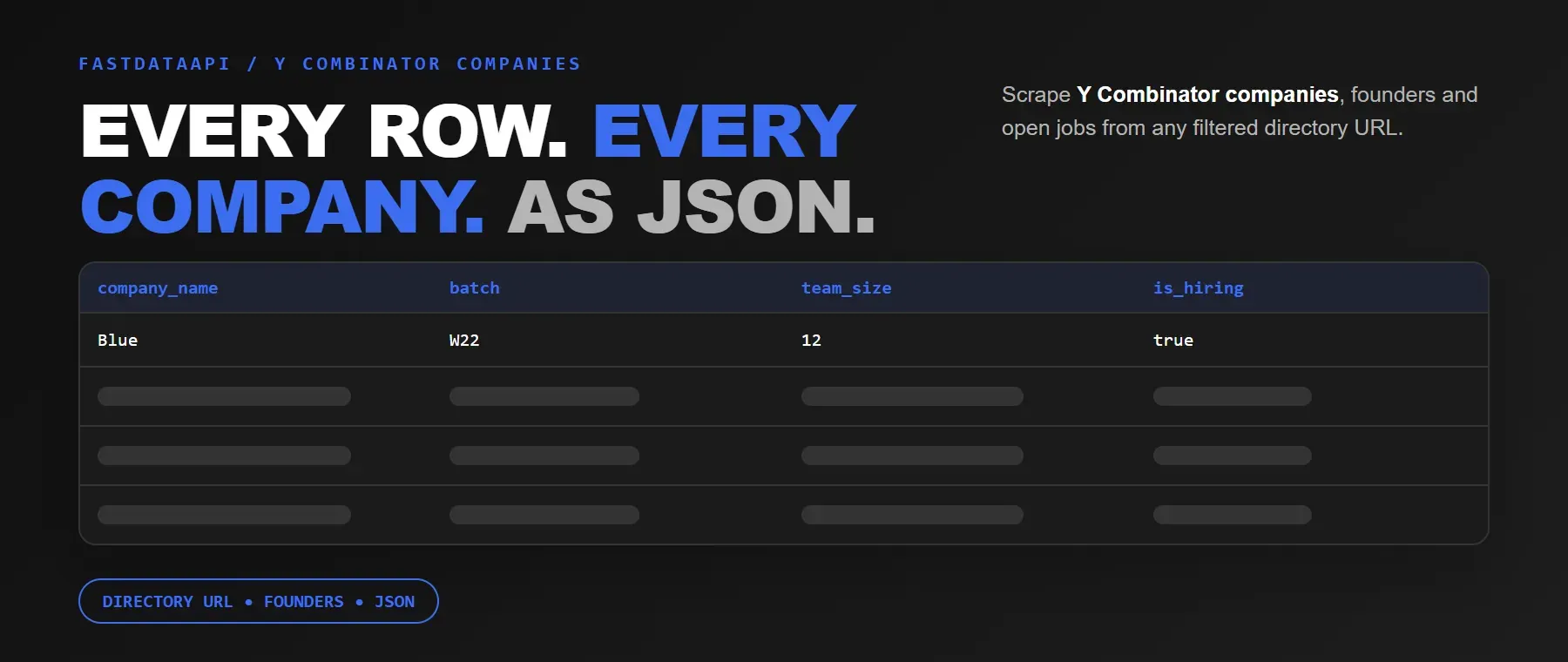
What data can I extract with Y Combinator Scraper?
Using this Y Combinator Company API, you will be able to extract the following Y Combinator company data:
| 🏢 Company name and logo | 📝 One-liner and long description | 🎓 YC batch | 🏭 Industry and sub-industry |
|---|---|---|---|
| 📈 Stage | ✅ Status (active, acquired, inactive) | 🏷️ Tags | 👥 Team size |
| 📅 Year founded | 📍 Company location | 🌐 Website | 🔗 LinkedIn, X, Facebook, Crunchbase, GitHub |
| 🤝 Primary YC partner | ⭐ Top company and nonprofit flags | 💼 Hiring flag and open job count | 👔 Founders (name, title, bio, LinkedIn, X) |
| 📋 Open jobs (salary, equity, skills, visa) | 🆔 Company ID and YC profile link |
How to use Y Combinator Scraper
Investors, sales teams and recruiters use this YC company scraper to build a Y Combinator companies list with founders and open roles from any directory filter in one run.
Copy to your AI assistant:
Y Combinator Scraper MCP Server: use these Actors from ChatGPT, Claude or Cursor
Point your AI assistant at this Actor and it can read the Y Combinator directory on its own: companies by batch, industry or region, their founders and their open jobs. No glue code, no scraping logic in your prompts.
Step by step
- Create a free Apify account.
- Open Y Combinator Scraper in the Apify Store.
- Filter the YC directory (batch, industry, region, stage, hiring) and paste the page URL.
- Click Start (or send your API request).
- Download or stream your results in JSON, CSV or Excel.
How to scale Y Combinator Scraper to bulk
Paste as many YC directory URLs as you like, one per line: every result across all URLs is merged and de-duplicated, and Maximum companies applies to each URL. To scrape the Y Combinator directory end to end, turn on Scrape ALL companies; the actor splits large result sets by batch so every company is collected. Raise Max concurrency for faster enrichment, or schedule the run to export YC companies every week.
✨ Features
Y Combinator Scraper fetches clean, structured YC startup directory records ⚡: a recorded run returned 120 companies with 235 founders in 30 seconds. It's ideal for deal sourcing, founder outreach, startup market maps and job hunting at YC companies. It extracts, per company:
- Batch, industry and stage – e.g. "Summer 2025", "B2B", "Early".
- Descriptions – the one-liner and the long description from the company page.
- Founders – name, title, bio, LinkedIn and X for each founder (Y Combinator founder data), so it doubles as a YC founders scraper.
- Open jobs – title, location, remote flag, type, role, salary, equity, skills, experience and visa.
- Links – website, LinkedIn, X, Facebook, Crunchbase and GitHub.
- Team and status – team size, year founded, location, status and YC partner.
⚡ Rows are saved live as each company finishes, and the actor switches to Apify proxies on its own only when Y Combinator refuses a request.
Use cases 💡
- VC analyst — map every YC batch company by industry and stage.
- Sales rep — build outreach lists from founders' LinkedIn and company websites.
- Job seeker — list YC companies hiring with salary and equity per role.
- Researcher — compare YC batch companies by team size, status and tags.
- AI agent builder — feed company descriptions into RAG for a startup research assistant.
Building an AI agent? Connect Y Combinator Scraper over MCP and let it call the actor on its own.
Why choose this actor?
- 120 companies in 30 seconds. A recorded run over 2 directory URLs returned 120 companies, 235 founders and 361 open jobs in 30.3 seconds.
- 28 fields per company. A recorded company came back with its batch, stage, team size of 7, four social links plus its website, its YC partner, 3 founders and 7 open jobs with salary and equity ranges.
- Any directory filter, or all of it. Every filter the YC directory offers (batch, industry, region, stage, tags, hiring) works through the URL, and one switch pulls the whole directory.
⬇️ Input
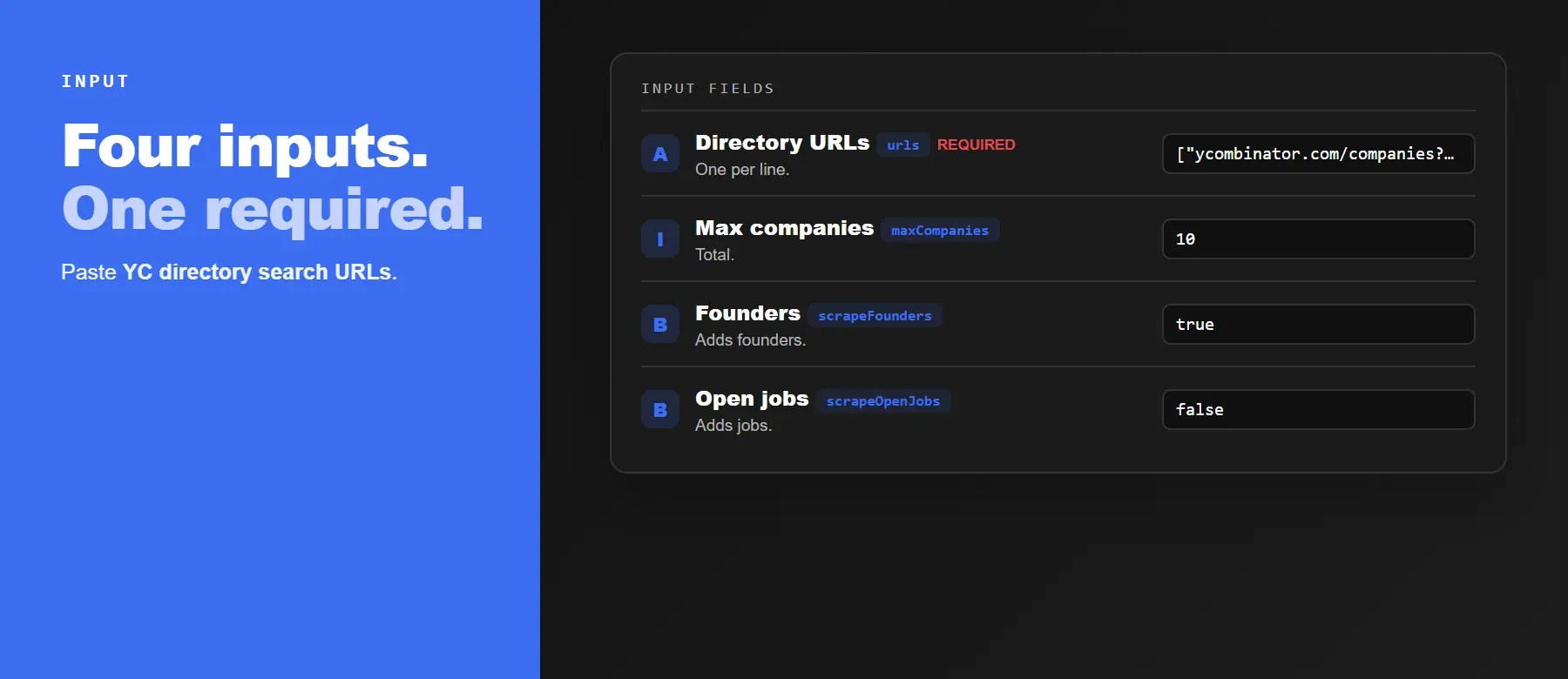
Paste one or more YC directory search URLs into urls (required), or turn on Scrape ALL companies. Accepted URL format: https://www.ycombinator.com/companies? followed by any directory filters, for example batch=Summer%202025, industry=Fintech, regions=Europe, isHiring=true or query=robotics.
| Parameter | Required | Type | Description | Example value |
|---|---|---|---|---|
urls | Yes | array | YC directory search URLs with your filters, one per line. Results are merged and de-duplicated. | ["https://www.ycombinator.com/companies?batch=Summer%202025"] |
scrapeFounders | No | boolean | Add founders (name, title, bio, LinkedIn, X, email availability). Default true. | true |
scrapeOpenJobs | No | boolean | Add full open-job listings. Leave off for faster runs if you only need the job count. Default false. | true |
maxCompanies | No | integer | Max companies saved for each search URL (min 1). Default 10. | 25 |
scrapeAllCompanies | No | boolean | Scrape every company in the directory; urls and maxCompanies are then ignored. Default false. | false |
maxConcurrency | No | integer | Companies enriched in parallel, 1-20. Default 5. | 5 |
requestDelay | No | number | Optional delay before each request in seconds, 0-10. Default 0. | 0.5 |
maxRetries | No | integer | Retries per request on a network error or server hiccup, 1-5. Default 3. | 3 |
proxyConfiguration | No | object | Optional. By default no proxy; the actor switches to datacenter, then residential proxies on its own if a request is refused. | {"useApifyProxy": false} |
Free plan limits
Users on the Apify free plan can fetch up to 20 companies per run (all search URLs together) and 200 companies per month. When the limit is reached, the run finishes successfully with a status message explaining the limit. Upgrade to any paid Apify plan to remove these limits.
Example input
⬆️ Output
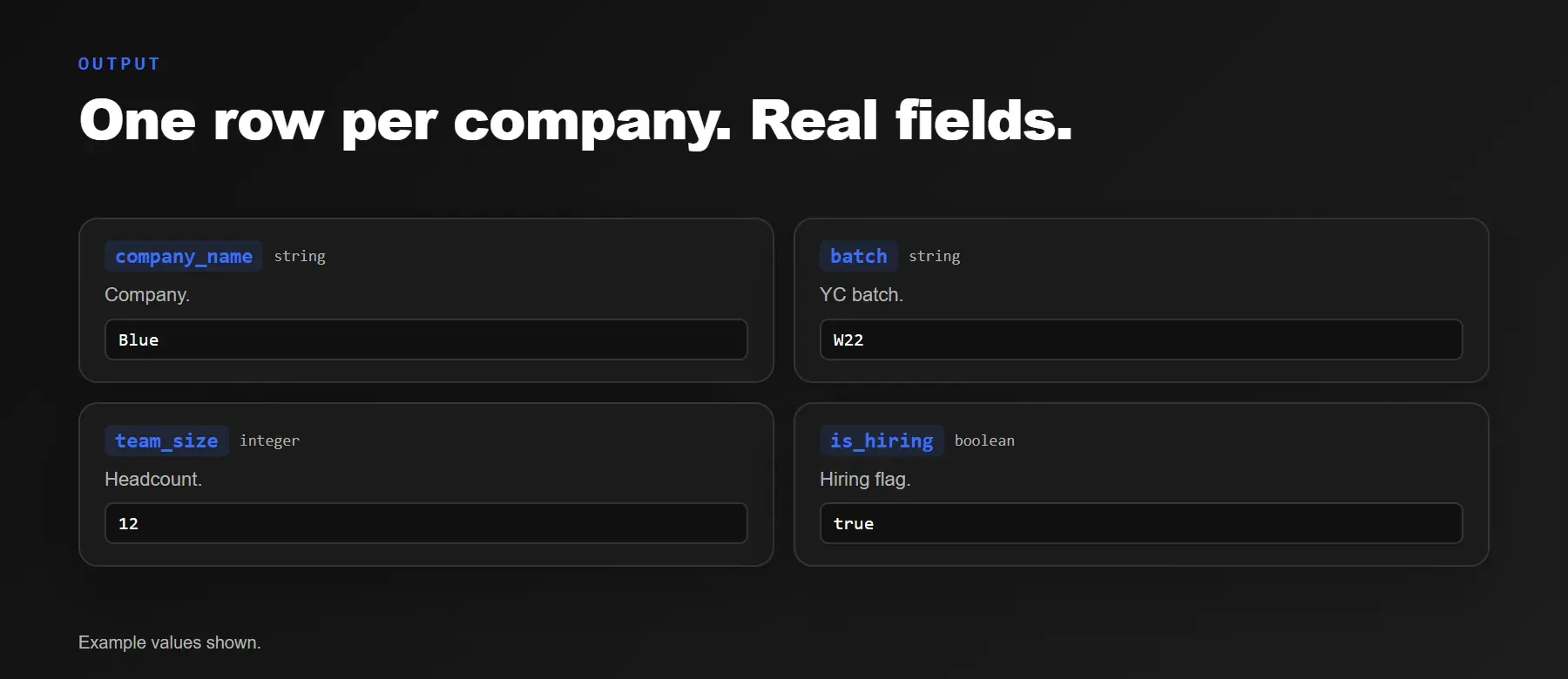
Every company is one typed JSON item with the same 28 fields on every run; values YC does not show are null. Export as JSON (default), CSV or Excel, or open the Overview, Founders, Open Jobs and Links views in the dataset.
Example output
A real row from a test run (descriptions shortened, one founder and one job shown):
The social links come exactly as the company lists them on YC (here the Facebook field holds the company's Instagram link). Open jobs are null when Scrape open jobs is off; the open job count is always filled.
How does it work?
You filter the YC directory in your browser and paste the URL, or switch on Scrape ALL companies to scrape Y Combinator directory listings end to end. The actor reads the same public directory search the page runs, applies your filters, and splits very large result sets by batch so nothing is cut off. It then opens each company's public profile page for the founders, social links, location, partner and job list, and each job page for the full description when you ask for jobs. Companies are processed in parallel and each one is saved as soon as it is ready. It starts with a direct connection and switches to Apify datacenter, then residential proxies on its own when a request is refused. No login and no browser are used, and the fields stay the same from run to run.
How do you integrate Y Combinator Scraper into your stack?
It works with what you already use: the REST API from any language, MCP for AI agents, and no-code tools.
Using Y Combinator Scraper with the Apify API
Works in Go, Ruby, Node.js, cURL — any language that can make an HTTP request.
MCP integration for AI agents
Add the actor to your AI agent with one command. The agent can then answer requests such as "list Summer 2025 fintech companies with their founders' LinkedIn profiles".
This registers Y Combinator Scraper as a tool your agent can call directly. It works in Claude Code, Cursor and Windsurf.
No-code tools (n8n, Make, LangChain)
- n8n: add the Apify node and choose "Run an Actor" with
fastdataapi/y-combinator-scraper, or use the HTTP Request node pointed at the run-sync endpoint with your token. - Make: use the Apify app's "Run an Actor" module, then "Get Dataset Items" to send each company to Google Sheets, Airtable or your CRM.
- LangChain: install
langchain-apifyand loadApifyActorsTool("fastdataapi/y-combinator-scraper")as a tool for your agent.
Is it legal to scrape Y Combinator data?
Scraping publicly visible company data is generally legal in most countries. Y Combinator Scraper returns only public data — what any visitor sees in the YC directory without logging in. Founder names, bios and social profiles are personal data; under GDPR and similar laws, scraping public data is generally permissible, but storing and using it, for example for outreach, must comply with local data-protection and anti-spam law. Consult legal counsel if your use case involves bulk storage of personal data.
Frequently asked questions
What fields does Y Combinator Scraper return?
Each company has its name, batch, industry, website and founders, plus descriptions, stage, status, team size, location, social links, YC partner and open jobs. See the data fields section.
Does Y Combinator Scraper require a YC account or login?
No. Only public company data is extracted, and no credentials are needed.
How fast does Y Combinator Scraper run?
A recorded run over 2 directory URLs returned 120 companies with founders and open jobs in 30.3 seconds. Data is read live from the directory, not from a cache.
What happens if a company page can't be loaded?
The company is still saved with its directory data (name, batch, industry, descriptions, website), and the log says its full details could not be loaded. If a job's full description can't be loaded, that job keeps its listing data and the log names the company. A URL with no matching companies is skipped with a warning.
Can I scrape multiple YC directory searches at once?
Yes. Paste each directory URL on its own line; results are merged and de-duplicated, and Maximum companies applies to each URL.
Does Y Combinator Scraper return founder emails?
No. YC shows only whether a founder has an email on file, so the email field and its status are always null and the available flag says whether one exists.
Does Y Combinator Scraper work with Claude, ChatGPT, and other AI agent tools?
Yes — Y Combinator Scraper is available as an MCP tool. Register it in Claude Code, Cursor or Windsurf with claude mcp add --transport http apify "https://mcp.apify.com?tools=fastdataapi/y-combinator-scraper". Any agent that can call an HTTP endpoint can use the REST API directly.
Does Y Combinator Scraper return data in a format LLMs can use directly?
Yes. Typed, normalized JSON with consistent field names. No HTML parsing, no selectors. Pass it straight to an LLM, index it into a vector store, or feed it to an agent tool — no transformation step.
What happens when Y Combinator changes its layout or updates its anti-bot system?
The actor is maintained. When the YC directory changes, the actor is updated, and your calls keep returning the same JSON fields with no changes on your end.
Can I use Y Combinator Scraper without managing proxies or browser infrastructure?
Yes. The actor switches to Apify proxies on its own when a request is refused, and it needs no browser. You send one request and get structured JSON back. No proxy accounts, no headless browser setup, no maintenance.
Which Y Combinator fields work best for AI training data and RAG indexing?
For RAG: the long description, one-liner, founder bios and job descriptions. For training data: the batch, industry, stage, status, team size, year founded and hiring flag. All values are plain strings, numbers, booleans and lists, so no normalization is needed.
Related scrapers
| Scraper | What it extracts |
|---|---|
| Crunchbase Email Scraper | Emails linked to Crunchbase company profiles |
| LinkedIn Company Scraper | LinkedIn company pages |
| LinkedIn Profile Scraper | LinkedIn person profiles |
| Google Jobs Scraper | Jobs from Google's jobs search with salaries and apply links |
Your feedback
Found a bug or missing a field? Let us know on the actor's Issues tab in Apify Console. The team reads every report and ships fixes.


