

SRT Subtitle Generator: Auto Subtitles for Video & Audio
Pricing
from $4.80 / 1,000 audio minutes
SRT Subtitle Generator: Auto Subtitles for Video & Audio
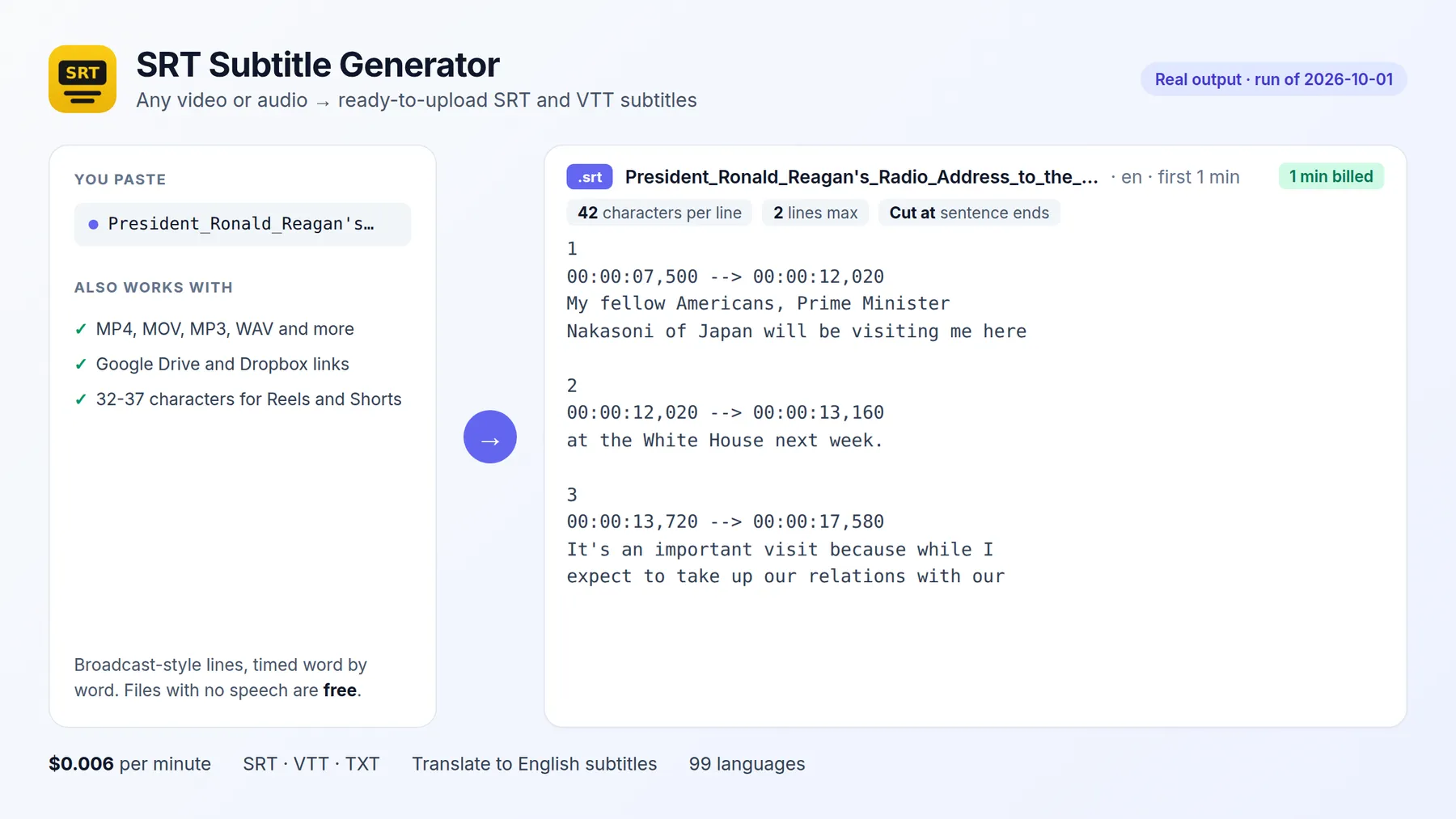
Generate SRT subtitles for any video or audio: ready-to-upload SRT and WebVTT files with broadcast formatting (42 characters per line, 2 lines, max 6 s) and exact word timing, in 99 languages or translated to English. Whisper, no API key. Pay per minute.
Pricing
from $4.80 / 1,000 audio minutes
Rating
0.0
(0)
Developer

Fernando Guiraud
Maintained by CommunityActor stats
0
Bookmarked
3
Total users
3
Monthly active users
2 days ago
Last modified
Categories
Share
What does SRT Subtitle Generator do?
SRT Subtitle Generator creates automatic subtitles for any video or audio file: ready-to-upload SRT and WebVTT files in 99 languages, or translated to English. Unlike raw speech-to-text output, the subtitles follow broadcast formatting rules: at most 42 characters per line, 2 lines per subtitle, 6 seconds on screen, with breaks at sentence ends and exact word timing. They are ready for YouTube, Vimeo, LinkedIn, social media and video editors (Premiere Pro, DaVinci Resolve, Final Cut, CapCut).
It runs open-source Whisper on Apify, so there is no OpenAI key and no subscription. You pay per minute of video, and files with no speech are free.
It runs on the Apify platform, so you also get an API, scheduling, integrations (Make, Zapier, n8n, Google Drive) and access for AI agents through the Apify MCP server.
Why use it?
- 🎬 Video creators and agencies: subtitles for every video in minutes instead of hours of manual typing.
- ♿ Accessibility: captions for deaf and hard-of-hearing viewers, and for the many people who watch social video without sound.
- 🌍 Reach: translate speech in any language to English subtitles with one option.
- 📱 Vertical video: set 32-37 characters per line for Reels, Shorts and TikTok.
- 🧩 Automation: send new videos from Google Drive or Dropbox and get subtitle files back through the API.
How to generate SRT subtitles
- Click Try for free.
- Paste links to your videos or audio files (MP4, MOV, WEBM, MKV, MP3, WAV…). Google Drive, Dropbox and OneDrive share links work too.
- Choose the spoken language (or leave
auto), and translate if you want English subtitles. - Click Start, then download the
.srt/.vttfiles from the links in the results.
Input
| Field | Description | Default |
|---|---|---|
sources | Video or audio URLs, or share links | required (or base64Files) |
language | Spoken language code, or auto | auto |
task | transcribe (original language) or translate (English subtitles) | transcribe |
model | base (recommended), small (most accurate) or tiny | base |
subtitleMaxChars | Characters per line (42 standard; 32-37 for vertical video) | 42 |
subtitleMaxLines | Lines per subtitle | 2 |
subtitleMaxDuration | Maximum seconds per subtitle | 6 |
vocabulary | Names and jargon to spell correctly (brands, people, products) | - |
outputs | srt, vtt, and optionally text, markdown, segments | srt, vtt |
Output
One record per file, with the subtitles inline and as downloadable files. You can download the dataset in various formats such as JSON, HTML, CSV, or Excel.
How much do automatic subtitles cost?
| Event | Price |
|---|---|
| Run start (per GB of memory, default 4 GB) | $0.0005 |
| Minute of video, base or tiny model | $0.006 ($0.36 per hour) |
| Minute of video, small model | $0.012 ($0.72 per hour) |
A 10-minute video costs about $0.06. Failed files and files without speech are free. Use maxDurationMinutes to cap long files.
How accurate is it? Whisper tiny vs base vs small
We measured the three models ourselves, with the same code this Actor runs:
| Model | Word error rate (lower is better) | Speed on Apify (default 4 GB) | Price per minute |
|---|---|---|---|
tiny | 11.3% | about 20–30× faster than real time | $0.006 |
base (default) | 8.2% | about 11× faster than real time | $0.006 |
small | 5.4% | about 4× faster than real time | $0.012 |
Word error rate was measured on 73 clean English recordings from the LibriSpeech test set (8.6 minutes of audio). Speed was measured on a 2.6-minute speech recording in Apify runs (tiny: scheduled test runs). Accents, background noise and other languages give higher error rates, so choose small for those. A 60-minute video takes about 5–6 minutes with base and about 15 minutes with small.
Use it with AI agents (MCP)
Add https://mcp.apify.com?tools=fguiraud/srt-subtitle-generator to Claude, Cursor or any MCP client and ask: "Make English subtitles for this video: https://…/interview.mp4".
Agent-friendly input: common field names such as url, urls, startUrls, query or keywords are accepted, and an empty input runs a small sample from the input form (with a note in the results) instead of failing.
Related tools
- Need the transcript of a video rather than subtitles? Video to Text Transcriber.
- YouTube videos? YouTube Transcript Scraper returns existing captions in seconds.
- Any audio or video, podcasts and AI summaries: Audio & Video to Text Transcription.
FAQ and limitations
- The file must be a direct link (or a Drive/Dropbox/OneDrive share link). For TikTok, Instagram, X or Facebook links use Video to Text Transcriber, which also returns SRT. For YouTube, use the YouTube tool above; Vimeo pages are not supported.
- Speaker names are not added to subtitles.
- Accuracy:
baseis good for clear speech; usesmallfor accents, noise or music, andvocabularyfor names. - Found a problem or need a feature? Open an issue on the Issues tab. Replies within 48 hours. If the Actor saved you time, a quick review helps other creators find it.
- Did it save you time? A short review on the Reviews tab helps other people find this Actor.


