AI Visibility Report Generator
Pricing
$500.00 / 1,000 ai visibility report generateds
AI Visibility Report Generator
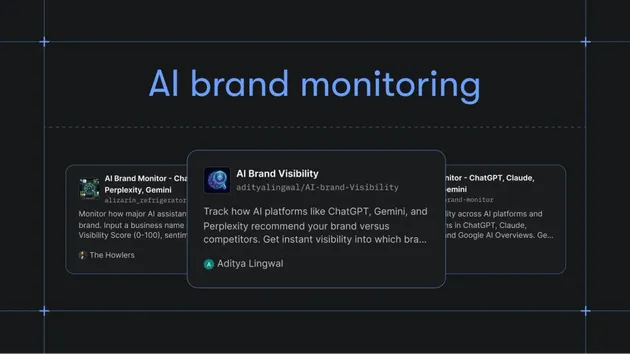
Generate client-ready AI search visibility reports from AI Brand Visibility Monitor datasets, including scorecards, competitor mentions, gaps, and actions.

AI Visibility Report Generator
Turn raw AI visibility checks into a client-ready report in one run.
This Actor takes records from AI Brand Visibility Monitor or inline visibility-check JSON and generates a structured report with scorecards, brand mention rate, citation coverage, competitor mentions, priority gaps, and recommended next actions.
Use it when an agency, GEO/AEO consultant, SEO team, or B2B marketer needs a weekly or monthly AI visibility report they can send to a client instead of cleaning up raw dataset rows by hand.
The fastest first run is to paste the example input, run the Actor, and open REPORT.md in the run's key-value store. After that, replace the sample records with your AI Brand Visibility Monitor dataset ID or your own visibility-check records.
Typical workflow:
- Run AI Brand Visibility Monitor on buyer-intent prompts.
- Pass the monitor dataset ID into this Actor.
- Get one summarized dataset item plus a
REPORT.mdfile in the key-value store. - Copy the report into a client email, Slack update, Google Doc, or recurring dashboard.
Workflow Hub
See the public AI visibility workflow for the monitor -> report path and links to both Actors. Agencies can start from the GEO client reporting use case. For comparison context, use the AI Visibility Report alternatives page. For the first proof run, use the AI Visibility Report demo script, sample REPORT.md, and proof GIF.
Proof preview: watch the public-safe sample become buyer-ready output before you run the Actor.
Use the public-safe sample input JSON when you open the Store run form so the first run starts from copy-ready input.
Need the copy-first launch path? Open the sample-first Store handoff to copy the input before returning to the tracked Store run form.
60-Second First Run
- Start with one prompt set that turns brand mentions into a client-ready report, using the linked workflow or demo before expanding to a broader prompt set.
- Check brand mentions, competitors, citations, visibility score, and the next publishable recommendation.
- Route the report fields into client reporting, comparison content, GEO backlog, or monitoring follow-up before scheduling a broader run.
What You Learn
- Average AI visibility score for a brand
- Brand mention rate across successful checks
- Citation/domain coverage
- Which competitors appear most often
- Which buyer queries are the biggest visibility gaps
- What actions to prioritize next
Use Cases
- Weekly GEO/AEO reports for agencies
- Monthly client reporting from AI visibility checks
- Competitive visibility summaries
- Content-priority planning
- Slack, Sheets, or dashboard summaries from Apify datasets
- Lightweight client proof that turns "we checked AI answers" into a readable deliverable
When To Use This Actor
Use this Actor after you already have AI visibility records. It does not query AI models directly. For data collection, start with AI Brand Visibility Monitor.
This separation keeps the workflow predictable:
- Monitor Actor: collects brand-query-model checks
- Report Actor: turns those checks into a readable report
Input
Provide AI Brand Visibility Monitor records inline or pass the source datasetId.
For the lowest-friction Store run, use inline visibilityChecks. For automation, pass a datasetId from AI Brand Visibility Monitor and keep the same brandName and reportPeriod fields.
Output
The dataset contains one summarized report item, and the run writes a Markdown report for easy sharing:
The run also writes REPORT.md to the key-value store for easy copying into docs, emails, or reporting workflows.
Example Report Sections
The generated markdown report includes:
- Executive summary
- Scorecard
- Recommended actions
- Top competitors
- Priority gaps
FAQ
Does this Actor query ChatGPT, Perplexity, Claude, or other AI models?
No. This Actor only turns existing visibility-check records into a report. Use AI Brand Visibility Monitor first if you need to collect AI answer visibility data.
What input do I need for the first run?
You need a brandName plus either inline visibilityChecks or a datasetId from AI Brand Visibility Monitor. The Store example uses fictional Northstar CRM records so you can test the report format without credentials or private data.
What do I get after a run?
You get one structured dataset item with summary metrics and a REPORT.md file in the key-value store. The Markdown file is designed to paste into a client email, Google Doc, Slack update, or recurring reporting workflow.
How should I automate this weekly?
Schedule AI Brand Visibility Monitor first, then run this Actor with the monitor dataset ID. Use reportPeriod to label the week or month, then route REPORT.md into your reporting destination.
How much does it cost?
The configured paid event is ai-visibility-report-generated at $0.50 per generated report. Check the live Store pricing panel before running large volumes because Apify platform pricing and account-level charges can change.
Can I use my own visibility data?
Yes. Inline records should include fields such as status, brandMentioned, visibilityScore, query, modelId, competitorsMentioned, and recommendation. Records with more context usually produce a more useful report.
Pricing
Default monetization model: pay per event.
Recommended chargeable event:
- Event name:
ai-visibility-report-generated - Event meaning: one generated AI visibility report
- Store price:
$0.50per report
This Actor is public at https://apify.com/geneius/ai-visibility-report-generator. PPE was configured before publication, and public smoke runs have recorded the expected ai-visibility-report-generated charge.
Successful reports are pushed only after the charge path allows the event. If Actor.charge fails, the Actor fails closed before returning paid output.
Limitations
- This Actor does not query AI models directly. Use AI Brand Visibility Monitor first.
- Report quality depends on the breadth and freshness of supplied visibility checks.
- It is best sold as a companion workflow, not as a raw standalone scraper.
Automation And Agent Use
- Schedule AI Brand Visibility Monitor weekly, then run this Actor on the resulting dataset.
- Store
REPORT.mdin a client folder or send it to Slack. - Append report metrics to Google Sheets for trend tracking.
- Use
topGapsandrecommendedNextActionsto drive content backlog planning.
Local Development