
Amazon Search Scraper | Products, Prices & Rankings
Pricing
from $2.13 / 1,000 products
Amazon Search Scraper | Products, Prices & Rankings
Get amazon.com search and category results: ASIN, title, price, list price, rating, ratings count, bought past month, Prime, stock, sponsored flag and organic position. Many keywords, category IDs or URLs per run, sort and price filters, categories up to 400 pages. No login.
Pricing
from $2.13 / 1,000 products
Rating
0.0
(0)
Developer

Flowo
Maintained by CommunityActor stats
0
Bookmarked
3
Total users
2
Monthly active users
4 days ago
Last modified
Categories
Features
Share
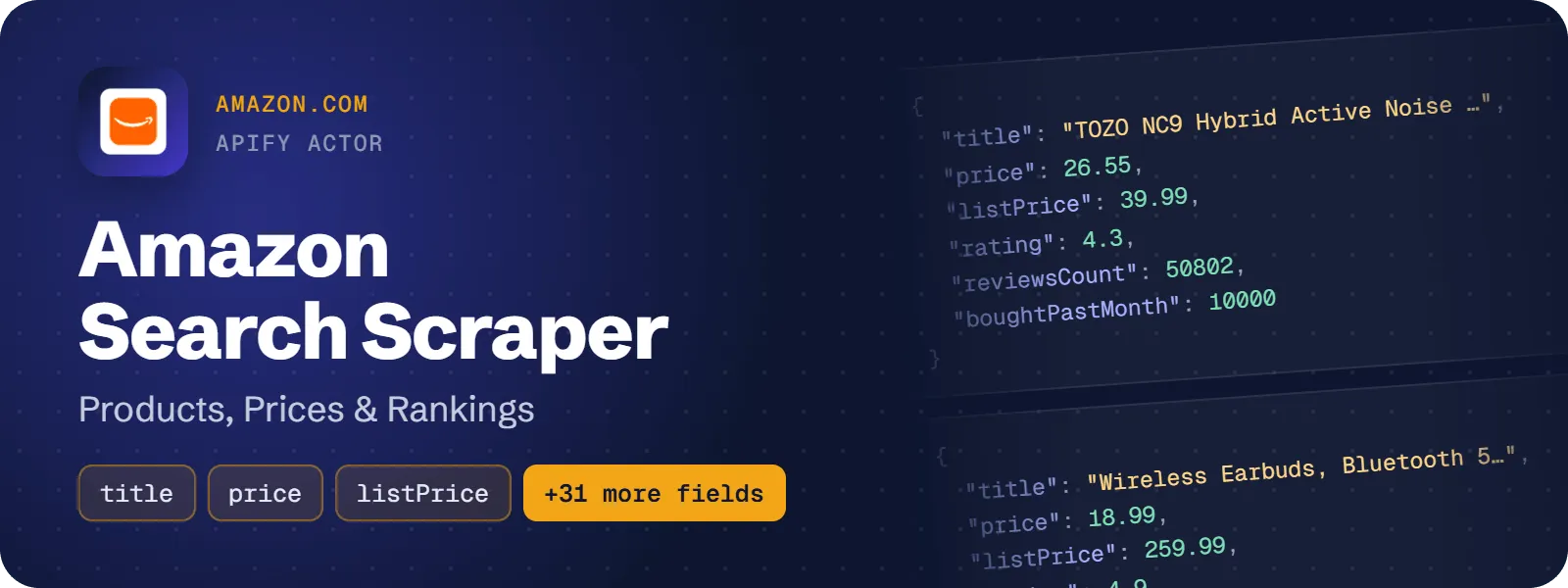
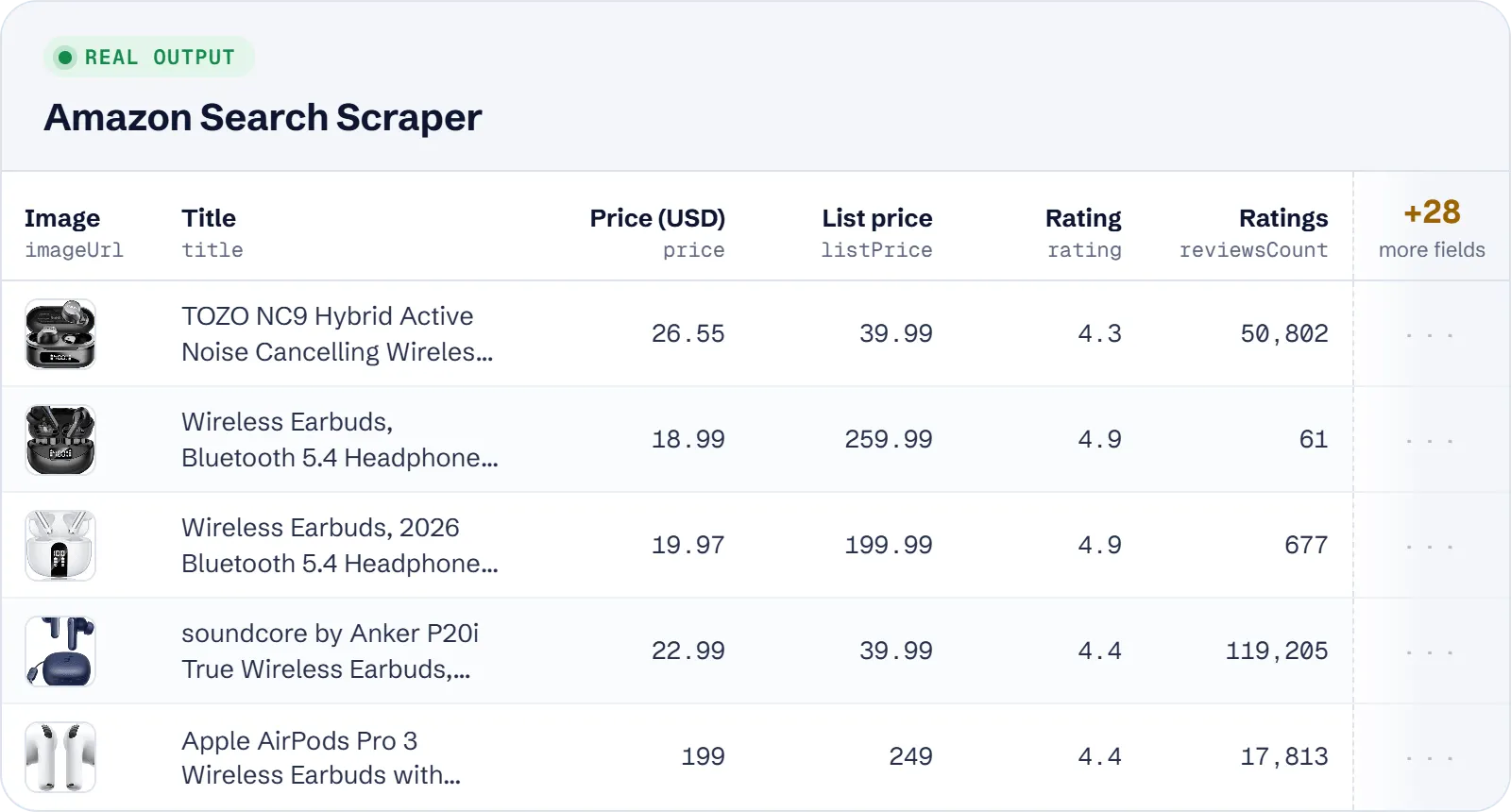
Get one row per product card from amazon.com keyword searches and category listings. Each row has the ASIN, title, price, list price and discount, star rating, ratings count, "bought in past month", Prime and stock state, the sponsored flag, badges, and the exact position of the card in the results (overall, organic only and on its page). It covers the US store only, with prices in USD, and needs no login.
What does Amazon Search Scraper do?
You give it search keywords, amazon.com category (browse node) IDs or pasted amazon.com search and category URLs. It reads the result pages one after another and saves every product card as a flat row. Product pages are not opened, so each row holds what the listing card shows. It is built for sellers and agencies tracking keyword ranks and ads, product researchers exporting whole categories, price-monitoring pipelines and AI agents that need "top Amazon products for X" with prices and ratings.
How to scrape Amazon search results and categories
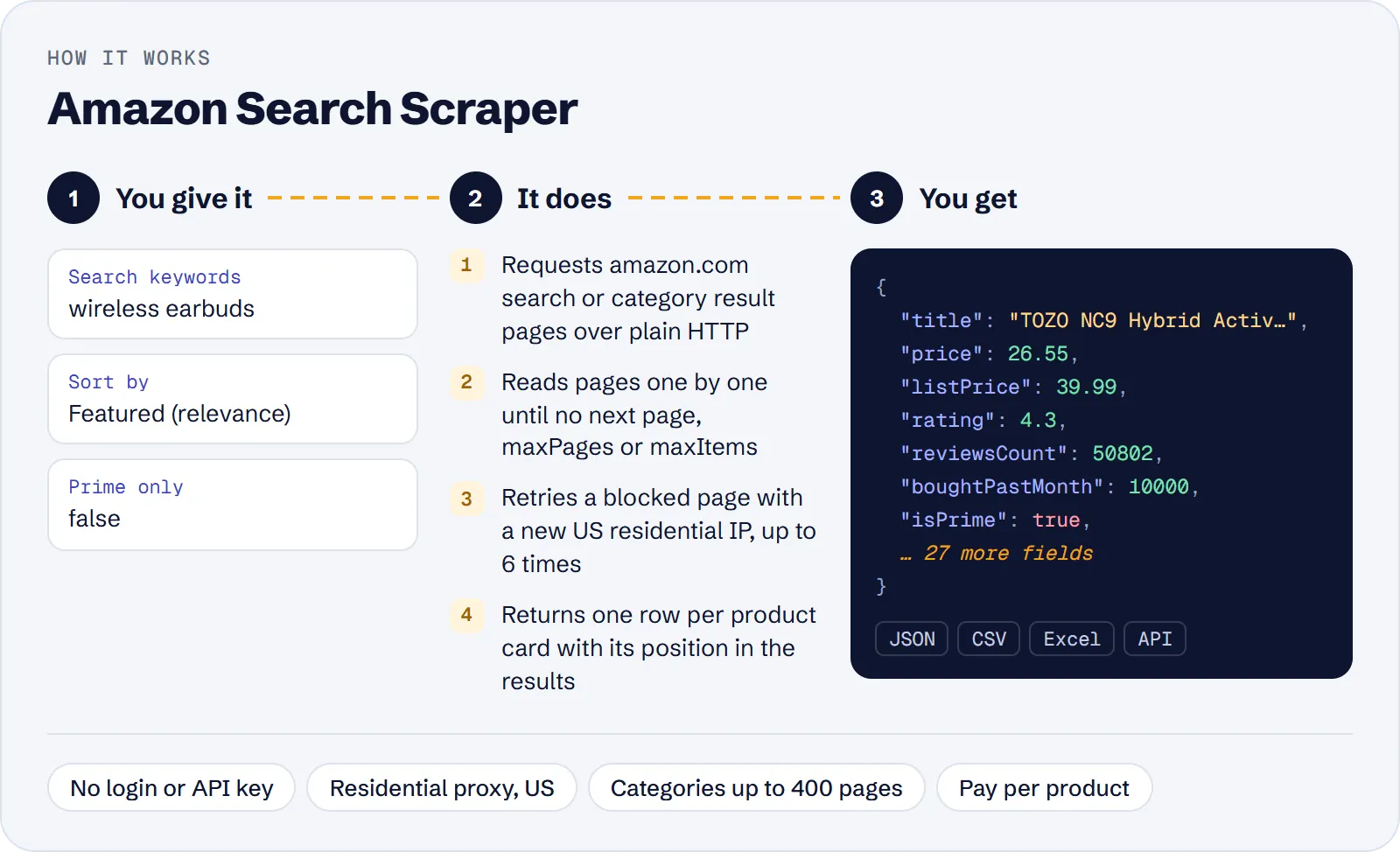
- Open the actor in Apify Console.
- Type one or more Search keywords (one per line), add Category IDs such as
172541(Headphones), or paste Start URLs from amazon.com. You can combine all three in one run. - Optionally choose a Department, Sort by, Min/Max price, Prime only or 4 stars & up.
- Set Max pages per search and Max products for the whole run.
- Keep the default US residential proxy and click Start.
- Download the results as JSON, CSV or Excel, or read them through the API.
How much does it cost to scrape Amazon search results?
Price per event by Apify plan:
| Event | Free | Bronze | Silver | Gold and above |
|---|---|---|---|---|
| Actor start | $0.00005 | $0.00005 | $0.00005 | $0.00005 |
| Product | $2.50 per 1,000 | $2.375 per 1,000 | $2.25 per 1,000 | $2.125 per 1,000 |
A test run with the API example input below returned 30 rows in 7 s.
You pay for each product row saved to the dataset (the product event) plus a tiny start fee per run. These are not charged: duplicate cards (the same ASIN again on a later page of the same search), sponsored cards dropped by Include sponsored products = off, empty or blocked pages and runs that fail on invalid input.
| Scenario | Products (events) | Cost on the Free plan |
|---|---|---|
Quick check: 1 keyword, maxItems 30 | 30 | about $0.08 |
Daily rank tracking: 1 keyword, 3 pages, maxItems 200 | 200 | about $0.50 |
Category export: Headphones, 100 pages, maxItems 2,400 | 2,400 | about $6.00 |
Large export: several categories, maxItems 10,000 | 10,000 | about $25.00 |
The start fee ($0.00005 per run at the default 256 MB) is included in these numbers.
Input
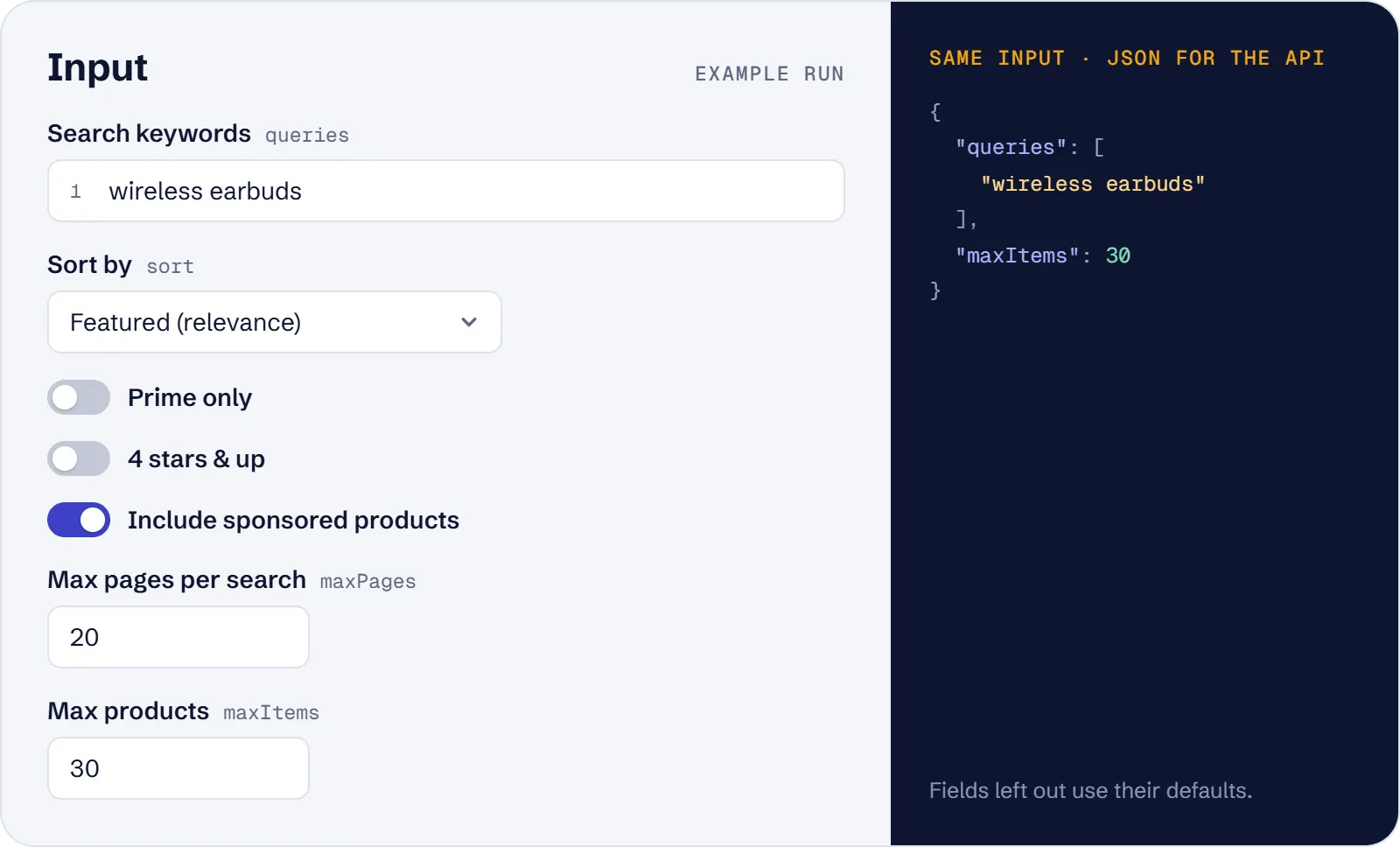
At least one of Search keywords (queries), Category IDs (categoryIds) or Start URLs (startUrls) is needed; an empty input stops with an input error.
| Field | What it does |
|---|---|
queries | Keywords, one search per line, e.g. wireless earbuds. Amazon ends a keyword search after 7–20 pages (about 300 products). |
categoryIds | Browse node IDs, digits only, e.g. 172541 (the number after node= in a /b?node= URL). A category lists up to 400 pages (~9,600 products). |
startUrls | amazon.com search URLs (/s?k=…) or category URLs (/b?node=…, /s?rh=n:…). The URL's own filters and sort are kept. Only www.amazon.com; product pages (/dp/) and other pages are rejected. |
department | Search keywords inside one of 17 departments, e.g. Electronics, Home & Kitchen, Books, Pet Supplies. Keywords only. |
sort | Featured (relevance, default), Price: low to high, Price: high to low, Avg. customer review, Newest arrivals or Best sellers. Works for keywords, categories and URLs; Featured keeps a URL's own sort. |
minPrice, maxPrice | Price range in whole US dollars. Works for keywords, categories and URLs. Min must not be above max. |
primeOnly, fourStarsAndUp | Prime-eligible only / rated 4 stars and up. Keywords only; ignored with a warning for categories and URLs. |
includeSponsored | On by default. Off drops ad cards (free); positions still count the ads. |
maxPages | Pages read per keyword, category or URL, 1–400, default 20. |
maxItems | Products in total for the run, default 100. |
proxyConfiguration | US residential by default (recommended). |
Example input:
What data can you extract from Amazon search results?
| Field | Meaning |
|---|---|
asin, title, brand, url, imageUrl | Product ID, card title, brand line (grid layouts only), https://www.amazon.com/dp/<ASIN> link, main image |
price, listPrice, discountPercent, currency, unitPrice | Current price and struck-through list price in USD, whole-percent discount, USD, price per unit as shown (e.g. $11.50/count) |
rating, reviewsCount | Average stars (1–5) and number of ratings |
boughtPastMonth, boughtPastMonthText | Lower bound of "N+ bought in past month" as a number (1K+ = 1000) and the text as shown |
isSponsored, isPrime, inStock, stockText | Ad flag, Prime delivery, stock state and the stock note of the card |
isAmazonChoice, isBestSeller, badge, coupon | Amazon's Choice / Overall Pick, Best Seller, badge text, coupon text |
delivery, otherOffers | Delivery text and "More Buying Choices" text |
position, organicPosition, pagePosition, page | Slot in the whole search (ads included), rank among organic cards only, slot on its page, page number |
query, categoryId, startUrl, listingUrl, resultsText | Which search the row came from, the page that was read and its results bar |
scrapedAt | When the row was extracted |
Real example row (keyword wireless earbuds, shortened title):
Use cases
- Keyword rank and ad tracking: run
wireless earbudsdaily and see which ASINs hold organic ranks 1–50 and which slots are sponsored. - Category export beyond the search cap: export Headphones (
172541) cheapest first, up to 2,400 products with 100 pages. - Filtered product research: coffee makers in Home & Kitchen between $20 and $50, or Prime-only, 4-stars-and-up USB-C cables.
- Price monitoring: schedule the same searches and compare
price,listPrice,discountPercentandboughtPastMonthover time. - Quick lookups for AI agents: the top 20 organic products for
yoga matwith prices and ratings in one call.
Limitations
- amazon.com only (US store, USD, US delivery). Other Amazon domains are rejected.
- Listing data only. Seller, Best Sellers rank, feature bullets, variants and descriptions are on product pages, which this actor does not open.
- Keyword searches stop at Amazon's cap of 7–20 pages (about 300 products). Category listings go up to 400 pages.
- Fields that can be empty (null):
title,brand,imageUrl,price,listPrice,discountPercent,currency,unitPrice,rating,reviewsCount,boughtPastMonth,boughtPastMonthText,inStock,stockText,badge,coupon,delivery,otherOffers,organicPosition(always null for sponsored cards),query(null for categories and start URLs withoutk=),categoryId,startUrl(null for keywords and category IDs) andresultsText.brandis filled only in grid layouts.priceis null when the card has no single price (e.g. "No featured offers" or a variant range), and thencurrencyis null too. - Delivery dates depend on the US location of the proxy IP; a ZIP code cannot be chosen.
- A wrong numeric category ID is not detected: Amazon returns an unfiltered listing. Check
resultsText.
Tips and troubleshooting
- More products: keyword searches end after about 300 products, so use
categoryIdsor a category URL with a highermaxPages, or add more keywords. RaisemaxItemstoo: it is the total for the whole run. - Only organic results: set
includeSponsoredto off.positionstill counts the ads;organicPositionis the organic rank. - Filters for URLs: Department, Prime only and 4 stars & up apply to keywords only. For a category or start URL, apply the filter on amazon.com and paste that URL.
- 0 rows: a nonsense keyword or some department + keyword pairs (e.g.
giftin Pet Supplies) return no result list; the log names the search. Try other words or another department. - Missing prices or many failed pages: keep the default US residential proxy. Non-US IPs see no prices, datacenter proxies fail on about 1 page in 5, "no proxy" is switched to US residential, and your own proxy URLs must be US IPs.
- Partial results: if one page fails after retries, the rows already fetched are kept and the other searches continue.
API, MCP and integrations
Run the actor from your code with the same JSON input as in Console. Your API token is in Console → Settings → API & Integrations.
Python (pip install apify-client):
Node.js (npm install apify-client):
HTTP — one request runs the actor and returns the results (runs up to 5 minutes; longer ones: run asynchronously):
AI agents (MCP). Add the actor as a tool of the Apify MCP server. Claude Code:
Claude Desktop, Cursor or VS Code: {"mcpServers": {"apify": {"url": "https://mcp.apify.com?tools=genial_candlestand/amazon-search-scraper"}}}. Then ask, for example:
- "Get the top 20 organic Amazon products for yoga mat with prices and ratings"
- "Which ASINs are sponsored in the first 3 pages of Amazon results for wireless earbuds?"
- "List Amazon coffee makers between 20 and 50 dollars in Home & Kitchen, cheapest first"
Integrations. Run it on a schedule with Apify Schedules and send the results to Google Sheets, Slack, Zapier, Make, n8n or your webhook — see Apify integrations.
FAQ
Is it legal to scrape Amazon search results?
The actor reads public search and category pages without a login and solves no captchas. The data is product information Amazon shows to every visitor, with no personal data. You are responsible for how you use it and for complying with Amazon's terms and the laws that apply to you.
Can I get more than 7 or 20 pages?
Not for keyword searches: Amazon itself ends them there. Category listings (categoryIds or /b?node= URLs) are read up to 400 pages of 24 products.
Are sponsored products included?
Yes, by default, marked isSponsored: true. Turn off Include sponsored products to keep only organic cards; dropped ads are not charged.
How is it different from other Amazon scrapers?
It returns a separate organic rank (organicPosition) next to the overall and page positions, boughtPastMonth as a number, unitPrice, coupon, otherOffers and stock state straight from the listing, and reads categories up to 400 pages. It costs $2.50 per 1,000 products on the Free plan, against $5 per 1,000 results for the leading general Amazon crawler in the Store.
Can I scrape Amazon UK, Germany or other stores?
No. Only www.amazon.com URLs are accepted, and prices are in USD.
Also useful
- Amazon Best Sellers Scraper — add Best Sellers and New Releases ranks for the same categories on 12 Amazon stores
- eBay Search Scraper — compare the same products on eBay: listing prices, sellers and shipping
- eBay Sold Listings Scraper — check what the same products really sold for on eBay, with sold dates
- Etsy Search Scraper — research the same keywords on Etsy: prices, shops, ads and rankings
- AliExpress Product Scraper — find supplier prices, variants and shipping for products you plan to sell


