

Airbnb Listing Details Scraper | Host, Amenities & Prices
Pricing
from $2.52 / 1,000 listings
Airbnb Listing Details Scraper | Host, Amenities & Prices
Get Airbnb listing details by URL or listing ID: title, host profile with Superhost status, amenities, house rules, photos, rating with sub-ratings and check-in times, plus total price, nightly rate and availability for your dates. Many listings per run, 20 currencies and languages, no login.
Pricing
from $2.52 / 1,000 listings
Rating
0.0
(0)
Developer

Flowo
Maintained by CommunityActor stats
0
Bookmarked
2
Total users
1
Monthly active users
8 days ago
Last modified
Categories
Features
Share
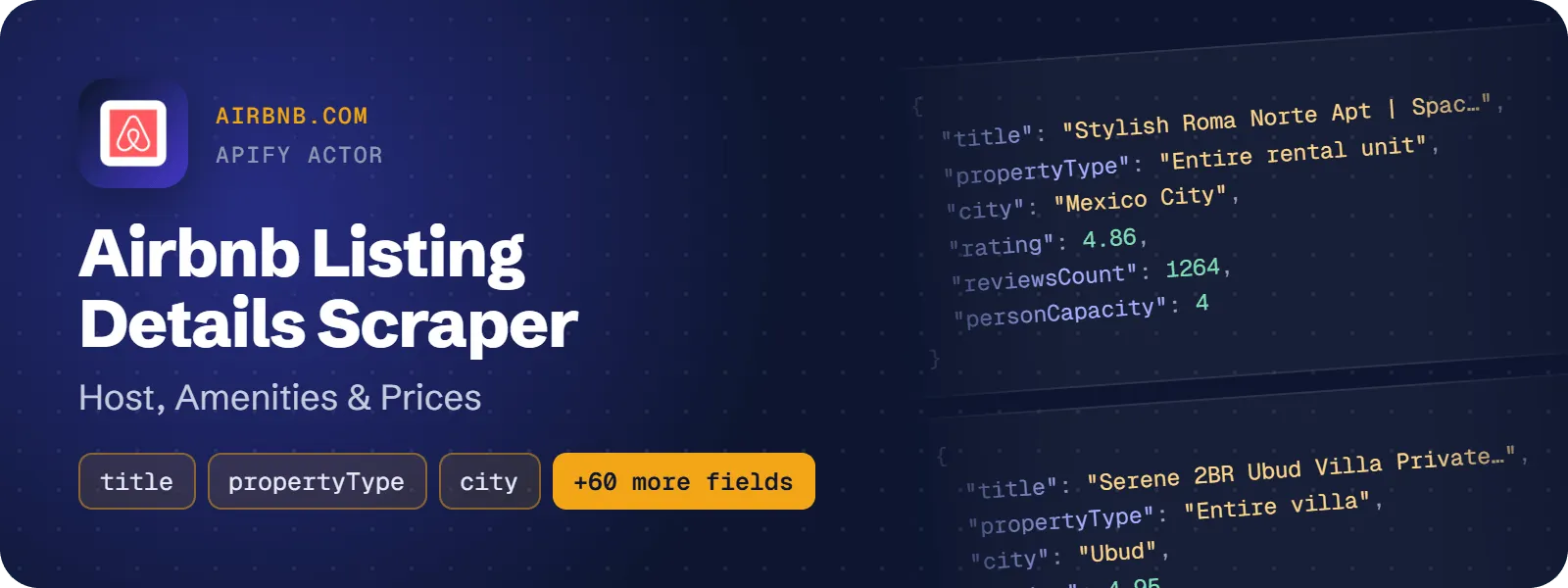
Get the full details of Airbnb listings from their URLs or listing IDs: title, description, property type, bedrooms and beds, the overall rating with six sub-ratings, the complete host profile (Superhost status, response rate, years hosting), amenities, house rules, check-in and check-out times and all photos. Add trip dates and guests to also get availability, the total price, the nightly rate, the price breakdown and the cancellation policy. One flat row per listing, no login.
What does Airbnb Listing Details Scraper do?
You give it Airbnb listing links (any country domain, including /rooms/plus/ links) or bare numeric listing IDs. It returns one row per listing with everything shown on the listing page, including the host profile. You don't pay extra for the host data. It is built for property managers and revenue analysts who benchmark competing listings, investors checking a property before buying, and data teams that track a fixed set of listings on a schedule. It does not search Airbnb by city: it works on listings you already have.
How to scrape Airbnb listing details
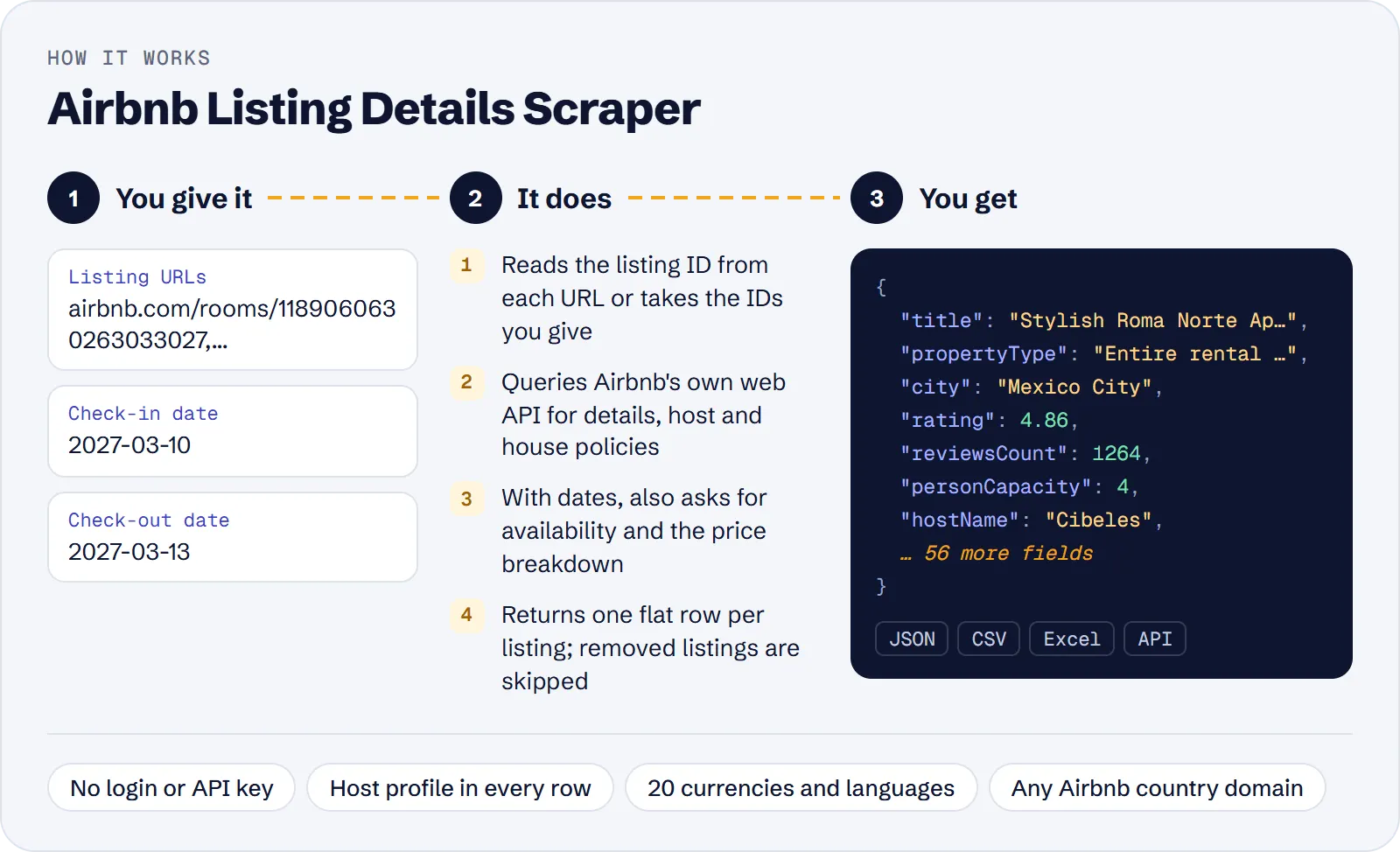
- Open the actor in Apify Console and paste listing URLs into Listing URLs (e.g.
https://www.airbnb.com/rooms/12975940), or enter numbers into Listing IDs. - Optional: set Check-in date, Check-out date and Adults to get the price and availability for a trip. If you leave the dates empty, the dates in each URL (
check_in,check_out,adults) are used instead. - Optional: choose a Currency and Language (20 of each).
- Click Start. When the run finishes, download the dataset as JSON, CSV or Excel, or open the ready-made views: overview, host and pricing.
How much does it cost to scrape Airbnb?
Price per event by Apify plan:
| Event | Free | Bronze | Silver | Gold and above |
|---|---|---|---|---|
| Listing | $3.60 per 1,000 | $3.24 per 1,000 | $2.88 per 1,000 | $2.52 per 1,000 |
| Actor start | $0.00005 | $0.00005 | $0.00005 | $0.00005 |
A test run with the API example input below returned 3 rows in 7 s.
You pay for one listing event per listing row saved. One row covers all of that listing's details: the host profile, amenities, rules, photos, ratings and, if you set dates, the price and availability. A run also pays one small actor start event. Skipped URLs (search, host or experience pages), removed or private listings and listings whose details could not be loaded are not charged.
| Scenario | Events | Cost on the Free plan |
|---|---|---|
| Check 10 listings once | 10 listings + 1 start | about $0.04 |
| Benchmark 100 competitor listings for one set of dates | 100 listings + 1 start | about $0.36 |
| Pull details of 1,000 listings | 1,000 listings + 1 start | about $3.60 |
| Track 50 listings daily for 30 days | 1,500 listings + 30 starts | about $5.40 |
Input
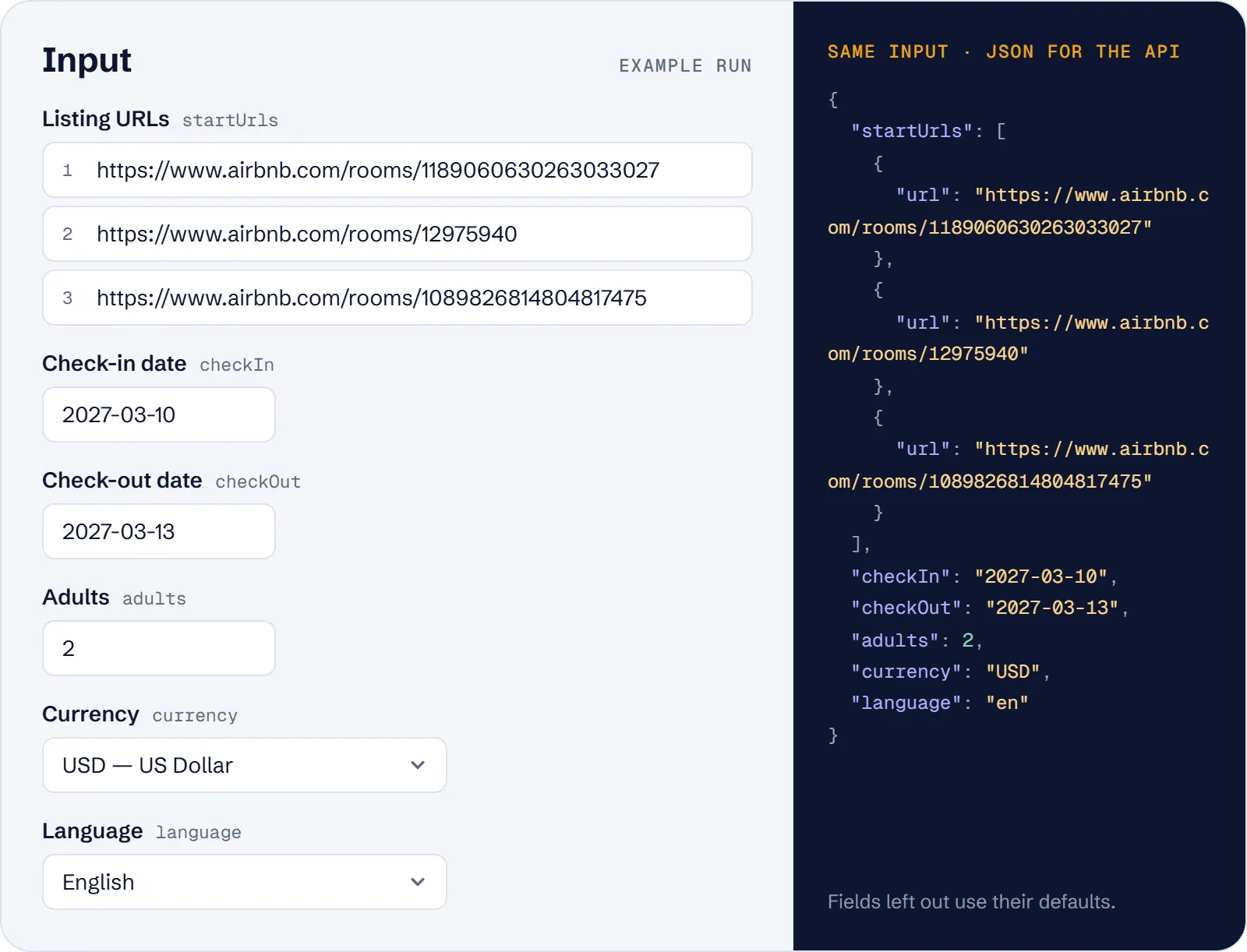
Fill in at least one of Listing URLs (startUrls) or Listing IDs (listingIds). All other fields are optional.
| Field | What it does |
|---|---|
startUrls | Airbnb listing URLs. Any country domain, /rooms/plus/ links and URLs with query strings work. |
listingIds | Numeric listing IDs, e.g. 12975940. |
checkIn, checkOut | Trip dates (YYYY-MM-DD) for the price, availability and cancellation policy. Set both or neither. Check-in must be today or later. |
adults | Guests for the price and availability, 1–16 (default 1). |
currency | One of 20 currencies (default USD). |
language | One of 20 languages for the texts (default English). |
maxItems | Stop after this many listings are saved. |
proxyConfiguration | Apify datacenter proxy by default. |
Example input:
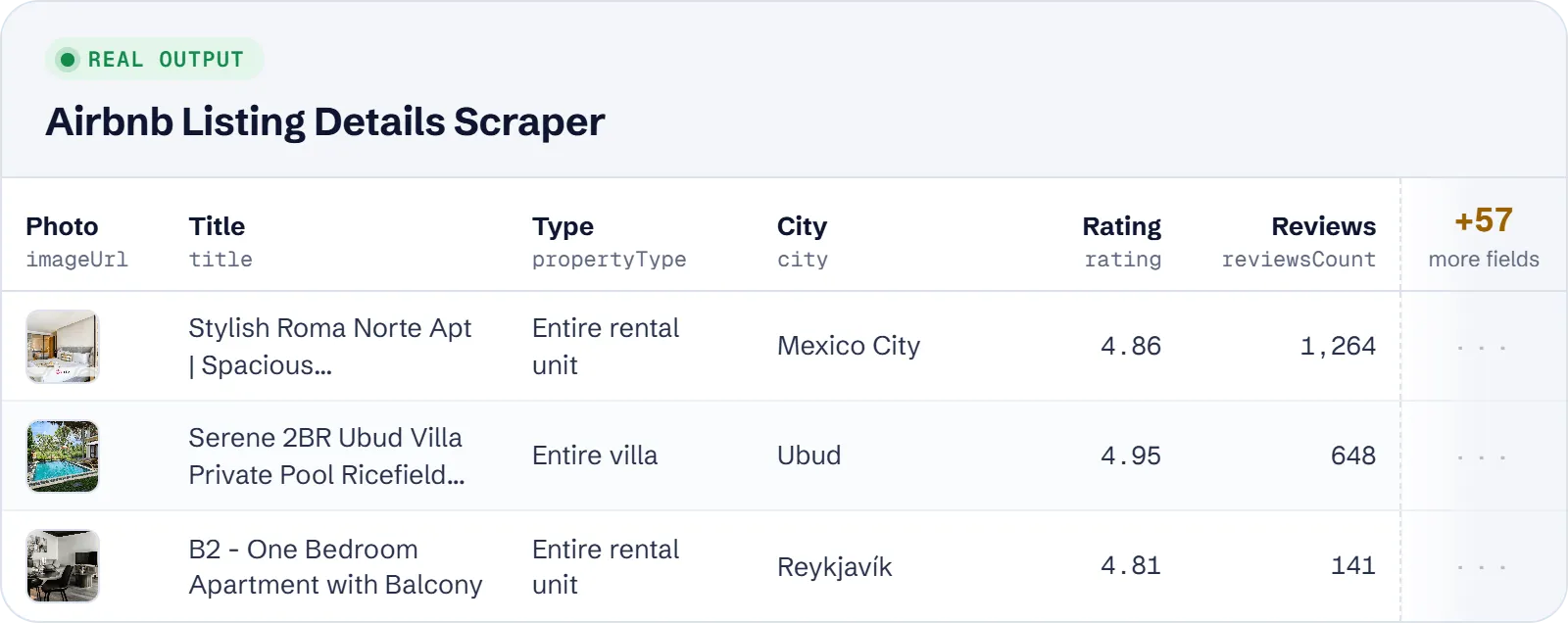
What data can you extract from Airbnb?
| Group | Fields |
|---|---|
| Listing | id, url, title, description, propertyType, roomType, overviewTitle, personCapacity, bedrooms, beds, bathrooms |
| Place | location, city, country (ISO code), latitude, longitude |
| Ratings | rating, reviewsCount, ratingCleanliness, ratingAccuracy, ratingCheckin, ratingCommunication, ratingLocation, ratingValue |
| Badges | isGuestFavorite, isNewListing, isLuxe, isHotel |
| Host | hostId, hostName, hostUrl, hostIsSuperhost, hostIsVerified, hostRating, hostReviewsCount, hostYearsHosting, hostProfilePictureUrl, hostResponseRate, hostResponseTime, hostAbout, cohostsCount |
| Features | amenities, unavailableAmenities, houseRules, safety, highlights, checkInOut |
| Photos | imageUrl, photos, photosCount |
| Trip (with dates) | checkIn, checkOut, adults, nights, isAvailable, unavailabilityReason (DATE / GUEST), price, pricePerNight, priceBreakdown, cancellationPolicy |
| Run | currency, language, scrapedAt |
A real row (arrays and description shortened):
Use cases
- Competitor benchmarking: compare ratings, sub-ratings, amenities, house rules and the nightly rate of the listings around yours.
- Price and availability checks for a trip: set dates and guests to see which listings are bookable, the total price and the breakdown with discounts.
- Scheduled monitoring: run a fixed list of listing IDs daily to track rating changes, Superhost status and prices.
- Investment research: review the capacity, reviews and host profile of a property before buying.
- Localized market data: get German texts and euro prices (or any of the 20 languages and currencies) for a specific market.
Limitations
- No search: the actor needs listing URLs or IDs. Find listings by destination with a search scraper first.
- Without dates,
price,pricePerNight,isAvailable,cancellationPolicyand the date fields are null andpriceBreakdownis empty. That's how it's designed: Airbnb only prices a listing for specific dates. - Booked dates give
isAvailable: falsewithunavailabilityReason"DATE". Too many guests give "GUEST". Neither returns a price. - Hotel and boutique listings (
isHotel: true) have no price, no cancellation policy and no host response fields: Airbnb prices them per room. - Stays of 28 nights or more get Airbnb's monthly price:
priceis the total andpricePerNightis null. - Bedrooms, beds and bathrooms are often missing for private rooms and hotels.
ratingis null for new listings without ratings. - Reviews and the availability calendar are not included. Children, infants and pets are not supported as guest inputs.
- If Airbnb's API is unavailable, the actor falls back to the listing page, which comes in English whatever the language setting. A warning is logged.
Tips and troubleshooting
- Copying a link from Airbnb with dates in it (
?check_in=…&check_out=…&adults=2) is enough: each URL is priced for its own dates, as long as you leave the date fields empty. Dates you enter in the input apply to every URL. - Check-in and check-out must be set together, check-out must be later than check-in, and check-in cannot be in the past. Otherwise the run fails before any request.
- Search pages (
/s/Paris/homes), host profiles and experiences are skipped with a warning. If all your inputs are like that, the run fails with an input error. - A run with 0 rows usually means the listings were removed or are private. The log has a "not found" warning for each one, and they are free.
- The same listing given twice (a URL and its ID, or two country domains) with the same dates gives one row.
- The default Apify datacenter proxy works for Airbnb. Residential proxy is faster but costs more.
API, MCP and integrations
Run the actor from your code with the same JSON input as in Console. Your API token is in Console → Settings → API & Integrations.
Python (pip install apify-client):
Node.js (npm install apify-client):
HTTP — one request runs the actor and returns the results (runs up to 5 minutes; longer ones: run asynchronously):
AI agents (MCP). Add the actor as a tool of the Apify MCP server. Claude Code:
Claude Desktop, Cursor or VS Code: {"mcpServers": {"apify": {"url": "https://mcp.apify.com?tools=genial_candlestand/airbnb-listing-details-scraper"}}}. Then ask, for example:
- "Get the host, amenities and house rules of https://www.airbnb.com/rooms/12975940"
- "Check price and availability of Airbnb listings 12975940 and 14568690 for 2027-03-10 to 2027-03-13, 2 adults"
- "Get Airbnb listing 1189060630263033027 in German with prices in EUR"
Integrations. Run it on a schedule with Apify Schedules and send the results to Google Sheets, Slack, Zapier, Make, n8n or your webhook — see Apify integrations.
FAQ
Can I get the price without dates?
No. Airbnb only prices a listing for specific dates. Set checkIn and checkOut, or use URLs that contain check_in and check_out.
Why is the price empty for some listings?
Check isAvailable and unavailabilityReason: "DATE" means the dates are booked, "GUEST" means too many guests. isHotel: true means a hotel that Airbnb prices per room.
Does it include the host profile?
Yes. Superhost and verified status, host rating, reviews, years hosting, response rate and time, the about text and the co-host count are in every row, at the same price per listing.
How is it different from other Airbnb scrapers?
The full host profile is in the base row instead of being a paid add-on. Rows are flat, with price, pricePerNight and nights as numbers. There are explicit availability fields that say why there is no price. There's no start fee beyond Apify's default, and no minimum run size.
Is it legal to scrape Airbnb?
The actor collects only data that Airbnb shows publicly on listing pages, without logging in. You are responsible for how you use the data, including any personal data such as host names, under the laws that apply to you (e.g. GDPR) and Airbnb's terms.
Also useful
- Airbnb Scraper — find Airbnb listings by destination and dates first, with total and nightly prices, then pull their details here
- Google Hotels Scraper — compare the same destination's hotel and vacation-rental prices, ratings and amenities on Google Hotels
- Google Flights Scraper — add flight prices, airlines and times for the same trip dates
- Yelp Business Scraper — get restaurants and services near a listing with ratings, reviews and contacts


