
AliExpress Search Scraper | Prices, Sold Count & Shipping
Pricing
from $1.62 / 1,000 products
AliExpress Search Scraper | Prices, Sold Count & Shipping
Get AliExpress search and category results: title, price, original price, discount, exact sold count, rating, Choice and ad flags, ships-from country, delivery days and rank. Keywords, category ids or search URLs; 20 delivery countries, 16 currencies, 11 languages. No login.
Pricing
from $1.62 / 1,000 products
Rating
0.0
(0)
Developer

Flowo
Maintained by CommunityActor stats
0
Bookmarked
3
Total users
2
Monthly active users
4 days ago
Last modified
Categories
Features
Share
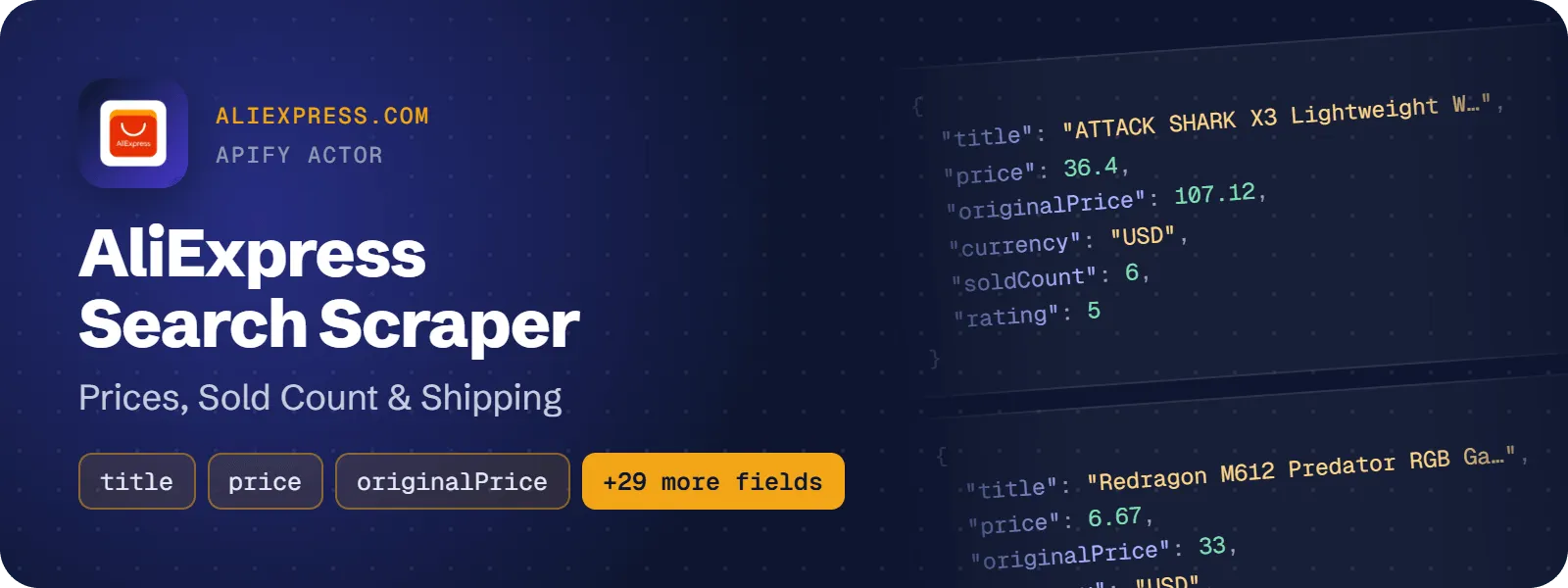
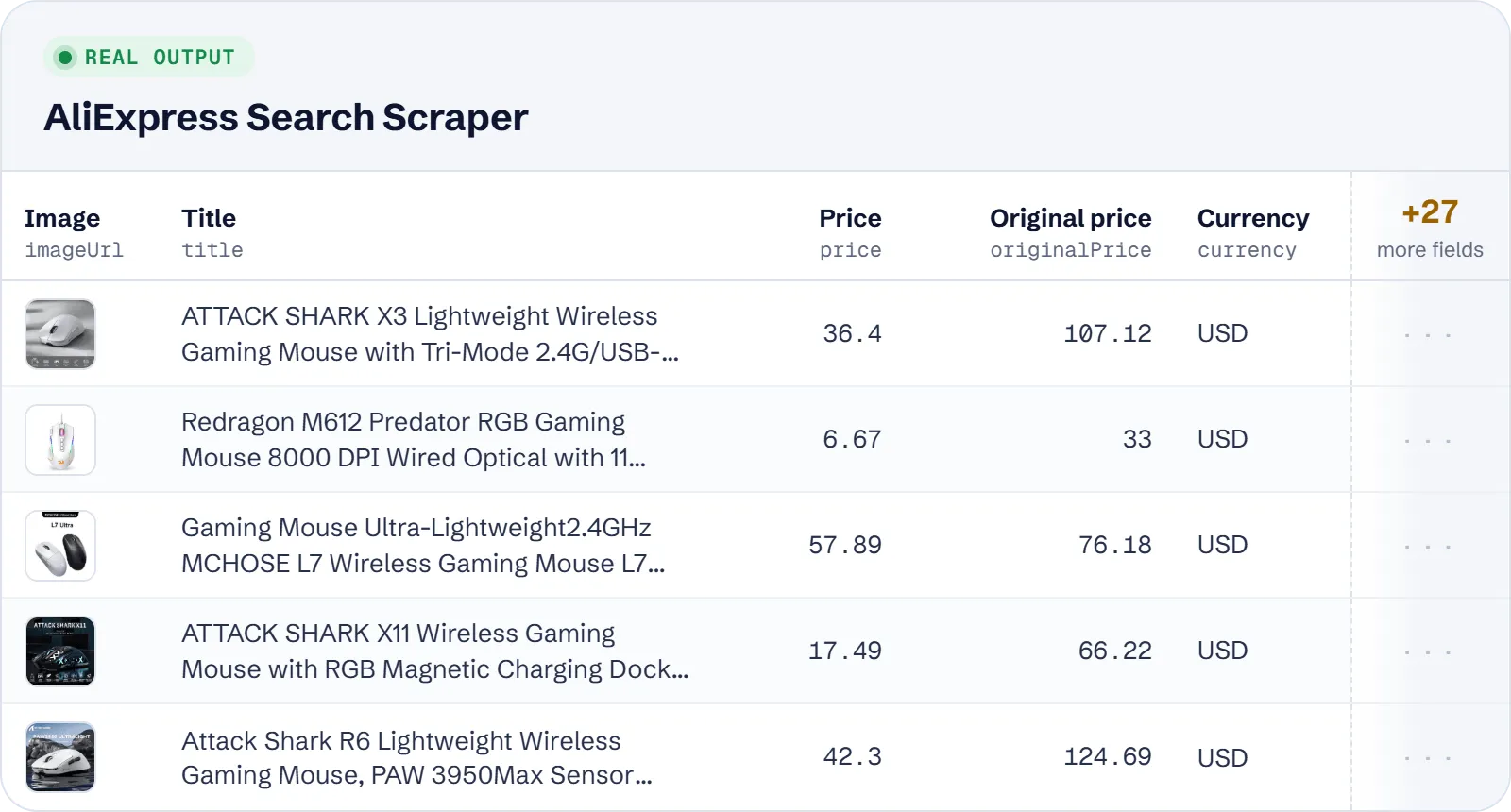
Get the product cards AliExpress shows for a keyword search, a category or a search URL pasted from your browser. Each product is one flat row with the title, sale price, original price and discount, exact sold count, star rating, Choice and ad flags, ships-from country, delivery days, category ids and rank in the results. You can pick any of 20 delivery countries, 16 currencies and 11 languages, and use AliExpress's own filters.
What does AliExpress Search Scraper do?
You give it search keywords, AliExpress category ids or category URLs, or search and category page URLs copied from aliexpress.com. It goes through the results pages, up to the 60 pages AliExpress serves for one search, and saves every unique product it finds, with its position in the results. It is built for dropshippers and e-commerce sellers doing product research, analysts tracking prices and assortment in a niche or a market, and AI agents answering requests like "find X on AliExpress under $Y".
It does not open product detail pages. SKU variants, stock, specifications, reviews and store pages are not part of its output.
How to scrape AliExpress search results
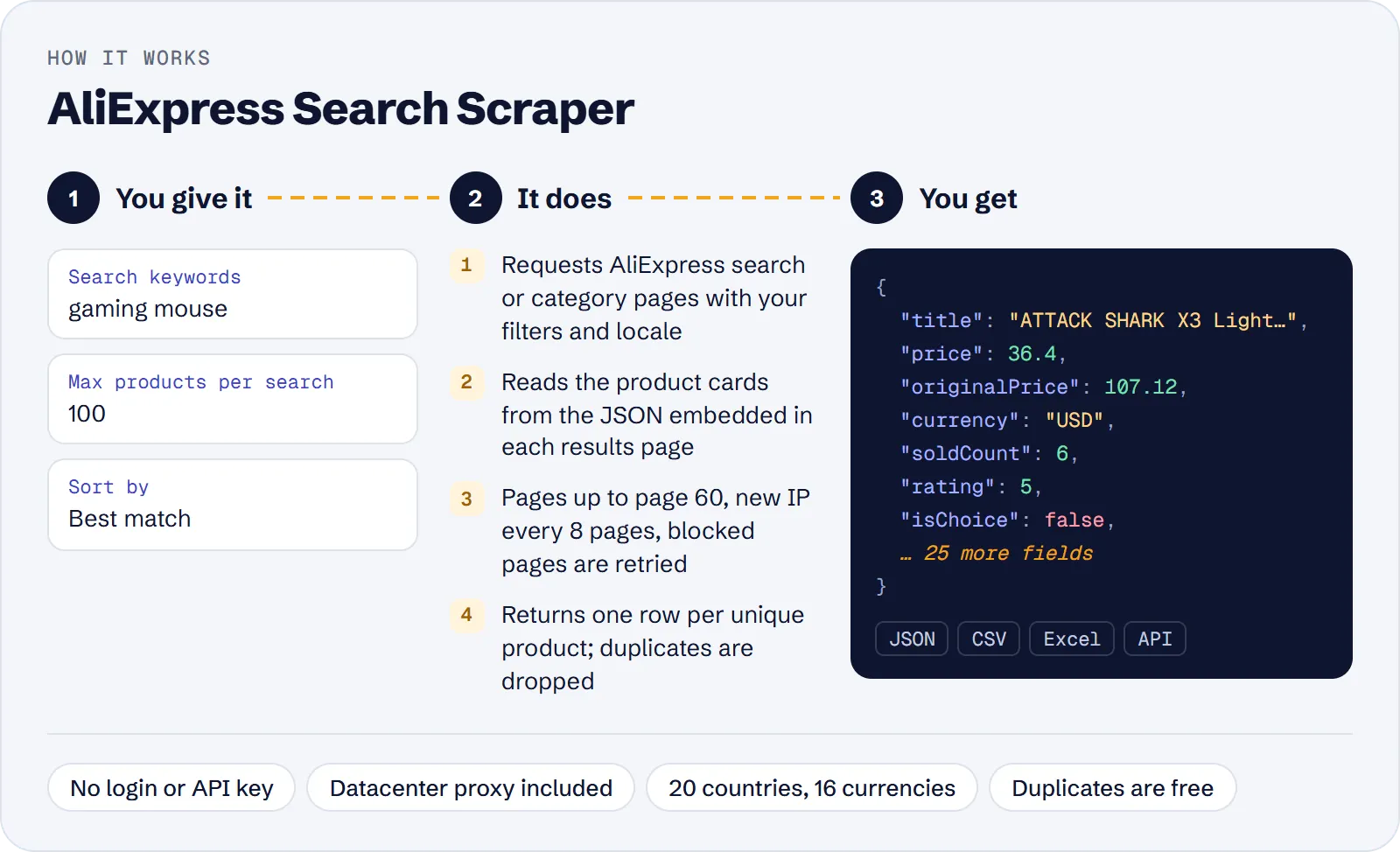
- Open the actor in Apify Console.
- Enter one or more Search keywords (e.g.
gaming mouse), Category IDs (e.g.44), or Start URLs copied from AliExpress search or category pages. - Set Max products per search (default 100, at most 3,600).
- Optionally choose Sort by, a Min price / Max price, Free shipping only, Choice products only, 4 stars & up only and Ships from.
- Pick the delivery Country, the Currency and the Language of titles.
- Click Start and download the products as JSON, CSV, Excel or HTML, or read them through the API.
How much does it cost to scrape AliExpress?
Price per event by Apify plan:
| Event | Free | Bronze | Silver | Gold and above |
|---|---|---|---|---|
| Product | $1.90 per 1,000 | $1.805 per 1,000 | $1.71 per 1,000 | $1.615 per 1,000 |
| Actor start | $0.00005 | $0.00005 | $0.00005 | $0.00005 |
A test run with the API example input below returned 100 rows in 11 s.
You pay for each product saved to the dataset: one unique AliExpress product from a search or category page. On top of that there is a small Actor start event, charged once per run.
These are free:
- duplicate cards, which are common on deep pages;
- the "similar products" suggestions AliExpress shows when a keyword has no real matches;
- cards skipped by the Ships from check or by the 4-stars rating check described below;
- pages that failed.
The Apify datacenter proxy is included in the price.
| Scenario | Product events | Cost on the Free plan |
|---|---|---|
| One keyword, default 100 products | 100 | about $0.19 |
| One category, 1,000 newest products | 1,000 | about $1.90 |
| 5 keywords × 300 best sellers | 1,500 | about $2.85 |
| 10,000 products for a price monitor | 10,000 | about $19.00 |
The start fee ($0.00005 per run at the default memory) is already included in these numbers.
Input
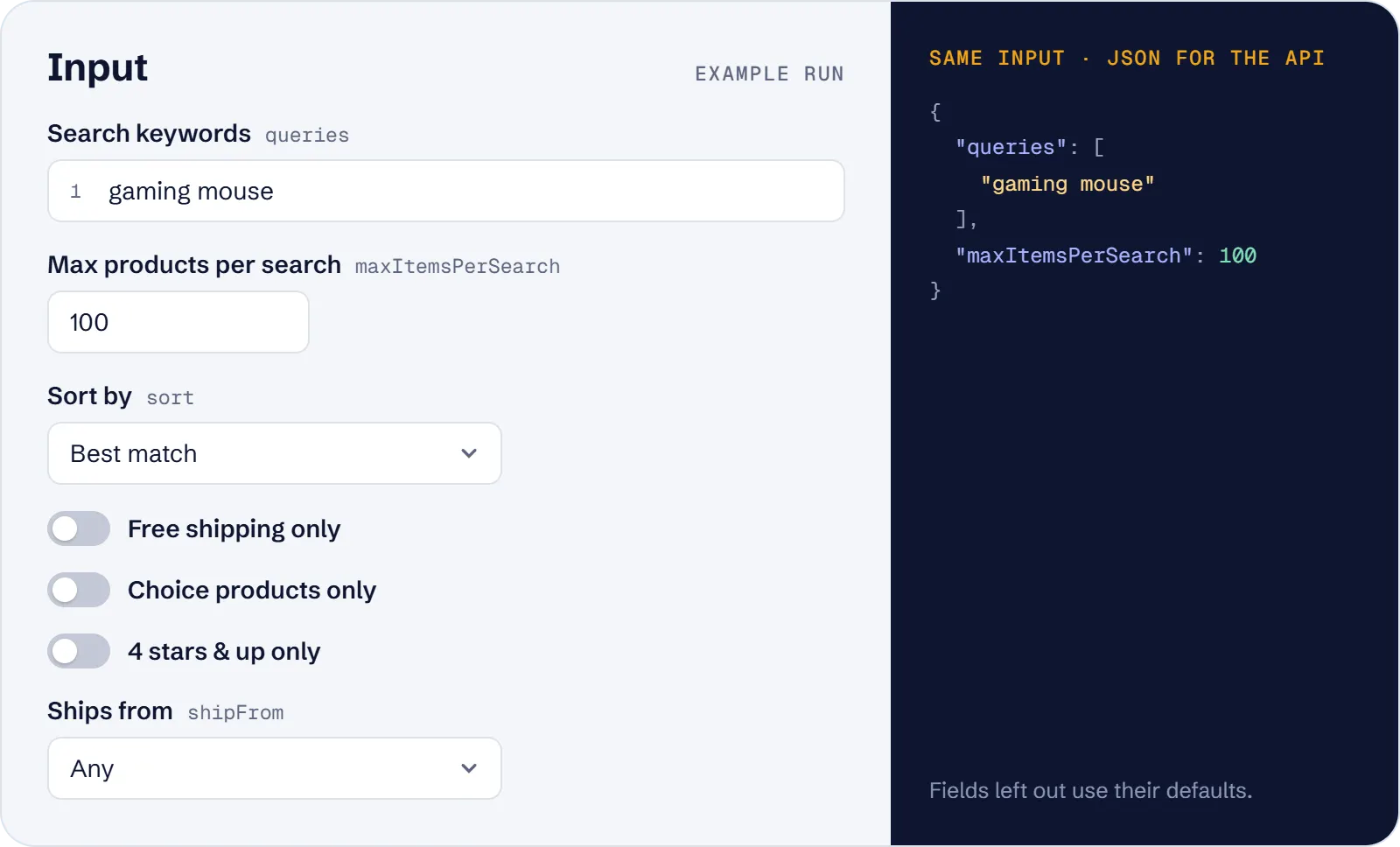
At least one of Search keywords, Category IDs or Start URLs is required.
- Search keywords (
queries): one search per keyword, in any language (e.g.gaming mouse,handyhülle,手机壳). - Category IDs (
categoryIds): numeric ids such as44(Consumer Electronics) or100003109(Women's Clothing), or category URLs likehttps://www.aliexpress.com/category/44/consumer-electronics.html. On their own, each category is listed. With keywords, each keyword is searched inside each category (keywords × categories searches). - Start URLs (
startUrls): search (/w/wholesale-….html) or category (/category/<id>/….html) URLs. The URL's filterscatId,attr(brand, colour and other attributes),SortType,minPrice,maxPriceandselectedSwitchesare kept, and the form fields below override them when you set them.aliexpress.usand language subdomains such asde.aliexpress.comare rewritten towww.aliexpress.com. Product (/item/) URLs, store pages and aliexpress.ru are not supported. - Max products per search (
maxItemsPerSearch): 1–3,600, default 100. - Max products in total (
maxItems): optional cap for the whole run. - Sort by (
sort):relevance(Best match, default),orders(most sold first),priceAsc,priceDesc,newest. - Min price / Max price (
minPrice,maxPrice): in the selected currency. Use one or both; Min price must not be greater than Max price. - Free shipping only (
freeShipping), Choice products only (choiceOnly), 4 stars & up only (fourStarsAndUp): AliExpress's filters, which can be combined. AliExpress returns no products when its 4-stars filter is used with a price sort, so with Sort bypriceAscorpriceDescthe actor sorts on AliExpress without that filter and keeps only cards with aratingof 4 or more; cards without a rating are skipped. This also applies to a 4-stars filter inside a start URL. - Ships from (
shipFrom):any(default),local(a warehouse in the delivery country) orCN(China). - Country (
country): delivery country, one of US, GB, DE, FR, ES, IT, NL, PL, SE, TR, IL, SA, BR, MX, CA, AU, NZ, KR, JP, UA (default US). - Currency (
currency): USD, EUR, GBP, CAD, AUD, NZD, BRL, MXN, JPY, KRW, PLN, SEK, TRY, ILS, SAR or UAH (default USD). It works with every country. - Language (
language): en, de, fr, es, it, pt, nl, pl, tr, ja or ko (default en). - Proxy (
proxyConfiguration): the default Apify datacenter proxy is enough.
What data can you extract from AliExpress?
| Field | What it holds |
|---|---|
id | AliExpress product id (global 1005… form) |
url | Product page URL |
title | Product title in the selected language |
imageUrl, images | Main image and all card images |
price, originalPrice, discountPercent | Sale price, price before discount, discount in percent |
currency, priceText | ISO currency code and the price as displayed (e.g. US $57.89) |
rating | Average star rating, 0–5 |
soldCount, soldText | Exact units sold (e.g. 1771) and the displayed text (e.g. 1,000+ sold) |
isAd, isChoice, freeShipping | Sponsored card, AliExpress Choice product, Free shipping badge shown |
shipFrom | 2-letter code of the ships-from country (UK is given as GB) |
deliveryDaysMin, deliveryDaysMax | Estimated delivery days to the delivery country |
skuId | Id of the SKU whose price is shown |
categoryId, categoryPath | Leaf category id and the category ids from top to leaf |
author | Store name, when the card carries it |
publishedAt | Listing date (YYYY-MM-DD) |
tags | Selling-point texts on the card |
query, searchUrl | The input that found the product and the first results page URL |
country, page, position, totalResults | Delivery country, results page (1–60), rank in the search, matches reported by AliExpress |
scrapedAt | When the product was scraped |
A real row from a "gaming mouse" search in the US view (images shortened, the card has 6):
Use cases
- Dropshipping research: find the most-sold products in a niche that ship from a local warehouse, with sold count, price and delivery days.
- Price monitoring per market: track prices of a keyword in Germany in EUR with German titles, within a price range and with free shipping.
- Category catalogue slices: pull the newest listings of a category with their listing date and category path.
- Re-running a filtered browser search: paste a search URL with brand or colour filters and get the same results as rows.
- AI agent shopping tasks: answer "cheapest well-rated USB cables under $3" with a price cap, the 4-stars filter and price sorting.
Limitations
- AliExpress serves at most 60 pages (about 3,600 cards) per search, and deep pages repeat products, so one search gives roughly 2,700 unique products at most.
- Only search and category listings. No product detail pages (SKU variants, stock, specifications, description), reviews, store pages, store ids or shipping fee amounts.
- Categories are given as ids (
categoryId,categoryPath); AliExpress cards carry no category names. - These fields can be
nullwhen the card does not show them:imageUrl,images,price,originalPrice,discountPercent,currency,priceText,rating,soldCount,soldText,shipFrom,deliveryDaysMin,deliveryDaysMax,skuId,categoryId,categoryPath,author,publishedAt,tagsandtotalResults. Missing values are never guessed. - The store name (
author) is on a minority of cards, mostly promoted ones. totalResultsis approximate; with the 4-stars or ships-from filters AliExpress reports only a running count. With 4 stars & up and a price sort, it is the count of the search without the rating filter.freeShippingreflects the badge on the card. In a free-shipping search, not every card shows the badge, so the flag can befalse.- A product found by two searches is saved once, with the
queryof the search that found it first. - Russia, India and Switzerland are not offered as delivery countries.
Tips and troubleshooting
- More than about 2,700 products for one topic: split the search by price range (Min/Max price) or by category.
- 0 rows for a keyword: AliExpress found no exact matches and showed only suggestions, which are not saved (the log says so). Try a broader or differently spelled keyword.
- 0 rows with Ships from = Local warehouse: there may be no products in a warehouse in that country; the search stops after 2 pages in a row with no matching card, with a warning.
- Filters combine: Free shipping, Choice, 4 stars & up, a price range and Ships from can be used together, and with keywords inside categories.
- 4 stars & up with a price sort: the rating is checked on each card, and products without a rating are left out. If 5 results pages in a row have no card rated 4 or more, the search stops with a warning.
- Input errors: a run with no keywords, categories or URLs, a Min price above the Max price, a category entry that is neither digits nor a category URL, or an unsupported URL fails at once with a message naming the field.
- Proxy: keep the default Apify proxy. Without a proxy, AliExpress blocks the requests quickly.
API, MCP and integrations
Run the actor from your code with the same JSON input as in Console. Your API token is in Console → Settings → API & Integrations.
Python (pip install apify-client):
Node.js (npm install apify-client):
HTTP — one request runs the actor and returns the results (runs up to 5 minutes; longer ones: run asynchronously):
AI agents (MCP). Add the actor as a tool of the Apify MCP server. Claude Code:
Claude Desktop, Cursor or VS Code: {"mcpServers": {"apify": {"url": "https://mcp.apify.com?tools=genial_candlestand/aliexpress-search-scraper"}}}. Then ask, for example:
- "Find the 20 cheapest USB cables under $3 on AliExpress with 4 stars and up"
- "List the 300 best-selling LED strip lights on AliExpress that ship from a US warehouse"
- "Get the 1000 newest AliExpress listings in category 44 with listing date and category path"
Integrations. Run it on a schedule with Apify Schedules and send the results to Google Sheets, Slack, Zapier, Make, n8n or your webhook — see Apify integrations.
FAQ
Is it legal to scrape AliExpress?
The actor collects only public product listings that any visitor sees without logging in. Store names are those of businesses. You are responsible for how you use the data, including AliExpress's terms and the laws that apply to you.
Do I need an AliExpress account or API key?
No. The actor needs no login, cookies or affiliate key.
Can I get prices for another country or currency?
Yes. Country, currency and language are independent settings: for example, USD prices with delivery to Germany, or French titles with delivery to the US.
How is it different from other AliExpress scrapers?
It takes keywords, category ids or URLs and pasted search URLs with their filters, not only keywords. It returns the exact sold count, ad and Choice flags, ships-from country and delivery days per product. It costs $1.90 per 1,000 products, against $2.00 for the most used AliExpress product search actor, with the datacenter proxy included.
Why do I get fewer products than Max products per search?
The search ran out of results, AliExpress stopped at page 60, duplicates were dropped, or the Ships from or 4-stars rating check skipped cards. You are not charged for skipped or duplicate cards.
Also useful
- AliExpress Product Scraper — open the products you found to get SKU variants, stock, shipping costs and specs
- Amazon Best Sellers Scraper — compare your niche with Amazon's top products, ranks and prices on 12 stores
- Etsy Search Scraper — check the same keywords on Etsy: prices, shops, ads and search rank
- eBay Sold Listings Scraper — see what similar products actually sell for on eBay, with sold dates and shipping
- Google Trends Scraper — check whether demand for a product idea is rising before you list it


