
Google AI Overview & AI Mode Scraper | Answers & Sources
Pricing
from $2.98 / 1,000 ai overview answers
Google AI Overview & AI Mode Scraper | Answers & Sources
Get Google AI Overview and AI Mode answers for your queries: answer text and Markdown, cited sources with position, URL, domain, site name and snippet, and whether your domains are cited. Any country and language, many queries per run, no login. Rows without an answer are free.
Pricing
from $2.98 / 1,000 ai overview answers
Rating
0.0
(0)
Developer

Flowo
Maintained by CommunityActor stats
0
Bookmarked
2
Total users
1
Monthly active users
5 days ago
Last modified
Categories
Features
Share
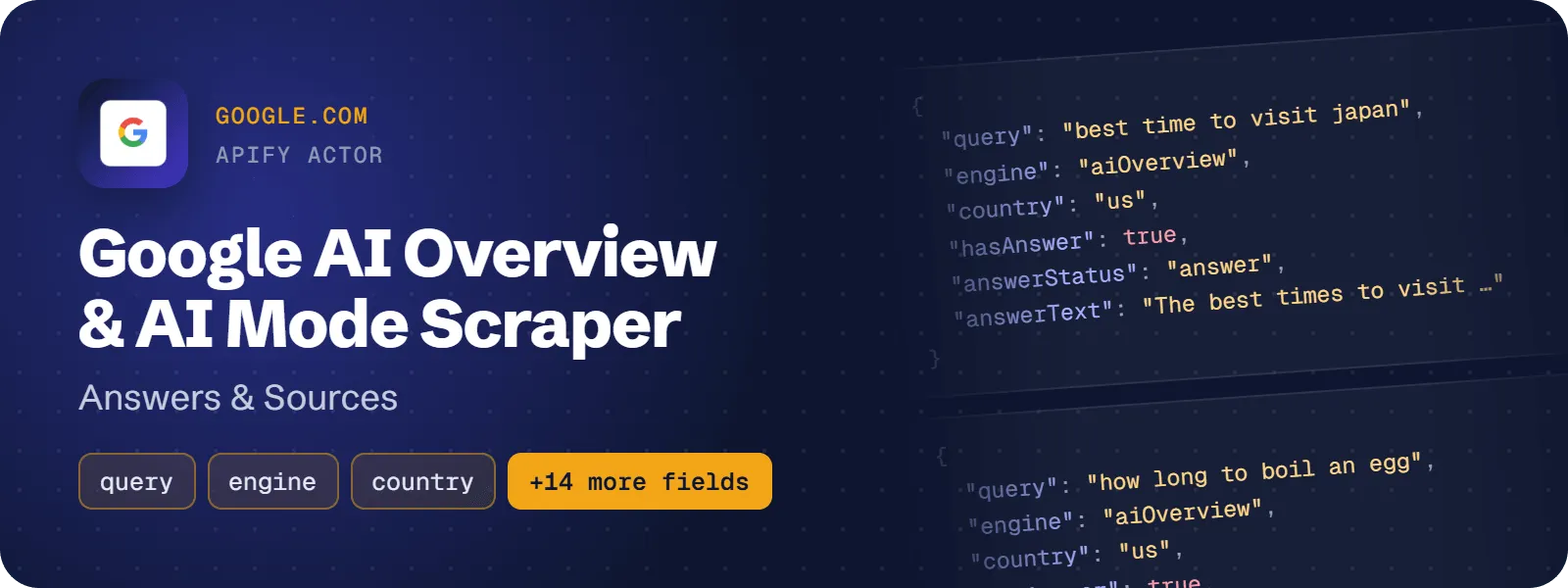
Get Google's AI Overview and, if you want it, Google's AI Mode answer for a list of search queries. Each row has the answer text as plain text and as Markdown, the cited sources with position, title, URL, domain, site name and snippet, and an optional check of whether your own domains are cited. You choose the country and language, and rows for queries where Google shows no AI answer are free.
What does Google AI Overview & AI Mode Scraper do?
You give it search queries. For each query and each engine you pick (AI Overview, AI Mode or both) it loads the Google page and returns one row: whether Google gave an AI answer, the answer status, the localized heading, the answer text and Markdown, and the list of cited sources. It is built for SEO and GEO (generative engine optimisation) teams that track AI search visibility and brand citations, for researchers who collect what Google's AI says about a topic in several markets, and for AI agents that need Google's AI answer with its sources.
How to scrape Google AI Overviews and AI Mode answers
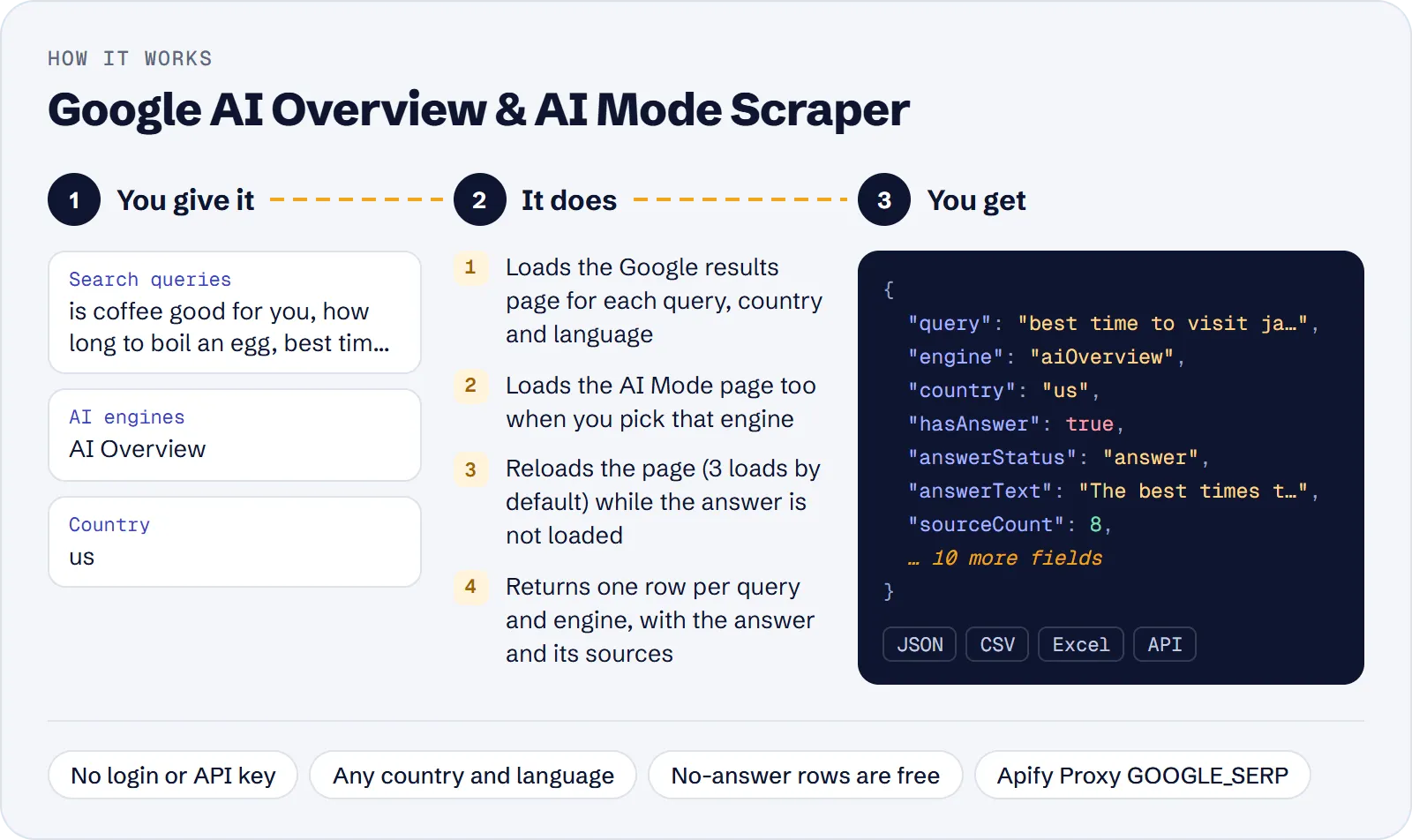
- Open the actor in Apify Console.
- Enter your Search queries, one per line.
- Pick the AI engines: AI Overview (default), AI Mode, or both.
- Set the Country and Language (defaults
usanden). - Optionally add your domains under Track my domains.
- Click Start and download the results as JSON, CSV, Excel or HTML, or read them through the API.
How much does it cost to scrape Google AI Overviews?
Price per event by Apify plan:
| Event | Free | Bronze | Silver | Gold and above |
|---|---|---|---|---|
| AI Overview answer | $3.50 per 1,000 | $3.325 per 1,000 | $3.15 per 1,000 | $2.975 per 1,000 |
| AI Mode answer | $20.00 per 1,000 | $19.00 per 1,000 | $18.00 per 1,000 | $17.00 per 1,000 |
| Actor start | $0.00005 | $0.00005 | $0.00005 | $0.00005 |
A test run with the API example input below returned 3 rows in 9 s.
You pay per answer, not per page:
- AI Overview answer — one row with an AI Overview (
engine: "aiOverview",hasAnswer: true): $0.0035, i.e. $3.50 per 1,000 answers. - AI Mode answer — one row with an AI Mode answer (
engine: "aiMode",hasAnswer: true): $0.02, i.e. $20 per 1,000 answers. - Actor start — $0.00005 per run.
Not charged: rows where Google shows no AI answer (answerStatus: "none"), rows where Google did not load the answer (notLoaded), error rows (error), the extra page loads of Max requests per query, and domain tracking.
| Scenario | Paid events | Cost (Free plan, start fee included) |
|---|---|---|
| 3 queries, AI Overview, all 3 answered | 3 AI Overview answers | about $0.011 |
| 100 keywords, AI Overview, 90 answered | 90 AI Overview answers | about $0.32 |
| 1,000 keywords, AI Overview, 900 answered | 900 AI Overview answers | about $3.15 |
| 100 queries, both engines: 90 AI Overview and 55 AI Mode answers | 90 + 55 | about $1.42 |
The answered share depends on your queries: informational questions usually get an AI Overview, navigational and widget queries (logins, weather) usually do not. You can cap spending with the run's maximum charge.
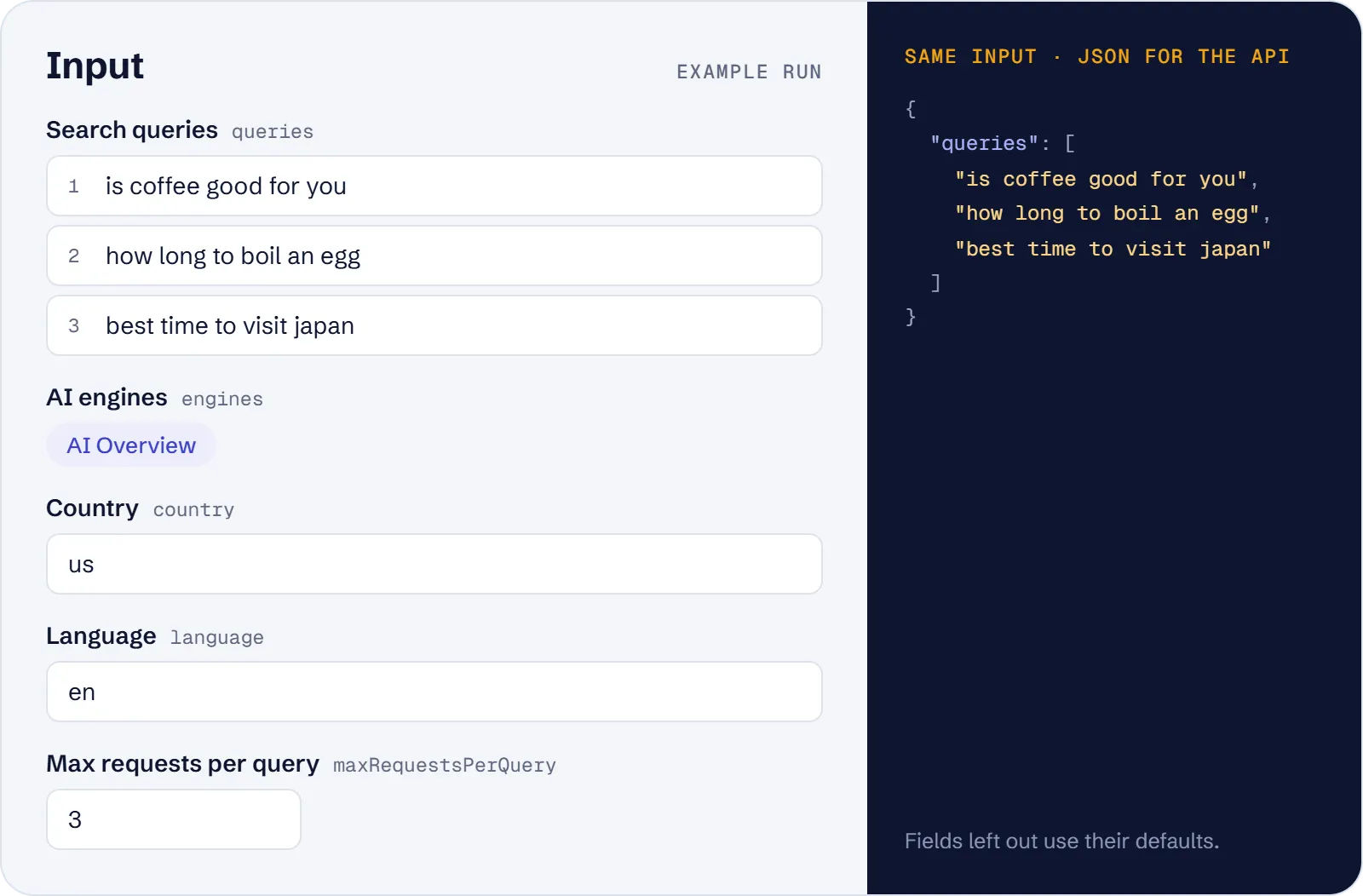
Input
| Field | What it does |
|---|---|
queries (required) | Search queries, one per line. Each query gives one row per engine. Duplicates (ignoring case and extra spaces) are skipped. Google reads only the first 32 words. |
engines | aiOverview (AI Overview, default) and/or aiMode (AI Mode, best effort). Both give two rows per query. |
country | Country to search from (Google gl): a 2-letter ISO code such as us, de, jp, or an English country name such as Germany. Default us. |
language | Language code (Google hl) such as en, de, ja or pt-BR. Default en. |
trackDomains | Optional domains to look for among the cited sources, e.g. example.com. Subdomains match; a scheme, path or www. is removed. |
maxRequestsPerQuery | 1–5, default 3. How many times a page is loaded when Google sends it without the AI answer filled in. Never charged. |
Invalid values (an unknown country or language code, a trackDomains entry that is not a domain, no queries) stop the run before any request.
What data can you extract from Google AI Overviews?
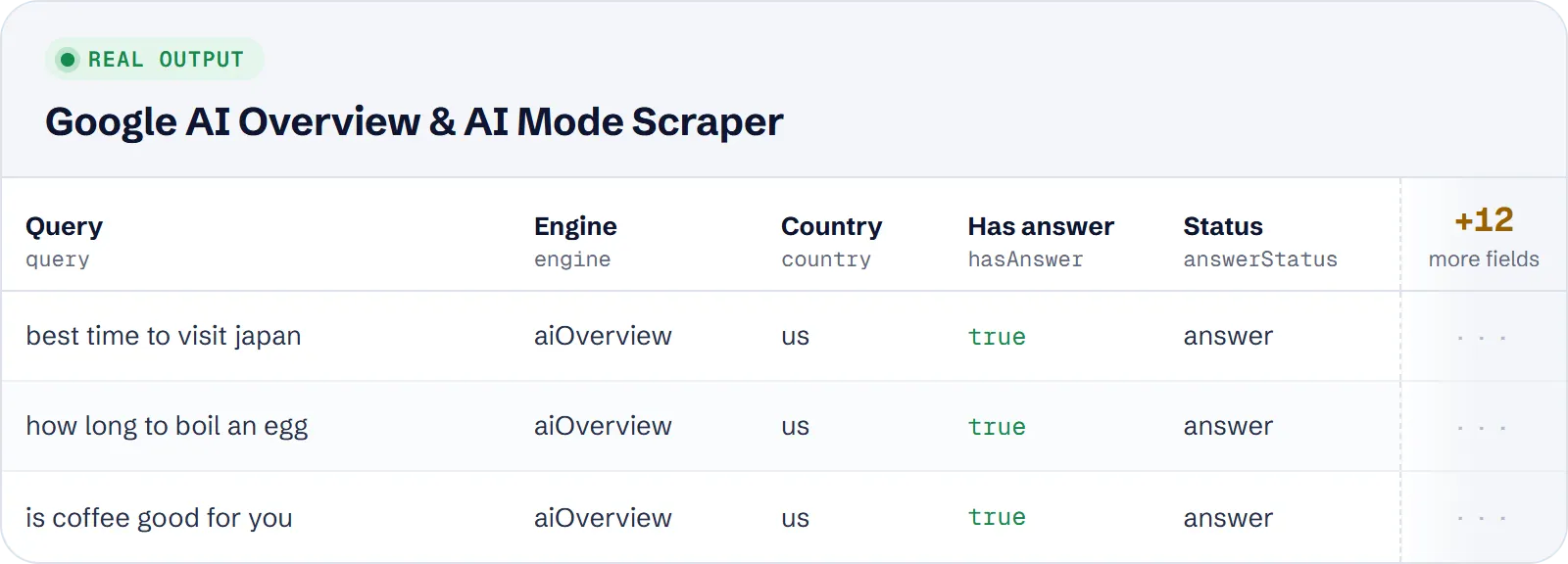
One row per distinct query × engine.
| Field | Description |
|---|---|
query | The query as sent (trimmed, spaces collapsed) |
engine | aiOverview or aiMode |
country, language | Lowercase country code (gl) and language code (hl) used |
hasAnswer | true when Google gave an AI answer (only these rows are charged) |
answerStatus | answer, none (no AI answer for this query), notLoaded (Google did not load it in any request) or error |
heading | Localized heading, e.g. "AI Overview", "Übersicht mit KI", "AI Mode reply for …" |
answerText | The answer as plain text; list items start with "- " |
answerMarkdown | The same answer as Markdown: ### headings, **bold**, - lists, ` |
sourceCount | Number of cited sources |
sources | Cited sources in Google's order: position, title, url, domain, siteName, description (snippet) |
sourceDomains | Distinct source domains, in order of first appearance |
trackedDomainsCited | Your tracked domains that are cited (empty without trackDomains) |
firstTrackedPosition | Best source position of a tracked domain, or null |
requests | Page loads this row took |
url | The Google search page of the answer |
scrapedAt | When the row was extracted (ISO 8601) |
A real row (answer and sources shortened):
A query without an AI answer still gets a free row, e.g. "hasAnswer": false, "answerStatus": "none", heading, answerText and answerMarkdown null, "sources": [], "sourceCount": 0.
Use cases
- AI Overview citation tracking: run your keyword list weekly with
trackDomainsand see where your site is cited (trackedDomainsCited,firstTrackedPosition). - AI Overview coverage audit: find which keywords trigger an AI Overview at all —
hasAnswerandanswerStatusare on every row, and misses cost nothing. - Other markets: collect what Google's AI says in Germany, France, Japan or any other country with
countryandlanguage. - AI Overview vs AI Mode: compare both answers and their sources for the same prompts.
- AI agents: answer a question with Google's AI answer and its cited sources.
Limitations
- AI Mode is best effort. Google often sends the AI Mode page without the answer; in our tests about 55% of queries got an answer within 3 requests. Unanswered rows have
answerStatus: "notLoaded"and are free. AI Mode pages take 20–78 seconds each. AI Mode is not offered in some countries, e.g. China (cn), and then gives no answers. - Answers vary. The same query can get an AI Overview on one fetch and none on the next, and the text changes between fetches.
- Some source URLs are home pages. About 30% of sources carry only the site's home page because Google shows no deeper link.
- Fields that can be empty:
heading,answerTextandanswerMarkdownarenullon rows without an answer (headingcan also benullwhen Google shows none);firstTrackedPositionisnullwhen no tracked domain is cited;sourcescan be empty even on an answer row (common for some AI Mode answers); inside a source,title,domain,siteNameanddescriptioncan benull. - Only AI answers. No organic results, People also ask, ads or AI Mode place and product cards.
- Proxy. The actor always uses the Apify Proxy group
GOOGLE_SERP; your account needs access to it, otherwise the run fails at start.
Tips and troubleshooting
- Few answers? Use informational questions ("how long to boil an egg"); navigational queries ("facebook login") and widgets (weather) rarely get an AI Overview.
- Many
notLoadedrows? Raise Max requests per query (up to 5). Extra loads are free but make the run longer. - Local answers: set
languageto match the language of your queries, e.g.dewith German queries andcountry: "de". - Coverage share: filter
hasAnswer = truefor coverage andtrackedDomainsCitednot empty for citation share. - Run failed at start? Check that your account can use the
GOOGLE_SERPproxy group, and thatcountry,languageandtrackDomainshold valid values.
API, MCP and integrations
Run the actor from your code with the same JSON input as in Console. Your API token is in Console → Settings → API & Integrations.
Python (pip install apify-client):
Node.js (npm install apify-client):
HTTP — one request runs the actor and returns the results (runs up to 5 minutes; longer ones: run asynchronously):
AI agents (MCP). Add the actor as a tool of the Apify MCP server. Claude Code:
Claude Desktop, Cursor or VS Code: {"mcpServers": {"apify": {"url": "https://mcp.apify.com?tools=genial_candlestand/google-ai-overview-ai-mode-scraper"}}}. Then ask, for example:
- "Is hubspot.com cited in Google's AI Overview for best crm for small business and crm vs spreadsheet?"
- "Get Google's German AI Overview with sources for wie lange kocht man ein ei"
- "Compare Google AI Overview and AI Mode answers for best running shoes for flat feet"
Integrations. Run it on a schedule with Apify Schedules and send the results to Google Sheets, Slack, Zapier, Make, n8n or your webhook — see Apify integrations.
FAQ
Is it legal to scrape Google AI Overviews?
The actor reads public Google search pages without logging in. It returns the AI answer and the public sources Google cites, no personal account data. You are responsible for how you use the data and for following the laws and terms that apply to you.
Do I pay for queries without an AI answer?
No. Rows with hasAnswer: false (none, notLoaded or error) are saved free, and so are the repeated page loads.
How is it different from other Google AI Overview actors?
Every query gets a row in the same dataset, with hasAnswer and answerStatus, so you can count coverage directly. Sources include position, domain and siteName, the answer comes as Markdown too, you can set both country and language, and trackDomains checks your citations. AI Mode answers cost $20 per 1,000 answered queries.
Can I use it for many countries?
One run uses one country and language. Start one run (or a saved task) per market.
Also useful
- Google Search Scraper — get the organic results, ads and People also ask for the same keywords
- Google Trends Scraper — check interest over time and related queries before you pick keywords to track
- Google News Scraper — collect news articles on the topics and brands you watch in AI answers
- Google Trends Trending Now Scraper — find trending searches by country to test in AI Overviews


