

LinkedIn Job Details Scraper | By URL, ID or Keyword
Pricing
from $1.53 / 1,000 job postings
LinkedIn Job Details Scraper | By URL, ID or Keyword
Get full LinkedIn job postings: job title, company, location, listing date, applicant count, parsed salary, Easy Apply or offsite, closed flag, seniority and full description. Paste job URLs or IDs with no cap, or search by keyword and location. No login or cookies.
Pricing
from $1.53 / 1,000 job postings
Rating
0.0
(0)
Developer

Flowo
Maintained by CommunityActor stats
0
Bookmarked
2
Total users
1
Monthly active users
7 days ago
Last modified
Categories
Features
Share
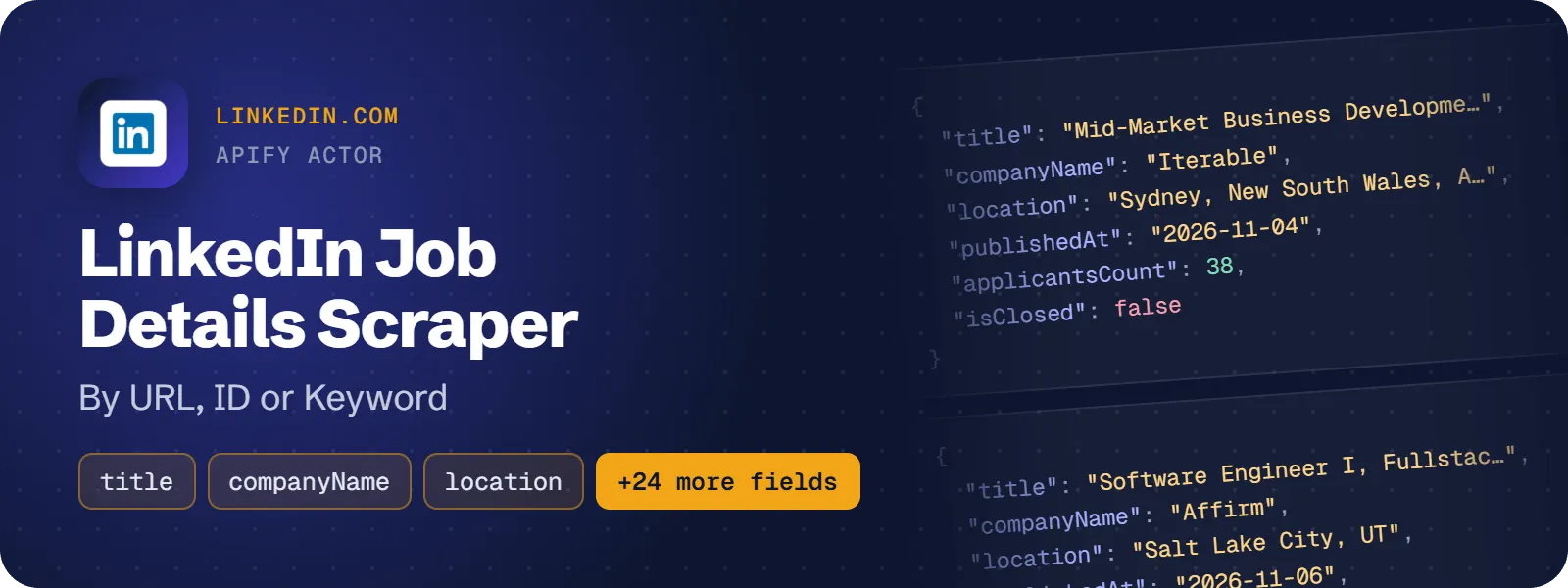
Get full details of LinkedIn job postings: job title, company name and page, location, listing date, applicant count, Easy Apply or offsite apply type, a closed flag, parsed salary (min, max, currency, period), seniority level, employment type, industries and the full job description as text and HTML. Paste job URLs or job IDs, search by keywords and location, or do both in one run. No LinkedIn login, cookies or browser needed.
What does LinkedIn Job Details Scraper do?
You give it LinkedIn job links in any common form (/jobs/view/ URLs, country hosts like au.linkedin.com, ?currentJobId= links) or bare numeric job IDs, and it returns one row per job posting with the full public posting content. It can also run LinkedIn job searches by keywords, location and listing age and return the full details of each result. It is built for recruiters and sourcing tools that already hold job links, job-market and salary researchers, job boards that re-check whether postings are still open, and AI agents that receive a LinkedIn job link.
How to scrape LinkedIn job postings
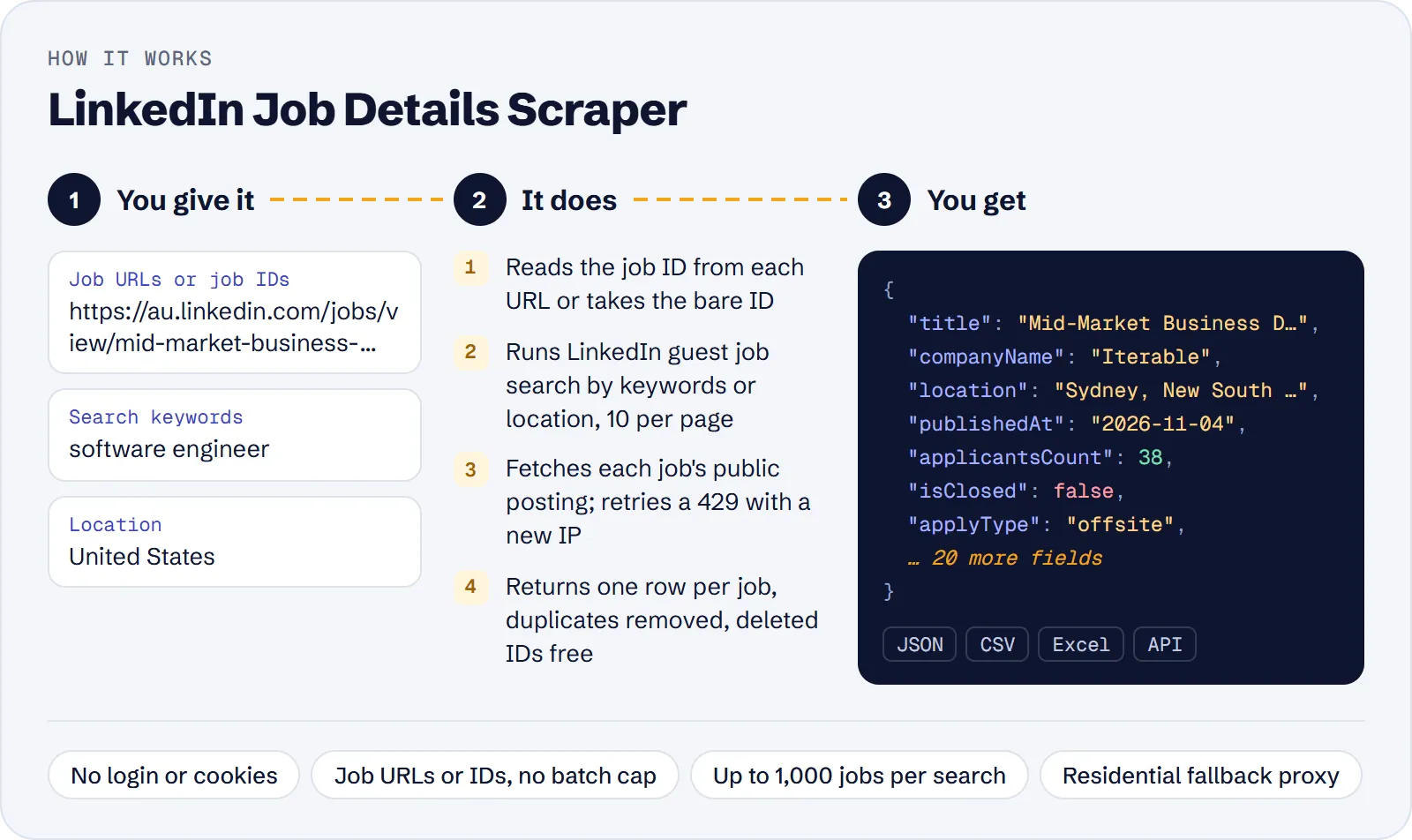
- Open the actor in Apify Console.
- Paste job URLs or job IDs into Job URLs or job IDs, one per line, and/or add Search keywords with an optional Location.
- Optionally set Posted within (searches only), Max jobs per search and Max jobs in total.
- Click Start. Each job becomes one row in the dataset.
- Download the results as JSON, CSV, Excel or HTML, or read them through the Apify API.
How much does it cost to scrape LinkedIn?
Price per event by Apify plan:
| Event | Free | Bronze | Silver | Gold and above |
|---|---|---|---|---|
| Job posting | $1.80 per 1,000 | $1.71 per 1,000 | $1.62 per 1,000 | $1.53 per 1,000 |
| Run start | $0.00005 | $0.00005 | $0.00005 | $0.00005 |
A test run with the API example input below returned 13 rows in 14 s.
You pay per job posting saved to the dataset (event job-posting), plus a small run-start event (one per GB of memory; the default 256 MB is one event). Unknown or deleted job IDs, duplicates and invalid inputs are free: they produce no row and no charge. A closed job is returned and charged like any other job.
| Scenario | Events | Cost on the Free plan |
|---|---|---|
| Check 10 job links from an alert | 10 jobs + 1 start | about $0.018 |
| 4 searches × 25 jobs | 100 jobs + 1 start | about $0.18 |
| 1,000 jobs from URLs and searches | 1,000 jobs + 1 start | about $1.80 |
| 10,000 job IDs re-checked | 10,000 jobs + 1 start | about $18.00 |
Input
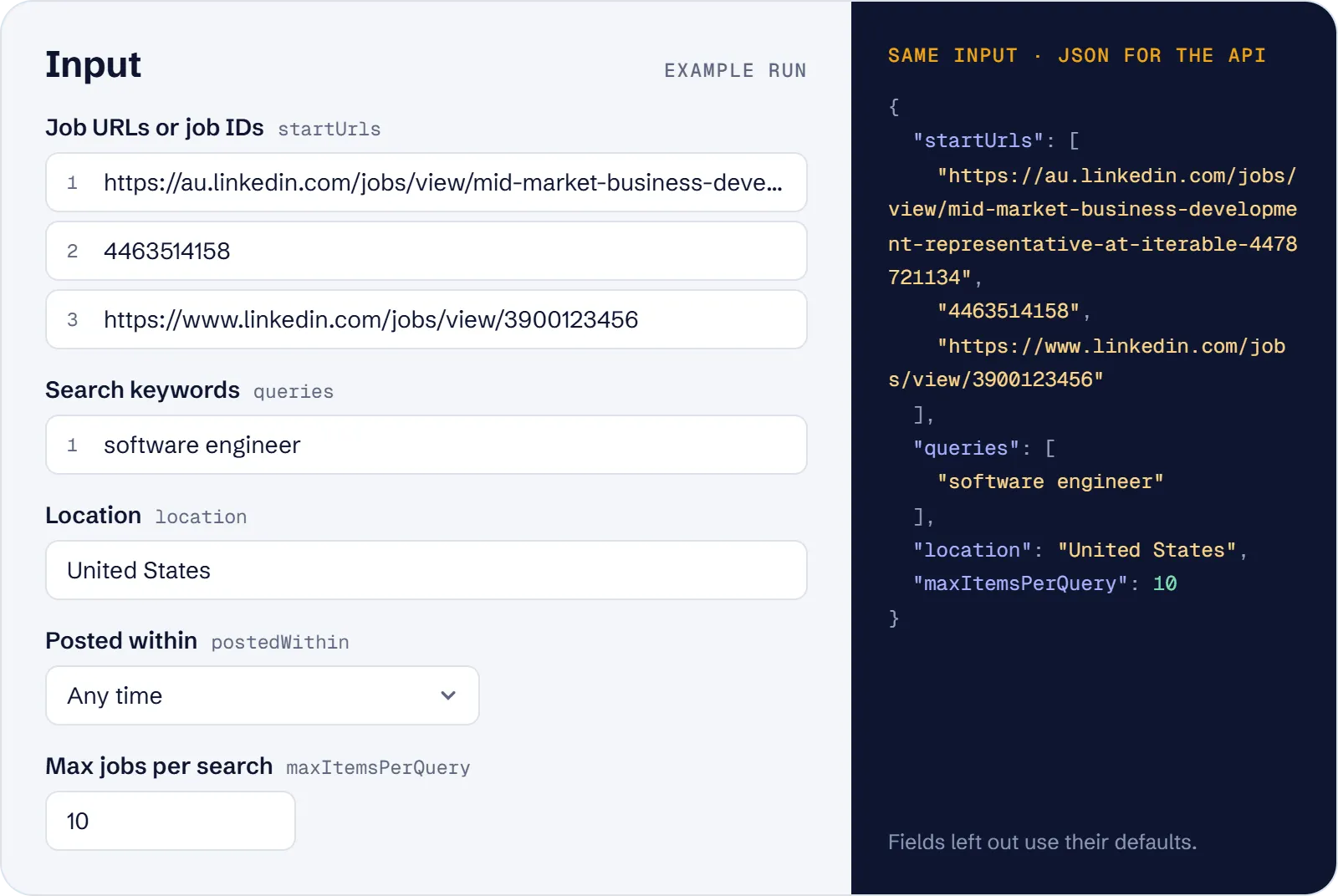
At least one of Job URLs or job IDs (startUrls), Search keywords (queries) or Location (location) is required.
| Field | Type | What it does |
|---|---|---|
startUrls | array of strings | LinkedIn job URLs or bare numeric job IDs, one per line. Any linkedin.com host: /jobs/view/<slug>-<id>, /jobs/view/<id>, any link with ?currentJobId=<id> (e.g. /jobs/search/, /jobs/collections/). Objects { "url": "..." } are accepted too. No batch limit. Values that are not a LinkedIn job URL or ID are skipped with a warning. |
queries | array of strings | Search keywords, one search per line, e.g. nurse. |
location | string | City, region or country for every search, e.g. London or Germany. Alone (no keywords, no job URLs) it returns the latest jobs there. Empty = LinkedIn's default (usually United States). Ignored when only job URLs are given. |
postedWithin | string | any (default), past24Hours, pastWeek or pastMonth. Searches only; ignored for job URLs. |
maxItemsPerQuery | integer | How many top results of each search to use, 1–1,000 (default 25). Does not limit job URLs. |
maxItems | integer | Total cap on rows, job URLs first, then searches in order. Empty = no limit. |
proxyConfiguration | object | Apify datacenter proxy by default; residential is used automatically as a fallback when a request is blocked. |
Example: job links in mixed forms plus a search.
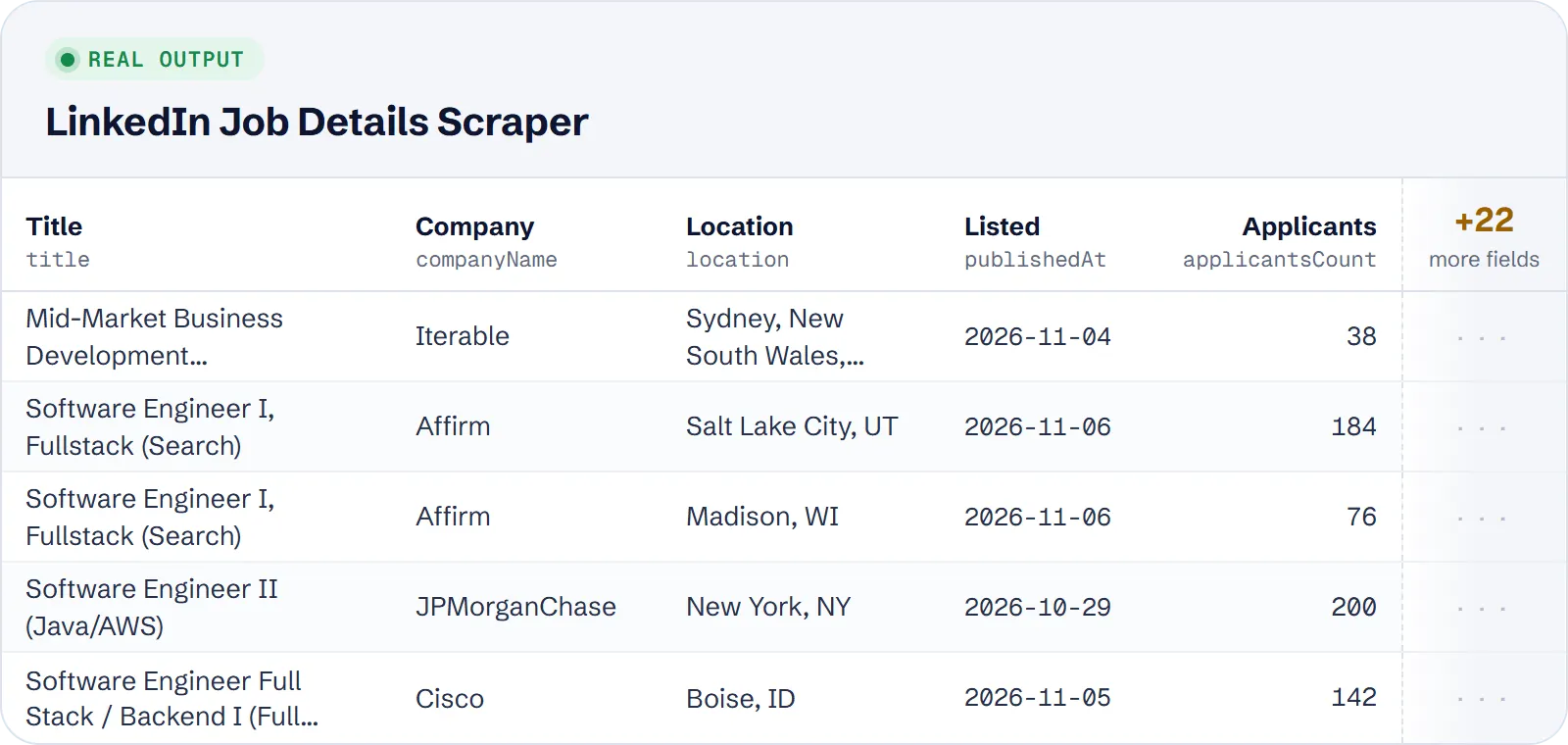
What data can you extract from LinkedIn job postings?
| Field | Description |
|---|---|
id, url | LinkedIn job ID and canonical job page https://www.linkedin.com/jobs/view/<id> |
title | Job title as posted |
companyName, companyUrl, companyLogoUrl | Hiring company, its LinkedIn page and logo |
location | Job location as shown on LinkedIn |
publishedAt, postedTimeAgo | Listing date (YYYY-MM-DD) and the relative text, e.g. "1 week ago" |
applicantsCount, applicantsText | Applicant number and the text as shown |
isClosed | true when the job no longer accepts applications |
applyType | easyApply (on LinkedIn), offsite (company site) or null for closed jobs |
salaryText, salaryMin, salaryMax, currency, salaryPeriod | Salary as shown and parsed: min, max, ISO 4217 currency, period (year, month, week, day, hour) — only when the employer discloses it |
seniorityLevel, employmentType, industries | Job criteria, e.g. "Mid-Senior level", "Full-time", "Software Development" |
description, descriptionHtml | Full job description as plain text and as HTML |
query, position | Search keywords that found the job and its 1-based rank (null for job URLs) |
inputUrl | The job URL or ID from your input (null for search results) |
scrapedAt | When the job was extracted (ISO 8601) |
Real example (description shortened):
Use cases
- Enrich job links you already have: paste links from job alerts, ATS exports or Slack and get title, company, salary and the full description.
- Re-check whether postings are still open: run a list of job IDs;
isClosedshows closed jobs, and deleted IDs are named in a warning and not charged. - Fresh jobs by keyword and place: e.g. nurse jobs in London listed in the past week, with the exact listing date.
- Salary and market research: several searches in one run, each row tagged with
queryandposition, salary parsed where disclosed. - Latest jobs in a region: a location-only search such as Germany, without keywords.
Limitations
- Only data that LinkedIn shows to logged-out visitors. The external apply link, recruiter or poster, company size and website, skills and job function are not available.
- Salary fields are filled only when the employer discloses a salary; many postings have none.
currencyis null when the symbol is ambiguous. applicantsCountis null for "Be among the first 25 applicants"; for "Over 200 applicants" it is 200 (the lower bound).publishedAtis exact for jobs found by search; for job URLs it is derived from the relative text ("2 weeks ago"), so it is approximate for weeks, months and years.- LinkedIn shows at most 1,000 results per search. Use more keywords or locations to get more jobs.
- An unrecognised location silently returns US jobs, and a search without a location usually returns US jobs; check the
locationfield of the rows. - LinkedIn rate-limits with 429 responses. The actor retries with a new IP and falls back to residential proxy; very large runs (thousands of IDs) were not load-tested.
Tips and troubleshooting
- Job URLs ignore filters:
locationandpostedWithinapply to searches only. With job URLs and no keywords they are ignored with a warning. - More results: raise Max jobs per search (up to 1,000) or add more keywords and locations. A job found twice is returned once and charged once.
- Run failed at start: give at least one of job URLs/IDs, search keywords or location.
postedWithinalone is not a search. - Fewer rows than links: deleted or unknown IDs and values that are not LinkedIn job URLs or IDs are skipped; the log names each one.
- Control the spend: set Max jobs in total; job URLs are processed first, then the searches in order.
API, MCP and integrations
Run the actor from your code with the same JSON input as in Console. Your API token is in Console → Settings → API & Integrations.
Python (pip install apify-client):
Node.js (npm install apify-client):
HTTP — one request runs the actor and returns the results (runs up to 5 minutes; longer ones: run asynchronously):
AI agents (MCP). Add the actor as a tool of the Apify MCP server. Claude Code:
Claude Desktop, Cursor or VS Code: {"mcpServers": {"apify": {"url": "https://mcp.apify.com?tools=genial_candlestand/linkedin-job-details-scraper"}}}. Then ask, for example:
- "Get the full details of LinkedIn job 4463514158 and tell me if it is still open"
- "Find 20 nurse jobs in London posted in the past week on LinkedIn with salary and applicant count"
- "List the latest 50 LinkedIn jobs in Germany with company, seniority and employment type"
Integrations. Run it on a schedule with Apify Schedules and send the results to Google Sheets, Slack, Zapier, Make, n8n or your webhook — see Apify integrations.
FAQ
Do I need a LinkedIn account or cookies?
No. The actor reads the public job pages that LinkedIn shows to logged-out visitors. No login, cookies or browser.
Which job URL forms are accepted?
Any linkedin.com host with /jobs/view/<slug>-<id> or /jobs/view/<id>, any LinkedIn link with currentJobId=<id>, or a bare numeric job ID. The output url is always https://www.linkedin.com/jobs/view/<id>, and inputUrl keeps your original value.
What happens with closed or deleted jobs?
A closed job is returned with isClosed: true and applyType: null. A deleted or unknown ID gives no row, is named in a warning and is not charged; the run still succeeds.
How is it different from other LinkedIn jobs actors?
It takes job URLs and bare job IDs in any form with no batch cap, as well as keyword searches, and adds a closed-job flag (isClosed) and a parsed salary (min, max, ISO currency, period). It costs $1.80 per 1,000 jobs on the Free plan, against $2.00 per 1,000 for the most used LinkedIn jobs actor.
Is it legal to scrape LinkedIn job postings?
The actor collects only publicly visible job posting data, without login, and no personal data beyond what the posting shows publicly. You are responsible for how you use the data and for complying with LinkedIn's terms and the laws that apply to you, such as GDPR.
Also useful
- Indeed Jobs Scraper — collect the same roles from Indeed with parsed salary, job types, remote flag and apply link
- Google Jobs Scraper — find the same jobs across boards with all apply links and real URLs
- Glassdoor Jobs Scraper — add salary ranges and company ratings, size and industry from Glassdoor
- Greenhouse Jobs Scraper — get open jobs straight from company Greenhouse career boards with apply links
- Workday Jobs Scraper — pull open jobs from company Workday career sites with requisition IDs


