

Greenhouse Jobs Scraper | Listings, Salaries & Departments
Pricing
from $1.26 / 1,000 jobs
Greenhouse Jobs Scraper | Listings, Salaries & Departments
Get open jobs from the Greenhouse career boards of the companies you name: job title, location, departments, salary range, custom fields, apply link and full description. Keyword, location and salary filters, no login.
Pricing
from $1.26 / 1,000 jobs
Rating
0.0
(0)
Developer

Flowo
Maintained by CommunityActor stats
0
Bookmarked
2
Total users
1
Monthly active users
5 days ago
Last modified
Categories
Features
Share
Greenhouse Jobs — job listings from Greenhouse career boards
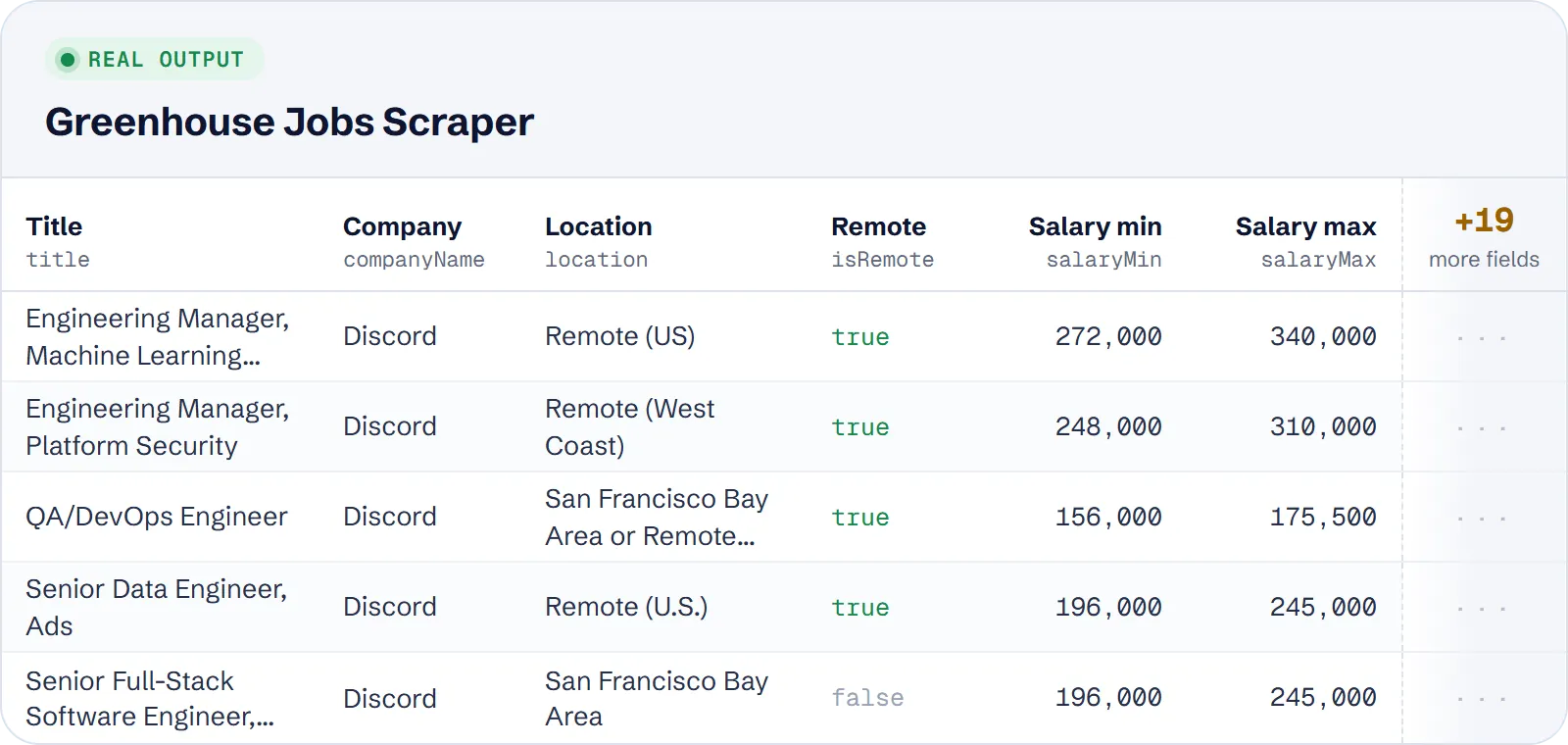
This actor returns the open jobs of the companies you name from their Greenhouse career boards. Each row has the job title, location, departments, the published salary range, the company's custom fields, the apply link and the full job description. Data is read live from Greenhouse at run time, and no login or API key is needed.
What does Greenhouse Jobs do?
You give it a list of companies, as Greenhouse board names (for example discord) or board URLs. It downloads every open job of each board and returns one row per job. You can filter by title keywords, location, department, remote jobs, posting date and published salary, or return only jobs that are new since your last run.
It is built for recruiters and sourcers who track target companies, job-board and newsletter builders, sales teams that use hiring as a signal, salary researchers, and AI agents that answer "what roles does company X have open?".
How to scrape Greenhouse jobs
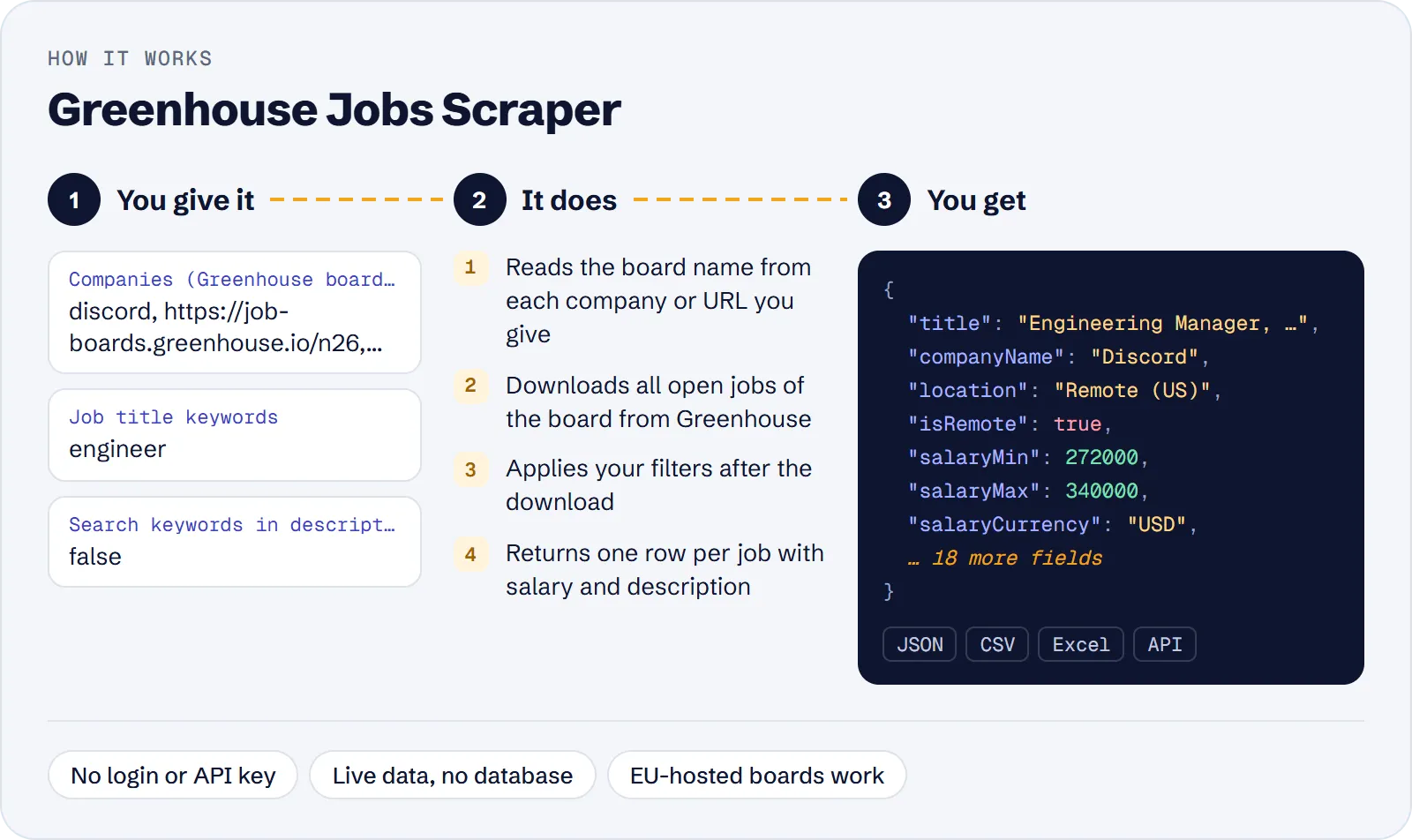
- Open the actor in Apify Console and go to the Input tab.
- Add companies under Companies, one per line: a board name such as
discordor a URL such ashttps://job-boards.greenhouse.io/n26. - Optionally set filters: job title keywords, locations, departments, remote only, posted within N days, only jobs with a salary.
- Set Max jobs in total (default 1000) and, if you want, Max jobs per company.
- Click Start, then download the dataset as JSON, CSV or Excel, or read it through the API.
How much does it cost to scrape Greenhouse jobs?
Price per event by Apify plan:
| Event | Free | Bronze | Silver | Gold and above |
|---|---|---|---|---|
| Job | $1.80 per 1,000 | $1.62 per 1,000 | $1.44 per 1,000 | $1.26 per 1,000 |
| Actor start | $0.00005 | $0.00005 | $0.00005 | $0.00005 |
A test run with the API example input below returned 23 rows in 2 s.
You pay per returned job. Jobs removed by your filters, jobs already seen in only-new mode, duplicates and boards that fail are not charged. A job costs $0.0018 (about $1.80 per 1,000 jobs). A small start event of $0.00005 per GB of memory is charged once per run.
| Scenario | Jobs returned | Cost on the Free plan |
|---|---|---|
| One company, all open jobs (about 40) | 40 | about $0.07 |
| Three companies, engineering roles only | 100 | about $0.18 |
| Salary research across 20 boards | 1,000 | about $1.80 |
| Daily new-jobs feed, 15 new jobs a day | 15 per run | about $0.03 per run |
Input
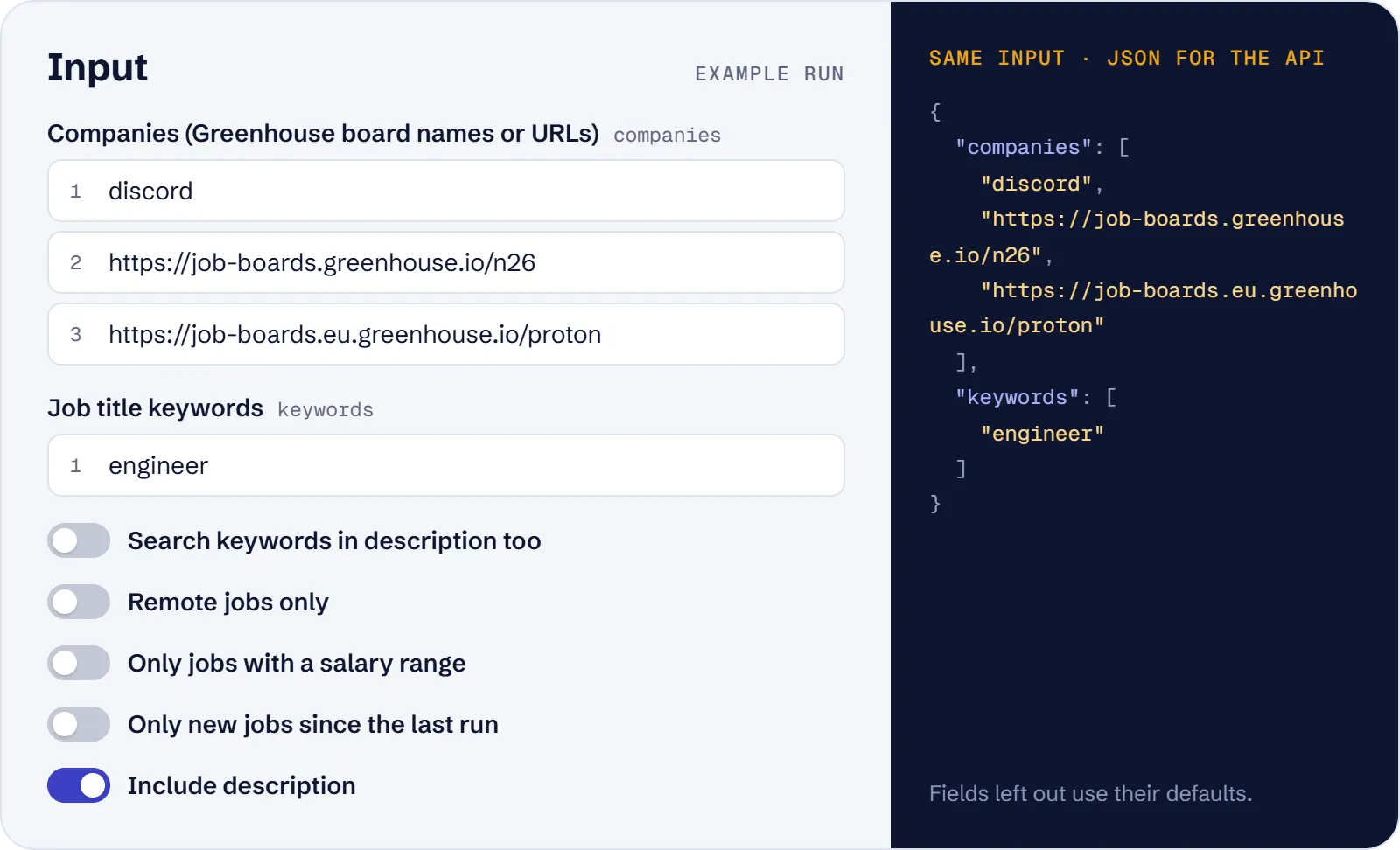
The main fields are below; companies is the only required one.
| Field | What it does |
|---|---|
companies | Greenhouse board names or URLs (required) |
keywords | Keep jobs whose title contains any of these words |
searchInDescription | Match keywords in the description too |
locations | Keep jobs whose location or office contains any of these texts |
remoteOnly | Keep only jobs marked remote |
departments | Keep jobs whose department contains any of these texts |
postedWithinDays | Keep jobs first published in the last N days |
onlyWithSalary | Keep only jobs with a published pay range |
onlyNewJobs | Return only jobs not returned by earlier runs |
includeDescription | Add description text and HTML (default on) |
maxItemsPerCompany | Cap per company (no cap by default) |
maxItems | Cap for the whole run (default 1000) |
All filters combine with AND; several values inside one filter combine with OR.
What data can you extract from Greenhouse?
| Field | Description |
|---|---|
id, internalJobId, requisitionId | Greenhouse job post id, internal job id, company requisition id |
url | Job page on Greenhouse |
applyUrl | Where the company takes applications (its own site or Greenhouse) |
title | Job title |
companyName, companySlug | Company name and its Greenhouse board name |
location, officeLocations | Location text and offices |
departments | Department names |
isRemote | True when "remote" appears in the location, an office or a custom field |
publishedAt, updatedAt, applicationDeadline | Dates in ISO 8601 |
language | Language of the post |
salaryMin, salaryMax, salaryCurrency, salaryTitle | First published pay range |
salaryText | All published pay ranges as one text |
customFields | Company-specific fields such as "Time Type" |
description, descriptionHtml | Full description as text and HTML |
scrapedAt | When the job was collected (ISO 8601) |
Example item (description shortened):
Use cases
- Monitor target companies' openings: list the companies, run on a schedule and read their open jobs with descriptions.
- Find matching roles across companies: combine keywords, location, department and posting date.
- Salary research: use only-with-salary and no description to get light rows with pay ranges.
- Daily new-jobs feed: turn on only-new mode and get just the jobs added since the last run.
- One job's details: paste a single job URL to get that job only.
Limitations
- Greenhouse has no public search across all companies, so you must name the companies. A company's own career site (for example
stripe.com/jobs) cannot be read; use its Greenhouse board name. - Salary is present only where the company turned on pay transparency; many boards, especially European ones, publish none.
- Greenhouse locations are free text written by each company, and custom fields differ per company.
- Fields such as
companyName,location,departmentsandrequisitionIdcan be empty. - Filters run after the download, so a big board is always fully downloaded.
Tips and troubleshooting
- A company that is not found, or has no open jobs, gives a warning in the log and the run continues.
- If a run returns 0 rows, check that the board name is right and that your filters are not too strict. With only-with-salary on, boards without pay transparency return nothing.
- Use
includeDescription: falsefor smaller, faster results; department, location and keyword filters still work. - Turn on only-new jobs for scheduled runs: the first run returns all matching jobs, later runs only unseen ones.
- Keywords match the title only, unless you turn on the description search.
- A proxy is not needed; turn it on only if your runs get blocked.
API, MCP and integrations
Run the actor from your code with the same JSON input as in Console. Your API token is in Console → Settings → API & Integrations.
Python (pip install apify-client):
Node.js (npm install apify-client):
HTTP — one request runs the actor and returns the results (runs up to 5 minutes; longer ones: run asynchronously):
AI agents (MCP). Add the actor as a tool of the Apify MCP server. Claude Code:
Claude Desktop, Cursor or VS Code: {"mcpServers": {"apify": {"url": "https://mcp.apify.com?tools=genial_candlestand/greenhouse-job-listings-scraper"}}}. Then ask, for example:
- "List open engineering jobs at discord and n26 with salary ranges"
- "Get remote jobs posted in the last 14 days at dropbox"
- "Show all open jobs at proton with their departments"
Integrations. Run it on a schedule with Apify Schedules and send the results to Google Sheets, Slack, Zapier, Make, n8n or your webhook — see Apify integrations.
FAQ
Is it legal to scrape Greenhouse jobs?
The actor reads job postings that companies publish openly on their Greenhouse boards. You are responsible for how you use the data and for following the laws that apply to you.
Can I search all Greenhouse companies at once?
No. Greenhouse offers no public cross-company search, so you list the companies you want.
Which URLs can I paste?
Board names, job-boards.greenhouse.io and boards.greenhouse.io URLs, EU-hosted boards, embed links with ?for= and single job URLs.
How is the data fresh?
Jobs are read from Greenhouse at run time, not from a stored database.
Also useful
- Google Jobs Scraper — search jobs beyond Greenhouse boards: salaries, descriptions and apply links
- SEC EDGAR Filings Search — research the companies you track with their public filings
- Trustpilot Reviews Scraper — check how customers rate the employers or brands you follow


