

SEC EDGAR Filings Search | Keyword, Company, Form, Date
Pricing
from $0.63 / 1,000 filing documents
SEC EDGAR Filings Search | Keyword, Company, Form, Date
Search SEC EDGAR filings and get company name, CIK, ticker, form type, filing date, states and document links per row. Filter by full-text keyword, company, form, dates or state; many searches per run, official EDGAR data, no login.
Pricing
from $0.63 / 1,000 filing documents
Rating
0.0
(0)
Developer

Flowo
Maintained by CommunityActor stats
0
Bookmarked
2
Total users
1
Monthly active users
3 days ago
Last modified
Categories
Features
Share
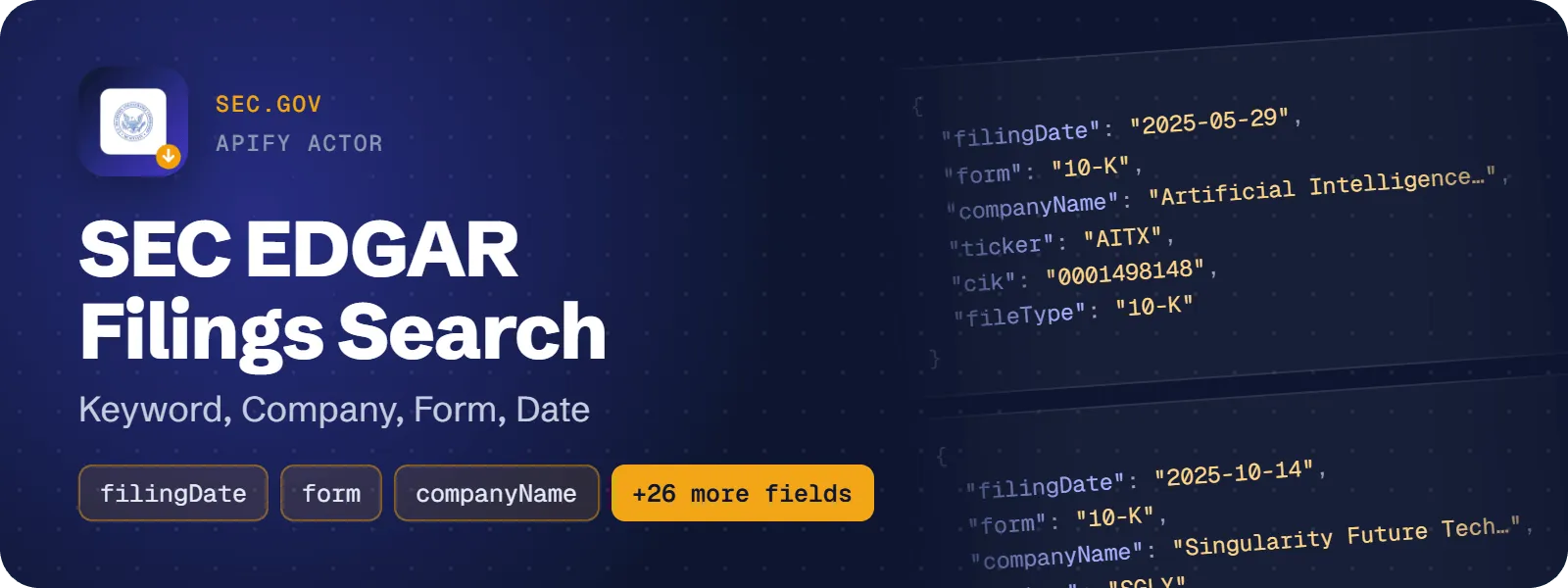
This actor searches SEC EDGAR and returns one row per filing document with the company name, CIK, ticker, form type, filing date, report period, SIC code, office and incorporation states, 8-K item codes, and direct links to the document and the filing index. Combine full-text keywords with company, form type, date range and state filters. No login or API key is needed.
What does SEC EDGAR Filings Search do?
You give any combination of keywords (phrases, OR, exclusions, wildcards), companies (ticker, name or CIK, up to 50), form types (10-K, 10-Q, 8-K, S-1, 4, DEF 14A, 13F-HR …), a filing-date range or "last N days", and a US state or country code. The actor queries the SEC EDGAR full-text search and returns structured JSON rows. Each row is one EDGAR document, either the main form or an exhibit such as EX-99.1.
It lists and links filings. It does not extract document text or XBRL financial data; you or your AI agent fetch the linked documents. It suits analysts, compliance and KYC teams, journalists, researchers and scheduled filing monitors.
How to scrape SEC EDGAR filings
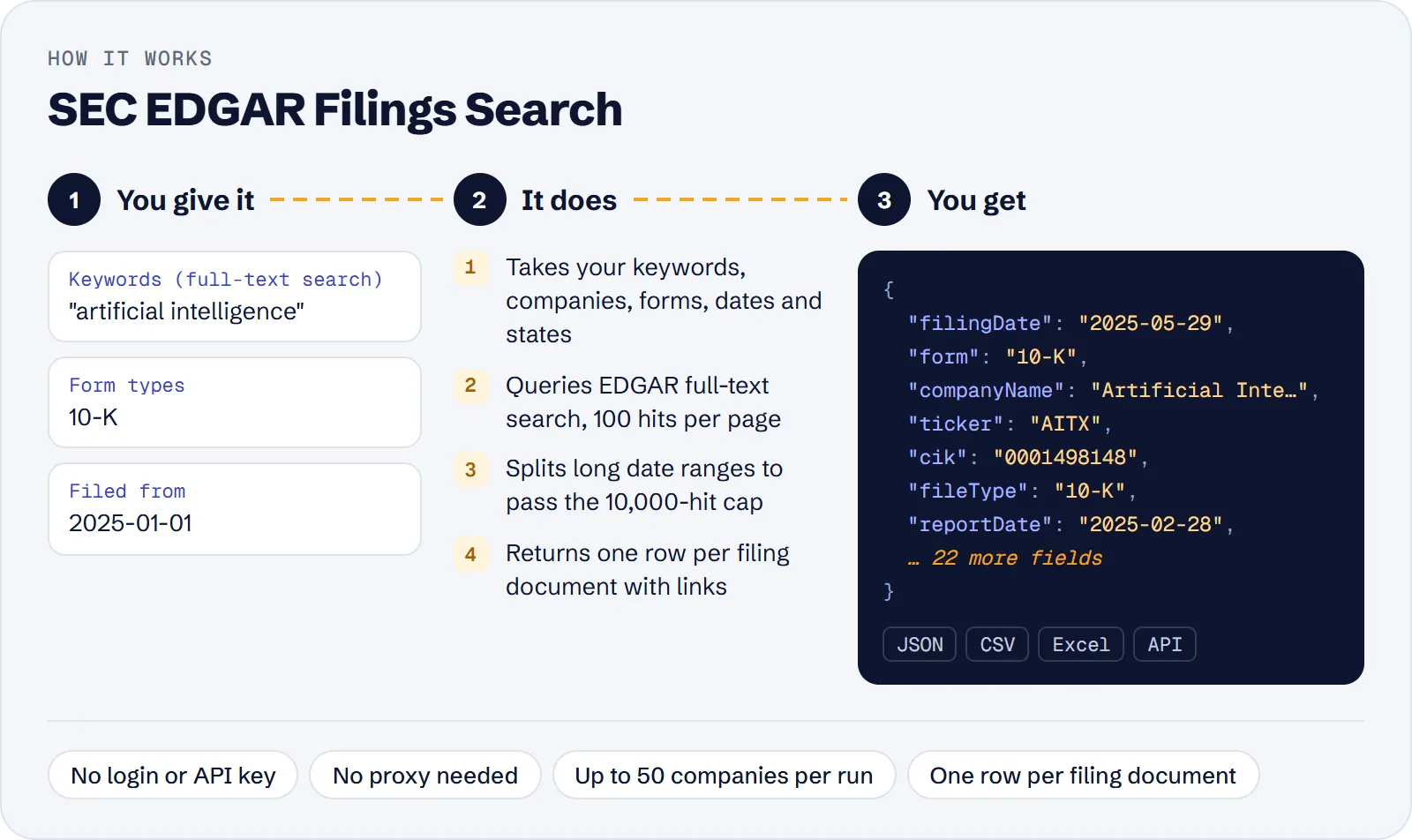
- Open the actor in Apify Console and go to Input.
- Enter at least one of Keywords, Companies, Form types or States / countries.
- Optionally set Filed from / Filed to or Last N days, then Max results.
- Click Start and download the dataset as JSON, CSV or Excel.
You can also start it through the Apify API, or from an AI agent through Apify MCP, with the same JSON input.
How much does it cost to scrape SEC EDGAR?
Price per event by Apify plan:
| Event | Free | Bronze | Silver | Gold and above |
|---|---|---|---|---|
| Filing document | $0.90 per 1,000 | $0.81 per 1,000 | $0.72 per 1,000 | $0.63 per 1,000 |
| Actor start | $0.00005 | $0.00005 | $0.00005 | $0.00005 |
A test run with the API example input below returned 100 rows in 1 s.
One paid event is one result row, a filing document: $0.0009 on the Free plan, about $0.90 per 1,000 rows. The actor start event is $0.00005 (the actor runs at 256 MB). Searches with no matches are free. Cost scenarios on the Free plan, start fee included:
| Scenario | Rows | Cost |
|---|---|---|
| Quick check of one company's 10-Qs | 100 | about $0.09 |
| Daily 8-K keyword monitor | 1,000 | about $0.90 |
| 10-K keyword study for one year | 5,000 | about $4.50 |
| Large screening from one search | 10,000 | about $9.00 |
Input
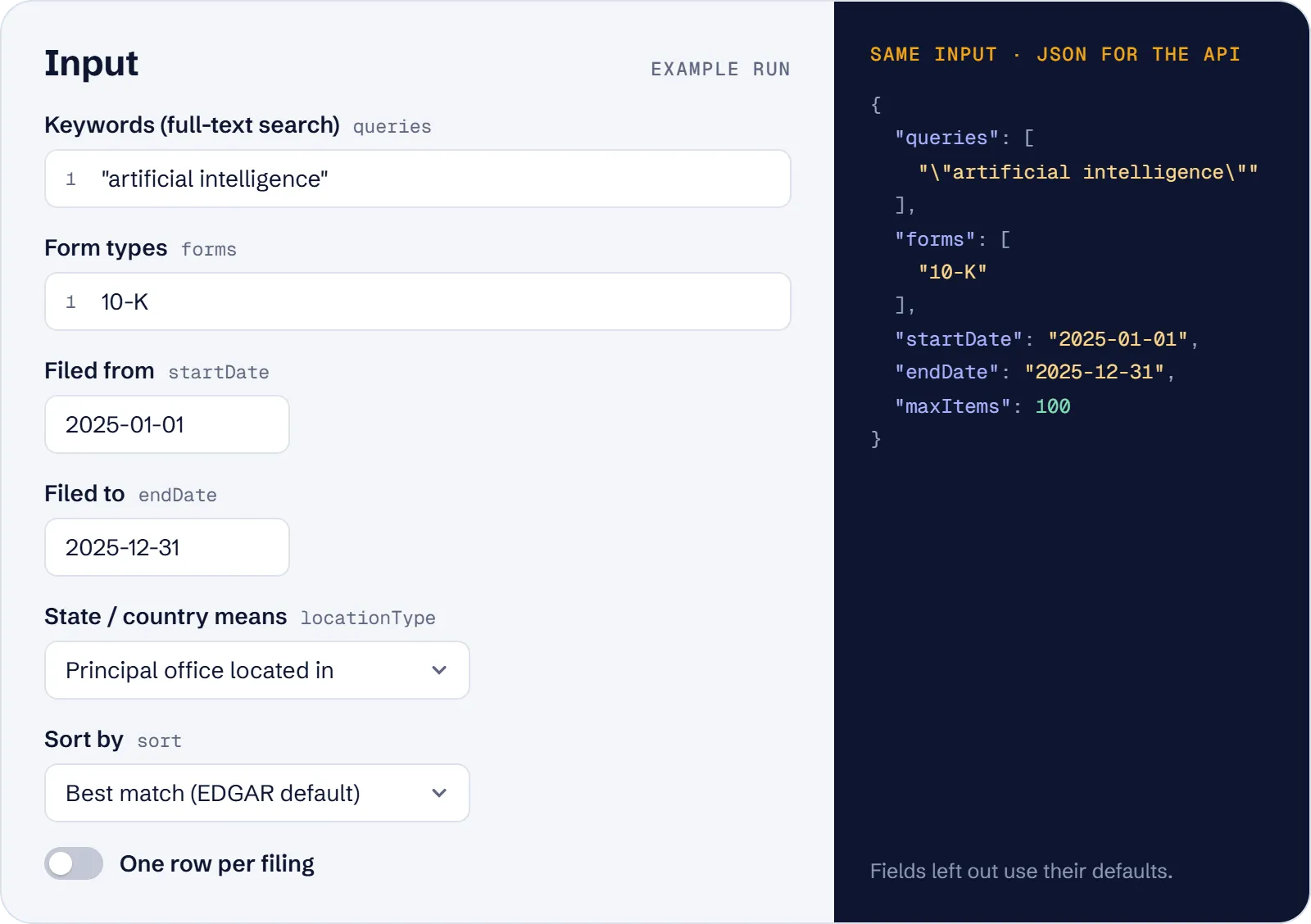
Main fields:
queries— full-text keywords, one search per line:"going concern",bitcoin OR ethereum,-exclude,wildcard*.companies— tickers, CIKs or names, up to 50.forms— form types; a form also matches its amendments (10-K finds 10-K/A).startDate/endDate(YYYY-MM-DD) orlastDays— not both.locationsandlocationType(locatedorincorporated) — state or EDGAR country codes.sort—relevance,newestoroldest.onePerFiling— keep only the first matching document of each filing.maxItems— total row limit (default 100).
What data can you extract from SEC EDGAR?
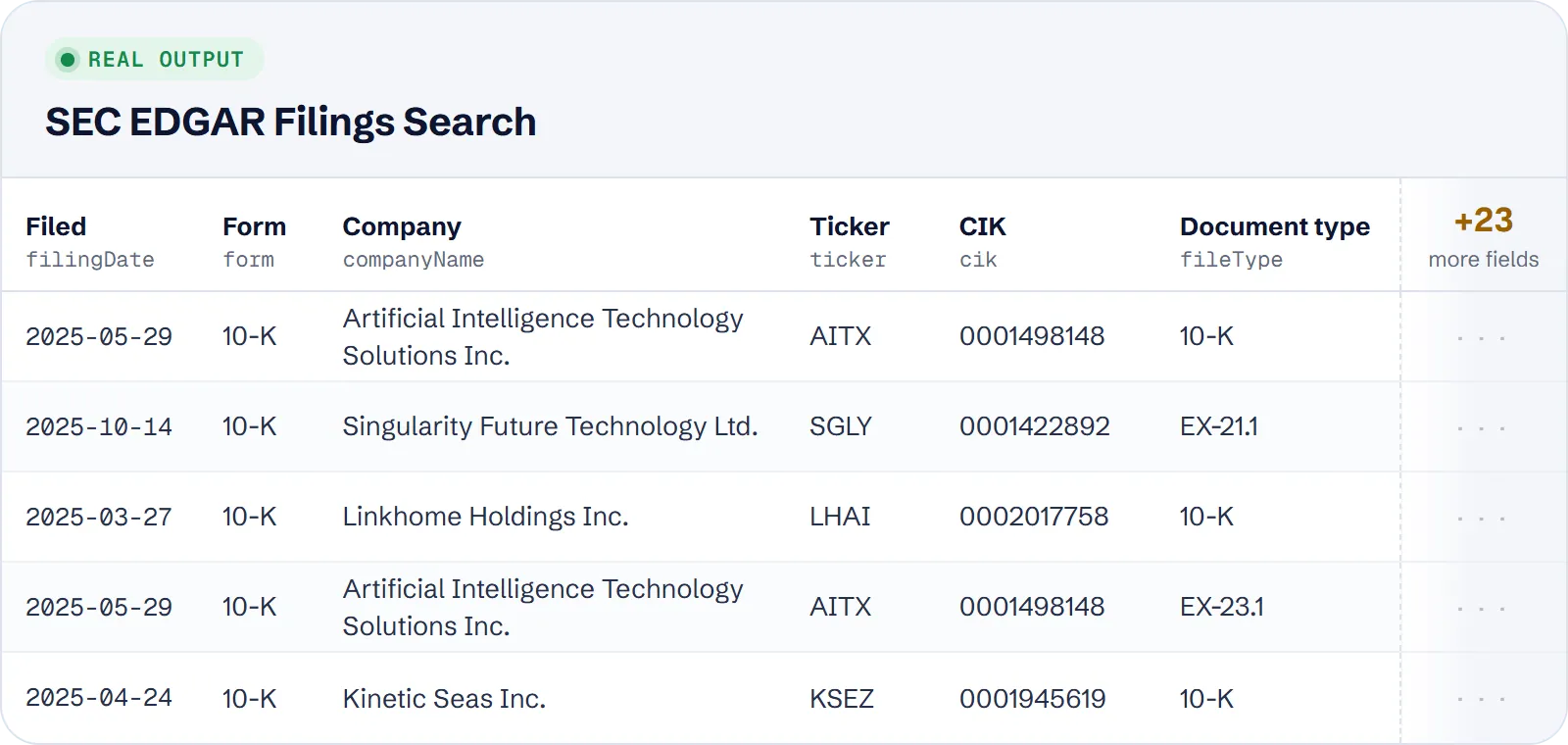
| Field | Meaning |
|---|---|
companyName, cik, ticker, tickers | First filer listed by EDGAR |
form, fileType, fileDescription | Filing form and the type of this document |
filingDate, reportDate | Filing date and period of report |
url, filingIndexUrl | Document and filing index on sec.gov |
accessionNumber, documentName, sequence | Filing and document identifiers |
sicCodes, businessStates, businessLocations, incorporationStates | Industry and location |
itemCodes | 8-K item numbers |
entityNames, entityCiks | All filers (e.g. reporting owner and issuer on Form 4) |
relevanceScore, query, position | Match score, the search that found the row, rank |
Example row (shortened):
Use cases
- Find every 10-K mentioning "going concern" for companies incorporated in Nevada.
- Run a daily schedule with
lastDays: 1to catch new 8-Ks that mention "tariff". - List all 10-Q filings of a set of tickers for a period.
- Screen companies for KYC or due diligence by state, form and keyword.
- Let an AI agent pick relevant filings for a question, then read the linked documents.
Limitations
- Full-text search covers filings from 2001.
- Keyword rows are per document, so exhibits add rows; use
onePerFilingfor unique filings. - One search returns at most 10,000 results with relevance sorting. With newest/oldest the date range is split automatically to go deeper.
- Company names resolve to the best EDGAR match; unknown ones are skipped with a warning.
- For Forms 3/4/5,
companyNameis the reporting owner; the issuer is inentityNames. - Many fields (
ticker,reportDate,itemCodes) can be empty. Very fresh filings may appear after a delay of a few minutes. - The search uses an SEC endpoint that is public but undocumented and could change.
Tips and troubleshooting
- Give at least one of keywords, companies, form types or states. Dates or Last N days alone fail with an input error that names these four fields.
- Use either Last N days or Filed from / Filed to, not both. Dates must be real YYYY-MM-DD dates and the start must not be after the end.
- States are two-letter codes such as NV or TX; a full name like California is rejected.
- To go beyond 10,000 results of one search, sort by newest or oldest: the date range is then split automatically.
- For a daily monitor, schedule the run with Last N days = 1 and One row per filing on.
- Fewer rows than expected? Check that the filters are not too narrow, and the run log for a company name that was skipped or resolved to another EDGAR match.
API, MCP and integrations
Run the actor from your code with the same JSON input as in Console. Your API token is in Console → Settings → API & Integrations.
Python (pip install apify-client):
Node.js (npm install apify-client):
HTTP — one request runs the actor and returns the results (runs up to 5 minutes; longer ones: run asynchronously):
AI agents (MCP). Add the actor as a tool of the Apify MCP server. Claude Code:
Claude Desktop, Cursor or VS Code: {"mcpServers": {"apify": {"url": "https://mcp.apify.com?tools=genial_candlestand/sec-edgar-filings-search"}}}. Then ask, for example:
- "Find 10-K filings from 2025 that mention going concern, incorporated in Nevada"
- "List the latest 10-Q filings of AAPL, TSLA and MSFT"
- "Show new 8-Ks from the last day that mention tariff"
Integrations. Run it on a schedule with Apify Schedules and send the results to Google Sheets, Slack, Zapier, Make, n8n or your webhook — see Apify integrations.
FAQ
Is it legal to scrape SEC EDGAR?
EDGAR is a public SEC database, and the actor reads only public data, with a declared user agent and rate limiting in line with SEC fair access. You are responsible for how you use the data. Personal data appears only as the SEC shows it publicly, such as filer names.
Do I need a proxy or login?
No. The proxy setting is optional.
Does it return filing text or financial statements?
No. It returns metadata and links to the documents.
Why do I get several rows per filing?
Keyword searches match each document, including exhibits. Turn on onePerFiling.
How is it different from other SEC EDGAR actors?
It runs full-text keyword search and returns 29 fields per row, including the filing index URL, SIC codes, business and incorporation states, 8-K item codes, relevance score and the search that found the row. It does not return financial statements, document text or AI summaries. The price is $0.90 per 1,000 rows on the Free plan.
Also useful
- Trustpilot Reviews Scraper — check what customers say about a company you found in filings: ratings and replies
- Google Ads Transparency Scraper — see the public ads of an advertiser or domain you research
- Google Trends Scraper — compare filing topics with search interest over time
- Google Jobs Scraper — see which jobs a company currently advertises


