
Shopify Store Finder | Store Leads by Niche or Keyword
Pricing
from $3.06 / 1,000 stores
Shopify Store Finder | Store Leads by Niche or Keyword
Find Shopify stores by niche or keyword: website, domain, myshopify domain, city and country, product count, theme, public emails, phones and social profiles, plus Shop rating and sample products. Live Shop search, many keywords per run, deduplicated, store-country and email filters, no login.
Pricing
from $3.06 / 1,000 stores
Rating
0.0
(0)
Developer

Flowo
Maintained by CommunityActor stats
0
Bookmarked
2
Total users
1
Monthly active users
2 days ago
Last modified
Categories
Features
Share
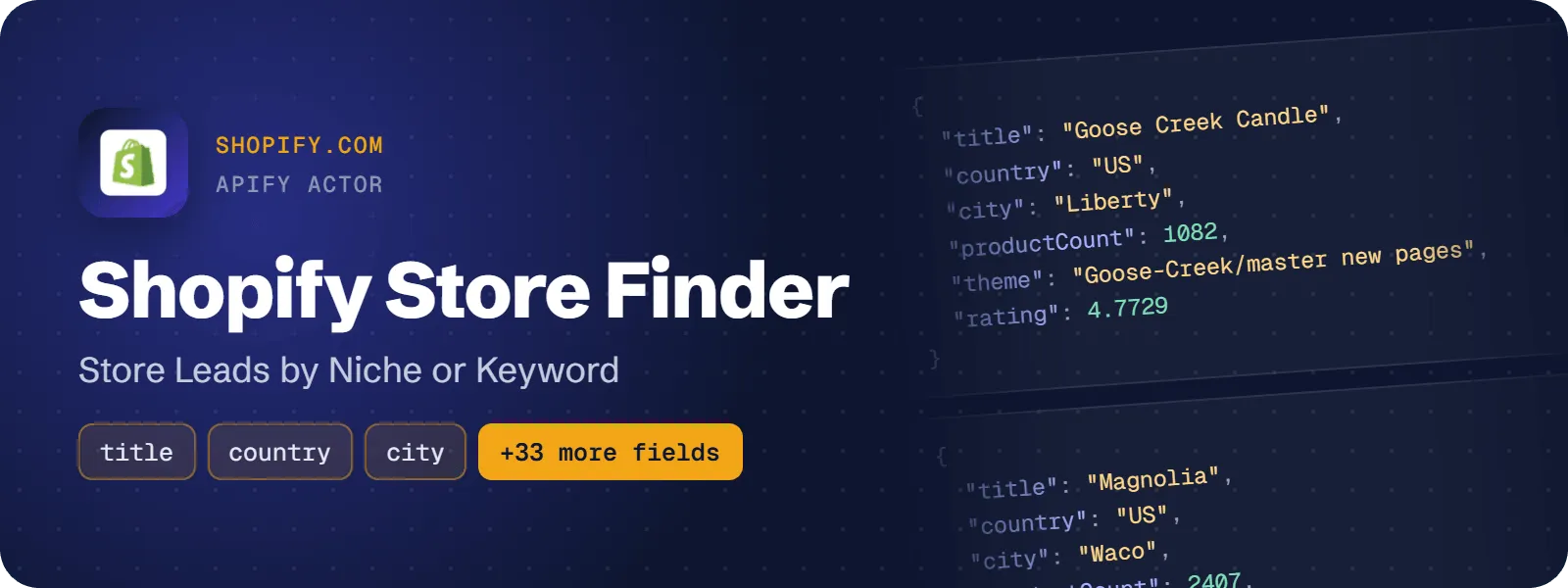
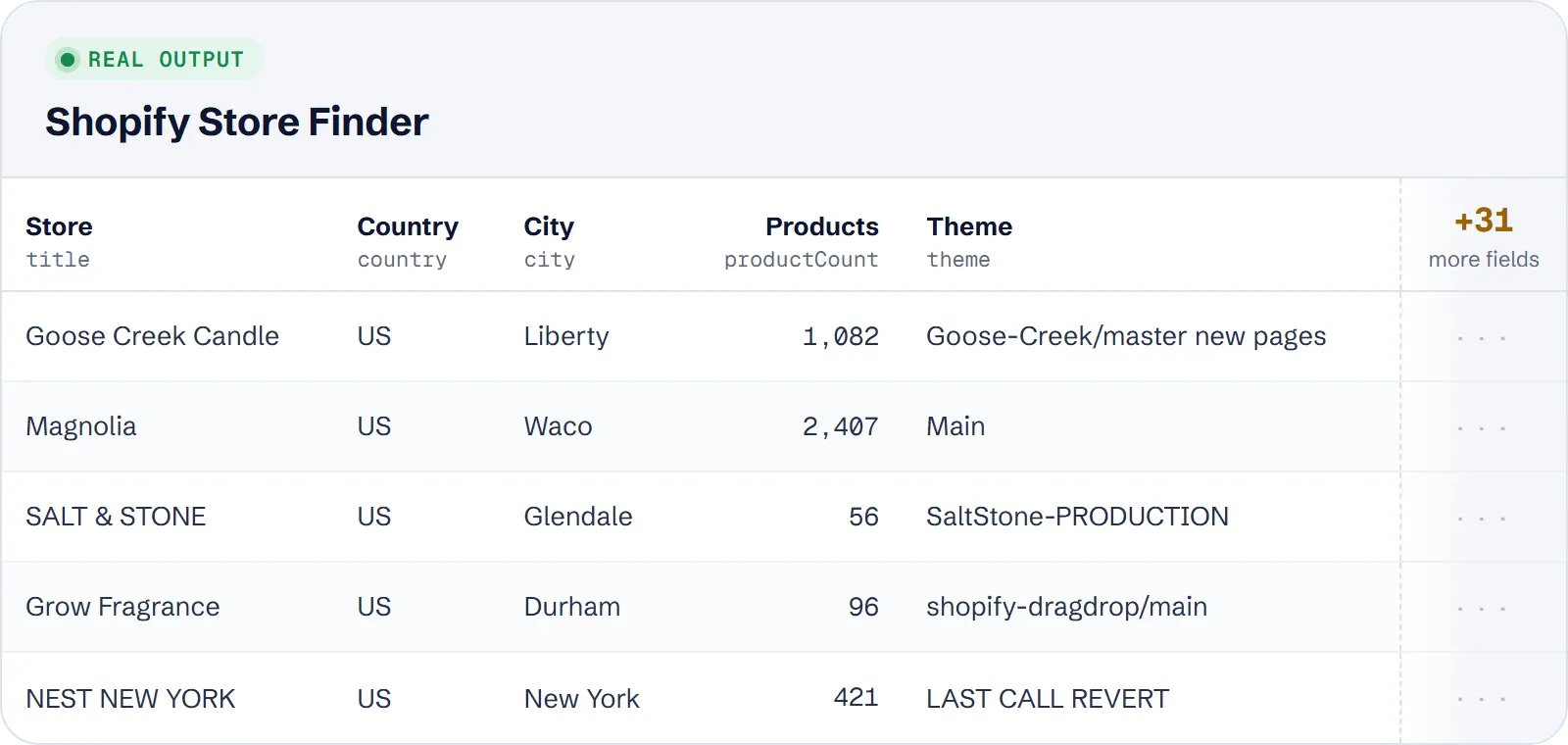
Find Shopify stores by niche or keyword and get one row per store: its website and domain, the myshopify domain, business city and country, product count, theme, public emails, phone numbers and social profiles. Stores are found live in Shop (shop.com), Shopify's own shopping marketplace. Each row also carries the store's Shop rating, review count and sample matching products with a price range.
What does Shopify Store Finder do?
You type niches or keywords in any language, e.g. "candles", "dog collar" or "kerzen". The actor searches Shop for matching products and turns them into a deduplicated list of the Shopify stores that sell them. It then reads each store's own website for location, catalogue size, theme, currency, contacts and socials. It is built for agencies, Shopify app and SaaS sellers, wholesalers and B2B sales teams who need lead lists of Shopify merchants in a niche, and for AI agents that build such lists.
How to scrape Shopify stores by niche
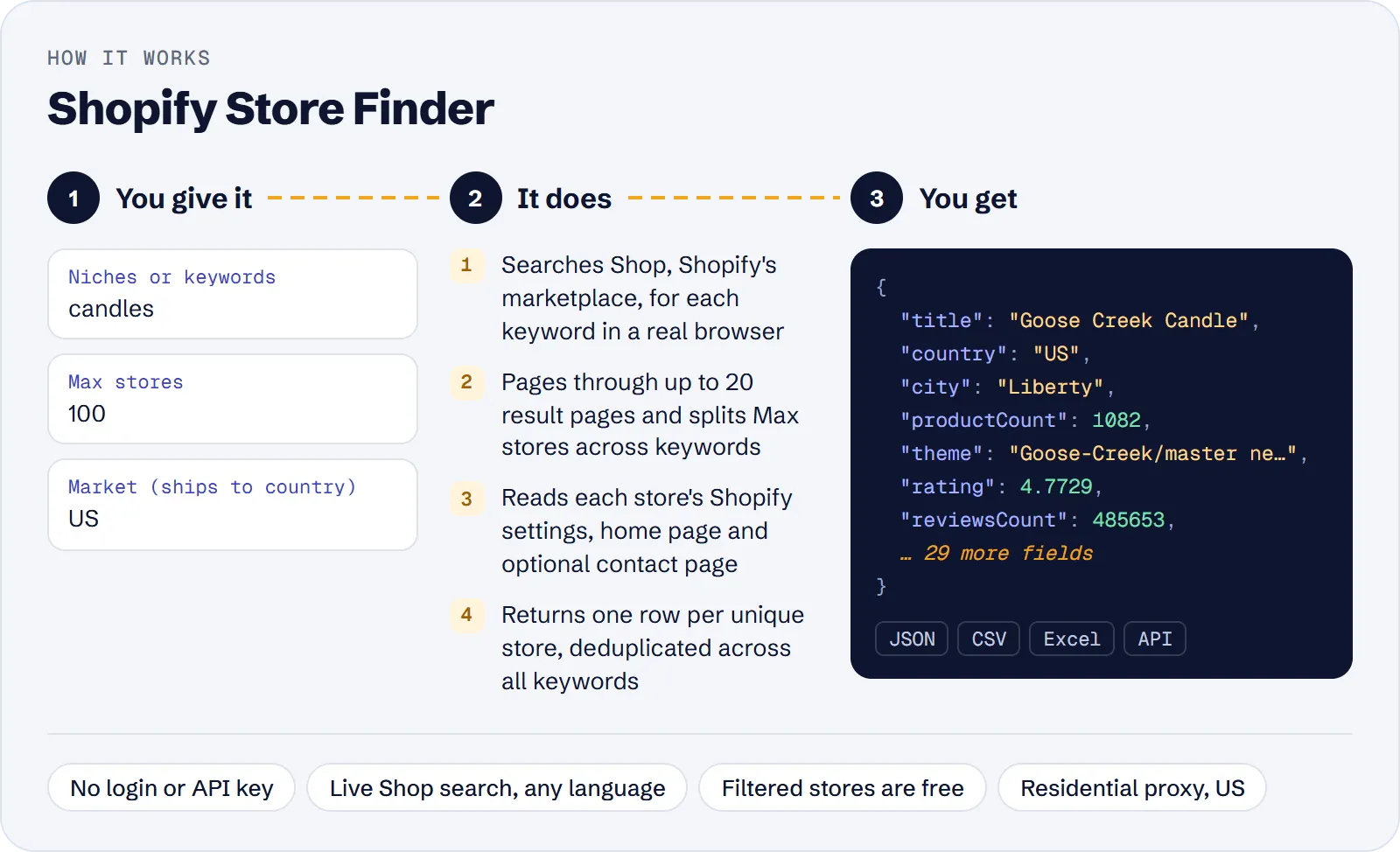
- Open the actor in Apify Console.
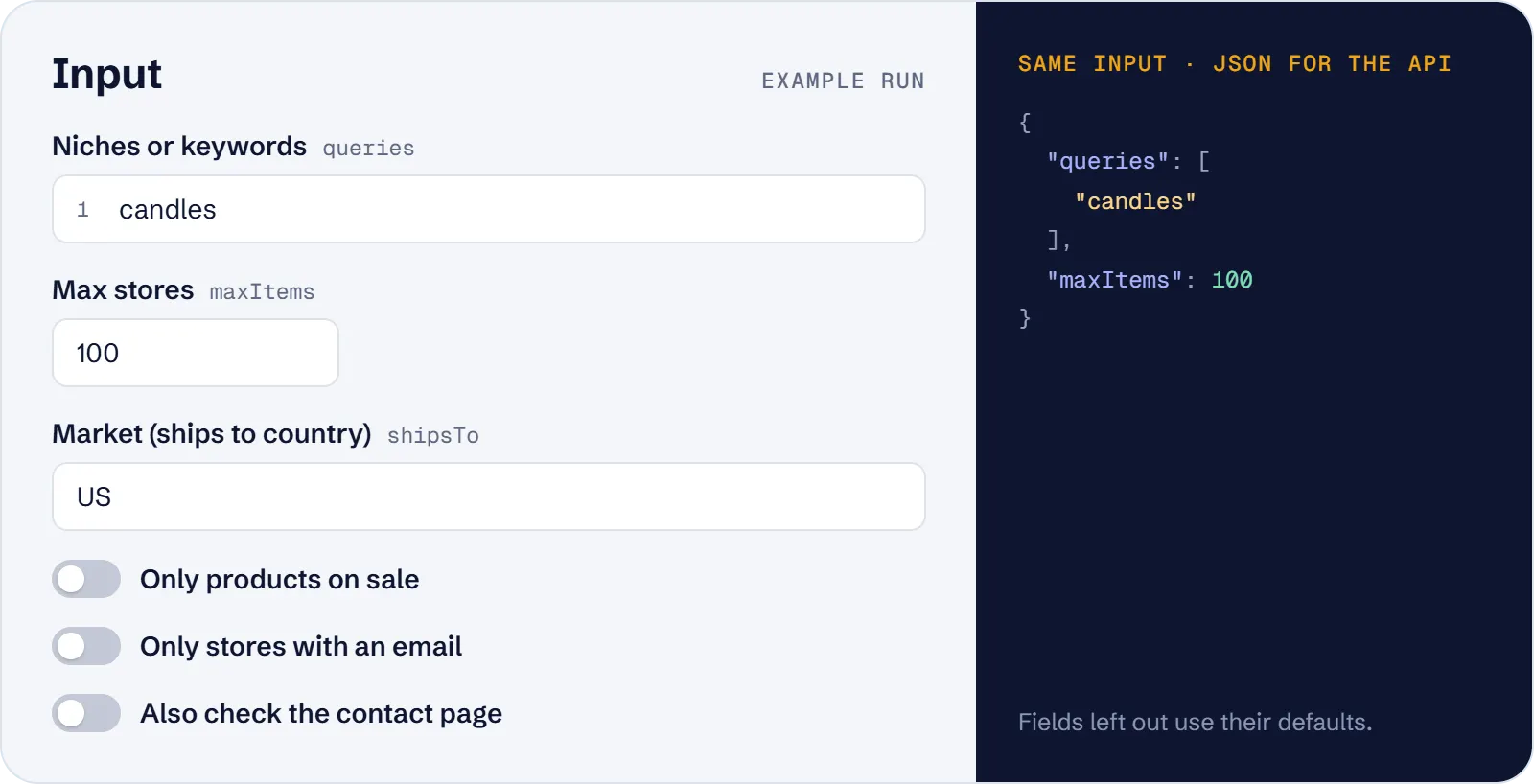
- Enter one or more keywords in Niches or keywords, one per line.
- Set Max stores (all keywords together, 1–5,000).
- Optionally pick a Market (the ships-to country, e.g. GB or DE), a price range, Only products on sale, Store located in, Only stores with an email or Also check the contact page.
- Click Start and download the stores as JSON, CSV or Excel, or read them through the API.
How much does it cost to scrape Shopify stores?
Price per event by Apify plan:
| Event | Free | Bronze | Silver | Gold and above |
|---|---|---|---|---|
| Store | $3.60 per 1,000 | $3.42 per 1,000 | $3.24 per 1,000 | $3.06 per 1,000 |
| Actor start | $0.00005 | $0.00005 | $0.00005 | $0.00005 |
A test run with the API example input below returned 100 rows in 211 s.
You pay per store row (the store event). A run also has a small start event (apify-actor-start, charged once per GB of memory; the actor uses 1 GB).
Not charged:
- stores removed by Store located in or Only stores with an email;
- a store found again by a second keyword (it is returned once);
- the contact-page visit and the filters — the price per store stays the same.
| Scenario | Store events | Cost on the Free plan |
|---|---|---|
| One niche, default 100 stores | 100 | $0.36 |
| 4 keywords, 500 stores | 500 | $1.80 |
| Big list, 1,000 stores | 1,000 | $3.60 |
| Maximum run, 5,000 stores | 5,000 | $18.00 |
The start event adds $0.00005 per run. There is no free-plan cap on the number of stores per run; your own charge limit stops the run, and the stores saved so far are kept.
Input
| Field | What it does |
|---|---|
queries (required) | Niches or keywords, any language. Each keyword is one Shop search. Blank entries and case-insensitive duplicates are dropped. |
maxItems | Total stores over all keywords, 1–5,000, default 100. It is split across the keywords. Filtered-out stores do not count. |
shipsTo | Market: two-letter country code (default US). Finds products that ship to this country; results and prices follow that market. Not the store's location. |
minPrice / maxPrice | Price range of matching products in the market's currency. minPrice ≥ 0, maxPrice ≥ 1, and minPrice must not exceed maxPrice. Either bound can be used alone. |
onSale | Only stores with matching products that are currently discounted. |
storeCountries | Keep only stores whose business address (from the store's own Shopify settings) is in these two-letter country codes. Stores with an unknown location are skipped. |
onlyWithEmail | Keep only stores that publish at least one email. |
includeContactPage | When the home page shows no email, also read /pages/contact for emails and phones. |
proxyConfiguration | Proxy for the store websites only. The Shop search always uses Apify residential proxy (US). |
Example — German and Austrian candle makers selling to Germany:
What data can you extract from Shopify stores?
| Field | Description |
|---|---|
url, domain | Store website and its host name |
title | Store name |
shopId, shopUrl | Store id and profile page on Shop |
logoUrl | Store logo from its Shop profile |
myshopifyDomain | Permanent myshopify.com domain |
description | Store description from its settings or home page |
country, province, city | Business address location (country as ISO alpha-2) |
currency | Store's base currency |
productCount, collectionCount | Published products and collections |
shipsToCountries | Number of countries the store ships to |
theme | Shopify theme name, as the merchant named it |
emails, phones | Public emails and tel: phone numbers on the website (empty arrays when none) |
instagramUrl, facebookUrl, tiktokUrl, twitterUrl, youtubeUrl, pinterestUrl, linkedinUrl | Social profiles linked from the home page |
rating, reviewsCount | Average product rating and number of product reviews on Shop |
query, position | Keyword that found the store first and its 1-based rank among that keyword's stores |
sampleProductTitles, sampleProductUrl | Up to 3 matching product titles and the first product's URL |
priceMin, priceMax, priceCurrency | Price range of those sample products in the market's currency |
websiteStatus | ok (settings and home page read), partial (one of them) or unavailable (neither, Shop data only) |
scrapedAt | When the store was extracted |
Real example (keyword "candles", market US; logo URL and description shortened):
Note that currency is the store's own base currency (AUD), while priceCurrency is the currency Shop showed for the chosen market (USD for the US market).
Use cases
- Niche lead lists: 100 US candle stores with website, location, catalogue size, theme, contacts and socials for an outreach campaign.
- One country's merchants: German and Austrian candle makers selling to Germany, filtered by the store's own business address.
- Outreach-ready leads: only dog collar and leash stores that publish an email, with the contact page checked too; stores without an email are free.
- Price or promotion segments: mid-priced UK yoga mat brands that are running a sale.
- App and agency prospecting: sort by
theme,productCountorshipsToCountriesto find stores that fit your Shopify app or service.
Limitations
- One keyword reaches at most 20 Shop pages (about 600 products), which is roughly 100–250 unique stores. This is the source's limit. For bigger lists add more keywords or variations.
- The first pages of broad keywords are dominated by a few big brands. Nonsense keywords still return loosely related stores, because Shop never answers "no results".
- Emails come only from what the store publishes: about a third of stores show one on the home page, and Also check the contact page roughly doubles that. Phones are rarer.
- Location is city, province and country only — no street address or postal code.
- No traffic rank, follower counts, installed apps or revenue estimates.
- Headless stores without a readable settings file return Shop data and home-page fields only, with location, currency and counts empty (
websiteStatuspartial). Any field excepturl,domain,title,shopId,emails,phones,query,position,websiteStatusandscrapedAtcan be empty. - With some markets (e.g. JP or BR) Shop shows products in several currencies, so
priceCurrencycan differ between rows.
Tips and troubleshooting
- Fewer stores than Max stores? The keywords ran out. The log names each exhausted keyword with its store count. Add synonyms, other languages or other markets.
- Market vs location:
shipsTopicks where products ship;storeCountriesfilters where the store is based. They combine freely, e.g. market DE with stores located in AT. - More emails: turn on Also check the contact page, and add Only stores with an email if you only want stores you can email. Skipped stores are not charged.
- Many keywords in one run:
maxItemsis split fairly across them, and a store found by several keywords is returned and charged once (queryshows the keyword that found it first). - 0 rows: the run still succeeds and the log says why (no products for a keyword, or every store skipped by your filters). Loosen the filters or try other keywords.
- Invalid input: an empty keyword list,
minPriceabovemaxPrice, or a code that is not a real country inshipsToorstoreCountriesstops the run with an error naming the field, before any request.
API, MCP and integrations
Run the actor from your code with the same JSON input as in Console. Your API token is in Console → Settings → API & Integrations.
Python (pip install apify-client):
Node.js (npm install apify-client):
HTTP — one request runs the actor and returns the results (runs up to 5 minutes; longer ones: run asynchronously):
AI agents (MCP). Add the actor as a tool of the Apify MCP server. Claude Code:
Claude Desktop, Cursor or VS Code: {"mcpServers": {"apify": {"url": "https://mcp.apify.com?tools=genial_candlestand/shopify-store-finder"}}}. Then ask, for example:
- "Find 100 Shopify stores selling candles in the US with their emails and Instagram profiles"
- "List Shopify candle stores based in Germany or Austria that ship to Germany"
- "Get 300 Shopify dog collar and leash stores that publish an email address"
Integrations. Run it on a schedule with Apify Schedules and send the results to Google Sheets, Slack, Zapier, Make, n8n or your webhook — see Apify integrations.
FAQ
Is it legal to scrape Shopify stores?
The actor collects only public data: Shop search results and the stores' own public pages, including business emails and phones the stores publish themselves. You are responsible for how you use the data, including email-marketing and privacy rules in your country.
Where do the stores come from?
From a live keyword search in Shop (shop.com), Shopify's shopping marketplace, at the time of your run — not from a pre-built database. Stores that are not on Shop or have no matching products are not found.
How is the store location determined?
country, province and city come from the store's own Shopify settings (its business address), not from where it ships. That is also what Store located in filters on.
How is it different from other Shopify store lead actors?
It returns currency, product and collection counts, ships-to country count, theme and the myshopify domain for each store, accepts many keywords per run with deduplication across them, and filters by the store's own business country. Stores skipped by filters are free.
Do I need a Shopify account or API key?
No. No login, account or API key is needed.
Also useful
- Etsy Search Scraper — find Etsy shops selling in the same niche, with prices, shop names and rankings
- Google Search Scraper — search Google for more stores and brand sites in your niche by keyword and country
- Pinterest Search Scraper — see which shops' products get pinned for a niche keyword, with outbound links
- Yelp Business Scraper — add local retail leads with phone, website, address and rating


