
Pinterest Search Scraper | Pins, Images & Outbound Links
Pricing
from $1.82 / 1,000 pins
Pinterest Search Scraper | Pins, Images & Outbound Links
Get Pinterest pins by keyword: original image URL, title, description, outbound link and website, reactions, publish date, author with followers, board, video stream and rank. Many keywords per run, any language, link/ads/reactions filters, no login.
Pricing
from $1.82 / 1,000 pins
Rating
0.0
(0)
Developer

Flowo
Maintained by CommunityActor stats
0
Bookmarked
2
Total users
1
Monthly active users
4 days ago
Last modified
Categories
Features
Share
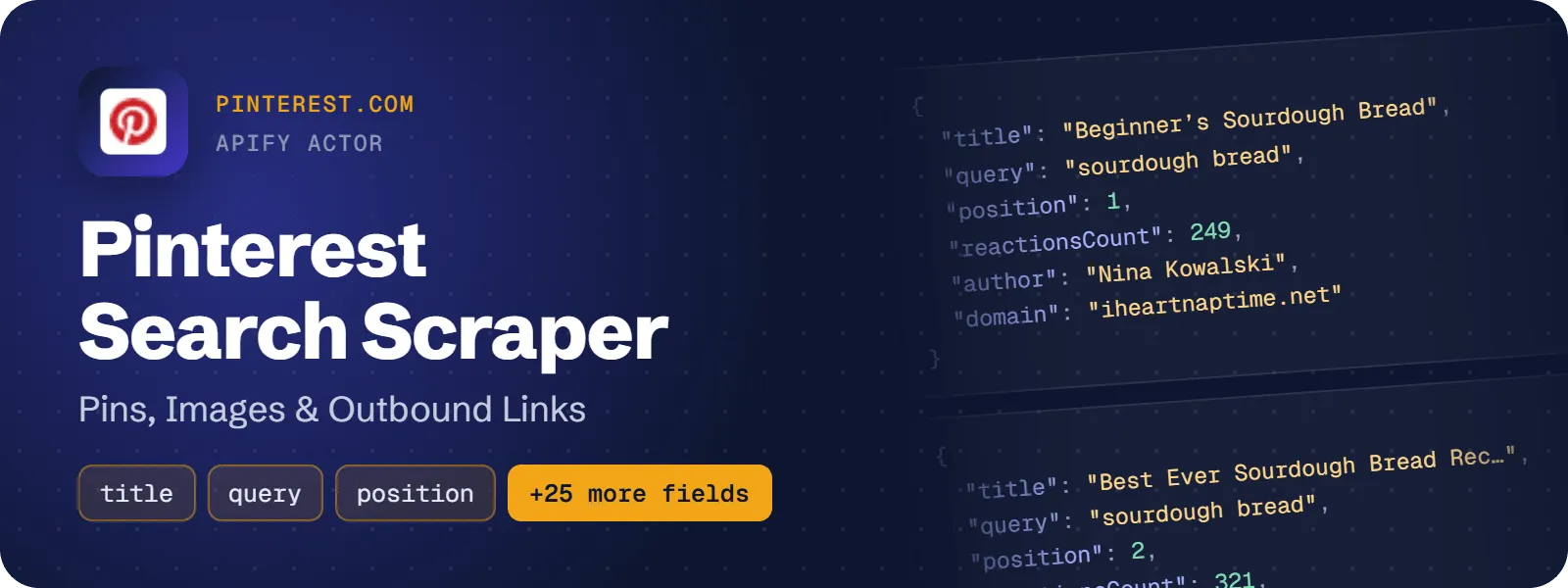
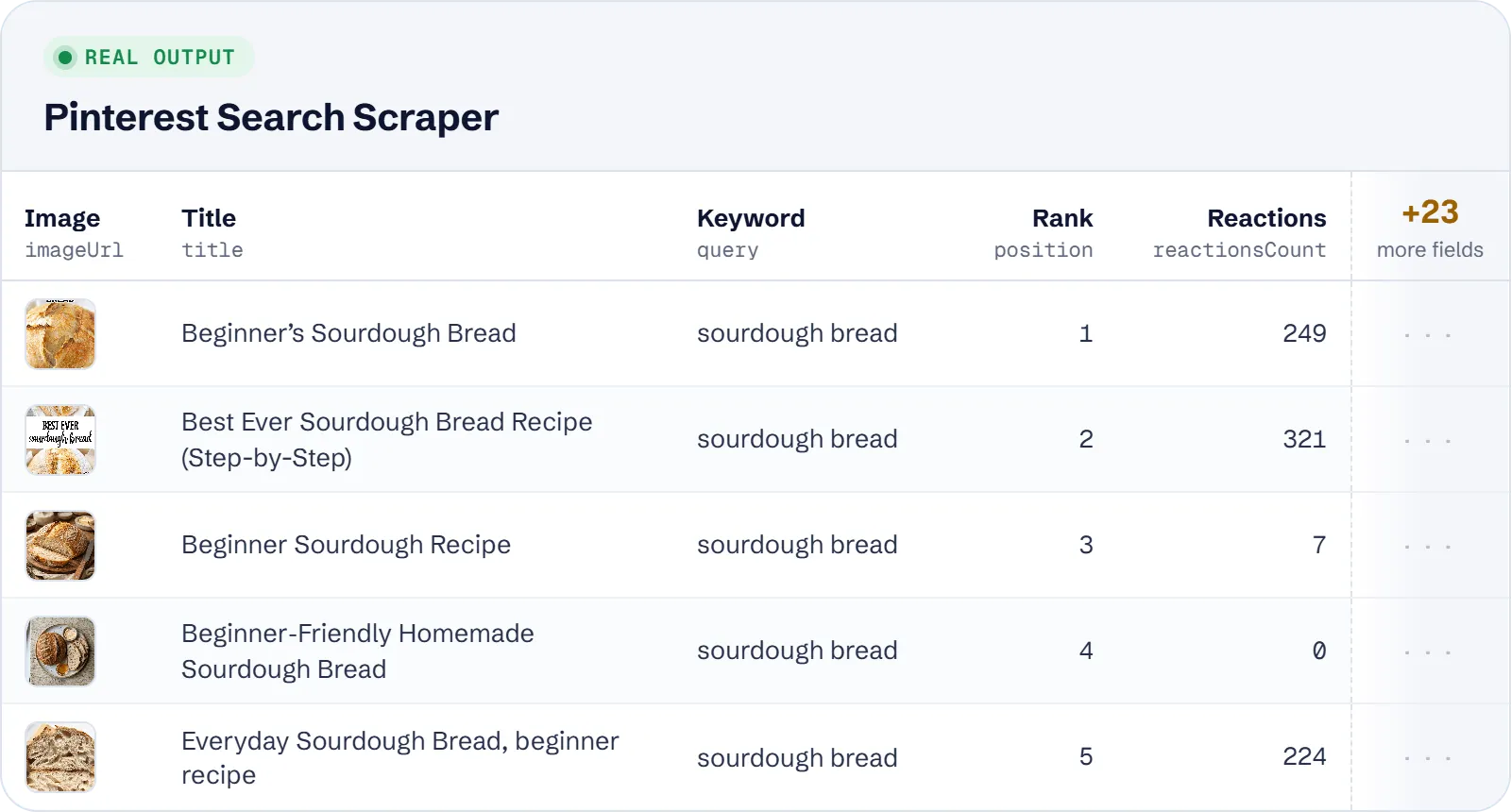
Run Pinterest keyword searches and get one row per pin with the original image URL, title, description, alt text, the outbound link and its website, reactions count, publish date, the author with follower count, and the board. Every row also records the keyword and the rank where Pinterest showed the pin. You can search many keywords in one run, in any language, with no login or cookies.
What does Pinterest Search Scraper do?
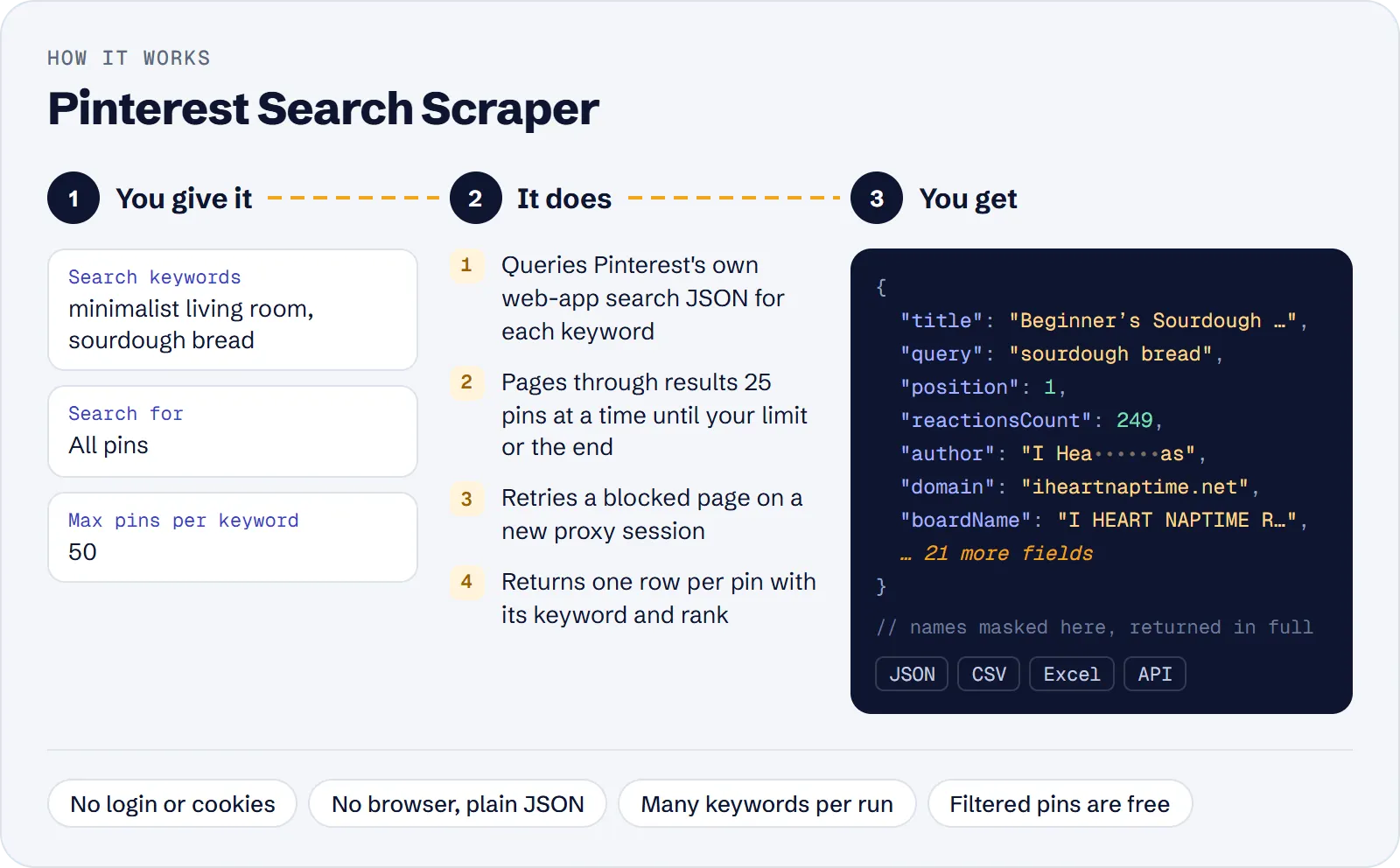
You give it a list of keywords. For each keyword it runs Pinterest's own search, pages through the results (up to 1,000 pins per keyword, or until Pinterest runs out at about 500–600), and saves each pin as a flat row. Content marketers, Pinterest managers, e-commerce and SEO teams, designers and AI agents use it to see which pins rank for a topic and which websites they link to.
You can search all pins or video pins only. Optional filters keep only pins with an outbound link, drop promoted pins (ads), or keep pins with a minimum number of reactions.
How to scrape Pinterest search results
- Open the actor in Apify Console and click Try for free.
- Type your keywords into Search keywords, one per line (for example
minimalist living roomandsourdough bread). - Choose Search for: all pins or video pins only.
- Set Max pins per keyword (default 100) and, if needed, Max pins in total.
- Turn on any filters: only pins with an outbound link, exclude promoted pins, min reactions.
- Click Start. When the run finishes, download the pins as JSON, CSV or Excel, or read them through the API.
How much does it cost to scrape Pinterest?
Price per event by Apify plan:
| Event | Free | Bronze | Silver | Gold and above |
|---|---|---|---|---|
| Pin | $2.60 per 1,000 | $2.34 per 1,000 | $2.08 per 1,000 | $1.82 per 1,000 |
| Actor start | $0.00005 | $0.00005 | $0.00005 | $0.00005 |
A test run with the API example input below returned 100 rows in 13 s.
You pay per pin saved to the dataset (the pin event), plus a tiny Actor start event of $0.00005. Pins removed by your filters and duplicate pins are not charged. If a run finds nothing, you pay only the start event.
| Scenario | Pin events | Cost on the Free plan |
|---|---|---|
| 2 keywords × 100 pins (the default input) | 200 | about $0.52 |
| 10 keywords × 100 pins | 1,000 | about $2.60 |
| 1 keyword, deep pull (about 580 pins Pinterest shows) | ~580 | about $1.51 |
| 20 keywords × 250 pins | 5,000 | about $13.00 |
Paid Apify plans get a lower price per pin; see the table above.
Input
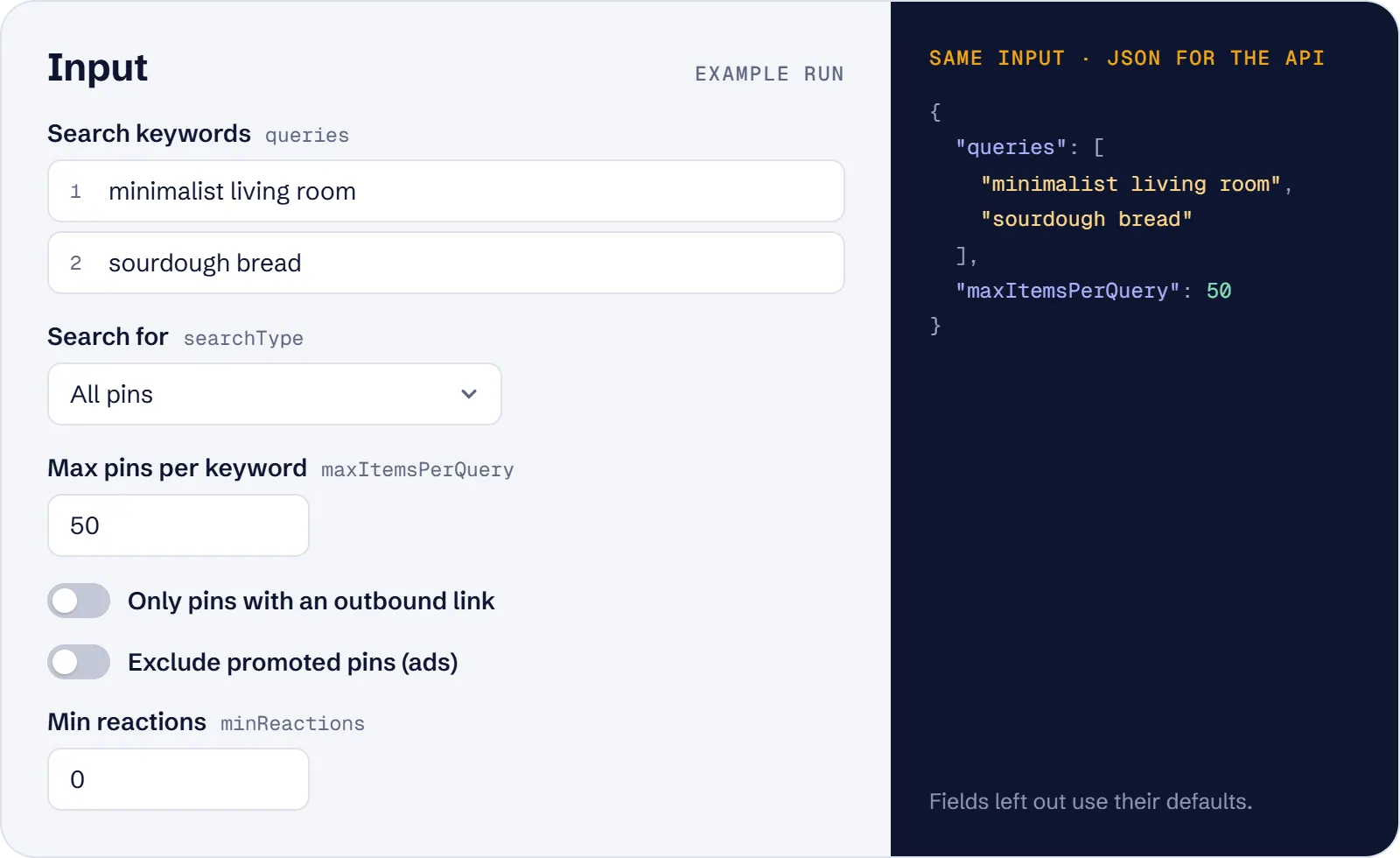
| Field | What it does |
|---|---|
queries | Required. Keywords, one per line, up to 300 characters each. Any language and hashtags work. Keywords only, not URLs. |
searchType | pins (default, the normal search) or videos (video pins only). |
maxItemsPerQuery | Pins per keyword after filters, 1–1000, default 100. |
maxItems | Optional cap on pins across all keywords. |
onlyWithLink | Keep only pins that link to an external website. |
excludePromoted | Drop promoted pins (ads). |
minReactions | Keep only pins with at least this many reactions. |
proxyConfiguration | Proxy settings; Apify datacenter proxy by default. |
Example input — find which websites get organic Pinterest traffic for a topic:
What data can you extract from Pinterest?
| Field | Description |
|---|---|
query, position | The keyword that found the pin and its 1-based rank in Pinterest's results |
id | Pinterest pin id (logged-out e1_… form) |
url | The Pinterest search page where the pin was found |
title, description, altText | Pin title, the author's description, image alt text |
imageUrl, imageWidth, imageHeight, dominantColor | Original image, its size and dominant colour |
isVideo, videoUrl, videoDurationMs | Video flag, HLS stream URL (.m3u8) and duration |
outboundUrl, domain | The external link of the pin and its website |
reactionsCount | Total reactions shown on the pin |
publishedAt | When the pin was created (ISO 8601) |
author, authorUsername, authorUrl, authorFollowersCount, authorVerified | The pinner, their profile, follower count and verified flag |
boardName, boardUrl | The board the pin is saved to |
isPromoted | Whether the pin is a paid promoted pin |
tags | Pinterest topics of the pin, when given |
scrapedAt | When the row was scraped |
A real row from a run (shortened):
Use cases
- Content and trend research: pull the top pins for several topics at once and compare titles, images and reactions by rank.
- Traffic-source discovery: with
onlyWithLinkandexcludePromoted, see which websites and blogs Pinterest sends organic traffic to for a keyword. - Video research: collect video pins for a topic with their stream URL and duration.
- Moodboards: gather original-size images with dominant colours for a style or theme.
- AI agents: get "top Pinterest pins for X" as structured JSON from one tool call.
Limitations
- No save or repin counts. Pinterest's logged-out search gives only reactions, so the actor returns
reactionsCountand no saves. - No working per-pin link. Logged-out pin ids are obfuscated
e1_…ids that do not open on/pin/…, sourlis the search page where the pin was found. - About 500–600 unique pins per keyword is the most Pinterest shows; above that you get what exists and a warning in the log.
- Board and profile search are not included.
- There is no country or language setting: tests showed they do not change Pinterest's results.
- Optional fields can be empty: many pins have no title, description or outbound link, and
tagsis often empty.
Tips and troubleshooting
- Fewer pins than requested? Pinterest ran out for that keyword, or your filters removed many pins. The log says how many pins were kept and scanned.
onlyWithLinkwith keywords whose pins rarely link out (for exampleкошка) can return few rows; the actor keeps paging up to 40 pages per keyword.- Filters work with both search types and can be combined. Pins they drop are free.
- The same keyword twice is searched once. The same pin found by two different keywords appears once per keyword, so you can compare rankings.
- Pass keywords, not URLs: for a Pinterest search URL, put its
q=value inqueries. - If runs get blocked, switch the proxy to the Apify RESIDENTIAL group.
API, MCP and integrations
Run the actor from your code with the same JSON input as in Console. Your API token is in Console → Settings → API & Integrations.
Python (pip install apify-client):
Node.js (npm install apify-client):
HTTP — one request runs the actor and returns the results (runs up to 5 minutes; longer ones: run asynchronously):
AI agents (MCP). Add the actor as a tool of the Apify MCP server. Claude Code:
Claude Desktop, Cursor or VS Code: {"mcpServers": {"apify": {"url": "https://mcp.apify.com?tools=genial_candlestand/pinterest-search-scraper"}}}. Then ask, for example:
- "Find the top 100 Pinterest pins for minimalist living room and list their titles, images and reactions"
- "Which websites do organic Pinterest pins for sourdough bread link to? Skip promoted pins"
- "Get 50 Pinterest video pins for dog training with their video URLs and durations"
Integrations. Run it on a schedule with Apify Schedules and send the results to Google Sheets, Slack, Zapier, Make, n8n or your webhook — see Apify integrations.
FAQ
Do I need a Pinterest account or API key?
No. The actor uses Pinterest's public web search without login, cookies or a browser.
Can I search in languages other than English?
Yes. Cyrillic, Chinese/Japanese characters, accents and hashtags like #wedding are searched exactly as typed.
Why are there no saves?
Pinterest does not include save counts in logged-out search results. The actor gives the reactions count instead and does not fill a saves field with empty values.
How is it different from other Pinterest search actors?
It takes many keywords per run, goes up to 1,000 pins per keyword, and puts query and position in every row. It has filters for outbound links, promoted pins and minimum reactions, and pins dropped by filters are not charged. The price is $2.60 per 1,000 pins on the Free plan, against $3.99 for the most used Pinterest search actor.
Is it legal to scrape Pinterest?
The actor collects only data that Pinterest shows publicly in its search results. You are responsible for how you use it, including copyright on images and data-protection rules for author names and profiles. If unsure, ask a lawyer.
Also useful
- Google Trends Scraper — check how search interest for your Pinterest keywords changes over time and by region
- Google Trending Now Scraper — find trending searches by country to pick new Pinterest topics
- YouTube Channel Scraper — compare creators on YouTube: subscribers, videos, Shorts and views
- Google News Scraper — follow news articles on the same topics you research on Pinterest


