
USAspending Scraper | Federal Contracts & Grants
Pricing
from $2.13 / 1,000 awards
USAspending Scraper | Federal Contracts & Grants
Get US federal contracts, grants, loans and IDVs from USAspending.gov: recipient name and UEI, award amount, awarding agency, dates, NAICS/PSC codes and place of performance. Filter by keyword, agency, recipient, date, state. No API key.
Pricing
from $2.13 / 1,000 awards
Rating
0.0
(0)
Developer

Flowo
Maintained by CommunityActor stats
0
Bookmarked
2
Total users
1
Monthly active users
3 days ago
Last modified
Categories
Features
Share
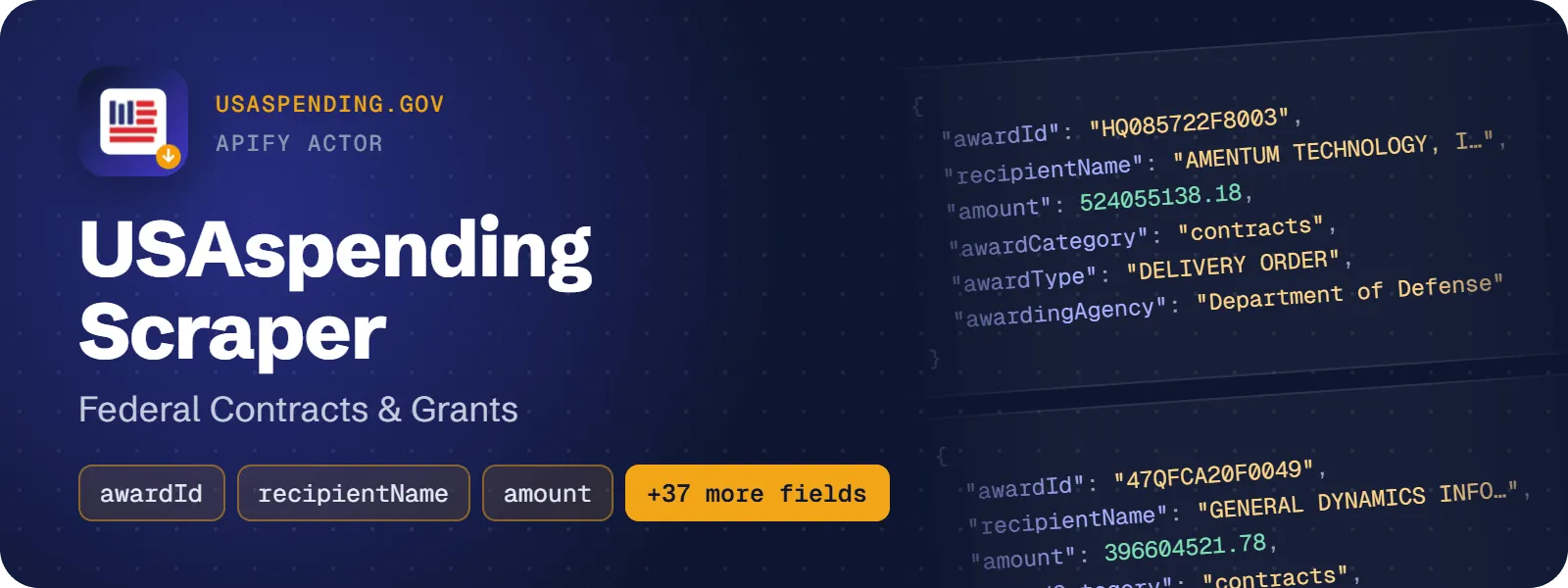
This actor returns US federal awards from USAspending.gov, one row per award. Each row has the recipient name and UEI, the award amount and total outlays, the awarding and funding agency, start and end dates, NAICS/PSC codes and the place of performance. Search by keyword, agency, recipient, date, state, industry code or amount, without an API key.
What does USAspending Scraper do?
It searches the official USAspending.gov award search and returns flat, ready-to-use rows for contracts, IDVs, grants, loans, direct payments and other assistance. You can combine many keywords, recipients and award categories in one run. It suits government-contracting business developers, grant writers, journalists, researchers and compliance analysts who need to know who received federal money for what.
How to scrape USAspending.gov awards
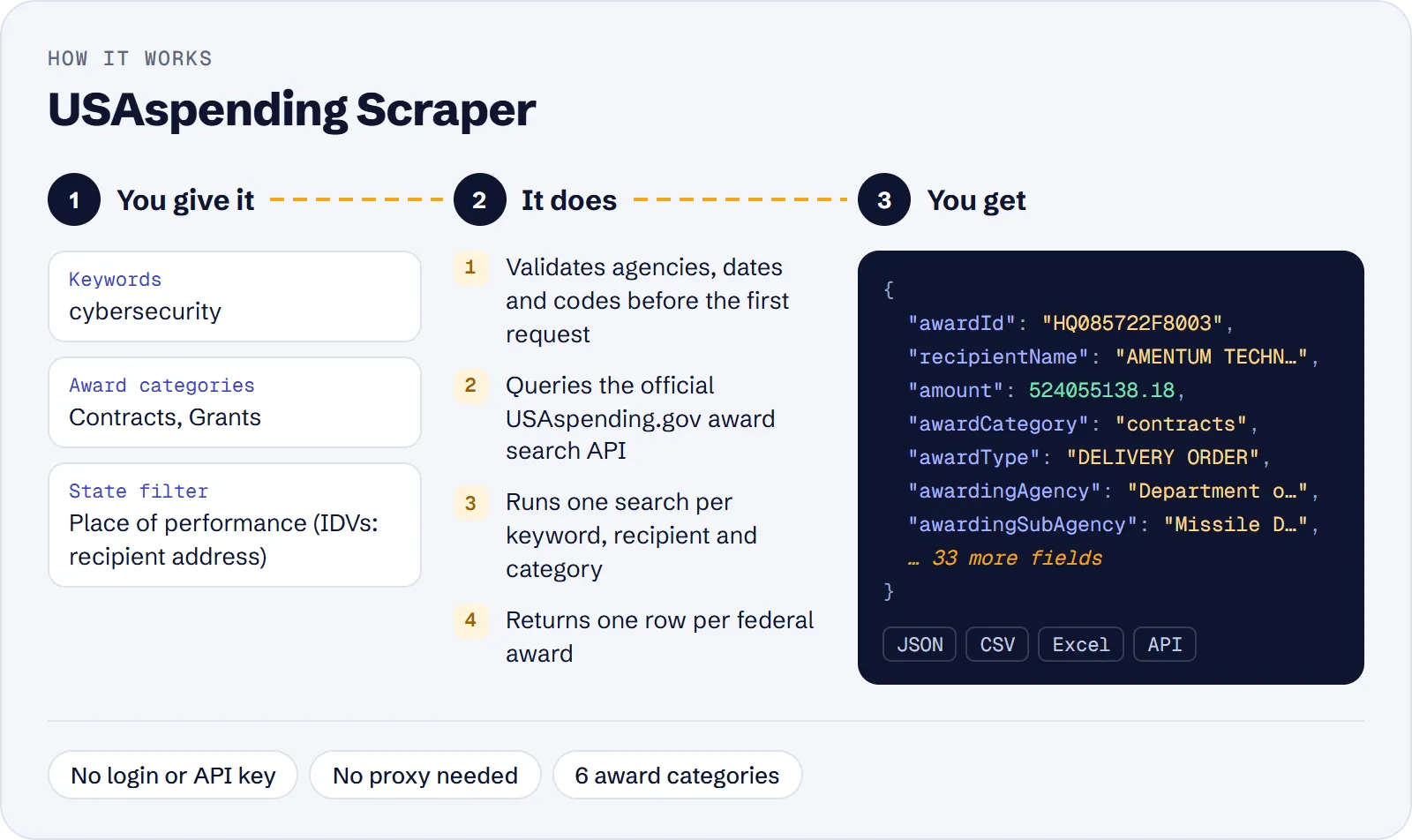
- Open the actor in Apify Console and go to the Input tab.
- Enter keywords, or leave them empty and filter by agency, recipient, state, NAICS or dates.
- Choose the award categories (default: contracts and grants).
- Set Max awards per search and, if needed, Max awards in total.
- Click Start and download the dataset as JSON, CSV or Excel.
How much does it cost to scrape USAspending?
Price per event by Apify plan:
| Event | Free | Bronze | Silver | Gold and above |
|---|---|---|---|---|
| Award | $2.50 per 1,000 | $2.25 per 1,000 | $2.00 per 1,000 | $1.75 per 1,000 |
| Actor start | $0.00005 | $0.00005 | $0.00005 | $0.00005 |
A test run with the API example input below returned 200 rows in 5 s.
You pay per award returned: $2.50 per 1,000 awards, plus a tiny start fee of $0.00005 per run (charged per GB of memory). Searches with no matches are free.
| Scenario | Awards | Cost on the Free plan |
|---|---|---|
| Quick look: default run, 100 awards for one keyword and category | 100 | about $0.25 |
| One vendor's contracts and IDVs, 2 searches of 100 | 200 | about $0.50 |
| Two keywords × contracts and grants, 250 each | 1,000 | about $2.50 |
| Market scan, 5,000 awards | 5,000 | about $12.50 |
Input
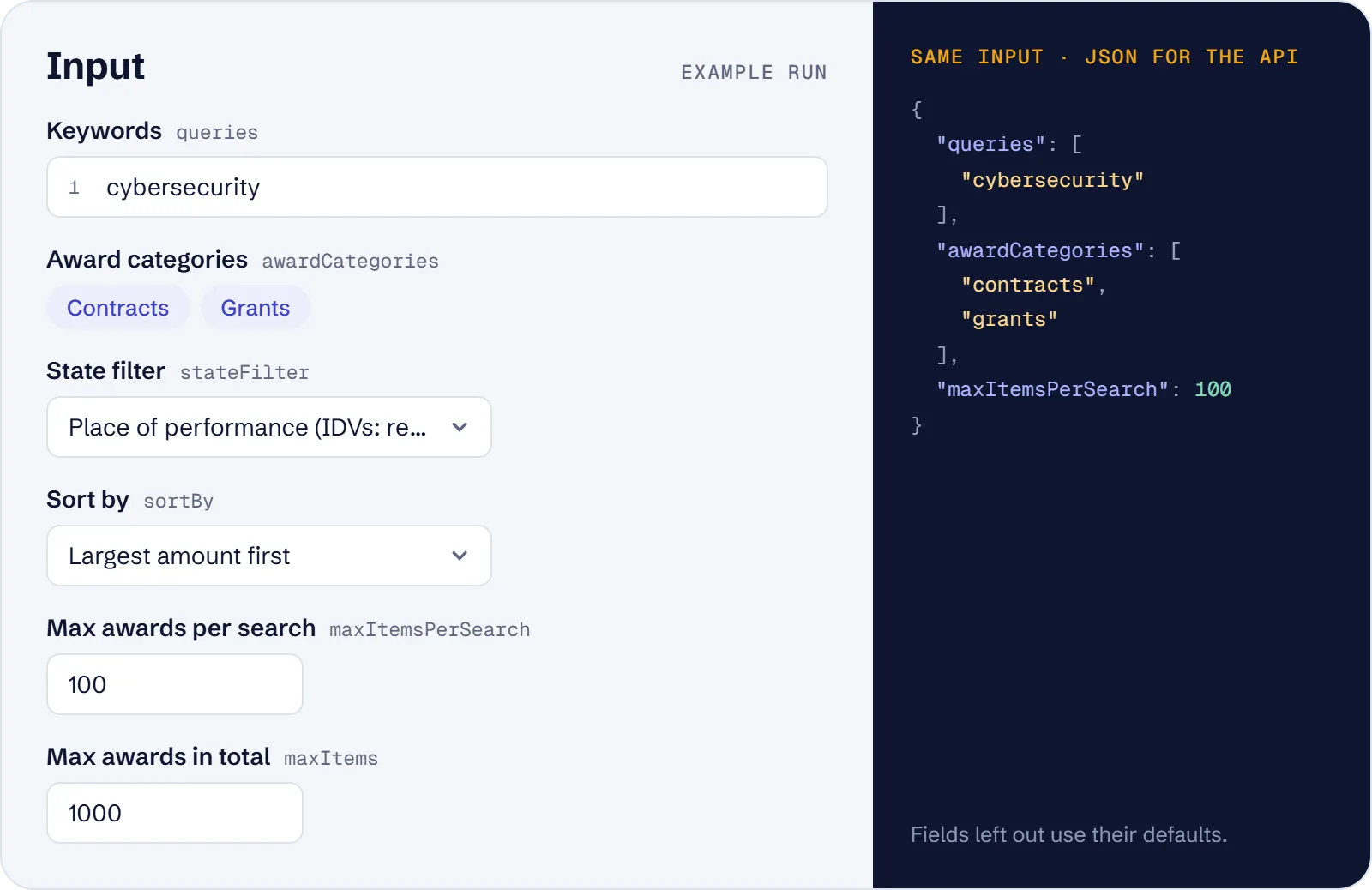
All fields are optional. An empty input returns the 100 largest contracts and the 100 largest grants since fiscal year 2008.
| Field | What it does |
|---|---|
queries | Keywords, each one a separate search (at least 3 characters) |
awardCategories | contracts, grants, idvs, loans, directPayments, other |
agencies | Top-level awarding agencies by name or abbreviation (DOD, NASA, Department of Energy) |
recipients | Recipient names or UEIs, each a separate search |
startDate, endDate | Action date range, YYYY-MM-DD, from 2007-10-01 |
states | Two-letter state or territory codes |
stateFilter | placeOfPerformance (default) or recipient: what states matches. IDVs have no place of performance, so they are always matched by recipient address |
naicsCodes, pscCodes | Industry and product/service codes (contracts and IDVs only) |
minAmount, maxAmount | Award amount range in USD (loan value for loans) |
sortBy | Largest amount first (default) or newest start date first |
maxItemsPerSearch, maxItems | Caps per search (default 100) and per run (default 1000) |
What data can you extract from USAspending?
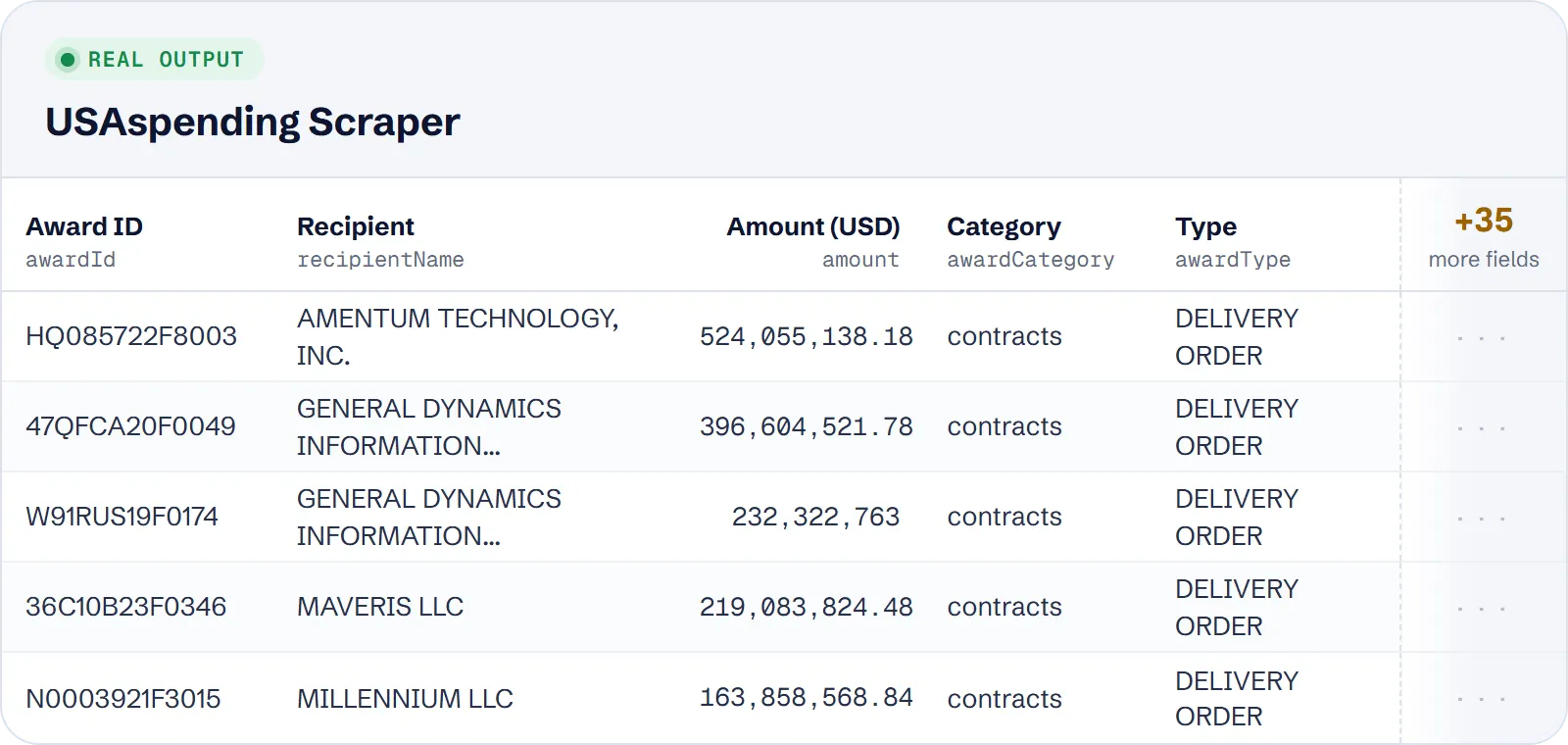
| Field | Description |
|---|---|
awardId, id, url | Award ID, internal ID and USAspending page |
query, recipientSearch, position | Which search found the award and its rank |
awardCategory, awardType | Category searched and award type |
description | Award description |
recipientName, recipientUei, recipientUrl | Recipient and profile link |
recipientCity, recipientState, recipientCountry | Recipient location |
amount, totalOutlays, loanValue, subsidyCost | Money (amount is empty for loans) |
awardingAgency, awardingSubAgency, fundingAgency, fundingSubAgency | Agencies |
startDate, endDate, baseObligationDate, updatedAt | Dates |
naicsCode, pscCode, cfdaNumber, cfdaTitle (and descriptions) | Classification codes |
defCodes | Disaster emergency fund codes |
popCity, popState, popCountryCode, popZip | Place of performance |
Example row (shortened):
Use cases
- GovCon market scans: find the largest contracts for a topic, with NAICS/PSC codes and recipient UEI.
- Vendor and competitor tracking (KYB): list every contract and IDV of a company or UEI.
- Agency spending analysis: see what the Department of Energy or NASA awarded for a topic.
- Grant prospecting: find grants of an agency performed in a given state, or awards to recipients located there (
stateFilter: recipient). - New-award feed: sort by newest to follow fresh awards for a NAICS code and state.
Limitations
- One row per award found by one search: the same award found by two keywords appears twice, once per keyword.
- IDVs carry no place of performance in USAspending, so
statesalways matches their recipient address. - Sub-awards, analytics and monitoring modes are not included.
- Agencies must be top-level (parent departments); sub-agencies such as Army are rejected. Put them in keywords instead.
- NAICS and PSC filters apply only to contracts and IDVs; other categories are skipped with a warning.
- Sorting by newest returns at most 50,000 awards per search; sorting by amount has no such cap.
- Search covers actions since 2007-10-01. Many fields can be empty, for example
recipientUeifor aggregated recipients andamountfor loans (useloanValue). - The source can be slow (some answers take minutes); the actor retries failed requests.
Tips and troubleshooting
- Each keyword × recipient × category is a separate search, so many values multiply the searches. Use
maxItemsPerSearchandmaxItemsto control size. - For more than 100 awards raise
maxItemsPerSearch; sort by amount to go past 50,000. - A run with 0 rows is valid: check dates (future dates usually return nothing) and state codes. If a place-of-performance state filter returns nothing, try
stateFilter: recipient. - Keywords shorter than 3 characters, unknown agencies, reversed date ranges or min above max stop the run with a message before any request.
- No proxy is needed.
API, MCP and integrations
Run the actor from your code with the same JSON input as in Console. Your API token is in Console → Settings → API & Integrations.
Python (pip install apify-client):
Node.js (npm install apify-client):
HTTP — one request runs the actor and returns the results (runs up to 5 minutes; longer ones: run asynchronously):
AI agents (MCP). Add the actor as a tool of the Apify MCP server. Claude Code:
Claude Desktop, Cursor or VS Code: {"mcpServers": {"apify": {"url": "https://mcp.apify.com?tools=genial_candlestand/usaspending-federal-awards-scraper"}}}. Then ask, for example:
- "Find the 50 largest cybersecurity contracts awarded in fiscal year 2024"
- "List all contracts and IDVs of Lockheed Martin from USAspending"
- "Show USDA broadband grants performed in Texas"
Integrations. Run it on a schedule with Apify Schedules and send the results to Google Sheets, Slack, Zapier, Make, n8n or your webhook — see Apify integrations.
FAQ
Is it legal to scrape USAspending.gov?
USAspending is the official, public US government spending site. The actor reads public award data only; you are responsible for how you use it and for complying with applicable laws.
Do I need an API key?
No. The actor uses the open USAspending.gov API without login or key.
How is it different from other USAspending actors?
It returns 40 fields per row including UEI, NAICS/PSC with titles, outlays and loan values, accepts agency names in any case or as abbreviations, and prices at $2.50 per 1,000 awards with no result cap on the free plan.
Can I search by UEI?
Yes. Enter the 12-character UEI in Recipients, for example KDT2YLB34NT6.
Also useful
- SEC EDGAR Filings Search — add US company filings by keyword, company, form and date
- Google News Scraper — follow news coverage of the agencies and vendors you track


