

Yelp Reviews Scraper | Ratings, Owner Replies & Translation
Pricing
from $0.43 / 1,000 reviews
Yelp Reviews Scraper | Ratings, Owner Replies & Translation
Get Yelp reviews of any business: star rating, text, date, reviewer, photos, videos, reactions and owner reply, plus business rating and star histogram on each row. Any Yelp country URL, alias or ID; all languages, sort, star and date filters, optional translation. No login.
Pricing
from $0.43 / 1,000 reviews
Rating
0.0
(0)
Developer

Flowo
Maintained by CommunityActor stats
0
Bookmarked
2
Total users
1
Monthly active users
5 days ago
Last modified
Categories
Features
Share
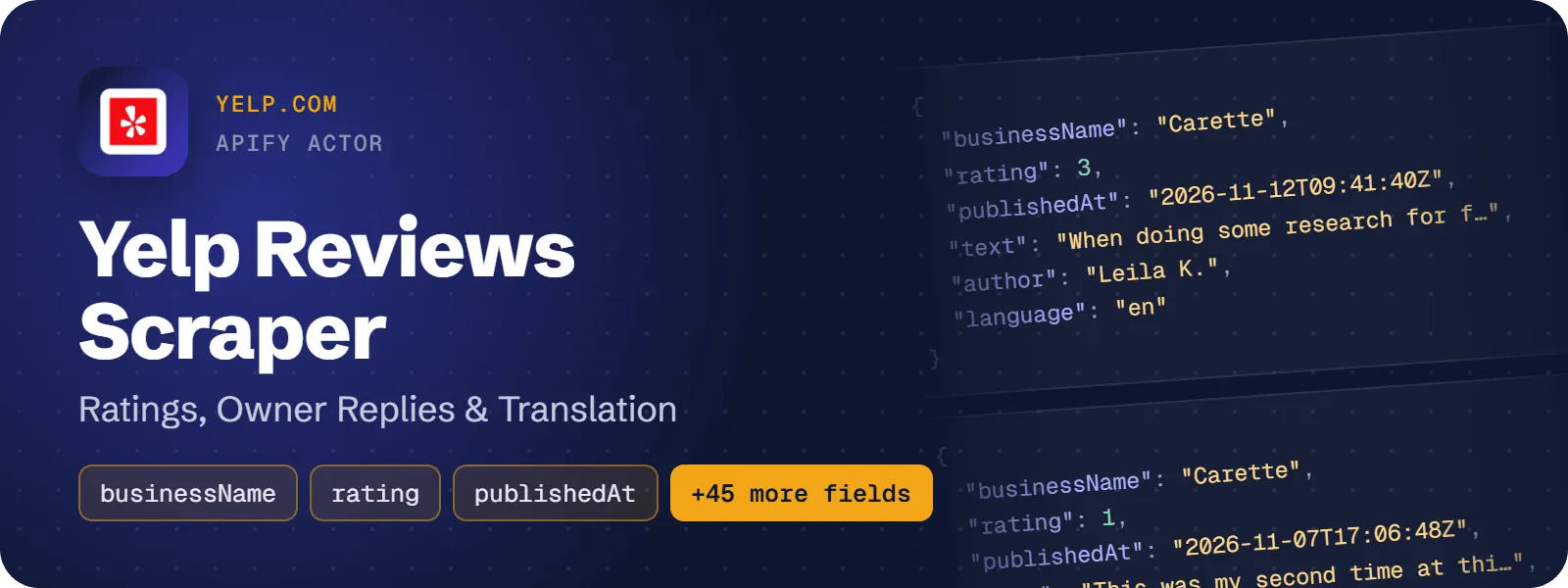
Get public reviews of any Yelp business as flat rows: the star rating, review text, publish date, reviewer name and location, attached photos and videos, reactions and the owner's reply. Every row also carries the business rating, its total review count and the 1–5 star histogram, and an optional Yelp translation of the review text. Paste business URLs from any Yelp country site, business aliases or Yelp business IDs, mixed in one list.
What does Yelp Reviews Scraper do?
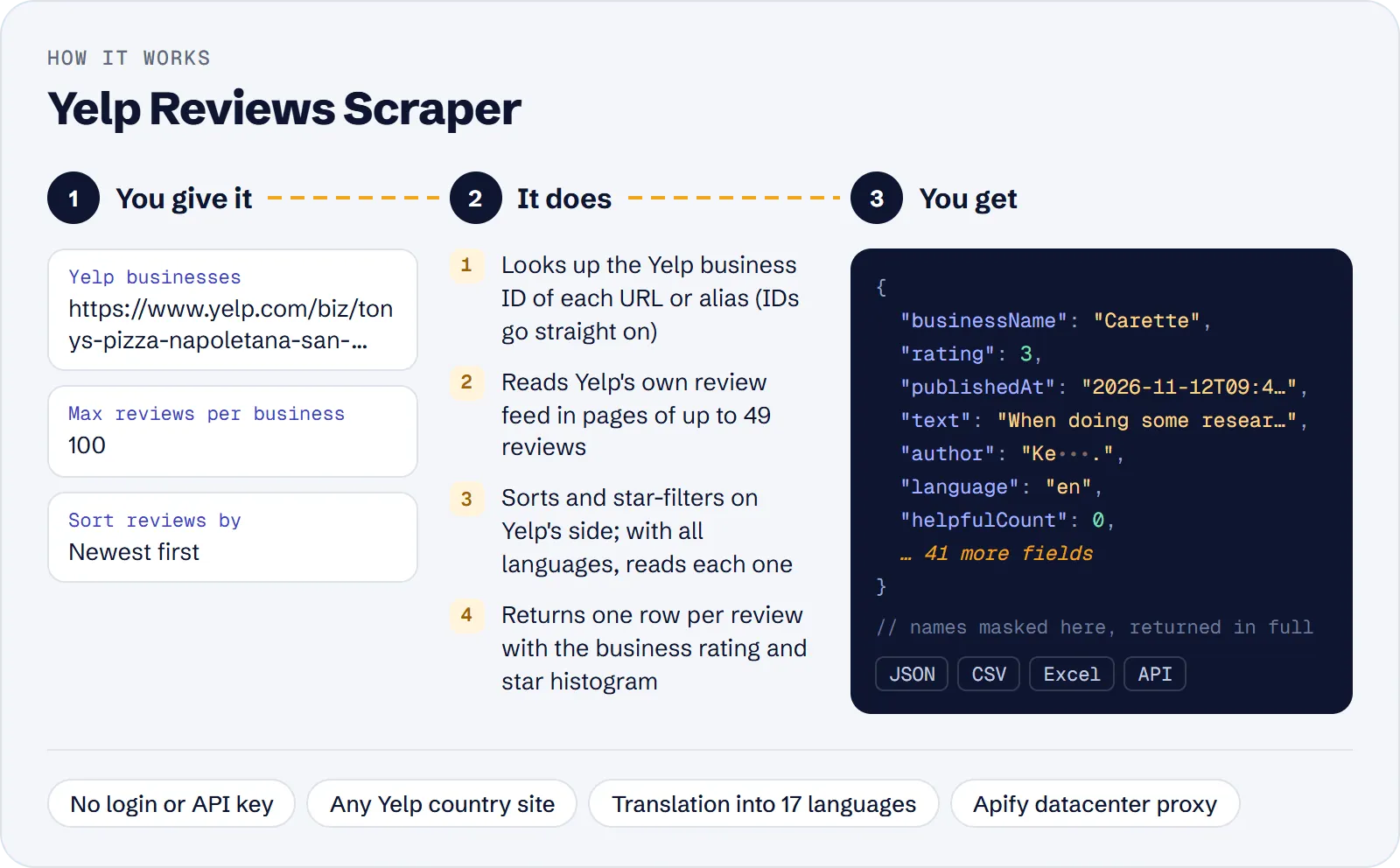
You give it a list of Yelp businesses; it returns one dataset row per review. It can walk every language a business has reviews in (Yelp keeps a separate review list per language), sort and filter by stars on Yelp's side, stop at a date for incremental runs, and add Yelp's own machine translation into one of 17 languages. It is built for reputation monitoring, agencies comparing locations, and analysts building multilingual review datasets.
How to scrape Yelp reviews
- Open the actor in Apify Console.
- In Yelp businesses, paste one business per line: a page URL such as
https://www.yelp.com/biz/tonys-pizza-napoletana-san-francisco, the aliastonys-pizza-napoletana-san-franciscoor a 22-character business ID. - Set Max reviews per business (default 100; use a large number such as 100000 for every review).
- Optionally choose a sort, star ratings, a review language, a Newer than date or a translation language.
- Click Start and download the reviews as JSON, CSV, Excel or another dataset format.
How much does it cost to scrape Yelp reviews?
Price per event by Apify plan:
| Event | Free | Bronze | Silver | Gold and above |
|---|---|---|---|---|
| Review | $0.50 per 1,000 | $0.475 per 1,000 | $0.45 per 1,000 | $0.425 per 1,000 |
| Actor start | $0.00005 | $0.00005 | $0.00005 | $0.00005 |
A test run with the API example input below returned 200 rows in 13 s.
One paid event is one review saved to the dataset. Each run also has a small start event. Not charged: businesses that are not found, reviews dropped by the date filter, translation and the star histogram. A run that saves 0 reviews costs only the start event.
| Scenario | Review events | Cost on the Free plan |
|---|---|---|
| Quick look: top 10 reviews of 2 businesses | 20 | $0.01005 |
| Prefill run: 100 reviews each of 2 businesses | 200 | $0.10005 |
| Daily check of 30 locations, 60 new reviews in total | 60 | $0.03005 |
| Full export of a business with 10,000 reviews | 10,000 | $5.00005 |
Input
| Field | What it does |
|---|---|
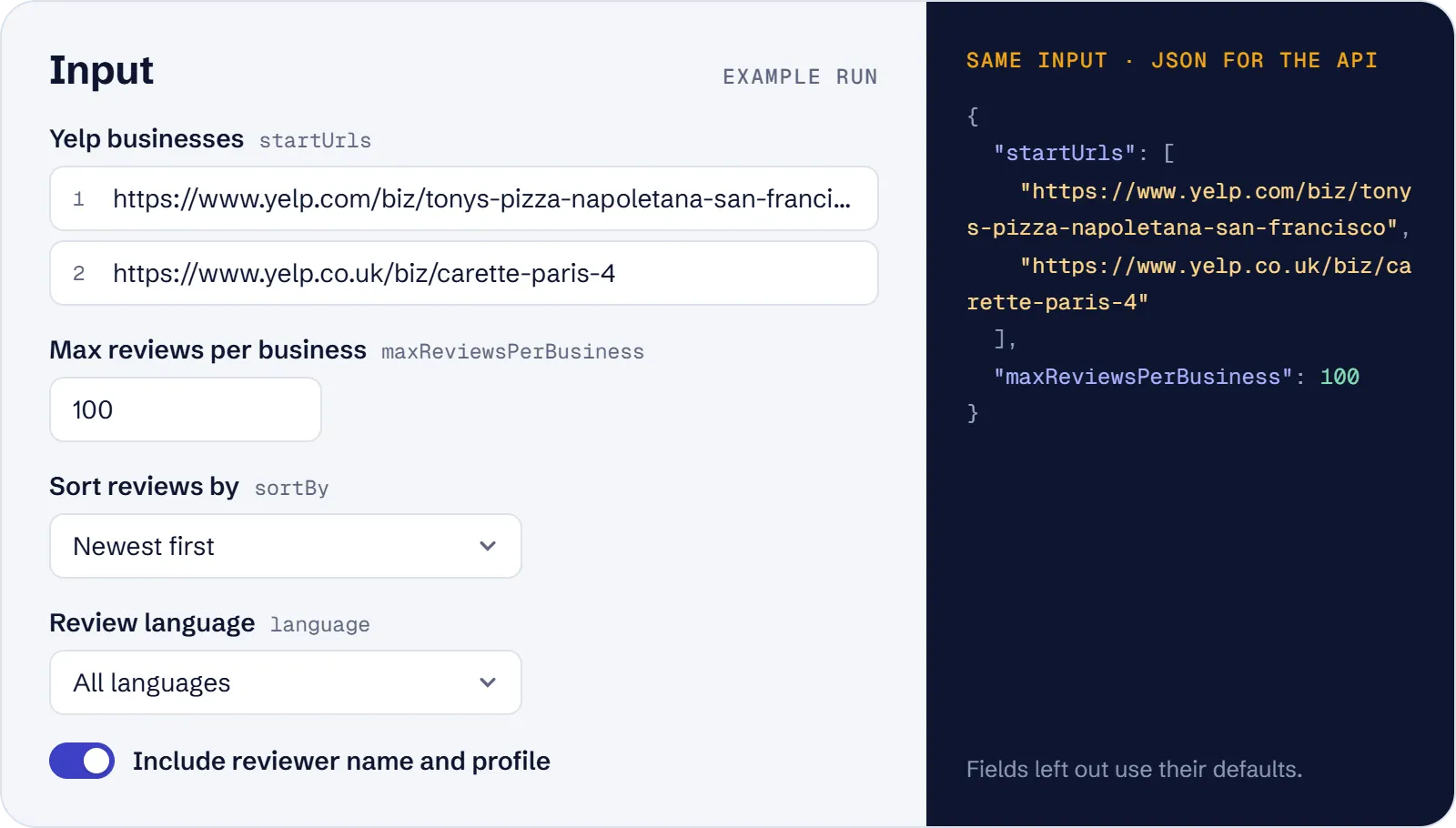
startUrls (required) | Businesses, one per line: a business page URL from any Yelp country site (yelp.com, yelp.co.uk, yelp.ca, yelp.fr…), the business alias from that URL, or the 22-character Yelp business ID. Search and category URLs are not businesses and are skipped with a warning. |
maxReviewsPerBusiness | Stop each business after this many reviews, all languages together. Default 100, minimum 1. |
sortBy | DATE_DESC Newest first (default), DATE_ASC Oldest first, RATING_DESC Highest rated, RATING_ASC Lowest rated, RELEVANCE_DESC Yelp sort (relevance), ELITES_DESC Elite reviewers first. |
ratings | Only reviews with these stars, any of "5", "4", "3", "2", "1". Empty = all ratings. Works with every sort and language. |
language | all (default: English first, then every other language the business has reviews in) or one of en, fr, de, es, it, pt, nl, ja, zh, sv, da, fi, nb, pl, tr, cs. |
reviewsNewerThan | Only reviews published on or after this date: YYYY-MM-DD or relative, e.g. 30 days. Forces Newest first sorting (another sort is switched with a warning) and stops each business at the first older review. |
translateTo | Adds translatedText in this language: en, es, fr, de, it, pt, nl, ja, zh, ko, sv, da, fi, nb, pl, tr or cs. Empty = no translation. |
includeReviewerData | On (default): reviewer name, ID, profile URL, location and photo are filled. Off: these five fields are null; reviewer counts and Elite year stay. |
maxItems | Total review limit for the whole run, across all businesses. Empty = only the per-business limit. |
proxyConfiguration | Apify datacenter proxy by default; blocked requests are retried on a new IP. |
Example input — the 1–2 star English reviews of two businesses, lowest rated first:
What data can you extract from Yelp?
| Group | Fields |
|---|---|
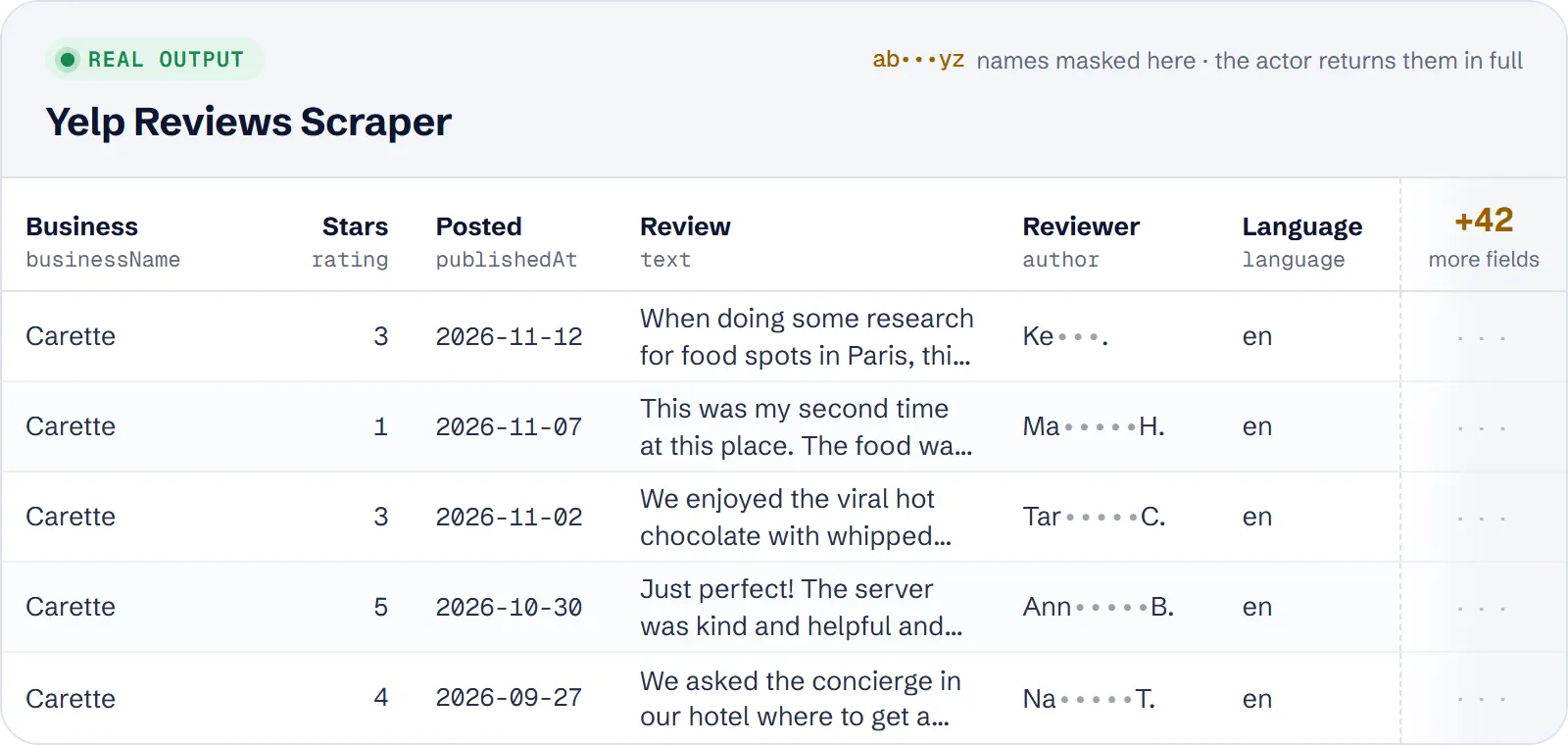
| Review | url, id, rating, text, translatedText, language, publishedAt (UTC), publishedAtLocal (with offset), position |
| Reviewer | author, authorId, authorUrl, authorLocation, authorReviewsCount, authorFriendsCount, authorPhotosCount, authorEliteYear, authorImageUrl |
| Media | photoUrls (full-size photos), videoUrls (MP4) |
| Reactions and tags | helpfulCount, thanksCount, loveThisCount, ohNoCount, legacy usefulCount, funnyCount, coolCount, checkInCount, isFirstReviewer, previousReviewsCount |
| Owner reply | ownerReplyText, ownerReplyAt, ownerReplyAuthor, ownerReplyRole (e.g. BUSINESS_OWNER, CUSTOMER_SERVICE) |
| Business | businessId, businessAlias, businessName, businessUrl, businessImageUrl, businessRating, businessReviewsCount, businessStars5Count … businessStars1Count |
| Run | query (the input entry the review came from), scrapedAt |
A real row from a run:
Use cases
- Review monitoring: run daily on your locations with
reviewsNewerThan: "2 days"and get only the new reviews; businesses with no new reviews cost nothing. - Negative-review analysis: pull only 1–2 star reviews (
ratings), filtered by Yelp itself, and read the owner replies next to them. - Competitor and franchise comparison: compare
businessRating, the star histogram and recent reviews of several businesses in one run. - Multilingual sentiment datasets: collect reviews in every language with
language: "all"and add an EnglishtranslatedTextwithtranslateTo: "en". - AI agents: fetch Yelp's top 10 reviews of a business with
sortBy: "RELEVANCE_DESC"andmaxReviewsPerBusiness: 10.
Limitations
- Only review data. Business address, phone, website, hours, categories, price range and coordinates are not in the review feed; use
businessIdorbusinessUrlto join with a business scraper. - Input must be a Yelp business (URL with
/biz/, alias or ID). Search, category and user URLs are skipped with a warning. - Fields that can be
null:text,translatedText(alwaysnullwithouttranslateTo, or when a translation fails),language,publishedAt,publishedAtLocal, the reviewer fieldsauthor,authorId,authorUrl,authorLocation,authorReviewsCount,authorFriendsCount,authorPhotosCount,authorEliteYear(null when the reviewer is not Elite),authorImageUrl(null without a photo), the reaction and vote counts,checkInCount,isFirstReviewer,previousReviewsCount, the fourownerReply*fields (null when there is no reply),businessImageUrl,businessRating,businessReviewsCountand the fivebusinessStars*Countfields.photoUrlsandvideoUrlsare empty arrays when there are none. - The date filter works on the newest-first order only, so
reviewsNewerThanswitches any other sort toDATE_DESC. - With
maxItemssmaller than the per-business limits, which businesses fill the total is not fixed: up to 3 businesses are fetched in parallel, and rows of different businesses may interleave. - Large businesses take time: about 2–2.5 seconds per page of up to 49 reviews, so a business with about 9,000 reviews needs roughly 8 minutes. On such businesses the Highest rated and Elite sorts can hit temporary Yelp timeouts; they are retried, and if a page still fails that language stops while the rest of the run continues.
Tips and troubleshooting
- Get every review: set
maxReviewsPerBusinessto a large number such as 100000 and keeplanguage: "all"; a single language returns only reviews written in it. - Only new reviews: schedule the actor with
reviewsNewerThan(e.g.7 days); each business stops at the first older review. - 0 rows? Check the log: it gives a reason per business, e.g.
Business not found, no reviews in the chosen language, no reviews newer than the date, or no reviews matching the star filter. Such runs are not charged for reviews. - Filters combine freely:
ratings,language,sortByandtranslateTowork together. OnlyreviewsNewerThanchanges the sort. - Fewer rows than expected: the same business given twice (URL, alias, ID) is fetched once, and
maxItemscaps the whole run. - Proxy: the default Apify datacenter proxy is enough; 256 MB memory is the default.
API, MCP and integrations
Run the actor from your code with the same JSON input as in Console. Your API token is in Console → Settings → API & Integrations.
Python (pip install apify-client):
Node.js (npm install apify-client):
HTTP — one request runs the actor and returns the results (runs up to 5 minutes; longer ones: run asynchronously):
AI agents (MCP). Add the actor as a tool of the Apify MCP server. Claude Code:
Claude Desktop, Cursor or VS Code: {"mcpServers": {"apify": {"url": "https://mcp.apify.com?tools=genial_candlestand/yelp-reviews-scraper"}}}. Then ask, for example:
- "Get the 50 newest 1-2 star Yelp reviews of tonys-pizza-napoletana-san-francisco"
- "Get all Yelp reviews of carette-paris-4 in every language with an English translation"
- "Compare the star histogram and newest reviews of two Yelp businesses from the last 30 days"
Integrations. Run it on a schedule with Apify Schedules and send the results to Google Sheets, Slack, Zapier, Make, n8n or your webhook — see Apify integrations.
FAQ
Can I scrape Yelp reviews from yelp.co.uk, yelp.ca or other country sites?
Yes. A business URL from any Yelp country site works, as does the alias from the URL or the 22-character business ID. All of them can be mixed in one list.
Does it return reviews in languages other than English?
Yes. With the default language: "all" it walks every language the business has reviews in, English first. You can also pick one language, and add Yelp's translation with translateTo at no extra charge.
Can I turn off reviewer personal data?
Yes. Set includeReviewerData to false and author, authorId, authorUrl, authorLocation and authorImageUrl are null; the rest of the row stays.
Do I need a Yelp account or API key?
No. The actor reads public review data without login or cookies.
How is it different from other Yelp review actors?
Reviewer name, profile URL, location and photo are filled by default, the star histogram comes as five flat columns on every row, both the newer reactions and the legacy useful/funny/cool votes are included, and the owner reply carries its author and role.
Is it legal to scrape Yelp reviews?
The actor collects only data that Yelp shows publicly without login. Reviews contain names and photos of private people, so you are responsible for how you store and use the data (for example under GDPR); the includeReviewerData switch helps when you must not keep it.
Also useful
- Yelp Business Scraper — add business details and contacts for the same Yelp businesses: address, phone, hours
- Google Maps Scraper — compare the same places on Google Maps: ratings, phones, hours and addresses
- Tripadvisor Reviews Scraper — collect reviews of the same restaurants and hotels on Tripadvisor
- Trustpilot Reviews Scraper — track company reviews and replies on Trustpilot next to Yelp


