
Google Maps Scraper | Places, Phones, Ratings & Hours
Pricing
from $1.15 / 1,000 places
Google Maps Scraper | Places, Phones, Ratings & Hours
Get Google Maps places as flat rows: name, categories, address, coordinates, phone (also E.164), website, rating, review count, opening hours and place ID. Many search terms per run, city or map point, split area for up to 2000 places per term, free rating and website filters, no login.
Pricing
from $1.15 / 1,000 places
Rating
0.0
(0)
Developer

Flowo
Maintained by CommunityActor stats
0
Bookmarked
2
Total users
1
Monthly active users
5 days ago
Last modified
Categories
Features
Share
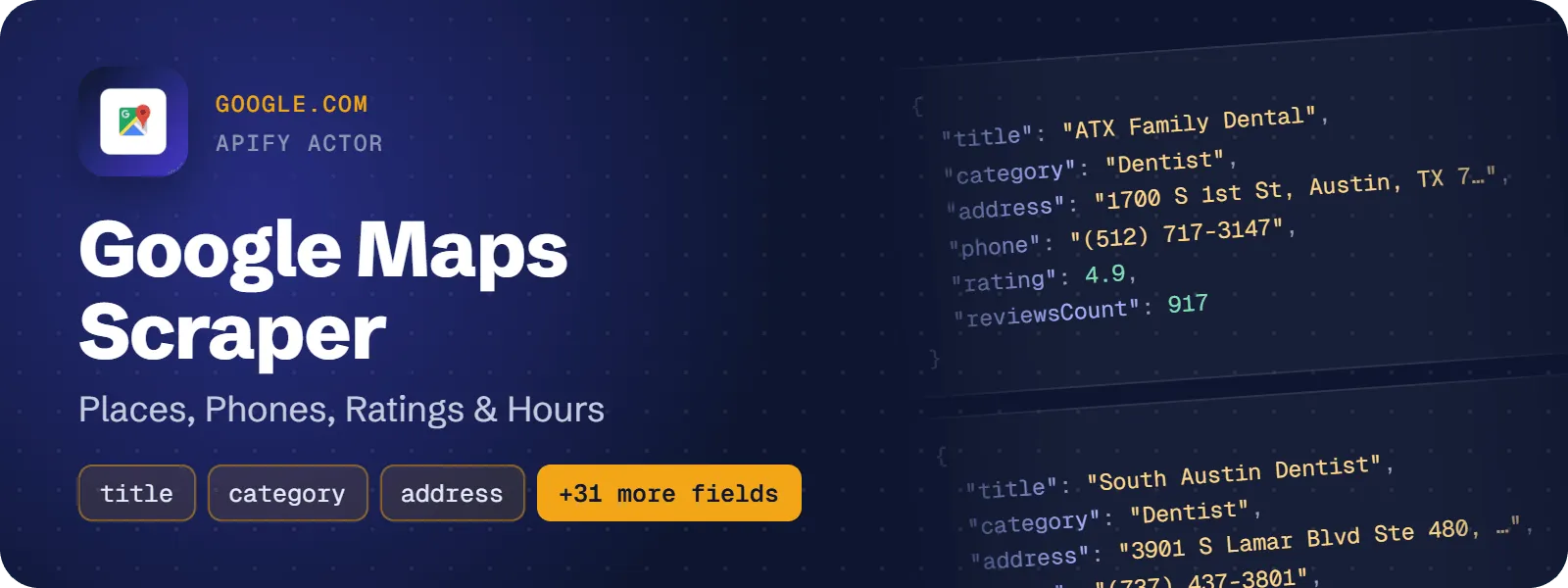
Search Google Maps by keyword and city (or around a map point) and get every place found as one flat row: the business name, categories, full and split address, coordinates, phone number in national and international format, website and domain, star rating, review count, weekly opening hours, open status, main photo and attributes. Each row also carries the Google place ID and CID, the search term that found it and its rank in the results. No login, no API key and no browser.
What does Google Maps Scraper do?
You type the searches a person would type into Google Maps — "dentist in Austin TX", "Zahnarzt München", or just "pizza" around a latitude/longitude — and the actor returns the places Google Maps lists for them, one dataset row per place. Many search terms run in one run, each up to 2000 places. It is built for lead lists (phone and website, or places without a website), local SEO checks (who ranks for a keyword in an area) and data teams or AI agents that need a structured place search through the API.
How to scrape Google Maps places
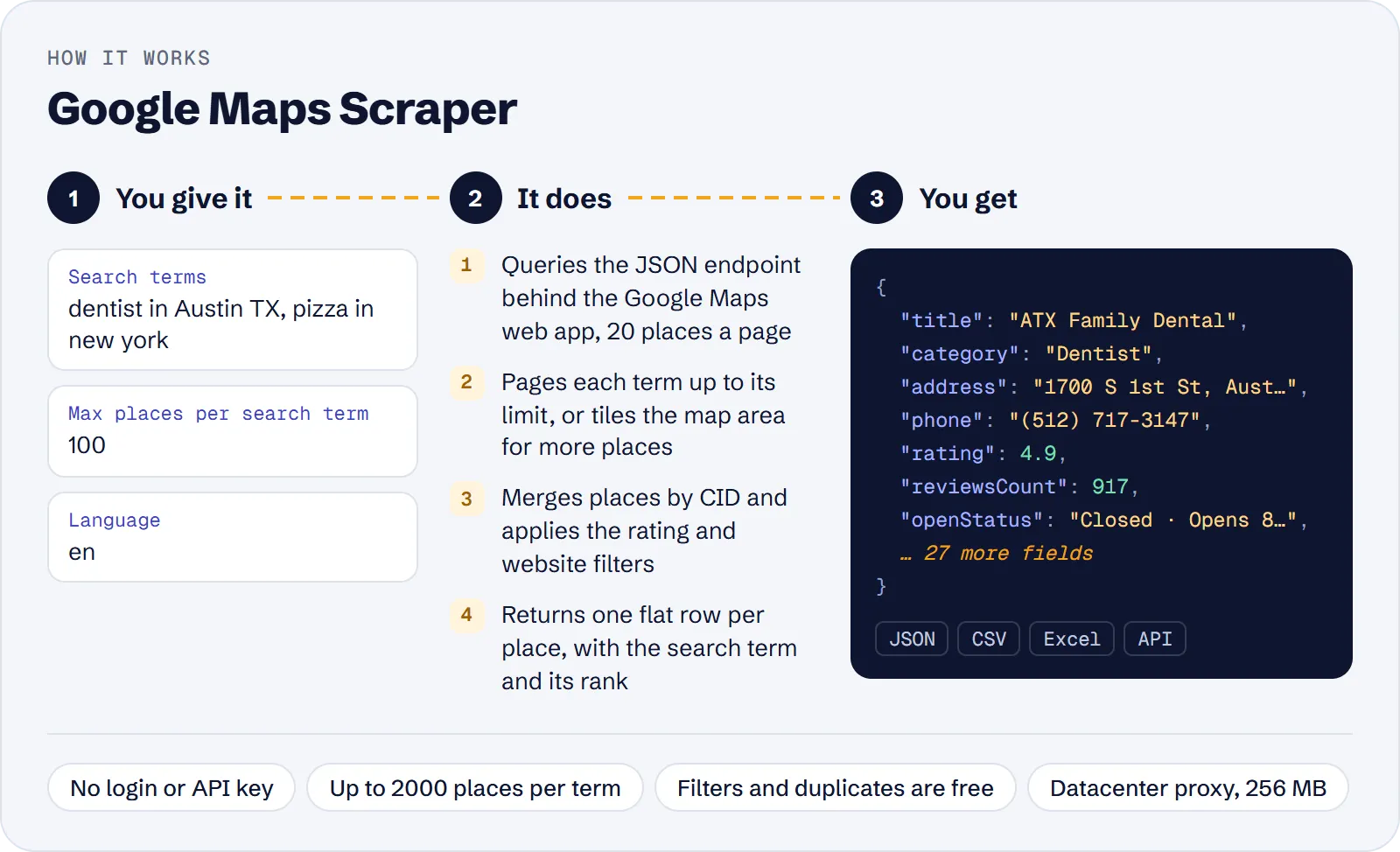
- Open the actor in Apify Console and enter one or more Search terms, one per line, e.g.
dentist in Austin TX. - Optionally add a Location that is appended to every term, or set Latitude/Longitude and an Area radius to search around a point.
- To get more than about 150 places for one term, set Latitude/Longitude and turn on Split search area.
- Set Max places per search term (default 100) and, if you like, Max places in total.
- Pick a Language and Country, and optionally the free filters Minimum rating and Website.
- Click Start. Download the places as JSON, CSV or Excel, or use the "Overview" and "Contacts" dataset views.
How much does it cost to scrape Google Maps?
Price per event by Apify plan:
| Event | Free | Bronze | Silver | Gold and above |
|---|---|---|---|---|
| Place | $1.35 per 1,000 | $1.283 per 1,000 | $1.215 per 1,000 | $1.148 per 1,000 |
| Actor start | $0.00005 | $0.00005 | $0.00005 | $0.00005 |
A test run with the API example input below returned 200 rows in 18 s.
The actor is priced per event. One paid event is one place saved to the dataset (place-scraped), with all fields included. There is also one Actor start event per run (256 MB memory = one event).
Not charged: duplicate places (the same place found by two terms or two map tiles is saved and charged once), places removed by the Minimum rating or Website filters, and searches that return nothing.
| Scenario | Events | Cost on the Free plan |
|---|---|---|
| 1 search term, 100 places | 100 places + 1 start | $0.14 |
| Prefill: 2 terms × 100 places | 200 places + 1 start | $0.27 |
| 1 split search area, 1000 places | 1000 places + 1 start | $1.35 |
| 10 cities × 1000 places | 10,000 places + 1 start | $13.50 |
Input
| Field | What it does |
|---|---|
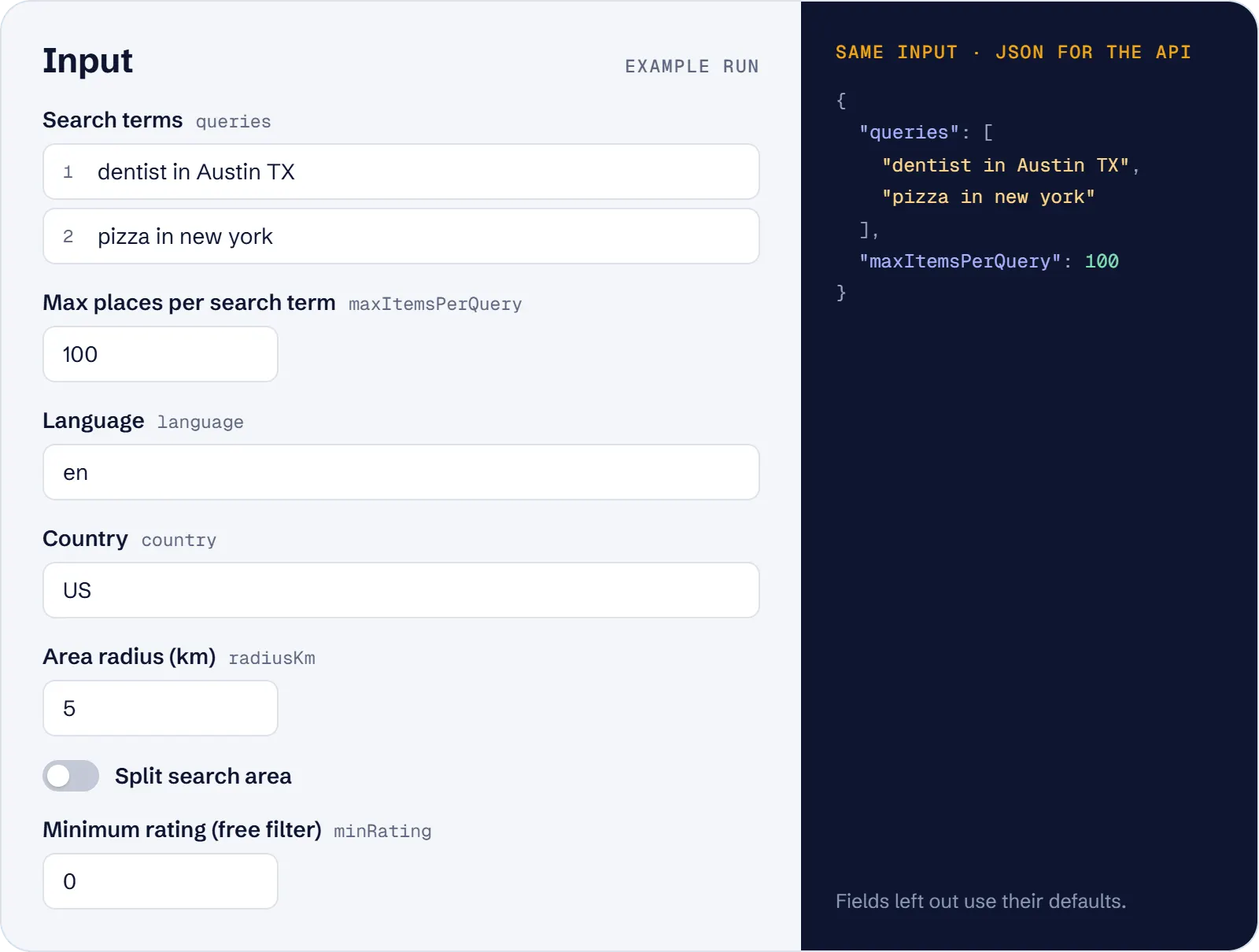
queries (required) | Search terms, one per line, max 500 characters each. Blank lines and repeated terms (any case) are removed. |
location | Optional city, region or address added to every term: "plumber" + "Chicago" → "plumber Chicago". Cannot be combined with latitude/longitude. |
maxItemsPerQuery | Places saved per search term, 1–2000, default 100. |
maxItems | Optional limit for the whole run. |
language | Language code of categories, day names and status texts, e.g. en, de, fr, ja, pt-BR. Default en. An unknown code is an input error. |
country | Country Google Maps searches from: a 2-letter code (US, DE, GB) or an English name. Default US. |
latitude / longitude | Optional centre of the map area (−90 to 90 / −180 to 180). Both are needed. Enter only the keyword in the terms then. |
radiusKm | Area radius around the centre, 0.5–50 km, default 5. Used only with latitude/longitude. |
splitSearchArea | Search the area as a grid of 4–16 map tiles and merge them without duplicates. Needs latitude/longitude. Default off. |
minRating | Free filter: keep places rated at least this (0–5). Above 0, places without a rating are dropped. |
websiteFilter | Free filter: any (default), withWebsite or withoutWebsite. |
proxyConfiguration | Apify datacenter proxy by default; residential is optional. |
Example — a whole area beyond the per-search limit:
What data can you extract from Google Maps?
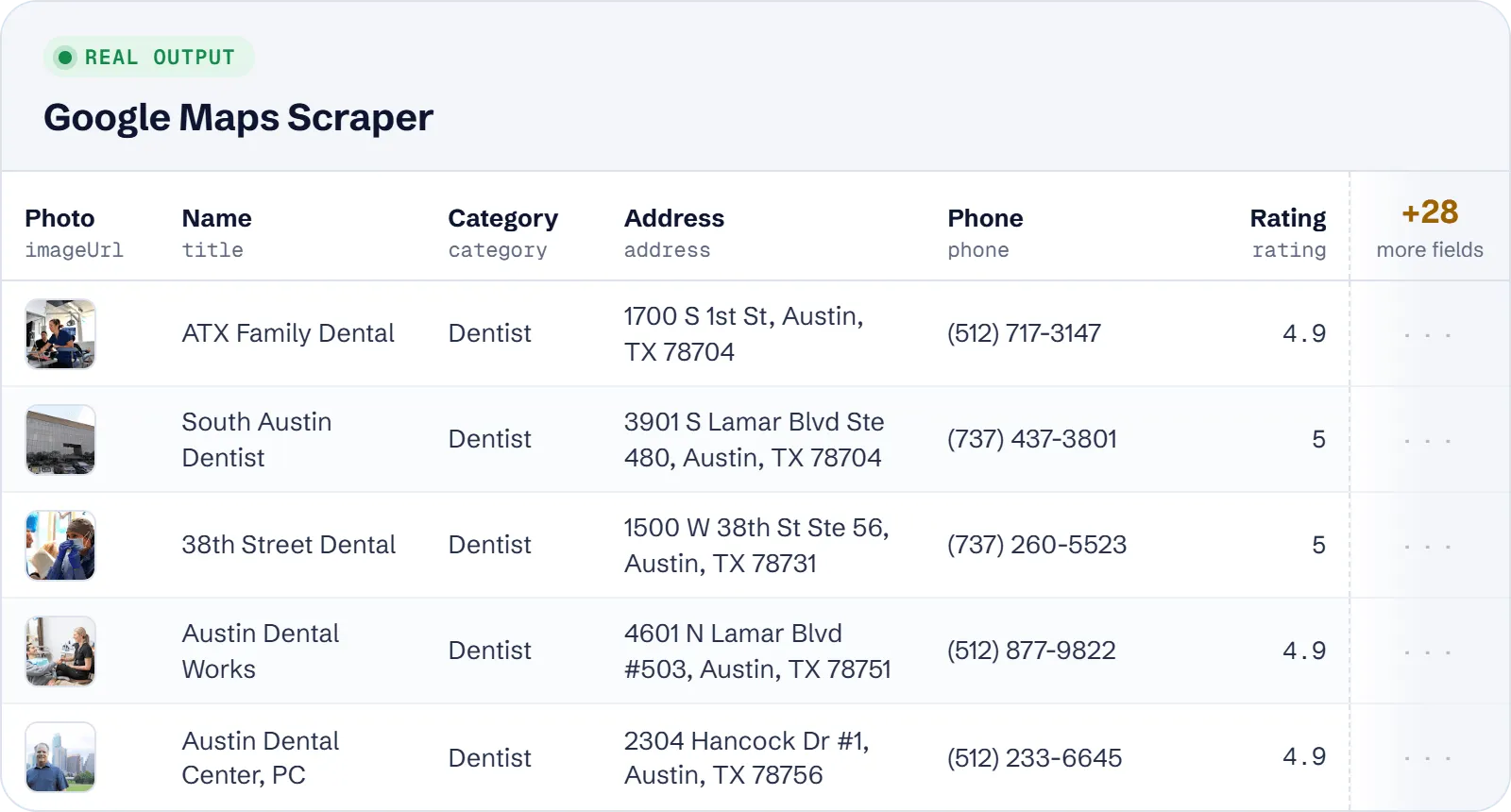
| Field | Meaning |
|---|---|
title | Place name |
category, categories | Main category and all categories (main first), in the chosen language |
address, street, city, postalCode, state, country, neighborhood | Full address and its parts; country is an ISO 3166-1 alpha-2 code, state is mostly filled in the US, CA, AU and similar |
latitude, longitude | Coordinates |
phone, phoneUnformatted | Phone as shown (national format) and in E.164 format (+15127173147) |
website, domain | Business website and its domain |
rating, reviewsCount, reviewsUrl | Average star rating, number of Google reviews, link to the reviews page |
description | Short description by Google or the owner (often empty) |
openingHours, openStatus, timeZone | Weekly hours as "Day: hours" strings, Monday first; open/closed status at scrape time; IANA time zone |
imageUrl, imagesCount | Main photo and number of photos |
attributes | Attributes as "Group: attribute", mostly accessibility |
id, cid, fid, kgmid, url | Google place ID, CID (decimal string), feature ID, Knowledge Graph ID, Google Maps link |
query, position | The search term (with Location, if set) that found the place, and its 1-based rank in that search (of its map tile when split) |
scrapedAt | When the place was extracted (ISO 8601) |
A real row (photo URL and hours shortened):
Use cases
- Lead lists by category and city — "dentist in Austin TX", "plumber chicago" with phone, website and address, ready for a CRM via the "Contacts" view.
- Web design prospects — "hair salon in Miami" with Website = only without a website and Minimum rating 4: well-rated businesses that have no site.
- Local SEO and competitor checks — the
positionof each place for a keyword in an area, with ratings and review counts. - Market density — every restaurant in 5 km of Midtown Manhattan with Split search area, merged without duplicates.
- Local markets in their own language — "Zahnarzt München" with language
deand countryDEgives German categories and day names and+49…phones.
Limitations
- Google Maps lists about 150 places per search. Beyond that you need Latitude/Longitude with Split search area (up to 2000 places per term).
- The list does not contain price level, the permanently/temporarily closed flag, popular times, review texts, the photo gallery, emails or social profiles.
- Fields can be empty when Google shows nothing for them: phone, website, rating, hours (hotels often have none), description (often empty) and attributes.
stateis null outside the US and similar countries. - Rankings differ slightly between runs and IP addresses, so two runs of the same term can return slightly different sets.
- Near coordinates in an empty area (ocean, desert), Google may return places far away; they are kept, with no distance filter.
- A nonsense term returns 0 places or a few loose matches, never an error.
Tips and troubleshooting
- More places for one term: set Latitude/Longitude, turn on Split search area and raise Max places per search term. The log warns "about 150 per search" when a term ran out below its limit.
- Location or coordinates, not both: Location together with Latitude/Longitude is an input error. With coordinates, enter only the keyword ("pizza"): the map area wins over a city named in the text.
- Wrong country in the results: a bare keyword like "pizza" without a place, Location or coordinates is searched all over the Country. Add the city to the term or to Location.
- Fewer rows than expected: Minimum rating and Website drop places (for free), and duplicates across terms or tiles are saved once. Area radius is ignored without coordinates.
- Input errors: an unknown language code (
xx), an unknown country, only one of Latitude/Longitude, or Split search area without coordinates stop the run before any request, with a message naming the field. - Blocking: the default datacenter proxy works; switch to residential in Proxy only if runs get blocked. If some pages fail, the places already found are kept and the log names the failed term.
API, MCP and integrations
Run the actor from your code with the same JSON input as in Console. Your API token is in Console → Settings → API & Integrations.
Python (pip install apify-client):
Node.js (npm install apify-client):
HTTP — one request runs the actor and returns the results (runs up to 5 minutes; longer ones: run asynchronously):
AI agents (MCP). Add the actor as a tool of the Apify MCP server. Claude Code:
Claude Desktop, Cursor or VS Code: {"mcpServers": {"apify": {"url": "https://mcp.apify.com?tools=genial_candlestand/google-maps-scraper"}}}. Then ask, for example:
- "Find 100 dentists in Austin TX with phone, website and rating"
- "List hair salons in Miami rated 4 or more that have no website"
- "Get all restaurants within 5 km of 40.758,-73.9855 with opening hours and review counts"
Integrations. Run it on a schedule with Apify Schedules and send the results to Google Sheets, Slack, Zapier, Make, n8n or your webhook — see Apify integrations.
FAQ
Is it legal to scrape Google Maps?
The actor reads only public Google Maps listings, without login, account cookies or CAPTCHA solving. Business listings can still include personal data, such as phone numbers of sole traders, so you are responsible for using the data lawfully, e.g. under GDPR for EU contacts.
Does it return emails or reviews?
No. It returns the place listing fields above. The review count, rating and a link to the reviews page are included, but not the review texts, emails or social profiles.
How many places can I get per search term?
Up to 2000 with Split search area and coordinates. Without splitting, Google Maps gives about 150 per search. In a test, a 3×3 tile grid over 5 km of Midtown Manhattan returned 1297 unique restaurants against 150 for one search.
Are filters charged extra?
No. Minimum rating and Website are free, and places they drop are not charged.
How is it different from other Google Maps actors?
The price is one flat event per place with all fields included, against $4 per 1,000 places for the most used Google Maps actor, whose filters and details are add-ons. Each row also has CID, feature ID, Knowledge Graph ID, E.164 phone, domain, reviews URL, time zone, open status, photo count and attributes, as flat columns. It does not have price level, closed flags, popular times or review texts.
Also useful
- Yelp Business Scraper — add Yelp ratings, reviews, phones, hours and amenities for the same businesses and cities
- Google Search Scraper — check who ranks in organic Google results and ads for the same local keywords
- Tripadvisor Reviews Scraper — get review texts for the restaurants and hotels you found on the map
- Google Hotels Scraper — get nightly prices, star class and amenities for hotels in the same destination
- Booking.com Hotel Search Scraper — compare hotel prices by dates in the cities you searched


