

YouTube Comments Scraper | Comments & Replies by URL
Pricing
from $0.25 / 1,000 comment or replies
YouTube Comments Scraper | Comments & Replies by URL
Get YouTube comments and replies for videos and Shorts: comment text, exact like count, reply count, author, pinned/hearted flags and date. Many URLs per run, newest-first for full coverage, no login or API key.
Pricing
from $0.25 / 1,000 comment or replies
Rating
0.0
(0)
Developer

Flowo
Maintained by CommunityActor stats
0
Bookmarked
2
Total users
1
Monthly active users
3 days ago
Last modified
Categories
Features
Share
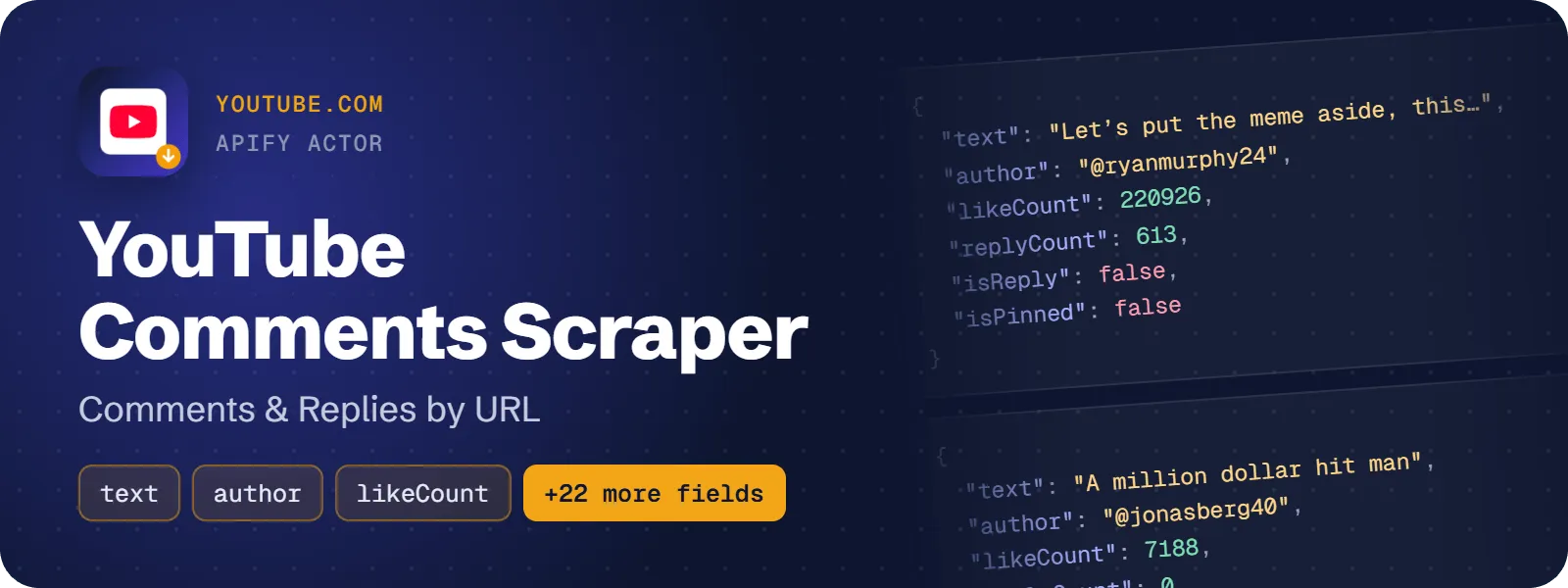
This actor returns the comments and replies of YouTube videos and Shorts as one dataset row each. Every row has the comment text, the like count, the reply count, the author handle and channel link, pinned and hearted flags, and an approximate publish date. It needs no login, cookies or YouTube API key.
What does YouTube Comments Scraper do?
You give it YouTube video or Shorts URLs. For each video it reads the comment section, optionally follows the reply threads, and writes one row per comment or reply. Replies point to their parent through parentCommentId, and every row carries the video context (videoId, videoTitle, channelName, commentsCount).
It is meant for marketers doing audience research, creators and agencies moderating comments, researchers building text datasets, and AI agents that need to know what people say about a video.
How to scrape YouTube comments and replies
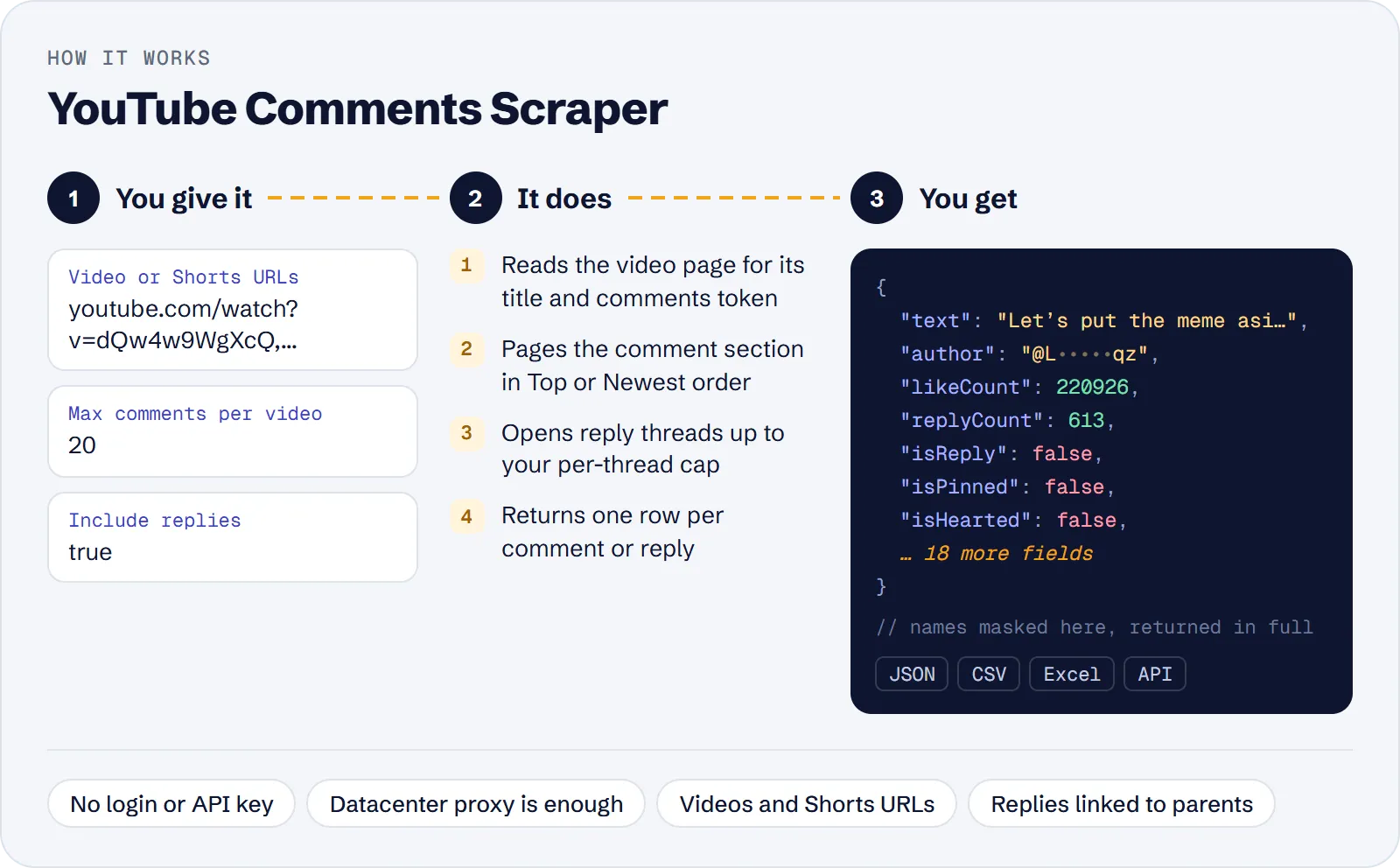
- Open the actor in Apify Console and paste one or more video or Shorts URLs into Video or Shorts URLs.
- Set how many comments per video you want (
0= all), and whether to include replies. - Pick the order: Top comments or Newest first. Optionally set Only comments newer than or a total row limit.
- Click Start and download the dataset as JSON, CSV, Excel or via the API.
How much does it cost to scrape YouTube comments?
Price per event by Apify plan:
| Event | Free | Bronze | Silver | Gold and above |
|---|---|---|---|---|
| Comment or reply | $0.36 per 1,000 | $0.324 per 1,000 | $0.288 per 1,000 | $0.252 per 1,000 |
| Actor start | $0.00005 | $0.00005 | $0.00005 | $0.00005 |
A test run with the API example input below returned 121 rows in 22 s.
- Comment or reply: $0.00036 each, about $0.36 per 1,000 rows on the Free plan.
- Actor start: $0.00005 per run (per GB of memory).
Videos without comments and skipped URLs are free. Costs on the Free plan, start fee included:
| Scenario | Rows | Cost |
|---|---|---|
| 100 top-level comments of one video, no replies | 100 | about $0.036 |
| The example input below (2 videos, 100 comments, up to 10 replies each) test run | 121 | about $0.044 |
| One video, 1,000 comments and replies | 1,000 | about $0.36 |
| Ten videos, 1,000 rows each | 10,000 | about $3.60 |
Input
| Field | Meaning |
|---|---|
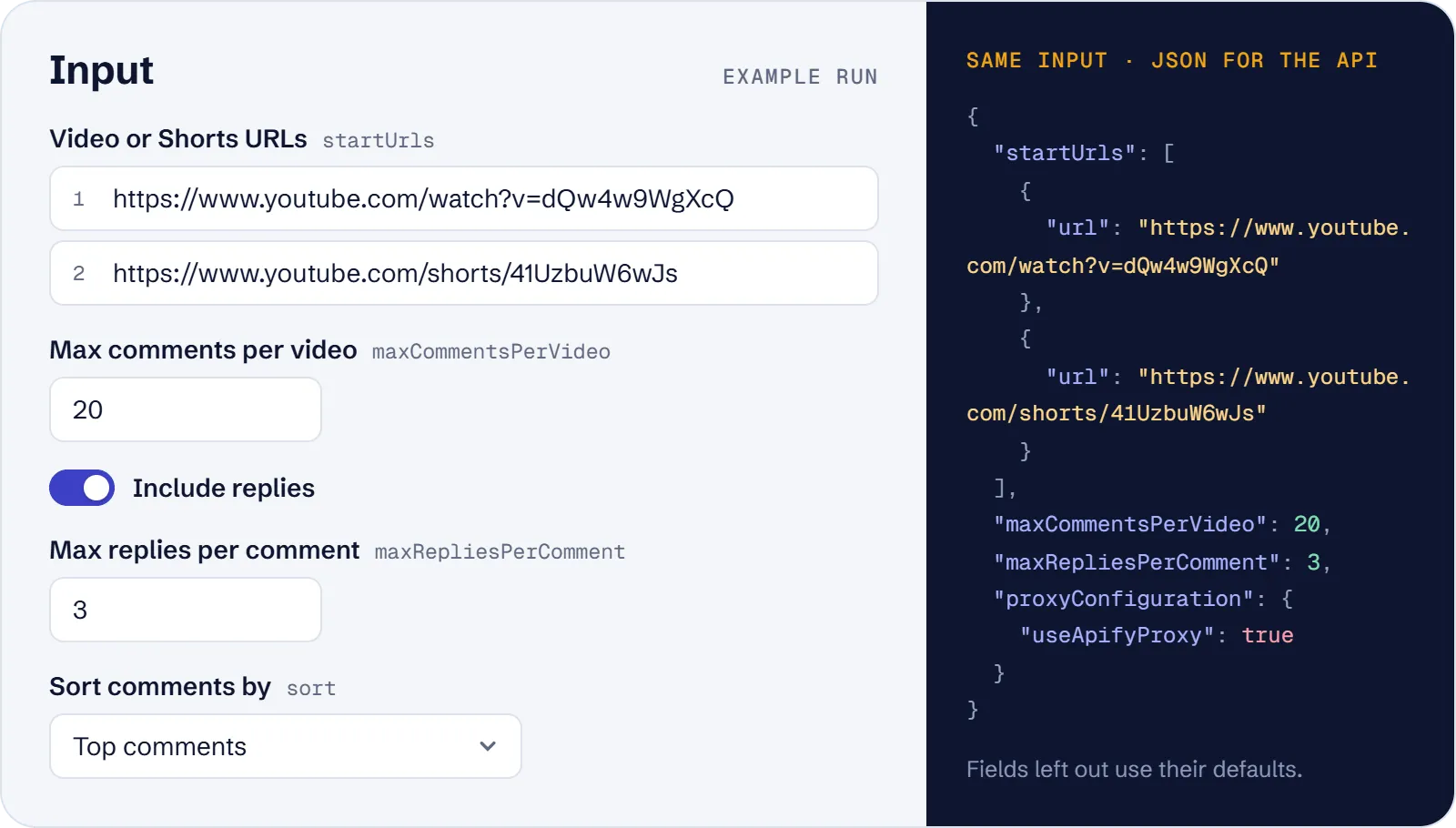
startUrls (required) | Video URLs: watch?v=, youtu.be/, /shorts/, /live/, /embed/, m.youtube.com, or a bare 11-character ID |
maxCommentsPerVideo | Top-level comments per video, default 100, 0 = all |
includeReplies | Also fetch replies, default on |
maxRepliesPerComment | Replies per thread, default 10, 0 = all |
sort | top (default, about 90% of all comments) or newest (reaches every comment; falls back to Top with a warning if YouTube offers no Newest order for a video) |
oldestCommentDate | Skip older rows: 2026-10-01 or a relative age like 7 days. With Newest, paging stops at the first older comment; pinned comments are kept regardless of date |
maxItems | Total row cap for the whole run |
proxyConfiguration | Apify datacenter proxy by default; residential is not needed |
Example input:
What data can you extract from YouTube comments?
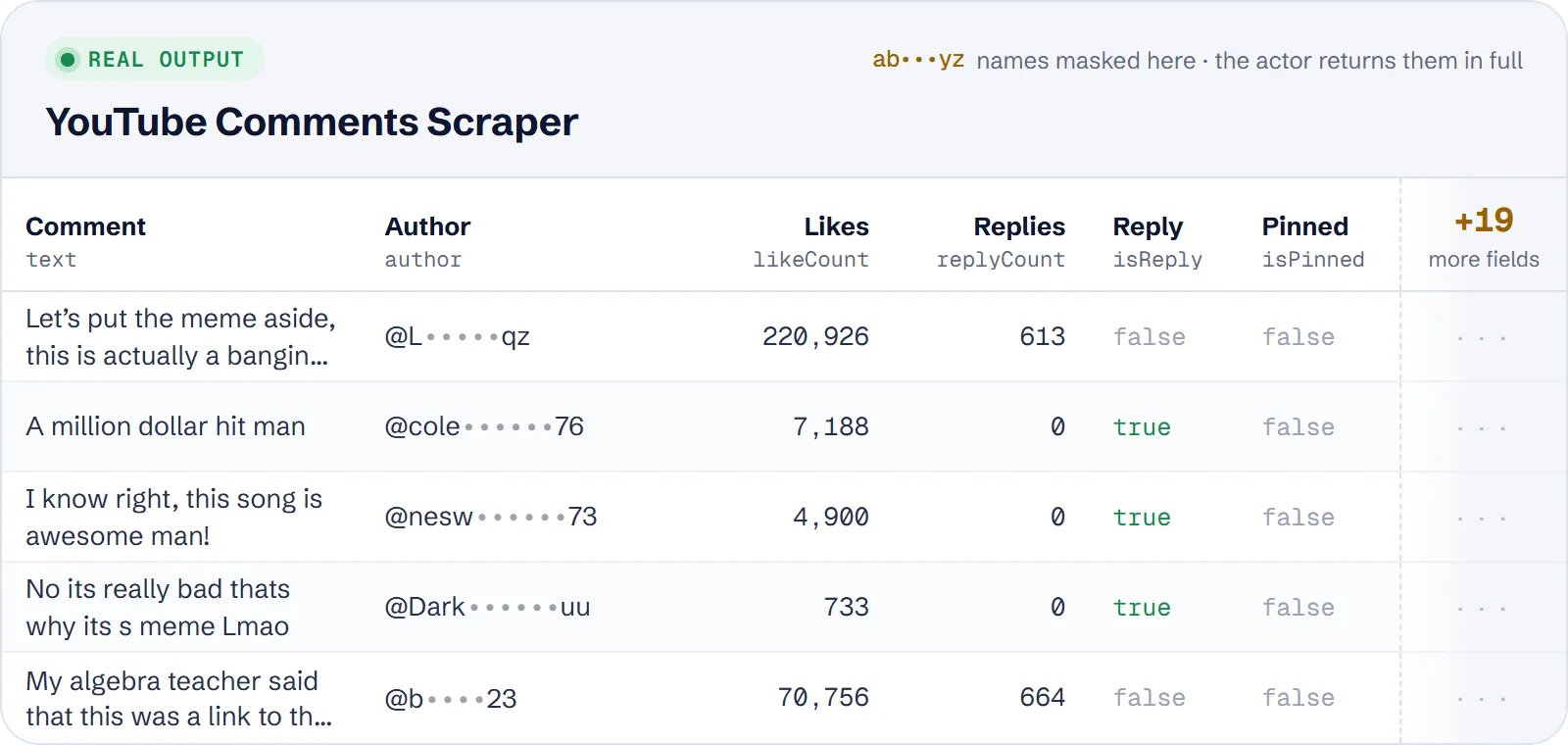
One row is one comment or one reply. Main fields:
| Field | Description |
|---|---|
commentId, parentCommentId, isReply | Identity and thread link (parentCommentId is null for top-level comments) |
text | Comment text in its original language |
likeCount, replyCount | Likes (exact below 1M) and replies of the thread |
isPinned, isHearted, isEdited | Comment flags |
author, authorUrl, authorChannelId, authorAvatarUrl | Author handle, channel link, ID and avatar |
authorIsVerified, authorIsChannelOwner | Verified badge, creator comment or reply |
publishedTimeText, publishedAt | YouTube's relative date and an approximate ISO date |
videoId, videoUrl, videoTitle, channelName, channelId, commentsCount | The video the comment belongs to |
url, scrapedAt | Link to the comment and scrape time |
Example row (shortened):
Use cases
- Sentiment and audience research: collect the top comments of several videos and analyse text and likes.
- Complete export or archive: use
sort: newestwithmaxCommentsPerVideo: 0andmaxRepliesPerComment: 0to export every comment and reply YouTube shows. - Monitoring new comments: schedule a run with
sort: newestandoldestCommentDate: "1 day". - Shorts comments: pass Shorts URLs with
includeReplies: falsefor a fast list of top-level comments. - Moderation and engagement: filter rows by
isPinned,isHearted,authorIsChannelOwnerandlikeCount.
Limitations
- Dates are relative on YouTube ("6 years ago"), so
publishedAtis approximate, precise to the unit only. - Like counts of 1 million and above are rounded (for example 1000000).
- Only video and Shorts URLs are supported. Channel, playlist and search URLs are skipped with a warning when at least one other URL is a video; if none of the URLs is a video or Shorts URL, the run fails with an input error.
- Videos with comments turned off, live streams that are running now, and unavailable videos return no rows; the reason is written to the log and the run continues.
- With Top order YouTube exposes about 90% of all comments. Newest reaches every comment, but if YouTube gives no Newest option for a video, the actor falls back to Top for it and logs a warning.
- With
oldestCommentDate, replies are fetched only for kept top-level comments, so a new reply under an older dropped comment is not returned. With Newest, pinned comments are exempt from the date stop and appear even if older than the cutoff. textcan be empty for media-only comments, and some author or video fields can be null.
Tips and troubleshooting
- For every comment, set
sort: newest,maxCommentsPerVideo: 0andmaxRepliesPerComment: 0. - For only new comments, combine
sort: newestwitholdestCommentDate; with Top order the date only filters rows and does not stop paging early. - A run that fails at once with an input error means none of the URLs is a video or Shorts URL: use
watch?v=,youtu.be/or/shorts/links. - Fewer rows than expected? Check the log: comments turned off, a live stream, or an unavailable video give 0 rows with a reason. Also check
maxItemsand the per-thread reply cap. - Newest order falling back to Top shows as a warning in the log.
- The default datacenter proxy is enough; residential proxy is not needed.
API, MCP and integrations
Run the actor from your code with the same JSON input as in Console. Your API token is in Console → Settings → API & Integrations.
Python (pip install apify-client):
Node.js (npm install apify-client):
HTTP — one request runs the actor and returns the results (runs up to 5 minutes; longer ones: run asynchronously):
AI agents (MCP). Add the actor as a tool of the Apify MCP server. Claude Code:
Claude Desktop, Cursor or VS Code: {"mcpServers": {"apify": {"url": "https://mcp.apify.com?tools=genial_candlestand/youtube-comments-and-replies-scraper"}}}. Then ask, for example:
- "Get the 100 newest comments of youtube.com/watch?v=dQw4w9WgXcQ without replies"
- "Export all comments and replies of https://youtu.be/xYLmZFZOTa8"
- "Get top-level comments from the last 7 days for this YouTube Short"
Integrations. Run it on a schedule with Apify Schedules and send the results to Google Sheets, Slack, Zapier, Make, n8n or your webhook — see Apify integrations.
FAQ
Is it legal to scrape YouTube comments?
The actor reads comments that YouTube shows publicly without login. Comments contain personal data such as handles, so you are responsible for using the data in line with the law (such as GDPR) and YouTube's terms.
Do I need a YouTube API key or login?
No.
How is it different from other YouTube comment scrapers?
It prices one event per row at about $0.36 per 1,000 rows on the Free plan, against $2 per 1,000 for the leading actor on the niche data. It does not need residential proxies, adds an approximate ISO publishedAt date next to the relative text, and exposes the pinned, hearted, edited, verified and channel-owner flags on every row.
Why are some likes rounded?
YouTube shows only rounded numbers from 1 million upward.
Also useful
- Google Play Reviews Scraper — collect app reviews with ratings, dates and developer replies when you also study feedback on apps.
- Apple App Store Reviews API — export public iOS reviews as structured JSON across apps and countries.
- Yelp Business Scraper — gather businesses with ratings, contacts and optional reviews.
- Google Trends Scraper — check interest over time, regions and related queries for a topic.


