
Zillow Property Details Scraper | Zestimate & Price History
Pricing
from $1.47 / 1,000 property details
Zillow Property Details Scraper | Zestimate & Price History
Get Zillow property details by URL, ZPID or US address: price, Zestimate, Rent Zestimate, beds, baths, area, tax history, price history, schools, listing agent, broker and MLS. For sale, sold, off market and rentals, no status setting, no login.
Pricing
from $1.47 / 1,000 property details
Rating
0.0
(0)
Developer

Flowo
Maintained by CommunityActor stats
0
Bookmarked
1
Total users
0
Monthly active users
7 days ago
Last modified
Categories
Features
Share
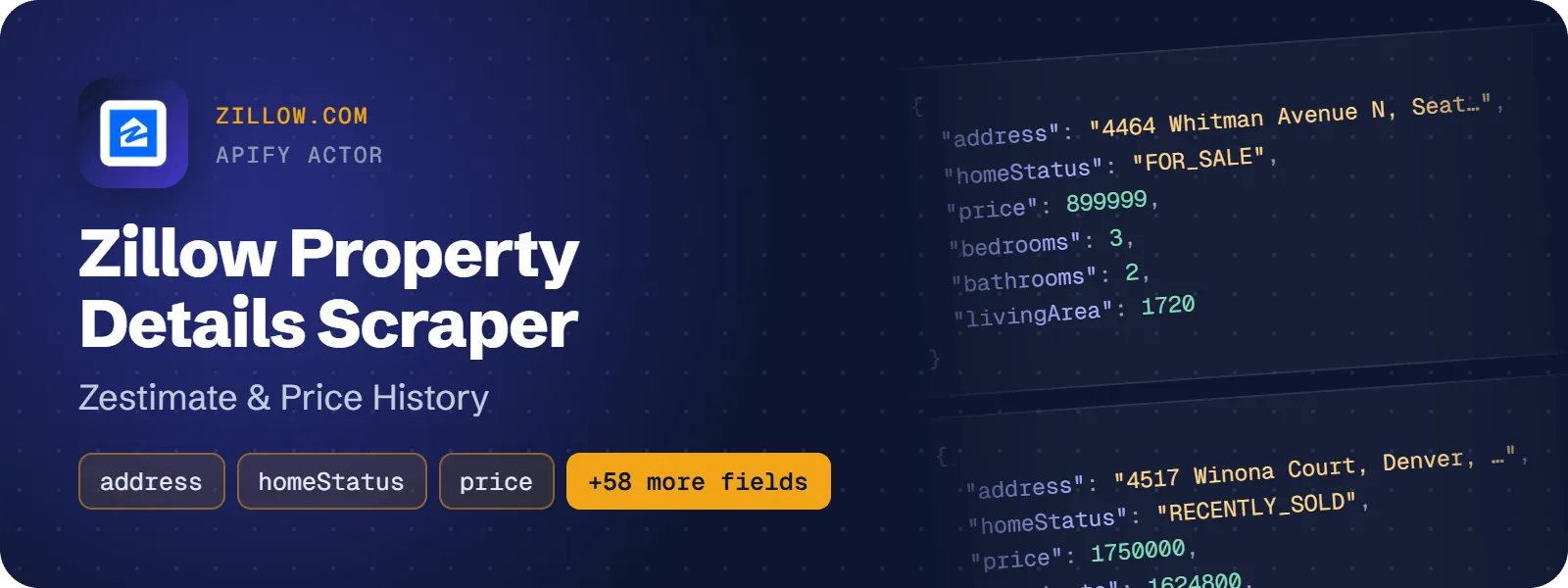
Get one structured row per Zillow property from a zillow.com URL, a ZPID or a US street address: list or sold price, Zestimate and Rent Zestimate, beds, baths, living area and year built, tax assessment and annual tax, the last sale, the listing agent, broker and MLS, photos, plus full price history, tax history and nearby schools. Works for homes for sale, recently sold, off market and for rent, with no status setting and no login.
What does Zillow Property Details Scraper do?
You give it a list of Zillow properties in any mix of URLs, ZPIDs and addresses. It returns one flat row per property with 61 documented fields, including three nested lists (priceHistory, taxHistory, schools). Every field is always present: a value Zillow does not show is null, a missing list is []. It is built for real-estate investors enriching lead lists, agents and brokers who need agent and MLS attribution, data teams refreshing Zestimates on a schedule, and AI agents that need everything about one house from a single address.
How to scrape Zillow property details
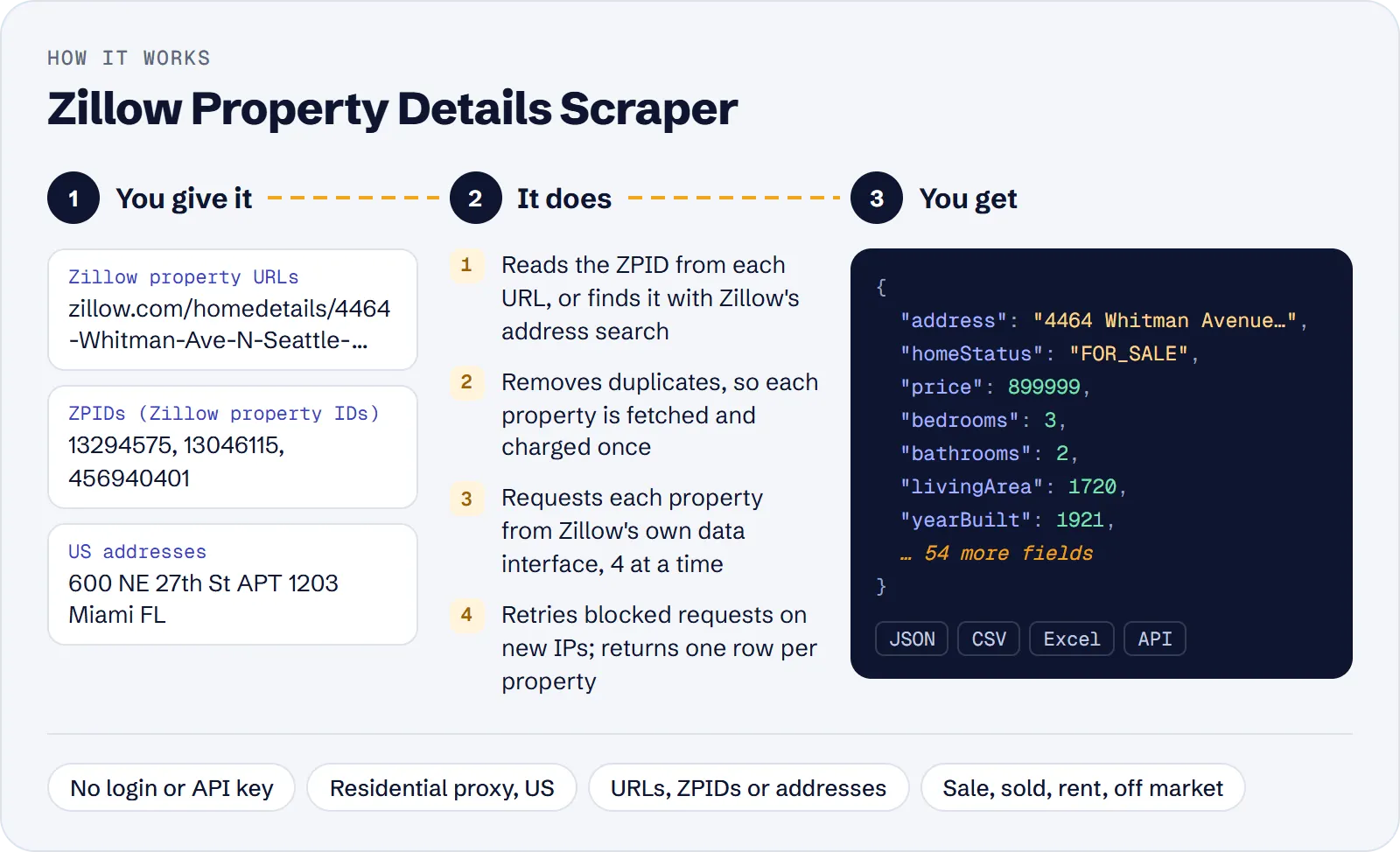
- Open the actor in Apify Console.
- Paste property URLs (any zillow.com link with
<number>_zpid), ZPIDs (digits only) or US addresses into the matching fields. You can fill one, two or all three lists. - Optionally set Max properties to cap the run.
- Keep the default proxy (Apify residential, United States).
- Click Start and download the results as JSON, CSV, Excel or via the API.
How much does it cost to scrape Zillow?
Price per event by Apify plan:
| Event | Free | Bronze | Silver | Gold and above |
|---|---|---|---|---|
| Property details | $2.10 per 1,000 | $1.89 per 1,000 | $1.68 per 1,000 | $1.47 per 1,000 |
| Actor start | $0.00005 | $0.00005 | $0.00005 | $0.00005 |
A test run with the API example input below returned 5 rows in 10 s.
One paid event is one saved property (property, $0.0021 on the Free plan, which is $2.10 per 1,000 properties). A small start fee of $0.00005 is charged once per run. Not charged: addresses with no match, ZPIDs Zillow does not know, duplicates (the same property given twice), skipped building pages and invalid inputs, properties that failed after retries, and anything beyond Max properties.
| Scenario | Paid events | Cost on the Free plan |
|---|---|---|
| The prefilled example (3 properties) | 3 | about $0.0064 |
| 100 leads by address | 100 | about $0.21 |
| 1,000 ZPIDs refreshed weekly (per run) | 1,000 | about $2.10 |
| 10,000 properties | 10,000 | about $21.00 |
Input
| Field | Type | Description |
|---|---|---|
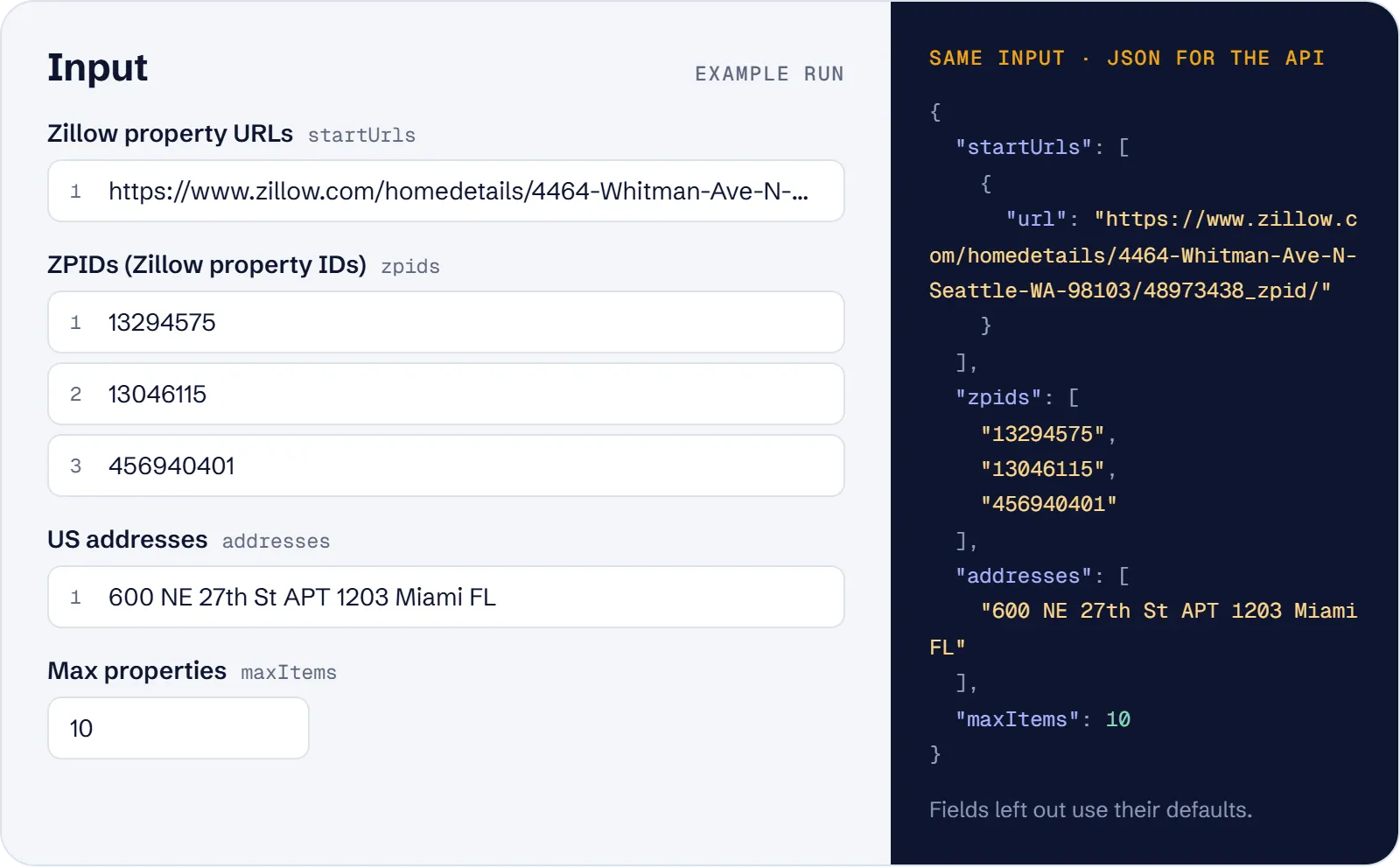
startUrls | array of URLs | zillow.com property pages containing <number>_zpid, e.g. /homedetails/<slug>/<zpid>_zpid/ |
zpids | array of strings | Zillow property IDs, digits only |
addresses | array of strings | US street addresses; the ZIP is optional, include the unit number for condos |
maxItems | integer | Stop after this many saved properties (default 1000) |
proxyConfiguration | proxy | Default: Apify residential proxy, country US |
At least one of startUrls, zpids or addresses is needed. Example:
Inputs are processed in this order: URLs, then ZPIDs, then addresses. The same property given several times is saved and charged once, and query shows the input value that produced the row.
What data can you extract from Zillow?
| Group | Fields |
|---|---|
| Identity | url, query, zpid, homeStatus, homeType, listingType |
| Price and value | price, currency, zestimate, rentZestimate, pricePerSquareFoot, daysOnZillow |
| Address and location | address, streetAddress, city, state, zipcode, county, countyFips, subdivision, latitude, longitude |
| Home facts | bedrooms, bathrooms, livingArea, lotSize, yearBuilt, stories, description, monthlyHoaFee, parkingCapacity, hasGarage, heating, cooling, appliances, flooring, roofType |
| Tax and sale | propertyTaxRate, taxAssessedValue, taxAnnualAmount, parcelId, dateSold, lastSoldPrice |
| Listing agent and MLS | agentName, agentPhone, agentEmail, coAgentName, brokerName, brokerPhone, buyerAgentName, buyerBrokerName, mlsId, mlsName |
| Media | imageUrl, photoCount, photos, virtualTourUrl |
| Histories | priceHistory (date, event, price, source), taxHistory (year, taxPaid, value), schools (name, rating, distance, grades, url) |
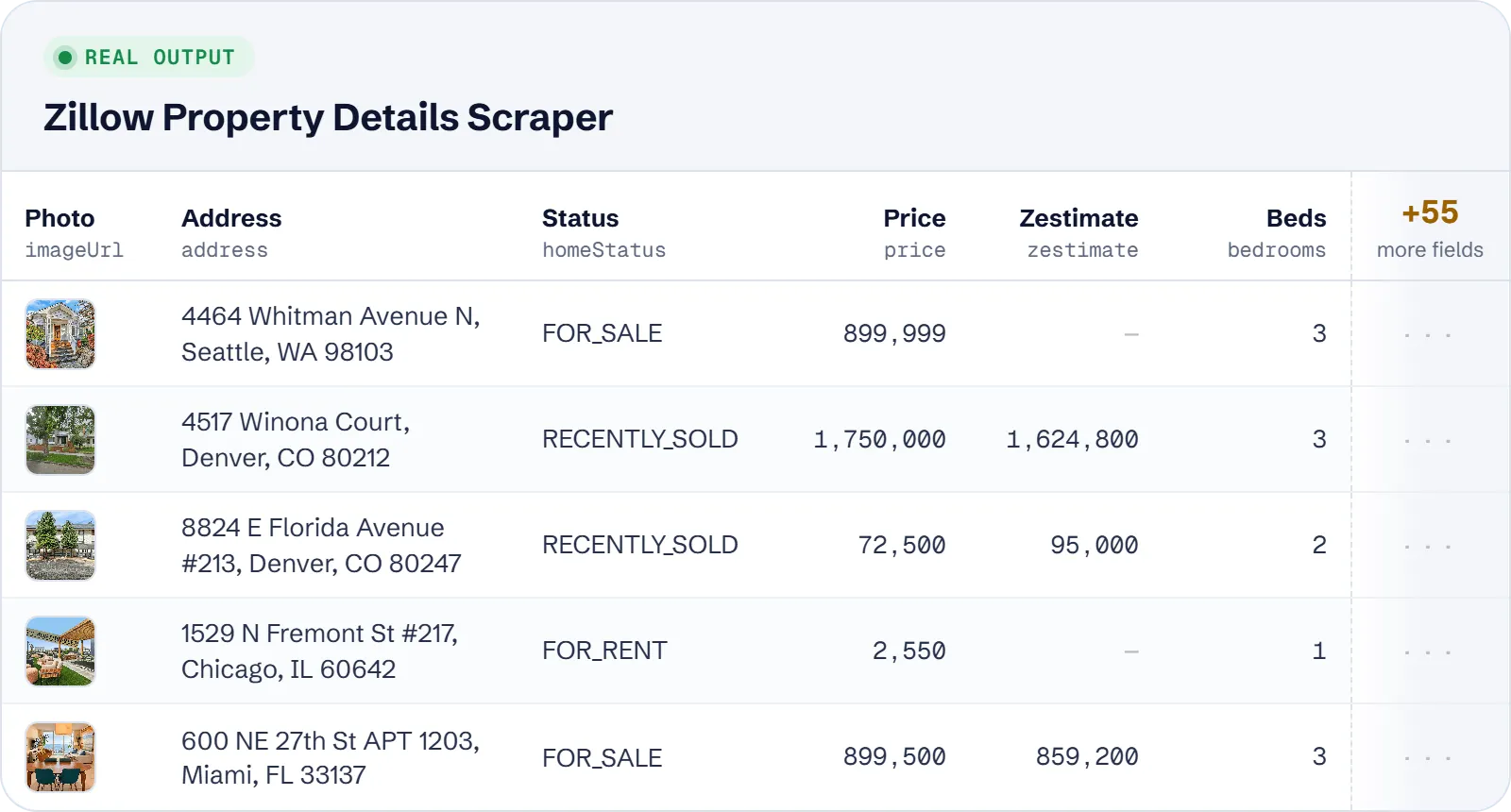
Example row from a real run (shortened lists):
For rentals price is the monthly rent; for recently sold homes it is the sold price.
Use cases
- Enrich a lead list by address: turn a spreadsheet of US addresses into Zestimates, home facts, tax history and the last sale.
- Details for listings found elsewhere: paste Zillow URLs and get the listing agent, phone, broker, MLS number, photos and price history.
- Scheduled value tracking: run a fixed list of ZPIDs on a schedule to follow price, status and Zestimate over time.
- Agent and MLS attribution: collect listing agent, co-agent, buyer agent and brokerage names for market or brokerage analysis.
- AI agent lookups: answer "tell me everything about this house" from one address in one call.
Limitations
- Single properties only. Building and apartment-complex pages (
/apartments/…,/b/…) have no single ZPID and are skipped with a warning; give unit URLs or ZPIDs instead. Search pages and agent profiles are not supported. - US only. Zillow covers US properties; addresses are matched with Zillow's own address search and the first match is used.
- Fields Zillow hides are
null. Zestimate and Rent Zestimate are missing on many active listings and rentals; off-market homes have no agent; rentals have no tax history; agent email, co-agent and buyer-side fields are often empty in the source. - Residential proxy needed. Zillow blocks most datacenter IPs. A property still blocked after retries is skipped with a warning and not charged.
- Reduced fallback rows. If Zillow's data interface changes and the actor has to read the property page instead, those rows have no tax history or schools and may lack agent fields; the log says so.
- No Zestimate history, comparable homes or building unit expansion.
Tips and troubleshooting
- 0 rows from an address? Check the log for "Address not found". Add the city and state, and for condos include the unit number (e.g.
APT 1203). The ZIP code is optional. - A URL was skipped? It must contain
<number>_zpid. Open the property itself on Zillow, not the building or search page, and copy that link. - Mixed inputs are fine. URLs, ZPIDs and addresses can be combined in one run; the same property is saved once.
- Keep the default proxy. With a datacenter proxy or no proxy the run starts with a warning and blocked properties are skipped.
- Test with a small cap. Set Max properties to a few rows first; inputs beyond the cap are not fetched or charged.
API, MCP and integrations
Run the actor from your code with the same JSON input as in Console. Your API token is in Console → Settings → API & Integrations.
Python (pip install apify-client):
Node.js (npm install apify-client):
HTTP — one request runs the actor and returns the results (runs up to 5 minutes; longer ones: run asynchronously):
AI agents (MCP). Add the actor as a tool of the Apify MCP server. Claude Code:
Claude Desktop, Cursor or VS Code: {"mcpServers": {"apify": {"url": "https://mcp.apify.com?tools=genial_candlestand/zillow-property-details-scraper"}}}. Then ask, for example:
- "Get the Zestimate, tax history and last sale of 4517 Winona Ct Denver CO 80212"
- "Who is the listing agent and MLS number for Zillow ZPID 48973438?"
- "Compare price, beds, baths and Zestimate of Zillow ZPIDs 13294575 and 162032197"
Integrations. Run it on a schedule with Apify Schedules and send the results to Google Sheets, Slack, Zapier, Make, n8n or your webhook — see Apify integrations.
FAQ
Do I need to tell the actor whether a home is for sale, sold or for rent?
No. The same request works for every status: for sale, recently sold, off market, for rent, new construction and coming soon.
What happens with addresses or ZPIDs that do not exist?
They are skipped with a warning in the log and are not charged. If no input matches, the run succeeds with 0 rows and a final warning.
Can I get the Zestimate for every property?
Only when Zillow shows it. Zillow hides the Zestimate on many listings; then zestimate is null.
How is it different from other Zillow detail actors?
Every row has the same fixed set of camelCase fields (a missing value is null, never a missing key), agent phone, broker phone, MLS id and name, buyer agent, annual tax and county FIPS are plain columns rather than nested raw objects, there is no status input to set, and one event per saved property costs $2.10 per 1,000 against $3.60 per 1,000 for the most used Zillow detail actor.
Is it legal to scrape Zillow?
The actor reads publicly visible property pages only, without logging in. Listing agent names and contacts are returned as Zillow shows them publicly. You are responsible for how you use the data, including Zillow's terms and privacy laws such as the CCPA and GDPR; consult a lawyer if unsure.
Also useful
- Airbnb Scraper — compare a property's Rent Zestimate with nightly Airbnb listing prices in the same area
- Yelp Business Scraper — check local businesses near a property: details, contacts and reviews
- Google Search Scraper — research an address, owner or brokerage in Google organic results
- Google Trends Scraper — track search interest in cities and neighborhoods by region over time


