


All-in-One Facebook Scraper
Pricing
from $1.35 / 1,000 posts
All-in-One Facebook Scraper
Facebook scraper — 12 modes: pages, posts, events, groups, search, reviews, comments, marketplace, reels & ads. HTTP-only, 256MB, fast. Premium residential proxy (~95% success rate). Up to 50% cheaper than alternatives. MCP-ready for AI agents.
Pricing
from $1.35 / 1,000 posts
Rating
0.0
(0)
Developer

Japi Cricket
Maintained by CommunityActor stats
3
Bookmarked
97
Total users
23
Monthly active users
4 days ago
Last modified
Categories
Share
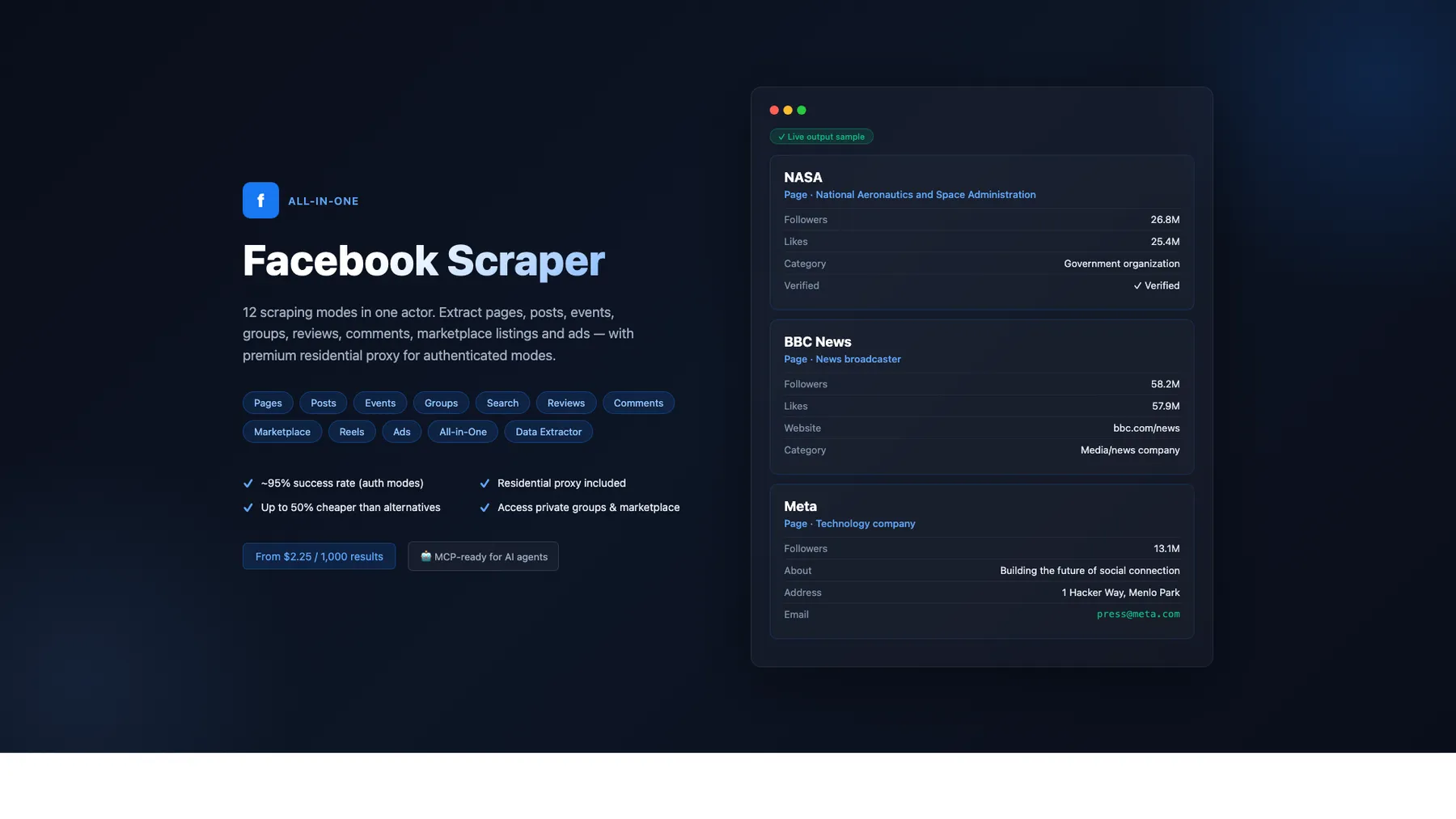
What does All-in-One Facebook Scraper do?
The most complete Facebook scraper and Facebook data extractor on Apify. Extract data from Facebook Pages, Posts, Events, Groups, Marketplace, Reviews, Comments, Search, Reels, and Ads — all in a single actor. No browser needed, zero proxy costs for public modes, runs on just 512 MB of memory.
Use it as a powerful Facebook API alternative to scrape Facebook posts, extract Facebook page data, scrape Facebook Marketplace listings, scrape Facebook Reels, extract Meta Ad Library data, and build lead lists — all without registering for API access or dealing with rate limits.
🚀 Key Features
- 12 scraping modes in one actor — pages, posts, events, groups, search, reviews, comments, marketplace, reels, ads, all-in-one, data extractor
- HTTP-only architecture — no Playwright, no browser overhead, runs on just 512 MB
- Zero proxy costs — pages, posts, and events work without proxies
- Pay per result — only pay for data you actually receive
- Up to 500 results per input — configurable via
resultsPerPage - GraphQL pagination — authenticated modes tap into Facebook's internal API for deep extraction
- Cookie health monitoring built in — pre-flight check aborts in seconds if cookies have expired (no wasted requests, no escalation of Facebook's abuse score). Optional
facebook-monitormode reports cookie validity, age since last successful preflight, and a cookieless probe on a schedule - Per-run cost + margin estimate logged at the end of every run — see your effective margin per result without external dashboards
- Structured JSON output — clean, typed fields ready for spreadsheets, databases, or integrations
- 40% cheaper than competing Facebook scrapers on Apify Store
💰 Pricing
Pay-per-result pricing based on scrape mode. No platform fees beyond Apify compute.
| Mode | What you get | Free | Starter | Scale | Business |
|---|---|---|---|---|---|
| Pages Scraper | Page info, likes, category, verified status | $7.20/1K | $5.40/1K | $4.32/1K | $3.24/1K |
| Posts Scraper | Post text + engagement metrics | $1.80/1K | $1.35/1K | $1.08/1K | $0.81/1K |
| Events Scraper | Event name, date, location, RSVP counts | $7.80/1K | $5.85/1K | $4.68/1K | $3.51/1K |
| Groups Scraper | Group posts with engagement metrics | $3.00/1K | $2.25/1K | $1.80/1K | $1.35/1K |
| Search Scraper | Find pages by keyword | $7.20/1K | $5.40/1K | $4.32/1K | $3.24/1K |
| Reviews Scraper | Page reviews and ratings | $1.50/1K | $1.13/1K | $0.90/1K | $0.68/1K |
| Comments Scraper | Post comments with author info | $1.50/1K | $1.13/1K | $0.90/1K | $0.68/1K |
| Marketplace Scraper | Listings, prices, sellers, location | $3.00/1K | $2.25/1K | $1.80/1K | $1.35/1K |
| Reels Scraper | Reel metadata, captions, duration, owner | $3.00/1K | $2.25/1K | $1.80/1K | $1.35/1K |
| Ads Scraper | Meta Ad Library creatives, dates, platforms | $5.00/1K | $3.75/1K | $3.00/1K | $2.25/1K |
| All-in-One | Combined modes in one run | $3.00/1K | $2.25/1K | $1.80/1K | $1.35/1K |
| Data Extractor | Lightweight all-in-one, cheaper billing | $2.00/1K | $1.50/1K | $1.20/1K | $0.90/1K |
Up to 40% cheaper than competing Facebook scrapers on Apify Store at every pricing tier.
📊 What Data Can You Extract?
📄 Facebook Page Scraper (no login needed)
- 🏷️ Page name, title, and Facebook ID
- 📂 Category (e.g., "Government organization", "Restaurant", "Software")
- 👍 Likes count, followers count (parsed from "X followers" visible text), talking-about count, check-ins
- ✅ Verified status (via the
show_verified_badge_on_profilesignal — matches the blue check you see on the page) - 📍 Location, address, city — populated for pages with a single physical HQ;
nullfor multi-location brands that don't publish an address (Starbucks, McDonald's, etc.) - 📝 About description (with HTML entities decoded — emoji render correctly)
- 🖼️ Profile picture URL and cover photo URL
- 🔗 Ad Library ID and confirmed page owner (via FB's Ad Library disclosure)
- 🌐 Direct page URL
- 💌 Messenger link, email, website, phone — direct contact channels for lead-gen (closes the 4-field gap vs apify-official/facebook-pages-scraper)
- ⭐
ratingPercent(% of users that recommend the page) +ratingCount(number of recommendations) - 📅
foundedDate(year or full date the page was established, when FB exposes it) - 📢
pageAdLibrarysidecar on every item —{ adLibraryPageId, isLiveBusiness, totalActiveAds }— answers "does this page's owner currently run ads?"
📝 Facebook Posts Scraper (login cookies required for full fields)
- 💬 Full post text content
- ❤️ Reaction counts per type (Like, Love, Haha, Wow, Sad, Angry) + total
- 💬 Comment count, share count
- 🕐 Publish timestamp
- 📸 Media array (photos/videos with URLs)
- 🆔 Feedback ID, Story ID, Post ID
- 💭 Top comments with author name, text, created time, and likes count — pulled from the post permalink via the
unified_reactorskey - 📄 Source page name and URL
Permalink-enrichment scope — the per-permalink fields (
topComments,viewsCounton video posts,commentCount, media-fallback) are populated for the first 5 posts per page (the newest, highest-value tier). Posts beyond that come back with feed-level fields only (text, reactions per type, shares, time, postId, url). This bound is intentional — uncapped enrichment burns 1-2 MB Evomi per post and rarely changes the dataset's value. IncreaseresultsPerPageto scale total post volume; the first-5 enrichment cap stays.
📅 Facebook Events Scraper (no login needed)
- 🎪 Event ID, name, and full description
- 📆 Start/end timestamps + human-readable
dayTimeSentence - 👤 Event organizer name
- 🌐 Online / in-person flag
- 📍 Venue name and city
- 👥 usersResponded (combined going + interested count — Facebook merged these in 2026)
- 🎟️ Ticket URL — note: Facebook stopped populating
event_buy_ticket_urleven for ticketed events, so this field is now almost alwaysnull - ⚠️
goingCount/interestedCount— partially populated. Facebook removed these keys from most listing-page responses in 2026, but a subset of events still surface them (best-effort). For a reliable combined count useusersResponded(going + interested).
👥 Facebook Group Scraper (requires login cookies)
- 📌 Group title and URL
- 👤 Author name and author ID
- 💬 Full post text
- 🔗 Direct post URL
- ❤️ Reactions, comments, shares
- 🕐 Publish timestamp
- 🆔 Post ID
- 💭 Top comments array
- ℹ️ Works on open/public groups. Closed/members-only groups return 0 posts (expected behavior — the authenticated account must be a member to see posts).
🔎 Facebook Search Scraper (requires login cookies)
- 🏷️ Page name, category, about text
- 👍 Likes and followers count
- 📍 Location
- 🖼️ Profile picture URL
- 🔗 Direct page URL
Memory note: The Search scraper auto-adapts to the available container memory. At the default 512 MB, basic fields (page name, URL, profile picture, verified status) and enriched fields (
category,about,location) are returned for the full result set. Bump to 1024 MB if you pushresultsPerPageto very large values and see memory pressure in the logs.
Search quality upgrade (2026-04-24): the enrichment step now routes
profile.php?id=Xmicro-pages through the anonymous session pool. Facebook serves those small profile pages as a stripped shell to authenticated sessions, but returns the full OG+meta HTML anonymously — socategory,about,followersCount, andlocationnow populate correctly on genericprofile.phpURLs (e.g. tiny coffee shops, single-person pages) where they previously came back null.
⭐ Facebook Reviews Scraper (requires login cookies)
- 👤 Reviewer name
- 👍 Recommended (yes / no)
- 💬 Full review text (links reviewer ↔ body via a 30K-char context window; handles names with middle initials like "Dock J. Perry" and multi-locale action verbs —
recommends,raadt,recomienda,empfiehlt,recommande) - 📊 Overall rating percentage and total rating count (returned as a separate
review-summaryitem) - ℹ️ Works best on pages that actually have review bodies. Many pages only collect recommend / don't-recommend clicks without written reviews — in that case the parser returns reviewerName + isRecommended only.
- ℹ️ Pages without reviews enabled (some brand pages return
404on both/reviewsand/ratingspaths) are recognized as data-absent and return[]cleanly with no retry. No bandwidth wasted on disabled-review pages.
💬 Facebook Comments Scraper (requires login cookies)
- 💬 Full comment text + author name
- 👤 Commenter profile (Tier-1 #3 — 2026-06-04):
profileId,profileUrl,profilePicture— lead-gen + manual outreach - 🔗
commentUrl— direct link to the specific comment (sharing + re-fetching) - 📐
threadingDepth— numeric nesting level (0=top-level, 1=reply, 2=reply-to-reply) - 🕐 Created timestamp
- 🆔 Comment ID (base64) + source Post ID (decoded from base64 — 100% reliable)
- 🔁 Nested replies — opt-in via
includeNestedComments=true(FB-side: only fully visible under "All comments" ordering) - 🏷️ Parent comment ID on replies (for reply-tree reconstruction)
- 👍 Likes count — opt-in: set
enrichCommentLikes: truein input. When enabled, the scraper fetches each parent post's permalink to backfilllikesCount. Default off because each permalink is ~1.2 MB of bandwidth and Facebook only server-renders reaction counts for the post's top-N visible comments — meaning even with enrichment ON, ~50% of feed comments come back null forlikesCount. Disable saves ~50% of Comments-mode bandwidth and lifts the run's gross margin substantially. - 📄 Page name and page URL
🛒 Facebook Marketplace Scraper (works best with cookies)
- 🏷️ Listing title, price, and listing URL (feed-level fields — returned for every listing)
- 💲 Price string + numeric amount + currency code (e.g.,
USD) — each listing's price corresponds to its own title (per-listing forward-bounded parser window guarantees no off-by-one pairing drift) - 📍 Location (city/region as shown on the listing)
- 🆔 Listing ID and category ID
- 🖼️ Listing images (array with URL + type)
- 🔗 Direct listing URL
- 📝 Listing description (full body text) — populated via per-listing detail-page enrichment for ~90%+ of listings per query
- 📦 Item condition — mapped to human-readable strings:
"New","Used - Like New","Used - Good","Used - Fair","Refurbished"(detail-page enrichment) - 👤 Seller name + seller ID — detail-page enrichment
- 🚦 Listing status flags —
isLive/isSold/isPending/isHiddenfor inventory tracking + sold-history analytics - 💸 Strikethrough (was) price — original pre-discount price when the seller cut the listing (price-history analytics)
- 📊 Price range brackets —
minListingPrice/maxListingPricewhen FB exposes a range (price-range queries) - 🚚 Delivery types — array of delivery options (e.g.
["LOCAL_PICKUP", "SHIPPING"]) for logistics filtering - ℹ️ Detail-page enrichment runs serially with a humanDelay between fetches (real-shopper cadence) and reliably populates
listingDescription,condition,currency,sellerName, andsellerIdon ~90%+ of listings per query. Listings beyond the per-query enrichment cap return feed-level fields only (title, price, listingUrl, location, category).
🎬 Facebook Reels Scraper (requires login cookies)
- 🎥 Reel URL and shareable link
- 📝 Caption / text
- ⏱️ Duration (milliseconds)
- 📅 Publish time
- 🖼️ Thumbnail URL
- 👤 Owner name and ID
- 🆔 Reel ID
- ❤️ reactionCount (via
unified_reactors, 100% populated when the reel has engagement), commentCount, shareCount - ℹ️
viewsCountis alwaysnull— Facebook does not server-render reel view counts in HTML, even for logged-in accounts (verified 2026-04). There is no workaround without using a headless browser.
📢 Facebook Ads Scraper (requires login cookies, or a Meta Graph API token for transparency fields)
- 🆔 Ad archive ID and page ID
- 🏢 Page name
- 📝 Ad creative body and title
- 🔗 CTA text and destination link URL
- 🖼️ Ad images and video URLs
- 📅 Start and end dates
- 📊 Active/inactive status
- 📱 Publisher platforms (Facebook, Instagram, Threads, etc.)
- 🌍 Country targeting
Transparency fields (Graph API path — political / issue / social ads only):
- 💸
spendRange+spendCurrency+ numericspendLowerBound/spendUpperBound— estimated total spend bucket with currency (USD/EUR/GBP/…). Required by Meta's political ad disclosure rules; null for general business ads. - 👁️
impressionsRange+ numericimpressionsLowerBound/impressionsUpperBound— estimated total impressions bucket. - 🎯
targetAges,targetGender,targetLocations— the audience the advertiser configured for the ad. - 📍
deliveryByRegion—[{region, percentage}]showing where the ad actually delivered, useful for geographic analysis of political/issue ad reach. - 📊
demographicDistribution—[{age, gender, percentage}]breakdown of who actually saw the ad. - 👥
estimatedAudienceSize— range string for the targetable-audience size. - 🇪🇺
euTotalReach— total reach in the EU, required by the Digital Services Act. - ✍️
bylines+languages— "paid for by" disclosures and ad-creative language codes.
To unlock the transparency dataset, pass a facebookAppToken in input (Meta Graph API access token with ads_read permission — get one at developers.facebook.com/tools/explorer/). Cookie-based scraping returns the creative+meta fields above; the Graph API path returns those plus the full transparency set.
🏁 How to Use the Facebook Scraper
Step 1: Create an Apify account
Sign up at apify.com — free tier includes $5 in monthly credits.
Step 2: Open the actor
Go to the All-in-One Facebook Scraper on Apify Store and click Try for free.
Step 3: Configure your input
- Choose a scrape mode — select from Pages, Posts, Events, Groups, Search, Reviews, Comments, Marketplace, Reels, or Ads
- Add your targets — enter Facebook page names (e.g.,
NASA), full URLs (e.g.,https://facebook.com/cern), group URLs, or search keywords - Set limits — adjust
resultsPerPage(default: 50, max: 500) - Add login cookies (optional) — required for Groups, Search, Reviews, and Comments modes
Step 4: Run and download results
Click Start and wait for results. Export as JSON, CSV, Excel, or connect to your workflow via API.
🍪 Cookies — Bring Your Own
Important: this actor does NOT include any Facebook cookies for customer runs. When a mode requires authentication, you must paste your own c_user and xs cookies into the loginCookies input field. There is no shared cookie pool, no built-in fallback, and no operator-side cookie injection — every authenticated run uses the cookies you provide, attributing the activity to your Facebook account.
Why this matters:
- Privacy — your scraping activity stays attributed to your own FB account, not someone else's
- Trust — fits Facebook's ToS (the actor cannot run as someone else's identity)
- Quota / rate-limits — your account's anti-bot exposure stays on your account; not pooled with other customers
- Cookie expiry — when your cookies expire, you refresh them; you're not waiting for someone else to update a shared pool
If loginCookies is empty for a mode that requires it (groups, search, reviews, comments, reels, ads), the run errors out immediately with a clear message — by design, to protect both your time and your spend.
How to obtain your cookies
- Open facebook.com in Chrome and log in
- Press
F12(Windows) orCmd+Option+I(Mac) to open Developer Tools - Go to Application > Cookies >
https://www.facebook.com - Copy the values of
c_userandxs - Paste into the
loginCookiesfield as:c_user=XXXXX; xs=XXXXX
Using multiple cookie sets (recommended for high-volume runs): Enter one account's cookies per line. The scraper will rotate through them automatically if a session gets blocked, extending how long you can scrape before needing fresh cookies:
Cookie expiry: Facebook's
xstoken rotates every few hours of active use, and the scraper does not persist cookies between runs (the actor treats each run's input as the single source of truth, no background cache). If a run fails with "cookies are invalid" or "login redirect detected," open Facebook in Chrome again, re-extractc_userandxsvia DevTools → Application → Cookies, and repaste them into theloginCookiesfield. The cookie pre-flight check catches this up-front, aborts in seconds, and produces a clear error instead of silently burning requests.
| Mode | Login Cookies Required? | Proxy Required? |
|---|---|---|
| Pages Scraper | No — cookies suppress likes/follower counts (Facebook serves feed view instead of public page) | Only for brand pages (Apple, Google, SpaceX…) |
| Posts Scraper | Recommended (enables pagination + full fields) | Only for brand pages |
| Events Scraper | No | No |
| Groups Scraper | Yes | Recommended |
| Search Scraper | Yes | Recommended |
| Reviews Scraper | Yes | Optional |
| Comments Scraper | Yes | Optional |
| Marketplace Scraper | No (but improves results) | Optional |
| Reels Scraper | Yes | Optional |
| Ads Scraper | Yes | No |
Brand page proxy: Set
proxyTier: "residential"(residential proxy included) orproxyTier: "custom"with your own proxy URL +forceProxy: true.
🧭 Human-Like Behavior & Responsible Use
This scraper is engineered to behave like a real browser, not an automation script. Out of the box it:
- Paces requests with randomized, human-like delays between fetches — the delay distribution matches natural reading cadence rather than a fixed interval, so Facebook's anti-abuse models don't see a metronome.
- Applies a session warm-up curve — the first few requests of any new session wait longer than subsequent ones, matching "opened a fresh tab, still reading the first thing before clicking around".
- Occasionally takes longer "think pauses" to break up traffic rhythms the way a real person does when they stop to read a post or check a notification.
- Serializes per-item enrichment (e.g., loading post permalinks or marketplace detail pages one at a time) instead of firing parallel bursts — real browsers physically cannot issue multiple requests on the same millisecond, and doing so is a loud bot fingerprint.
- Keeps browser fingerprints consistent per session — User-Agent, platform hint, and client-hint headers are paired and pinned for the lifetime of a session, the way a real browser sends them. Mixing (e.g. a Windows User-Agent with a macOS platform hint) is an instant giveaway and this scraper never does it.
- Sends a canonical set of navigation headers —
Referer,Sec-Fetch-*, cookie consent,locale=en_US, andUpgrade-Insecure-Requestsall match a logged-in Chrome tab on macOS/Windows/Linux. - Rotates sessions frequently so Facebook sees a series of short-lived browser tabs rather than one very long-running one.
- Ships a built-in circuit breaker: at the first sign of throttling (HTTP 429) or a checkpoint challenge, the entire run aborts so the scraper doesn't keep hammering an already-flagged cookie or IP. Retrying after a soft block is one of the biggest contributors to hard suspensions.
- Proactively checks cookie health before any scraping starts. If the cookies are expired or gated, the run aborts in seconds with a clear message — no wasted requests, no escalation of Meta's abuse score against the account.
- Cookies are env-var or input-only — never persisted between runs. Each run reads the cookies from input or actor environment variables and treats them as the single source of truth. If your
xstoken rotates mid-run the scraper picks it up in-memory for the rest of that run, but never writes it back to any shared cache. This means refreshing your cookies in the input takes effect immediately on the next run without needing to invalidate any cache. - Enforces optional per-cookie daily + hourly request ceilings (
maxDailyRequestsPerCookie,maxHourlyRequestsPerCookie). The run's estimated footprint is checked against the cookie's running counters before any request fires; if the estimate would push the counter past the ceiling, the run aborts immediately. Prevents a misconfigured cron or test runner from burning through an account's headroom.
Safety profiles (safetyProfile input)
Instead of tuning delays and session rotation knobs individually, pick a profile that sets them as a coherent bundle:
| Profile | When to use | Character |
|---|---|---|
aggressive | Research accounts you can afford to lose, when speed matters more than safety | Fastest; shorter delays, longer sessions, minimal warm-up |
balanced | Everyday scraping on a healthy research/secondary account | Human-like cadence, moderate warm-up, occasional long pauses |
safe (default) | Recently-warned accounts, institutional/brand targets, or any workload where stealth beats throughput. Default profile — prioritises anti-bot resilience over throughput. | Slower delays, shorter sessions, stronger warm-up, more long pauses |
first-scrape | Brand-new cookie/IP pair, or immediately after a Facebook suspension is lifted | Ultra-slow onboarding; first requests wait minutes, sessions rotate after very few requests |
Tips to scrape responsibly
-
Never scrape with your primary personal Facebook account. Create a dedicated research account and use its cookies. Facebook's anti-abuse models weigh behavioral shifts against a profile's long-term history — a light-history secondary account is dramatically safer than your main one, which has years of organic behavior that a scraping workload will visibly diverge from.
-
Keep batches small at first. Start with 10–25 results per run. Requesting 500 results from one page is much safer than fanning out 25 results × 20 pages in parallel — the first looks like a user reading a timeline, the second looks like a crawler.
-
Space your runs out. Back-to-back runs hitting the same cookie across many different pages in a short window is the single strongest trigger for restrictions. Let runs breathe — if you need continuous data, schedule runs 30–60 minutes apart rather than every minute, and vary the targets between runs.
-
Set per-cookie ceilings on any scheduled or automated workload. A reasonable starting point for a dedicated research account:
{"maxDailyRequestsPerCookie": 500,"maxHourlyRequestsPerCookie": 100}Drop both values by ~60% if you must use your main account.
-
Rotate cookies by pasting multiple cookie lines into
loginCookies. The scraper swaps between them automatically on a session block, extending how long each account stays healthy.c_user=REDACTED_FB_COOKIEc_user=REDACTED_FB_COOKIE -
Use the residential proxy tier (
proxyTier: "residential") when scraping high-profile brand, institutional, or university pages. Datacenter IPs trip WAF rules more aggressively on those than on smaller pages. The residential proxy is included in the per-result price. -
Escalate the
safetyProfilewhen something feels off. Go frombalanced→safeafter any "Circuit breaker tripped" or "Cookie preflight FAILED" message. If you have recently had a Facebook warning or suspension, usefirst-scrapefor the first few runs after the account is cleared. -
If a run aborts with "Circuit breaker tripped", wait 30–60 minutes before retrying — or swap in fresh cookies. Retrying immediately trains Facebook's anti-abuse model that the cookie is automated and escalates a soft block into a hard suspension.
-
Keep scraping topics aligned with the account's normal browsing when you can. An account whose organic activity is in Dutch about local businesses will look suspicious suddenly scraping dozens of American universities in ten minutes. For scraping work that will diverge sharply from a real person's interests, use a purpose-built account with minimal history.
-
Prefer single-mode runs for sensitive workloads. The all-in-one
facebook-scrapermode is convenient but hits many endpoints from the same session in quick succession. For safety-sensitive workloads — or after any prior warnings on the account — run per-mode scrapes one at a time.
Safe starting configurations
Everyday use — a research account in good standing:
Stealth / recently-warned account — slow down and cap hard:
First run on a fresh cookie or post-suspension recovery — crawl-speed, tight ceilings:
Start small, confirm the results look right, then gradually scale up resultsPerPage and the ceilings. You can also lean on the optional requestDelay input (milliseconds between requests) as an extra throttle on top of the safety profile — set it to 3000 or higher when stealth matters more than speed.
📥 Input Examples
Scrape Facebook Pages
Scrape Facebook Posts
Scrape Facebook Events
Scrape Facebook Groups
Search Facebook Pages by Keyword
Runs on 512 MB by default — enriched fields (
category,about,location) are populated for the full result set. Increase to 1024 MB only if you pushresultsPerPageto large values and see memory pressure in the logs.
Scrape Facebook Reviews
Scrape Facebook Comments
Scrape Facebook Marketplace
All-in-One Mode (everything at once)
📤 Output Examples
Facebook Page Result
Notes: NASA has no single physical HQ shown on its page → address/city/location are null (this is correct — multi-location brands never show an address). Facebook strips isBusinessPageActive to false for all pages from public HTML, so the scraper returns null rather than a misleading false. For a single-HQ page (e.g. L.L.Bean) these location fields do populate.
Facebook Post Result
Facebook Event Result
Notes: Facebook partially deprecated goingCount / interestedCount in 2026. A subset of events still surface them (as in this example), but most listing-page responses only expose the combined usersResponded count — treat the separate counts as best-effort and usersResponded as the reliable key. ticketUrl is null for this event because event_buy_ticket_url is now stripped from FB HTML even for ticketed events.
Facebook Group Post Result
Facebook Review Result
Facebook Marketplace Listing Result
Notes: status flags (isLive/isSold/isPending/isHidden) let you filter inventory queries to active listings only or build sold-history analytics. strikethroughPrice populates when the seller discounted — useful for price-history tracking. minListingPrice/maxListingPrice populate when Facebook exposes a range bracket. deliveryTypes is an array of delivery options the seller supports.
Facebook Reel Result
Notes: viewsCount is always null on Reels — Facebook does not server-render view counts in reel HTML for any account (verified via Chrome DevTools, 2026-04).
Facebook Comment Result
Notes: postId is decoded from the comment ID (base64 of comment:{postId}_{commentId}) — 100% reliable. likesCount is null by default — set enrichCommentLikes: true in input to fetch each parent post's permalink and backfill the count. With enrichment ON, likesCount populates for comments that appear in the permalink's top-N visible comments; lower-ranked feed comments still come back null because Facebook only server-renders reaction counts for the top tier. The opt-in saves ~50% of Comments-mode bandwidth when off.
Commenter-profile fields (profileId/profileUrl/profilePicture) are populated from Facebook's author block — useful for lead-gen and manual outreach workflows. commentUrl is the direct link to that specific comment (useful for sharing, re-fetching, per-comment analytics). threadingDepth is the numeric nesting level (0 = top-level, 1 = reply, 2 = reply-to-reply). For full reply trees, opt in via includeNestedComments: true — each top-level comment then carries a replies[] array with the same shape, and each reply has its parentCommentId pointing to its parent. FB-side restriction: nested replies are only fully visible when comment-ordering is "All comments"; under "Most relevant" or "Newest" the replies array is silently empty.
🌐 Proxy Options — Scraping Brand Pages (Apple, Google, SpaceX)
Facebook blocks Apify's datacenter IPs on high-profile brand pages. When you see "Checkpoint triggered" in the logs, your cookies are fine — the IP is the problem. Two options:
Option A — Built-in residential proxy
No proxy account needed. Just flip one switch and the actor routes through a pre-configured residential proxy. Residential proxy is included.
How to configure:
That's it. All modes automatically route through residential IPs.
Option B — Bring your own residential proxy
Already have a residential proxy subscription? Paste the URL into the actor:
- Get a residential proxy URL from your provider (format:
http://user:pass@proxy.host:port) - In actor input, set Proxy Tier →
Bring your own - Paste the URL into the Custom Proxy URL field
- Enable Force Proxy on All Modes →
true
Note: Apify's default "Proxy Configuration" editor has been removed from this actor. Apify Residential Proxy is not supported (its pricing makes the actor's unit economics impossible). Use either the built-in residential tier (
proxyTier: "residential") or your own URL viacustomProxyUrl.
When do you need proxy?
| Page type | Example | Needs proxy? |
|---|---|---|
| Normal pages | NASA, CERN, BBC Earth | ❌ No |
| Brand pages | Apple, Google, SpaceX, Amazon, Microsoft | ✅ Yes — residential |
| Authenticated modes | Groups, Search, Reviews, Comments | ✅ Recommended |
❓ Frequently Asked Questions
Do I need login cookies?
Login cookies (c_user + xs) are required for Groups, Search, Reviews, Comments, Reels, and Ads modes. They are recommended for Posts mode (enables GraphQL pagination and full reaction breakdown). Do not use cookies for Pages mode — when cookies are present, Facebook serves the authenticated feed view which omits og:description, likes count, and follower count entirely. The Events scraper works without cookies. The Marketplace scraper works without cookies but returns more results with them.
What's the difference between modes?
Each mode targets a specific type of Facebook data:
| Mode | Best for |
|---|---|
| Pages | Getting page metadata — likes, followers, category, about text |
| Posts | Extracting post content with engagement metrics |
| Events | Finding events from pages or by keyword search |
| Groups | Reading group discussions and member posts |
| Search | Discovering pages by keyword (lead generation) |
| Reviews | Collecting customer feedback and ratings |
| Comments | Analyzing post engagement and audience sentiment |
| Marketplace | Monitoring product listings and pricing |
| Reels | Extracting reel metadata, captions, duration, and engagement |
| Ads | Browsing Meta Ad Library creatives and ad details |
| All-in-One | Running multiple modes in a single run |
| Data Extractor | Same as All-in-One with cheaper per-result billing |
How many results can I get?
Up to 500 results per input (per page, group, or search query). Set the resultsPerPage parameter to control this. There is no hard cap on total results — simply add more inputs to scale. For example, 10 pages x 500 posts each = 5,000 posts in one run.
Can I use the API?
Yes. Every Apify actor has a full REST API. You can trigger runs, pass input, and fetch results programmatically:
See the Apify API documentation for Python, Node.js, and other client libraries.
Is it legal to scrape Facebook?
This Facebook scraper accesses only publicly available data that anyone can view without logging in (for unauthenticated modes). Authenticated modes access data visible to logged-in users. Always ensure your use case complies with applicable laws and regulations. Apify provides the infrastructure; you are responsible for how you use the extracted data. Read more about web scraping legality.
Can I integrate with Make, Zapier, or Google Sheets?
Yes. Apify has native integrations with popular automation tools:
- Make (Integromat) — trigger scraping runs and process Facebook data in Make scenarios
- Zapier — connect Facebook data to 5,000+ apps
- Google Sheets — export results directly to a spreadsheet
- Slack — get notifications when scraping completes
- Airbyte — sync data to your warehouse
- Webhooks — send results to any HTTP endpoint in real time
Does it work with MCP (Model Context Protocol)?
Yes. This actor is fully compatible with the Apify MCP Server. Connect it to AI agents and LLM workflows so tools like Claude, ChatGPT, and custom AI assistants can trigger Facebook scraping runs, process results, and incorporate Facebook data into their responses.
Why is this scraper HTTP-only? Can it handle dynamic content?
Facebook serves most public data in server-rendered HTML and via internal GraphQL endpoints. This scraper parses both — no headless browser needed. This means:
- Faster execution — no browser startup or page rendering delays
- Lower memory — runs on 512 MB vs. 1-4 GB for browser-based scrapers
- Lower cost — no compute overhead from Playwright or Puppeteer
- Zero proxy costs — most modes don't need proxies at all
Which fields are always null and why?
Facebook doesn't expose every field in HTML. The scraper follows a strict null-honesty policy: a field is null only when FB genuinely doesn't carry the data. Ground-truth verified by inspecting FB HTML in a logged-in Chrome session.
| Field | Mode(s) | Reason |
|---|---|---|
viewsCount | Reels | Reel page HTML has zero occurrences of video_view_count / play_count / view_count — FB doesn't show view counts for reels |
goingCount, interestedCount | Events | Partially populated. Facebook removed the separate keys from most listing-page responses in 2026, but a subset of events still surface them. Combined usersResponded (going + interested) is the reliable key. |
ticketUrl | Events | Even ticketed concerts have "event_buy_ticket_url":null — FB stopped populating this key |
address, city, location | Pages, Search | Multi-location brands (Starbucks, McDonald's, Walmart…) don't have a single address on FB. Single-HQ pages (L.L.Bean, Zappos, Harley-Davidson) do populate these fields |
isBusinessPageActive | Pages | FB strips this to false for every page in public HTML. Returned as null instead of a misleading false |
checkinsCount | Pages | Only pages with physical check-in locations have this count |
likesCount on Comments | Comments | null by default — opt in via enrichCommentLikes: true to backfill the count for top-N visible comments. Lower-ranked feed comments still come back null even with enrichment on (FB only server-renders reactions for the permalink's top tier). |
likesCount on topComments[] | Posts | FB only server-renders reaction counts for the permalink's top-N visible comments |
comments, topComments | Posts | Empty when a post has zero user comments (content-dependent, not a parser issue) |
viewsCount on non-video posts | Posts | Only video posts expose a view count |
What if a mode isn't returning data?
Check the run logs for specific error messages. Common issues include:
- Login cookies expired — re-extract
c_userandxsfrom your browser and paste them into theloginCookiesfield. When the preflight retries (with Evomi session rotation) all fail, the actor callsActor.fail()and the run is marked FAILED on the Apify Console with a clear status message asking you to refresh the cookies. Billing is unaffected — no per-result events are charged. - Cool-off active — if the actor detects a recent Facebook anti-automation warning on the operator-side cookies, runs short-circuit and write a single summary record with
_meta: { cooloff_active: true, cooloff_until, hours_remaining }instead of scraping. This protects the cookie pool from cascade-burn. Wait for the window to clear (typically 3-7 days) before retrying. - Checkpoint triggered (high-traffic brand pages) — pages like Apple, Google, and SpaceX require a residential proxy. Either set
proxyTier: "residential"(built-in) or setproxyTier: "custom"+ paste your own URL intocustomProxyUrl, then enableforceProxy: true. The logs will show "Checkpoint triggered" to distinguish this from cookie expiry. - Page doesn't exist — verify the page name or URL is correct
- Rate limiting — reduce
resultsPerPageor add delays between runs viarequestDelay - Missing input — ensure you've filled in the correct input field for your chosen mode
- Non-English like counts — if your Facebook account is set to a non-English language, the scraper automatically enforces English via a
locale=en_UScookie. If counts are still null, try switching your Facebook account language to English
🩺 Health Monitoring & Per-Run Telemetry
facebook-monitor mode — scheduled health probe
Run with scrapeMode: "facebook-monitor" to get a one-shot health report on the actor's authentication and proxy paths. Designed for an Apify Schedule (e.g. every 4 hours) so cookie expiry and proxy issues are caught between scraping runs, not during them.
The monitor pushes a single health-report item with these fields:
| Field | What it tells you |
|---|---|
cookieStatus | valid / expired / missing_or_malformed / test_failed — based on a /me redirect probe |
cookielessSmoke | ok / no_og_title / http_<status> / error — independently verifies the proxy + Impit path by fetching facebook.com/NASA anonymously and confirming og:title is present. Catches proxy-format breakage and DNS/network issues that have nothing to do with cookie health |
cookieAgeHours | Hours since the last successful preflight for this c_user. Stored as a timestamp only in a tiny KV state store (the cookie value itself is never persisted). Lets you see "cookies are 2h old → safe" vs. "16h old → consider rotating" at a glance |
totalRuns, successes, failures, failureDetails, totalCost | Last 20 runs of this actor (excluding monitor runs themselves) |
If failures > 0 OR cookies are expired, an alert email is sent to alertEmail summarizing the issues.
Per-run cost + margin estimate
Every non-monitor run logs a single structured line at the end:
grossMarginApifyOnly / netMarginApifyOnly exclude the residential-proxy bandwidth cost (which only the Apify run object knows). Combine with netRxBytes from the run object to get the proxy-adjusted true margin: (revenueUSD_gross − apifyCostUSD_est − netRxBytes × <your $/GB rate> / 1024^3) / revenueUSD_gross. A WARN fires automatically if the Apify-only gross margin drops below 50%.
If the run uses a billing event that isn't registered on the actor's Apify Monetization profile (e.g. you copied this actor and haven't yet registered the per-mode events in the Apify Console), the telemetry prints eventRegistered: false and a Revenue leak: … WARN — the run still produces results, it just won't be charged.
🆚 How It Compares to Other Facebook Scrapers
| Feature | All-in-One Facebook Scraper | Typical competitors |
|---|---|---|
| Scraping modes | 12 modes in one actor | 1-3 modes, separate actors |
| Architecture | HTTP-only (no browser) | Playwright / Puppeteer |
| Memory requirement | 512 MB | 1-4 GB |
| Proxy costs | Zero for most modes | Required |
| Price per 1K posts | $3.00 | $5.00-$8.00 |
| Price per 1K pages | $7.20 | $10.00-$15.00 |
| Marketplace support | Yes | Rare |
| Reviews + Comments | Yes | Rare |
| MCP server compatible | Yes | Varies |
| Integrations | Make, Zapier, Sheets, Slack | Varies |
Save up to 40% compared to other Facebook scrapers while getting more modes, lower memory usage, and faster results.
🔗 Related Scrapers by get-leads
Building a multi-platform data pipeline? Check out our other scrapers on Apify Store:
- LinkedIn Scraper — profiles, companies, and job postings
- Amazon Scraper — product listings, prices, reviews, and seller info
- Google Maps Scraper — business listings, reviews, and contact details
- TikTok Scraper — videos, profiles, hashtags, and engagement data
- Instagram Scraper — posts, reels, profiles, and follower data
🛠️ Technical Details
- Runtime: Node.js 20 with Impit (Chrome TLS fingerprinting)
- Default memory: 512 MB (min: 256 MB, max: 4,096 MB)
- Concurrency: Capped at 3 simultaneous runs per actor to keep per-cookie behavior human-like. Within a run, concurrency is auto-managed based on available memory (scales down under pressure).
- Session management: Sticky proxy sessions (same IP reused per cookie session to prevent Facebook
xsinvalidation). Multiple cookie sets rotate automatically on blocks. Cookies are read from input or actor environment variables on every run — there is no persistent cookie cache. Refreshing the cookies takes effect immediately on the next run. - Locale handling: Enforces
en_USlocale automatically to ensure consistent field extraction regardless of the account's language setting - Error categories: DELETED, RATE_LIMITED, FORMAT_CHANGE, NETWORK, BLOCKED, LOGIN_REQUIRED.
DELETEDerrors (HTTP 404 on a target URL) are now treated as data-absent and do not retry — saves bandwidth on permanently-missing pages (e.g. brand pages that don't have reviews enabled). Transient errors (timeouts, connection resets, HTTP 5xx) retry within the same session. - Per-run telemetry: every non-monitor run logs a
Cost + margin estimate {…}line at the end withdelivered,apifyCostUSD_est,revenueUSD_gross,grossMarginApifyOnly,netMarginApifyOnly. A WARN fires when estimated gross margin drops below 50%, or when the run uses a billing event that isn't yet registered on the actor's Apify Monetization profile. - Output formats: JSON, CSV, Excel, XML, HTML
- Proxy: Not required for pages/posts/events. Recommended for groups/search. Required (RESIDENTIAL) for high-traffic brand pages (Apple, Google, SpaceX) when using
forceProxy: true
Built and maintained by get-leads on Apify. Found a bug or have a feature request? Open an issue on the Issues tab.


