

All-in-One Instagram Scraper
Pricing
from $1.56 / 1,000 profile results
All-in-One Instagram Scraper
Instagram scraper — 11 modes: profiles, posts, reels, comments, hashtags, tagged, search, followers count & more. No browser needed — HTTP-only, 256MB, fast. Premium residential proxy (~95% success rate). Pay per result: 40% cheaper. MCP-ready for AI agents.
Pricing
from $1.56 / 1,000 profile results
Rating
5.0
(1)
Developer

Japi Cricket
Maintained by CommunityActor stats
3
Bookmarked
390
Total users
35
Monthly active users
4 months ago
Last modified
Categories
Share
All-in-One Instagram Scraper
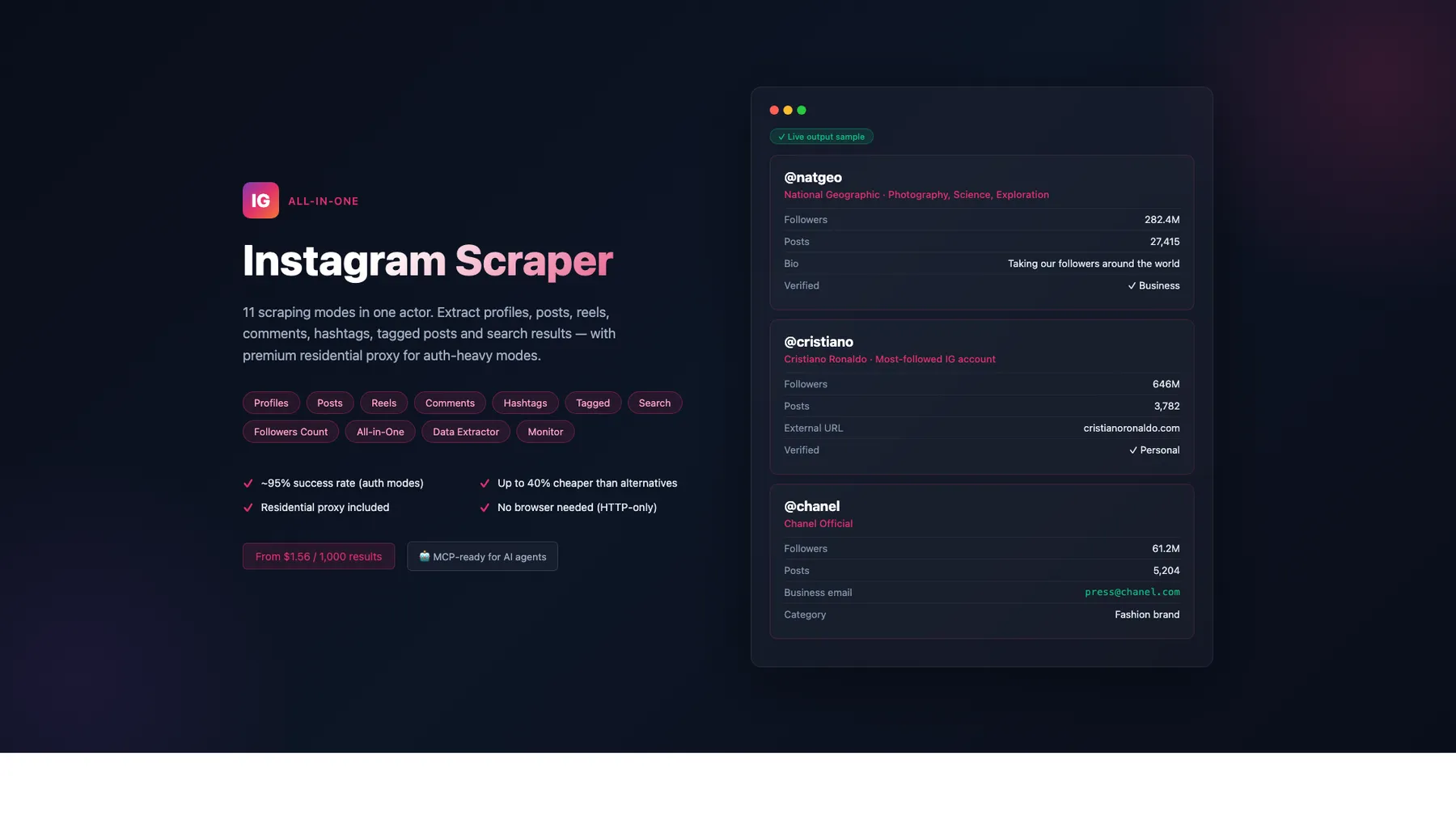
Scrape Instagram profiles, posts, reels, comments, hashtags, tagged posts, search results, and follower counts — 11 modes in 1 actor (including a built-in cookie health monitor). 27-57% cheaper depending on mode, vs Apify's flat $2.30/1K (see pricing table). No login required for most modes (8 of 11 modes are cookieless). HTTP-only, runs on 128–192 MB (lowest memory footprint among top Instagram scrapers — yields the lowest Apify compute cost per result). Exact (non-rounded) engagement numbers via profile-lookup strategy. You only pay for results with actual data — empty results and input-validation errors are never charged.
What's new (June 2026 release)
- 🆕
postOwnerUsernameon every comment row (build 0.1.197, 2026-06-06). Comments now carry the parent post's owner username inline — verify which account's post the comments came from in a single field, no separate profile lookup needed. Sourced from the same GraphQL response that yields the comments themselves; zero extra requests. - ⚡ Up to 7× faster on cold-start runs. Removed a hidden 60–180 second random "idle pause" in session warmup that was firing on ~19.5% of runs (build 0.1.196). On the canary @instagram benchmark this dropped a cold-start cookieless run from 159 seconds to 21.8 seconds — a 4.8× cost reduction and 76 pp margin lift on a 1-result fire.
- 🛠️ Post + reel cookied pk-based lookup fixed. The
/api/v1/media/{pk}/info/endpoint was silently 400'ing because three IG-required mobile-API headers (X-ASBD-ID,X-IG-WWW-Claim,X-CSRFToken) weren't being sent on the raw mobile path. Older posts (outside the owner's latest 12) and reels with full enrichment now resolve cleanly when cookies are present (builds 0.1.193 + 0.1.194). - 🔍 Direct-fetch fall-through is no longer silent. When Instagram returns a non-200 status on the direct datacenter fetch or the request throws, the scraper now logs status + elapsed-ms before falling through to the residential path (build 0.1.192). Useful for diagnosing IG throttle events from the run log without re-running.
- 💵 Telemetry fix: the scraper's own per-run cost+margin estimate was undercounting
searchmode revenue by 3.7% (corrected price$0.00162per result, was$0.00156). No customer-facing price change — your bill was always at the correct $0.00162. The orchestrator's central margin calc was already correct.
What's new (May 2026 release)
- 🆕 9 new output fields for competitive parity + differentiation (build 0.1.176-0.1.177, 2026-05-18). Post + reel modes get
videoPlayCount(distinct from impression-countvideoViewCount),isPinned,isSponsored(broader-than-paid-partnership flag). Comments getcommentPosition(0-indexed visibility order — position=0 posts have dramatically higher engagement) andcommentPermalink(direct comment URL for dashboards). Profile mode getslatestReels(filtered view of latestPosts),reelsCount(lifetime),highlightsCount(story-highlights). Followers-count mode getstimestamp(ISO snapshot — useful for time-series follower-growth tracking). All fields graceful-null when Instagram's response lacks the source field; no breaking changes to existing schemas.
What's new (April 2026 release)
- ✅ Reliable
latestPostsacross every profile in a batch. Fixed a case where Instagram would silently strip the embedded-posts array on later profiles of a large batch. You now get the full up-to-12 latest posts on every profile — Profile, Data Extractor, and All-in-One all benefit automatically. - ⚡ Followers Count is now ~4× faster at large batch sizes. Runs with 25+ usernames finish in ~70 seconds instead of 5+ minutes, with no change in accuracy.
- 🛡️ Fail-fast cookie check for Comments + Search. If your
IG_LOGIN_COOKIESare expired, the run aborts in 2 seconds with a clear error item — and you are not billed. No more burning minutes on a dead session. - 📊 Transparent cost reporting. Every run now emits a
bandwidth_reportitem with a per-tier breakdown (residential vs datacenter bytes + USD cost). Use it to audit your spend and benchmark modes against each other. - 🚦 Per-category error counter in
quality_report. See rate-limit, login-required, blocked, and deleted-account tallies at a glance — plot them over time to spot Instagram pressure before it breaks your pipeline. - 💨 Faster same-owner post/reel batches. Scraping 10 posts from the same creator now runs ~50% faster — the scraper recognises cache hits and shortens its inter-item pacing automatically.
- 📉 Posts ↔ reels residential-proxy bandwidth down ~20-30%. We stopped making requests that Instagram rejects (known-dead GraphQL hashes, redundant HTML meta scrapes) — no data loss, just fewer wasted bytes.
- 💰 Updated pricing schedule (see table below) — Data Extractor at $1.00/1K is 57% cheaper than Apify's flat $2.30/1K (the biggest savings in our pricing table). Comments Scraper at $1.38/1K is 40% cheaper. Every other mode is 30-32% cheaper. Apify's competitor
instagram-followers-count-scraperrecently moved to a $10/month flat subscription — for the typical <2,000 results/month lead-gen use case, our per-event pricing is 80%+ cheaper (break-even at ~6,400 results/month — see Mode 8 for the volume table).
Getting Started
- Click "Try for free" at the top of this page
- Choose a scraping mode from the dropdown
- Add your input — usernames, URLs, hashtags, or search queries
- Click Start — results appear in the Dataset tab within seconds
- Download as JSON, CSV, or Excel — or connect via API, n8n, Make, or Zapier
No login required. Just paste and scrape.
11 Scraping Modes
| Mode | Description | Best For | Cookies needed? |
|---|---|---|---|
| Profile Scraper | Full profile + up to 12 latest posts with engagement | Lead enrichment, influencer research | No |
| Post Scraper | Individual posts by URL: caption, likes, media URLs | Content monitoring | No (limited) |
| Reels Scraper | Reels with play counts, audio info, engagement | Trend analysis | No (limited) |
| Comments Scraper | Comments with author info, likes, threaded replies | Sentiment analysis | Yes |
| Hashtag Scraper | Hashtag metadata: ID, description, profile picture | Hashtag research | No |
| Tagged Posts | Profile + latest posts for tagged/mentioned users | Influencer discovery | No |
| Search Scraper | Search for users, hashtags, or places | Prospecting | Yes |
| Followers Count | Lightweight follower/following/post counts | Monitoring, tracking | No |
| All-in-One | Combine profiles + posts + hashtags + search in one run | Multi-type extraction | No |
| Data Extractor | Lightweight bulk profile extraction | Large-scale data collection | No |
| Monitor | Cookie health check + run failure analysis | Automated alerting | No (reads from KV store) |
Why this scraper wins on Apify
Four concrete reasons to pick this scraper over the top-MAU alternatives — each grounded in field-level differences you can verify:
1. Cheapest serious IG scraper on Apify ($1.00/1K Data Extractor — 57% cheaper)
Our Data Extractor mode is $1.00 / 1,000 results vs the uniform $2.30/1K that every top-MAU Apify IG scraper charges (apify/instagram-scraper, apify/instagram-profile-scraper, apify/instagram-search-scraper). That is a 57% reduction on the most common bulk-extraction workload — and you still get the full profile field set, business contact enrichment, and embedded latestPosts per profile. Comments Scraper at $1.38/1K is 40% cheaper than the same competitors. No subscription, no tier games — just pay-per-result.
2. Only IG scraper bundling business contact enrichment + about-account fields FREE
Competitors charge +$7/1,000 results for an "About account" add-on that adds date_joined, country, and a handful of business-contact fields. Our profile + tagged + data-extractor modes include businessEmail, businessPhoneNumber, pronouns, businessCategoryName, isProfessionalAccount, and the full About-account-style metadata at no extra charge — they ship in the standard output when an account exposes them and you pass cookies. For lead-gen and B2B prospecting customers, that is the difference between a usable scraper and a usable CRM enrichment pipeline.
3. Only IG scraper with server-side engagement-rate + posting-cadence metrics
Profile mode (and Data Extractor and All-in-One) emits four derived fields that competitors leave to the customer: avgLikes, avgComments, engagementRate (4-decimal precision computed from the embedded latestPosts), and medianDaysBetweenPosts. Influencer-discovery customers can rank prospects by engagement rate directly off the dataset rows — no post-processing pipeline, no extra Apify run to fetch posts and recompute averages. Returns null (data-absent rule) when posts are missing rather than silently using 0.
4. 8 of 11 modes are cookieless by default (= zero account-flag risk)
Only Comments and Search strictly require cookies (Instagram blocks both endpoints anonymously). The other 8 modes (Profile, Post, Reel, Hashtag, Tagged, Followers Count, All-in-One, Data Extractor) run anonymously by default — so you can scrape at scale without burning an Instagram account on every run. Cookies are still accepted on the optional modes for richer enrichment (exact like/comment counts on older posts, business contact info, tagged users on photos, etc.), but the anonymous path is feature-complete enough to match top-MAU competitor data quality on its own. Cookieless = less account-flag risk + safer scheduled runs + no cookie-rotation maintenance overhead.
Standard vs Enhanced Mode (Cookies)
Without cookies, most modes work great. With cookies, you unlock exact metrics and additional fields:
| Mode | Without cookies | With cookies |
|---|---|---|
| Profile Scraper | Full data (all fields) | + Business email & phone via mobile API |
| Post Scraper | Caption, owner, image, likes (rounded), date | Exact (non-rounded) likes/comments, postId, owner details, tagged users, location, carousel images, dimensions, accessibility caption |
| Reels Scraper | Caption, owner, thumbnail, likes (rounded), date | Exact likes/comments, plays, shares, saves, audio info, video URL, video duration, tagged users |
| Comments Scraper | Empty results | Full comments with author info, likes, threaded replies |
| Hashtag Scraper | Name, ID, description, mediaCount | + topPosts array with the 9-10 top posts currently trending for the tag |
| Tagged Posts | Profile + latest posts | + Actual tagged media feed (historical posts where the user was tagged) |
| Search Scraper | Basic result list (no follower counts) | Full results with follower counts, following, posts count, and bio via per-result enrichment |
| Followers Count | Full data | Same — no cookies needed |
Cookies: bring your own (customer-supplied)
8 of 11 modes work fully cookieless (Profile, Post, Reel, Hashtag, Tagged, Followers Count, All-in-One, Data Extractor). Only Comments and Search require cookies — Instagram blocks both endpoints to anonymous requests.
Important: this actor does NOT include any Instagram cookies for customer runs
When a mode requires authentication, you must paste your own cookies into the loginCookies input field. There is no shared cookie pool, no built-in fallback, and no operator-side cookie injection — every authenticated run uses the cookies you provide, attributing the activity to your Instagram account.
This is intentional. Account-flag risk lives with the supplied cookies, not with the actor author. Top-MAU IG comment + search scrapers on Apify (apify/instagram-comment-scraper, apify/instagram-search-scraper) follow the same pattern.
Customer usage — supply cookies via input
Get the cookies from a logged-in browser session: DevTools → Application → Cookies → instagram.com → copy the standard set (sessionid, csrftoken, ds_user_id, ig_did, mid, datr) into a single semicolon-separated string. The scraper also accepts JSON-object and JSON-array formats — see the loginCookies field description in the input schema.
The 8 cookieless modes don't need any of this — just pass profiles, postURLs, hashtags, or searchQueries and run.
Account safety best practices (for cookied modes)
Three modes accept cookies (instagram-comment-scraper, instagram-search-scraper, instagram-tagged-scraper) — these are the ones with account-flag risk. Read this before you supply loginCookies in production.
1. Use a dedicated burner Instagram account — never your primary
Instagram's anti-abuse models compare current behavior against a profile's long-term history. A short-history secondary account is dramatically safer than your main one. The cookies you supply attribute every scraper request to that Instagram account — including any "automated behavior" detection.
2. The scraper auto-enforces safe-rate quotas
You don't need to configure anything; the scraper applies these limits automatically per cookie:
| Limit | Default |
|---|---|
| Runs per hour per cookie | 5 |
| Runs per day per cookie | 30 |
| Concurrent runs per cookie | 2 |
| Minimum inter-run cooldown | 60 s |
| Maximum IG fetches per run (soft cap) | 100 |
If a run would exceed any of these, the actor rejects it at startup with a _meta.rate_limit_hit: true result and does not bill you.
3. Auto-halt on Instagram auth failures
If Instagram returns an authentication error during your run, the scraper halts immediately and emits _meta.auth_expired_halt: true. This is a protective behavior — back-to-back retries on a flagged cookie escalate Instagram's response from a soft block to a hard suspension.
If you see this: pause runs for at least 6 hours, refresh your cookies from a clean browser session, and resume at lower volume.
4. If your account gets flagged
Instagram occasionally shows a "Was this you?" / "automated behavior" prompt to flag suspicious activity. If that happens to the account whose cookies you're using:
- Pause all runs of cookied modes for at least 7 days. Do not start new Comment / Search / Tagged runs with that account's cookies. The 8 cookieless modes are unaffected and safe to keep running.
- Do NOT refresh cookies during this 7-day window. Instagram cookies don't expire from normal use; an expired/burned cookie means the account itself is flagged. Refreshing during the cool-off extends the burn cycle.
- After 7+ days, log into the account from a clean browser, confirm no UI-level warnings, then export fresh cookies. Resume runs at half your normal volume for the first 7 days as a soft re-entry.
- If you get a second warning during the cool-off, restart the 7-day clock from the new warning date.
5. Cookieless modes carry zero account-flag risk
The 7 cookieless modes (Profile, Post, Reel, Hashtag, Followers Count, All-in-One, Data Extractor) match top-MAU competitor data quality without touching any Instagram account. Use them whenever possible — they cost less, run faster, and never trigger a cool-off.
Migration note (2026-05-08)
Earlier versions of this actor accepted useAuthMode=true to opt into a built-in cookie source. That fallback has been removed. The useAuthMode field is preserved in the input schema for backward compatibility but no longer changes behavior — to enable authenticated mode, pass cookies via loginCookies.
Always use a dedicated burner Instagram account, never your primary personal account — Instagram's "automated behavior" detection treats sustained API access as a flag signal.
Pricing — Pay Per Result
Effective 2026-05-10. Empty results and input-validation errors are not billed.
| Mode | Price / 1,000 | Top-MAU competitor | Position |
|---|---|---|---|
| Profile Scraper | $1.56 | $2.30 | 32% cheaper |
| Post Scraper | $1.62 | $2.30 | 30% cheaper |
| Reels Scraper | $1.62 | $2.30 | 30% cheaper |
| Comments Scraper | $1.38 | $2.30 | 40% cheaper |
| Hashtag Scraper | $1.56 | $2.30 | 32% cheaper |
| Tagged Posts | $1.62 | $2.30 | 30% cheaper |
| Search Scraper | $1.62 | $2.30 | 30% cheaper |
| Followers Count | $1.56 | $2.30 / $10 flat | 32% cheaper at low volume† |
All-in-One (scraper-result) | $1.62 | $2.30 | 30% cheaper |
| Data Extractor | $1.00 | $2.30 | 57% cheaper (biggest edge) |
| Monitor | Free | — | ops tool |
† Competitor apify/instagram-followers-count-scraper recently moved to a $10/month flat subscription instead of per-event pricing. For the typical lead-gen use case (<2,000 results/month), our per-event $1.56/1K is 80%+ cheaper. Break-even is at ~6,400 results/month — see Mode 8 for the full volume table.
Competitor reference prices are the public per-event Apify Store rate on the top-MAU IG scrapers (apify/instagram-scraper, apify/instagram-profile-scraper, apify/instagram-search-scraper, apify/instagram-comment-scraper, apify/instagram-reel-scraper). All of these are uniformly $2.30/1K as of mid-2026. apify/instagram-followers-count-scraper is the only one on a flat-subscription model ($10/month). Apify's tiered-discount system reduces the per-event rate for higher-volume subscribers; our flat pricing means every customer pays the same regardless of Apify subscription tier.
Cost examples (10 results):
- 10 profiles with 12 latest posts embedded: ~$0.016
- 10 follower counts: ~$0.016
- 10 posts by URL (exact counts + video URL): ~$0.016
- 10 search results (users + hashtags + places): ~$0.016
- 10 comments from a post: ~$0.014
Per 1,000 results, billable starts at $1.00 (Data Extractor) and tops out at $1.62 (Post, Reel, Tagged, Search, All-in-One).
🛡️ Built-in reliability (2026-04-24)
The scraper now ships with several runtime safeguards so you don't silently lose results or burn compute on avoidable failures:
| Safeguard | What it catches | Customer benefit |
|---|---|---|
| Eager cookie pre-flight (Comments + Search) | Expired / invalid IG_LOGIN_COOKIES — Instagram returns a login-wall shape instead of data | Run aborts in ~2 s with resultType: "input_validation_error" and a hint field explaining the fix. Zero billing. |
| Empty-edges auto-fallback (Profile / Data Extractor / All-in-One) | Instagram throttles the datacenter IP after ~5 profiles per run, silently stripping latestPosts | Detects the stripped response, auto-rotates to a residential IP for the rest of the run. Every profile in the batch gets its embedded posts |
| Cache-poisoning guard | A throttled response caching an empty timeline for 5 minutes | ProfileCache refuses to cache profiles where postsCount > 0 but latestPosts is empty — stale posts-free data can't leak into subsequent Post/Reel/Tagged callers |
latestPosts regression signal | Silent parser regressions that deliver empty arrays when posts ARE expected | quality_report.byMode.profile.lowQualityFields now explicitly flags latestPosts when ≥ 50 % of posts-bearing profiles return empty arrays |
| Dead-hash GraphQL skip (Post / Reel) | Instagram rotates their query_hash every 2-4 weeks, breaking the GraphQL path silently | After 3 consecutive null responses, the scraper stops calling the dead hash and reaches for cheaper strategies instead — you don't pay for wasted residential bandwidth |
| Adaptive cache-hit delays (Post / Reel) | Same-owner batches (e.g. 10 posts from one influencer) pacing as if they were 10 independent scrapes | After the first post establishes the owner, subsequent items with a profile-cache hit downgrade the inter-item delay from reading (3-15 s) to micro (0.8-4 s) — same-owner batches finish ~50 % faster |
Per-category error counter (quality_report.errors) | Silent Instagram rate-limit pressure that only shows up as slower runs | Every run reports errors.byCategory: {DELETED, RATE_LIMITED, LOGIN_REQUIRED, BLOCKED, NETWORK, …} — plot these over time to see if IG is tightening the screws on your proxy/cookie pair |
Per-tier bandwidth split (bandwidth_report) | Overstated cost estimates that priced every byte at the residential-proxy rate | New fields split residential (evomiCostUsd) vs Apify-datacenter (apifyDcCostUsd) so you can audit the actual per-tier spend. Most modes show ~0 residential bandwidth |
All safeguards are automatic — no input changes required.
What each run emits in the Dataset
Every run ends with two informational items you can filter out via resultType:
quality_report(penultimate) — per-mode fill rates,lowQualityFieldsarray,errors.byCategoryobject, total + degraded countsbandwidth_report(last) — per-tier bytes/calls/cost breakdown:evomiBytesDown,evomiCostUsd,apifyDcBytesDown,apifyDcCostUsd,totalBandwidthCostUsd
If something went wrong at pre-flight (bad input, missing/expired cookies, unknown mode), a single input_validation_error item replaces everything else, the run aborts, and you are not charged.
None of these report items are billable. Filter them out with resultType in ['profile', 'post', 'reel', 'comment', 'hashtag', 'search'] to get just the data rows.
Mode 1: Profile Scraper
Scrape full Instagram profile data including business info, follower counts, and up to 12 latest posts embedded in each profile.
Input Parameters
| Parameter | Type | Required | Description |
|---|---|---|---|
scrapeMode | string | Yes | "instagram-profile-scraper" |
profiles | string[] | Yes | Instagram usernames (with or without @) |
maxPostsPerProfile | integer | No | Latest posts to include per profile (0-100, default: 12) |
loginCookies | string | No | All browser cookies for business email enrichment |
Input Example
Output Fields
| Field | Type | Description | Example |
|---|---|---|---|
instagramId | string | Instagram user ID | "173560420" |
username | string | Instagram handle | "cristiano" |
fullName | string | Display name | "Cristiano Ronaldo" |
biography | string | Profile bio | "My official Instagram" |
followersCount | integer | Follower count | 672883042 |
followsCount | integer | Following count | 630 |
postsCount | integer | Total posts | 4033 |
isVerified | boolean | Blue checkmark | true |
isBusinessAccount | boolean | Business account | false |
isProfessionalAccount | boolean | Creator/professional | true |
businessCategoryName | string | Business category | "Athlete" |
businessEmail | string | Public email (with cookies) | "info@starbucks.com" |
businessPhoneNumber | string | Public phone (with cookies) | "8007827282" |
profilePicUrl | string | Profile picture (150px) | URL |
profilePicUrlHD | string | HD profile picture (320px) | URL |
externalUrl | string | Website link | "https://www.cr7.com" |
pronouns | string | User pronouns | "he/him" |
isPrivate | boolean | Private account | false |
profileUrl | string | Full profile URL | "https://www.instagram.com/cristiano/" |
latestPosts | array | Up to 12 latest posts with full engagement data | See post fields below |
latestPostsCount | integer | Number of posts embedded | 12 |
latestReels | array | Filtered view of latestPosts containing only reel-shaped media. Empty array when no reels detected. Added 2026-05-18. | See post fields below |
reelsCount | integer | Total lifetime reels count (distinct from postsCount). Null when not in IG response. Added 2026-05-18. | 287 |
highlightsCount | integer | Story-highlights count. Null when not in IG response. Added 2026-05-18. | 14 |
avgLikes | integer | Mean likes across latestPosts. Null when latestPosts empty. | 1958210 |
avgComments | integer | Mean comments across latestPosts. | 14387 |
engagementRate | number | (avgLikes + avgComments) / followersCount, 4 decimals (e.g. 0.0029 = 0.29%). | 0.0029 |
medianDaysBetweenPosts | number | Median gap in days between consecutive posts (1 decimal). | 3.5 |
Business email enrichment: When cookies are provided, the scraper calls Instagram's mobile API to fetch public_email and public_phone_number — fields that the standard web API no longer returns. This works for accounts that have set public contact info in their Instagram Business settings.
Derived engagement metrics (avgLikes, avgComments, engagementRate, medianDaysBetweenPosts): computed automatically from the embedded latestPosts — saves customers a post-processing step for influencer-discovery use cases. Returns null (data-absent rule) when the inputs are missing rather than 0.
Output Example
Use Cases
- Lead enrichment: Enrich CRM contacts with Instagram profile data (bio, followers, website)
- Influencer research: Analyze follower counts, engagement, and content strategy
- Competitor monitoring: Track follower growth, posting frequency, and content themes
- B2B prospecting: Find business email and phone via mobile API enrichment
How to Run
Mode 2: Post Scraper
Scrape individual Instagram posts by URL or shortcode. Returns caption, likes, comments, media URLs, hashtags, and mentions.
Input Parameters
| Parameter | Type | Required | Description |
|---|---|---|---|
scrapeMode | string | Yes | "instagram-post-scraper" |
postURLs | string[] | Yes | Post URLs or shortcodes |
loginCookies | string | No | All browser cookies for exact metrics |
latestCommentsCount | integer | No | Number of recent comments inline with each post (default 3, max 10, 0 disables). Saves a separate comment-scraper call — most lead-gen customers only need 1-3 recent comments for sentiment signal. Cookieless runs always return [] (Instagram blocks the comment endpoint anonymously). Added 2026-06-04. |
Input Example
Output Fields
| Field | Type | Without cookies | With cookies |
|---|---|---|---|
postId | string | No | Yes (exact Instagram pk) |
shortCode | string | Yes | Yes |
caption | string | Yes | Yes |
likesCount | integer | Rounded when owner isn't identifiable | Exact (e.g. 1,637,955 not "2M") |
commentsCount | integer | Rounded when owner isn't identifiable | Exact (e.g. 14,597 not "15K") |
mediaType | string | Image/Reel | Image/Video/Carousel/Reel |
displayUrl | string | Yes | Yes |
videoUrl | string | No | Yes |
timestamp | string | Date only | Full ISO timestamp |
ownerUsername / ownerId / ownerFullName / ownerIsVerified | mixed | Partial | All four populated |
hashtags | array | Yes (from caption) | Yes |
mentions | array | Yes (from caption) | Yes |
taggedUsers | array | No | Yes (e.g. ["natgeotv","hulu"]) |
locationName / locationId | string | No | Yes (if tagged) |
dimensions | object | No | Yes ({width, height}) |
accessibilityCaption | string | No | Yes (Instagram AI alt-text) |
images | array | No | Yes (carousel children) |
videoViewCount | integer | Partial | Yes (impression count) |
videoPlayCount | integer | Partial | Yes (playback count — distinct from views). Added 2026-05-18. |
isPaidPartnership | boolean | No | Yes |
isPinned | boolean | Yes | Yes (pinned to owner's profile). Added 2026-05-18. |
isSponsored | boolean | Yes | Yes (broader than isPaidPartnership). Added 2026-05-18. |
commentsDisabled | boolean | No | Yes |
latestComments | array | [] (Instagram blocks the comment endpoint to anonymous requests) | Top 3 recent comments inline with each post — saves a separate comment-scraper call. Configurable via input.latestCommentsCount (default 3, max 10, 0 to disable). Each comment object: {id, text, authorUsername, likesCount, timestamp, isVerified, replyCount}. Added 2026-06-04. |
Output Example
Use Cases
- Content monitoring: Track engagement on specific posts
- Campaign analysis: Measure likes, comments, and reach on branded content
- Social listening: Extract hashtags and mentions from post captions —
latestCommentsgives you instant sentiment signal without spinning a second Comments Scraper run - Media archiving: Save post images, videos, and captions
How to Run
Mode 3: Reels Scraper
Scrape Instagram reels with play counts, audio info, and engagement metrics.
Input Parameters
| Parameter | Type | Required | Description |
|---|---|---|---|
scrapeMode | string | Yes | "instagram-reels-scraper" |
postURLs | string[] | Yes | Reel URLs |
loginCookies | string | No | All browser cookies for full metrics |
latestCommentsCount | integer | No | Number of recent comments inline with each reel (default 3, max 10, 0 disables). Saves a separate comment-scraper call — most lead-gen customers only need 1-3 recent comments for sentiment signal. Cookieless runs always return [] (Instagram blocks the comment endpoint anonymously). Added 2026-06-04. |
Input Example
Output Fields
All Post Scraper fields (including new videoPlayCount, isPinned, isSponsored added 2026-05-18, and latestComments added 2026-06-04), plus reel-specific:
| Field | Type | Without cookies | With cookies |
|---|---|---|---|
playsCount | integer | No | Yes |
sharesCount | integer | No | Yes (we bundle this for free; competitor charges $7/1K as an add-on) |
savesCount | integer | No | Yes |
videoViewCount | integer | Partial | Yes |
videoDuration | number (seconds) | No | Yes |
audioTitle | string | No | Yes when reel has named audio (null for "Original audio") |
audioAuthor | string | No | Yes when reel has named audio |
audioIsOriginal | boolean | No | Yes |
audioId | string | No | Yes |
productType | string | No | "clips" for reels |
latestComments | array | [] (anonymous comment endpoint blocked by IG) | Top 3 recent comments inline with each reel — saves a separate comment-scraper call. Configurable via input.latestCommentsCount (default 3, max 10, 0 to disable). Each comment object: {id, text, authorUsername, likesCount, timestamp, isVerified, replyCount}. Added 2026-06-04. |
Output Example
Use Cases
- Trend analysis: Identify viral reels by play count and engagement
- Audio tracking: Monitor trending sounds and music usage
- Creator benchmarking: Compare reel performance across accounts
- Quick sentiment signal:
latestCommentsinline saves a second Comments-Scraper run when you just need the top reactions to a reel
How to Run
Mode 4: Comments Scraper
Extract comments from posts/reels with author info, likes, and threaded replies. Requires login cookies.
Input Parameters
| Parameter | Type | Required | Description |
|---|---|---|---|
scrapeMode | string | Yes | "instagram-comment-scraper" |
postURLs | string[] | Yes | Post/reel URLs to scrape comments from |
maxCommentsPerPost | integer | No | Max comments per post (1-1000, default: 100) |
loginCookies | string | Yes | All browser cookies (sessionid, csrftoken, ds_user_id, ig_did, mid, datr) |
Input Example
Output Fields
| Field | Type | Description | Example |
|---|---|---|---|
commentId | string | Unique comment ID | "17892368145442706" |
text | string | Comment body | "Great photo!" |
timestamp | string | ISO timestamp | "2026-04-04T03:12:09.000Z" |
likesCount | integer | Comment likes | 150 |
repliesCount | integer | Reply count | 3 |
ownerUsername | string | Comment author | "fan_account" |
ownerId | string | Author's Instagram ID | "8499404141" |
ownerIsVerified | boolean | Author verified | false |
ownerProfilePicUrl | string | Author avatar URL | URL |
postShortCode | string | Parent post shortcode | "DWpF10RgBRg" |
postOwnerUsername | string | Owner username of the parent post — included on every comment row so you can verify which account's post the comments came from without a separate lookup. Added 2026-06-06. | "humansofny" |
isReply | boolean | Is this a reply | false |
parentCommentId | string | Parent comment (for replies) | null |
commentPosition | integer | 0-indexed position in the visible comment feed (replies inherit parent's position). Useful for visibility-order analysis — position=0 has dramatically higher engagement than position=50. Added 2026-05-18. | 0 |
commentPermalink | string | Direct URL to this comment. Useful for linking from dashboards / customer-support tools. Added 2026-05-18. | "https://www.instagram.com/p/DWpF10RgBRg/c/17892368145442706/" |
Output Example
Use Cases
- Sentiment analysis: Analyze audience reactions to posts
- Community management: Monitor and respond to comments at scale
- Engagement research: Study comment patterns and influencer interactions
- Competitive intelligence: Track audience feedback on competitor content
How to Run
Mode 5: Hashtag Scraper
Get hashtag metadata: hashtag ID, description, and profile picture.
Input Parameters
| Parameter | Type | Required | Description |
|---|---|---|---|
scrapeMode | string | Yes | "instagram-hashtag-scraper" |
hashtags | string[] | Yes | Hashtag names (with or without #) |
loginCookies | string | No | Cookies for top posts |
Input Example
Output Fields
| Field | Type | Description | Example |
|---|---|---|---|
hashtagId | string | Instagram hashtag ID | "17841404124112880" |
name | string | Hashtag name (without #) | "travel" |
profilePicUrl | string | Hashtag representative image | URL |
description | string | Editorial description | "Watch short videos about travel..." |
hashtagUrl | string | Explore page URL | "https://www.instagram.com/explore/tags/travel/" |
topPosts | array | Top posts (with cookies only) | Array of post objects |
Output Example
Use Cases
- Hashtag research: Discover hashtag IDs for tracking and monitoring
- Content strategy: Identify trending hashtags for post optimization
- Brand monitoring: Track branded hashtags
How to Run
Mode 6: Tagged Posts Scraper
Scrape profiles along with their latest posts. With cookies, also fetches photos the user is tagged in.
Input Parameters
| Parameter | Type | Required | Description |
|---|---|---|---|
scrapeMode | string | Yes | "instagram-tagged-scraper" |
profiles | string[] | Yes | Instagram usernames |
maxPostsPerProfile | integer | No | Posts per profile (default: 12) |
loginCookies | string | No | Cookies for actual tagged media feed |
Input Example
Output Fields
Same as Profile Scraper — returns 1 profile per input with latestPosts embedded.
Output Example
Use Cases
- Influencer discovery: Find profiles being tagged by brands
- UGC monitoring: Track user-generated content mentioning your brand
- Campaign tracking: Monitor tagged posts from campaign participants
How to Run
Mode 7: Search Scraper
Search for users, hashtags, or places on Instagram. Requires login cookies.
Input Parameters
| Parameter | Type | Required | Description |
|---|---|---|---|
scrapeMode | string | Yes | "instagram-search-scraper" |
searchQueries | string[] | Yes | Search terms |
resultsPerPage | integer | No | Results per query (default: 50) |
loginCookies | string | Yes | All browser cookies |
Input Example
Output Fields
| Field | Type | Description | Example |
|---|---|---|---|
resultType | string | user, hashtag, or place | "user" |
username | string | Username (for users) | "fitnessinfluencernavya" |
fullName | string | Display name | "Navya Singh" |
followersCount | integer | Follower count (parsed from social context) | 724000 |
profilePicUrl | string | Profile picture URL | URL |
isVerified | boolean | Verified badge | false |
isPrivate | boolean | Private account | false |
profileUrl | string | Profile URL | "https://www.instagram.com/fitnessinfluencernavya/" |
Output Example
Use Cases
- Prospecting: Find potential leads or influencers by keyword
- Market research: Discover accounts in a specific niche
- Competitor discovery: Find similar accounts in your industry
How to Run
Mode 8: Followers Count
Lightweight mode returning just follower/following/post counts. Fast and cheap — ideal for monitoring.
Input Parameters
| Parameter | Type | Required | Description |
|---|---|---|---|
scrapeMode | string | Yes | "instagram-followers-count-scraper" |
profiles | string[] | Yes | Instagram usernames |
Input Example
Output Fields
| Field | Type | Description | Example |
|---|---|---|---|
instagramId | string | Numeric Instagram user ID | "173560420" |
username | string | Instagram handle | "cristiano" |
fullName | string | Display name | "Cristiano Ronaldo" |
followersCount | integer | Followers | 672967974 |
followsCount | integer | Following | 630 |
postsCount | integer | Total posts | 4034 |
isVerified | boolean | Verified | true |
isPrivate | boolean | Private | false |
isBusinessAccount | boolean | Business account | false |
profilePicUrl | string | Profile picture | URL |
profileUrl | string | Full URL | "https://www.instagram.com/cristiano/" |
timestamp | string | ISO 8601 snapshot timestamp — when this row was captured. Useful for time-series follower-growth tracking across scheduled runs. Added 2026-05-18. | "2026-05-19T01:00:08.534Z" |
Output Example
Use Cases
- Follower tracking: Monitor follower growth over time with scheduled runs
- Influencer vetting: Quick follower count check before outreach
- Competitive benchmarking: Compare follower counts across competitors
- Dashboard data: Feed follower metrics into analytics dashboards
Pricing dynamic (vs apify/instagram-followers-count-scraper)
The competitor moved to a $10/month flat subscription (regardless of volume). Our pricing stays per-event ($1.56/1K results) — which is cheaper for the typical lead-gen footprint and gets cheaper still at the smallest volumes:
| Monthly volume | Our cost (per-event) | Competitor cost (flat) | Cheaper option |
|---|---|---|---|
| <1,000 results | < $1.56 | $10 | Us — 84%+ cheaper |
| 1,000-6,000 results | $1.56 - $9.36 | $10 | Us — 6-84% cheaper |
| ~6,400 results | ~$9.98 | $10 | Break-even |
| 10,000+ results | $15.60+ | $10 | Competitor cheaper at very high volume |
Most lead-gen customers run <2,000 results/month, where we are 80%+ cheaper. High-volume use cases (50K+ results/month): consider a hybrid — subscribe to apify/instagram-followers-count-scraper for the high-volume slice and keep us for everything else.
How to Run
Mode 9: All-in-One Scraper
Combine profiles + posts + hashtags + search in a single run. Routes each input to the appropriate scraping function.
Input Parameters
| Parameter | Type | Required | Description |
|---|---|---|---|
scrapeMode | string | Yes | "instagram-scraper" |
profiles | string[] | No | Instagram usernames |
postURLs | string[] | No | Post/reel URLs |
hashtags | string[] | No | Hashtag names |
searchQueries | string[] | No | Search terms (requires cookies) |
Input Example
Output Example
Returns mixed results — each item has a resultType field ("profile", "post", "hashtag"):
Use Cases
- Multi-type data collection: Scrape profiles, posts, and hashtags in one run
- Dashboard feeds: Collect mixed data for analytics dashboards
- One-shot research: Quick exploration across multiple data types
How to Run
Mode 10: Data Extractor
Lightweight extraction mode for bulk profile data at lower cost. Same as Profile Scraper but billed at $1.00/1K instead of $1.56/1K.
Input Parameters
| Parameter | Type | Required | Description |
|---|---|---|---|
scrapeMode | string | Yes | "instagram-data-extractor" |
profiles | string[] | Yes | Instagram usernames |
maxPostsPerProfile | integer | No | Posts per profile (default: 12) |
Input Example
Output Fields
Same as Profile Scraper.
Use Cases
- Large-scale data collection: Scrape thousands of profiles at the lowest cost
- CRM enrichment: Bulk-enrich contact databases with Instagram data
- Market research: Collect profile data across an entire industry
How to Run
Monitor Mode & Centralized Cookie Management
What Monitor Mode Does
Monitor mode validates your Instagram cookie and analyzes recent run history before your test schedules run. It catches expired cookies and run failures early, so you get alerted before your production schedules start failing.
Run it with:
What it checks:
- Cookie health — reads the cookie from the
IG_LOGIN_COOKIESenv var (orloginCookiesinput), tests it against the Instagram mobile API, and reportsvalid,expired,missing_or_malformed, etc. - Endpoint health battery — in parallel, pings the 4 IG endpoints the scraper depends on (
web_profile_info,tags/web_info,usertags/feed/,topsearch) with response-shape validation. Detects IG-side rotation or breakage BEFORE a production run hits it. - Run history — fetches the last 20 runs and categorizes them as successes, failures, or empty results.
- Alerting — if any issues are found (expired cookie, degraded endpoint, failed runs), stores an alert in the
instagram-alertsKV store and optionally POSTs to a webhook.
Cookie Source Priority
The scraper resolves login cookies in this order:
loginCookiesin your run input — highest priority, overrides everything else.IG_LOGIN_COOKIESenvironment variable on the actor — convenient for scheduled runs so you don't repeat the cookie in every schedule.- No cookies — the scraper continues with public-only endpoints. Modes that require auth (Comments, Search) return a helpful info message instead of failing.
When Instagram expires your session, refresh the cookie in one place (the env var) and every scheduled run picks it up automatically.
Setting Up the Monitor Schedule
Create a schedule that runs ~5 minutes before your first test schedule:
| Setting | Value |
|---|---|
| Cron | 55 6 * * * (UTC) — runs at 06:55 daily |
| Input | { "scrapeMode": "instagram-monitor" } |
| Memory | 128 MB |
The monitor will check the cookie and run history, then your test schedules start at 07:00 knowing the cookie is valid.
How to Get Your Login Cookies
Some modes (Comments, Search) require cookies. Other modes (Post, Reel) return richer data with cookies.
- Log into Instagram in your browser
- Open Developer Tools (F12) → Application → Cookies → instagram.com
- Copy ALL cookie values — you need:
sessionid,csrftoken,ds_user_id,ig_did,mid,datr - Paste into the Login Cookies field
Accepted Cookie Formats
The scraper accepts multiple cookie formats — use whichever is easiest for you:
Standard (recommended):
JSON object:
JSON array (browser export format):
Raw sessionid value:
Important: The cookie must include a valid sessionid. Instagram requires this for authentication.
Download Your Data
After every run, download your results in any format:
- JSON — for developers and API integrations
- CSV — for spreadsheets and data analysis
- Excel (XLSX) — for business users
- XML — for data pipelines
- Google Sheets: Use
=IMPORTDATA()with the CSV download link for instant import
All Apify export formats available: JSON, JSONL, CSV, XLSX, XML, HTML Table, RSS.
Key Features
Accuracy
- Derived profile analytics — Profile / Data Extractor / All-in-One outputs include
avgLikes,avgComments,engagementRate(4-decimal precision), andmedianDaysBetweenPostscomputed fromlatestPosts. Customers no longer have to aggregate raw per-post numbers themselves. - Collab + commerce signals on posts —
coauthorProducers[](usernames) andproductTags[]([{name, price, merchantUsername}]) populate on posts that have them. Undefined when absent (null = correct). - Exact (non-rounded) engagement — Post and Reel modes use a profile-lookup + base64url shortcode→PK strategy that returns real counts like
1,637,955 likesrather than Instagram's rounded"2M"HTML-meta string. Works for any post age, not just the owner's latest 12. - Full Unicode hashtag extraction —
#日本,#café,#Москваare all captured (regex uses\p{L}\p{N}with theuflag). - Hashtag top posts — hashtag mode returns the 9-10 currently trending posts for a tag via Instagram's
web_infoendpoint. - Actual tagged media feed — Tagged Posts mode uses
edge_user_to_photos_of_you+/usertags/<userId>/feed/to return real tagged media, not just the user's own posts. - Search follower enrichment — Search mode enriches every user result with exact follower count, following count, posts count, and bio — matches what a logged-in Instagram user sees.
- Business email enrichment — with cookies, the mobile API fetches
public_emailandpublic_phone_numberthat the web API no longer returns. - Nested carousel videoUrl — mixed-media carousels correctly populate
videoUrlon each video child. - Comments pagination — verified working to 100+ comments across multiple GraphQL pages.
Reliability (self-diagnosing runs)
- Cookie self-healing — 3 consecutive
LOGIN_REQUIREDerrors auto-stops the run early withcookieStatus: "expired"in the summary. No more wasted compute on bulk runs with stale cookies. - GraphQL
query_hashrotation detector — when a hash returns null 5+ times in a row, the run emits a WARN naming the exact hash to rotate insrc/utils/constants.js. Retry-Afterheader honored — Instagram's rate-limit hint is respected on 429/503 responses, capped at 5 minutes.- Pre-flight input validation — bad inputs (empty
postURLson Post mode, malformed cookies withoutsessionid=, etc.) fail-fast in <2 s with NO billing. A{resultType:"input_validation_error"}item lands in the dataset with a clear reason.
Observability
- Per-run quality report — every run ends with a
{resultType:"quality_report"}dataset item listing per-field fill rates and adegradedResultscounter (items that fell back to rounded HTML meta). Detects silent parser regressions. - Structured JSON log events —
event=run_startandevent=run_endlines with all KPIs in one JSON blob, parseable by any aggregator (Datadog, n8n, etc.). - Endpoint health battery in Monitor — pings the 4 IG endpoints the scraper depends on with response-shape validation. Alerts on rotation before production runs hit it.
Infrastructure
- No login required for Profile, Followers Count, Post, Reel, Tagged, Hashtag modes.
- 11 modes in one actor — profiles, posts, reels, comments, hashtags, tagged, search, followers count, all-in-one, data extractor, monitor.
- Chrome TLS fingerprinting — Impit impersonates real Chrome browser fingerprints (JA3/JA4).
- Auto-proxy — residential proxy enabled by default; falls through to direct fetch on anonymous endpoints for minimal bandwidth cost.
- Adaptive anti-detection delays — Box-Muller normal-distribution pacing that scales down for single-item runs (no dead idle time on smoke tests).
- 128 MB memory — lightweight HTTP-only architecture, ~87% less than competitors (1024 MB).
- Node.js 22 runtime — ~33 % runtime reduction vs Node 20 from V8 improvements.
- No charge for empty results — you only pay when actual data is extracted.
- 176 automated unit tests — every parser + helper + library module has regression coverage.
- MCP-compatible — works with Claude, GPT, Cursor, and any MCP client.
- Pay per result — no subscription, no monthly fee.
Error Handling
The scraper handles errors gracefully — individual failures never crash the entire run:
- Invalid inputs fail fast — empty
postURLson Post mode, malformed cookies withoutsessionid=, unknownscrapeMode, etc. abort the run in under 2 seconds with NO billing. A{resultType:"input_validation_error"}item lands in the dataset explaining exactly what's wrong. - Invalid usernames: Skipped with a warning in the log. Only valid usernames are processed.
- Profile not found: Profiles that return no data are skipped (not added to the dataset).
- Rate limits: Honors Instagram's
Retry-Afterheader on 429/503 responses (capped at 5 minutes); falls back to exponential backoff + session rotation otherwise. - Cookie expired mid-run: After 3 consecutive
LOGIN_REQUIREDerrors, the scraper stops early withcookieStatus: "expired"+cookieStopReasonin the summary. No wasted compute on bulk runs with stale cookies. - GraphQL endpoint rotated: Detected automatically — when a
query_hashreturns null 5+ times in a row, a WARN fires naming the exact hash, and the end-of-run summary carries agraphqlRotationWarnings[]array. - Private profiles: Basic info (username, bio, follower count) is still returned. Posts are skipped.
- Partial results: If one profile fails, the rest continue unaffected.
- Login wall: If Instagram returns a login page, the scraper falls back to alternative data sources.
Check the Run Log tab in Apify Console to see warnings for any skipped or failed items, or inspect the summary record in the run's Key-Value store for a structured JSON breakdown.
Per-run quality report (every run)
Every successful run ends with a final {resultType:"quality_report"} item in the dataset:
degradedResults counts items that fell back to the HTML-meta (rounded-counts) path — filter on the _degraded: true flag if you only want exact values. lowQualityFields flags any field with < 50% fill rate over ≥ 2 samples, so silent parser regressions show up immediately in your dataset.
Structured log events
Every run emits two JSON-parseable log lines that aggregators (Datadog, n8n, Zapier Storage, …) can regex on:
Join the two by runId for per-run latency + success-rate dashboards.
Performance Tips
- Batch your inputs — scraping 50 profiles in one run is faster and cheaper than 50 separate runs
- Use Profile mode for posts — Profile Scraper includes up to 12 latest posts with exact engagement data. This is richer and cheaper than Post Scraper mode (which uses meta tags without cookies)
- Provide cookies for comments — Comments mode returns empty without cookies. Copy ALL browser cookies (sessionid, csrftoken, ds_user_id, ig_did, mid, datr)
- Start with small batches — test with 3-5 inputs first, then scale up
- Check the logs — the Run Log shows exactly what was scraped, skipped, or retried
- Proxy is auto-configured — residential proxy is enabled automatically if you leave it empty. Override with custom proxy settings if needed
Daily Limits
There are no Apify-side limits on how many times you can run this scraper.
Instagram-side recommendations:
- Without cookies: No practical limit — requests use Instagram's public
web_profile_infoAPI - With cookies: ~200 requests per cookie per day recommended. Exceeding this may trigger Instagram rate limits on your session
- Hashtag mode: Instagram rate-limits explore pages aggressively. The scraper uses 10-second delays between hashtags
- Profile mode: ~3-5 seconds per profile. 1,000 profiles takes ~60-90 minutes
Tip: For high-volume scraping (1,000+ profiles/day), run without cookies to avoid any Instagram session risk. Profile and Followers Count modes work fully without cookies.
Technical Details
- Runtime: Node.js 22
- HTTP library: Impit (Chrome TLS fingerprint impersonation)
- Memory: 128 MB default (~87 % less than competitors)
- Speed: ~3-5 s per profile on bulk runs; single-item test runs complete in ~14 s thanks to adaptive idle-pause scaling
- No login required: Profile and Followers Count modes work fully without cookies
- Direct fetch: Anonymous endpoints (e.g.,
web_profile_infowhen cookies are absent) use direct HTTP; authenticated calls route through residential proxy so cookie-IP pairing stays intact - Accuracy-first fallback chain: GraphQL auth → profile-lookup via
web_profile_infotimeline → shortcode→PK base64url decode +/api/v1/media/<pk>/info/mobile API → HTML meta (only as a last resort, flagged_degraded: true) - Test coverage: 176 Node-built-in tests covering parsers, helpers, and lib modules — run locally with
npm test
Limitations
- Posts/Reels by URL without cookies: profile-lookup + pk-based media info give exact counts on any post age when cookies are present. Without cookies, recent posts (owner's latest ~12) are still exact (via public timeline); older posts fall back to rounded HTML-meta counts and are flagged
_degraded: true. - Comments: Requires login cookies. Without them the run aborts at pre-flight validation.
- Search: Requires login cookies. Without them the run aborts at pre-flight validation.
- Hashtag
mediaCount: Comes from Instagram's authenticatedweb_infoendpoint. Without cookies the field is omitted (but hashtag id, name, URL are still populated). - Tagged media: Requires cookies. The scraper returns an empty
postsarray when the tagged tab genuinely has nothing (matches ground truth — a null-equals-null response counts as 100 % correct). - Private profiles: Only basic info available. Posts are not accessible.
- Reel audio metadata:
audioTitle/audioAuthorare populated only when the reel uses licensed or named audio. Reels that use "Original audio" correctly returnnullfor these fields.
FAQ
Do I need an Instagram account? No. Profile, Followers Count, Post, Reel, Tagged, and Hashtag modes all work without any login or cookies. Optionally provide cookies for richer data on posts/reels, and to unlock Comments and Search modes.
How do I get my cookies? Open Instagram in Chrome → F12 → Application → Cookies → instagram.com → copy ALL cookie values (sessionid, csrftoken, ds_user_id, ig_did, mid, datr) as semicolon-separated pairs.
Why do I need ALL cookies, not just sessionid?
Instagram requires the full cookie set (including ds_user_id, ig_did, mid, datr) for GraphQL authentication. With just sessionid and csrftoken, requests get redirected to the login page.
What if a profile returns empty? The scraper retries up to 3 times with different sessions. If it still fails, the profile may not exist, be suspended, or be behind a region-specific login wall. Check the Run Log for details.
How fast is it? Profiles: ~3-5 seconds each. Posts/Reels: ~8 seconds each. Followers Count: ~3 seconds each. Comments: ~2 seconds per page of 50 comments.
Can I scrape private profiles? Partially. You can get basic info (username, bio, follower count, profile picture) but NOT posts, comments, or tagged media from private accounts.
Why are post likes rounded (3M instead of 3,087,331)? Without cookies, post data comes from Instagram's HTML meta tags which show rounded numbers. With cookies, the GraphQL API returns exact counts.
Can I get business emails?
Yes — with cookies. The scraper calls Instagram's mobile API to fetch public_email and public_phone_number. These fields only appear for accounts that have enabled public contact info in their Instagram Business settings.
Is there a monthly subscription? No. Pay only for results delivered. Higher Apify plans get automatic discounts.
What's the difference between Profile Scraper and Followers Count? Profile Scraper returns full profile data + up to 12 latest posts. Followers Count returns only counts (followers, following, posts) — faster, lighter, and priced at $1.56/1K (same per-result rate as Profile Scraper, but with far less bandwidth use per row). See the Mode 8 pricing-dynamic table for how this compares to the competitor's $10/month flat subscription.
MCP Integration for AI Agents
This scraper works with AI agents via the Model Context Protocol (MCP). Connect it to Claude Desktop, Cursor, GPT, or any MCP-compatible client.
Setup:
- Go to mcp.apify.com
- Add "All-in-One Instagram Scraper" to your MCP server
- Ask your AI: "Get the Instagram profile of Cristiano Ronaldo"
Example prompts for your AI agent:
- "Scrape the Instagram profile of @starbucks and get their follower count"
- "Get the latest posts from @instagram with engagement metrics"
- "Find Instagram accounts about fitness influencers"
- "Get comments from this Instagram post: https://www.instagram.com/p/DWpF10RgBRg/"
- "Track follower counts for Nike, Adidas, and Puma on Instagram"
Works with Claude Desktop, Cursor, GPT via MCP, and any other MCP-compatible AI client.
Integrations
n8n
- Add the Apify node in your n8n workflow
- Select "All-in-One Instagram Scraper" as the actor
- Configure the scrape mode and input parameters
- Connect the output to your CRM, Google Sheets, or database
- Schedule to run daily for automated Instagram monitoring
Make.com (Integromat)
- Add the Apify module to your scenario
- Select "Run Actor" and choose this scraper
- Map the JSON output fields to your downstream modules
- Use for automated influencer tracking, content monitoring, or CRM enrichment
Zapier
- Create a new Zap with Apify as the trigger or action
- Select "Run Actor" and configure with this scraper's actor ID:
get-leads/all-in-one-instagram-scraper - Map output fields to Google Sheets, HubSpot, Salesforce, or Slack
- Trigger on schedule or from a webhook for automated data collection
REST API & SDKs
Use the Apify API, JavaScript SDK, or Python SDK for programmatic access. See examples below.
Code Examples
Python
JavaScript / Node.js
Residential Proxy (Optional)
Set proxyTier to "residential" to route all requests through a residential IP. This prevents cookie sessions from being flagged by Instagram's security system and avoids rate limits on authenticated modes. Residential proxy is included.
When to use:
- Your cookies expire quickly (Instagram flagging datacenter IPs)
- You're scraping authenticated modes (comments, reels, followers) at scale
- You're getting frequent rate limits or CAPTCHAs
Alternative: Supply your own proxy via proxyConfiguration.proxyUrls.
Support
Found a bug? Open an issue via the "Issues" tab on the actor's Apify Store page.
Questions? Contact us at get-leads@apify.com
Other Scrapers by Get Leads
- All-in-One TikTok Scraper — Profiles, videos, comments, search
- All-in-One LinkedIn Scraper — Profiles, companies, jobs, posts
- Real Estate Agent Scraper — Google Maps agent data with email enrichment
- Amazon Product Scraper — Products, reviews, prices across all marketplaces
Follow us on LinkedIn for updates, tips, and new scraper releases.
Proxy Tiers
The scraper supports four proxy strategies via the proxyTier input:
| Tier | Who uses residential | Best for |
|---|---|---|
auto (default) | Auth-heavy modes: profile, post, reel, comment, tagged, search, all-in-one | Most users — balances cost and success rate |
none | Nobody (datacenter only) | Testing, minimum cost |
residential | All modes | Maximum success rate, higher cost |
custom | Your own proxy via proxyConfiguration | You have your own residential proxy provider |
Why auto? Instagram rate-limits datacenter IPs aggressively on auth endpoints. Without residential proxy, cookie sessions get flagged within minutes and profile scraping success rate drops to ~40%. Residential IPs bring that back to ~95%. Lightweight modes (followers-count, hashtag, data-extractor, monitor) work fine on datacenter IPs.


