
Bulk File Downloader — PDFs, Docs & Any File to ZIP
Pricing
from $0.002 / file saved
Bulk File Downloader — PDFs, Docs & Any File to ZIP
Download any files in bulk — from a list of file links or by finding every PDF, document, spreadsheet or archive linked on web pages and whole sites. Filter by type and size, skip duplicates, keep original names, and get one ZIP plus a link per file.
Pricing
from $0.002 / file saved
Rating
0.0
(0)
Developer

Hipersoft
Maintained by CommunityActor stats
0
Bookmarked
2
Total users
1
Monthly active users
5 hours ago
Last modified
Categories
Share
Bulk File Downloader — Download PDFs, Documents and Any File to One ZIP
Bulk File Downloader saves any files in bulk: give it a list of file links, or give it web pages and it finds and downloads every PDF, Word document, spreadsheet, presentation, archive or media file linked on them — across a whole site if you like. Filter by file type and size, skip duplicates automatically, keep the original file names, and get a direct link to every file plus one ZIP of everything.
What does the Bulk File Downloader do?
It works two ways, and you can combine them in one run:
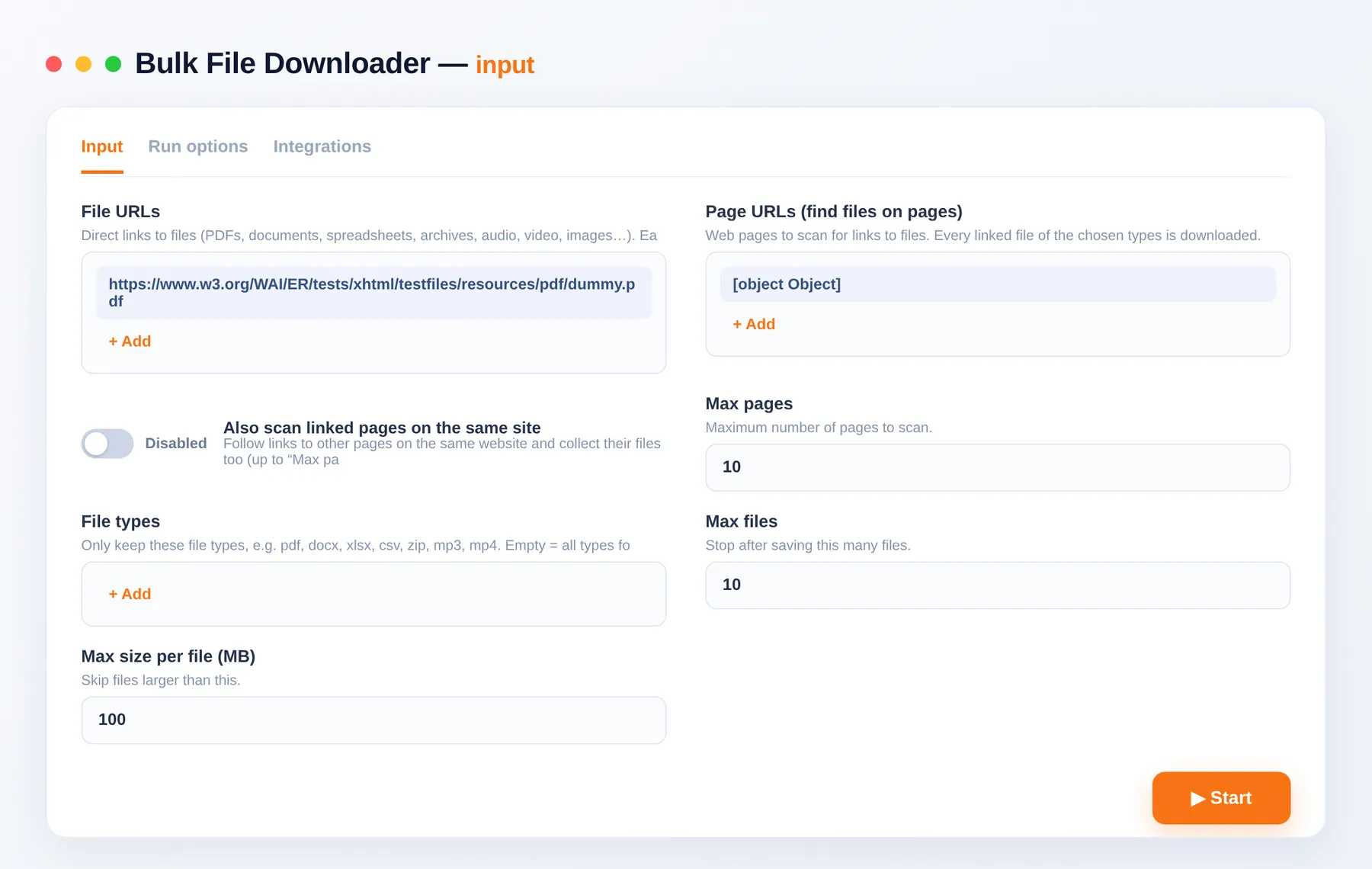
- File URLs — paste direct links to files; each one is downloaded and saved.
- Page URLs — paste web pages; the downloader reads each page, finds the links that point to files of the types you want, and downloads them. Turn on site crawling to collect files from many pages of the same website.
Every saved file gets a metadata row (source, page it was found on, link text, type, size, SHA-256 hash) and a download link. At the end, files.zip bundles everything into one download.
Why use it?
- Collect document libraries in minutes — all PDFs from a reports page, all spreadsheets from a data portal.
- Original file names kept — and always unique, so nothing is overwritten.
- Precise filters — file types, maximum size per file and a total download cap.
- No duplicates — identical files are saved once, even under different links.
- One ZIP — or individual links for every file.
What data do you get per file?
| Data point | Description |
|---|---|
| Source | sourceUrl, finalUrl |
| Where it was found | pageUrl, linkText, foundBy (direct or page) |
| File info | fileType, contentType, sizeBytes |
| Hash | sha256 |
| Saved file | fileName, fileUrl |
What you get
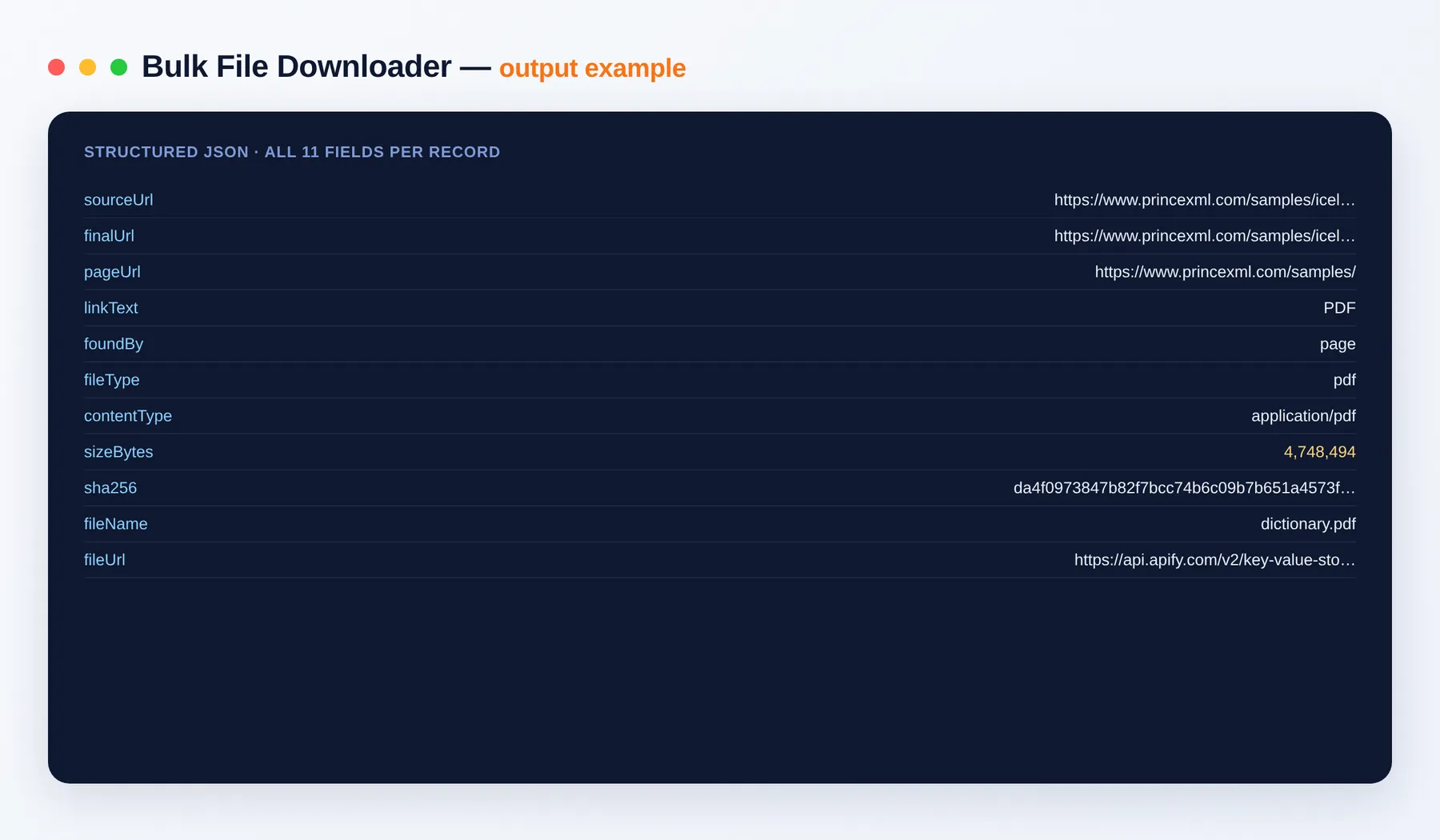
One row per saved file plus the files themselves and files.zip. Export the list to JSON, CSV, Excel or XML.
Output schema
| Field | Type | Description |
|---|---|---|
sourceUrl | string (URL) | The file link — as you supplied it or as found on a page. |
finalUrl | string (URL) | The file address after redirects. |
pageUrl | string (URL) | The page the link was found on (empty for direct file URLs). |
linkText | string | The text of the link on the page, when available. |
foundBy | string | direct (from your file list) or page (found on a page). |
fileType | string | File type / extension, e.g. pdf, docx, xlsx, csv, zip, mp4. |
contentType | string | MIME type reported for the file. |
sizeBytes | integer | File size in bytes. |
sha256 | string | SHA-256 hash of the file contents. |
fileName | string | Name of the saved file (also its name inside files.zip). |
fileUrl | string (URL) | Direct download link to the saved file. |
The run's key-value store also holds files.zip (all saved files) and OUTPUT (run totals and the ZIP link).
Use cases
- Research & compliance: download every annual report, filing or policy PDF from a site.
- Data collection: grab all CSV / XLSX files from open-data portals.
- Archiving & migrations: back up a site's documents and downloads in one ZIP.
- Education: collect course PDFs, slides and handouts.
- Media pipelines: download batches of audio, video or image files from link lists.
How to download all PDFs from a website
- Open the Bulk File Downloader.
- Paste the website page(s) under Page URLs and set File types to
pdf(or leave empty for all common documents). - Optional: turn on Also scan linked pages on the same site and set Max pages.
- Click Start.
- Download files.zip from the Output / Storage tab, or use each row's
fileUrl.
Input
| Field | Description |
|---|---|
fileUrls | Direct links to files. |
pageUrls | Pages to scan for links to files. |
crawlSameSite | Follow links on the same site and scan those pages too. |
maxPages | Maximum pages to scan (default 10). |
fileTypes | Keep only these types (empty = all for direct links, common documents for pages). |
maxFiles | Stop after saving this many files (default 100). |
maxFileMb | Skip files larger than this (default 100 MB). |
maxTotalMb | Stop after this much has been downloaded in total (default 2,000 MB). |
skipDuplicates | Save identical files once (default on). |
storeFiles | Save each file with a download link (default on). |
createZip | Bundle everything into files.zip (default on, up to 400 MB). |
fileNaming | original (kept unique), numbered or hash. |
proxyConfiguration | Optional proxy for loading pages. |
Related tools
- Website Image Downloader — download every image from any web page or site.
- Bulk Image Downloader — download images from a list of image URLs.
- PDF to Text Extractor — turn the downloaded PDFs into text.
- Sitemap Extractor — list every page of a site to feed in as page URLs.
FAQ
Which file types can it download? Any. For direct links every type is accepted unless you set File types. When scanning pages it looks for common documents by default — pdf, doc/docx, xls/xlsx, ppt/pptx, csv, txt, rtf, odt, ods, epub, zip, json and xml — or exactly the types you list (e.g. mp3, mp4, jpg).
Can it find all PDFs on a website?
Yes. Add the site's pages under Page URLs, set File types to pdf, and turn on Also scan linked pages on the same site.
How do I get all the files at once? Every run produces files.zip in the run's key-value store, linked from the Output tab and the run summary.
How large can files be? Up to 1,000 MB per file (set Max size per file); the ZIP holds up to 400 MB — larger runs still save every file individually.
How does billing work? You pay per file saved, a small amount per 10 MB downloaded, and per page scanned. If you set a maximum cost per run, the run stops cleanly at that limit and you only receive what you paid for. See the Pricing tab.
Can I connect this to other tools? Yes, through integrations on the Apify platform: Make, Zapier, Slack, Airbyte, GitHub, Google Drive and many more, plus the Apify API, JavaScript/Python clients and webhooks.
Is it legal? Only download files you have the right to use. You are responsible for respecting copyright and each site's terms.
Related Actors
Notes
Files are saved to your run's storage and are private to your account, as with all Apify runs. Only download files you have the right to use.


