

Gelbeseiten Scraper — German Yellow Pages
Pricing
from $0.0015 / business scraped
Gelbeseiten Scraper — German Yellow Pages
Scrape Gelbeseiten (German Yellow Pages) businesses: name, category, phone, address, postal code, city, website and profile URL. Search by business type and location. No setup.
Pricing
from $0.0015 / business scraped
Rating
0.0
(0)
Developer

hiper soft
Maintained by CommunityActor stats
0
Bookmarked
2
Total users
2
Monthly active users
6 days ago
Last modified
Categories
Share
Gelbeseiten Scraper — German Yellow Pages Business Directory
Scrape Gelbeseiten — Germany's leading Yellow Pages business directory — into clean JSON, CSV, Excel or XML. Extract business name, category, phone, full address, postal code, city, website and profile URL for any business type in any German city. Fast and reliable.
What does Gelbeseiten Scraper do?
The Gelbeseiten Scraper crawls Gelbeseiten search results and extracts every listed business as a structured record. Enter a business type (Branche) and city, or paste a Gelbeseiten search URL, and it exports a clean dataset of German businesses with their phone numbers, addresses and websites — a fast way to build German B2B lead and prospecting lists.
What data can you scrape from Gelbeseiten?
| Data | Fields |
|---|---|
| 🏢 Business | name, category (Branche), Gelbeseiten profile URL |
| ☎️ Phone | contact number |
| 📍 Address | street address, postal code (PLZ), city |
| 🌐 Website | listed website |
| 📏 Distance | distance in km from the search center |
| 🕒 Meta | source search URL, collected timestamp |
Use cases
- German B2B lead generation — build phone and address lists of businesses by Branche and city.
- Local-market research — measure business density by category across German cities and regions.
- Sales prospecting — target restaurants, tradespeople, clinics, law firms and more for outreach.
- Competitor mapping — see who operates in a given city and how they are categorized.
- CRM enrichment — append phone, address, postal code and website to existing German company records.
- Directory & dataset building — compile category-specific business directories at scale.
How to scrape Gelbeseiten data
- Add the Gelbeseiten Scraper to your Apify account.
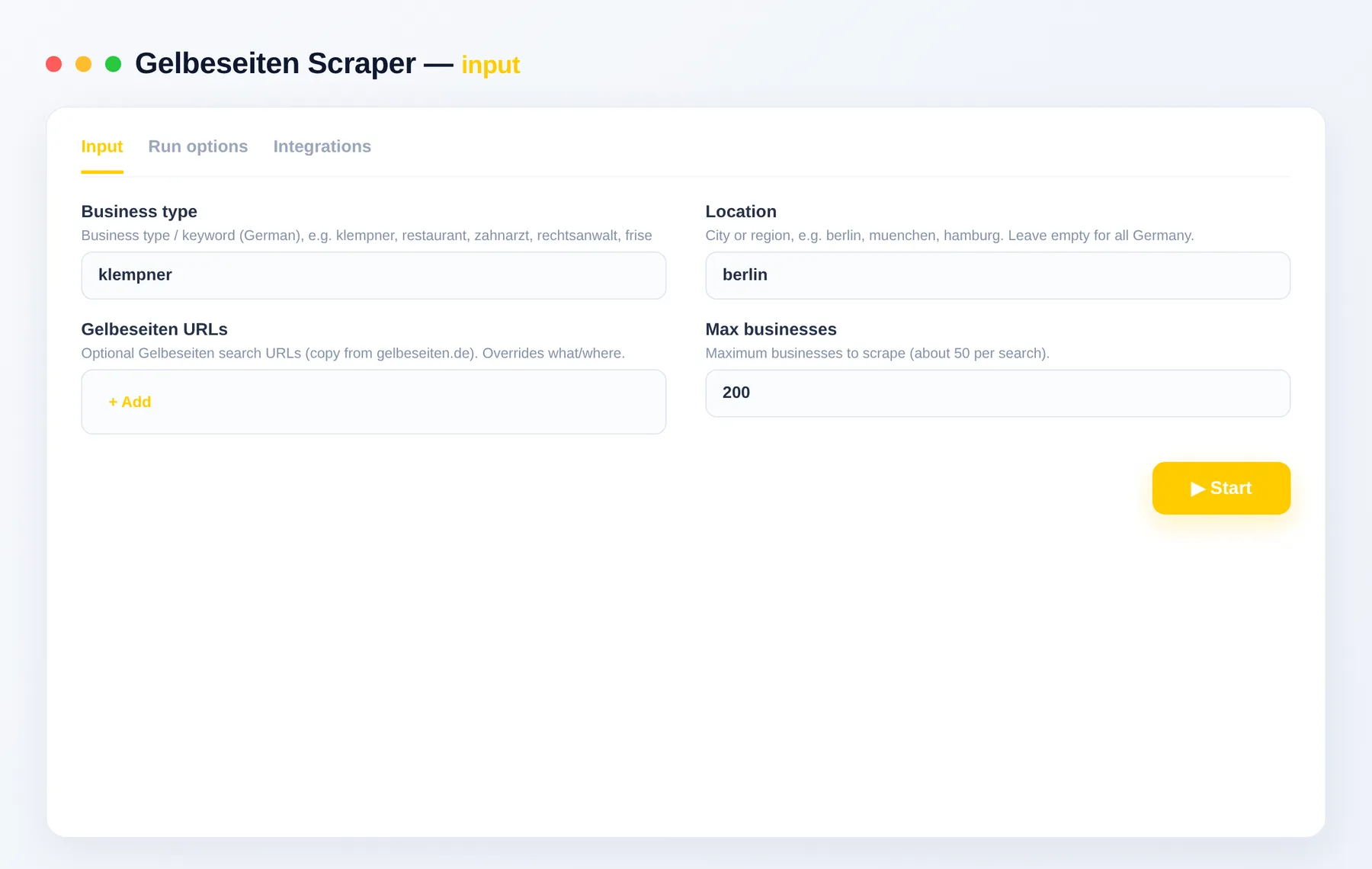
- Enter a business type in what and a city in where, or paste a Gelbeseiten search URL into startUrls.
- Set maxItems to cap how many businesses you collect.
- Click Run and watch results stream into the dataset.
- Export to JSON, CSV, Excel or XML, or pull them through the Apify API.
Input
Enter a keyword (what) and a city (where), or paste a Gelbeseiten search URL. Cap the run with maxItems.
Example input
| Field | Description |
|---|---|
what | Business type or keyword (German), e.g. klempner, restaurant, zahnarzt, rechtsanwalt, friseur. |
where | City or region, e.g. berlin, muenchen, hamburg. |
startUrls | Gelbeseiten search URLs copied from gelbeseiten.de. Overrides what/where. |
maxItems | Maximum number of businesses to return. |
Output
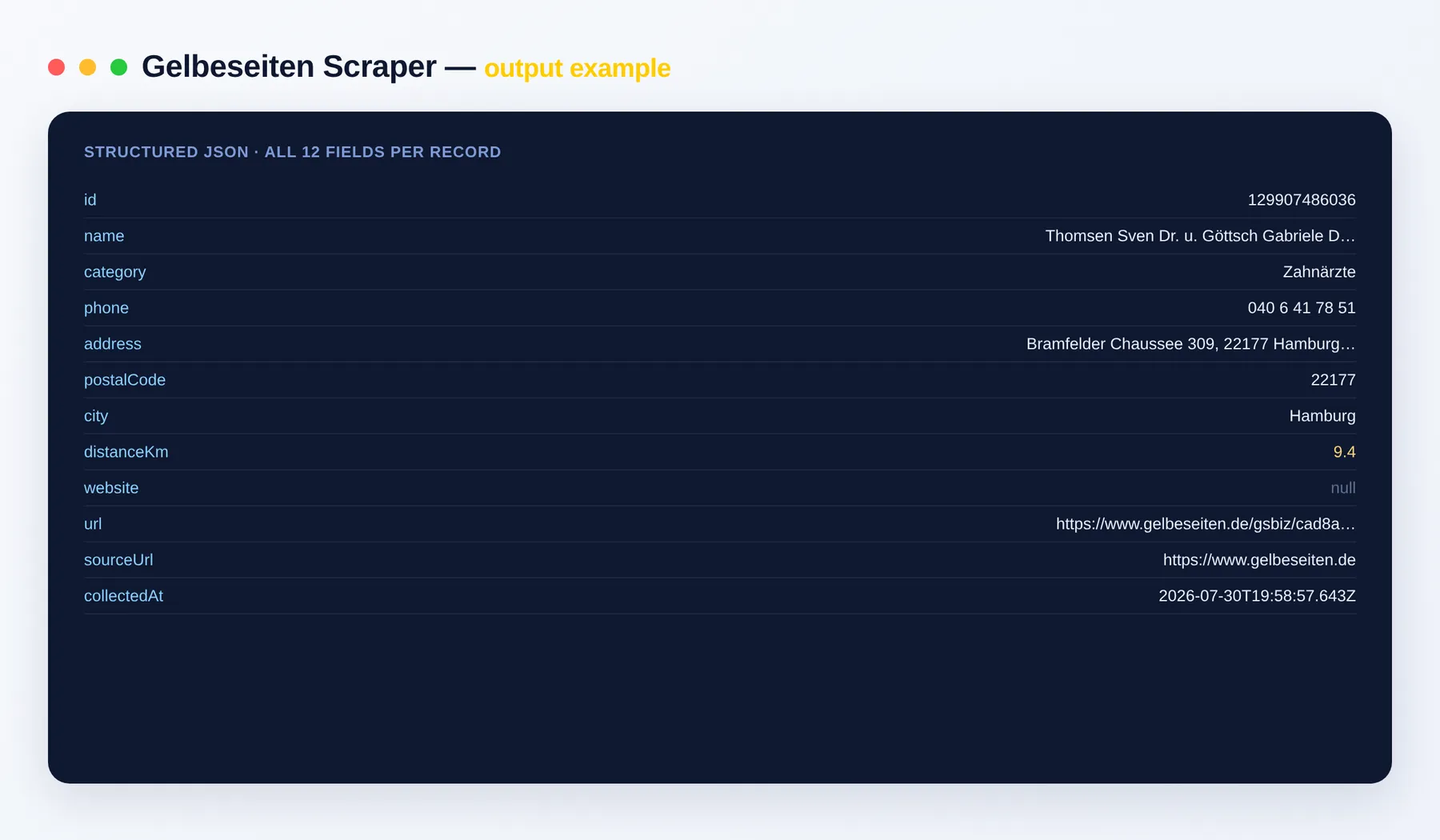
Each business is one clean record:
Output schema
| Field | Type | Description |
|---|---|---|
id | string | Unique Gelbeseiten business identifier. |
name | string | Business name. |
category | string | Business category (Branche). |
phone | string | Contact phone number. |
address | string | Full street address as listed. |
postalCode | string | Postal code (PLZ). |
city | string | City where the business is located. |
distanceKm | number | Distance in kilometers from the search center. |
website | string | Listed website URL, or null if none. |
url | string (URL) | Gelbeseiten profile page URL. |
sourceUrl | string (URL) | Search results page the record was collected from. |
collectedAt | string (ISO date) | Timestamp when the record was scraped. |
Need more local leads data?
- Houzz Scraper — home-service pros with phones and addresses.
- Europages Scraper — European B2B suppliers and manufacturers.
- Google Maps Scraper — local businesses, ratings and contact info.
- Website Contact Scraper — emails, phones and socials from any website.
FAQ
How many businesses can I scrape?
As many as the search returns — set maxItems to cap the run, or run multiple searches to cover more categories and cities.
Do I need any setup or a login? No setup and no login. Just add the actor, enter a keyword and city (or a search URL), and run.
How does billing work? You pay only per business you get — no subscription. Our per-item price floors 20% below the cheapest comparable scraper.
What export formats are supported? JSON, CSV, Excel and XML, plus the Apify API for programmatic access.
Can I scrape a specific city or category?
Yes — set what (Branche) and where (city), or paste a Gelbeseiten search URL into startUrls for exact targeting.
How fresh is the data?
Each run fetches live listings, so results reflect Gelbeseiten at the moment you run the actor. The collectedAt field timestamps every record.
Is it legal? The actor returns only publicly available data. You are responsible for complying with Gelbeseiten's terms and applicable data and marketing laws, including GDPR.
Can I connect it to my other tools? The Gelbeseiten Scraper can be connected with almost any cloud service or web app thanks to integrations on the Apify platform. It works with Make, Zapier, Slack, Airbyte, GitHub, Google Drive and many more, plus the Apify API, JavaScript/Python clients and MCP. Or use webhooks to trigger an action whenever a run finishes.
Related Actors
- GoodFirms Scraper — B2B agencies with ratings and pricing.
- BBB Scraper — Better Business Bureau company profiles and ratings.
- Google Maps Reviews Scraper — reviews and ratings for local businesses.
Notes
Original clean-room implementation. Returns only public data; you are responsible for compliance with Gelbeseiten's terms. Not affiliated with Gelbeseiten.


