
Google Maps Scraper — Places, Ratings & Contacts
Pricing
from $0.0025 / place scraped
Google Maps Scraper — Places, Ratings & Contacts
Search Google Maps and scrape places: name, category, full address, city, coordinates, rating, phone, website, Place ID and map link. Fast browser-free via Google's internal endpoint, no setup. For local lead generation and market research.
Pricing
from $0.0025 / place scraped
Rating
0.0
(0)
Developer

hiper soft
Maintained by CommunityActor stats
0
Bookmarked
2
Total users
0
Monthly active users
20 hours ago
Last modified
Categories
Share
Google Maps Scraper — Places, Ratings, Contacts & Coordinates
Google Maps Scraper turns any Google Maps search into a clean, structured dataset of local businesses. Query by keyword and location (e.g. "coffee shops in Austin TX") and get each place with its name, category, full address, phone, website, star rating, Place ID, coordinates and a direct map link. Export to JSON, CSV, Excel or XML. Fast and reliable, with no account or API key to set up. Reliable enough for bulk lead lists and repeatable market-research runs.
What does the Google Maps Scraper do?
This Google Maps crawler runs your searches, paginates automatically, de-duplicates by Place ID, and returns one structured record per business. Add as many searches as you like and export a fresh local-business dataset for outreach, mapping or market research.
What data can you scrape from Google Maps?
| Data point | Description |
|---|---|
| Identity | name, category, categories, placeId, featureId |
| Location | address, city, countryCode, latitude, longitude, plusCode |
| Contact | phone, website |
| Ratings | rating, reviewsCount |
| Hours | hours, openStatus |
| Links | url, search |
What you get
One record per business. Export the full table to JSON, CSV, Excel or XML.
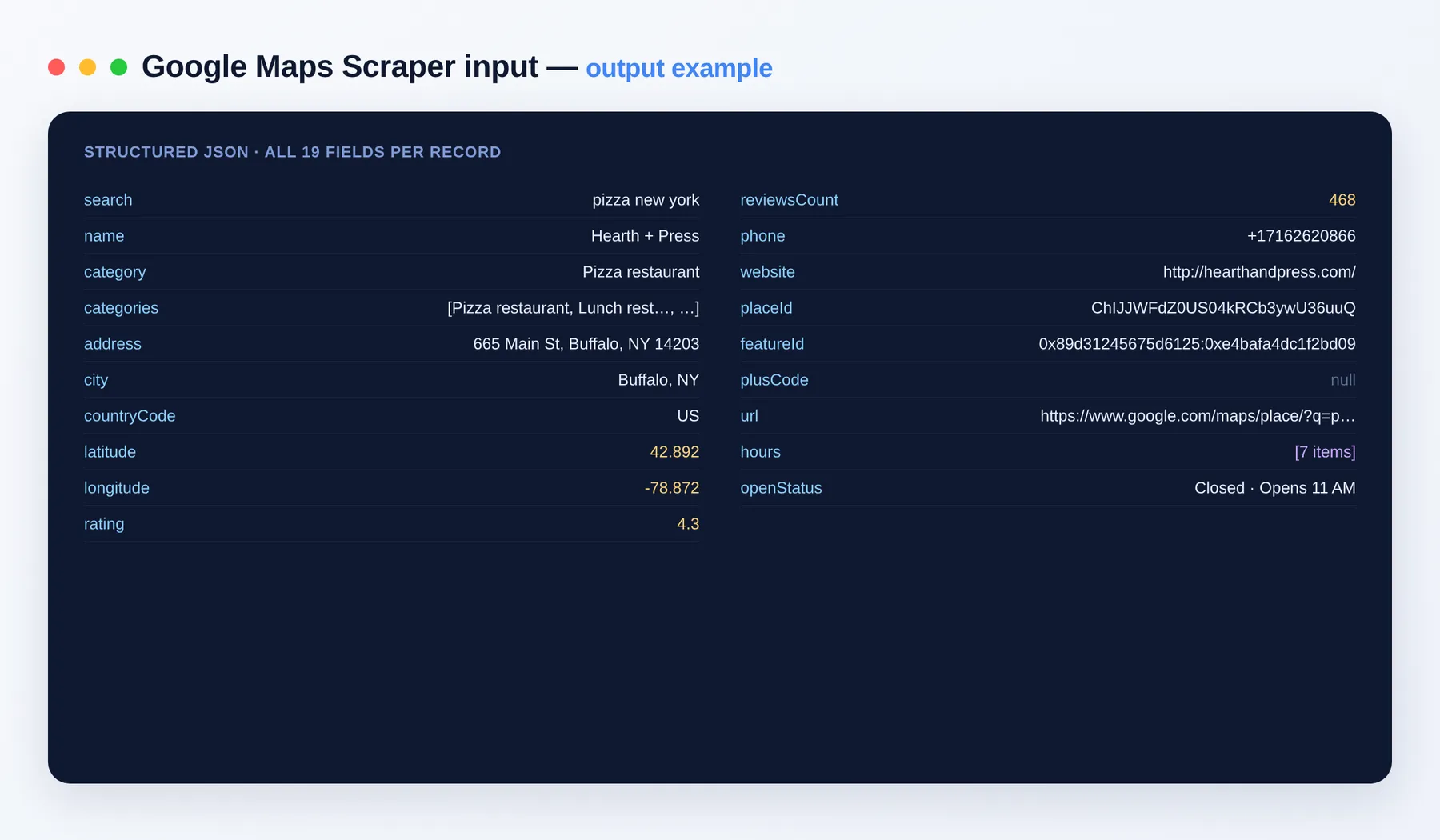
reviewsCount, hours and openStatus are populated when scrapePlaceDetails is enabled.
Output schema
| Field | Type | Description |
|---|---|---|
search | string | The search query that produced this place. |
name | string | Business name. |
category | string | Primary category of the business. |
categories | array | All categories the business is listed under. |
address | string | Full street address. |
city | string | City the business is in. |
countryCode | string | Two-letter country code. |
latitude | number | Latitude of the place. |
longitude | number | Longitude of the place. |
rating | number | Average star rating. |
reviewsCount | integer | Total number of reviews (with place details enabled). |
phone | string | Contact phone number, when listed. |
website | string (URL) | Business website, when listed. |
placeId | string | Google Place ID, used to de-duplicate and to chain into reviews. |
featureId | string | Google feature identifier for the place. |
plusCode | string | Google Plus Code location string. |
url | string (URL) | Direct Google Maps link to the place. |
hours | array | Opening hours by day (with place details enabled). |
openStatus | string | Whether the place is currently open or closed (with place details enabled). |
Use cases
- Build local B2B lead lists (name, phone, website) for a city or niche.
- Map competitor density and ratings across a metro area for market research.
- Enrich a CRM with Place IDs, coordinates and categories.
- Feed Place IDs straight into the Google Maps Reviews Scraper for reputation tracking.
- Analyze category coverage and average ratings across neighborhoods.
How to scrape Google Maps data
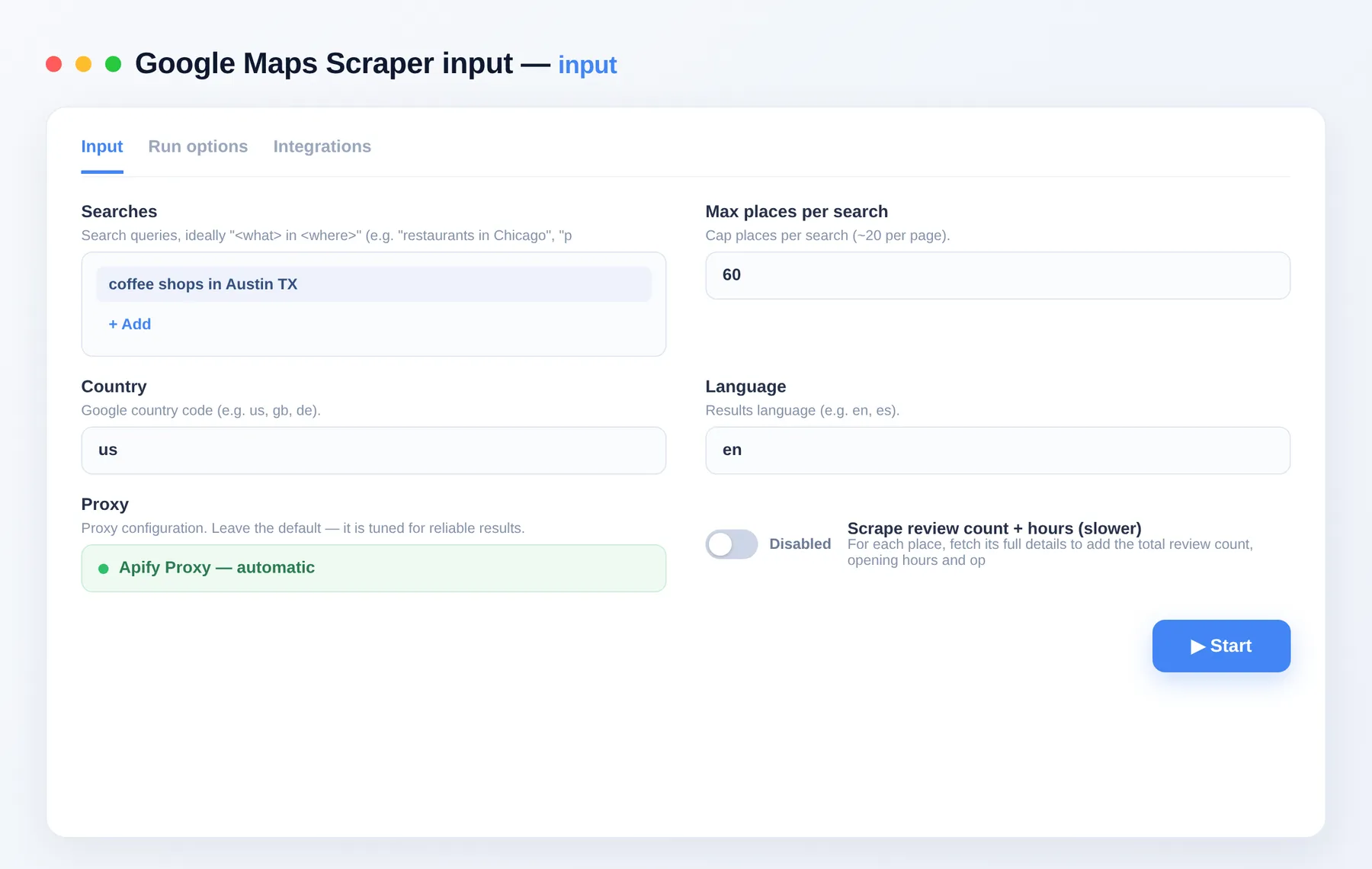
- Add the Google Maps Scraper to your Apify account and open its input.
- Enter searches like "<what> in <where>" under
searches, one per line. - Set
maxItemsPerSearch,countryandlanguagefor your market. - Toggle
scrapePlaceDetailsfor review counts and hours, then click Run. - Export the results as JSON, CSV, Excel or XML, or pull them via the Apify API.
Input
| Field | Description |
|---|---|
searches | List of queries, ideally "<what> in <where>". One per line. |
maxItemsPerSearch | Cap on places per search (1–500, ~20 per page). |
country | Google country code (e.g. us, gb, de). |
language | Results language (e.g. en, es). |
scrapePlaceDetails | Also fetch total review count, hours and open/closed status (slower). |
proxyConfiguration | Optional proxy settings; rotation is recommended for large runs. |
Need more local & leads data?
- Google Maps Reviews Scraper — reviewer names, ratings, text and dates for any place; chain Place IDs straight from here.
- Google Maps Email Extractor — turn Maps results into a lead list with emails, socials and extra phones.
- Website Contact Scraper — enrich the websites you find here with emails, phones and social profiles.
FAQ
Do I need an API key or Google account? No. Just add your searches and run — no API key, login or Google Cloud billing to set up.
How many places can I get per run? Each search returns up to 500 places (paginated automatically, ~20 per page). You can queue many searches in one run, so a single run can produce thousands of business records.
Does it collect emails or contact info? It returns each business's phone and website when Google exposes them, but it does not visit those websites to extract emails. For emails and social profiles, use the Google Maps Email Extractor.
What export formats are supported? JSON, CSV, Excel and XML, plus programmatic access through the Apify API.
How does billing work? You pay per item you get, so cost scales with the number of places you actually collect. See the Pricing tab for current rates.
Can I connect this to other tools? The Google Maps Scraper can be connected with almost any cloud service or web app thanks to integrations on the Apify platform. It works with Make, Zapier, Slack, Airbyte, GitHub, Google Drive and many more, plus the Apify API, JavaScript/Python clients and MCP. Or use webhooks to trigger an action whenever a run finishes.
Is scraping Google Maps legal? The scraper collects only publicly visible listing data — the same information any visitor sees on Google Maps. You are responsible for using it in line with applicable laws and Google's terms.
Related Actors
Notes
Original clean-room implementation. Collects only publicly visible Google Maps listing data. Not affiliated with, endorsed by or sponsored by Google; Google Maps is a trademark of Google LLC.


