

Google Jobs Scraper — Listings, Salaries & Apply Links
Pricing
from $0.0025 / job scraped
Google Jobs Scraper — Listings, Salaries & Apply Links
Scrape Google Jobs by keyword and location in any country: job title, company, location, salary, employment type, posting age, description and direct apply links from every job board that lists it.
Pricing
from $0.0025 / job scraped
Rating
0.0
(0)
Developer

Hipersoft
Maintained by CommunityActor stats
0
Bookmarked
2
Total users
1
Monthly active users
6 hours ago
Last modified
Categories
Share
Google Jobs Scraper extracts job listings from Google Jobs for any search and location: job title, company, location, salary, employment type, posting age, description and direct apply links from every job board that lists the role. One search covers LinkedIn, Indeed, company career sites and local boards in one format.
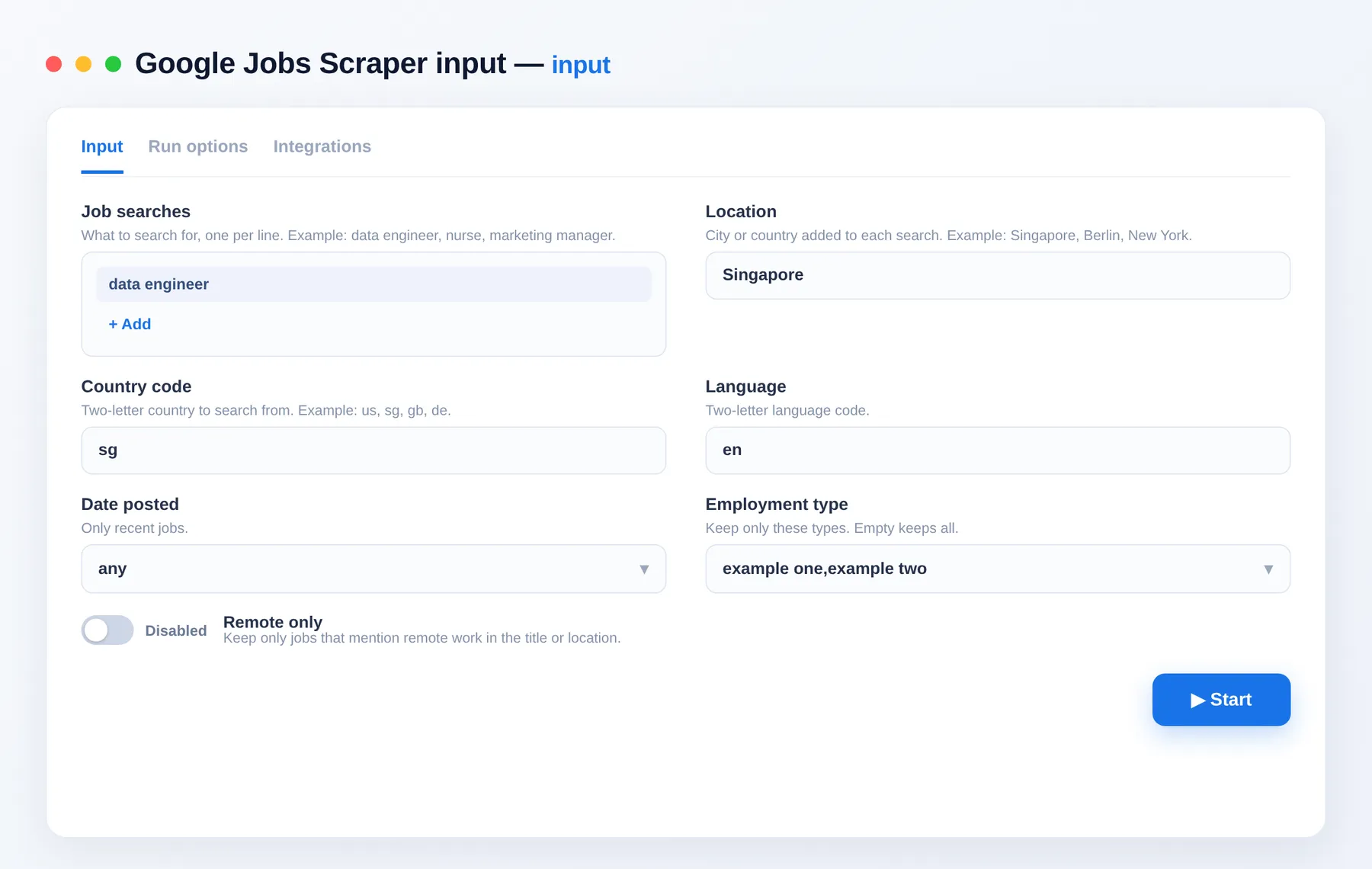
What does Google Jobs Scraper do?
Type what you'd search on Google, such as data engineer with Singapore, and get clean rows with the real links to apply. It works in any country and language, and each row lists every site where the job is posted.
What data can you scrape from Google Jobs?
| Data | Fields |
|---|---|
| Job | title, company, location, employmentType, postedAgo |
| Pay | salary (as shown, when shown) |
| Links | applyUrl, applyLinks (every board listing the job), via |
| Text | description |
| Context | query, page, country, googleJobId, collectedAt |
Use cases
- Job market research: see who is hiring for a role, and where.
- Salary benchmarking: collect the pay ranges shown for a role and city.
- Job boards and newsletters: feed in fresh listings with direct apply links.
- Recruiting and sales: spot companies hiring for roles you serve.
- Job alerts: schedule a search with Past day to catch new roles.
How to scrape Google Jobs
- Open Google Jobs Scraper.
- Add your job searches and a location.
- Set the country code, and any filters you want.
- Click Start.
- Export to JSON, CSV, Excel or XML.
How many jobs do I get per search?
Plan on about 10 to 25 unique jobs per search. In tests a search returned 10, 15 and 22 jobs. Google shows jobs in small batches, and later batches repeat earlier ones, so duplicates are removed and the run stops once nothing new appears. To collect more, run more specific searches: several titles, several cities, or different dates. You pay only for jobs delivered.
Input
| Field | Description |
|---|---|
queries | What to search for. |
location | City or country added to each search. |
country | Two-letter country to search from (default us). |
language | Two-letter language code (default en). |
datePosted | any, today, 3days, week or month. |
employmentTypes | Full-time, Part-time, Contractor, Internship. |
remoteOnly | Keep jobs mentioning remote work in the title or location. |
withSalaryOnly | Keep jobs that show a salary. |
includeDescription | Include the job text (default on). |
maxResultsPerQuery | Maximum jobs per search (default 50). |
Output
A real row, with long values shortened.
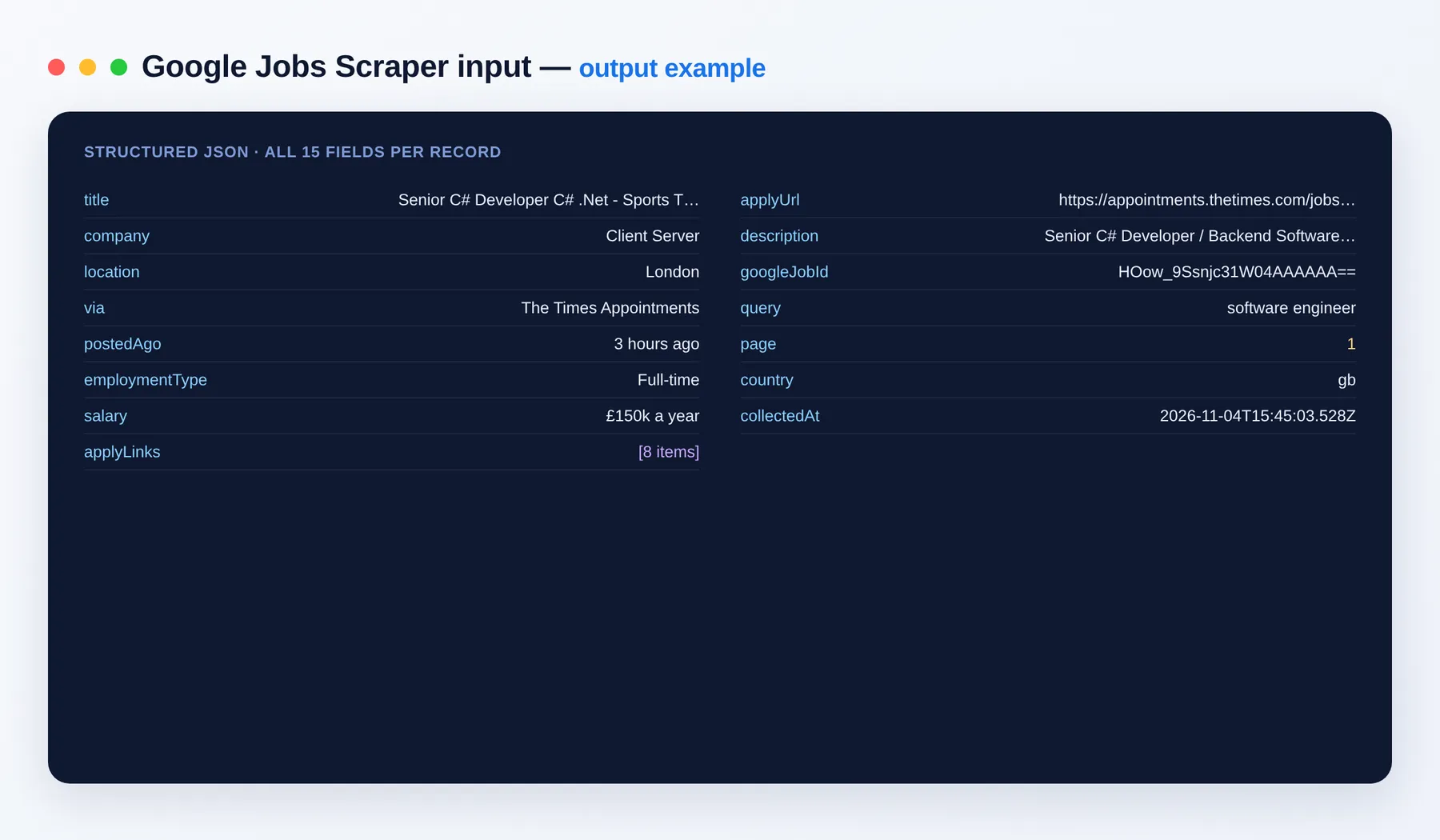
Output schema
| Field | Type | Description |
|---|---|---|
title | string | Job title. |
company | string | Hiring company. |
location | string | Job location. |
via | string | Site Google names as the source. |
postedAgo | string | Age as shown, such as "2 days ago". Not always shown. |
employmentType | string | Full-time, Contractor and so on. Not always shown. |
salary | string | Pay as shown. Most jobs don't show one. |
applyUrl | string (URL) | First apply link. |
applyLinks | array | Every site listing the job, with source and url. |
description | string | Job text. |
googleJobId | string | Google's ID for this job. |
query / page / country | various | The search that found it. |
collectedAt | string (ISO date) | When the row was collected. |
Need more job data?
- ATS Jobs Scraper: search company career sites on Greenhouse, Lever and Ashby.
- Google Search Scraper: organic results, ads and more.
FAQ
How much does it cost? You pay per job delivered, shown on the Pricing tab. Set a maximum cost per run and it stops cleanly at that limit, storing only what you paid for.
Why did I get fewer jobs than my maximum? Each search only reaches the jobs Google shows for it, usually 10 to 25. Use more specific searches to get more.
Why is the salary empty? Most listings don't show pay. Use Only jobs showing a salary to keep the ones that do.
Which countries work? Set any two-letter country code and add the place to your location. Tested in Singapore, the US and the UK.
Can I get only new jobs? Yes. Schedule a daily run with Date posted set to Past day.
Can I connect this to other tools? Yes, through integrations on the Apify platform: Make, Zapier, Slack, Airbyte, GitHub, Google Drive and many more, plus the Apify API and webhooks.
Is it legal to scrape Google Jobs? It returns publicly listed job information. You are responsible for how you use it, including each site's terms and privacy law.
Feedback
How did it go? Good or bad, a review helps other users decide and tells us what to improve. Something broken or missing? Open an issue and we'll look at it.
Related Actors
Notes
Independent tool, not affiliated with Google. Returns only public data; you are responsible for how you use it.


