
Google Search Scraper — Organic SERP Results
Pricing
from $0.0005 / result scraped
Google Search Scraper — Organic SERP Results
Scrape Google Search results (organic listings) for any query: title, URL, displayed URL, snippet and position. Multi-query, per-country/language, pagination. Uses Google SERP proxy — reliable, no captcha, no setup.
Pricing
from $0.0005 / result scraped
Rating
0.0
(0)
Developer

hiper soft
Maintained by CommunityActor stats
0
Bookmarked
8
Total users
1
Monthly active users
9 days ago
Last modified
Categories
Share
Google Search Scraper — Organic SERP Results with Title, URL, Snippet & Position
Scrape Google search results for any query and export title, URL, displayed URL, snippet and rank position as structured data. Target results by country and language, then download clean JSON, CSV, Excel or XML. No account and no API key — fast and reliable. Built for SEO teams, rank trackers and researchers monitoring the SERP at scale.
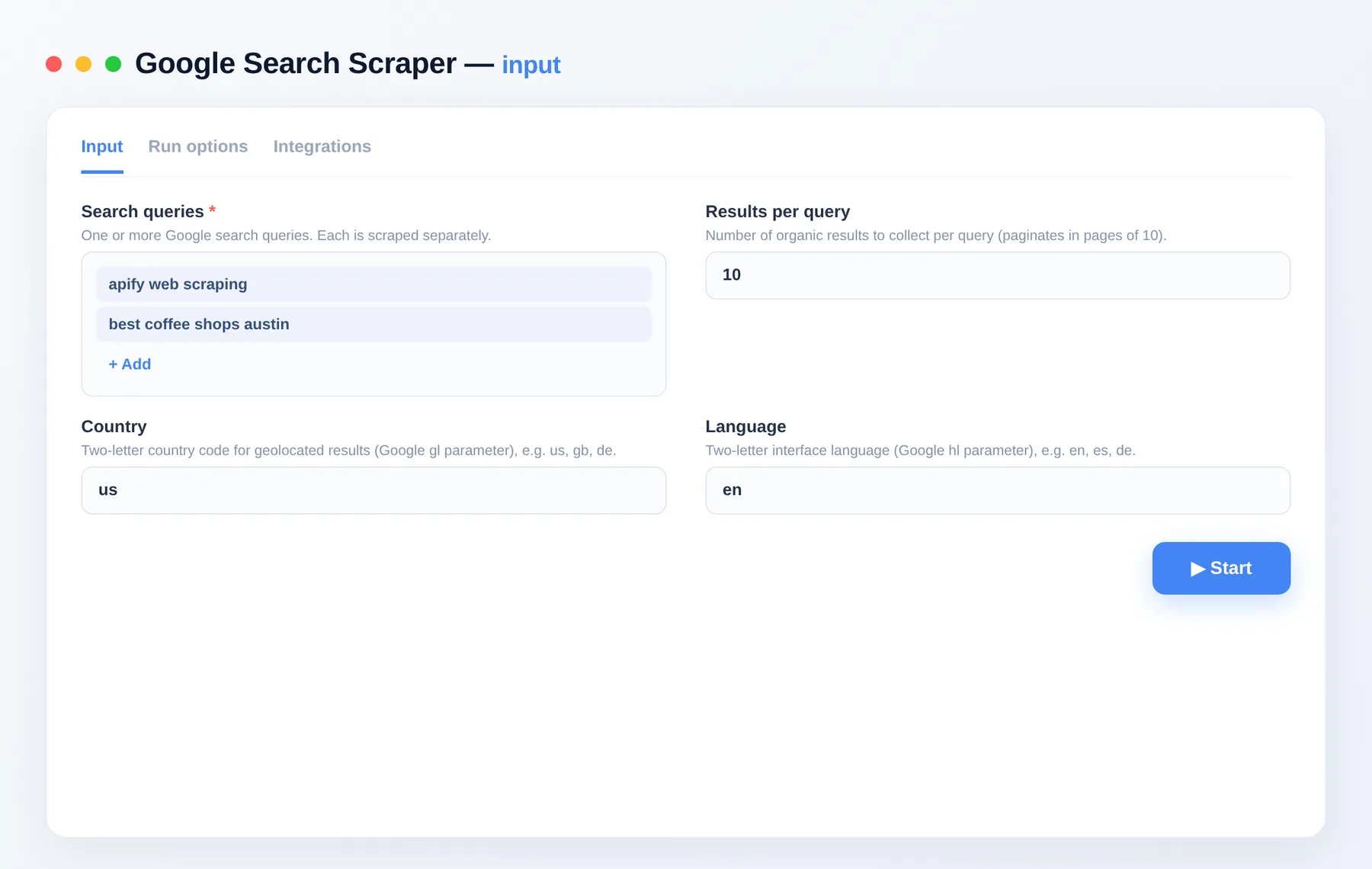
What does Google Search Scraper do?
Google Search Scraper is a crawler that extracts organic search results from Google. Give it one or more queries and it returns the blue-link listings — title, URL, displayed URL, snippet and position — for each query, geotargeted by country and language. Results export to a dataset you can download or pull through the API.
What data can you scrape from Google Search?
| Data point | Description |
|---|---|
| Query | The search query the result belongs to |
| Position | Organic rank of the result |
| Title | Result title |
| URL | Destination link |
| Displayed URL | The URL as shown in the SERP |
| Snippet | Result description text |
| Locale | Country and language codes used |
| Timestamp | When the result was scraped |
What you get
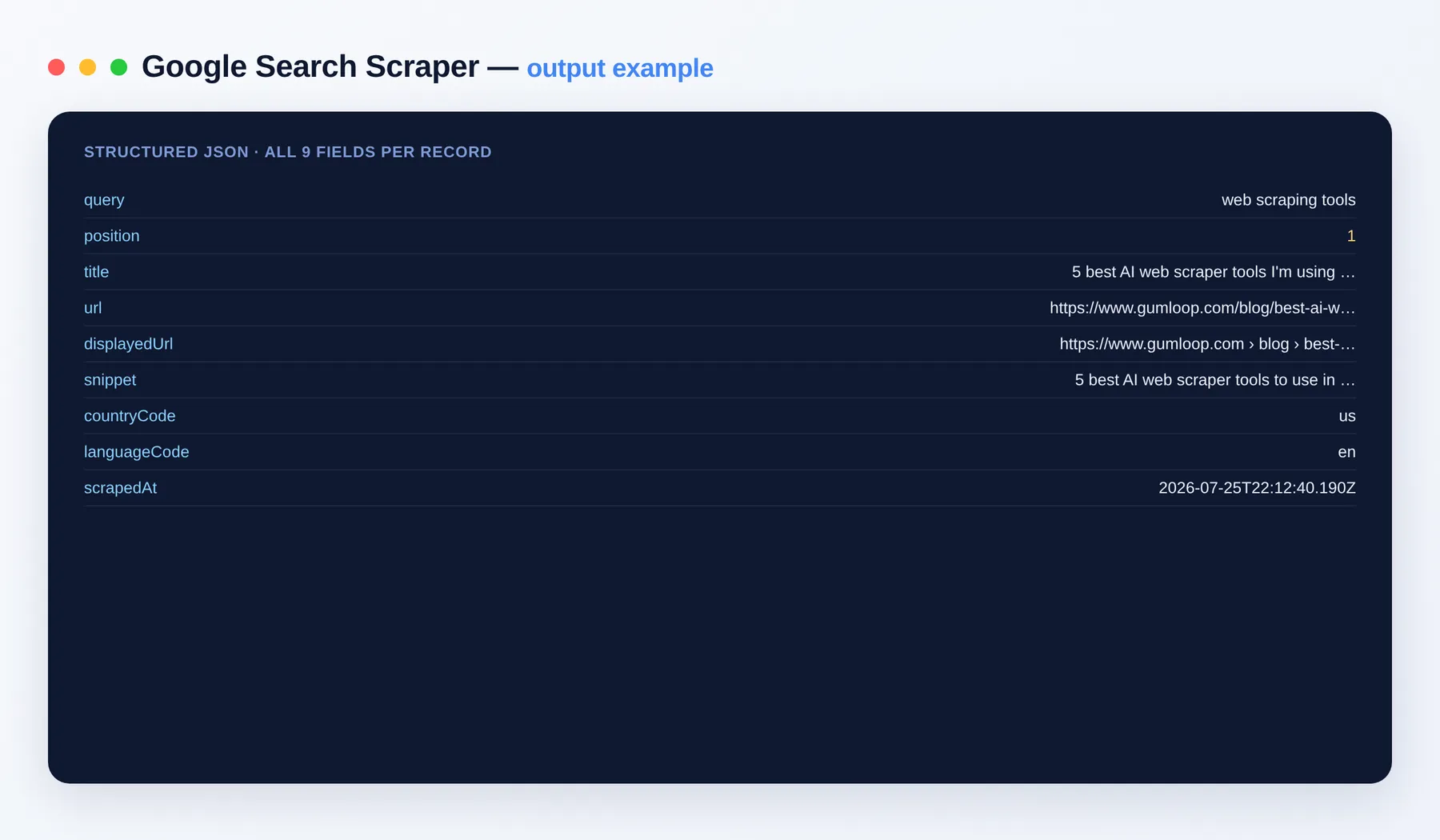
Each row is one organic result:
Output schema
| Field | Type | Description |
|---|---|---|
query | string | The search query this result belongs to. |
position | integer | Organic rank of the result within the query. |
title | string | Title of the search result. |
url | string (URL) | Destination URL of the result. |
displayedUrl | string (URL) | The URL as shown in the search results. |
snippet | string | Description snippet shown under the title. |
countryCode | string | Two-letter country code used for the search. |
languageCode | string | Two-letter interface language code used. |
scrapedAt | string (ISO date) | Timestamp when the result was collected. |
Use cases
- Track keyword rankings and SERP positions over time.
- Build competitor and share-of-voice reports from organic listings.
- Harvest titles and snippets for content and metadata analysis.
- Run
site:and other advanced queries to audit indexed pages. - Monitor branded and product terms across countries and languages.
- Assemble SERP datasets for research and dashboards.
How to scrape Google Search data
- Add Google Search Scraper to your Apify account and open the input.
- Enter one or more
queries, each scraped separately. - Set
resultsPerQuery(1–100) and choosecountryCodeandlanguageCode. - Click Run and watch results stream into the dataset.
- Export the results as JSON, CSV, Excel or XML, or pull them through the Apify API.
Input
| Field | Description |
|---|---|
queries | One or more Google search queries; each is scraped separately (required). |
resultsPerQuery | Organic results to collect per query, 1–100 (in pages of 10). Default 10. |
countryCode | Two-letter country code for geolocated results (gl). Default us. |
languageCode | Two-letter interface language (hl). Default en. |
Need more Google data?
- Google News Scraper
- Google Trends Scraper
- Google Autocomplete Scraper
- Google Ads Transparency Scraper
- Google Maps Scraper
FAQ
Do I need a Google account or API key? No. There's no setup and no login — just add your queries and run.
How many results can I get per query? Up to 100 organic results per query, and you can pass many queries in one run.
Can I target a specific country or language?
Yes. Set countryCode (gl) and languageCode (hl) to geolocate and localize the results.
What export formats are supported? JSON, CSV, Excel and XML, plus programmatic access via the Apify API.
How fresh is the data? Every run reads live search results, so positions and snippets reflect the current SERP.
Can Google Search Scraper connect to my other tools? The Google Search Scraper can be connected with almost any cloud service or web app thanks to integrations on the Apify platform. It works with Make, Zapier, Slack, Airbyte, GitHub, Google Drive and many more, plus the Apify API, JavaScript/Python clients and MCP. Or use webhooks to trigger an action whenever a run finishes.
Is scraping Google Search legal? The Actor parses only publicly visible organic listings. You are responsible for complying with Google's terms and applicable laws.
Related Actors
Notes
Original clean-room implementation. Parses only publicly visible organic listings; you are responsible for compliance with Google's terms. Not affiliated with Google.


