
Readability Scorer — Flesch, Grade Level & More
Pricing
from $0.0005 / text scored
Readability Scorer — Flesch, Grade Level & More
Score how easy any text is to read. Get Flesch Reading Ease, Flesch-Kincaid Grade, Gunning Fog, SMOG, Coleman-Liau and ARI, plus word, sentence and syllable counts and a plain-English difficulty label. Score one text or many at once. Output JSON, CSV or Excel.
Pricing
from $0.0005 / text scored
Rating
0.0
(0)
Developer

Hipersoft
Maintained by CommunityActor stats
0
Bookmarked
1
Total users
0
Monthly active users
5 hours ago
Last modified
Categories
Features
Share
Readability Scorer — Flesch Reading Ease, Grade Level & Readability Metrics
Measure how easy any text is to read with the Readability Scorer. Paste an article, blog post, email or document and get every major readability metric — Flesch Reading Ease, Flesch-Kincaid Grade, Gunning Fog, SMOG, Coleman-Liau and the Automated Readability Index — plus word, sentence and syllable counts and a plain-English difficulty label. Score one text or a whole list in bulk, and export as JSON, CSV, Excel or XML. It tells you instantly whether your writing matches your audience's reading level — built for SEO and content teams, editors, educators, UX writers and accessibility checks.
What is the Readability Scorer?
The Readability Scorer is a bulk text-readability analyzer that turns any writing into measurable scores. For each text you give it, it computes the six standard readability formulas, the underlying counts they're based on (words, sentences, syllables, complex words and more), and a human-readable "Very easy → Very difficult" band. Instead of pasting one paragraph at a time into a single-text widget, you score an entire content library at once and sort by difficulty. It's built for content and SEO teams keeping copy at the right level, editors flagging dense writing, and educators checking materials against a target grade.
Features
- 📖 All the standard scores — Flesch Reading Ease, Flesch-Kincaid Grade Level, Gunning Fog Index, SMOG Index, Coleman-Liau Index and Automated Readability Index (ARI).
- 🏷️ Plain-English label — a readable "Very easy → Very difficult" band alongside the Reading Ease score.
- 🔢 Underlying counts — words, sentences, syllables, characters, complex words, words-per-sentence and syllables-per-word.
- 📚 Bulk scoring — score a whole list of texts in one run, each labelled by document index.
- 👀 Preview column — a short snippet of each text so results are easy to scan.
- 📤 Clean exports — JSON, CSV, Excel or XML, or straight into a spreadsheet or content dashboard.
What you get
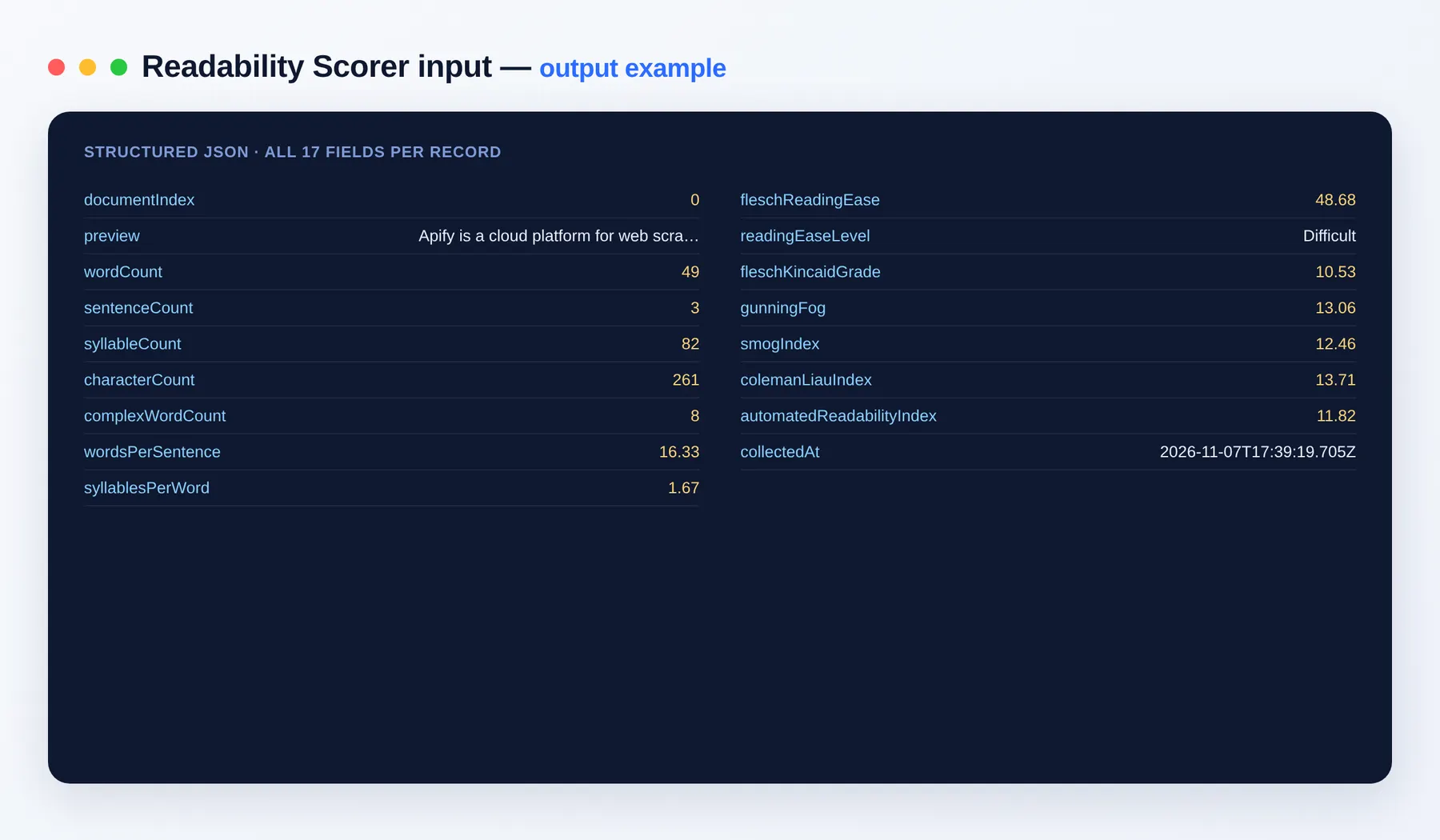
Each text becomes one structured JSON record:
Output schema
| Field | Type | Description |
|---|---|---|
documentIndex | integer | Index of the text in the batch. |
preview | string | Short snippet of the scored text. |
wordCount | integer | Number of words. |
sentenceCount | integer | Number of sentences. |
syllableCount | integer | Number of syllables. |
characterCount | integer | Number of characters. |
complexWordCount | integer | Words with three or more syllables. |
wordsPerSentence | number | Average words per sentence. |
syllablesPerWord | number | Average syllables per word. |
fleschReadingEase | number | Flesch Reading Ease (higher = easier). |
readingEaseLevel | string | Plain-English difficulty band. |
fleschKincaidGrade | number | Flesch-Kincaid US grade level. |
gunningFog | number | Gunning Fog Index. |
smogIndex | number | SMOG Index. |
colemanLiauIndex | number | Coleman-Liau Index. |
automatedReadabilityIndex | number | Automated Readability Index (ARI). |
Understanding the scores
- Flesch Reading Ease — higher is easier (90+ very easy, 60–70 standard, under 30 very difficult).
- Flesch-Kincaid Grade / Gunning Fog / SMOG / Coleman-Liau / ARI — US school-grade levels; lower means more accessible.
How to score text readability
- Open the Readability Scorer and click Try for free.
- Paste your text into the
textfield, or add several texts to thetextslist for bulk scoring. - Click Run.
- Export the scores as JSON, CSV, Excel or XML, or read them from the Apify API.
Input
| Field | Type | Description |
|---|---|---|
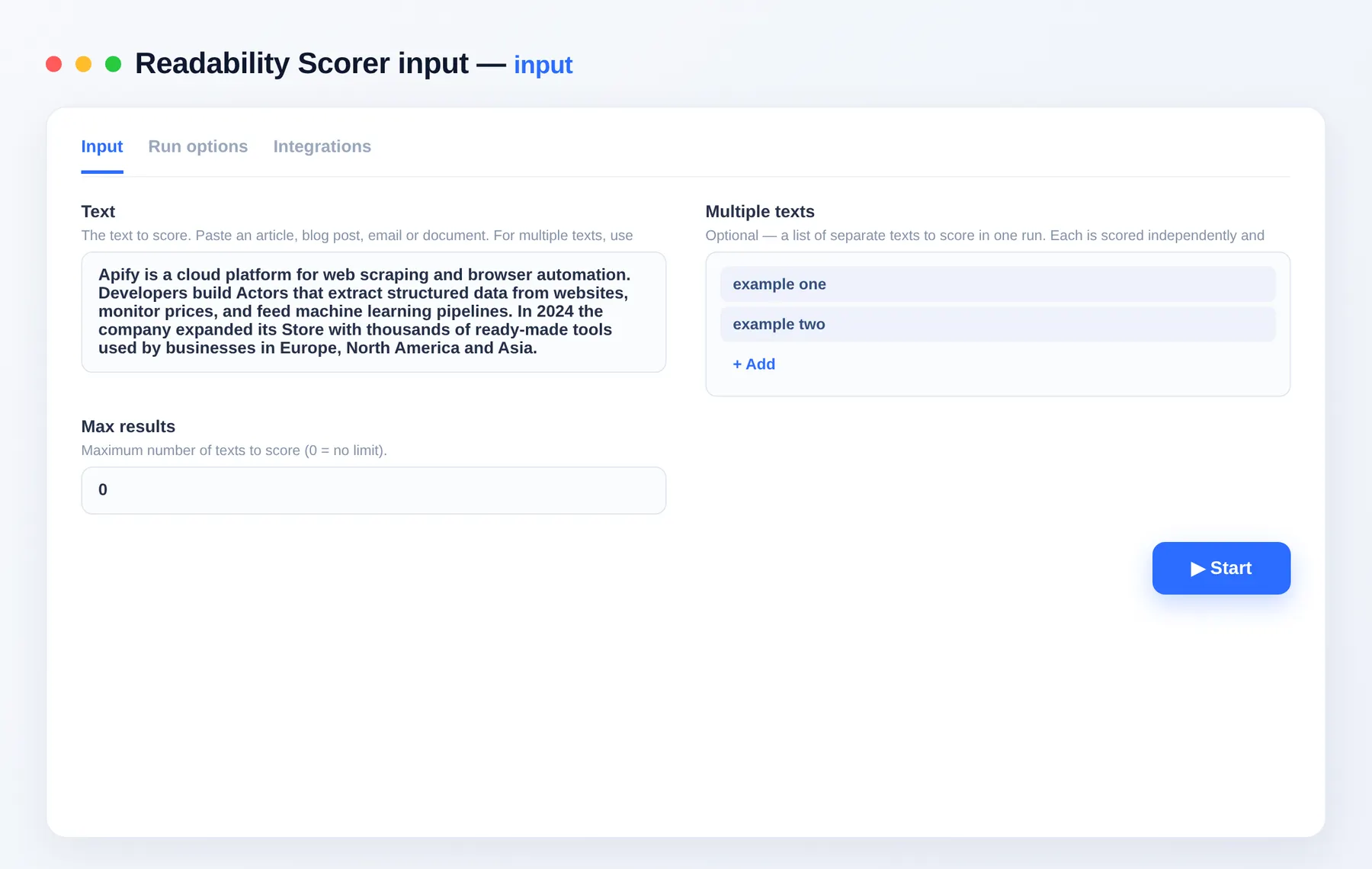
text | string | The text to score (an article, post, email or document). |
texts | array | Optional list of separate texts to score in one run. |
maxItems | integer | Maximum texts to score (0 = no limit). |
Use cases
- SEO & content: keep articles at a reading level that ranks and converts for your audience.
- Editing & UX writing: flag copy that's too dense before it ships.
- Education: check that learning materials match a target grade level.
- Accessibility: ensure public-facing text is broadly understandable.
- Content audits: score an entire library at once and sort by difficulty to prioritize rewrites.
- Brand & style compliance: confirm writing stays within your readability guidelines.
- Pipelines: add a readability gate to a publishing workflow so nothing goes out too complex.
Pricing
Pay-per-event: you're billed a small amount per text scored — you only pay for the results you receive. See the Pricing tab for current rates.
FAQ
How do I check the readability of my text?
Paste your text into the text field and run the actor. You get the Flesch Reading Ease, grade-level scores and a plain-English difficulty label in one row.
Which readability formulas are included? Flesch Reading Ease, Flesch-Kincaid Grade Level, Gunning Fog, SMOG, Coleman-Liau and the Automated Readability Index — plus the word, sentence and syllable counts behind them.
Can I score many texts at once?
Yes — add a list of texts and each is scored separately, with a documentIndex on every row.
Which languages are supported? The metrics are designed for English text. Other languages will produce numbers, but the scales are calibrated for English.
How are syllables counted? With a well-established English syllable heuristic. As with all readability tools, unusual words may vary slightly, but scores are consistent and comparable across texts.
What's a good Flesch Reading Ease score? 60–70 is standard for general web content; 90+ is very easy; under 30 is very difficult. Aim for the band that matches your audience.
What export formats are supported? Structured JSON, CSV, Excel and XML — one row per text — plus programmatic access through the Apify API.
Can I connect this to other apps? The Readability Scorer can be connected with almost any cloud service or web app thanks to integrations on the Apify platform. It works with Make, Zapier, Slack, Airbyte, GitHub, Google Drive and many more, plus the Apify API, JavaScript/Python clients and MCP. Or use webhooks to trigger an action whenever a run finishes.
Related Actors
Building a text and content toolkit? Combine the Readability Scorer with our other utilities:
- Keyphrase Extractor — pull the key phrases and terms out of text.
- Text Entity Extractor — extract emails, URLs and entities from raw text.
- Text Splitter & Chunker — split long text into sized chunks for RAG and LLMs.
- PII Redactor — detect and redact personal data in text.
- Case Converter — normalize identifiers and headers between letter cases.
Notes
Original clean-room implementation. Scores the text you provide; no external data is fetched.


