

Text Entity Extractor — Emails, Phones, URLs & More
Pricing
from $0.00015 / entity extracted
Text Entity Extractor — Emails, Phones, URLs & More
Extract structured entities from any text: emails, phone numbers, URLs, dates, times, money, percentages, IP addresses, hashtags, @mentions, ZIP codes and emojis. Choose which types to pull. Process one text or many at once. One row per entity as JSON, CSV or Excel.
Pricing
from $0.00015 / entity extracted
Rating
0.0
(0)
Developer

Hipersoft
Maintained by CommunityActor stats
0
Bookmarked
1
Total users
0
Monthly active users
2 hours ago
Last modified
Categories
Features
Share
Text Entity Extractor — Extract Emails, Phones, URLs, Dates & More from Text
Pull structured entities out of messy, unstructured text with the Text Entity Extractor. Point it at an article, email, chat log, transcript or scraped page and get back every email, phone number, URL, date, time, money amount, percentage, IP address, hashtag, @mention, ZIP code, card-number candidate and emoji — one clean row per entity, with its position in the source text. Scan one text or a whole list in bulk, and export as JSON, CSV, Excel or XML. Ideal for lead extraction, data mining, log parsing, content moderation, redaction prep and dataset enrichment.
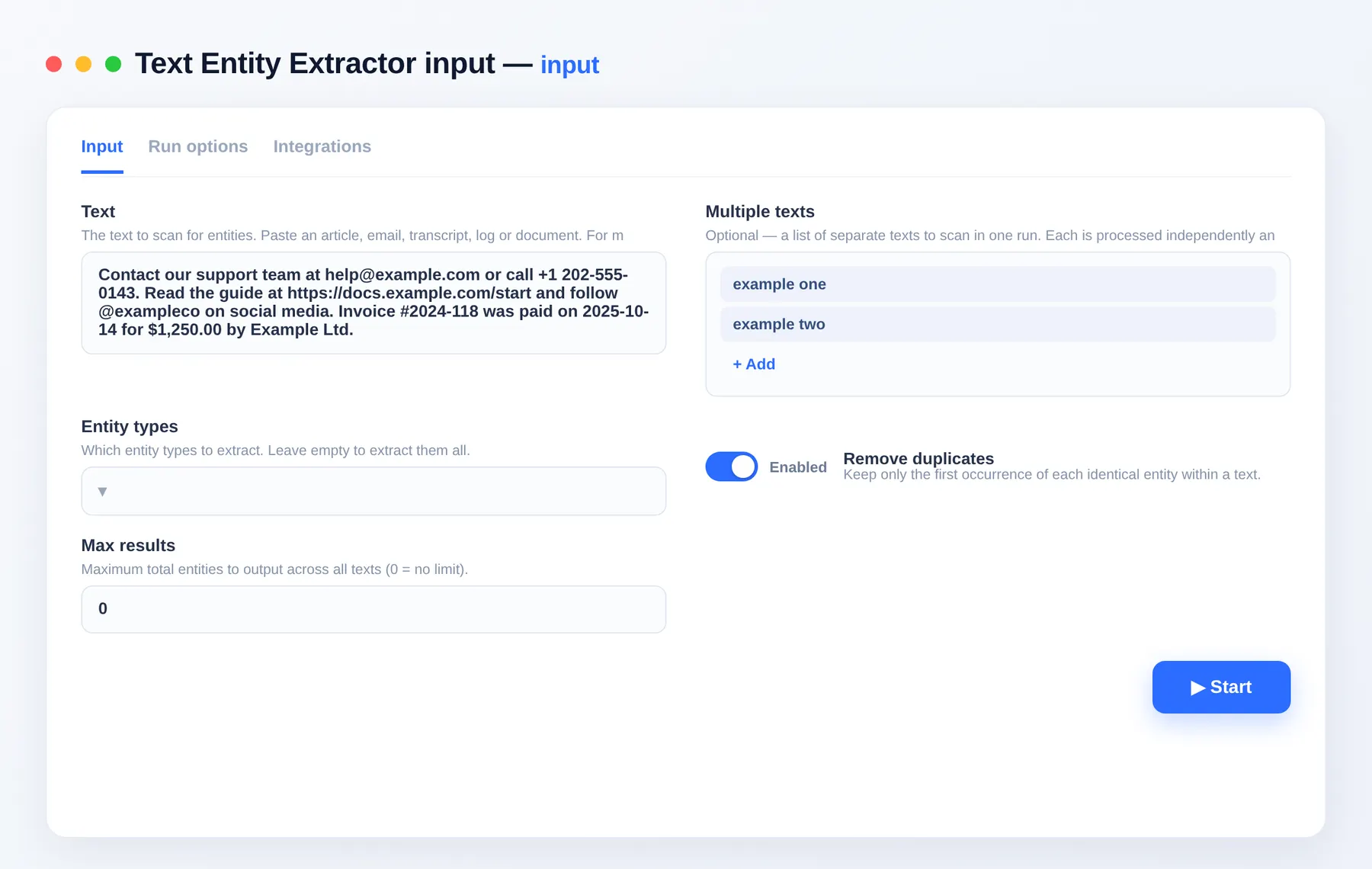
What is the Text Entity Extractor?
The Text Entity Extractor turns free text into a tidy, filterable table of its entities. For each text you give it, it finds the patterns you care about — contact details, links, numbers, dates, social handles and more — deduplicates them if you want, and reports each one with its type, value and character offset. Instead of writing and maintaining a pile of regular expressions, you paste text and get structured results. It's built for sales teams pulling leads out of pages, data teams structuring free-text notes, and security and compliance teams locating personal data to review or redact.
Features
- 🧩 13 entity types — emails, URLs, phone numbers, dates, times, money, percentages, IPv4 addresses, hashtags, @mentions, US ZIP codes, card-number candidates and emojis.
- 🎛️ Pick what you want — extract everything, or select just the types you need (e.g. only emails and phones).
- 🧹 Smart matching — phone detection avoids false positives from dates, IPs and ZIP codes.
- 🔁 De-duplication — keep only the first occurrence of each identical entity, or keep them all.
- 📍 Positions included — every entity comes with its character offset in the source text.
- 📚 Bulk scanning — process many documents in one run, each labelled by document index.
- 📤 Clean exports — JSON, CSV, Excel or XML, or straight into a CRM, spreadsheet or workflow.
Supported entity types
email · url · phone · ipv4 · hashtag · mention · money · date · time · percent · creditCard · zipUS · emoji
What you get
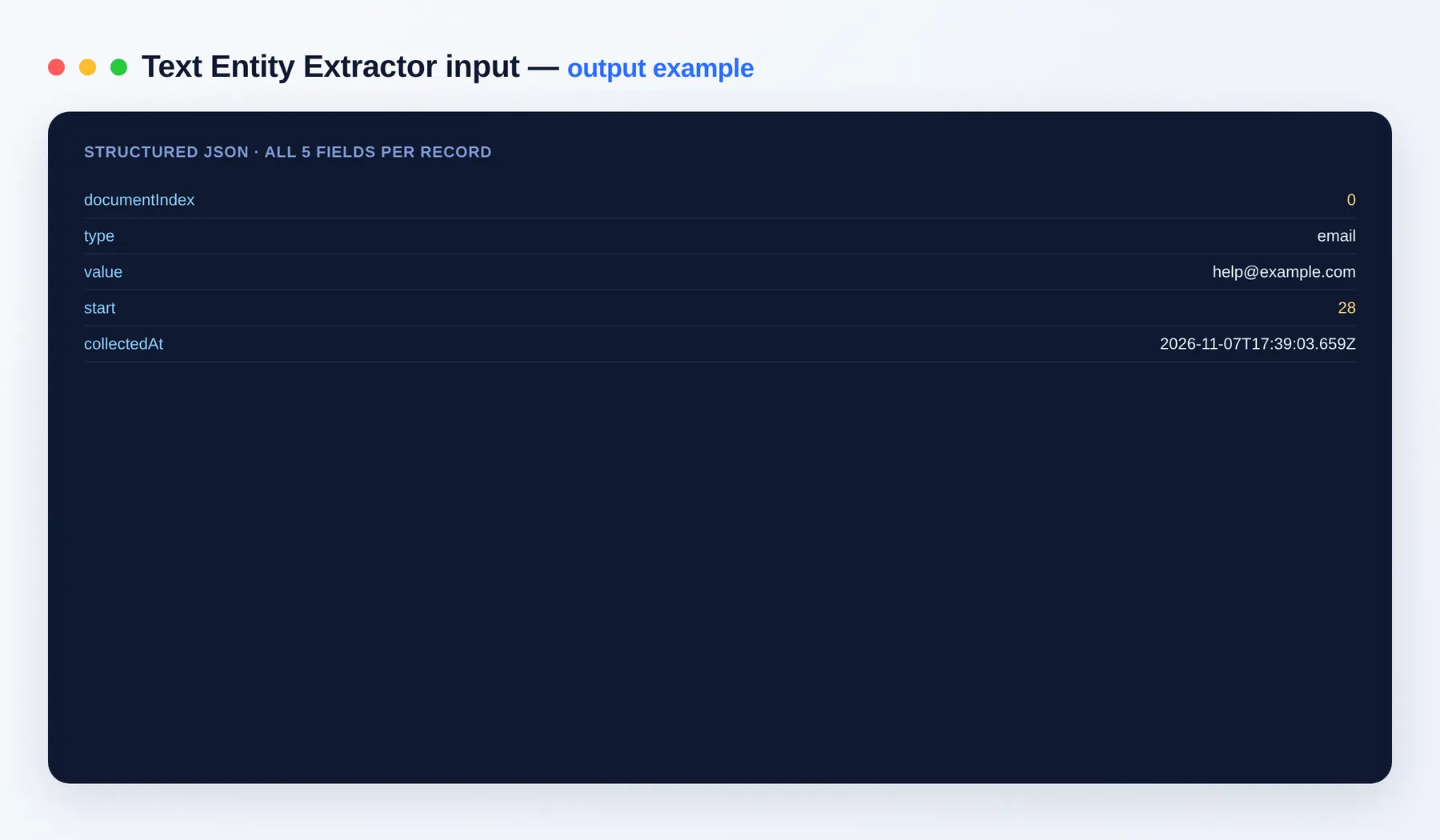
Each entity becomes one structured JSON record:
Output schema
| Field | Type | Description |
|---|---|---|
documentIndex | integer | Index of the text in the batch. |
type | string | Entity type (email, phone, url, …). |
value | string | The extracted entity value. |
start | integer | Character offset of the entity in the source text. |
collectedAt | string (ISO date) | When the row was produced. |
How to extract entities from text
- Open the Text Entity Extractor and click Try for free.
- Paste your text into the
textfield, or add several texts to thetextslist for bulk scanning. - Optionally choose which
typesto extract (leave empty for all), and togglededupe. - Click Run.
- Export the entities as JSON, CSV, Excel or XML, or read them from the Apify API.
Input
| Field | Type | Description |
|---|---|---|
text | string | The text to scan. |
texts | array | Optional list of separate texts to scan in one run. |
types | array | Which entity types to extract; empty = all. |
dedupe | boolean | Keep only the first occurrence of each identical entity. |
maxItems | integer | Maximum total entities across all texts (0 = no limit). |
Use cases
- Lead extraction: pull emails and phone numbers out of scraped pages or documents into a CRM.
- Data mining: turn free-text notes, reviews or tickets into structured fields.
- Log & security parsing: extract IPs, URLs and timestamps from logs for analysis.
- Content moderation & redaction prep: locate personal data (emails, phones, card candidates) to review or mask.
- Social analysis: collect hashtags and @mentions across posts and comments.
- Dataset enrichment: add structured entity columns to an existing text dataset.
- Pipelines: run entity extraction as a step in an automated workflow on every incoming document.
Pricing
Pay-per-event: you're billed a small amount per text scanned — you only pay for the results you receive. See the Pricing tab for current rates.
FAQ
How do I extract emails and phone numbers from text? Paste your text and run the actor. Every email and phone number (and any other type you keep) comes back as its own row with its position in the text.
Can I extract only certain types?
Yes — select just the entity types you need (e.g. only email and phone) and the rest are ignored.
How accurate is the extraction? It uses well-tuned pattern matching with guards to reduce false positives — for example, dates and IP addresses aren't mistaken for phone numbers. As with any pattern-based extractor, unusual formats may vary.
Does it remove duplicates?
With dedupe on it keeps only the first occurrence of each identical entity within a text; turn it off to keep every occurrence with its position.
Does it work on many documents at once?
Yes — add a list of texts and each is scanned separately, with a documentIndex on every result.
Does each entity include its position?
Yes — the start field gives the character offset of the entity in the source text, which is handy for redaction and highlighting.
What export formats are supported? Structured JSON, CSV, Excel and XML — one row per entity — plus programmatic access through the Apify API.
Can I connect this to other apps? The Text Entity Extractor can be connected with almost any cloud service or web app thanks to integrations on the Apify platform. It works with Make, Zapier, Slack, Airbyte, GitHub, Google Drive and many more, plus the Apify API, JavaScript/Python clients and MCP. Or use webhooks to trigger an action whenever a run finishes.
Related Actors
Building a text and contact-data toolkit? Combine the Text Entity Extractor with our other utilities:
- Website Contact Scraper — pull emails, phones and socials from websites.
- PII Redactor — detect and redact personal data in text.
- Keyphrase Extractor — pull the key phrases and terms out of text.
- Readability Scorer — measure how easy your text is to read.
- Case Converter — normalize identifiers and headers between letter cases.
Notes
Original clean-room implementation. Analyzes the text you provide; no external data is fetched.


