
Text to Speech — 300+ Neural Voices, Free MP3
Pricing
from $0.005 / audio generated
Text to Speech — 300+ Neural Voices, Free MP3
Convert any text to natural-sounding speech as an MP3 download. 300+ premium neural voices across 70+ languages, adjustable rate, pitch and volume. Great for voiceovers, videos, accessibility and audio content. No setup.
Pricing
from $0.005 / audio generated
Rating
0.0
(0)
Developer

hiper soft
Maintained by CommunityActor stats
0
Bookmarked
22
Total users
5
Monthly active users
8 days ago
Last modified
Categories
Share
Turn any text into natural-sounding speech and get a ready-to-use MP3. Powered by premium neural voices — 300+ voices across 70+ languages — with adjustable speed, pitch and volume. Perfect for video voiceovers, YouTube/TikTok, audiobooks, accessibility, IVR and e-learning. No account, no API key.
Features
- 🎙️ 300+ neural voices — lifelike male & female voices in 70+ languages and accents
- 🌍 Multilingual — English (US/UK/AU/…), Spanish, French, German, Portuguese, Hindi, Japanese, Chinese, Arabic and many more
- 🎚️ Full control — adjust speaking rate, pitch and volume
- 📥 MP3 output — a downloadable audio file per run, in your chosen quality
- 📝 Any length — long text is auto-chunked and joined into one seamless file
- 🔎 Voice browser — list every voice, or filter to one language/accent (e.g. only Spanish, only British English)
- ⚡ Fast & free voices — no API key, no per-voice licensing
Browse & filter voices by language
Set List voices only to true to get the full catalog instead of audio. Add Filter by language / locale to narrow it — by language (es, ja, de) or by exact locale/accent (en-GB, pt-BR, es-MX):
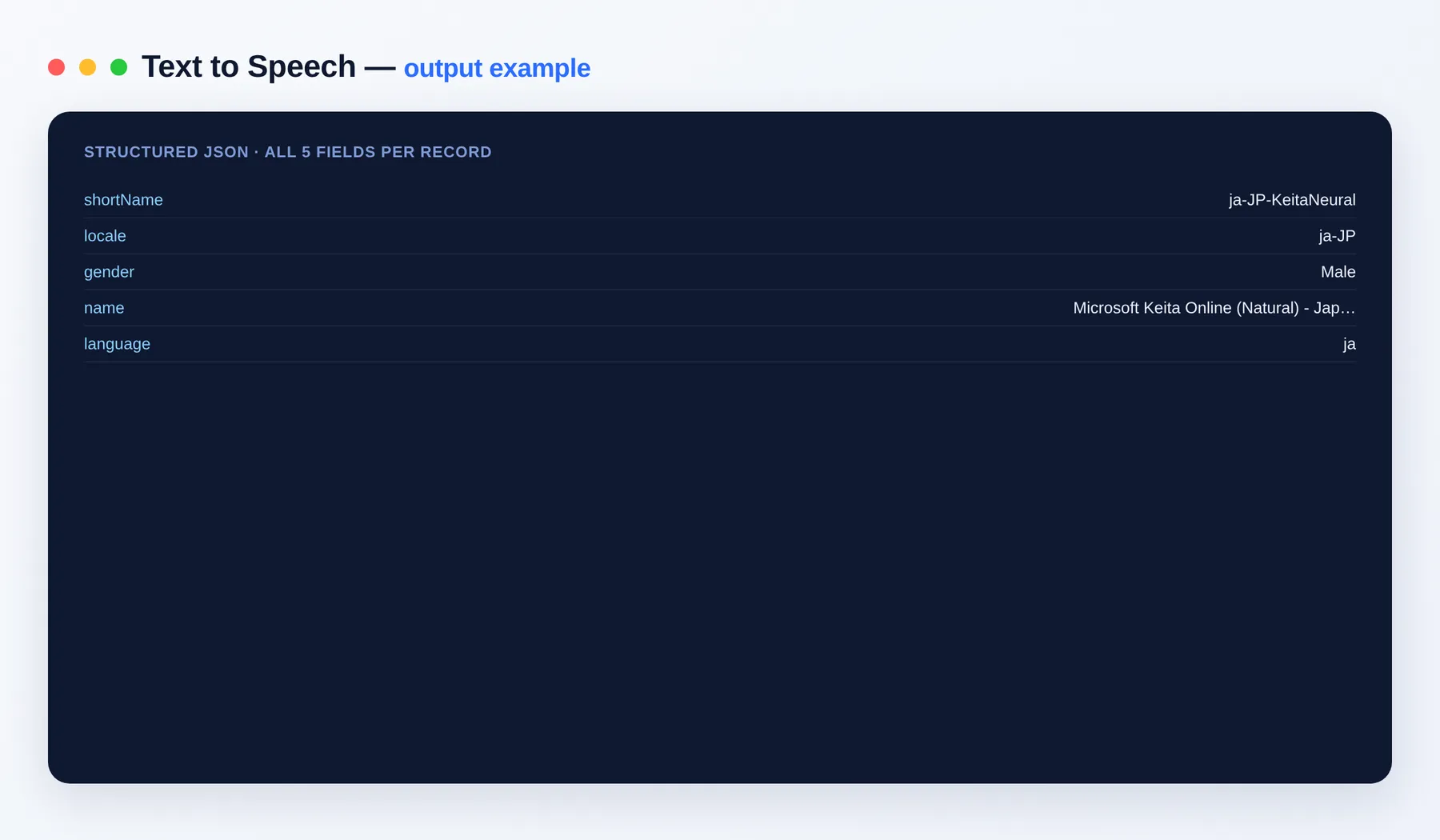
Each voice row looks like:
Output schema
| Field | Type | Description |
|---|---|---|
shortName | string | Voice short name to paste into the voice field (e.g. es-MX-DaliaNeural). |
locale | string | Full locale/accent code of the voice (e.g. es-MX). |
gender | string | Voice gender (Male or Female). |
name | string | Human-friendly display name of the voice. |
language | string | Language code of the voice (e.g. es). |
When synthesizing audio, each run instead returns the input text, the voice used, characters, audioBytes, a direct audioUrl to the MP3 and its format.
Copy the shortName into the Voice field to synthesize with it. Leave the language filter empty to see all 300+ voices across 70+ languages.
What you get
The MP3 is saved to the run's key-value store — download it from audioUrl.
Input
| Field | Description |
|---|---|
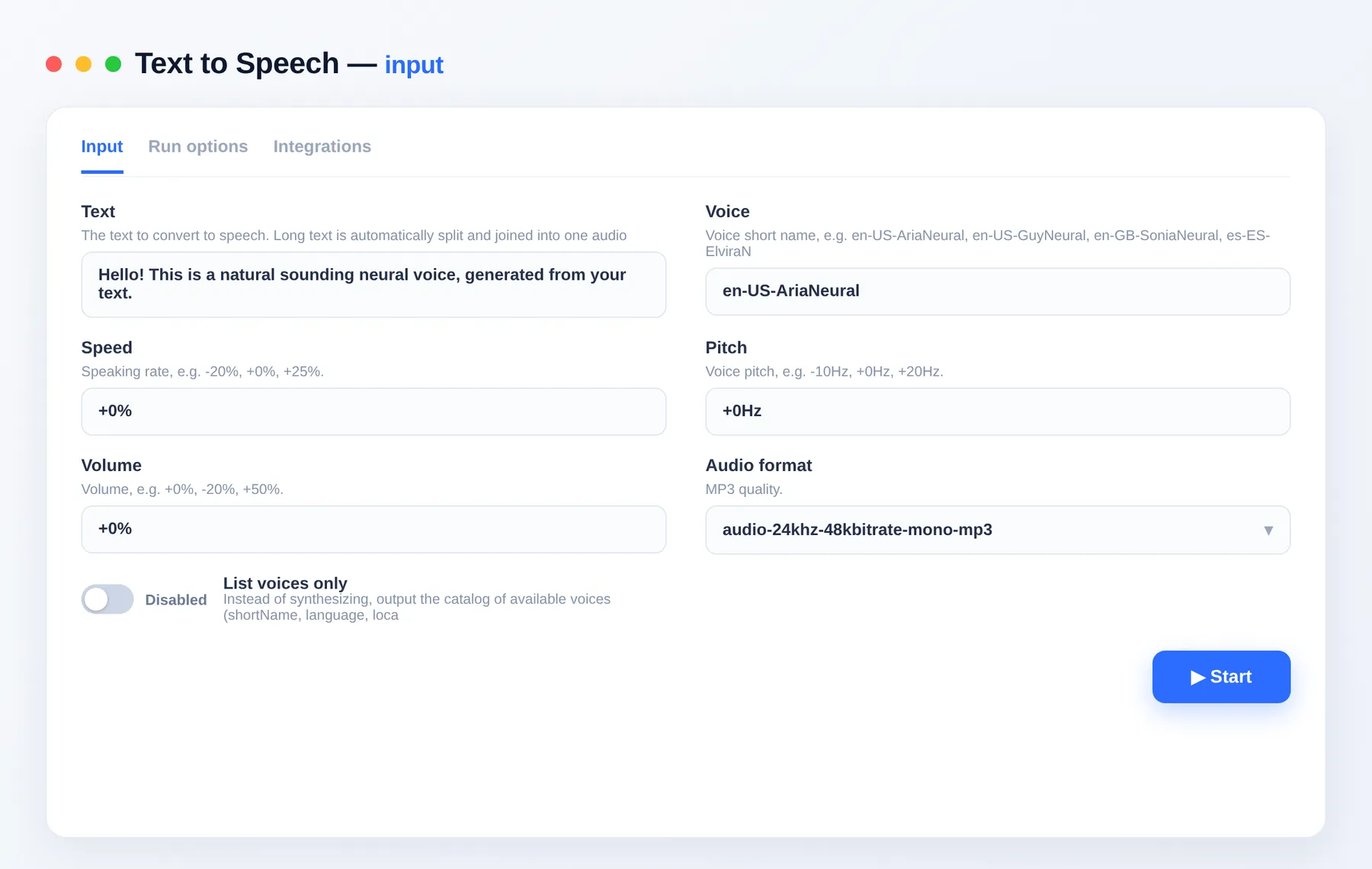
text | The text to convert (any length). |
voice | Voice short name (e.g. en-GB-SoniaNeural). Use listVoicesOnly to see all. |
rate / pitch / volume | Speaking rate, pitch and volume. |
format | MP3 quality. |
listVoicesOnly | Output the voice catalog instead of synthesizing. |
language | When listing voices, filter to one language or locale (e.g. es, en-GB, ja). |
Use cases
- Video voiceovers — narration for YouTube, TikTok, Reels, explainers
- Audiobooks & articles — turn text into listenable audio
- Accessibility — read-aloud versions of your content
- IVR & assistants — generate phone/system prompts
- E-learning — narrated lessons in many languages
FAQ
Do I need an API key? No. Just provide text and get an MP3 — no account or key required.
How many voices and languages are there?
300+ neural voices spanning 70+ languages and regional accents. Run with listVoicesOnly: true to get the full list.
How do I find voices for a specific language?
Run with listVoicesOnly: true and set language to a code like es (all Spanish), en-GB (British English) or ja (Japanese). You'll get just the matching voices, each with its shortName, locale, gender and friendly name. Then paste the shortName into the voice field.
What languages are supported? English (US, UK, AU, IN, CA…), Spanish (ES, MX, AR…), Portuguese (BR, PT), French, German, Italian, Dutch, Polish, Russian, Arabic, Hindi, Japanese, Korean, Chinese (Mandarin & Cantonese), Turkish, Vietnamese, Thai, Indonesian and many more — 70+ in total.
Can it handle long text? Yes. Long text is automatically split into chunks and merged into a single MP3.
Can I change the speed or pitch?
Yes — set rate (e.g. +15%), pitch (e.g. -10Hz) and volume.
Where's the audio file?
Saved to the run's key-value store; the output record includes a direct audioUrl to download the MP3.
Can I integrate this with other tools? The Text to Speech Actor can be connected with almost any cloud service or web app thanks to integrations on the Apify platform. It works with Make, Zapier, Slack, Airbyte, GitHub, Google Drive and many more, plus the Apify API, JavaScript/Python clients and MCP. Or use webhooks to trigger an action whenever a run finishes.
Related Actors
- Website Content Crawler Pro — turn web pages into clean text (feed it into TTS)
- Wikipedia Scraper — article text you can narrate
- Google News Scraper — news articles to convert to audio
- PubMed Scraper — research abstracts to listen to
Notes
You are responsible for the text you submit and for complying with applicable terms and licensing for its use. This is an independent tool; generated audio is provided as-is.


