

Website Content Crawler Pro — Markdown for AI & RAG
Pricing
from $0.002 / page crawled
Website Content Crawler Pro — Markdown for AI & RAG
Crawl any website into clean Markdown or text for LLMs, RAG and AI. HTTP + JS-browser modes, main-content (readability) extraction, sitemaps, URL glob filters, cookie-banner removal and CSS selectors. No setup.
Pricing
from $0.002 / page crawled
Rating
0.0
(0)
Developer

hiper soft
Maintained by CommunityActor stats
0
Bookmarked
15
Total users
10
Monthly active users
4 days ago
Last modified
Categories
Share
Website Content Crawler Pro — Clean Markdown for AI, RAG & LLMs
Turn any website into clean, LLM-ready Markdown (or text) in one run. Built for feeding documentation, blogs and knowledge bases into RAG pipelines, vector databases and AI agents. Crawls with a fast HTTP engine or a full JavaScript browser, extracts just the main content (no nav, ads or cookie banners), and follows internal links with precise glob and sitemap control. No account, no API key.
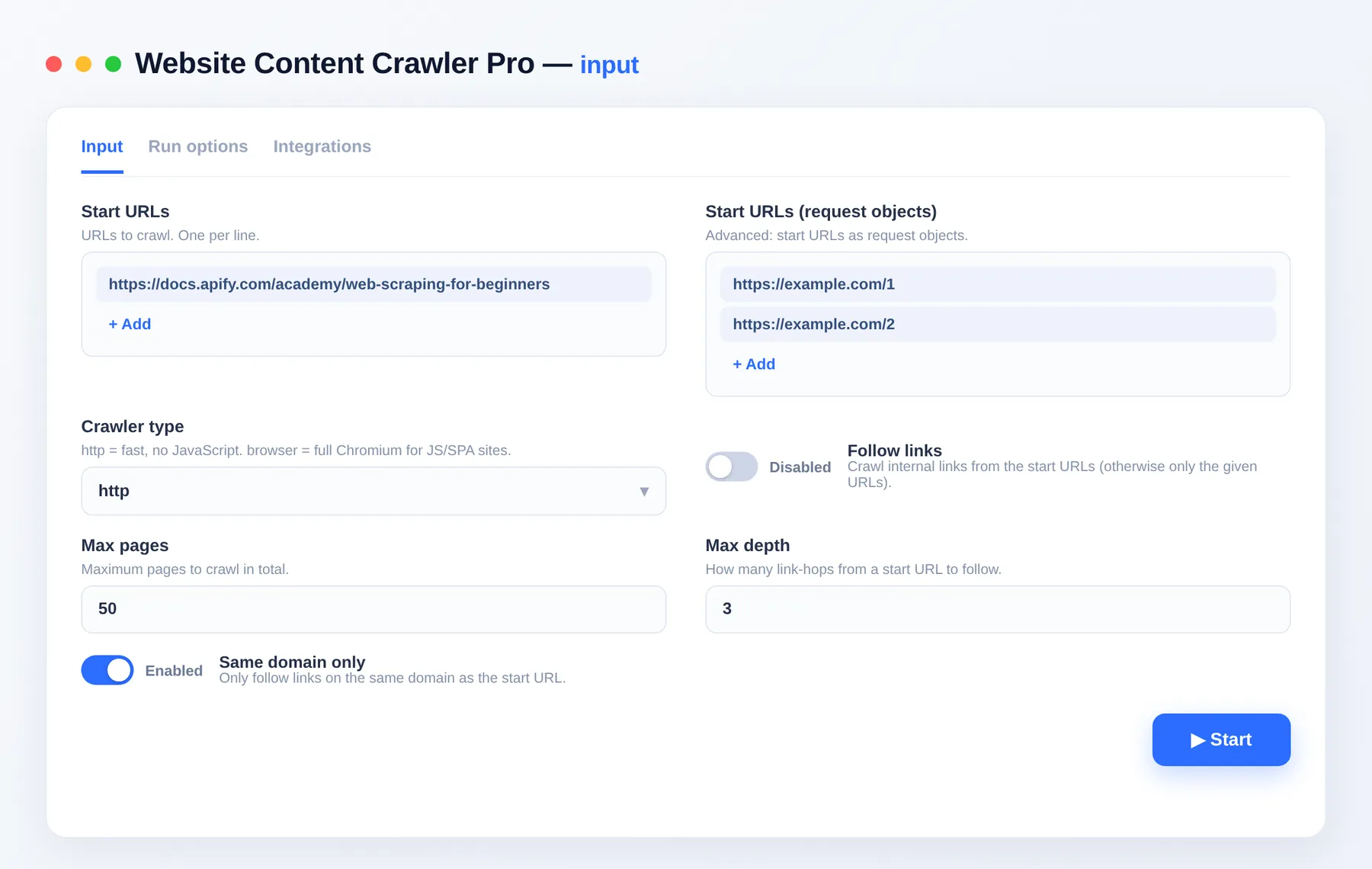
Features
- 📝 Markdown output — clean, structured Markdown per page, ideal for LLMs, RAG and vector DBs (plus plain text and optional HTML)
- 🌐 HTTP or Browser mode — fast HTTP crawling for static sites, or full Chromium rendering for JavaScript/SPA sites
- 🧹 Main-content extraction — Readability strips navigation, ads, footers and cookie banners, keeping the real article
- 🗺️ Sitemap + glob crawling — seed from
sitemap.xml, and include/exclude URLs with glob patterns - 🔗 Smart link following — configurable depth, same-domain-only, and total page cap
- 🎯 CSS control — keep-only or remove specific elements; wait for selectors and dynamic content in browser mode
- ⚡ Fast & parallel — tunable concurrency, retries and proxy support
What you get
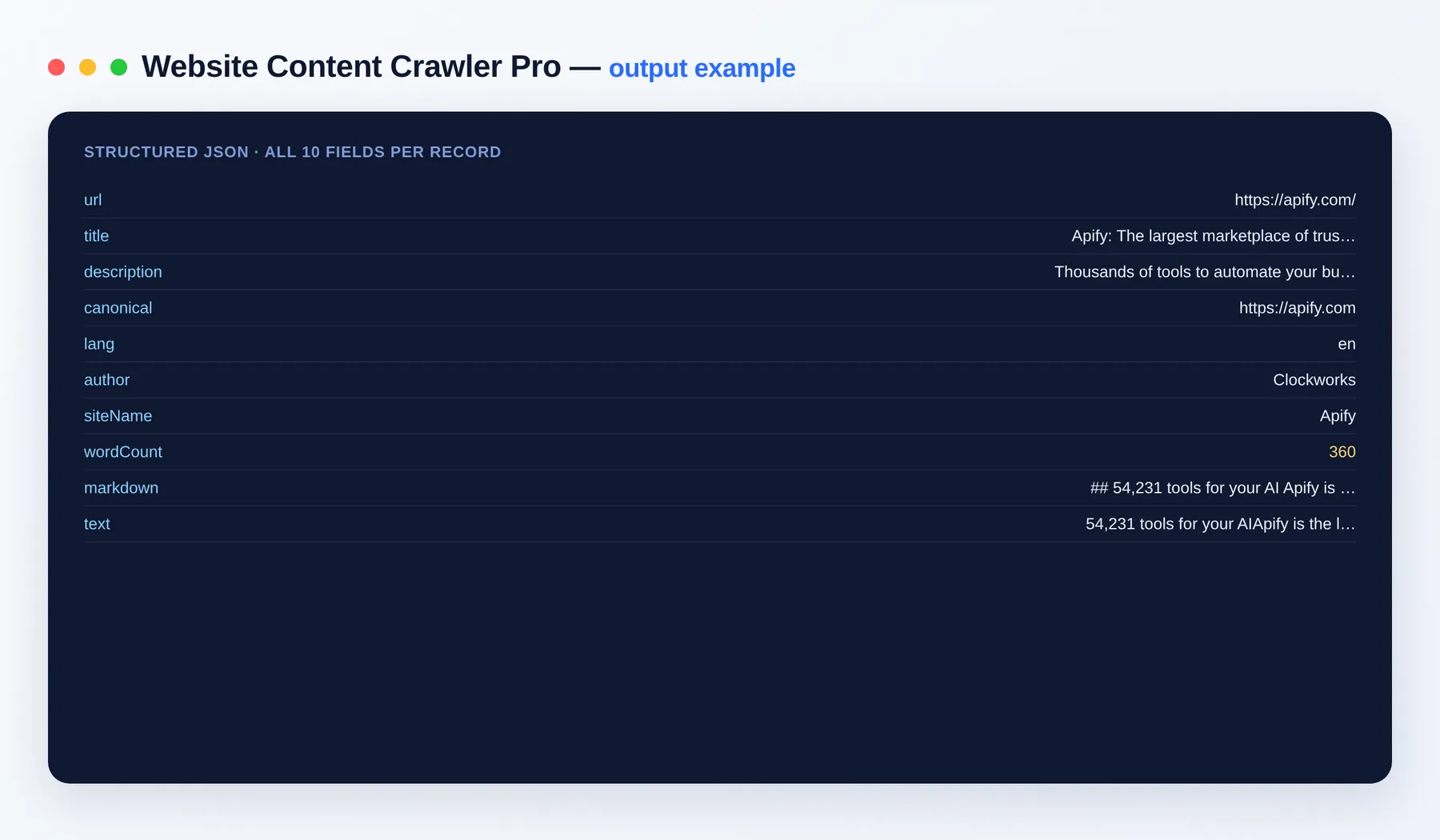
One record per page:
Output schema
| Field | Type | Description |
|---|---|---|
url | string (URL) | Page URL that was crawled. |
title | string | Page title. |
description | string | Meta description of the page. |
canonical | string (URL) | Canonical URL declared by the page. |
lang | string | Detected page language code (e.g. en). |
author | string | Article author, if the page declares one. |
siteName | string | Name of the site the page belongs to. |
wordCount | integer | Number of words in the extracted content. |
markdown | string | Main page content as clean Markdown. |
text | string | Main page content as plain text. |
Input
| Field | Description |
|---|---|
urls | Start URLs to crawl. |
crawlerType | http (fast) or browser (JS rendering). |
crawl | Follow internal links from the start URLs. |
maxCrawlPages / maxCrawlDepth | Total page cap and link-hop depth. |
includeUrlGlobs / excludeUrlGlobs | Glob filters for which URLs to crawl. |
useSitemaps | Seed from each site's sitemap.xml. |
saveMarkdown / saveText / saveHtml | Output formats. |
htmlTransformer | readability (main content) or none (full body). |
Use cases
- RAG & AI knowledge bases — turn docs sites into Markdown for retrieval-augmented generation
- LLM fine-tuning datasets — collect clean article text at scale
- Docs & blog migration — export a site's content to Markdown
- Competitive/content research — pull structured page content across a domain
Pricing
Pay-per-event: a small amount per page crawled. See the Pricing tab for current rates.
FAQ
What's the difference from a basic content scraper? This Pro version outputs clean Markdown (not just text), renders JavaScript sites with a real browser, extracts the main content with Readability, and supports sitemaps + glob filters — everything a RAG/LLM pipeline needs.
Do I need an API key? No. Just give it URLs and run — no account or key required.
Can it handle JavaScript / single-page apps?
Yes. Set crawlerType to browser and, if needed, waitForSelector or dynamicContentWaitSecs so client-rendered content loads before extraction.
What output format is best for AI/RAG? Markdown. It preserves headings, lists and links in a compact form that LLMs and chunkers handle well. Plain text and HTML are also available.
How many pages can it crawl?
Up to tens of thousands per run via maxCrawlPages, with sitemap seeding and glob filters to target exactly the pages you want.
Can I connect this to other apps and services? The Website Content Crawler Pro can be connected with almost any cloud service or web app thanks to integrations on the Apify platform. It works with Make, Zapier, Slack, Airbyte, GitHub, Google Drive and many more, plus the Apify API, JavaScript/Python clients and MCP. Or use webhooks to trigger an action whenever a run finishes.
Related Actors
- Website Content Crawler — the lightweight text-only crawler
- Website Contact Scraper — emails, phones and socials from any site
- RAG Web Browser — search the web and return page content for AI agents
- Bulk URL Checker — status, redirects and metadata for a list of URLs
Notes
Original clean-room implementation using open-source libraries (Crawlee, Mozilla Readability, Turndown). Respects the target site's content; use responsibly and within each site's terms. This is an independent tool, not affiliated with any site it crawls.


